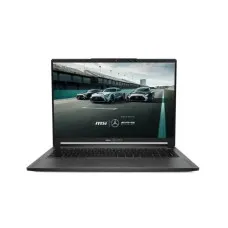
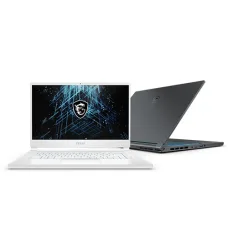
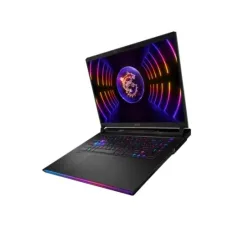
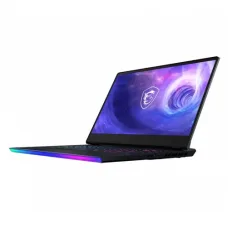
Top MSI Laptops for Superior Performance and Quality

Showing 16 to 30 of 175 (12 Pages)

MSI laptops are designed for users who need powerful portable computers for gaming, professional work, content creation, engineering, programming, multimedia, and everyday productivity. MSI offers laptops across multiple categories, including gaming laptops, business and productivity laptops, creator laptops, high-performance workstations, and lightweight portable models.

Unix Network offers MSI laptops in Bangladesh for customers looking for performance-focused notebooks for gaming, study, office work, programming, graphic design, video editing, and professional applications. MSI laptop specifications vary by series and model, so customers should compare the processor, graphics card, display, RAM, SSD, cooling system, battery, and upgrade options before purchasing.

MSI Laptop

An MSI laptop combines portable computing with hardware configurations designed for different user requirements. Depending on the model, an MSI notebook can feature Intel Core or AMD Ryzen processors, NVIDIA GeForce graphics, high-refresh-rate displays, DDR4 or DDR5 memory, NVMe SSD storage, advanced cooling, Wi-Fi connectivity, and multiple external ports.

MSI is particularly well known for its gaming laptop lineup, but the company also produces laptops designed for creators, professionals, students, office users, and business customers.

MSI Laptop Categories

  • MSI Gaming Laptop
  • MSI Creator Laptop
  • MSI Business Laptop
  • MSI Professional Laptop
  • MSI Student Laptop
  • MSI Core i3 Laptop
  • MSI Core i5 Laptop
  • MSI Core i7 Laptop
  • MSI Core i9 Laptop
  • MSI Ryzen Laptop
  • MSI RTX Laptop
  • MSI 15.6 Inch Laptop
  • MSI 16 Inch Laptop
  • MSI 17 Inch Laptop
  • MSI FHD Laptop
  • MSI QHD Laptop
  • MSI High Refresh Rate Laptop
  • MSI OLED Laptop

MSI Gaming Laptop

MSI gaming laptops are designed for PC gaming and demanding graphics workloads. Depending on the model, they can feature dedicated NVIDIA GeForce RTX graphics, high-performance Intel or AMD processors, high-refresh-rate displays, advanced thermal systems, RGB keyboards, and fast NVMe SSD storage.

The right MSI gaming laptop depends on the games you play, target resolution, desired frame rate, display refresh rate, portability requirements, and budget.

MSI Creator Laptop

MSI Creator laptops are designed for photographers, video editors, graphic designers, 3D artists, architects, engineers, and other creative professionals. These laptops can combine powerful processors and dedicated GPUs with high-resolution or color-focused displays.

For creative work, users should consider display color accuracy, resolution, RAM capacity, GPU performance, SSD capacity, CPU performance, and connectivity.

MSI Business Laptop

MSI business laptops are designed for professional productivity, office applications, communication, presentations, web-based work, and business computing. Depending on the series, users may find features focused on portability, security, battery life, connectivity, and productivity.

MSI Laptop for Students

MSI laptops can be suitable for students who need a computer for education, programming, research, online classes, office applications, multimedia, and entertainment. Students who also play games or use demanding software may prefer a gaming or performance-oriented MSI model.

MSI Laptop for Programming

MSI laptops can provide a strong platform for programming and software development. A modern multi-core processor, sufficient RAM, fast NVMe SSD storage, comfortable keyboard, and suitable display can improve the programming experience.

Developers working with virtual machines, containers, Android development, data science, or large development environments may benefit from higher RAM capacity and a more powerful processor.

MSI Laptop for Graphic Design

Graphic designers can benefit from MSI laptops equipped with high-quality displays, powerful processors, dedicated graphics, and sufficient RAM. Display resolution and color accuracy are especially important when working with professional design applications.

MSI Laptop for Video Editing

Video editing requires substantial CPU, GPU, memory, and storage performance. MSI laptops with dedicated graphics and high-performance processors can be suitable for applications such as Adobe Premiere Pro, DaVinci Resolve, After Effects, and other professional video tools.

Users working with 4K or higher-resolution footage should consider a laptop with sufficient RAM, fast SSD storage, a capable GPU, and an effective cooling system.

MSI Laptop for 3D Design

MSI performance laptops can be used for 3D modeling, animation, CAD, architectural visualization, and rendering. A dedicated GPU and powerful processor can significantly improve performance in applications that support GPU or multi-core acceleration.

MSI Laptop for Engineering

Engineering students and professionals can use compatible MSI laptops for CAD, simulation, programming, engineering analysis, and technical applications. The required hardware depends on the specific engineering software.

MSI Laptop Processor Options

MSI laptops are available with different Intel and AMD processors depending on the model and generation. Entry-level and productivity models may use lower-power processors, while gaming and creator laptops can feature high-performance CPUs designed for demanding workloads.

When comparing MSI laptops, users should consider the exact processor model and generation rather than relying only on labels such as Core i5, Core i7, or Ryzen 7.

MSI Intel Core i5 Laptop

MSI laptops with Intel Core i5 processors can provide a balance between everyday productivity and performance. Depending on the generation and configuration, an Intel Core i5 MSI laptop can be suitable for office applications, programming, study, multimedia, and gaming when paired with an appropriate GPU.

MSI Intel Core i7 Laptop

MSI Core i7 laptops are designed for users who need greater processing performance. They can be suitable for gaming, programming, content creation, video editing, engineering applications, and multitasking depending on the exact CPU generation.

MSI Intel Core i9 Laptop

MSI Core i9 laptops are positioned toward high-performance users. They can be suitable for demanding gaming, professional content creation, rendering, engineering, and other CPU-intensive workloads.

MSI Ryzen Laptop

MSI offers laptops using AMD Ryzen processors. Ryzen-based MSI laptops can provide strong multi-core performance and are available across different performance categories.

MSI Laptop Graphics Card

Graphics capability is one of the most important factors when selecting an MSI laptop for gaming or professional applications. Depending on the model, MSI laptops may use integrated graphics or dedicated NVIDIA GeForce GPUs.

For gaming and GPU-intensive creative workloads, users should evaluate the exact GPU model, VRAM capacity, power configuration, cooling system, and display resolution.

MSI RTX Laptop

MSI RTX laptops use NVIDIA GeForce RTX graphics processors. Depending on the GPU generation, RTX models can provide hardware-accelerated ray tracing, AI-related features, CUDA acceleration, and advanced video encoding.

MSI Laptop RAM

RAM affects multitasking and the ability to run memory-intensive applications. MSI laptops are available with different RAM capacities depending on the model.

For basic office and educational tasks, a moderate RAM configuration may be sufficient. Gaming, programming, content creation, virtual machines, and professional applications can benefit from higher memory capacity.

MSI DDR4 Laptop

Some MSI laptops use DDR4 memory. DDR4 remains suitable for many productivity and gaming systems, although newer laptop platforms increasingly use DDR5 or other newer memory technologies.

MSI DDR5 Laptop

Newer MSI laptops can use DDR5 memory, which provides higher memory bandwidth than DDR4. Exact memory type, capacity, speed, and upgradeability depend on the laptop model.

MSI Laptop SSD

Modern MSI laptops commonly use SSD storage for fast operating-system startup, application loading, and file access. NVMe SSDs can provide high storage performance on compatible systems.

MSI Laptop 512GB SSD

A 512GB SSD can be a practical capacity for many users. It can accommodate the operating system, applications, documents, and a moderate number of games or media files.

MSI Laptop 1TB SSD

A 1TB SSD provides additional storage for games, applications, videos, photographs, project files, and other data. It can be particularly useful for gaming and content creation.

MSI Laptop Display

MSI laptops are available with different display sizes, resolutions, panel technologies, refresh rates, and color characteristics. The ideal display depends on whether the laptop is primarily intended for gaming, office work, creative work, or general use.

MSI 15.6 Inch Laptop

15.6-inch MSI laptops offer a balance between screen size and portability. This size is popular among gaming and productivity users because it provides a reasonably large workspace without the size of a larger 17-inch notebook.

MSI 16 Inch Laptop

16-inch MSI laptops can provide additional screen space while maintaining a relatively portable design. Some models use a taller aspect ratio that provides additional vertical workspace for productivity and creative applications.

MSI 17 Inch Laptop

17-inch MSI laptops provide a larger display area and can be useful for gaming, content creation, and desktop replacement applications. They are generally less portable than smaller models.

MSI Full HD Laptop

Full HD displays provide a 1920 by 1080 resolution and remain common in laptops. An FHD display can provide a good balance between image quality and graphics performance, particularly for gaming.

MSI QHD Laptop

QHD laptops provide a higher resolution than Full HD and can deliver sharper images and additional workspace. Higher-resolution displays also place greater demands on the GPU when gaming at native resolution.

MSI High Refresh Rate Laptop

High-refresh-rate displays are particularly useful for gaming because they can provide smoother motion and improved responsiveness when the GPU can generate sufficiently high frame rates.

Common refresh-rate categories include 120Hz, 144Hz, 165Hz, 240Hz, and higher, depending on the model.

MSI OLED Laptop

MSI OLED laptops use OLED display technology, which can provide deep blacks, high contrast, vibrant colors, and fast pixel response. OLED displays can be attractive to users who prioritize image quality for entertainment and creative work.

MSI Laptop Keyboard

Keyboard design varies by MSI laptop series. Gaming models may include RGB backlighting and gaming-focused keyboard features, while productivity-oriented models may prioritize portability and typing comfort.

MSI Laptop Cooling System

Cooling is particularly important in high-performance laptops. MSI gaming and performance-oriented models can use dedicated heat pipes, multiple fans, and other thermal-management technologies to help maintain performance under demanding workloads.

Actual temperatures depend on the processor, GPU, workload, ambient temperature, fan profile, and laptop design.

MSI Laptop Battery Life

Battery life varies significantly between MSI laptop models. High-performance gaming laptops generally consume more power under load, particularly when using a dedicated GPU. Productivity-focused laptops can prioritize lower power consumption and longer unplugged operation.

Battery performance also depends on screen brightness, refresh rate, applications, wireless connectivity, power settings, and battery condition.

MSI Laptop Connectivity

MSI laptops may provide a combination of USB-A, USB-C, HDMI, audio, Ethernet, wireless networking, and other ports depending on the model. Users should check the exact port configuration if they need to connect external monitors, docking stations, storage devices, projectors, or other peripherals.

MSI Laptop Wi-Fi

Modern MSI laptops can include advanced Wi-Fi standards for wireless internet connectivity. The exact Wi-Fi generation and performance depend on the laptop model and installed wireless adapter.

MSI Laptop Bluetooth

Bluetooth connectivity allows compatible MSI laptops to connect wireless headphones, speakers, mice, keyboards, smartphones, and other peripherals.

MSI Laptop HDMI

HDMI output allows users to connect an MSI laptop to an external monitor, television, projector, or other compatible display. Supported resolution and refresh rate depend on the laptop's graphics hardware and HDMI implementation.

MSI Laptop USB-C

USB-C is available on many modern MSI laptops. Depending on the model, USB-C may support data transfer, display output, charging, or other functions. Users should verify the exact USB-C capabilities of their chosen model.

MSI Laptop for External Monitor

MSI laptops can be connected to external monitors for additional workspace, gaming, presentations, design, and professional applications. Users should check the laptop's available HDMI, DisplayPort, USB-C, or Thunderbolt capabilities and the supported display specifications.

MSI Laptop Upgradeability

Some MSI laptops allow users to upgrade RAM and storage, while others have certain components soldered to the motherboard. Upgradeability varies by model and should be checked before purchase.

Users planning future upgrades should check the number of available RAM slots, maximum supported memory, M.2 slots, supported SSD sizes, and serviceability of the selected model.

MSI Laptop Storage Upgrade

A compatible MSI laptop may allow additional M.2 SSD installation or replacement of the existing storage drive. The exact upgrade options vary by model.

MSI Laptop RAM Upgrade

Some MSI laptops provide accessible SO-DIMM memory slots that allow RAM upgrades. Other models may use soldered memory. Always check the manufacturer's specifications for the exact model before purchasing additional RAM.

MSI Laptop for Gaming and Work

A performance-oriented MSI laptop can serve both gaming and professional purposes. A dedicated GPU can accelerate games, video editing, 3D applications, design software, and other GPU-intensive workloads.

Users who require a laptop for both work and gaming should consider portability, display quality, battery life, performance, cooling, keyboard design, and connectivity in addition to gaming specifications.

MSI Laptop Specifications

Specification What to Check
Processor Exact Intel Core or AMD Ryzen model and generation
Graphics Integrated or dedicated GPU and exact model
VRAM Dedicated graphics memory capacity
RAM Capacity, type, speed, and upgradeability
Storage SSD type, capacity, and upgrade options
Display Size, resolution, panel type, refresh rate, and color coverage
Keyboard Backlighting, RGB features, and layout
Connectivity USB, USB-C, HDMI, Ethernet, Wi-Fi, and Bluetooth
Battery Capacity and expected battery performance
Cooling Fan and heat-pipe design
Operating System Preinstalled operating system and license
Weight Important for portability

How to Choose an MSI Laptop

  • Determine whether you need a gaming, creator, business, or productivity laptop.
  • Choose the appropriate processor based on your workload.
  • Select integrated or dedicated graphics according to your requirements.
  • Check the exact GPU model for gaming and creative work.
  • Choose sufficient RAM for your applications.
  • Select an SSD capacity that matches your storage requirements.
  • Check display size and resolution.
  • Consider refresh rate if gaming is important.
  • Check color accuracy for professional creative work.
  • Review available USB, USB-C, HDMI, and networking ports.
  • Check battery capacity and portability.
  • Verify RAM and SSD upgrade options.
  • Consider cooling and sustained performance.
  • Compare warranty and after-sales support.
  • Check current price and stock availability.

MSI Laptop for Students

Students can choose MSI laptops according to their course requirements. General education and office tasks may not require a powerful dedicated GPU, while students studying computer science, engineering, architecture, multimedia, or game development may benefit from a more powerful configuration.

MSI Laptop for Office Work

For office work, an MSI laptop with a modern processor, adequate RAM, SSD storage, a comfortable keyboard, and a suitable display can handle applications such as word processing, spreadsheets, presentations, web applications, email, video conferencing, and business software.

MSI Laptop for Gaming

For gaming, the GPU is one of the most important components. Users should also consider CPU performance, RAM, VRAM, display refresh rate, cooling, SSD capacity, and power configuration.

MSI Laptop for Esports

Esports games often benefit from high frame rates and high-refresh-rate displays. An MSI gaming laptop with a fast GPU, capable CPU, low-latency display, and effective cooling can be suitable for competitive gaming.

MSI Laptop for AAA Games

Modern AAA games can require substantial GPU and CPU performance. Users should choose an MSI gaming laptop based on the recommended specifications of their target games and the desired resolution and graphics settings.

MSI Laptop for Photoshop

Adobe Photoshop can run on a wide range of MSI laptops, but professional users may benefit from more RAM, a faster processor, SSD storage, and a high-quality display with good color reproduction.

MSI Laptop for Premiere Pro

Adobe Premiere Pro can benefit from strong CPU and GPU performance, sufficient RAM, and fast storage. MSI creator and gaming laptops with dedicated graphics can be suitable for video-editing workflows depending on the project complexity.

MSI Laptop for AutoCAD

MSI laptops can be used for AutoCAD and other CAD applications. The appropriate configuration depends on the complexity of the drawings, 3D workloads, project size, and software requirements.

MSI Laptop Price in Bangladesh

MSI laptop prices in Bangladesh vary considerably depending on the series, processor, GPU, RAM, SSD, display, build quality, and generation. Entry-level productivity models are generally positioned differently from high-performance gaming and creator laptops.

When comparing prices, customers should compare the complete configuration rather than focusing only on the processor name or RAM capacity. Display quality, GPU model, SSD type, cooling system, upgradeability, and warranty can also significantly affect value.

Buy MSI Laptop in Bangladesh

Customers looking to buy an MSI laptop in Bangladesh can choose from gaming, creator, professional, business, and everyday computing models. The best option depends on the intended workload, portability requirements, performance needs, and budget.

Unix Network offers laptops and computer products for customers looking for systems for gaming, business, education, programming, graphics design, video editing, and professional applications. Customers can compare MSI laptop specifications according to their requirements before purchase.

MSI Laptop in Jashore

Unix Network provides laptops and computer products for customers in Jashore and across Bangladesh. MSI laptops can be considered for gaming PCs, professional work, education, programming, multimedia, content creation, and general productivity.

Frequently Asked Questions About MSI Laptops

Is MSI a good laptop brand?

MSI is a well-known computer hardware brand with a strong presence in gaming and performance laptops. Its laptop lineup also includes creator and productivity-oriented models. The quality and features vary between individual series and models, so buyers should evaluate the exact configuration.

Are MSI laptops good for gaming?

Yes. MSI has a broad range of gaming laptops equipped with dedicated graphics, high-performance processors, high-refresh-rate displays, and gaming-focused cooling systems. Gaming performance depends on the exact model.

Are MSI laptops good for students?

Yes. MSI offers laptops suitable for students, although the best model depends on the student's academic requirements. Basic study tasks can be handled by a productivity laptop, while engineering, architecture, programming, and multimedia students may require more powerful hardware.

Are MSI laptops good for programming?

Yes. MSI laptops can be excellent for programming. Models with modern multi-core processors, sufficient RAM, fast SSD storage, and high-quality displays can provide a strong development environment.

Are MSI laptops good for video editing?

Many MSI laptops are suitable for video editing, particularly creator and gaming models with powerful processors, dedicated GPUs, sufficient RAM, and fast SSD storage.

Which MSI laptop is best for gaming?

The best MSI gaming laptop depends on the target games, resolution, refresh rate, desired graphics settings, budget, and portability requirements. A higher-performance GPU is generally more important for demanding gaming workloads.

How much RAM should an MSI laptop have?

The required RAM depends on the workload. Basic productivity can work with a lower capacity, while gaming, programming, video editing, 3D design, virtual machines, and professional applications can benefit from higher RAM capacity.

Is MSI laptop RAM upgradeable?

Some MSI laptop models have upgradeable RAM, while others use soldered memory. Upgradeability should be checked for the exact model before purchase.

Can MSI laptops use an additional SSD?

Some MSI laptops provide additional M.2 or other storage slots, while others may have only one storage slot. The exact expansion capability depends on the model.

Do MSI gaming laptops have good cooling?

MSI gaming laptops use dedicated thermal-management systems designed for their respective hardware configurations. Actual cooling performance varies by model, CPU, GPU, workload, room temperature, and fan settings.

Why Buy MSI Laptop from Unix Network?

Unix Network provides laptops and computer hardware for customers looking for gaming, business, education, programming, creative, and professional computing solutions. Customers can compare MSI laptop models based on processor, GPU, RAM, SSD, display, cooling, battery, connectivity, upgradeability, warranty, and budget.

Before purchasing an MSI laptop, verify the exact model number and complete specification. Processor generation, GPU model, RAM configuration, SSD capacity, display characteristics, ports, operating system, warranty, price, and stock availability can vary between models and may change without prior notice.