
Monitor Price in Bangladesh
Showing 1 to 24 of 1063 (45 Pages)
Refine Search
- Monitor Size
- Monitor Resolution
- Acer
- AIWA monitor
- Aoc
- Apple Monitor
- ASRock Monitor
- Asus
- BENQ
- Cooler Master monitor
- Corsair Monitor
- Curved screen Monitor
- Dahua Monitor
- Dell
- Enter
- ESONIC
- Fantech Monitor
- GameMax
- Gaming Monitor
- Gigabyte
- Gigasonic monitor
- Hikvision Monitor
- HP
- Huawei
- Huntkey
- LED Monitor
- Lenovo
- LG
- MSI
- NPC monitor
- OLED Monitor
- PC Power Monitor
- Samsung
- Sky view
- Starex
- ThundeRobot Monitor
- TrendSonic Monitor
- Uniview Monitor
- Univision Monitor
- Value-Top Monitor
- Viewsonic
- Walton Monitor
- Xiaomi
- PHILIPS


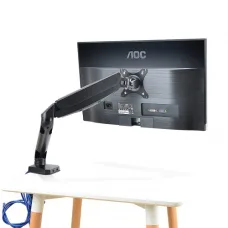


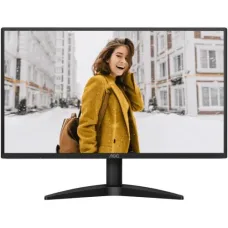

Xiaomi Redmi Display X27GQ 165Hz QHD Gaming Monitor
৳28,000 ৳30,000
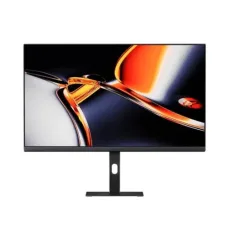
Xiaomi Redmi A27U 27" 4K UHD IPS Monitor
৳35,300 ৳37,800

Xiaomi Redmi 1A 23.8" IPS 100Hz Monitor
৳11,500 ৳11,700

Walton CiNEd WD27GI07 27" QHD 165Hz IPS Gaming Monitor
৳27,000 ৳34,800
Ends in --:--:--
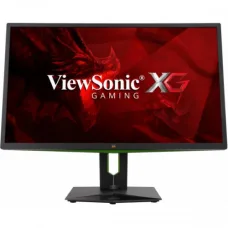
Viewsonic XG2703-GS 27" 165Hz G-SYNC IPS Gaming Monitor
৳98,000 ৳98,500

Viewsonic VX3276-2K-mhd-2 32" IPS QHD Entertainment Monitor
৳36,600 ৳38,200
Ends in --:--:--

ViewSonic VX2779-HD-PRO 27" 180Hz IPS Gaming Monitor
৳28,500 ৳29,900

ViewSonic VP3481a ColorPro 34" UltraWide QHD Curved Monitor
৳107,000 ৳120,000
Viewsonic VP3256-4K 32
৳101,000 ৳105,900

Viewsonic VP2456 24" 60Hz FHD IPS Professional Monitor
৳39,000 ৳39,600


Monitor
Monitor Price in Bangladesh
A monitor is an essential computer display device used to view text, images, videos, applications, games, and other digital content. Monitors are available in different sizes, resolutions, panel technologies, refresh rates, response times, and connectivity options to meet the needs of home users, students, office professionals, content creators, designers, and gamers.
The monitor price in Bangladesh depends on display size, resolution, panel type, refresh rate, response time, color accuracy, connectivity, adaptive sync technology, and additional features. Choosing the right monitor should therefore depend on your actual usage rather than price alone.
Buy Monitor in Bangladesh
If you are planning to buy a monitor in Bangladesh, first determine how you will use it. A basic Full HD monitor can be suitable for office work and everyday computing, while a high-refresh-rate gaming monitor can provide smoother gameplay. Professionals working with photography, video editing, graphics, or design may prioritize color accuracy and higher resolution.
Before purchasing, compare monitor size, resolution, panel technology, refresh rate, response time, brightness, contrast, ports, ergonomic adjustment, and warranty.
Types of Monitor
LED Monitor
LED monitors use LED backlighting and are widely used for home, office, education, entertainment, and gaming. They are available in a broad range of sizes and specifications.
LCD Monitor
LCD monitors use liquid crystal display technology with a backlight. Modern LCD monitors are commonly available with LED backlighting and can provide good image quality for everyday computing.
IPS Monitor
IPS panels are known for wide viewing angles and generally strong color reproduction. They are commonly chosen for office work, content creation, photo editing, graphic design, and general-purpose computing.
VA Monitor
VA panels can provide strong contrast and deep blacks compared with many conventional IPS and TN displays. They can be suitable for movies, gaming, and general multimedia use.
TN Monitor
TN panels are known for fast response characteristics and can be found in certain gaming monitors. They may offer narrower viewing angles and less color performance than many modern IPS displays.
OLED Monitor
OLED monitors use self-emissive pixels, allowing individual pixels to turn off completely. This can provide excellent contrast, deep blacks, and fast response characteristics. OLED monitors are often positioned as premium displays.
Gaming Monitor
Gaming monitors are designed with features such as high refresh rates, low response times, adaptive sync technologies, and gaming-focused display modes. These features can make fast-moving games appear smoother and more responsive.
Curved Monitor
Curved monitors feature a curved display surface that can provide an immersive viewing experience, particularly on larger or ultrawide screens. The usefulness of a curved display depends on viewing distance, screen size, and personal preference.
Ultrawide Monitor
Ultrawide monitors provide a wider aspect ratio than traditional displays. They are useful for multitasking, video editing timelines, productivity, simulation games, and users who want additional horizontal workspace.
Portable Monitor
Portable monitors are lightweight displays designed to be carried with laptops or other compatible devices. They can provide an additional screen for remote work, travel, presentations, and mobile productivity.
Professional Monitor
Professional monitors are designed for users who require accurate and consistent display performance. Depending on the model, they may offer wide color coverage, factory calibration, higher resolution, HDR support, and extensive connectivity.
Monitor Panel Types
IPS Panel
IPS is a popular choice for users who value viewing angles and color performance. It can be suitable for productivity, design, editing, and general use.
VA Panel
VA panels generally provide high contrast and can be particularly suitable for watching movies and gaming in darker environments.
TN Panel
TN panels can provide fast performance and are sometimes used in competitive gaming displays. However, their viewing angles and color reproduction can be less impressive than newer panel technologies.
OLED Panel
OLED provides individually controlled pixels, enabling excellent black levels and contrast. It is increasingly available in premium gaming and professional monitors.
Monitor Resolution
HD Monitor
HD displays provide a basic resolution suitable for simple computing tasks, although higher-resolution monitors are now widely available.
Full HD Monitor
Full HD, commonly referred to as 1080p, remains a popular resolution for office work, education, browsing, entertainment, and affordable gaming.
QHD Monitor
QHD, commonly known as 1440p, provides more pixels than Full HD and can offer sharper images and additional workspace. It is particularly popular among gamers and productivity users.
4K Monitor
4K monitors provide substantially higher pixel density than Full HD displays. They are useful for detailed creative work, high-resolution media, productivity, and gaming when the computer hardware can support the required resolution.
5K and Higher Resolution Monitor
Higher-resolution monitors are designed for users who need extremely detailed images and extensive workspace. They can be particularly useful for professional creative applications, although they generally require a higher budget.
Monitor Size
19 Inch to 22 Inch Monitor
Smaller monitors can be suitable for basic office work, educational use, POS systems, and compact desks.
23 Inch to 24 Inch Monitor
24-inch monitors are popular for everyday computing because they provide a practical balance between viewing area, desk space, and price.
27 Inch Monitor
27-inch monitors provide a larger workspace and are widely used for gaming, office productivity, creative work, and entertainment.
32 Inch Monitor
32-inch monitors provide a large viewing area and can be suitable for gaming, multimedia, productivity, and professional applications.
Ultrawide Monitor
Ultrawide monitors can provide significantly more horizontal workspace than standard displays. They are useful for multitasking and applications that benefit from a wide timeline or extended workspace.
Monitor Refresh Rate
Refresh rate indicates how many times a monitor can update the displayed image per second and is measured in Hertz. A higher refresh rate can make motion appear smoother.
60Hz monitors are suitable for many everyday tasks, while 75Hz, 100Hz, 120Hz, 144Hz, 165Hz, 180Hz, 240Hz, and higher refresh-rate monitors are popular for smoother gaming and motion-heavy applications.
Monitor Response Time
Response time indicates how quickly a display pixel can change from one state to another under a specified measurement method. Lower response times can help reduce visible ghosting in fast-moving content.
Gamers should consider response time together with refresh rate, panel technology, and actual motion performance rather than relying on a single specification.
Monitor Adaptive Sync
Adaptive sync technologies synchronize the monitor's refresh behavior with the graphics card's frame output. This can help reduce screen tearing and improve perceived smoothness during gaming.
Compatibility varies between monitors and graphics cards, so check supported standards before purchasing.
Monitor HDR
HDR, or High Dynamic Range, can improve the range of brightness and color displayed by a compatible monitor. HDR performance depends on factors such as peak brightness, contrast, local dimming, color coverage, and the quality of the implementation.
Monitor Color Accuracy
Color accuracy is particularly important for photographers, graphic designers, video editors, digital artists, and other professionals who work with visual content.
Users should consider color gamut, factory calibration, color depth, calibration support, and the intended professional workflow when choosing a monitor for color-critical work.
Monitor Brightness
Brightness affects how clearly the display can be viewed in different lighting environments. A brighter display can be useful in well-lit rooms, while excessive brightness can be uncomfortable in dark environments.
Monitor Contrast Ratio
Contrast describes the difference between the brightest and darkest portions of an image. Higher effective contrast can improve the appearance of dark scenes and overall image depth.
Monitor Connectivity
HDMI Monitor
HDMI is widely used to connect monitors to desktops, laptops, gaming consoles, and other compatible devices. Different HDMI versions support different combinations of resolution and refresh rate.
DisplayPort Monitor
DisplayPort is widely used with desktop computers and gaming systems. It can support high resolutions and high refresh rates depending on the version and connected hardware.
USB-C Monitor
USB-C monitors can provide video connectivity through compatible USB-C connections. Some models also support power delivery, allowing a compatible laptop to receive power through the same cable.
VGA Monitor
VGA is an older analog video interface that remains relevant for some legacy computers and equipment. Modern displays increasingly use digital interfaces such as HDMI and DisplayPort.
DVI Monitor
DVI is an older digital video interface that can still be found on certain computers and monitors. Compatibility should be checked before connecting modern devices.
Monitor Ergonomics
Ergonomic features can make a monitor more comfortable to use for long periods. Depending on the model, features may include height adjustment, tilt, swivel, pivot rotation, and VESA mounting support.
VESA Monitor Mount
VESA compatibility allows a compatible monitor to be attached to a monitor arm, wall mount, or other mounting system. Check the VESA pattern and monitor weight before purchasing a mount.
Monitor for Home Use
A home monitor should match your daily activities. Browsing, document work, streaming, online learning, and general computing do not necessarily require premium specifications.
For mixed usage, a Full HD or QHD monitor with a suitable size and comfortable viewing characteristics can provide a good balance.
Monitor for Office Use
Office users should prioritize comfortable screen size, suitable resolution, clear text, ergonomic adjustment, connectivity, and long-term usability.
For multitasking, a larger QHD monitor or dual-monitor setup can provide additional workspace for documents, spreadsheets, browsers, and communication applications.
Monitor for Students
Students can choose a monitor based on study requirements, available desk space, online classes, document work, programming, entertainment, and budget.
A reliable Full HD monitor can be sufficient for many student workloads, while a higher-resolution display may provide additional workspace for programming and multitasking.
Monitor for Gaming
Gaming monitors are available with high refresh rates, low response times, adaptive sync, HDR, fast panels, and gaming-specific features.
Competitive gamers may prioritize high refresh rates and fast motion performance, while casual gamers may prefer a larger QHD or 4K display with stronger image quality.
Monitor for Graphic Design
Graphic designers should prioritize color accuracy, color gamut, resolution, panel consistency, viewing angles, and calibration options.
A high-quality IPS or professional-grade display can be suitable for design workflows where consistent color reproduction is important.
Monitor for Video Editing
Video editors can benefit from larger high-resolution displays that provide additional workspace for timelines, preview windows, editing tools, and media libraries.
Color accuracy, resolution, HDR capability, connectivity, and screen size should be considered according to the editing workflow.
Monitor for Programming
Programmers often benefit from a sharp display with enough vertical and horizontal workspace for code editors, terminals, documentation, browsers, and development tools.
A QHD monitor or a larger display can provide more usable workspace without requiring multiple windows to be constantly minimized.
Monitor for Business
Businesses should consider reliability, warranty, connectivity, ergonomic features, energy efficiency, and long-term availability when purchasing multiple monitors.
For office environments, standardized monitor models can also simplify deployment, maintenance, and replacement.
Dual Monitor Setup
A dual-monitor setup uses two displays connected to the same computer. It can improve productivity by allowing users to keep multiple applications visible simultaneously.
Dual monitors are useful for programming, accounting, office work, trading, content creation, research, and multitasking.
Triple Monitor Setup
A triple-monitor setup can provide an even larger workspace for professional users, simulation gaming, financial applications, video editing, and advanced multitasking.
The computer's graphics hardware and available display outputs should be checked before building a multi-monitor setup.
Monitor Buying Guide
Choose the Correct Size
Select a screen size based on viewing distance, desk space, resolution, and intended usage.
Choose the Right Resolution
Full HD can be suitable for basic computing, while QHD and 4K provide greater detail and workspace.
Choose the Panel Type
IPS, VA, TN, and OLED panels have different strengths. Choose according to color requirements, contrast, response characteristics, viewing angles, and budget.
Check Refresh Rate
If gaming or motion performance is important, consider a monitor with a refresh rate appropriate for your graphics hardware and games.
Check Response Time
For fast-paced gaming, look for a display with strong real-world motion performance and a suitable response time.
Check Connectivity
Make sure the monitor has the ports required by your computer, graphics card, laptop, or gaming console.
Check Adaptive Sync
If you use a compatible graphics card, adaptive sync can improve gaming smoothness by helping synchronize frame output and display refresh.
Check Ergonomic Features
Height, tilt, swivel, pivot, and VESA compatibility can improve comfort and installation flexibility.
Check Warranty
Review warranty terms and after-sales support before purchasing, particularly for expensive or professional monitors.
Monitor Price in BD
The monitor price in BD varies widely according to screen size, resolution, panel technology, refresh rate, response time, HDR, color performance, connectivity, and additional features.
Entry-level monitors can be suitable for basic office and home use, while gaming, professional, ultrawide, OLED, and high-resolution monitors generally require a larger budget.
Monitor Price in Jessore
If you are searching for monitor price in Jessore, compare monitors based on your intended usage rather than choosing only by screen size or price. Consider resolution, refresh rate, panel type, ports, warranty, and long-term requirements.
For gaming, check refresh rate and adaptive sync. For professional work, prioritize color accuracy and resolution. For office use, focus on comfort, text clarity, ergonomics, and connectivity.
Buy Monitor from Unix Network
Unix Network offers monitor options for home users, students, office professionals, gamers, content creators, designers, and business customers in Bangladesh.
Before purchasing, compare the monitor's size, resolution, panel type, refresh rate, response time, brightness, contrast, color coverage, HDR support, connectivity, ergonomic features, VESA support, warranty, and price.
Frequently Asked Questions About Monitor
Which monitor is best for normal use?
A Full HD monitor with a comfortable screen size and suitable connectivity can be sufficient for browsing, office applications, study, video streaming, and everyday computing.
Which monitor is best for gaming?
A gaming monitor with a high refresh rate, low response time, adaptive sync support, and suitable resolution can provide a smoother gaming experience. The ideal specifications depend on your graphics card and the games you play.
Is IPS better than VA?
Neither is universally better. IPS generally offers strong viewing angles and color performance, while VA can provide higher contrast and deeper blacks. Choose based on your usage.
Is a 27-inch monitor good?
A 27-inch monitor is a popular size for gaming, productivity, entertainment, and creative work. QHD resolution is often a good match for this size because it provides greater detail than Full HD.
Is 144Hz better than 60Hz?
A 144Hz monitor can display motion more smoothly than a 60Hz monitor when the computer can provide sufficiently high frame rates. The difference is especially noticeable in gaming and other motion-heavy applications.
What monitor resolution should I buy?
Full HD is suitable for many basic uses, QHD provides a strong balance of sharpness and performance, and 4K is suitable for users who need high detail and additional workspace.
What should I check before buying a monitor?
Check screen size, resolution, panel type, refresh rate, response time, brightness, contrast, color performance, HDR, connectivity, adaptive sync, ergonomic features, VESA support, warranty, and price.
Final Monitor Buying Guide
The best monitor is not necessarily the most expensive model. The right choice depends on your workload, computer hardware, desk space, viewing distance, budget, and required display performance.
For everyday computing, a reliable Full HD display can be sufficient. Gamers may benefit from high-refresh-rate displays, while designers and content creators should focus more heavily on resolution and color accuracy. Users who need extensive workspace can consider QHD, 4K, ultrawide, or multi-monitor configurations.
If you are searching for monitor price in Bangladesh, monitor price in BD, or monitor price in Jessore, compare the available options at Unix Network and choose a monitor based on your actual requirements, budget, and long-term usage.
Hourly Deals