
Viewsonic Monitor Price in Bangladesh
Showing 1 to 24 of 76 (4 Pages)

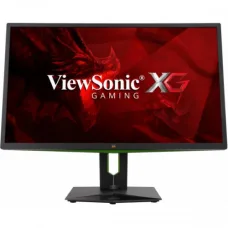
Viewsonic XG2703-GS 27" 165Hz G-SYNC IPS Gaming Monitor
৳98,000 ৳98,500


ViewSonic VX2779-HD-PRO 27" 180Hz IPS Gaming Monitor
৳28,500 ৳29,900
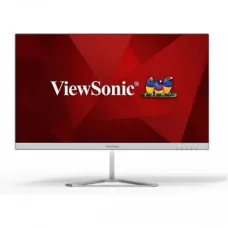

ViewSonic VP3481a ColorPro 34" UltraWide QHD Curved Monitor
৳107,000 ৳120,000
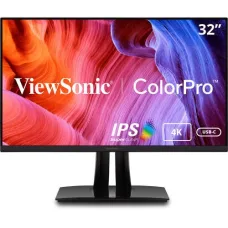
Viewsonic VP3256-4K 32
৳101,000 ৳105,900

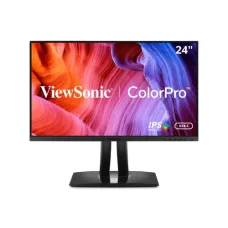
Viewsonic VP2456 24" 60Hz FHD IPS Professional Monitor
৳39,000 ৳39,600


ViewSonic TD1655 16" Portable Multi-Touch IPS FHD Monitor
৳36,500 ৳37,000
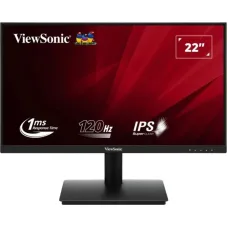
ViewSonic VA221A-H 22" 120Hz 1ms IPS FHD Monitor
৳11,500 ৳12,500




ViewSonic Monitor Price in Bangladesh
Looking for the latest ViewSonic monitor price in Bangladesh? ViewSonic offers a wide range of monitors designed for different types of users, including gamers, office professionals, students, content creators, designers, programmers, and everyday computer users.
From affordable Full HD displays to high-refresh-rate gaming monitors, professional displays, large-screen monitors, and high-resolution models, ViewSonic provides different options for different budgets and requirements.
At Unix Network, you can explore available ViewSonic monitors in Bangladesh, compare their specifications, screen sizes, resolutions, refresh rates, panel technologies, connectivity options, and prices before choosing the right display for your setup.
ViewSonic Monitor for Different Users
A monitor is not simply a screen. The right display can make a noticeable difference in gaming, office work, designing, entertainment, and everyday computer usage.
ViewSonic monitors are available for a variety of purposes, including:
- Gaming
- Office work
- Home computing
- Graphic design
- Photo editing
- Video editing
- Programming
- Online classes
- Business applications
- Watching movies and videos
- Professional workstation setups
Choosing the right model depends on how you use your computer and which specifications are most important to you.
ViewSonic Gaming Monitor
For gamers, refresh rate, response time, resolution, adaptive synchronization, and panel technology are important factors to consider.
A ViewSonic gaming monitor can be a suitable choice for players looking for a smoother and more responsive gaming experience. Higher-refresh-rate displays can make fast-moving gameplay appear more fluid compared with standard 60Hz monitors when the computer can produce enough frames.
Gaming monitors may be available with features such as:
- High refresh rate
- Fast response time
- Adaptive Sync technology
- Gaming modes
- Low input lag
- Full HD, QHD or higher resolution
- HDMI connectivity
- DisplayPort connectivity
For competitive gaming, a high refresh rate and fast response time can be particularly useful. For story-based games and visually demanding titles, resolution and image quality may be more important.
ViewSonic Monitor for Office Work
For office users, a monitor should provide comfortable viewing and enough workspace for documents, spreadsheets, browsers, and business applications.
A ViewSonic monitor can be used for:
- Microsoft Office applications
- Accounting software
- Web browsing
- Data entry
- Programming
- Video conferencing
- Business management software
- Remote work
For productivity, screen size and resolution are especially useful because they determine how much information can be displayed at once.
Users who regularly work with multiple windows may prefer a larger display or a higher-resolution monitor.
ViewSonic Monitor for Graphic Design
Designers and creative professionals often have different requirements from gamers and general users.
When choosing a monitor for graphic design, consider:
- Color reproduction
- Panel technology
- Resolution
- Screen size
- Viewing angles
- Brightness
- Contrast
- Color coverage
- Calibration capabilities
A higher-resolution display can provide more workspace and make small design elements easier to view.
For professional design work, always check the exact color specifications of the individual monitor rather than assuming that every ViewSonic display is designed for professional color-critical applications.
ViewSonic Monitor for Programming
A comfortable and spacious display can make long programming sessions easier.
Developers can benefit from a monitor with sufficient resolution and screen space for viewing:
- Code editors
- Web browsers
- Terminal windows
- Documentation
- Development tools
- Databases
- Testing environments
A larger screen or higher resolution can allow multiple applications to remain visible at the same time, reducing the need to constantly switch between windows.
ViewSonic Full HD Monitor
Full HD monitors remain a popular choice for everyday computing.
A 1920 × 1080 display can be suitable for:
- Office work
- Web browsing
- Online classes
- Watching videos
- General computing
- Entry-level gaming
- Business applications
Full HD monitors can also be a good option for users who want to keep their overall PC setup within a reasonable budget.
ViewSonic QHD Monitor
QHD resolution provides more pixels than Full HD and can offer a sharper image and additional workspace.
A QHD monitor can be useful for:
- Gaming
- Programming
- Photo editing
- Video editing
- Office productivity
- Multitasking
For users who want more detail without moving all the way to an extremely high-resolution display, QHD can provide a useful balance between image quality and performance requirements.
ViewSonic 4K Monitor
A 4K monitor provides a significantly higher resolution than Full HD, making it suitable for users who want greater image detail and more desktop workspace.
4K monitors can be useful for:
- Professional design
- Video editing
- High-resolution photography
- Productivity
- Content creation
- High-quality entertainment
Keep in mind that running games at 4K resolution requires considerably more graphics processing power than gaming at Full HD.
ViewSonic Monitor Refresh Rate
Refresh rate refers to how many times the display can refresh the image every second and is measured in Hz.
Common monitor refresh rates include:
- 60Hz
- 75Hz
- 100Hz
- 120Hz
- 144Hz
- 165Hz
- 240Hz and above
For general office work, a standard refresh rate may be perfectly adequate.
For gaming, a higher refresh rate can provide smoother motion, particularly when the PC can deliver a corresponding frame rate.
ViewSonic Monitor Response Time
Response time describes how quickly pixels can change from one state to another under specified measurement conditions.
A lower stated response time is generally desirable for gaming because it can help reduce visible ghosting or motion artifacts.
However, response-time specifications can be measured differently between manufacturers and monitor modes, so they should not be considered in isolation.
ViewSonic IPS Monitor
IPS panels are widely used because they can provide good viewing angles and consistent image quality across the screen.
A ViewSonic monitor with an IPS panel can be suitable for:
- Office work
- Graphic design
- Photo editing
- Content creation
- Gaming
- Everyday computing
The exact performance still depends on the individual monitor model and its panel implementation.
ViewSonic Monitor Connectivity
Connectivity is another important factor when selecting a monitor.
Depending on the model, ViewSonic monitors may offer ports such as:
- HDMI
- DisplayPort
- VGA
- USB
- USB-C
- Audio output
The right ports depend on the devices you plan to connect.
For example, a modern gaming PC may benefit from DisplayPort, while laptops with USB-C video output may benefit from a monitor that supports USB-C connectivity.
Always check the specific product specifications before purchasing.
ViewSonic Monitor for Dual Monitor Setup
Using two monitors can significantly improve productivity.
A dual-monitor setup can allow you to keep multiple applications open simultaneously. For example, you can use one display for your main work while keeping a browser, communication application, monitoring window, or documentation open on the second screen.
ViewSonic monitors can be used in multi-monitor configurations where the computer's graphics hardware and available ports support the setup.
Dual monitors can be particularly useful for:
- Programming
- Accounting
- Video editing
- Trading
- Office work
- Content creation
- Research
- Multitasking
How to Choose the Best ViewSonic Monitor
Before purchasing a ViewSonic monitor, consider the following factors.
Screen Size
Choose a size that matches your desk and viewing distance.
Smaller displays can work well for compact workstations, while larger screens provide more viewing space.
Resolution
Choose based on your requirements:
- Full HD for affordable everyday computing
- QHD for additional sharpness and workspace
- 4K for high-detail professional and entertainment use
Refresh Rate
For general work, standard refresh rates are usually sufficient. Gamers may benefit from higher refresh rates.
Panel Type
IPS, VA, and other panel technologies can have different strengths. Consider image quality, contrast, viewing angles, response characteristics, and intended usage.
Connectivity
Check whether the monitor has the ports required by your computer, laptop, gaming console, or other devices.
Ergonomics
For people who spend many hours in front of a monitor, features such as height adjustment, tilt, swivel, and VESA mounting support can be useful.
ViewSonic Monitor Price in Bangladesh
The ViewSonic monitor price in Bangladesh varies depending on screen size, resolution, refresh rate, panel technology, connectivity, design, and additional features.
Affordable ViewSonic displays can be suitable for basic office and home computing, while gaming and professional monitors can cost more because of their higher refresh rates, resolutions, color capabilities, and additional features.
Instead of selecting a monitor based only on price, compare its specifications with your intended use.
Check the available ViewSonic monitor products above for the latest price, availability, and specifications in Bangladesh.
Why Choose a ViewSonic Monitor?
ViewSonic provides display solutions for a wide range of applications, allowing users to select a monitor based on their specific requirements.
A suitable ViewSonic monitor can be used for:
- Gaming
- Business
- Education
- Programming
- Designing
- Content creation
- Entertainment
- General computer use
The ideal monitor depends on your computer hardware, budget, desk space, preferred screen size, and the type of work or entertainment you plan to use it for.
Frequently Asked Questions
What is the ViewSonic monitor price in Bangladesh?
ViewSonic monitor prices vary depending on the model, screen size, resolution, refresh rate, panel type, and features. Check the available products above for current pricing.
Is ViewSonic good for gaming?
ViewSonic offers gaming monitors with features such as high refresh rates and fast response times. Choose a model based on your gaming hardware and performance requirements.
Which ViewSonic monitor is best for office work?
For office work, consider a monitor with a comfortable screen size, suitable resolution, good viewing angles, and ergonomic adjustment options.
Is a ViewSonic IPS monitor good for design?
IPS displays can provide wide viewing angles and consistent image quality, making suitable models useful for design and creative work. For professional color-critical work, check the individual monitor's color specifications.
Should I buy a ViewSonic 4K monitor?
A 4K monitor can be a good choice if you want high image detail, additional workspace, or frequently work with high-resolution content. Make sure your computer hardware can comfortably handle your intended workload.
Is a high refresh rate important?
A high refresh rate is particularly useful for gaming and fast-moving content. For basic office work, browsing, and accounting, it is generally less important than screen size, resolution, comfort, and connectivity.
Can I use a ViewSonic monitor with a laptop?
Yes, provided the laptop and monitor have compatible video connections or you use an appropriate adapter. Check the available HDMI, DisplayPort, USB-C, or other connections on both devices.
Where can I buy ViewSonic monitors in Bangladesh?
You can browse the available ViewSonic monitors at Unix Network, compare their features and specifications, and select a model based on your budget and intended use.
Hourly Deals