

Curved Screen Monitor Price in Bangladesh
Showing 1 to 24 of 111 (5 Pages)


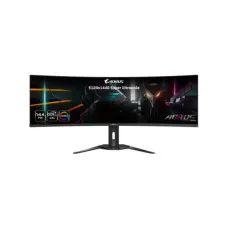
Gaming


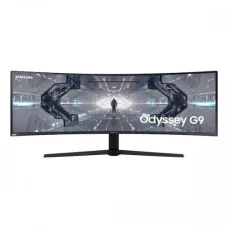
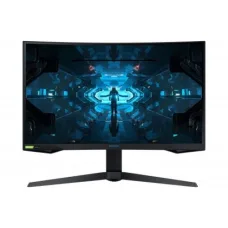


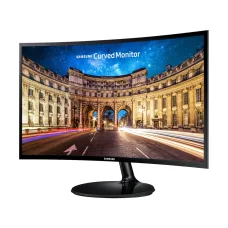

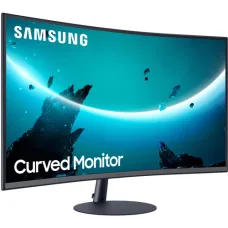
Find the Right Curved screen Monitor for Your Budget and Needs
These are the latest in-stock Curved screen Monitor at Unix Network, with the current price in Bangladesh. Open a model for specifications.
Latest Curved screen Monitor Price List in BD 2026
Curved Screen Monitor
Curved Screen Monitor Price in Bangladesh
A curved screen monitor is designed with a curved display surface that can provide a more immersive viewing experience than a traditional flat monitor. Curved monitors are available for gaming, office work, programming, content creation, entertainment, and professional use.
The curved screen monitor price in Bangladesh depends on screen size, resolution, refresh rate, panel type, curvature, response time, HDR support, connectivity, and brand. Budget models are suitable for everyday computing, while premium curved gaming and ultrawide monitors offer higher refresh rates, larger screens, and advanced display features.
Curved Screen Monitor Price in Jessore
If you are searching for curved screen monitor price in Jessore, compare models according to your intended use, desk space, screen size, resolution, and computer hardware. A compact curved monitor can be suitable for everyday work, while a larger ultrawide curved monitor may be better for gaming, multitasking, and entertainment.
Buy Curved Screen Monitor in Bangladesh
Before buying a curved screen monitor in Bangladesh, consider screen size, curvature, resolution, refresh rate, response time, panel technology, brightness, color quality, connectivity, ergonomic adjustment, and warranty.
Your graphics card should also be considered, particularly when purchasing a high-resolution or high-refresh-rate curved gaming monitor.
Curved Gaming Monitor
Curved gaming monitors are designed to provide an immersive gaming experience by wrapping the display slightly around the viewer's field of vision. This can be particularly noticeable on larger and ultrawide screens.
Gamers should also consider refresh rate, response time, adaptive synchronization, resolution, HDR support, and GPU compatibility when selecting a curved gaming monitor.
Curved Monitor for Gaming
A curved monitor can be an excellent choice for gaming, especially for racing games, simulation games, RPGs, and other titles where immersion is important.
For competitive gaming, prioritize refresh rate and response time alongside resolution. A curved design alone does not make a monitor faster or better for competitive gaming.
Curved Monitor for PC
A curved screen monitor can be used with desktop computers for gaming, browsing, office applications, programming, multimedia, graphic design, and entertainment.
The ideal screen size depends on your desk, viewing distance, and intended workload. Larger curved monitors generally benefit from a greater viewing distance.
Curved Monitor for Laptop
A curved monitor can be connected to a laptop as an external display when the laptop has a compatible video output. It can provide a larger workspace for programming, office work, editing, gaming, and multitasking.
Check the laptop's HDMI, DisplayPort, USB Type-C, or Thunderbolt capabilities before choosing a high-resolution or high-refresh-rate display.
Curved Monitor for Office Work
A curved monitor can provide a comfortable and spacious workspace for documents, spreadsheets, web browsing, accounting software, and multitasking.
Ultrawide curved monitors are particularly useful for users who regularly work with multiple windows because they can place several applications side by side on a single display.
Curved Monitor for Programming
Programmers can use curved monitors for code editors, browsers, terminals, databases, documentation, and development tools. A larger curved display can provide additional horizontal workspace without requiring two separate monitors.
For programming, prioritize resolution, text sharpness, screen size, brightness, connectivity, and ergonomic adjustment.
Curved Monitor for Graphic Design
Curved monitors can be used for graphic design, image editing, and creative work. However, professional designers should pay close attention to color accuracy, color gamut, panel quality, resolution, and calibration capability.
A curved design is primarily an ergonomic and viewing preference and does not automatically guarantee professional color accuracy.
Curved Monitor for Video Editing
A large curved monitor can provide a wide workspace for video editing timelines, preview windows, media browsers, and editing tools.
Ultrawide curved monitors can be particularly useful for editors who want to see more of their timeline without constantly switching between windows.
Curved Monitor for Movies
Curved monitors can provide an immersive experience for watching movies and other video content. Larger displays with strong contrast, good color reproduction, and HDR support can further improve the entertainment experience.
Curved Ultrawide Monitor
Curved ultrawide monitors combine a wide aspect ratio with a curved display. They are popular among gamers, programmers, video editors, financial professionals, and users who frequently multitask.
An ultrawide display can reduce the need for multiple monitors while providing a large continuous workspace.
Curved Monitor 24 Inch
A 24-inch curved monitor can be a practical choice for users with limited desk space. It can provide the immersive characteristics of a curved display without requiring a large workstation.
Curved Monitor 27 Inch
A 27-inch curved monitor provides more screen space than a typical 24-inch display and is popular for gaming, office work, programming, and entertainment.
QHD resolution can be particularly attractive on a 27-inch display because it provides greater pixel density than Full HD.
Curved Monitor 32 Inch
A 32-inch curved monitor offers a large viewing area and can be suitable for gaming, movies, creative work, and productivity.
Because the display is larger, appropriate viewing distance and desk depth become more important for comfortable use.
Curved Monitor 34 Inch
A 34-inch curved ultrawide monitor can provide a substantial horizontal workspace for multitasking, gaming, video editing, and professional applications.
Users considering a 34-inch curved monitor should make sure their desk has sufficient width and depth for the display.
Curved Monitor Resolution
Curved monitors are available in Full HD, QHD, 4K, ultrawide, and other resolutions. Higher resolution provides more image detail and workspace but may require a more powerful graphics card for gaming.
Choose the resolution based on screen size, viewing distance, workload, and computer hardware.
Curved Monitor Refresh Rate
Refresh rate indicates how frequently the monitor updates the image. Higher refresh rates can provide smoother motion and are particularly valuable for gaming.
For gaming, make sure your computer can generate enough frames to benefit from the monitor's maximum refresh rate.
Curved Monitor Response Time
Response time measures how quickly pixels can change from one state to another. A lower response time can help reduce ghosting and motion blur during fast-moving content.
Gamers should consider response time together with refresh rate and panel technology rather than relying on a single specification.
Curved Monitor Panel Types
Curved VA Monitor
Curved VA monitors are common because VA panels can provide strong contrast and deep blacks. They are suitable for gaming, movies, and general computing.
Curved IPS Monitor
Curved IPS monitors can provide strong viewing angles and good color performance. They are suitable for gaming, productivity, and creative applications depending on the specific model.
Curved OLED Monitor
Curved OLED monitors can provide extremely deep blacks, high contrast, and very fast pixel response. They are generally positioned as premium displays and can be especially attractive for gaming and entertainment.
Curved Monitor with HDR
HDR can improve the range between bright highlights and dark areas in supported content. Curved monitors with HDR can provide a more immersive gaming and movie-watching experience.
However, HDR performance depends on brightness, contrast, panel technology, local dimming or pixel-level control, color gamut, and the monitor's specific implementation.
Curved Monitor with High Refresh Rate
High-refresh-rate curved monitors are popular among gamers who want smoother motion. Models with refresh rates such as 100Hz, 144Hz, 165Hz, 180Hz, 240Hz, or higher are available depending on the market and product category.
Choose the refresh rate according to the games you play and the performance of your graphics card.
Curved Monitor with FreeSync
Some curved gaming monitors support AMD FreeSync or other adaptive synchronization technologies. These technologies can help reduce screen tearing when supported by compatible hardware and software.
Check the exact adaptive synchronization compatibility of the monitor and graphics card before purchasing.
Curved Monitor with DisplayPort
DisplayPort is commonly used for PC gaming and high-refresh-rate displays. If you plan to use the monitor at its maximum resolution and refresh rate, check which ports support those settings.
Curved Monitor with HDMI
HDMI provides compatibility with PCs, laptops, gaming consoles, streaming devices, and other equipment. Different HDMI versions support different resolutions and refresh rates, so check the specifications of both the monitor and source device.
Who Should Buy a Curved Screen Monitor?
Gamers
Suitable for users who want a more immersive gaming experience, especially with large or ultrawide displays.
Programmers
Useful for users who need additional horizontal workspace for code, terminals, browsers, and development tools.
Office Users
Suitable for multitasking with documents, spreadsheets, web applications, and communication tools.
Content Creators
Useful for video editors and other creators who benefit from a large continuous workspace.
Movie Lovers
A large curved display can provide a more immersive experience for movies and entertainment.
Multitaskers
Ultrawide curved monitors are particularly useful for users who regularly work with several applications simultaneously.
Things to Consider Before Buying a Curved Screen Monitor
Screen Size
Choose a screen size that fits your desk and viewing distance. Larger curved monitors generally require more desk space.
Curvature
Monitor curvature is typically expressed using an R rating. Different curvature levels provide different viewing experiences, so consider your screen size and viewing distance.
Resolution
Higher resolution provides greater detail but can require more graphics performance, especially for gaming.
Refresh Rate
Choose a refresh rate according to your workload. Gamers generally benefit more from higher refresh rates than users focused mainly on office applications.
Panel Type
Compare IPS, VA, OLED, and other panel technologies based on contrast, color performance, response time, price, and intended use.
Response Time
For gaming, look for a monitor with a suitable response time to minimize motion blur and ghosting.
Connectivity
Check HDMI, DisplayPort, USB Type-C, USB hub, and other available connections according to your devices.
Ergonomics
Check whether the monitor supports height, tilt, swivel, or other adjustments. Proper positioning can improve comfort during long work sessions.
Desk Space
Large curved and ultrawide monitors can require substantial desk width and depth. Measure your available workspace before purchasing.
Warranty
Always check the warranty and after-sales support before purchasing a curved monitor.
Curved Screen Monitor Price in Bangladesh Buying Guide
The curved screen monitor price in Bangladesh depends on screen size, resolution, panel type, refresh rate, curvature, HDR support, connectivity, and other features. Entry-level curved monitors are suitable for general computing, while higher-end models are designed for gaming, creative work, and professional multitasking.
When comparing prices, consider the complete specifications instead of choosing based only on screen size. A smaller monitor with higher resolution and refresh rate may be more suitable for gaming than a larger display with basic specifications.
Curved Screen Monitor Price in Jessore
If you are searching for curved screen monitor price in Jessore, compare the latest price, screen size, resolution, refresh rate, panel technology, warranty, and availability before purchasing.
For gaming, prioritize refresh rate, response time, adaptive synchronization, and GPU compatibility. For office and professional use, focus on resolution, ergonomics, color quality, connectivity, and screen size.
Frequently Asked Questions About Curved Screen Monitor
What is a curved screen monitor?
A curved screen monitor has a display panel that bends toward the viewer rather than remaining completely flat. The design is intended to provide a more immersive viewing experience.
Is a curved monitor good for gaming?
Yes. Curved monitors can be excellent for gaming, particularly larger and ultrawide models. Gaming performance also depends on refresh rate, response time, resolution, adaptive synchronization, and graphics hardware.
Is a curved monitor better than a flat monitor?
Neither is universally better. Curved monitors can provide greater immersion and can be useful for wide displays, while flat monitors may be preferable for certain professional workflows, smaller desks, or users who simply prefer a traditional display.
Is a curved monitor good for office work?
Yes. Curved monitors can be useful for office work and multitasking, especially when using large or ultrawide screens.
Is a curved monitor good for programming?
Yes. A large curved or ultrawide monitor can provide useful horizontal workspace for code editors, terminals, browsers, and documentation.
Is a curved monitor good for graphic design?
Yes, depending on the specific model. Professional designers should prioritize color accuracy, color gamut, resolution, calibration, and panel quality in addition to the curved design.
What size curved monitor is best?
A 24-inch or 27-inch model can be suitable for smaller desks, while 32-inch and larger curved monitors can provide greater immersion and workspace. The best size depends on viewing distance, desk space, and intended use.
Are curved monitors good for movies?
Yes. Larger curved displays can provide an immersive viewing experience for movies and entertainment, especially when combined with strong contrast and good color reproduction.
Are curved monitors expensive?
Curved monitors are available across different price ranges. The exact price depends on screen size, resolution, panel type, refresh rate, brand, and additional features.
Final Buying Guide for Curved Screen Monitor
A curved screen monitor can be an excellent choice for gaming, entertainment, programming, office work, multitasking, and content creation. The curved design is particularly useful on larger and ultrawide displays where it can provide a more immersive viewing experience.
If you are searching for curved screen monitor price in Bangladesh, curved screen monitor price in Jessore, curved gaming monitor, curved monitor for PC, curved monitor for laptop, curved monitor for gaming, curved monitor for office work, curved monitor for programming, curved ultrawide monitor, 24 inch curved monitor, 27 inch curved monitor, 32 inch curved monitor, 34 inch curved monitor, or best curved monitor, compare screen size, curvature, resolution, refresh rate, response time, panel type, HDR, connectivity, warranty, and current price before making your purchase.