

MSI Monitor Price in Bangladesh
Showing 1 to 24 of 177 (8 Pages)

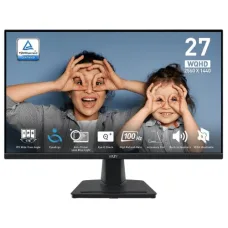
Gaming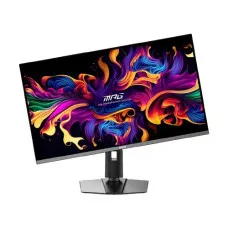
Gaming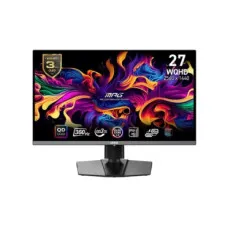

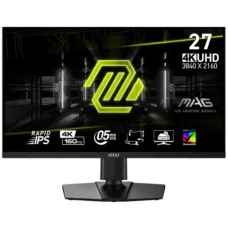

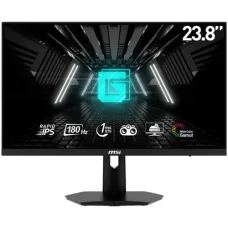
Gaming




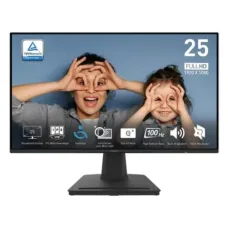


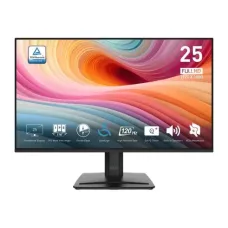

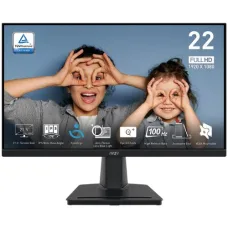
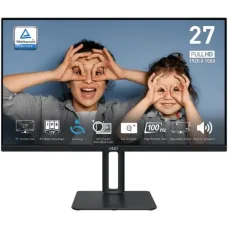
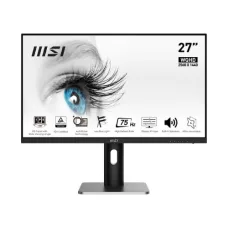
Find the Right MSI Monitor for Your Budget and Needs
These are the latest in-stock MSI Monitor at Unix Network, with the current price in Bangladesh. Open a model for specifications.
Latest MSI Monitor Price List in BD 2026
MSI monitors are designed for gaming, productivity, content creation, business use, and everyday computing. MSI offers monitor models across gaming, business and productivity, and portable categories, with options including FHD, QHD, UHD and 4K resolutions, LED and OLED panels, flat and curved displays, and a wide range of refresh rates.
Unix Network offers MSI monitors in Bangladesh for customers looking for gaming monitors, high-refresh-rate displays, professional monitors, office monitors, OLED monitors, and large-screen displays. MSI is also listed as a monitor brand on the Unix Network website.
MSI Monitor
An MSI monitor is a computer display designed to provide visual output from desktop computers, laptops, gaming systems, workstations, and other compatible devices. MSI monitors are available in different screen sizes, resolutions, panel technologies, refresh rates, response times, connectivity options, and ergonomic designs.
The right MSI monitor depends on how you use your computer. Gamers may prioritize high refresh rates and fast response times, while office users may prefer comfortable viewing, productivity features, and ergonomic adjustment. Content creators may prioritize resolution, color reproduction, panel technology, and connectivity.
MSI Monitor Categories
- MSI Monitor
- MSI Gaming Monitor
- MSI OLED Monitor
- MSI LED Monitor
- MSI 4K Monitor
- MSI QHD Monitor
- MSI FHD Monitor
- MSI Curved Monitor
- MSI Flat Monitor
- MSI High Refresh Rate Monitor
- MSI 144Hz Monitor
- MSI 165Hz Monitor
- MSI 240Hz Monitor
- MSI 360Hz Monitor
- MSI 500Hz Monitor
- MSI Gaming Monitor for PC
- MSI Monitor for Office
- MSI Monitor for Content Creation
- MSI Professional Monitor
- MSI Portable Monitor
MSI Gaming Monitor
MSI gaming monitors are designed for PC gamers who want responsive gameplay, smooth motion, and suitable display quality. MSI's gaming monitor range includes MAG, MPG, and G series models, with different combinations of screen sizes, resolutions, refresh rates, panel technologies, and adaptive-sync features.
Depending on the model, MSI gaming monitors can offer features such as high refresh rates, fast response times, Adaptive-Sync, wide viewing angles, gaming modes, and technologies designed to improve visibility in games.
MSI MAG Monitor
MSI MAG monitors are positioned as gaming displays with a broad range of specifications. Current MSI listings include MAG monitors with FHD, QHD, UHD and UWQHD resolutions, as well as different refresh-rate and adaptive-sync options.
A MAG monitor can be a suitable option for gamers looking for a balance between gaming features, image quality, screen size, and price.
MSI MPG Monitor
MSI MPG monitors are designed for gaming users who want advanced gaming display features. Depending on the model, MPG monitors can include high refresh rates, high resolutions, OLED panels, curved displays, and advanced connectivity.
MSI G Series Monitor
MSI G series monitors are gaming-oriented displays available in different sizes and specifications. The appropriate model depends on the user's gaming hardware, preferred resolution, refresh rate, and budget.
MSI OLED Monitor
MSI OLED monitors are designed for users who want the image characteristics associated with OLED display technology. MSI's monitor range includes OLED models alongside LED displays.
OLED can provide deep blacks and high contrast, making OLED monitors particularly attractive for gaming, movies, and visual content. Users should also consider usage patterns, brightness requirements, warranty terms, and the manufacturer's recommendations when selecting an OLED display.
MSI 4K Monitor
MSI 4K monitors provide a 3840 x 2160 resolution and are suitable for users who want high image detail. MSI currently lists UHD and UHD 4K monitors in its monitor range.
A 4K monitor can be useful for photo editing, video editing, professional work, gaming, entertainment, and detailed productivity tasks. Gaming at 4K may require a powerful graphics card to achieve high frame rates.
MSI QHD Monitor
QHD monitors provide a 2560 x 1440 resolution. QHD can offer a useful balance between image detail and graphics performance, making it popular for gaming, productivity, programming, design, and general computer use.
MSI FHD Monitor
FHD monitors provide a 1920 x 1080 resolution. They remain popular for office computers, home PCs, entry-level gaming systems, education, browsing, and everyday computing.
MSI offers FHD gaming monitors in different screen sizes and refresh rates, including models designed for high-refresh-rate gaming.
MSI High Refresh Rate Monitor
A monitor's refresh rate indicates how many times the display can refresh the image each second. Higher refresh rates can provide smoother motion when the computer or gaming system can generate sufficiently high frame rates.
MSI currently lists gaming monitors with refresh rates ranging from conventional 60Hz options to very high refresh rates including 144Hz, 165Hz, 240Hz, 360Hz and 500Hz, depending on the model.
MSI 144Hz Monitor
An MSI 144Hz monitor can provide a significant improvement in motion smoothness compared with a standard 60Hz display when the computer can deliver appropriate frame rates. It can be a practical choice for mainstream gaming.
MSI 165Hz Monitor
MSI 165Hz monitors are designed for smooth gaming and responsive desktop use. A 165Hz display can be a good option for gamers who want more fluid motion without necessarily moving to an extreme high-refresh-rate monitor.
MSI 180Hz Monitor
MSI offers monitors with refresh rates around 180Hz and higher. A 180Hz monitor can provide smooth motion for competitive and mainstream gaming when paired with suitable hardware.
MSI 240Hz Monitor
MSI 240Hz monitors are designed for users who prioritize very smooth motion and fast gameplay. They can be particularly attractive to competitive gamers playing titles capable of producing high frame rates.
MSI 360Hz Monitor
MSI 360Hz monitors target competitive gaming users who want extremely high refresh rates. To take full advantage of a 360Hz monitor, the gaming PC must be capable of producing high frame rates in the selected games.
MSI 500Hz Monitor
MSI's monitor range includes displays with refresh rates as high as 500Hz. Such monitors are designed for specialized competitive gaming scenarios where extremely high frame rates and motion responsiveness are important.
MSI Curved Monitor
Curved MSI monitors are designed to provide an immersive viewing experience. Curved displays can be particularly useful for large-screen gaming, ultrawide productivity, simulation games, and multimedia.
MSI offers both curved and flat monitor designs across its product range.
MSI Ultrawide Monitor
Ultrawide monitors provide a wider horizontal workspace than conventional 16:9 displays. They can be useful for multitasking, video editing timelines, spreadsheets, programming, simulation games, and immersive gaming.
MSI's current monitor listings include ultrawide resolutions such as 3440 x 1440 and larger DQHD 5120 x 1440 displays.
MSI 27 Inch Monitor
A 27-inch MSI monitor is a popular size for gaming, office work, programming, design, entertainment, and general desktop use. A 27-inch display can work particularly well with FHD or QHD resolution depending on viewing distance and the user's requirements.
MSI 24 Inch Monitor
24-inch MSI monitors are suitable for office desks, home computers, education, general computing, and gaming. A 24-inch FHD display can provide a practical combination of screen size, pixel density, and affordability.
MSI 32 Inch Monitor
A 32-inch MSI monitor provides a larger viewing area for gaming, content creation, productivity, and entertainment. QHD and 4K resolutions are particularly useful on larger screens where additional pixel density can improve image detail.
MSI 34 Inch Monitor
34-inch MSI ultrawide monitors can provide a wide workspace for multitasking and immersive gaming. They can be useful for users who want to replace a dual-monitor setup with a single ultrawide display.
MSI 49 Inch Monitor
Large 49-inch MSI monitors can provide an expansive ultrawide workspace. Such displays can be useful for simulation gaming, productivity, financial applications, video editing, and users who need a very wide desktop environment.
MSI IPS Monitor
MSI monitors using IPS technology can provide wide viewing angles and strong color performance. IPS displays are commonly used for gaming, office work, design, photo editing, and general computing.
MSI LED Monitor
LED monitors use LED backlighting with an LCD display panel. MSI offers LED monitors across gaming, productivity, and other categories.
MSI Monitor Response Time
Response time describes how quickly a display pixel can change between states under a specified measurement method. Lower response times can help reduce visible ghosting and motion blur in fast-moving content.
Response-time specifications should be compared carefully because manufacturers may use different measurement methods such as GTG or MPRT.
MSI Monitor Adaptive Sync
Adaptive-Sync technologies can synchronize the monitor's refresh behavior with the graphics output to reduce screen tearing and improve perceived smoothness.
Depending on the model, MSI monitors can support technologies such as FreeSync, FreeSync Premium, FreeSync Premium Pro, G-Sync Compatible, or other adaptive-sync implementations.
MSI Monitor for NVIDIA Graphics Card
Users with NVIDIA graphics cards should check whether the selected MSI monitor supports a compatible G-Sync or G-Sync Compatible implementation. Compatibility depends on the specific monitor and graphics card configuration.
MSI Monitor for AMD Graphics Card
AMD graphics card users can consider MSI monitors with compatible FreeSync technologies. Actual adaptive-sync functionality depends on the monitor, graphics card, connection, driver, and configuration.
MSI Monitor HDMI
HDMI is commonly used to connect MSI monitors to desktop computers, laptops, gaming consoles, and other compatible devices. The maximum resolution and refresh rate available through HDMI depend on the monitor's HDMI version, source device, cable, and configuration.
MSI Monitor DisplayPort
DisplayPort is widely used for high-refresh-rate PC gaming and high-resolution desktop displays. Users should check the exact DisplayPort specification of the monitor and graphics card when planning to use high resolution and high refresh rates.
MSI Monitor USB Type-C
Selected MSI monitors provide USB Type-C connectivity. Depending on the model, USB Type-C can support display connectivity, data transfer, or other functions. Users should check the exact model specification rather than assuming every USB Type-C port provides the same capabilities.
MSI Monitor HDR
Selected MSI monitors support HDR technologies designed to provide improved contrast, brightness, and highlight detail with compatible content. Actual HDR performance varies significantly between monitor models, so users should review the complete display specifications.
MSI Monitor Color Accuracy
Color accuracy is important for photography, graphic design, video editing, digital art, and professional content creation. Users working with color-sensitive applications should consider panel technology, color gamut, factory calibration, color depth, and calibration options.
MSI Monitor for Content Creation
Content creators can choose MSI monitors based on resolution, panel technology, color gamut, color accuracy, screen size, connectivity, and ergonomic features. Higher-resolution monitors can provide more workspace for editing timelines, images, and detailed creative applications.
MSI Monitor for Video Editing
Video editors may benefit from large, high-resolution displays with strong color performance. An MSI QHD, 4K, ultrawide, or other professional-oriented monitor can be selected according to the editing software, workflow, computer hardware, and budget.
MSI Monitor for Graphic Design
Graphic designers should prioritize accurate color reproduction, appropriate color gamut, resolution, viewing angles, and ergonomic positioning. The correct MSI monitor depends on the design applications and color-management requirements.
MSI Monitor for Programming
Programmers can benefit from a monitor with sufficient resolution, comfortable text rendering, and a suitable screen size. A QHD or 4K MSI monitor can provide additional workspace for code editors, terminals, browsers, and documentation.
MSI Monitor for Office Work
For office work, users may prioritize screen size, resolution, ergonomic adjustment, viewing comfort, connectivity, and price. A 24-inch or 27-inch MSI monitor can be suitable for common office applications depending on the user's workspace.
MSI Monitor for Home Use
A home monitor can be selected according to everyday needs such as browsing, streaming, education, communication, office work, and casual gaming. MSI offers different screen sizes and resolutions for these use cases.
MSI Monitor for Gaming PC
When choosing an MSI monitor for a gaming PC, match the monitor's resolution and refresh rate to the graphics card's performance. A powerful GPU can make better use of QHD, 4K, or high-refresh-rate displays, while entry-level graphics hardware may be better matched with lower resolutions.
MSI Monitor for Console Gaming
Console gamers should check the console's supported resolution and refresh rate, along with the monitor's HDMI capabilities. Features such as HDR, adaptive sync, speakers, and screen size may also influence the selection.
MSI Monitor for Esports Gaming
Competitive gamers often prioritize refresh rate, response time, motion clarity, and low input latency. MSI offers high-refresh-rate gaming monitors, including models reaching 240Hz, 360Hz, and 500Hz.
MSI Monitor for Dual Monitor Setup
MSI monitors can be used in dual-monitor and multi-monitor setups for gaming, office work, programming, trading, design, and content creation. Users should consider monitor size, bezel width, stand design, VESA compatibility, resolution, and available video outputs.
MSI Monitor VESA Mount Support
Some MSI monitors support VESA mounting, allowing users to install them on monitor arms or wall mounts. The exact VESA dimensions and mounting compatibility should be checked for the selected model.
MSI Monitor Ergonomics
Ergonomic features can include tilt, height adjustment, swivel, and pivot. Availability varies between models. Proper monitor positioning can improve comfort during long periods of computer use.
MSI Monitor Eye Care Features
Selected MSI monitors include features such as anti-flicker and low-blue-light technologies. For example, MSI lists Anti-Flicker and Less Blue Light features on selected gaming monitors.
MSI Monitor Screen Resolution
| Resolution | Typical Use |
|---|---|
| 1920 x 1080 FHD | Office work, home computing, education, and mainstream gaming |
| 2560 x 1440 QHD | Gaming, productivity, programming, and content creation |
| 3440 x 1440 UWQHD | Ultrawide gaming and multitasking |
| 3840 x 2160 UHD 4K | Professional work, content creation, entertainment, and high-detail gaming |
| 5120 x 1440 DQHD | Large ultrawide productivity and immersive gaming |
MSI's current monitor range includes these resolution classes and other configurations depending on the model.
MSI Monitor Refresh Rate Comparison
| Refresh Rate | Suitable For |
|---|---|
| 60Hz | Basic office and everyday computing |
| 100Hz | General computing and smoother desktop use |
| 144Hz | Mainstream gaming |
| 165Hz | Gaming and smooth general use |
| 240Hz | Competitive and high-performance gaming |
| 360Hz | Competitive esports gaming |
| 500Hz | Extreme high-refresh competitive gaming |
MSI Monitor Price in Bangladesh
MSI monitor prices in Bangladesh vary according to screen size, resolution, panel technology, refresh rate, response time, HDR capability, adaptive-sync support, connectivity, ergonomic features, and other specifications.
Gaming monitors with high refresh rates and advanced panel technologies generally occupy a different price segment from basic office monitors. MSI's current lineup spans multiple screen sizes, resolutions, panel types, and refresh rates.
Buy MSI Monitor in Bangladesh
Customers looking to buy an MSI monitor in Bangladesh can choose from gaming, OLED, high-refresh-rate, professional, productivity, curved, ultrawide, and portable display options depending on availability.
Unix Network provides MSI monitors along with gaming PCs, desktop computers, graphics cards, laptops, keyboards, mice, headsets, SSDs, motherboards, CPU coolers, and other computer components.
MSI Monitor in Jashore
Unix Network provides MSI monitors for customers in Jashore and across Bangladesh. Customers can select an MSI monitor according to their computer configuration, graphics card, gaming requirements, screen size, resolution, refresh rate, panel technology, connectivity, budget, warranty, and availability.
How to Choose the Best MSI Monitor
Start by deciding how the monitor will be used. Gaming users should consider refresh rate, response time, adaptive sync, resolution, and GPU performance. Office users should consider screen size, resolution, connectivity, and ergonomic features. Content creators should focus more heavily on resolution, color performance, panel technology, and connectivity.
Next, check the graphics card or source device. A monitor with a very high resolution or refresh rate is most useful when the connected hardware can provide sufficient performance. Also check HDMI and DisplayPort specifications, VESA support, stand adjustment, warranty, and the available budget.
MSI Monitor Buying Checklist
| Feature | What to Check |
|---|---|
| Screen Size | 24, 27, 32, 34, 49 inches or other available sizes |
| Resolution | FHD, QHD, UWQHD, UHD, or 4K |
| Panel | IPS, OLED, LED, or other specified technology |
| Refresh Rate | 60Hz, 100Hz, 144Hz, 165Hz, 240Hz, 360Hz, 500Hz, or other |
| Response Time | Manufacturer-rated response time and measurement method |
| Adaptive Sync | FreeSync, G-Sync Compatible, or other supported technology |
| Connectivity | HDMI, DisplayPort, USB, USB Type-C, and other ports |
| HDR | Supported HDR standard and actual display capability |
| Mounting | VESA compatibility and dimensions |
| Stand | Tilt, height, swivel, and pivot adjustment |
Frequently Asked Questions About MSI Monitor
Is MSI a good monitor brand?
MSI offers monitors across gaming, productivity, business, and portable categories, with models covering a broad range of screen sizes, resolutions, panel technologies, and refresh rates.
Is MSI monitor good for gaming?
Yes. MSI has a dedicated gaming monitor range with MAG, MPG, and G series products, including high-refresh-rate and adaptive-sync models.
Does MSI make OLED monitors?
Yes. MSI's monitor range includes OLED models in addition to LED displays.
Does MSI make 4K monitors?
Yes. MSI lists UHD and UHD 4K monitors, including gaming and other display categories.
Does MSI make 144Hz monitors?
Yes. MSI offers 144Hz monitors, including FHD gaming models.
Does MSI make 240Hz monitors?
Yes. MSI's gaming monitor range includes models with 240Hz refresh rates.
Does MSI make 360Hz monitors?
Yes. MSI lists gaming monitors with 360Hz refresh rates for users who want extremely smooth motion.
Does MSI make 500Hz monitors?
Yes. MSI currently lists gaming monitor options with refresh rates up to 500Hz.
Which MSI monitor is best for gaming?
The best MSI gaming monitor depends on the graphics card, games, preferred resolution, desired refresh rate, screen size, panel technology, and budget. Competitive gamers may prioritize very high refresh rates, while cinematic or single-player gamers may prefer higher resolution, OLED, HDR, or a larger display.
Which MSI monitor is best for office work?
For office work, a 24-inch or 27-inch FHD or QHD monitor can be a practical choice. Users who work with multiple applications may benefit from a larger QHD, 4K, or ultrawide display.
Which MSI monitor is best for video editing?
Video editors should consider a high-resolution MSI monitor with suitable color performance, screen size, connectivity, and ergonomic features. A 4K or ultrawide model can be useful for detailed editing workflows.
Which MSI monitor is best for programming?
A QHD, 4K, or ultrawide MSI monitor can provide additional workspace for code editors, browsers, terminals, and documentation. Screen size and resolution should be selected according to desk space and viewing distance.
Can MSI monitor be used with NVIDIA graphics card?
Yes. MSI monitors can be used with NVIDIA graphics cards through compatible HDMI or DisplayPort connections. Some models also support G-Sync Compatible functionality.
Can MSI monitor be used with AMD graphics card?
Yes. MSI monitors can be used with AMD graphics cards, and selected models support AMD FreeSync technologies. Actual adaptive-sync functionality depends on the specific hardware and configuration.
Does MSI monitor support HDMI?
Many MSI monitors include HDMI connectivity, but the number of HDMI ports and supported specifications vary by model.
Does MSI monitor support DisplayPort?
Many MSI gaming and professional monitors include DisplayPort. Users should check the exact model specification when planning to use high resolution or high refresh rates.
Does MSI monitor support VESA mounting?
Selected MSI monitors support VESA mounting. Customers should check the exact VESA dimensions and mounting specifications of the model they are considering.
Where can I buy MSI Monitor in Bangladesh?
MSI monitors are available through computer retailers and online stores in Bangladesh. Unix Network provides MSI monitors and other computer hardware for customers in Jashore and across Bangladesh.
Why Buy MSI Monitor from Unix Network?
Unix Network provides MSI monitors for gaming, office work, content creation, professional applications, and everyday computing. Customers can compare MSI monitors according to screen size, resolution, panel type, refresh rate, response time, adaptive-sync support, HDR, connectivity, ergonomic features, warranty, price, and availability.
Before purchasing an MSI monitor, verify the exact model number, screen size, resolution, panel technology, refresh rate, response time, adaptive-sync support, HDR capabilities, HDMI and DisplayPort specifications, USB or USB Type-C features, VESA compatibility, stand adjustment, warranty, price, and stock availability. Monitor specifications, pricing, warranty terms, and market availability may vary by model and region and can change without prior notice.