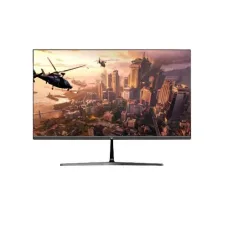
-8%৳260 Cashback Value-Top X24IFR120 23.8 Inch 120Hz FHD IPS Monitor
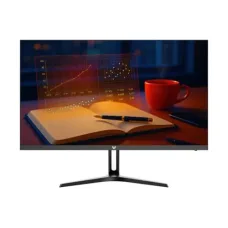
Value-Top X24IFR120 23.8 Inch 120Hz FHD IPS Monitor
৳13,000 ৳14,200
Showing 1 to 21 of 21 (1 Pages)
৳13,000 ৳14,200
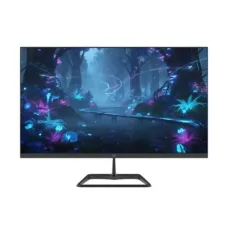
৳13,500 ৳14,500
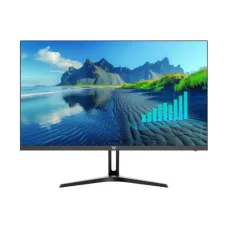
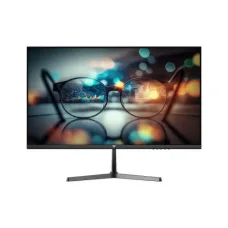
৳9,700 ৳10,900


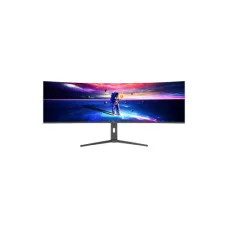


৳6,850

৳6,850


৳6,850

৳6,850


৳6,850
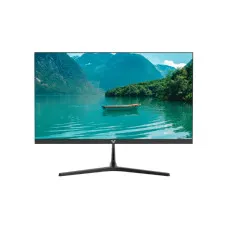
Looking for the latest Value-Top Monitor price in Bangladesh? Value-Top monitors are designed for everyday computing, office work, online learning, entertainment, home use, and selected gaming setups. They can be a practical choice for users looking for an affordable desktop display with the features required for their specific workload.
The Value-Top Monitor price in Bangladesh depends on screen size, resolution, panel technology, refresh rate, response time, connectivity, design, warranty, and other features. When comparing different Value-Top monitors, it is important to consider the complete model specifications rather than choosing only by screen size or price.
| Value-Top Monitor Type | Typical Size | Suitable For | Price Range in Bangladesh |
|---|---|---|---|
| Value-Top Basic Monitor | 19–22 Inch | Office & Home Use | ৳7,000–৳10,000 |
| Value-Top Full HD Monitor | 21.5–24 Inch | Office, Study & Entertainment | ৳8,000–৳13,000 |
| Value-Top IPS Monitor | 21.5–24 Inch | Office & General Use | ৳9,000–৳14,000 |
| Value-Top High Refresh Rate Monitor | 22–27 Inch | Gaming | ৳10,000–৳18,000+ |
| Value-Top Gaming Monitor | 24–27 Inch | Gaming & Entertainment | ৳12,000–৳20,000+ |
Note: These are general market ranges, not fixed prices for specific models. Actual Value-Top monitor prices can change according to the exact model, specifications, stock availability, warranty, and retailer.
Value-Top monitors are available for users with different display requirements. A basic monitor can be suitable for office applications and everyday computing, while a higher-refresh-rate model may be more appropriate for gaming.
LED-backlit monitors are widely used for desktop computers because they offer a relatively slim design and efficient display technology. When selecting a Value-Top LED monitor, compare resolution, panel type, refresh rate, ports, and intended use.
A Full HD monitor provides a 1920 × 1080 resolution and is suitable for many everyday tasks, including web browsing, office applications, online classes, programming, movies, and general entertainment.
IPS panels are popular for their wide viewing angles and generally good color reproduction. A Value-Top IPS monitor can be a suitable option for office work, education, content consumption, and general desktop use where consistent viewing quality is important.
For gaming, consider refresh rate, response time, resolution, adaptive-sync support, connectivity, and graphics-card compatibility. A Value-Top gaming monitor can be suitable for budget-conscious gamers when its specifications match the requirements of the PC.
A 100Hz refresh rate can provide smoother motion than a traditional 60Hz display. It can be useful for everyday desktop movement, scrolling, video playback, and gaming when supported by the computer and application.
Higher refresh rates can make motion appear smoother, particularly in games and other fast-moving applications. However, the benefits depend on the computer's ability to deliver an appropriate frame rate.
A 21.5-inch monitor can be a practical choice for smaller desks, office computers, student setups, and everyday home use. Full HD resolution is commonly suitable for this screen size.
A 22-inch Value-Top monitor can provide a comfortable workspace without taking up excessive desk space. It can be suitable for office applications, browsing, education, and general multimedia.
A 24-inch monitor offers additional screen area compared with smaller displays and can be useful for office work, programming, online learning, content consumption, and gaming.
A 27-inch Value-Top monitor can provide a larger workspace for productivity and a more immersive experience for entertainment and gaming. When choosing a 27-inch display, pay particular attention to resolution and viewing distance.
Value-Top monitors can be paired with desktop computers for office work, education, browsing, multimedia, programming, graphic work, and gaming. Before buying, check whether the monitor's available ports match the outputs on your computer.
For office work, a monitor with a comfortable screen size, suitable resolution, good viewing angles, and useful connectivity can provide a productive workspace. A 21.5-inch to 24-inch Full HD display is a practical choice for many office environments.
Students can use Value-Top monitors for online classes, research, document preparation, programming, presentations, browsing, and entertainment. A Full HD display can provide sufficient resolution for most everyday academic tasks.
For home computing, choose a monitor according to the activities you perform most often. Browsing and office applications may require only a basic Full HD display, while gaming and multimedia users may benefit from a higher refresh rate or larger screen.
Gamers should prioritize refresh rate, response time, resolution, adaptive synchronization, and graphics connectivity. The monitor should also be matched with the capabilities of the graphics card.
A 24-inch or 27-inch monitor can provide a comfortable workspace for programming. Users who work with multiple windows may benefit from a larger display or multiple-monitor setup.
A computer monitor can also be used for surveillance viewing when connected to a compatible DVR, NVR, or CCTV system. Before purchasing a Value-Top monitor for CCTV, check the required video input and resolution compatibility.
HDMI is a common digital video interface used by computers, laptops, gaming devices, media players, and other equipment. If HDMI connectivity is important for your setup, check the exact Value-Top model's available ports.
VGA is an older analog display interface that is still useful with some legacy desktop computers and devices. Users with older systems should check whether VGA is available on the selected Value-Top monitor.
DisplayPort is commonly used with desktop PCs and gaming graphics cards. It can support high refresh rates and high resolutions depending on the version and monitor capabilities.
A borderless or slim-bezel monitor can provide a modern appearance and can be especially useful for users planning a dual-monitor or multi-monitor setup.
Using two monitors can increase productivity by allowing multiple applications to remain visible at the same time. When creating a dual-monitor setup, consider the monitor's dimensions, bezels, stand design, VESA compatibility, and available video outputs.
VESA compatibility can be useful if you want to mount the monitor on a monitor arm or wall bracket. Always check the exact VESA mounting pattern and supported weight before purchasing a mounting solution.
If you are searching for Value-Top Monitor price in Jessore, compare the exact model, screen size, resolution, panel type, refresh rate, response time, connectivity, warranty, stock availability, and current selling price.
Value-Top monitors can be suitable for office applications, web browsing, spreadsheets, document preparation, email, and general productivity.
Students can use a Value-Top monitor for online classes, research, programming, assignments, presentations, and entertainment.
Home users can choose a Value-Top monitor for browsing, movies, YouTube, social media, office applications, and general computer use.
Gamers should select a model with the appropriate refresh rate, response time, resolution, and adaptive-sync support for their gaming hardware.
Businesses that need multiple affordable desktop displays can consider Value-Top monitors based on their required screen size, connectivity, warranty, and budget.
Choose a screen size that provides enough workspace while fitting comfortably on your desk.
Consider Full HD, QHD, or higher resolution according to the screen size and your workload.
For gaming and smoother motion, compare the refresh rate of the monitor with the frame rate your computer can produce.
IPS, VA, TN, OLED, and other panel technologies have different characteristics in color reproduction, contrast, viewing angles, and response time.
Gamers should pay attention to response time because slower pixel transitions can contribute to visible motion blur or ghosting.
Check HDMI, VGA, DisplayPort, USB, audio, and other available ports according to your devices.
Gaming users should check whether the monitor supports technologies such as AMD FreeSync or other adaptive-sync standards compatible with their graphics hardware.
For long working or studying sessions, consider features such as flicker reduction, low-blue-light modes, brightness adjustment, and a comfortable viewing position.
Always check the warranty terms, dead-pixel policy, panel warranty, and after-sales service before purchasing a monitor.
The price depends on the exact model, screen size, resolution, panel technology, refresh rate, connectivity, and other features. Basic models are generally less expensive than high-refresh-rate gaming models.
Yes. A suitable Value-Top monitor can be used for documents, spreadsheets, browsing, email, online meetings, and other office applications.
Selected Value-Top models can be suitable for gaming. Check refresh rate, response time, resolution, adaptive-sync support, and graphics connectivity before choosing a model.
Yes, Value-Top has Full HD monitor options. The exact resolution should always be confirmed from the product specification of the model you are purchasing.
Value-Top has IPS display options. IPS can be useful for users who want wider viewing angles and generally good color reproduction.
Yes, a compatible Value-Top monitor can be used with a DVR or NVR for CCTV viewing, provided the monitor has the required video input and supports the output resolution.
Yes. If the monitor supports the required mounting and connectivity options, it can be used as part of a dual-monitor setup.
HDMI availability depends on the exact model. Check the product's connectivity specifications before purchasing.
Value-Top monitors are available through computer hardware retailers in Bangladesh. Compare the exact model, specifications, warranty, stock availability, and current price before purchasing.
Value-Top monitors can be a practical choice for budget-conscious users looking for a display for office work, education, home computing, entertainment, programming, and gaming. The best model depends on your screen-size requirement, resolution, panel type, refresh rate, response time, connectivity, and intended workload.
If you are searching for Value-Top Monitor price in Bangladesh, Value-Top Monitor price in Jessore, Value-Top Monitor, Value-Top LED Monitor, Value-Top Full HD Monitor, Value-Top IPS Monitor, Value-Top Gaming Monitor, Value-Top 100Hz Monitor, Value-Top High Refresh Rate Monitor, Value-Top 21.5 Inch Monitor, Value-Top 22 Inch Monitor, Value-Top 24 Inch Monitor, Value-Top 27 Inch Monitor, Value-Top Monitor with HDMI, Value-Top Monitor with VGA, or Value-Top Monitor for PC, compare the exact model, screen size, resolution, panel type, refresh rate, response time, connectivity, warranty, availability, and current price before purchasing.
Hourly Deals