
Save ৳4,440৳500 Cashback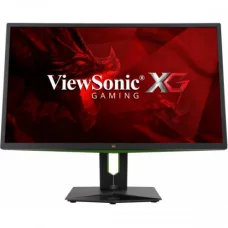
Viewsonic XG2703-GS 27" 165Hz G-SYNC IPS Gaming Monitor
৳96,030৳100,470
Ends in --:--:--
Showing 1 to 24 of 406 (17 Pages)
৳96,030৳100,470
Ends in --:--:--

Ends in --:--:--
.png)
৳36,830৳39,270
Ends in --:--:--

৳421,390৳450,840
Ends in --:--:--
৳50,950৳55,590
Ends in --:--:--

৳41,150৳46,810
Ends in --:--:--
৳295,950৳311,100
Ends in --:--:--

৳16,000

৳42,130৳45,900
Ends in --:--:--

৳20,580৳24,270
Ends in --:--:--
৳15,580৳19,380
Ends in --:--:--
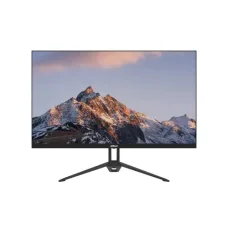
৳13,130৳16,830
Ends in --:--:--

Ends in --:--:--

৳12,850৳14,280
Ends in --:--:--

Ends in --:--:--

৳273,710৳290,700
Ends in --:--:--
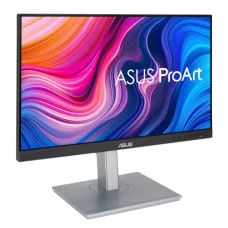
Ends in --:--:--
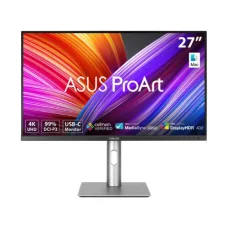
৳77,590৳82,410
Ends in --:--:--

৳35,760৳39,780
Ends in --:--:--

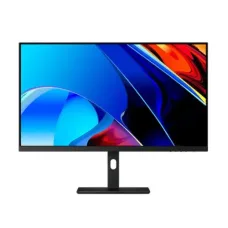
These are the latest in-stock Monitor Resolution at Unix Network, with the current price in Bangladesh. Open a model for specifications.
Monitor resolution refers to the number of pixels displayed horizontally and vertically on a monitor. It is usually written in a format such as 1920 × 1080, where 1920 represents the horizontal pixels and 1080 represents the vertical pixels.
Higher monitor resolution provides more pixels on the screen, which can produce sharper images, clearer text, and more workspace. However, the best resolution depends on the monitor size, viewing distance, refresh rate, computer hardware, and intended use.
HD commonly refers to 1280 × 720 resolution. It is an entry-level resolution and is less common on modern desktop monitors because higher-resolution displays are now widely available.
Full HD, commonly written as 1920 × 1080 or 1080p, is one of the most popular monitor resolutions. It provides a practical balance between image quality, performance, and affordability.
Full HD monitors can be suitable for office work, web browsing, education, programming, entertainment, and budget gaming.
QHD, also known as 2560 × 1440 or 1440p, provides substantially more pixels than Full HD. It offers sharper images and more screen workspace, making it a popular choice for gaming, professional work, programming, and content creation.
4K UHD, commonly written as 3840 × 2160, provides four times as many pixels as Full HD. It delivers a highly detailed image and is useful for large monitors, professional applications, photo editing, video editing, design work, and high-quality entertainment.
5K monitors provide approximately 5120 × 2880 pixels. They are designed for users who need extremely high image detail and substantial workspace, particularly for professional creative applications and high-resolution content.
8K commonly refers to 7680 × 4320 resolution. It provides extremely high pixel density and is primarily targeted at specialized professional, creative, production, and high-end display applications.
Full HD is generally a good choice for affordable everyday computing and gaming. QHD provides a useful middle ground with noticeably greater sharpness and workspace. 4K offers substantially greater detail but requires more graphics processing power in many gaming and professional workloads.
When choosing between these resolutions, do not focus only on the number of pixels. Monitor size, pixel density, refresh rate, panel quality, connectivity, and your computer's capabilities are also important.
Monitor size affects how resolution appears to the viewer. The same resolution can look different on a 24-inch monitor compared with a 32-inch monitor because the pixels are spread across different physical areas.
For example, Full HD can look relatively sharp on a smaller screen, while a larger display may benefit from QHD or 4K resolution for increased pixel density and workspace.
Pixel density describes how many pixels are packed into a specific area of the display and is commonly measured in pixels per inch, or PPI.
A higher PPI generally produces sharper text and images. Resolution and screen size should therefore be considered together when comparing monitors.
Gaming monitor resolution should be selected according to your graphics card, preferred gaming performance, monitor size, and desired image quality.
Full HD can make it easier for a gaming PC to achieve high frame rates, particularly with entry-level and mid-range graphics hardware. QHD offers a strong balance between visual quality and performance for many gaming systems. 4K provides greater image detail but generally requires significantly more graphics processing power to maintain high frame rates.
A 1080p gaming monitor can be a practical option for competitive gaming and budget gaming PCs. It is particularly suitable when high refresh rates and lower GPU requirements are priorities.
A 1440p gaming monitor provides greater detail than Full HD while typically requiring less graphics performance than 4K. It is a popular resolution for modern gaming setups.
A 4K gaming monitor is suitable for users who prioritize high image detail and have graphics hardware capable of driving games at the desired frame rate.
For office work, resolution affects text clarity and the amount of information that can be displayed on screen. Full HD can be sufficient for basic productivity, while QHD or 4K can provide additional workspace for spreadsheets, documents, browsers, and multiple windows.
A higher-resolution monitor can be particularly useful for users who frequently work with large spreadsheets or multiple applications simultaneously.
Programmers can benefit from higher resolutions because additional screen space allows more code, documentation, terminal windows, and development tools to be displayed simultaneously.
A QHD monitor can provide a useful balance between workspace and system requirements, while 4K can offer even greater text sharpness and workspace on compatible systems.
Photo editing benefits from a sharp display with sufficient resolution and accurate color reproduction. QHD and 4K monitors can provide greater detail when working with high-resolution photographs.
However, resolution alone does not determine whether a monitor is suitable for professional photo editing. Color accuracy, color gamut, calibration, panel technology, and brightness are also important.
Video editors may benefit from higher-resolution monitors because they can display more of the timeline, preview window, editing tools, and video content at the same time.
A 4K monitor can be particularly useful when editing high-resolution video, although the computer's processor, graphics card, storage, and editing software also affect workflow performance.
Graphic designers often benefit from higher-resolution displays because fine details, text, shapes, and artwork can be viewed more clearly.
QHD and 4K monitors can provide a larger working area, but professional design work also requires attention to color accuracy, panel quality, calibration, and viewing consistency.
Resolution and refresh rate are different monitor specifications. Resolution determines the number of pixels displayed, while refresh rate determines how many times the screen can update per second.
For example, a monitor can have 1920 × 1080 resolution with a 144Hz refresh rate, or 2560 × 1440 resolution with a 165Hz refresh rate. When choosing a gaming monitor, consider both specifications rather than focusing on resolution alone.
Higher resolutions require the graphics card to process more pixels. This is particularly important for gaming and 3D applications.
A computer that performs well at 1080p may produce lower frame rates at 1440p or 4K because the graphics card has to render substantially more pixels.
HDMI can support different resolutions and refresh rates depending on the HDMI version, monitor, graphics device, cable, and implementation.
Before purchasing a monitor or cable for high-resolution gaming, verify that the complete system supports the desired resolution and refresh rate.
DisplayPort is commonly used for high-resolution and high-refresh-rate computer monitors. The supported resolution and refresh rate depend on the DisplayPort version and the capabilities of the connected devices.
For gaming and professional displays, check the graphics card and monitor specifications to confirm compatibility.
Choose a resolution appropriate for the physical size of the monitor. Larger screens often benefit from higher resolutions to maintain sharpness and provide additional workspace.
Office users may be satisfied with Full HD, while programmers, designers, editors, and professionals may benefit from QHD or 4K.
Gaming at higher resolutions requires more graphics processing power. Make sure your graphics card can deliver the desired frame rate at the monitor's native resolution.
Gamers should consider resolution together with refresh rate. A high-resolution display with a suitable refresh rate can provide a better overall gaming experience than focusing on either specification alone.
Higher-resolution monitors can cost more, particularly when combined with high refresh rates, advanced panel technology, HDR capabilities, and accurate color reproduction.
For students, Full HD is generally sufficient for web browsing, online classes, documents, presentations, and general computer use. Students working with programming, design, engineering, or creative applications may benefit from a higher-resolution QHD or 4K display.
Business users can choose monitor resolution based on their applications and workflow. Full HD can handle general office work, while QHD and 4K can provide more workspace for spreadsheets, financial applications, dashboards, documents, and multitasking.
For movies, streaming, media consumption, and general entertainment, Full HD remains practical, while 4K provides greater detail when viewing compatible high-resolution content.
The benefits of 4K also depend on screen size, viewing distance, content quality, and the capabilities of the connected device.
The price of monitors in Bangladesh varies according to resolution, screen size, refresh rate, panel technology, response time, connectivity, color coverage, HDR support, and brand.
Full HD monitors are generally positioned as affordable options, while QHD and 4K monitors can have higher prices because of their increased resolution and additional features.
If you are searching for monitor resolution options in Jessore, compare monitors based on resolution, screen size, refresh rate, panel type, connectivity, intended use, and budget.
For customers in Jessore, selecting the correct combination of resolution and screen size can help ensure that the monitor provides the desired image quality without unnecessarily increasing the cost.
Check the monitor's native resolution because this is the resolution the panel is designed to display at its best.
Compare screen size with resolution to understand the monitor's pixel density and available workspace.
Check the refresh rate if you plan to use the monitor for gaming, fast-moving content, or other applications where smooth motion is important.
IPS, VA, OLED, and other display technologies can provide different characteristics in terms of contrast, viewing angles, response time, color reproduction, and overall image quality.
Check HDMI, DisplayPort, USB-C, and other available connections to ensure compatibility with your computer.
Make sure your computer has sufficient graphics capability for the resolution and refresh rate you intend to use, especially for gaming and 3D applications.
For basic everyday computing, 1920 × 1080 Full HD remains a practical choice. For users who want more workspace and sharper images, 2560 × 1440 QHD offers a strong balance. For professional creative work, detailed content, large displays, and high-resolution media, 3840 × 2160 4K can be a better choice.
The ideal monitor resolution ultimately depends on your monitor size, computer hardware, applications, viewing distance, desired image quality, refresh rate requirements, and budget.
Monitor resolution is an important factor when choosing a new display, but it should not be considered separately from screen size, refresh rate, panel technology, connectivity, graphics performance, and intended use.
Before buying a monitor, determine whether you need Full HD, QHD, 4K, or another resolution, then compare the available models according to your workload and budget. Choosing the right combination of resolution and monitor features can provide a better viewing experience and more productive workspace.
Hourly Deals