Server Storage Solutions in Jessore, Bangladesh - Buy High-Quality Products at Unix Network

Showing 16 to 30 of 33 (3 Pages)

Server Storage

Server Storage Price in Bangladesh

Server storage is a critical component of a server system because it stores operating systems, applications, databases, business files, backups, virtual machines, and other important data. The price of server storage in Bangladesh depends on storage capacity, drive type, interface, performance, endurance, RAID compatibility, and manufacturer.

Unlike ordinary desktop storage, server storage is designed for workloads that can involve continuous operation, multiple users, frequent data access, and demanding read/write activity. Choosing the right server storage can therefore improve performance, reliability, and data availability.

Buy Server Storage in Bangladesh

If you are planning to buy server storage in Bangladesh, first determine your server model, supported drive interface, required capacity, workload, RAID configuration, and performance requirements. A storage drive that works in a desktop computer may not necessarily be the right choice for a server environment.

Unix Network customers should check server compatibility before purchasing, particularly when replacing an existing drive or expanding a server's storage capacity.

Types of Server Storage

Server HDD

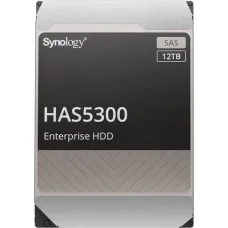
Server hard disk drives are commonly used when large storage capacity is required at a relatively lower cost per terabyte. They can be suitable for file servers, archival data, backups, surveillance-related workloads, and other capacity-focused applications.

Enterprise HDDs are generally designed for continuous operation and server workloads and can offer features that differ from standard consumer hard drives.

Server SSD

Server SSDs use flash memory instead of spinning magnetic disks. They can provide significantly faster access times and lower latency than traditional HDDs, making them suitable for databases, virtualization, applications, operating systems, and workloads requiring frequent random access.

SSD selection should consider endurance as well as speed because server workloads can generate substantial amounts of data writing.

Enterprise SSD

Enterprise SSDs are designed for demanding professional and server environments. They may offer higher endurance, consistent performance, advanced error management, and features intended for continuous workloads.

They can be useful for databases, virtualization platforms, enterprise applications, and high-traffic server environments.

SATA Server Storage

SATA-based server storage is widely used because SATA drives are available in both HDD and SSD formats. SATA can be suitable for general server storage, file servers, backup systems, and capacity-oriented applications.

SAS Server Storage

SAS is a server-oriented storage interface commonly used in enterprise servers and storage systems. SAS drives are designed for professional environments and can provide features appropriate for multi-drive server configurations.

Before buying a SAS drive, verify that the server or storage controller supports the required SAS interface.

NVMe Server Storage

NVMe storage communicates through PCIe and is designed to provide very high storage performance with low latency. NVMe server storage can be particularly useful for databases, virtualization, high-performance applications, analytics, and workloads that require fast storage access.

Server HDD vs Server SSD

Server HDDs generally provide more storage capacity at a lower cost, while server SSDs offer faster access and lower latency. The better option depends on the workload.

For large amounts of less frequently accessed data, HDD storage can be practical. For databases, virtualization, frequently accessed applications, and performance-sensitive workloads, SSD or NVMe storage can provide significant advantages.

Server SSD vs NVMe SSD

Both server SSDs and NVMe SSDs use flash memory, but NVMe drives communicate through PCIe using the NVMe protocol. This can provide much higher throughput and lower latency than traditional SATA-based SSDs.

However, NVMe should not be selected based on speed alone. The server must support the required NVMe form factor, PCIe generation, firmware, operating system, and storage configuration.

Server Storage Capacity

Server storage is available in a wide range of capacities. Common choices can include 480GB, 960GB, 1.92TB, 3.84TB, and larger capacities for SSDs, while HDDs can provide several terabytes or more per drive.

The required capacity should be calculated based on current data, expected growth, operating system requirements, database size, virtual machines, backup requirements, and RAID overhead.

Server Storage for Database

Databases can generate frequent random read and write operations, making storage latency and IOPS important considerations. SSD and NVMe storage can be particularly beneficial for database workloads.

Database storage should also be designed with appropriate redundancy, backup, endurance, and data protection rather than focusing only on maximum benchmark speed.

Server Storage for Virtualization

Virtualization environments can place heavy demands on storage because multiple virtual machines may access the storage system simultaneously.

SSD, NVMe, or high-performance SAS storage can be appropriate depending on the number of virtual machines, workload intensity, available memory, network infrastructure, and virtualization platform.

Server Storage for File Server

File servers often require substantial capacity for documents, media, shared folders, applications, and organizational data. HDDs can be cost-effective for capacity-focused file servers, while SSDs can improve performance for frequently accessed files.

For important business data, redundancy and backup should be considered alongside storage capacity.

Server Storage for Backup

Backup servers require enough capacity to store multiple backup versions and accommodate future data growth. Large-capacity HDDs are often practical for backup repositories because of their cost per terabyte.

Backup storage should not be treated as the only copy of important data. A proper backup strategy should consider multiple copies and, where appropriate, an off-site or otherwise isolated backup.

Server Storage for CCTV and Surveillance

Servers and storage systems used for video surveillance require drives capable of handling continuous recording workloads. Storage capacity depends on the number of cameras, resolution, frame rate, compression method, recording schedule, and required retention period.

For surveillance workloads, choose storage specifically suited to continuous recording rather than selecting a drive only according to its capacity.

RAID and Server Storage

RAID combines multiple drives to provide redundancy, performance, capacity, or a combination of these characteristics. Common RAID configurations include RAID 0, RAID 1, RAID 5, RAID 6, and RAID 10.

RAID 0

RAID 0 distributes data across multiple drives to improve performance and usable capacity, but it does not provide redundancy. If one drive fails, the stored data can be lost.

RAID 1

RAID 1 mirrors data across two drives, providing redundancy. It is commonly used when data availability is more important than maximizing usable capacity.

RAID 5

RAID 5 uses distributed parity and can tolerate the failure of one drive. It can provide a balance between usable capacity and redundancy.

RAID 6

RAID 6 uses dual parity and can tolerate two drive failures. It can be useful for larger storage arrays where additional fault tolerance is required.

RAID 10

RAID 10 combines mirroring and striping to provide redundancy and strong performance. It generally requires more drives and provides less usable capacity than some parity-based RAID configurations.

Server Storage Interface

SATA

SATA is commonly found in servers and storage systems and is available with both HDDs and SSDs. It can be suitable for general-purpose server storage.

SAS

SAS is designed for enterprise storage environments and is commonly used with compatible server backplanes and RAID controllers.

NVMe

NVMe uses PCIe to provide high-speed storage communication. It is increasingly used for performance-sensitive server workloads.

Server Storage Form Factors

2.5 Inch Server Drive

2.5-inch drives are commonly used in many rack servers and compact server systems. Both SAS and SATA storage can be available in this form factor.

3.5 Inch Server Drive

3.5-inch drives are commonly selected when higher-capacity HDD storage is required. Server compatibility should be confirmed before installation.

M.2 NVMe Server Storage

Some servers support M.2 NVMe drives for specific applications such as boot storage or specialized workloads. M.2 support varies considerably between server models, so compatibility must be checked carefully.

Server Storage Performance

Storage performance is influenced by sequential read/write speed, random IOPS, latency, queue depth, interface bandwidth, controller performance, and workload characteristics.

A drive with a high sequential benchmark may not necessarily provide the best performance for every server application. Database and virtualization workloads, for example, can depend heavily on random I/O performance and latency.

Server Storage Endurance

Storage endurance is especially important for servers that perform frequent write operations. SSD endurance is commonly represented through specifications such as TBW or DWPD, depending on the manufacturer and product class.

For write-intensive environments, choose an enterprise SSD with endurance appropriate for the expected workload rather than selecting a consumer SSD based only on price.

Server Storage Reliability

Server storage should be selected with reliability and continuous operation in mind. Enterprise-class drives can provide features and specifications intended for demanding workloads.

However, no storage drive is immune to failure. RAID improves availability in supported configurations, but RAID should not be considered a replacement for a proper backup strategy.

Server Storage for Small Business

Small businesses can choose server storage according to the number of users, applications, data volume, backup requirements, and budget. A small file server may not require the same storage performance as a database or virtualization server.

A balanced storage configuration with appropriate redundancy and backup can often be more valuable than simply purchasing the fastest available drive.

Server Storage for Enterprise

Enterprise environments typically require greater capacity, performance, redundancy, monitoring, and scalability. Storage systems may use multiple enterprise SSDs or HDDs, RAID controllers, hot-swappable drives, and dedicated storage networks depending on the infrastructure.

Enterprise storage planning should also account for workload growth and future expansion.

How to Choose Server Storage

Check Server Compatibility

Check the server manufacturer, model, supported interface, drive bay size, backplane, RAID controller, and firmware requirements before purchasing storage.

Determine Required Capacity

Estimate current storage usage and future growth. Include operating systems, applications, databases, virtual machines, logs, backups, and other data.

Choose the Right Drive Type

Select HDD, SATA SSD, SAS SSD, or NVMe according to the workload and server architecture.

Consider RAID

Determine whether the server requires redundancy and which RAID level is appropriate for the workload.

Consider Endurance

For SSDs, review endurance specifications when the server will perform frequent or continuous write operations.

Consider Performance

Compare IOPS, latency, throughput, and interface speed rather than relying on a single advertised speed figure.

Consider Expansion

Leave room for future data growth where possible. A storage configuration that is sufficient today may become inadequate as the organization grows.

Check Warranty

Review the manufacturer's warranty and support terms before purchasing server storage.

Server Storage Price in BD

Server storage price in BD varies significantly depending on capacity, storage technology, interface, endurance, performance, and enterprise features. Server HDDs are generally more economical for high-capacity storage, while enterprise SSDs and NVMe drives can cost considerably more.

When comparing prices, consider the total storage solution rather than the individual drive price. RAID controllers, additional drives, drive caddies, backup storage, and other components may also contribute to the overall cost.

Server Storage Price in Jessore

If you are searching for server storage price in Jessore, compare compatible HDD and SSD options based on server model, capacity, interface, workload, RAID requirements, warranty, and budget.

Choosing a compatible drive is particularly important for server upgrades because the physical drive size alone does not guarantee compatibility with the server's backplane or storage controller.

Buy Server Storage from Unix Network

If you are planning to buy server storage in Bangladesh, Unix Network can help you find suitable storage solutions for servers, workstations, business systems, databases, virtualization environments, and backup systems.

Before purchasing, provide the exact server model whenever possible. This makes it easier to select storage with the appropriate interface, form factor, capacity, and compatibility.

Frequently Asked Questions About Server Storage

What is server storage?

Server storage is storage hardware designed to store operating systems, applications, databases, business files, virtual machines, backups, and other data used by server systems.

Is an SSD better than an HDD for a server?

It depends on the workload. SSDs generally provide lower latency and faster access, while HDDs can provide large capacity at a lower cost per terabyte.

What is the best storage for a database server?

For many database workloads, enterprise SSD or NVMe storage can provide advantages because of low latency and strong random I/O performance. The appropriate choice depends on the database workload and server architecture.

Can I use a normal desktop HDD in a server?

Some servers may technically support certain SATA drives, but a consumer desktop drive may not be appropriate for demanding continuous server workloads. Check the server manufacturer's compatibility requirements before installation.

What is SAS storage?

SAS is an enterprise-oriented storage interface commonly used in servers and storage systems. SAS drives require compatible server hardware or storage controllers.

What is NVMe server storage?

NVMe server storage uses the PCIe interface and NVMe protocol to provide high-speed, low-latency storage access. It is commonly used for performance-sensitive workloads.

Is RAID a backup?

No. RAID can provide redundancy and improve storage availability, but it does not protect against accidental deletion, malware, corruption, theft, or other data-loss events. A separate backup strategy is still necessary.

Final Buying Guide

The right server storage depends on the server model, workload, capacity requirements, performance expectations, interface, RAID configuration, endurance, reliability, and budget. HDDs can be a practical choice for high-capacity storage, while enterprise SSDs and NVMe drives can provide better performance for demanding applications.

Before buying server storage, verify compatibility with the server's drive bays, backplane, storage controller, interface, and supported form factor. Also consider future capacity requirements, redundancy, backup, warranty, and long-term operating costs.

If you are searching for server storage in Bangladesh, server storage price in BD, or server storage price in Jessore, compare compatible storage solutions at Unix Network and choose the option that best matches your server and workload requirements.