
Featured Products
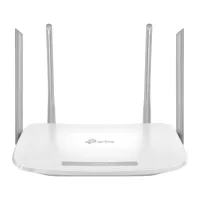
/Xiaomi-Mi-4A-AC1200-Gigabit-Edition-Dual-Band-Global-Version-200x200.webp "Xiaomi Mi 4A AC1200 Gigabit Edition Dual Band (Global Version)")
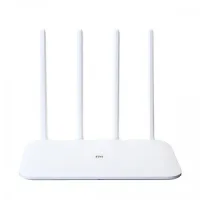


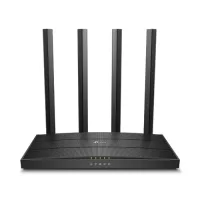



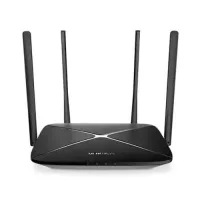
%201200Mbps%204%20Antenna%20Dual%20Band%20Router/Mercusys-AC12-EU-1200Mbps-4-Antenna-Dual-Band-Router-200x200.webp "Mercusys AC12(EU) 1200Mbps 4 Antenna Dual Band Router")






TP Link AC1200 Price in BD
TP-Link AC1200 Router Price in BD
The TP-Link AC1200 price in BD currently ranges from ৳2,100 to ৳3,800, depending on the exact model. Unix Network stocks the full AC1200 line-up — Archer C50, C54, C64, and C6 — for home, office, gaming, and everyday internet use, with genuine warranty and current pricing shown on every product page.
TP-Link AC1200 routers combine 2.4GHz and 5GHz wireless connectivity with a combined theoretical speed of up to 1200Mbps. Depending on the model, features may include MU-MIMO, Beamforming, multiple external antennas, Gigabit Ethernet ports, guest networking, parental controls, and TP-Link Tether app support.
TP-Link AC1200 Price List in Bangladesh (August 2026)
Prices vary by retailer and change with stock and exchange rates, but here is the current going rate for each model, based on live Bangladesh retail listings:
| Model | Ethernet Ports | Best For | Current Price (BDT) |
|---|---|---|---|
| Archer C50 | 10/100 Mbps | Budget home Wi-Fi | ৳2,100 – 2,790 |
| Archer C54 | 10/100 Mbps | Everyday home networking | ৳2,200 – 2,430 |
| Archer C64 | Gigabit (1 WAN + 4 LAN) | Multi-device homes, WFH | ৳2,750 – 3,590 |
| Archer C6 | Gigabit (1 WAN + 4 LAN) | Gaming & Gigabit internet plans | ৳2,990 – 3,800 |
| Deco AC1200 (mesh, 2-pack) | Gigabit per unit | Whole-home coverage | Check live price |
What Does AC1200 Mean?
AC1200 is a wireless networking speed classification. It generally refers to the combined theoretical wireless capacity of a router across its 2.4GHz and 5GHz bands.
The 2.4GHz band generally provides better range and is useful for everyday browsing and smart-home devices. The 5GHz band can provide higher wireless speeds and is better suited for HD streaming, gaming, video calls, and large downloads.
The advertised 1200Mbps figure is a theoretical combined wireless rating, not your internet speed. Actual performance depends on your internet package, connected devices, distance from the router, walls, interference, device capabilities, and other network conditions.
Why Choose a TP-Link AC1200 Router?
TP-Link AC1200 routers offer a practical combination of wireless speed, coverage, features, and affordability. They are a popular upgrade for users moving from older single-band routers or basic wireless networking equipment.
Dual-Band Wi-Fi
Use both 2.4GHz and 5GHz Wi-Fi to connect different types of devices. The 2.4GHz band is useful for longer-range connectivity, while compatible devices can use 5GHz for faster wireless performance.
Fast Wireless Connectivity
With an AC1200 wireless rating, compatible TP-Link routers are suitable for browsing, streaming, video conferencing, online gaming, downloads, and multiple connected devices.
MU-MIMO Technology
Selected TP-Link AC1200 models support MU-MIMO, helping the router communicate with multiple compatible devices more efficiently.
Beamforming Technology
Supported models use Beamforming to help direct wireless signals toward connected devices, which can contribute to improved wireless performance and coverage.
Multiple External Antennas
Many TP-Link AC1200 routers feature multiple external antennas designed to provide wider wireless coverage and stable connectivity throughout a home or small office.
Gigabit Ethernet
Selected models, including the Archer C6 and Archer C64, feature Gigabit Ethernet ports and are suitable for high-speed internet and fast local network requirements.
TP-Link AC1200 for Gaming and Streaming
A dual-band AC1200 router can be a good choice for users who regularly play online games or stream high-definition content. Connecting compatible devices to the 5GHz network can provide higher available wireless bandwidth and may reduce congestion compared with the 2.4GHz band in busy wireless environments.
For competitive gaming, however, the router is only one part of the connection. Ping and gameplay can also be affected by your ISP, server location, routing, Wi-Fi interference, network congestion, and the quality of your internet connection.
For the most consistent gaming connection, connecting a gaming PC or console directly to the router using Ethernet is recommended when possible.
TP-Link AC1200 for Home and Office
A TP-Link AC1200 router can provide reliable wireless connectivity for many homes and small offices. Depending on the model and network environment, it can connect smartphones, laptops, desktops, smart TVs, gaming consoles, printers, cameras, and other wireless devices.
For larger homes with multiple rooms, floors, or Wi-Fi dead zones, a TP-Link Deco AC1200 mesh system may provide more consistent coverage than a single traditional router.
Which TP-Link AC1200 Router Should You Buy?
The best TP-Link AC1200 router depends on your internet speed, home size, number of connected devices, Ethernet requirements, and budget.
For Basic Home Internet
The Archer C50 or C54 (around ৳2,100–2,450) covers browsing, social media, YouTube, online classes, and video calls comfortably.
For High-Speed Internet
Choose the Archer C64 or C6 (around ৳2,750–3,800) for Gigabit Ethernet ports, so your wired speed isn't the bottleneck on a fast broadband plan.
For Gaming
The Archer C6 pairs Gigabit Ethernet with MU-MIMO and strong 5GHz performance. Use a wired connection for the console or PC when latency matters most.
For Larger Homes
If your home has multiple floors, thick walls, or Wi-Fi dead zones, a TP-Link Deco AC1200 mesh system may provide more consistent coverage than any single router.
TP-Link AC1200 vs Single-Band Router
Compared with a basic single-band router, a TP-Link AC1200 dual-band router provides access to both 2.4GHz and 5GHz Wi-Fi, giving compatible devices greater flexibility when connecting to your network.
| Feature | Basic Single-Band Router | TP-Link AC1200 |
|---|---|---|
| 2.4GHz Wi-Fi | Yes | Yes |
| 5GHz Wi-Fi | No | Yes |
| Dual-band | No | Yes |
| High-speed 5GHz devices | Not supported | Supported |
| Multiple-device efficiency | Basic | Better on supported models |
| Gaming & streaming | Basic | Better suited |
| Typical price in BD | ৳1,000 – 1,800 | ৳2,100 – 3,800 |
Buy TP-Link AC1200 Router in Bangladesh from Unix Network
Unix Network offers genuine networking products for customers looking for dependable Wi-Fi solutions in Bangladesh. Compare live prices for the Archer C50, C54, C64, and C6 and choose a router according to your internet speed, coverage requirements, features, and budget.
Check today's TP-Link AC1200 price in BD at Unix Network and order online or visit our Jashore showroom.
Frequently Asked Questions About TP-Link AC1200
What is the TP-Link AC1200 price in BD?
TP-Link AC1200 routers in Bangladesh currently cost between ৳2,100 and ৳3,800 depending on the model. The Archer C50 and C54 are the most affordable at around ৳2,100–2,450, while the Gigabit-port models — Archer C64 and Archer C6 — run about ৳2,750–3,800. Check Unix Network for live pricing and availability.
Which TP-Link AC1200 model is cheapest?
The Archer C50 and Archer C54 are the cheapest AC1200 models, typically priced between ৳2,100 and ৳2,450.
Is AC1200 better than AC750?
Yes. AC1200 has a higher combined theoretical wireless rating than AC750 and generally provides greater available wireless bandwidth, particularly on the 5GHz band.
Does TP-Link AC1200 support 5GHz?
Yes. TP-Link AC1200 routers are dual-band, providing both 2.4GHz and 5GHz Wi-Fi connectivity.
Is TP-Link AC1200 good for 100Mbps internet?
Yes. A TP-Link AC1200 router comfortably handles a 100Mbps internet connection under normal network conditions. For the most stable performance, connect compatible devices to the 5GHz band, and use Ethernet for devices like gaming PCs that need the steadiest connection.
Is TP-Link AC1200 good for gaming?
Yes, for casual and competitive online gaming, especially on Gigabit-port models like the Archer C64 and Archer C6. A wired Ethernet connection still gives the most stable ping regardless of model.
Does TP-Link AC1200 support Gigabit Ethernet?
Some models do — the Archer C64 and Archer C6 both feature Gigabit Ethernet ports. The Archer C50 and C54 use standard 10/100 Mbps ports, which is worth checking if your internet plan exceeds 100 Mbps.
Can I manage a TP-Link AC1200 router from my phone?
Yes. All current TP-Link AC1200 models can be configured and managed through the TP-Link Tether app.
Where can I buy TP-Link AC1200 in Bangladesh?
You can buy TP-Link AC1200 routers from Unix Network. Browse the available models to compare current prices, specifications, features, and availability, or visit the showroom in Jashore.