
Antec
Showing 1 to 24 of 154 (7 Pages)


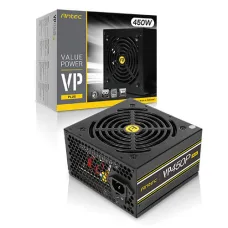


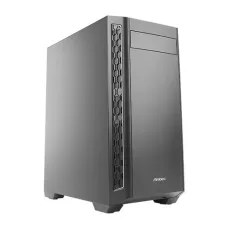


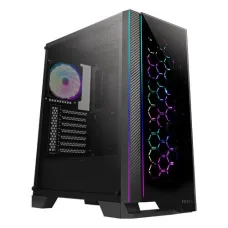


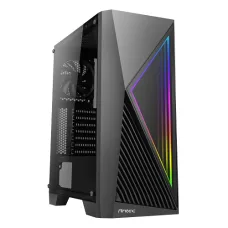


Antec Products Price in Bangladesh
Antec is a well-known PC hardware brand offering power supplies, computer cases, CPU coolers, cooling fans and other components for desktop computers. Antec products are suitable for a wide range of users, including home users, office professionals, students, gamers, content creators, PC builders and businesses.
If you are searching for Antec price in Bangladesh, Antec PSU price in Bangladesh, Antec casing price in Bangladesh, Antec gaming casing price in Bangladesh or Antec CPU cooler price in Bangladesh, this page can help you understand what to look for before purchasing.
Unix Network provides computer hardware and accessories for customers in Jessore/Jashore and customers across Bangladesh. Before ordering an Antec product, always check the exact model, current stock, price, warranty and compatibility with your computer.
What Is Antec?
Antec is a computer hardware brand known particularly for power supplies, PC cases and cooling solutions. The company has products for both everyday desktop computers and higher-performance gaming or workstation systems.
One important advantage of having multiple product categories under the same brand is that PC builders can combine an Antec case, PSU and cooling solution when those products meet the requirements of the particular computer build.
Antec Products Available for PC Builders
Antec's product range can be useful when building a new desktop PC or upgrading an existing computer. Depending on current Bangladesh availability, customers may find products such as:
- Antec Power Supply
- Antec Gaming Power Supply
- Antec PC Casing
- Antec Gaming Casing
- Antec ARGB Casing
- Antec Tempered Glass PC Case
- Antec CPU Air Cooler
- Antec Liquid CPU Cooler
- Antec AIO CPU Cooler
- Antec Casing Fan
- Antec ARGB Fan
- Antec Cooling Accessories
Antec Power Supply: What You Need to Know
The power supply unit, commonly called a PSU, is one of the most important components in a desktop computer. It converts AC electricity from the wall outlet into the DC power required by the motherboard, processor, graphics card, storage drives, fans and other components.
Choosing the correct PSU is more important than simply choosing the largest wattage available. The PSU should match the actual requirements of your complete computer.
How Much Wattage Do You Need?
The required PSU wattage depends mainly on the processor, graphics card and other components in the PC.
For example, a basic office computer without a dedicated graphics card may require considerably less power than a gaming PC with a powerful dedicated GPU.
As a general starting point:
- Basic office PC: Lower-wattage PSU may be sufficient depending on the hardware.
- Home and general-use PC: A moderate-capacity PSU may be appropriate.
- Entry-level gaming PC: Consider the recommended PSU requirement of the graphics card.
- Mid-range gaming PC: A higher-capacity PSU may provide suitable headroom.
- High-end gaming/workstation PC: Carefully calculate total power requirements and GPU recommendations.
These are general guidelines rather than fixed recommendations. The exact CPU and GPU models should always be checked before selecting the PSU.
Why PSU Headroom Matters
It is generally useful to leave some power headroom rather than selecting a PSU that operates close to its maximum rated output all the time. Headroom can also be helpful when adding storage, fans or upgrading other components later.
80 PLUS Efficiency
Some Antec PSUs carry 80 PLUS efficiency certifications. Efficiency indicates how effectively the PSU converts electrical power into usable power for the computer.
Depending on the model, customers may encounter different efficiency levels. Do not assume that every Antec PSU has the same efficiency rating; check the exact model before purchasing.
Modular vs Non-Modular Antec PSU
Antec power supplies can be available with different cable-management designs.
Non-Modular PSU
The cables are permanently attached to the PSU. This can be a practical and economical choice for many standard PC builds.
Semi-Modular PSU
Some essential cables are permanently attached while additional cables can be connected when required. This can make cable management easier.
Fully Modular PSU
All detachable cables can be connected according to the requirements of the PC. This is useful for builders who want cleaner cable management and easier installation.
How to Select an Antec PSU for a Graphics Card
If your computer contains a dedicated graphics card, pay particular attention to PSU requirements.
- Check the graphics card manufacturer's recommended PSU wattage.
- Check the graphics card's required power connectors.
- Check whether the PSU provides the required connectors.
- Consider CPU power consumption.
- Consider additional drives and cooling fans.
- Leave reasonable power headroom.
- Consider future hardware upgrades.
Important: Never select a PSU solely because its wattage number is high. The exact model and connector configuration are also important.
Antec PC Casing
Antec PC cases are designed to house the motherboard, PSU, graphics card, storage drives, cooling components and other hardware. The case is more than an aesthetic component; it also affects airflow, component compatibility, installation space and future upgrades.
Check Motherboard Size Before Buying
Before buying an Antec casing, determine the size of your motherboard.
- ATX
- Micro-ATX
- Mini-ITX
- Other supported motherboard formats depending on the case
A case must support the motherboard form factor you intend to install.
Check Graphics Card Length
Modern graphics cards can be very large. Before purchasing a case, check the maximum GPU length supported by the case and compare it with your graphics card.
Check CPU Cooler Height
Large tower CPU coolers require sufficient clearance inside the case. If you already own a large CPU cooler, check the case's maximum CPU cooler height.
Check Radiator Compatibility
If you plan to use an Antec liquid cooler or another AIO cooler, verify whether the case supports the required radiator size and mounting position.
Why Airflow Is Important in an Antec PC Case
A computer generates heat while operating. The processor, graphics card, power supply and other components all contribute to internal heat.
Good airflow helps move warm air out of the case and bring cooler air into the system. This can help the cooling system work more effectively.
Basic Airflow Concept
A common setup is to use front or bottom fans for intake and rear or top fans for exhaust, depending on the case design. The ideal configuration depends on the particular case and installed components.
Don't Install Too Many Fans Without a Plan
More fans do not automatically mean better cooling. Fan direction, airflow restriction, dust filters, radiator placement and overall case design all affect cooling performance.
Antec Gaming Casing
Antec gaming cases are designed for customers who want additional airflow, component clearance and gaming-oriented aesthetics. Depending on the model, features may include:
- Tempered-glass side panels
- ARGB lighting
- Pre-installed cooling fans
- Multiple fan mounting locations
- Liquid cooling support
- Front USB connectivity
- Type-C connectivity on selected models
- Large graphics-card clearance
- Improved cable-management space
Features vary by model, so customers should check the exact product specifications before ordering.
Antec CPU Cooler
CPU cooling is important for maintaining suitable processor temperatures. Antec offers cooling solutions designed for different types of desktop computers.
Antec Air Cooler
An air cooler generally uses a heatsink and fan to transfer heat away from the processor. Air coolers can be a straightforward choice for many office, home and gaming systems.
Antec Liquid Cooler
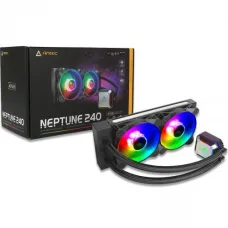
An all-in-one liquid cooler uses a radiator, pump and cooling block to transfer heat away from the processor. Larger AIO systems can be useful for high-performance CPUs when supported by the PC case.
Check CPU Socket Compatibility
Before purchasing any CPU cooler, check whether the cooler supports your processor socket. Socket support can vary between models and revisions.
Antec Casing Fan
Additional case fans can be useful when the existing PC airflow is insufficient or when building a performance-focused computer.
Before purchasing a fan, check:
- Fan size
- Fan mounting location
- Power connector
- ARGB/RGB compatibility
- Fan speed
- Airflow characteristics
- Noise level
- Number of fans required
Antec ARGB: What Does It Mean?
ARGB means Addressable RGB. ARGB lighting can provide individually controllable LEDs, allowing compatible motherboards or controllers to create different lighting effects.
However, RGB and ARGB are not necessarily interchangeable. Before connecting an ARGB fan or lighting device, check the connector type and motherboard/controller compatibility.
Antec Price in Bangladesh
Antec prices in Bangladesh vary according to product type, model, specifications, warranty, stock availability and market conditions.
| Product Type | Typical Market Position | Best For |
|---|---|---|
| Antec Entry-Level PSU | Budget | Basic desktop computers |
| Antec 450W–550W PSU | Budget to Mid-Range | General-purpose and selected gaming PCs |
| Antec 650W PSU | Mid-Range | Many gaming PC configurations |
| Antec 750W PSU | Mid-Range to Performance | Higher-power gaming systems |
| Antec 850W+ PSU | Performance | High-performance gaming and workstation systems |
| Antec Budget PC Case | Budget | Office and basic PC builds |
| Antec Gaming Case | Mid-Range | Gaming and custom PCs |
| Antec Premium Gaming Case | Performance | High-end custom PC builds |
| Antec CPU Cooler | Varies by model | CPU cooling |
| Antec AIO Liquid Cooler | Mid-Range to Premium | Performance CPUs and gaming PCs |
Note: This table describes general market positioning rather than fixed prices. Actual Antec product prices and availability can change frequently in Bangladesh.
How to Compare Two Antec PSUs
If you are choosing between two Antec power supplies, compare more than the wattage.
| Feature | Why It Matters |
|---|---|
| Wattage | Determines available power capacity. |
| Efficiency | Indicates how efficiently electrical power is converted. |
| Connectors | Must match motherboard, GPU and other components. |
| Modularity | Affects cable management and installation convenience. |
| Form Factor | Must physically fit your case. |
| Protection Features | Important for power-system safety and reliability. |
| Warranty | Important for long-term ownership. |
How to Compare Two Antec PC Cases
| Check | What You Should Verify |
|---|---|
| Motherboard Support | ATX, Micro-ATX, Mini-ITX or supported formats |
| GPU Clearance | Maximum supported graphics card length |
| CPU Cooler Clearance | Maximum supported cooler height |
| Radiator Support | Supported radiator sizes and mounting positions |
| Fan Support | Number and size of supported fans |
| Storage | Number and type of supported drives |
| Front I/O | USB, audio and Type-C availability |
| PSU Compatibility | Supported power supply form factor |
| Dust Protection | Dust filters and airflow design |
Which Antec Product Is Best for You?
For Students
If you need a computer for programming, browsing, online classes, Microsoft Office and general study, a reliable Antec case and appropriately sized PSU may be sufficient. There is usually no reason to spend extra money on premium gaming features unless you actually need them.
For Office Users
Office computers should prioritize reliability, suitable power capacity, reasonable noise levels, easy maintenance and appropriate case size.
For Gamers
Gamers should pay particular attention to PSU capacity, GPU connectors, case airflow, graphics-card clearance and CPU cooling support.
For Content Creators
Video editors, 3D artists and other professionals may use powerful CPUs and GPUs. Such systems can benefit from a carefully selected PSU and case with adequate cooling and component clearance.
For PC Builders
PC builders should evaluate the entire component list before selecting an Antec case, PSU or cooler. Compatibility should be confirmed before ordering.
Antec PC Building Checklist
Building a new computer? Use this checklist before purchasing your Antec components:
- Choose your processor.
- Choose your motherboard.
- Choose your graphics card if required.
- Calculate approximate system power requirements.
- Select an appropriate Antec PSU.
- Confirm PSU connectors.
- Select a compatible Antec case.
- Confirm motherboard compatibility.
- Confirm GPU clearance.
- Confirm CPU cooler clearance.
- Confirm radiator compatibility if using an AIO.
- Plan intake and exhaust airflow.
- Check storage mounting options.
- Check front-panel connectors.
- Confirm warranty and availability.
Common Mistakes When Buying an Antec PSU
Buying Based Only on Wattage
Higher wattage does not automatically mean the PSU is better for your computer.
Ignoring GPU Connectors
A PSU must have the appropriate connectors for the graphics card and motherboard.
Choosing an Oversized PSU Without Need
A very high-capacity PSU may be unnecessary for a basic computer. Select according to actual requirements and planned upgrades.
Ignoring Case Compatibility
Before purchasing a PSU, make sure its form factor is supported by your PC case.
Common Mistakes When Buying an Antec Casing
- Buying a case that does not support the motherboard.
- Ignoring graphics-card length.
- Ignoring CPU cooler height.
- Forgetting radiator compatibility.
- Assuming every case includes the same number of fans.
- Ignoring front I/O requirements.
- Not considering cable-management space.
- Choosing appearance over airflow and compatibility.
Antec Installation Tips
Installing an Antec PSU
- Turn off the computer and disconnect the AC power.
- Install the PSU in the correct case position.
- Connect the motherboard power cable.
- Connect the CPU power cable.
- Connect the required GPU power cables.
- Connect SATA power cables where necessary.
- Route cables carefully through the case.
- Check every connection before powering on.
Never force a connector into a port. If a connector does not fit correctly, verify that you are using the correct cable and connector.
Installing an Antec Case Fan
- Determine the desired airflow direction.
- Install the fan in the appropriate mounting position.
- Secure the screws evenly.
- Connect the fan power cable.
- Connect ARGB lighting separately if applicable.
- Check fan operation after starting the PC.
Antec Maintenance Tips
Regular maintenance can help keep your PC running efficiently.
- Clean dust filters regularly.
- Keep the inside of the case free from excessive dust.
- Check that all cooling fans are spinning correctly.
- Keep cables organized to avoid blocking airflow.
- Check unusual fan noise.
- Monitor CPU and GPU temperatures when necessary.
- Do not block the PC's ventilation openings.
- Keep the computer away from excessive moisture.
Antec Troubleshooting Guide
PC Does Not Turn On
Check the wall power, UPS or surge protector, PSU switch, motherboard power connector and CPU power connector. If the problem continues, professional diagnosis may be required.
PC Turns Off During Gaming
Possible causes include overheating, insufficient power, PSU problems, graphics-card issues or other hardware faults. Check temperatures and power requirements before replacing components.
PC Becomes Very Hot
Check CPU cooler installation, thermal paste condition, case airflow, dust buildup and fan operation.
Case Fan Is Not Spinning
Check the fan connector, motherboard header, fan controller and power connection. Some fans may use separate connections for motor power and RGB/ARGB lighting.
ARGB Lighting Is Not Working
The fan may still operate normally even if its lighting does not. Check the ARGB connector, controller, motherboard header and software configuration.
New Graphics Card Does Not Fit
Check the graphics card length, thickness and power-connector clearance against the case specifications. Large modern GPUs can occupy significant space.
How to Keep Your Antec PSU Healthy
- Provide adequate ventilation around the PC.
- Keep dust away from PSU ventilation openings.
- Use an appropriate UPS or surge-protection solution where needed.
- Do not overload the PSU.
- Use the correct cables supplied for the PSU.
- Do not modify PSU cables unless you fully understand their pinout compatibility.
Important PSU Cable Safety
Customers upgrading their PSU should be particularly careful with modular cables. Modular PSU cables can look similar but are not necessarily electrically interchangeable between different PSU models or brands.
Do not assume that an old modular cable can safely be used with a new PSU. Use the cables intended for the specific PSU unless compatibility has been explicitly confirmed by the manufacturer.
Antec Warranty and After-Sales Considerations
Warranty terms can vary depending on the product, model, distributor and seller. Before purchasing an Antec product, customers should confirm:
- Warranty duration
- Warranty type
- Who provides warranty service
- Warranty conditions
- What is covered
- What is excluded
- Whether the product is officially distributed
Keep the purchase invoice and product information for future warranty requirements.
Buying Antec Products Online in Bangladesh
When buying Antec products online, don't choose only by the product photograph. Product images can sometimes represent a series or illustrative version. Always check the exact model number and product details.
Before confirming an online order, verify:
- Exact model
- Current price
- Stock availability
- Warranty
- Delivery availability
- Product compatibility
- Included accessories
Antec Price in Jessore and Jashore
If you are searching for Antec price in Jessore, Antec PSU price in Jessore, Antec casing price in Jessore, Antec gaming casing price in Jessore or Antec computer accessories in Jashore, check the latest availability with Unix Network.
Because inventory changes frequently, a particular Antec model shown online may become unavailable. Customers can ask for the exact model or a suitable alternative based on their PC configuration and budget.
Why Buy the Correct Antec Product Instead of the Cheapest One?
The cheapest product is not always the best choice. A PSU, case or CPU cooler should be selected according to the complete computer.
For example, saving money on a PSU while using a powerful graphics card may not be a sensible decision. Similarly, purchasing a small PC case for a large GPU or CPU cooler can create compatibility and cooling problems.
A better approach is to choose the product that provides the required compatibility, capacity and features without paying for unnecessary specifications.
How Unix Network Can Help You Choose Antec Hardware
If you are unsure which Antec PSU, case or cooler you need, provide your current or planned PC component list. Important information includes the processor, graphics card, motherboard, RAM, storage drives and existing case.
This makes it easier to determine whether a particular Antec product is appropriate rather than choosing a component based only on its price or appearance.
Frequently Asked Questions About Antec
Is Antec a good brand?
Antec is an established computer hardware brand known for products including power supplies, PC cases and cooling solutions. The quality and suitability should still be evaluated according to the specific model.
What is Antec best known for?
Antec is particularly recognized for computer power supplies, PC cases and cooling products.
Which Antec PSU is best for gaming?
There is no single PSU that is best for every gaming PC. Select the model based on the graphics card, processor, total power requirement, connectors, efficiency and planned upgrades.
Is Antec 550W enough for a gaming PC?
It can be enough for some gaming configurations. However, you should check the exact GPU and CPU requirements before purchasing.
Is Antec 650W enough for gaming?
A 650W PSU can be suitable for many mid-range gaming systems, but the exact graphics card and processor should be checked first.
Is Antec 750W good for gaming?
A 750W PSU can provide more capacity for systems requiring additional power. Whether it is appropriate depends on the complete hardware configuration.
Does Antec make gaming cases?
Yes. Antec offers PC cases designed for gaming and custom PC builds, including models with airflow-focused designs, tempered glass and ARGB features depending on the model.
Does Antec make liquid CPU coolers?
Yes. Antec offers all-in-one liquid CPU cooling solutions in different sizes. Always check CPU socket and case radiator compatibility before buying.
Can I use an Antec PSU with any PC case?
Not necessarily. The PSU form factor must be supported by the case, and there must be sufficient space for installation and cable routing.
Can I use an Antec case with another brand's PSU?
Yes, provided the PSU uses a compatible form factor and fits the case. The PSU brand does not normally have to match the case brand.
Can I use an Antec CPU cooler with another brand's processor?
Compatibility depends on the CPU socket and the cooler's supported sockets. Check the exact cooler model before purchasing.
Does a gaming case improve FPS?
A case itself does not directly increase FPS. However, a case with appropriate airflow can help components maintain suitable temperatures, which is important for stable performance.
Do more case fans always provide better cooling?
No. Fan direction, airflow balance, case design and radiator placement all matter. Proper airflow configuration is more important than simply installing the maximum number of fans.
How can I find the correct Antec PSU for my PC?
Start with the CPU and GPU requirements, then consider the remaining components, required connectors and future upgrades. If you are uncertain, provide the complete PC configuration before purchasing.
Where can I buy Antec products in Bangladesh?
You can check Antec products and availability through computer hardware retailers such as Unix Network. Customers should confirm the current price, stock and warranty before ordering.
Popular Antec Keywords in Bangladesh
Antec price in Bangladesh, Antec price in BD, Antec products Bangladesh, Antec computer hardware Bangladesh, Antec PSU price in Bangladesh, Antec power supply price in Bangladesh, Antec gaming PSU price in Bangladesh, Antec 450W PSU price, Antec 550W PSU price, Antec 650W PSU price, Antec 750W PSU price, Antec 850W PSU price, Antec Gold PSU Bangladesh, Antec Bronze PSU Bangladesh, Antec modular PSU Bangladesh, Antec gaming casing price in Bangladesh, Antec PC case price in Bangladesh, Antec computer casing Bangladesh, Antec gaming case Bangladesh, Antec ARGB casing Bangladesh, Antec tempered glass casing Bangladesh, Antec CPU cooler price in Bangladesh, Antec air cooler Bangladesh, Antec liquid cooler Bangladesh, Antec AIO cooler Bangladesh, Antec radiator Bangladesh, Antec casing fan Bangladesh, Antec ARGB fan Bangladesh, Antec price in Jessore, Antec price in Jashore, Antec PSU Jessore, Antec casing Jessore, Antec gaming casing Jessore, Antec computer hardware shop Jessore, Antec products online Bangladesh.
Final Buying Guide for Antec Products
Antec offers products for many different types of computer users. Whether you are building a basic office PC, upgrading a home computer, assembling a gaming PC or building a high-performance workstation, the most important step is choosing the correct model for your system.
For an Antec power supply, check wattage, efficiency, connectors, form factor and your complete system power requirement. For an Antec PC casing, check motherboard compatibility, GPU clearance, CPU cooler clearance, radiator support and airflow. For an Antec CPU cooler, check socket compatibility and case clearance. For an Antec fan, check size, connector, airflow and ARGB compatibility.
If you are unsure which Antec product is suitable, don't purchase based only on a product photograph, wattage or price. Check the complete PC configuration first and confirm the exact model, stock, price and warranty before ordering.
Unix Network helps customers find computer hardware and accessories in Bangladesh, with local availability in Jessore/Jashore and online purchasing options for customers across the country.
Check the latest Antec product price and availability before placing your order.