
Apacer
Showing 1 to 24 of 101 (5 Pages)
৳100 Cashback




৳100 Cashback
৳100 Cashback
৳100 Cashback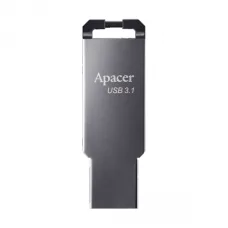
৳100 Cashback
৳100 Cashback
৳100 Cashback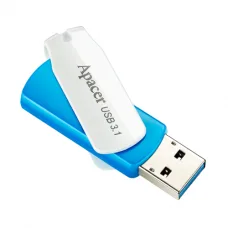
৳100 Cashback
৳100 Cashback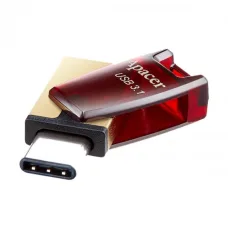
৳100 Cashback


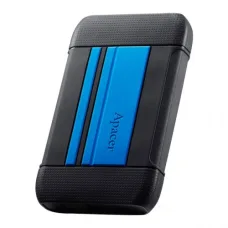
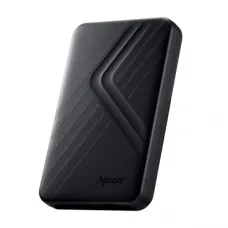

Apacer Products Price in Bangladesh
Apacer is a global memory and storage brand offering products for desktop computers, laptops, gaming PCs, business systems and everyday data storage. Apacer products available in the Bangladesh market include RAM, SSD, laptop RAM, desktop RAM, NVMe SSD, SATA SSD, portable SSD, pen drive and memory card models.
If you are searching for Apacer price in Bangladesh, Apacer RAM price in BD, Apacer SSD price in Bangladesh, Apacer NVMe SSD price, Apacer DDR4 RAM, Apacer DDR5 RAM or Apacer pen drive price in Bangladesh, this page provides practical information to help you select the right product.
Unix Network serves computer hardware customers in Jessore/Jashore and across Bangladesh. Before purchasing an Apacer product, check the exact model, capacity, interface, compatibility, warranty, current price and stock availability.
Apacer Product Categories
Depending on current stock and availability, Apacer products can include:
- Apacer Desktop RAM
- Apacer Laptop RAM
- Apacer DDR4 RAM
- Apacer DDR5 RAM
- Apacer Gaming RAM
- Apacer RGB RAM
- Apacer SATA SSD
- Apacer M.2 SATA SSD
- Apacer NVMe SSD
- Apacer PCIe SSD
- Apacer Gen4 NVMe SSD
- Apacer Gen5 SSD
- Apacer Portable SSD
- Apacer USB Flash Drive
- Apacer OTG Pen Drive
- Apacer Type-C Flash Drive
- Apacer Memory Card
Apacer RAM
RAM, or Random Access Memory, temporarily stores the data that your computer is actively using. Increasing RAM capacity can improve multitasking and help a system handle applications more comfortably when the existing memory is insufficient.
Apacer RAM is available in different generations, capacities, speeds and form factors. The correct RAM depends on the motherboard or laptop.
Apacer Desktop RAM
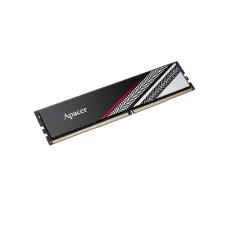
Desktop RAM normally uses a DIMM form factor and is designed for compatible desktop motherboards. Apacer desktop memory can be found in DDR4 and DDR5 configurations depending on the model and current availability.
Apacer Laptop RAM
Laptop memory is physically different from standard desktop DIMMs. Laptop RAM commonly uses a smaller SO-DIMM form factor.
Important: Do not purchase desktop RAM for a laptop simply because the capacity and DDR generation appear similar. Check the laptop's supported memory type and form factor first.
Apacer DDR4 RAM
DDR4 remains widely used in many desktop computers and laptops. Apacer DDR4 memory is available in different capacities and speeds, including mainstream options suitable for office PCs, home computers and gaming systems.
Who Should Buy Apacer DDR4?
- Users upgrading an existing DDR4 desktop
- Office computer users
- Students and home users
- Users building budget gaming PCs
- Users replacing faulty DDR4 memory
- Users who want additional RAM without replacing their motherboard
Apacer DDR5 RAM
DDR5 is a newer generation of desktop and laptop memory designed for compatible modern platforms. Apacer offers DDR5 products, including higher-speed gaming-oriented memory.
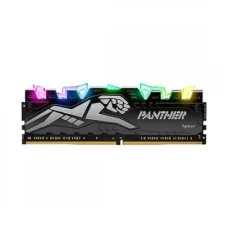
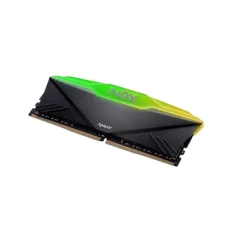
Some Apacer DDR5 gaming models are available with RGB lighting and heatsinks. Recent Bangladesh listings include Apacer Panther and NOX DDR5 models around 5200MHz and 6000MHz, depending on the exact model.
Important DDR5 Compatibility Warning
DDR5 RAM cannot simply be installed into a DDR4 motherboard. DDR4 and DDR5 use different memory technologies and motherboard support.
Always confirm the motherboard's supported memory generation before purchasing.
How Much Apacer RAM Do You Need?
| RAM Capacity | Suitable For |
|---|---|
| 4GB | Very basic tasks and older systems |
| 8GB | Office work, browsing, study and basic computing |
| 16GB | Recommended starting point for many modern PCs and gaming systems |
| 32GB | Gaming, heavy multitasking, content creation and professional applications |
| 64GB+ | Advanced workstation, professional and demanding workloads |
Capacity requirements vary by software and workload. More RAM does not automatically make every computer faster if the system's existing RAM is already sufficient.
Single RAM Stick vs Two RAM Sticks
When a motherboard supports dual-channel memory, using a matched pair of RAM modules can provide benefits over using a single module in compatible configurations.
For example, instead of automatically buying one 16GB module, some systems may benefit from a matched 2 × 8GB configuration. However, the best configuration depends on the motherboard, upgrade plans and available memory slots.
What Should You Check Before Buying Apacer RAM?
- DDR generation: DDR4 or DDR5
- Desktop DIMM or laptop SO-DIMM
- Capacity
- Memory speed
- Motherboard compatibility
- Maximum supported RAM
- Number of available RAM slots
- Existing RAM specifications
- Voltage requirements
- RGB requirement for gaming builds
Apacer Gaming RAM
Apacer offers gaming-oriented memory under product families such as NOX and Panther. Some models include heatsinks and RGB lighting for gaming PC builds. Current Bangladesh listings show Panther and NOX DDR5 products with 6000MHz-class speeds, while DDR4 gaming options are also available.
When selecting gaming RAM, do not focus only on RGB lighting. Capacity, compatibility, speed, latency and platform support are more important for practical performance.
Apacer SSD
An SSD can significantly improve the responsiveness of a computer compared with an older mechanical hard drive. It can reduce operating-system boot times, application loading times and file-access delays.
Apacer offers SSDs in several formats and interfaces, including 2.5-inch SATA SSDs, M.2 SATA SSDs and M.2 NVMe PCIe SSDs.
Apacer SATA SSD
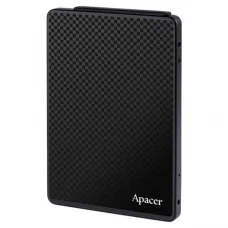
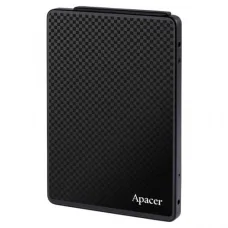
Apacer SATA SSDs are a practical upgrade for desktops and laptops that use a standard 2.5-inch SATA drive. Models such as the Apacer AS350 series are available in different capacities.
A SATA SSD can be an excellent upgrade for an older laptop or desktop that currently uses an HDD.
Why Upgrade an HDD to an Apacer SATA SSD?
- Faster Windows startup
- Faster application loading
- More responsive everyday computing
- Lower mechanical noise than an HDD
- Lower power consumption in many use cases
- Better responsiveness for older computers
Apacer M.2 SSD
M.2 describes the physical form factor, not necessarily the storage interface. An M.2 SSD can use SATA or PCIe/NVMe technology.
This is an important distinction when upgrading a laptop or motherboard.
M.2 SATA vs M.2 NVMe
| Feature | M.2 SATA | M.2 NVMe |
|---|---|---|
| Physical form | M.2 | M.2 |
| Interface | SATA | PCIe |
| Protocol | SATA | NVMe |
| Typical performance | Similar to SATA SSD speeds | Can be substantially faster |
| Compatibility | Must support M.2 SATA | Must support compatible PCIe/NVMe M.2 |
Do not assume every M.2 SSD works in every M.2 slot. Check the motherboard or laptop manual before purchasing.
Apacer NVMe SSD
Apacer NVMe SSDs use PCIe technology and can provide substantially higher sequential performance than traditional SATA SSDs, depending on the model and platform.
Apacer AS2280P4 models are examples of M.2 PCIe SSDs, while newer Apacer models are available using PCIe Gen4 and Gen5 technology. Recent Bangladesh listings include Gen4 models with advertised sequential speeds significantly above SATA-class storage.
Who Needs an Apacer NVMe SSD?
- Modern desktop PC users
- Gaming PC builders
- Content creators
- Video editors
- Developers working with large projects
- Users transferring large files frequently
- Users upgrading from SATA storage
PCIe Gen3 vs Gen4 vs Gen5 SSD
Newer PCIe generations can provide higher theoretical bandwidth, but the actual benefit depends on the motherboard, processor, SSD, workload and software.
| SSD Generation | General Use |
|---|---|
| PCIe Gen3 | Excellent for everyday computing and many gaming PCs |
| PCIe Gen4 | Higher-performance gaming, content creation and demanding workloads |
| PCIe Gen5 | High-end systems and users who specifically need very high storage performance |
If your workload does not benefit from extremely high sequential speeds, buying a more expensive Gen5 SSD may not provide a noticeable improvement in normal browsing or office work.
How Much Apacer SSD Storage Do You Need?
| Capacity | Suitable For |
|---|---|
| 120GB–128GB | Basic operating-system upgrade or lightweight use |
| 240GB–256GB | Office, study and general-purpose systems |
| 480GB–512GB | Gaming, applications and general storage |
| 1TB | Gaming, software, media and larger personal files |
| 2TB+ | Large game libraries, professional workloads and extensive storage |
Actual usable storage is lower than the advertised capacity because of formatting and system overhead.
Apacer SSD for Laptop Upgrade
An Apacer SSD can be a practical upgrade for an older laptop, but the correct type depends on the laptop.
Before ordering, check whether the laptop uses:
- 2.5-inch SATA storage
- M.2 SATA storage
- M.2 NVMe PCIe storage
- A proprietary storage interface
If you are unsure, check the laptop's exact model or consult a technician before purchasing.
Apacer SSD for Desktop PC
Desktop users have more upgrade flexibility. Depending on the motherboard, you may be able to install a 2.5-inch SATA SSD or M.2 NVMe SSD.
For a new gaming or performance PC, an NVMe SSD can be an attractive choice. For upgrading an older SATA-based PC, a 2.5-inch SATA SSD may be the simplest option.
Apacer Portable SSD
Apacer also offers portable storage products. Portable SSDs can be useful for customers who need fast external storage for laptops, desktops, photography, video files, backups and transferring large amounts of data.
For portable storage, check the USB interface supported by both the drive and your computer. The actual transfer speed depends on the slowest component in the connection.
Apacer Pen Drive
Apacer USB flash drives are useful for everyday file transfer, document storage, operating-system installation media and moving files between computers.
Available products can include standard USB flash drives as well as OTG and Type-C models. Recent Bangladesh listings include Apacer AH-series USB drives in capacities such as 32GB and 64GB.
Apacer OTG Pen Drive
An OTG flash drive can be useful when transferring files directly between a compatible smartphone and another device without first copying the files to a computer.
Apacer Type-C Pen Drive
Type-C flash drives are useful for newer phones, tablets and computers equipped with USB Type-C ports. Always check whether your device supports the required USB data standard.
Apacer Memory Card
Apacer memory cards can be used in compatible cameras, smartphones, tablets, action cameras and other devices.
Before buying a memory card, check the device's supported card type, maximum capacity and required speed class.
Apacer Price in Bangladesh
Apacer product prices vary significantly depending on the product category, capacity, interface and performance level. Recent Bangladesh listings show examples ranging from budget flash drives and RAM modules to high-capacity SSDs and high-speed gaming memory.
| Apacer Product | Example Bangladesh Market Price |
|---|---|
| Apacer 8GB DDR4 Desktop RAM | Approximately ৳7,000–৳8,500 |
| Apacer NOX RGB 8GB DDR4 | Approximately ৳7,500–৳8,000 |
| Apacer NOX 16GB DDR4 | Approximately ৳12,500–৳14,000 |
| Apacer 8GB DDR5 5200MHz | Approximately ৳14,000 |
| Apacer Panther 16GB DDR5 6000MHz | Approximately ৳27,000–৳29,500 |
| Apacer AS340 120GB SATA SSD | Approximately ৳3,650–৳4,200 |
| Apacer AS350 256GB SATA SSD | Approximately ৳5,300–৳6,200 |
| Apacer AS350 512GB SATA SSD | Approximately ৳9,200–৳10,300 |
| Apacer AS350 1TB SATA SSD | Approximately ৳17,000 |
| Apacer AS2280P4 256GB NVMe SSD | Approximately ৳6,700–৳7,800 |
| Apacer AS2280P4 512GB NVMe SSD | Approximately ৳9,900–৳10,500 |
| Apacer AS2280P4 1TB NVMe SSD | Approximately ৳17,500 |
| Apacer Gen4 1TB NVMe SSD | Approximately ৳20,500+ |
| Apacer Gen5 1TB NVMe SSD | Approximately ৳27,500+ |
| Apacer 32GB USB Flash Drive | Approximately ৳750–৳1,100 |
| Apacer 64GB USB Flash Drive | Approximately ৳620–৳1,200 |
Price disclaimer: These are approximate Bangladesh market references collected from recent retailer listings, not guaranteed Unix Network prices. Different models, revisions, warranty terms, promotions and stock levels can result in different prices. Confirm the latest Unix Network price and availability before ordering.
How to Choose the Right Apacer RAM
Choosing RAM should start with compatibility rather than price.
Step 1: Identify Your Device
Determine whether you are upgrading a desktop PC or laptop.
Step 2: Check DDR Generation
Find out whether the system uses DDR4 or DDR5. Do not mix incompatible generations.
Step 3: Check Maximum Supported Capacity
Check the motherboard or laptop documentation for maximum supported RAM.
Step 4: Check Available Slots
Make sure you have enough free memory slots for the planned upgrade.
Step 5: Check Existing RAM
If adding RAM rather than replacing the existing modules, check the existing module's generation, capacity and specifications.
How to Choose the Right Apacer SSD
- Identify your computer's available storage interface.
- Check whether it supports 2.5-inch SATA, M.2 SATA or M.2 NVMe.
- Choose the required capacity.
- Consider your workload.
- Check motherboard or laptop compatibility.
- Compare warranty and price.
- Confirm the exact model before purchasing.
Which Apacer SSD Is Best for an Old Computer?
If an older desktop or laptop currently uses a mechanical hard drive and supports 2.5-inch SATA storage, an Apacer SATA SSD can be a practical upgrade.
If the computer has a compatible M.2 NVMe slot, an Apacer NVMe SSD may provide a faster storage platform. However, compatibility should always be confirmed first.
Which Apacer SSD Is Best for Gaming?
For gaming, a suitable NVMe SSD can provide fast game installation and loading performance. Capacity is also important because modern games can occupy a large amount of storage.
For many gamers, a quality 1TB SSD can provide a practical balance between capacity and performance. Users with large game libraries may prefer 2TB or more.
Does a Faster SSD Increase FPS?
An SSD generally does not directly increase the graphics rendering performance of a game in the same way that a GPU upgrade does. Its major benefits are related to storage responsiveness, game loading and file access.
Therefore, if your gaming FPS is low, upgrading the SSD alone may not solve the problem.
Does More RAM Increase FPS?
Increasing RAM can help if your computer does not have enough memory. However, once you have sufficient RAM, adding more may have little effect on FPS. CPU and GPU performance are often much more important for gaming frame rates.
Apacer RAM and SSD for Office Computers
Office users commonly benefit from adequate RAM and an SSD rather than unnecessarily expensive performance components.
A practical office PC upgrade may involve installing an SSD for the operating system and applications while ensuring sufficient RAM for browsers, office applications, accounting software and multitasking.
Apacer RAM and SSD for Students
Students using computers for programming, browsing, online classes, documents, presentations and general study can benefit from a responsive SSD and sufficient RAM.
If an older laptop feels slow, replacing a mechanical HDD with a compatible SSD can often provide a noticeable improvement in everyday responsiveness.
Apacer for Content Creators
Video editors, photographers, designers and other content creators often work with large files. For these users, storage capacity and sustained performance can be more important than simply choosing the cheapest SSD.
A larger NVMe SSD can be useful as a working drive, while additional storage can be used for archives and backups.
Apacer for Business and Professional Use
Apacer's product range extends beyond consumer memory and storage. The company also provides industrial and business-oriented memory and storage solutions for applications such as networking, IoT, factory automation, healthcare and transportation.
For ordinary consumers, however, the most relevant Apacer products are generally RAM, SSDs, flash drives and memory cards.
Apacer SSD Maintenance Tips
- Keep sufficient free space on the SSD.
- Install operating-system updates normally.
- Keep important files backed up.
- Avoid unnecessary repeated full-drive writes.
- Monitor the drive's health when appropriate.
- Use the correct interface and slot.
- Keep laptops and desktops adequately cooled.
Why You Should Keep a Backup Even With an SSD
An SSD is not a backup. Like any storage device, an SSD can fail or become inaccessible.
Important photographs, business documents, university assignments, accounting files and other irreplaceable information should be backed up to another storage device or appropriate backup service.
Apacer Pen Drive Safety Tips
- Safely eject the drive when required.
- Avoid disconnecting it during file transfers.
- Keep important files backed up elsewhere.
- Scan suspicious files before opening them.
- Do not use an unknown USB device on an important computer.
- Check available capacity before copying large files.
Common Apacer RAM Problems
Computer Does Not Boot After Installing RAM
Check whether the RAM is compatible with the motherboard and properly seated. If multiple modules are installed, test the system with one module at a time if necessary.
Only Part of the RAM Is Detected
Possible causes include motherboard limitations, operating-system limitations, incorrect installation, BIOS configuration or a faulty module.
System Becomes Unstable After a RAM Upgrade
Check memory compatibility and BIOS settings. If the system uses memory profiles such as XMP or EXPO, make sure the motherboard and processor support the selected configuration.
Common Apacer SSD Problems
SSD Is Not Detected
Check the physical connection, M.2 slot compatibility, BIOS/UEFI settings and whether the SSD interface is supported by the motherboard or laptop.
Windows Cannot Be Installed on the SSD
Possible causes include incorrect boot configuration, partition problems, storage-controller settings or other system configuration issues.
SSD Seems Slower Than Expected
Advertised maximum sequential speeds are measured under specific conditions. Real-world performance depends on the computer platform, interface, workload, available free space, thermal conditions and software.
Important: M.2 Does Not Always Mean NVMe
This is one of the most common mistakes when buying SSDs.
M.2 describes the physical form factor. An M.2 drive can use SATA or PCIe/NVMe depending on the model.
Always check the actual interface before purchasing an Apacer M.2 SSD.
Important: DDR4 and DDR5 Are Not Interchangeable
DDR4 and DDR5 use different memory standards. A DDR5 module should not be installed in a motherboard designed for DDR4, and vice versa.
Always identify the motherboard's supported memory generation before ordering.
How to Check Your PC Before Buying Apacer RAM or SSD
If you do not know which product your computer needs, collect the following information:
- Desktop or laptop model
- Motherboard model
- Current RAM capacity
- Current RAM generation
- Current storage type
- Available M.2 slots
- Available SATA ports
- Current SSD/HDD model
Providing this information to a computer technician can greatly reduce the chance of buying an incompatible component.
Buying Apacer Products Online in Bangladesh
When buying Apacer products online, always compare the exact model number rather than comparing only the capacity.
For example, two 1TB SSDs can have completely different interfaces, PCIe generations, performance levels and intended use cases.
Likewise, two 16GB RAM modules may have different DDR generations, frequencies, latency and form factors.
Apacer Price in Jessore
If you are searching for Apacer price in Jessore, Apacer RAM price in Jessore, Apacer SSD price in Jessore, Apacer NVMe SSD price in Jessore or Apacer computer memory in Jashore, check the latest availability with Unix Network.
Because computer hardware inventory changes frequently, a particular model may be available one day and unavailable the next. Customers should confirm the exact model and current price before visiting the showroom or placing an online order.
Why Buy Apacer From a Computer Hardware Specialist?
Memory and storage compatibility can sometimes be confusing, particularly for laptop upgrades and M.2 SSD installations. A computer hardware specialist can help you identify the correct product before purchase.
This is especially useful when upgrading an older laptop, selecting between M.2 SATA and NVMe, matching RAM modules or choosing the correct storage capacity.
Questions to Ask Before Buying Apacer
- Is this RAM compatible with my motherboard?
- Is this RAM for desktop or laptop?
- Is it DDR4 or DDR5?
- Can I combine it with my existing RAM?
- Does my laptop support this SSD?
- Is this M.2 SSD SATA or NVMe?
- Does my motherboard support this PCIe generation?
- Will the SSD work at its full advertised speed on my computer?
- How much storage do I actually need?
- What is the warranty?
- Is the exact model currently in stock?
Frequently Asked Questions About Apacer
Is Apacer a good RAM brand?
Apacer is an established memory and storage manufacturer with consumer, business, gaming and industrial product lines. The appropriate model depends on your computer and workload.
Is Apacer SSD good?
Apacer offers SATA and PCIe/NVMe SSDs for different use cases. When choosing an SSD, evaluate the exact model, interface, capacity, performance, warranty and compatibility rather than judging only by brand.
Is Apacer RAM good for gaming?
Yes, Apacer offers gaming-oriented RAM, including NOX and Panther series products. Select the capacity, speed and DDR generation supported by your gaming PC.
Is Apacer DDR5 RAM available in Bangladesh?
Yes. Recent Bangladesh retailer listings show Apacer DDR5 products, including 5200MHz and 6000MHz-class models.
Is Apacer DDR4 RAM available?
Yes. Apacer DDR4 desktop and laptop memory products are listed by Bangladesh retailers, with different capacities and speeds.
Does Apacer make NVMe SSDs?
Yes. Apacer offers M.2 PCIe/NVMe SSDs, including AS2280P4 and newer PCIe Gen4 and Gen5 models.
Does Apacer make SATA SSDs?
Yes. Apacer has 2.5-inch SATA SSD products such as the AS340 and AS350 families.
Is Apacer AS350 a SATA SSD?
Yes. Apacer AS350 models are available as 2.5-inch SATA III SSDs. Exact capacity and specifications depend on the model.
Is Apacer AS2280P4 an NVMe SSD?
Apacer AS2280P4 models are M.2 PCIe SSDs. Check the exact model and platform compatibility before purchasing.
Can I use Apacer RAM with Intel and AMD?
Compatible Apacer memory can be used with supported Intel or AMD platforms. The motherboard's memory generation, capacity and supported speeds must match the RAM.
Can I mix Apacer RAM with another brand?
It can work when the modules are compatible, but mixing different memory modules can sometimes cause compatibility or stability issues. A matched memory kit is generally preferable when building a new system.
Can I upgrade my laptop with Apacer RAM?
Possibly. The laptop must have an upgradeable RAM configuration and support the appropriate memory type and capacity. Check the exact laptop model before buying.
Can I install an Apacer NVMe SSD in any laptop?
No. The laptop must have a compatible M.2 PCIe/NVMe slot. Some laptops have M.2 SATA support instead, while others may not have an upgradeable M.2 slot at all.
Which is better for an old laptop: RAM or SSD upgrade?
It depends on the problem. If the laptop uses an HDD, replacing the HDD with a compatible SSD can provide a major responsiveness improvement. If the system frequently runs out of RAM during normal workloads, a RAM upgrade may be more beneficial.
Is 512GB SSD enough?
512GB can be a practical capacity for many office, study and gaming systems. Users with large game libraries, video files or professional projects may prefer 1TB or more.
Is 1TB SSD enough for gaming?
1TB can be a good starting capacity for many gaming PCs, but the required capacity depends on the number and size of games you install.
Where can I buy Apacer products in Bangladesh?
You can check Apacer RAM, SSD and other storage products through computer hardware retailers such as Unix Network. Confirm the current model, price, stock and warranty before purchasing.
Popular Apacer Searches in Bangladesh
Apacer price in Bangladesh, Apacer price in BD, Apacer RAM price in Bangladesh, Apacer RAM price in BD, Apacer SSD price in Bangladesh, Apacer SSD price in BD, Apacer NVMe SSD price in Bangladesh, Apacer M.2 SSD price, Apacer SATA SSD price, Apacer DDR4 RAM price, Apacer DDR5 RAM price, Apacer gaming RAM price, Apacer RGB RAM price, Apacer laptop RAM price, Apacer desktop RAM price, Apacer 8GB RAM price, Apacer 16GB RAM price, Apacer 32GB RAM price, Apacer 256GB SSD price, Apacer 512GB SSD price, Apacer 1TB SSD price, Apacer Gen4 SSD price, Apacer Gen5 SSD price, Apacer portable SSD price, Apacer pen drive price in Bangladesh, Apacer USB flash drive price, Apacer OTG pen drive, Apacer Type-C pen drive, Apacer memory card price, Apacer AS350 price in Bangladesh, Apacer AS2280P4 price in Bangladesh, Apacer Panther RAM price, Apacer NOX RAM price, Apacer price in Jessore, Apacer price in Jashore, Apacer RAM Jessore, Apacer SSD Jessore, Apacer NVMe Jessore, Apacer computer hardware Bangladesh, Apacer products online Bangladesh.
Final Guide to Buying Apacer Products
Apacer offers a broad selection of memory and storage products for everyday computers, laptops, gaming PCs, business systems and professional applications.
If you need RAM, first identify the DDR generation, desktop/laptop form factor, capacity and motherboard compatibility. If you need an SSD, identify whether your computer requires 2.5-inch SATA, M.2 SATA or M.2 NVMe storage before ordering.
For gaming, consider both capacity and performance. For office and study computers, prioritize practical capacity and compatibility rather than paying for specifications you will not use. For older computers, a compatible SSD upgrade can often provide a substantial improvement in everyday responsiveness.
Before purchasing, always confirm the exact Apacer model, current Bangladesh price, stock availability, compatibility and warranty.
Unix Network provides computer hardware solutions for customers in Jessore/Jashore and customers ordering from across Bangladesh.