

Apple iPad
Showing 1 to 24 of 25 (2 Pages)


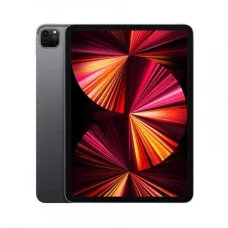

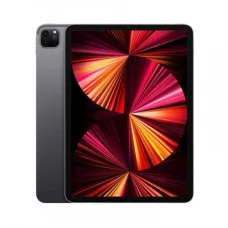
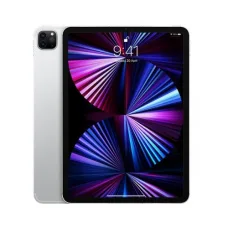

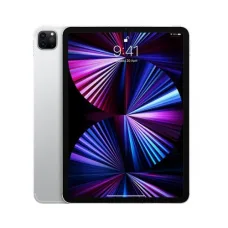

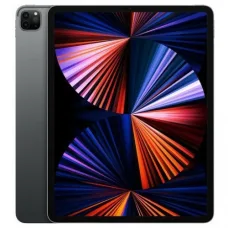
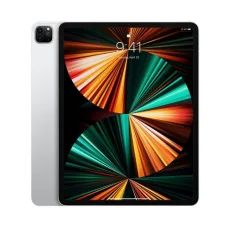
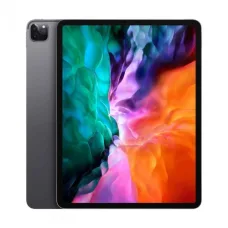
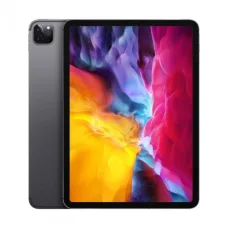

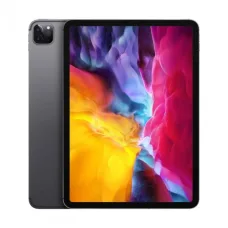

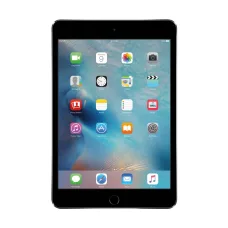


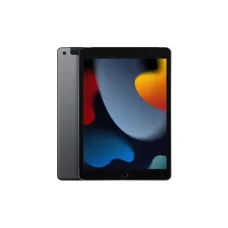

Apple iPad is one of the most popular tablet product lines for study, business, entertainment, creative work, communication and everyday computing. iPad models combine a touchscreen interface with Apple's hardware and software ecosystem, making them useful for customers who want something more portable than a laptop while offering more capability than a traditional smartphone.
Apple offers different iPad families for different types of users. The standard iPad is aimed at everyday use, while iPad mini focuses on portability, iPad Air targets users who want stronger performance in a relatively slim design, and iPad Pro is designed for customers who need higher-end performance and advanced display and productivity capabilities. Because the differences between generations and configurations can be significant, customers should always compare the exact iPad model before purchasing.
Apple iPad Price in Bangladesh
The Apple iPad price in Bangladesh depends on the model, generation, storage capacity, display technology, connectivity option, processor, accessories, availability and market conditions. Wi-Fi and cellular versions can have different prices, while higher storage configurations normally cost more than entry-level versions.
Apple product pricing in Bangladesh can also change because of exchange rates, import costs, supplier pricing, stock availability and changes in international product line-ups. Therefore, customers searching for an iPad price should check the exact generation, storage and connectivity configuration rather than relying only on a generic model name.
| iPad Family | Best For | Typical Buying Priority |
|---|---|---|
| iPad | Study, browsing, entertainment and everyday use | Value and general-purpose performance |
| iPad mini | Portability, reading and mobile use | Compact size and convenience |
| iPad Air | Students, professionals and creative users | Performance and portability |
| iPad Pro | Professional creative work and demanding productivity | High performance and advanced features |
Apple iPad Models and Product Families
Choosing an iPad becomes easier when customers first identify which product family fits their usage. Each family targets a different balance of size, performance, portability and price.
Apple iPad
The standard iPad is designed for customers who want a versatile tablet for everyday tasks. It can be suitable for web browsing, YouTube, online classes, document work, video calls, reading, social media and casual gaming.
For many students and home users, the standard iPad can provide a practical balance between portability and functionality without requiring the higher-end capabilities of an iPad Pro.
Apple iPad mini
iPad mini is designed for customers who prioritise compact size and portability. Its smaller form factor can make it convenient for reading, travelling, note-taking, navigation, casual browsing and carrying between different locations.
It can be particularly attractive to customers who find a larger tablet inconvenient but want a larger and more flexible screen than a smartphone.
Apple iPad Air
iPad Air sits between the standard iPad and iPad Pro in Apple's tablet range. It is aimed at users who want stronger performance and additional capabilities while maintaining a relatively portable design.
Students studying demanding subjects, professionals working with documents and creative users who need more performance can consider iPad Air when the standard iPad does not provide the desired balance of performance and features.
Apple iPad Pro
iPad Pro is designed for customers who want a premium tablet experience with high-end performance and advanced hardware features. It can be useful for professional creative work, illustration, video-related workflows, advanced multitasking and demanding productivity applications.
Customers considering an iPad Pro should evaluate whether they will actually use its additional capabilities. For browsing, streaming, basic study and ordinary office work, a less expensive iPad may provide better value.
Which Apple iPad Is Best for You?
There is no single iPad that is best for every customer. The right model depends on how you plan to use it, how much you want to spend, whether you need cellular connectivity, how much storage you require and whether you intend to use a keyboard or Apple Pencil-compatible accessory.
| Your Requirement | iPad Family to Consider | Why |
|---|---|---|
| Online classes and basic study | iPad | Suitable for common educational tasks |
| Reading and portability | iPad mini | Compact and easy to carry |
| Study plus demanding applications | iPad Air | Stronger performance with portability |
| Digital drawing | iPad Air or iPad Pro | Suitable configurations can support creative workflows |
| Professional creative work | iPad Pro | Designed for demanding workloads |
| Entertainment and browsing | iPad or iPad mini | Good balance for everyday consumption |
| Advanced productivity | iPad Air or iPad Pro | More performance for demanding workflows |
Apple iPad for Students
An iPad can be a useful study device because it combines portability, touchscreen interaction, digital note-taking, document access, online learning and multimedia in one device. Students can use an iPad for lectures, PDF reading, research, presentations, video classes, educational applications and communication.
Students should think about their actual academic requirements before choosing a model. Someone who primarily reads PDFs and attends online classes may not need a high-end iPad Pro, while a student studying design or another creative discipline may benefit from a more powerful model and compatible stylus.
Apple iPad for Online Classes
iPad can be convenient for online classes because it is portable and supports video, audio, communication and educational applications. Students can attend classes from a desk, bedroom, library or other suitable location without carrying a full laptop setup.
For long online sessions, screen size, battery condition, audio quality and comfortable positioning become important. A stand or keyboard can also make extended use more comfortable.
Apple iPad for Note-Taking
Digital note-taking is one of the major reasons students and professionals choose tablets. With a compatible stylus and note-taking application, an iPad can be used for handwritten notes, diagrams, annotations, sketches and document marking.
Customers should verify stylus compatibility with the exact iPad generation before purchasing. Apple Pencil compatibility differs between iPad models and generations, so a stylus should never be purchased based solely on the iPad family name.
Apple iPad for Drawing and Digital Art
iPad can be a powerful platform for digital illustration and creative work. Artists can use a compatible iPad and stylus to sketch, draw, paint, annotate images and create digital artwork.
For serious creative work, customers should pay attention to display characteristics, screen size, storage, processor performance, stylus compatibility and the applications they intend to use. A professional artist may benefit from a larger high-end configuration, while a beginner can often start with a more affordable model.
Apple iPad for Graphic Design
Graphic designers can use an iPad as a portable creative workstation for illustration, concept development, photo editing, layout work and visual presentations. Its touchscreen interface can provide a different workflow from a traditional mouse-and-keyboard computer.
However, customers should determine whether their preferred design applications provide the complete functionality they require on iPadOS. Some professional workflows still depend on desktop versions of software, making a Mac or Windows computer more appropriate as the primary workstation.
Apple iPad for Video Editing
Modern iPads can be capable video-editing devices, particularly when paired with applications designed for iPadOS. They can be useful for creators who want to edit footage while travelling or working away from a desktop workstation.
Video editors should consider storage capacity carefully because high-resolution video files can consume substantial space. External storage and cloud-storage workflows can also be useful depending on the application and connectivity options.
Apple iPad for Business
Business professionals can use an iPad for email, meetings, document review, presentations, note-taking, communication, web applications and mobile productivity. Its lightweight design can be particularly convenient for people who move frequently between meetings.
Before replacing a laptop with an iPad, business users should verify that their required applications, file-management workflow, printing requirements, VPN access and office systems are supported by iPadOS.
Apple iPad for Office Work
An iPad can handle many common office tasks, including document viewing, email, presentations, spreadsheets and communication. A keyboard accessory can make text-heavy work more comfortable.
For employees who mainly consume information and perform occasional editing, an iPad can be a convenient secondary device. For employees who spend most of the day working with complex desktop applications, a laptop may remain the better primary machine.
Apple iPad for Programming
iPad can be useful for reading programming documentation, managing code repositories, attending programming courses, using remote-development tools and practising certain coding tasks. However, it should not automatically be considered a complete replacement for a desktop programming environment.
Students learning C, C++, Java, Python or web development should check whether the development environment, compiler, IDE and tools they need are available directly on iPadOS or require remote access to another computer.
Apple iPad for Reading PDFs and Ebooks
The tablet format makes iPad convenient for reading digital textbooks, academic papers, manuals, PDFs and ebooks. Users can zoom, highlight, annotate and organise documents depending on the applications they use.
Customers who primarily read documents should consider display size and weight. A smaller iPad may be easier to hold for long periods, while a larger model can make technical documents and split-screen workflows more comfortable.
Apple iPad for Entertainment
iPad is well suited to entertainment activities such as streaming video, browsing social media, listening to music, reading, casual gaming and viewing photographs. The larger display compared with a smartphone makes many forms of media consumption more comfortable.
For customers buying an iPad primarily for entertainment, paying extra for professional-grade performance may not provide meaningful benefits. A suitable standard model can often meet these requirements.
Apple iPad for Gaming
iPad can provide a strong mobile gaming experience depending on the model and game. Customers should consider processor performance, display size, refresh rate where applicable, storage and battery condition when choosing a gaming-focused tablet.
Storage is particularly important for gamers because modern games can require substantial installation space. Customers should choose storage according to the number and size of applications and games they expect to keep installed.
Apple iPad Storage: How Much Do You Need?
Storage is one of the most important decisions when buying an iPad because it cannot normally be treated like a conventional laptop with an easily replaceable internal SSD. Customers should choose enough storage for their expected period of ownership.
| User Type | Storage Consideration |
|---|---|
| Basic browsing and streaming | Lower storage can be sufficient |
| Students | Consider documents, educational apps and offline files |
| Office users | Consider documents, applications and downloaded files |
| Gamers | Higher capacity may be useful for large games |
| Photographers | Consider photo-library size and external storage workflows |
| Video creators | Higher storage is strongly worth considering |
| Professional users | Choose capacity based on the applications and file sizes used |
Apple iPad Wi-Fi vs Cellular
Many iPad models are available in Wi-Fi and cellular configurations. A Wi-Fi iPad is suitable for customers who normally use the device at home, office, university or locations where Wi-Fi is available.
A cellular model can be useful for customers who frequently travel and want mobile internet access without relying entirely on Wi-Fi or a smartphone hotspot. Cellular connectivity generally increases the purchase price and may also involve mobile-data costs.
| Feature | Wi-Fi iPad | Cellular iPad |
|---|---|---|
| Home Wi-Fi | Suitable | Suitable |
| University or office Wi-Fi | Suitable | Suitable |
| Mobile internet away from Wi-Fi | Requires hotspot or Wi-Fi | Can use supported mobile connectivity |
| Purchase cost | Generally lower | Generally higher |
| Frequent travel | Less convenient without hotspot | More convenient where supported |
Apple iPad Display
The display is one of the most important parts of the iPad experience. Screen size, resolution, brightness, refresh rate, colour reproduction and display technology can influence how comfortable the tablet feels during reading, drawing, gaming and media consumption.
Customers should not compare displays based solely on screen size. A smaller display with excellent image quality may be preferable for portability, while a larger display can be more comfortable for multitasking and professional creative work.
Apple iPad Size and Portability
Portability is one of the major advantages of tablets. Smaller iPad models are easier to carry and hold for long periods, while larger models provide more workspace for documents, drawing and multitasking.
Think about where you will use the iPad most often. If you regularly carry it to university, meetings or travel locations, weight and physical dimensions may matter more than having the largest possible screen.
Apple iPad Keyboard
A keyboard can transform an iPad from primarily a touchscreen tablet into a more laptop-like productivity device. Students and office users who type long documents, emails or reports may benefit significantly from a physical keyboard.
Before buying a keyboard, confirm compatibility with the exact iPad generation and size. Keyboard cases designed for one model may not fit another even when the devices have similar screen dimensions.
Apple Pencil and iPad
A compatible Apple Pencil can make an iPad particularly useful for handwritten notes, drawing, PDF annotation, diagrams and creative work. However, Apple Pencil compatibility varies across iPad models and generations.
Customers should therefore identify the exact iPad model before buying a stylus. Do not assume that every Apple Pencil works with every iPad.
Apple iPad Accessories
The right accessories can significantly change how an iPad is used. Depending on the model and user's needs, accessories can include keyboards, styluses, cases, stands, USB-C accessories, headphones, chargers and external storage.
- Protective case
- Screen protection
- Compatible stylus
- Keyboard or keyboard case
- Stand
- USB-C accessories where supported
- Headphones or earbuds
- External storage solutions where supported
- Appropriate charging accessories
Apple iPad Battery and Charging
Battery performance depends on the model, application usage, screen brightness, wireless connectivity, background activity and battery condition. Streaming video, gaming, video calls and demanding creative applications can consume more power than simple reading or document work.
Customers buying a used iPad should pay particular attention to battery condition because battery ageing can affect how long the device remains useful between charges.
New Apple iPad vs Used iPad
Customers with a limited budget may consider a used iPad. A used device can provide access to a higher-end model at a lower purchase cost, but it requires more careful inspection.
| Buying New | Buying Used |
|---|---|
| Latest condition | Previous owner may have used it extensively |
| Lower risk of battery wear | Battery condition should be checked |
| Usually higher purchase price | Potentially lower purchase price |
| Better choice for long-term ownership when budget allows | Can offer better value when condition is verified |
| Warranty depends on seller and product | Warranty may be limited or unavailable |
What to Check When Buying a Used Apple iPad
- Check the exact model and generation.
- Check the storage capacity.
- Check the display for dead pixels, lines or damage.
- Test the touchscreen across the entire panel.
- Check cameras and microphones.
- Test speakers and wireless connectivity.
- Check charging and the physical charging port.
- Check battery condition where information is available.
- Confirm that the device is not activation locked.
- Verify that the seller can properly transfer ownership and access.
- Check for significant dents or structural damage.
- Confirm any remaining warranty or seller guarantee.
Apple iPad for Business Presentations
An iPad can be useful for presentations because it is lightweight and easy to carry. Sales professionals, teachers, consultants and business users can use it to show presentations, documents, product information and visual material.
Before an important presentation, check the required display adapter, cable, projector or external-display compatibility. It is also sensible to test the complete setup before the meeting rather than discovering a compatibility issue at the venue.
Apple iPad for Teachers
Teachers can use an iPad for lesson planning, presentations, digital whiteboarding, document annotation, online communication and educational applications. A stylus can be particularly useful for marking PDFs, writing notes and explaining diagrams.
The ideal model depends on how intensively the device will be used. Teachers primarily presenting documents may not need the highest-end configuration, while those creating visual content may benefit from stronger hardware.
Apple iPad for Freelancers
Freelancers working in design, writing, social media, illustration, photography or business services may use an iPad as a portable work device. Its usefulness depends heavily on whether the applications required for the freelancer's workflow are available and provide the necessary features.
Before replacing a laptop, freelancers should test their complete workflow, including file management, client communication, cloud services, external displays and specialised software.
Apple iPad for Travelling Professionals
For travellers, an iPad can provide a lightweight way to access documents, email, presentations, entertainment and communication. A compact model can be particularly convenient when luggage space is limited.
Customers who travel frequently should decide whether cellular connectivity is worth the additional cost. Those who usually have reliable Wi-Fi may find the Wi-Fi configuration sufficient.
Apple iPad for Children and Family Use
An iPad can be used by families for educational applications, video, reading, communication and entertainment. Parents should consider the child's age, intended applications, physical protection and appropriate parental controls before providing access.
A protective case can be particularly important for younger users because tablets can be more vulnerable to drops and accidental impacts than stationary devices.
Apple iPad Operating System and Apps
iPad uses Apple's iPadOS, which is designed specifically for tablet use. The operating system supports multitasking, touch interaction, applications, accessories and productivity features.
Customers should check the applications they actually use before purchasing. App availability and functionality can differ between iPadOS and Windows or macOS, particularly for specialised professional software.
Apple iPad Multitasking
Multitasking can make an iPad more useful for study and productivity. Users may work with documents while referencing a browser, take notes during a lecture or use communication applications alongside other tasks depending on the supported iPadOS features and model.
Larger-screen iPads can be more comfortable for multitasking because they provide more physical workspace, while smaller models prioritise portability.
Apple iPad Storage Management
Good storage management becomes increasingly important as applications, photographs, videos, documents and games accumulate. Customers should avoid selecting storage capacity based only on what they need on the first day.
If you expect to keep the iPad for several years, consider future application sizes and your growing media library. Choosing a higher capacity at purchase can be more convenient than trying to work around insufficient storage later.
How to Choose the Right Apple iPad
- Decide your primary purpose.
- Choose the appropriate iPad family.
- Compare the exact generation.
- Choose a suitable screen size.
- Determine the required storage capacity.
- Decide between Wi-Fi and cellular connectivity.
- Check stylus compatibility if you plan to take handwritten notes or draw.
- Check keyboard compatibility if you need laptop-style typing.
- Check application compatibility.
- Compare the total cost including accessories.
- Check warranty and after-sales support.
- Confirm current price and stock before purchasing.
Common Mistakes When Buying an Apple iPad
- Choosing an iPad based only on the screen size.
- Ignoring the exact generation.
- Buying insufficient storage for long-term use.
- Assuming every Apple Pencil works with every iPad.
- Buying a keyboard case without checking compatibility.
- Paying for iPad Pro performance when basic usage would be enough with a less expensive model.
- Ignoring cellular versus Wi-Fi requirements.
- Forgetting the cost of accessories.
- Assuming iPadOS provides exactly the same software experience as Windows or macOS.
- Buying a used iPad without checking activation status and physical condition.
Apple iPad vs Laptop
An iPad and laptop serve overlapping but different purposes. An iPad is generally more portable and touch-oriented, while a laptop provides a traditional desktop operating environment with broader support for professional software and peripherals.
| Requirement | iPad | Laptop |
|---|---|---|
| Touchscreen use | Excellent | Depends on model |
| Portability | Excellent | Varies by laptop |
| Digital handwriting | Strong with compatible stylus | Depends on hardware |
| Traditional desktop software | More limited | Generally stronger |
| Document consumption | Excellent | Excellent |
| Professional workstation use | Depends heavily on workflow | Usually more flexible |
| Entertainment | Excellent | Excellent |
Apple iPad vs Android Tablet
Customers comparing an iPad with an Android tablet should consider the complete ecosystem rather than comparing specifications alone. Operating system preference, application availability, accessory ecosystem, device integration, update support and existing devices can all influence the better choice.
An iPad can be particularly attractive to customers already using other Apple devices, while an Android tablet may be more suitable for customers who prefer the Android ecosystem or specific hardware configurations.
Apple iPad Durability and Lifespan
The useful life of an iPad depends on the model, battery condition, software support, physical handling, storage requirements and the applications the user needs. A carefully maintained iPad can remain useful for several years, although battery capacity naturally declines with use.
For long-term ownership, customers should choose sufficient storage and a model capable of handling their expected applications. Protecting the screen and body with suitable accessories can also reduce physical damage.
How to Maintain an Apple iPad
- Use a suitable protective case.
- Keep the device away from excessive moisture.
- Avoid extreme heat.
- Keep the charging port clean.
- Use compatible charging accessories.
- Avoid dropping or placing heavy objects on the tablet.
- Keep sufficient free storage for normal operation.
- Install software updates when appropriate.
- Use a screen protector if it suits your usage environment.
Apple iPad Price in Jessore
Customers searching for an Apple iPad in Jessore may use terms such as iPad price in Jessore, Apple iPad price in Jashore, iPad shop in Jessore, iPad price in Jashore, iPad Air price in Jessore, iPad mini price in Jessore and iPad Pro price in Jessore.
Because Apple product availability and pricing can change, customers should confirm the exact model, generation, storage capacity, connectivity configuration, warranty and current stock before purchasing.
Unix Network serves customers in Jessore and provides computers, laptops, tablets, accessories and other technology products for customers across Bangladesh. Customers can enquire about available iPad models and compare options according to their actual requirements.
Apple iPad Price in Bangladesh from Unix Network
Customers throughout Bangladesh can compare Apple iPad models according to budget and intended usage. Instead of selecting the most expensive iPad, customers should determine whether they need the standard iPad, iPad mini, iPad Air or iPad Pro.
When comparing prices, remember to consider the total setup cost. A customer planning to use an iPad for study may also need a compatible stylus, case, keyboard, charger or other accessories. The total budget should include these items when they are necessary for the intended workflow.
Apple iPad for Customers Across Bangladesh
Customers in Dhaka, Chattogram, Khulna, Rajshahi, Sylhet, Rangpur, Barishal, Mymensingh, Jessore and other parts of Bangladesh can consider Apple iPad according to their requirements. Customers ordering from outside Jessore should confirm delivery options, warranty conditions, product condition and current availability before purchasing.
What to Check Before Buying an Apple iPad
- Exact iPad family
- Exact generation
- Storage capacity
- Screen size
- Display technology
- Processor and performance requirements
- Wi-Fi or cellular connectivity
- Apple Pencil compatibility
- Keyboard compatibility
- Required applications
- Battery condition for used devices
- Warranty
- Current price
- Current stock
Who Should Buy an Apple iPad?
- Students who need a portable study device.
- Professionals who want a lightweight productivity device.
- Digital artists and illustrators using compatible applications.
- Readers who frequently use digital books and PDFs.
- Business users who need mobile document and presentation access.
- Travellers who want a compact entertainment and productivity device.
- Users who want a touchscreen device for media consumption.
- Gamers looking for a capable tablet gaming platform.
- Existing Apple users who want closer integration with their device ecosystem.
Who Should Choose a Laptop Instead?
A laptop may be the better choice for customers who depend heavily on traditional desktop applications, advanced programming environments, specialised engineering software, complex accounting systems, extensive file management or professional workflows that require multiple peripherals.
Customers should compare the software they actually use rather than assuming that an iPad can replace every laptop function.
Why Buy Apple iPad from Unix Network?
Choosing an iPad involves more than selecting a screen size. The model generation, storage, connectivity, accessories, application requirements and budget all affect the suitability of the device. Unix Network helps customers compare available technology products according to their actual usage requirements.
For customers in Jessore, the Unix Network showroom provides a convenient local option for discussing available Apple products and related accessories. Customers from other parts of Bangladesh can also enquire about current product availability and purchasing options.
Popular Apple iPad Search Terms in Bangladesh
- Apple iPad price in Bangladesh
- iPad price in Bangladesh
- Apple iPad price in Jessore
- iPad price in Jessore
- iPad price in Jashore
- Apple iPad price in Jashore
- iPad Air price in Bangladesh
- iPad mini price in Bangladesh
- iPad Pro price in Bangladesh
- iPad Wi-Fi price in Bangladesh
- iPad cellular price in Bangladesh
- iPad for students Bangladesh
- iPad for drawing Bangladesh
- iPad for online classes Bangladesh
- iPad for gaming Bangladesh
- iPad for office work Bangladesh
- Apple iPad shop in Jessore
- Apple iPad shop in Jashore
- iPad showroom Jessore
- iPad Bangladesh price
Frequently Asked Questions About Apple iPad
What is an Apple iPad?
Apple iPad is Apple's tablet computer product line. It is designed for touchscreen computing, applications, entertainment, communication, study, productivity and creative work.
What is the Apple iPad price in Bangladesh?
The price depends on the exact iPad family, generation, storage capacity, connectivity configuration, availability and current market conditions. Customers should check the exact model before comparing prices.
Which iPad is best for students?
The standard iPad can be suitable for general study, online classes, browsing and document work. Students with more demanding creative or performance requirements may consider iPad Air or iPad Pro.
Which iPad is best for drawing?
iPad Air and iPad Pro can be strong choices for digital drawing when paired with a compatible Apple Pencil. The best choice depends on the required display, performance, screen size and budget.
Is iPad good for online classes?
Yes. iPad can be useful for online classes, video meetings, educational applications, document reading and communication, provided the required applications and connectivity are available.
Is iPad good for office work?
An iPad can handle many office tasks such as email, documents, presentations and communication. Customers with specialised desktop software requirements may still prefer a laptop.
Is iPad good for gaming?
Compatible iPad models can provide a strong gaming experience. Customers should consider processor performance, storage, display characteristics and the requirements of the games they intend to play.
Should I buy Wi-Fi or cellular iPad?
Choose Wi-Fi if you normally use the tablet near reliable Wi-Fi networks. Cellular can be more convenient for customers who frequently need mobile internet access away from Wi-Fi.
How much iPad storage do I need?
The required storage depends on your applications, games, photos, videos and documents. Basic users may need less storage, while gamers, photographers and video creators should consider higher-capacity configurations.
Does every Apple Pencil work with every iPad?
No. Apple Pencil compatibility varies by iPad model and generation. Always check compatibility between the exact iPad and stylus before purchasing.
Can an iPad replace a laptop?
For some users, yes. For customers who depend on specialised desktop software or advanced computer workflows, a laptop may remain the better primary device.
Is a used iPad worth buying?
A used iPad can offer good value when the device is in good condition and the price is appropriate. Check the display, battery, charging port, cameras, speakers, touchscreen, activation status and warranty before buying.
Can I buy an Apple iPad in Jessore?
Customers in Jessore can enquire about available Apple iPad models from Unix Network. Product availability and pricing can change, so confirming the exact model before visiting or ordering is recommended.
Can customers outside Jessore buy an iPad?
Customers throughout Bangladesh can enquire about available iPad models and purchasing or delivery options.
Where can I check the latest iPad price?
Because Apple product prices and stock can change, customers should check the current product listing or contact the seller for the latest price, configuration and availability.
Final Apple iPad Buying Advice
Apple iPad is a versatile tablet platform suitable for study, entertainment, business, digital art, reading, communication and many productivity tasks. The standard iPad, iPad mini, iPad Air and iPad Pro serve different types of users, so choosing the right family is more important than simply buying the most expensive model.
Before purchasing, compare the exact generation, storage capacity, display, connectivity, application requirements and accessory compatibility. If you are buying a used iPad, inspect its physical condition, battery, activation status and warranty carefully.
For customers in Jessore and throughout Bangladesh, Unix Network can help you compare available Apple iPad models and choose a configuration that matches your budget and actual usage rather than paying for features you may never use.