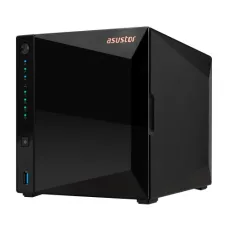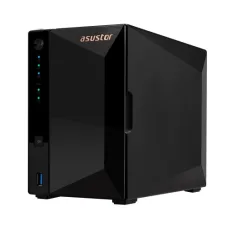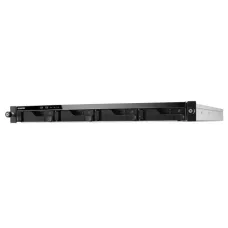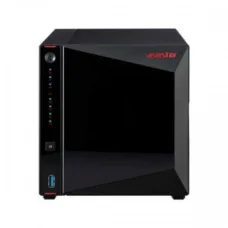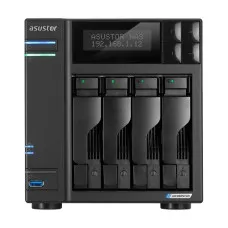
asustor-drivestor-4-pro-server
৳86,700
Showing 1 to 13 of 13 (1 Pages)
৳86,700

৳67,500

৳85,500
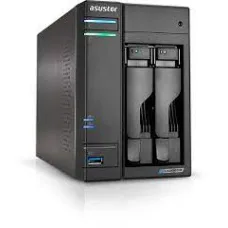
৳67,500
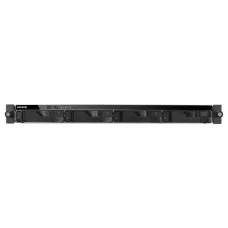
The price of an ASUSTOR NAS in Bangladesh depends on the model, number of drive bays, processor, networking capability, memory, and intended workload. Current Bangladesh listings show entry-level ASUSTOR NAS models around ৳30,000–৳31,000, while higher-end multi-bay and rackmount models can cost several lakh taka. :contentReference[oaicite:1]{index=1}
The following table provides an approximate market price guide. Prices and availability can change depending on stock, import costs, exchange rates, and supplier pricing.
| ASUSTOR NAS Model | Drive Bays | Approx. Price in Bangladesh | Suitable For |
|---|---|---|---|
| ASUSTOR DRIVESTOR 2 Lite AS1102T | 2-Bay | ৳30,000–৳30,500 | Home users, personal cloud, basic backup |
| ASUSTOR DRIVESTOR 4 Pro Gen2 AS3304T V2 | 4-Bay | ৳63,000 | Home office, professionals, multimedia storage |
| ASUSTOR FLASHSTOR 6 FS6706T | 6 × M.2 NVMe | ৳75,000 | Fast storage, creators, high-speed workloads |
| ASUSTOR LOCKERSTOR 4 Gen2 AS6704T | 4-Bay | Around ৳98,000 | Small business and professional users |
| ASUSTOR LOCKERSTOR 6 Gen2 AS6706T | 6-Bay | ৳134,500–৳135,000 | Business, advanced storage and backup |
| ASUSTOR LOCKERSTOR 4RS AS6504RS | 4-Bay Rackmount | ৳149,900–৳150,000 | Business servers and rack environments |
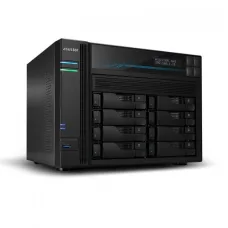
| ASUSTOR LOCKERSTOR 8 AS6508T | 8-Bay | ৳174,500–৳175,000 | Large storage requirements and business use |
| ASUSTOR LOCKERSTOR 12RD AS6512RD | 12-Bay Rackmount | ৳335,000 | Enterprise and high-capacity storage |
Important: NAS prices normally refer to the NAS enclosure itself. HDDs or SSDs may need to be purchased separately. Always confirm drive compatibility, available storage capacity, warranty, and current stock before purchasing.
ASUSTOR NAS, or Network Attached Storage, is a dedicated storage computer that connects to your local network. Instead of keeping important files scattered across individual computers, users can store them centrally on the NAS and access them from authorized devices.
ASUSTOR NAS can be used for file sharing, automatic backups, private cloud storage, multimedia libraries, surveillance recording, remote access, virtualization-related workloads, and business data management.
ASUSTOR provides NAS products across several performance levels, from affordable home storage to high-performance business and rackmount systems. ASUSTOR's current product lineup includes DRIVESTOR, NIMBUSTOR, LOCKERSTOR, FLASHSTOR, and professional rackmount NAS models. :contentReference[oaicite:2]{index=2}
Keep documents, photos, videos, project files, accounting data, backups, and other important files in one centralized location instead of depending on multiple PCs and external drives.
An ASUSTOR NAS can provide private cloud-style access to your files, allowing users to manage their own storage environment instead of relying entirely on third-party cloud storage services.
NAS storage can be used as a central backup destination for computers and other devices. A properly configured backup strategy can help protect important data from accidental deletion, hardware failure, or other problems.
ASUSTOR NAS devices can be useful for storing large collections of movies, music, photographs, and other multimedia files and making them accessible across compatible devices.
Small offices and businesses can use NAS storage to provide centralized access to shared documents while controlling users, permissions, folders, and access policies.
DRIVESTOR is aimed at users who want an affordable NAS solution without immediately moving into higher-end hardware. It is suitable for home users, small offices, personal backups, file sharing, and basic multimedia storage.
The DRIVESTOR 2 Lite AS1102T is a particularly practical option for customers who need a compact 2-bay NAS. Current Bangladesh listings place this model around ৳30,000–৳30,500. :contentReference[oaicite:3]{index=3}
DRIVESTOR Pro models are designed for customers who need more storage capacity and performance while maintaining a relatively affordable NAS setup. The 4-bay DRIVESTOR 4 Pro Gen2 AS3304T V2 is currently listed around ৳63,000 in Bangladesh. :contentReference[oaicite:4]{index=4}
NIMBUSTOR models provide a step up for users who need stronger performance and additional storage flexibility. Depending on the model, NIMBUSTOR systems can combine traditional drive bays with M.2 NVMe SSD slots.
LOCKERSTOR is targeted toward more demanding home users, professionals, small businesses, studios, and organizations. Depending on the generation and model, these systems can provide multiple drive bays, high-speed networking, NVMe support, expansion options, and stronger processing performance.
ASUSTOR's official buying guide positions the LOCKERSTOR Gen3 family toward content creators, medium-sized businesses, and enterprise users requiring higher performance and stability. :contentReference[oaicite:5]{index=5}
FLASHSTOR is designed around M.2 NVMe SSD storage rather than traditional 3.5-inch HDD bays. This makes the series particularly interesting for customers who prioritize high-speed storage and fast random-access performance.
The FLASHSTOR 6 FS6706T is currently listed around ৳75,000 in Bangladesh. :contentReference[oaicite:6]{index=6}
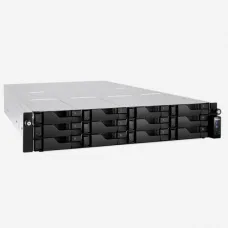
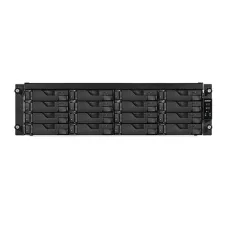
Rackmount ASUSTOR NAS systems are designed for business environments where higher storage capacity, centralized management, scalability, and rack installation are important. Models with multiple bays can support significantly larger storage configurations than typical home NAS devices.
A 2-bay NAS is a good starting point for home users, students, freelancers, and small offices. It can provide a compact centralized storage solution and allows users to configure suitable RAID storage depending on their requirements.
A 4-bay NAS is often a better long-term choice for small businesses, photographers, designers, video editors, and users with growing storage requirements. Four bays provide more flexibility for capacity, redundancy, and future expansion.
A 6-bay NAS is suitable when storage requirements are significantly larger or when users need more flexibility for RAID configurations and expansion.
An 8-bay NAS is designed for customers who expect substantial storage requirements, multiple users, large media libraries, business backups, or demanding workloads.
12-bay and rackmount systems are intended for larger organizations, server environments, surveillance storage, professional workflows, and businesses that require high-capacity centralized storage.
The correct storage drive depends on how the NAS will be used.
NAS-rated HDDs are generally suitable when the priority is high capacity at a reasonable cost. They are commonly used for backups, file storage, archives, surveillance, and media libraries.
SATA SSDs can improve responsiveness compared with traditional hard drives and can be useful for workloads where faster access is important.
NVMe SSDs are particularly useful in ASUSTOR models designed around M.2 storage or models that support NVMe caching or storage pools. FLASHSTOR systems are an important example of an ASUSTOR platform designed around M.2 NVMe storage.
RAID allows multiple drives to work together for different combinations of redundancy, performance, and capacity. The appropriate RAID level depends on the number of drives, required usable capacity, and how much protection against a drive failure is desired.
RAID 0 focuses on performance and combines drives without providing drive-failure protection. It should not be considered a backup solution.
RAID 1 mirrors data between drives and is commonly considered for 2-drive systems where redundancy is more important than maximum usable capacity.
RAID 5 can provide a balance between usable capacity and redundancy and is commonly considered for systems with three or more drives.
RAID 6 provides additional redundancy and can be useful for larger NAS systems where protection against multiple drive failures is important.
RAID is not a replacement for an independent backup. Important business and personal data should ideally have another backup copy in a separate location or storage system.
| Customer Requirement | Recommended Direction |
|---|---|
| Basic home storage and backup | DRIVESTOR 2 Lite |
| Home office with growing storage needs | DRIVESTOR Pro 4-Bay |
| Fast NVMe-based storage | FLASHSTOR |
| Small business | LOCKERSTOR 4-Bay |
| Growing business with larger storage needs | LOCKERSTOR 6-Bay or 8-Bay |
| Rack server environment | ASUSTOR Rackmount NAS |
| Enterprise-level storage requirements | High-bay LOCKERSTOR Pro / Rackmount models |
Consider your current storage requirement and expected growth over the next several years. Buying a larger NAS initially can sometimes be more economical than replacing a smaller NAS later.
Check the manufacturer's compatibility information before purchasing drives. Not every HDD or SSD is equally suitable for continuous NAS workloads.
Network connectivity has a major effect on file transfer performance. If your computers, switch, and network infrastructure support 2.5GbE or faster networking, choosing a NAS with faster Ethernet can make better use of that infrastructure.
RAM requirements depend on how many applications, users, services, and workloads will run simultaneously. Basic file storage has different requirements from virtualization, databases, multimedia applications, and business workloads.
A more powerful processor becomes increasingly important when the NAS is expected to handle multiple users, multimedia processing, encryption, applications, virtualization, or other demanding tasks.
If you expect your requirements to grow, check for M.2 slots, PCIe expansion, faster networking options, additional drive support, and memory upgrade possibilities.
Decide where your second or third backup copy will be stored before purchasing the NAS. A NAS should be part of an overall backup strategy rather than the only location of important files.
Businesses can use ASUSTOR NAS as a centralized file server, backup destination, shared storage system, surveillance storage platform, and private cloud environment.
For offices, selecting the correct user permissions and backup strategy is just as important as choosing the hardware. A NAS should be configured according to the number of users, required storage capacity, network infrastructure, applications, and business continuity requirements.
Photographers and video editors often work with very large files. A NAS can provide centralized storage for project files, raw photographs, finished videos, archives, and collaborative workflows.
For high-speed editing workflows, customers should consider faster Ethernet and SSD/NVMe-based storage where appropriate. For long-term archives, high-capacity NAS HDDs can provide a more economical storage solution.
NAS systems can also be used for surveillance-related storage depending on the compatible software, cameras, storage capacity, and workload. Customers planning to store multiple camera streams should calculate the required recording capacity before selecting the NAS.
The number of cameras, resolution, frame rate, compression, recording schedule, and retention period all affect the required storage capacity.
ASUSTOR NAS devices use ADM, or ASUSTOR Data Master, as their operating environment. ASUSTOR describes ADM as providing file sharing, file management, FTP access, network recycle bin functionality, applications through App Central, notifications, and other NAS management capabilities. :contentReference[oaicite:7]{index=7}
ADM allows users to manage the NAS through a web-based interface and install supported applications according to their requirements.
Check the Ethernet cable, switch/router connection, IP configuration, network status, and NAS power status. Restarting the network equipment can sometimes help identify connectivity problems.
Check whether the bottleneck is the NAS, hard drive, SSD, network cable, Ethernet port, switch, router, or client computer. Gigabit Ethernet and 2.5GbE provide very different maximum network throughput.
Check the drive health and RAID status immediately. Do not ignore repeated disk warnings, unusual noises, or degraded RAID notifications.
Usable NAS capacity can be lower than the combined advertised drive capacity because of RAID configuration, filesystem overhead, reserved space, and other system requirements.
Customers looking for ASUSTOR NAS price in Jessore can contact Unix Network to check the current model, stock availability, HDD/SSD requirements, and configuration options. Since NAS products and storage drives can have changing prices, it is recommended to confirm the current price before visiting or placing an order.
Unix Network provides computer hardware and IT products for customers in Jessore and across Bangladesh. Customers can choose an ASUSTOR NAS according to their storage capacity, number of users, backup requirements, networking speed, and budget.
If you are unsure which ASUSTOR model is appropriate, provide your required storage capacity, number of users, number of computers, expected workload, and whether you need HDD or SSD storage. This makes it easier to select a suitable NAS configuration rather than buying based only on the number of drive bays.
Most ASUSTOR NAS enclosures are sold without HDDs or SSDs. Storage drives normally need to be purchased separately unless a specific bundle states otherwise.
Current Bangladesh listings show ASUSTOR NAS models starting at roughly ৳30,000 for entry-level models, while high-capacity business and rackmount systems can cost several lakh taka. :contentReference[oaicite:8]{index=8}
Yes. A 2-bay or 4-bay ASUSTOR NAS can be suitable for home file storage, automatic backups, photo libraries, media storage, and private cloud applications.
Yes. ASUSTOR offers multi-bay and rackmount NAS systems designed for more demanding business storage requirements, including centralized file sharing, backup, and high-capacity storage.
If your storage needs are modest and your budget is limited, a 2-bay NAS can be a good starting point. If you expect significant storage growth or want more flexibility for redundancy and expansion, a 4-bay NAS is often the better long-term choice.
A NAS provides storage on your own network and can offer remote-access and private-cloud-style functionality. Unlike a typical cloud subscription, you generally purchase and maintain the NAS hardware and storage drives yourself.
Depending on the model, software, network configuration, and security setup, ASUSTOR NAS can provide remote access to files and services. Remote access should always be configured securely.
Many ASUSTOR models support SSD storage, while some models specifically support M.2 NVMe SSDs. Compatibility should be checked for the exact NAS model before purchasing.
No. RAID can provide redundancy against certain drive failures, but it does not protect against every type of data loss. Important data should have an independent backup.
Unix Network helps customers choose computer, networking, storage, and IT products according to their actual requirements. For ASUSTOR NAS, customers can discuss the required capacity, number of users, HDD or SSD selection, RAID configuration, networking requirements, and intended workload before purchasing.
Whether you need an affordable ASUSTOR NAS for home backup, a 4-bay NAS for a small office, a high-speed FLASHSTOR system for professional workloads, or a large LOCKERSTOR/rackmount solution for business storage, selecting the right configuration is more important than simply choosing the most expensive model.
ASUSTOR NAS price in Bangladesh, ASUSTOR NAS price in BD, ASUSTOR NAS Bangladesh, ASUSTOR NAS storage price, ASUSTOR storage server price, ASUSTOR NAS price in Jessore, ASUSTOR NAS price in Jashore, ASUSTOR NAS shop in Bangladesh, ASUSTOR NAS supplier Bangladesh, ASUSTOR NAS online price, ASUSTOR network attached storage, ASUSTOR 2 bay NAS, ASUSTOR 4 bay NAS, ASUSTOR 6 bay NAS, ASUSTOR 8 bay NAS, ASUSTOR 12 bay NAS, ASUSTOR DRIVESTOR, ASUSTOR DRIVESTOR Pro, ASUSTOR NIMBUSTOR, ASUSTOR LOCKERSTOR, ASUSTOR FLASHSTOR, ASUSTOR NAS for home, ASUSTOR NAS for office, ASUSTOR NAS for business, ASUSTOR private cloud storage, ASUSTOR backup storage, ASUSTOR file server, ASUSTOR RAID NAS, ASUSTOR HDD NAS, ASUSTOR SSD NAS, ASUSTOR NVMe NAS, buy ASUSTOR NAS Bangladesh, ASUSTOR NAS online Bangladesh, NAS storage Bangladesh, network storage Bangladesh, NAS server price Bangladesh.