৳100 Cashback
Showing 1 to 4 of 4 (1 Pages)

Aver is a technology brand best known for professional video conferencing, collaboration, classroom communication and visual presentation solutions. AVer products are commonly used in meeting rooms, classrooms, training centres, lecture halls, offices and other environments where high-quality video, audio and remote communication are important.
The price of AVer products in Bangladesh depends heavily on the product category, camera capabilities, microphone technology, conferencing features, connectivity, room size and intended professional use. A basic USB camera for online meetings is naturally positioned differently from a professional PTZ camera, conference camera or complete room collaboration solution.
Because imported technology prices can change according to exchange rates, import costs, distributor pricing and stock availability, customers should confirm the latest price and availability before purchasing. Unix Network can help customers compare an AVer solution according to their meeting room, classroom, office or video-production requirements.
| Aver Product Category | Best For | Important Buying Considerations |
|---|---|---|
| Aver Conference Cameras | Meeting rooms and video conferencing | Resolution, field of view, microphone support and room size |
| Aver PTZ Cameras | Large rooms, classrooms, lectures and professional video | Optical zoom, pan/tilt control, tracking and installation |
| Aver USB Cameras | Desktop meetings, online teaching and streaming | USB compatibility, image quality and mounting options |
| Aver Video Conferencing Systems | Corporate meeting rooms and collaboration spaces | Platform compatibility, room coverage and audio/video integration |
| Aver Microphones | Conference rooms and professional communication | Pickup range, placement, connection and room acoustics |
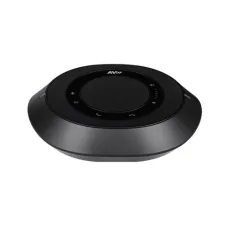
| Aver Speakerphones | Small and medium meeting spaces | Voice pickup, speaker output and connectivity |
| Aver Tracking Cameras | Teaching, presentations and professional recording | Tracking capability, camera placement and software support |
| Aver Document Cameras | Classrooms, demonstrations and visual teaching | Image detail, document size, connectivity and flexibility |
AVer products are designed for situations where people need to communicate visually and audibly across locations. A suitable AVer setup can combine cameras, microphones, speakers, displays and conferencing software to create a more effective communication environment.
A conference camera is one of the most important components of a professional meeting-room setup. AVer conference cameras are designed to capture participants and deliver video to remote attendees through compatible conferencing platforms.
When choosing a conference camera, customers should consider the physical size of the room rather than selecting a camera only because of its resolution. A camera with an appropriate field of view can be more useful than a higher-resolution camera that cannot properly cover everyone sitting around the table.
PTZ cameras provide pan, tilt and zoom capabilities, making them useful when the camera needs to cover a larger area or focus on different parts of a room. AVer PTZ cameras can be suitable for lecture halls, classrooms, training rooms, houses of worship, conference spaces and professional video applications.
Optical zoom is particularly important when the camera is installed far from the presenter. Buyers should also consider mounting position, remote control, tracking functionality, video output options and integration with the rest of the video system.
USB cameras can be an easy solution for desktop users, teachers, small meeting rooms and home-office setups. They are generally convenient because they can connect directly to compatible computers or conferencing equipment.
For everyday video meetings, image quality is only one part of the experience. Camera placement, lighting, microphone quality and internet stability also have a major effect on the final meeting experience.
Choosing an AVer camera for a meeting room should begin with room dimensions and seating arrangement. A small meeting room may require a different camera configuration from a large boardroom.
Educational institutions can use AVer cameras for hybrid classes, online lectures, remote teaching and recorded lessons. A camera that can capture the instructor while also showing the classroom or teaching area can improve the experience for students who are attending remotely.
For classrooms, camera placement is especially important. A camera installed too close to the presenter may not capture the teaching area effectively, while a camera installed too far away may require stronger zoom capabilities.
Universities and colleges often need video equipment that can support different teaching environments. AVer solutions can be considered for classrooms, lecture halls, conference rooms, faculty meetings, training facilities and recording spaces.
Educational buyers should consider long-term installation requirements rather than focusing only on the initial purchase price. Compatibility with existing displays, computers, microphones, network infrastructure and conferencing software can significantly influence the total cost of a deployment.
Online teachers need clear video and understandable audio. An AVer camera can help provide a more professional presentation when paired with suitable lighting, a reliable microphone and a stable internet connection.
Teachers who frequently move around while presenting may benefit from tracking functionality, while teachers who remain at a desk may not need advanced tracking features. Selecting only the features that support the teaching method can reduce unnecessary spending.
Businesses can use AVer equipment to improve communication between employees, branches, clients and remote teams. Meeting-room cameras can make remote participants feel more involved by providing a clear view of the people speaking.
For corporate environments, reliability and integration are often more important than having the largest number of features. Before buying, companies should verify compatibility with their preferred conferencing platform and existing room equipment.
Boardrooms often require a professional camera setup capable of capturing several participants around a large table. PTZ functionality, zoom capability, wide coverage and suitable microphone placement can all contribute to a better conferencing experience.
A boardroom installation should be planned as a complete system. Simply purchasing an expensive camera does not guarantee good results if the microphone placement, lighting, display position or room acoustics are poor.
Tracking features can be useful when the presenter moves around a classroom, training room or presentation area. Depending on the specific AVer solution, tracking can reduce the need for a person to operate the camera manually.
Customers should distinguish between different types of tracking functionality and confirm that the selected model supports the required workflow. Tracking requirements can vary significantly between a classroom, lecture hall and corporate meeting room.
Good video is not enough for a successful conference. Remote participants need to hear conversations clearly, which makes microphone selection and placement extremely important.
When choosing an AVer audio solution, consider room size, number of participants, table layout, microphone pickup range and connection requirements. In larger rooms, multiple microphones may be necessary depending on the system design.
People can often tolerate slightly lower video quality during a meeting, but unclear audio can make communication difficult. Background noise, echo, excessive room reverberation and microphones positioned too far from speakers can reduce meeting quality.
For this reason, customers should evaluate an AVer conferencing solution as a combination of video and audio rather than buying a camera independently of the rest of the room system.
Document cameras can be useful in educational and presentation environments where users need to display physical documents, books, objects, diagrams or demonstrations to remote viewers.
Teachers can use document cameras to show written work, textbooks, laboratory demonstrations and physical materials. Businesses can also use them for presentations, product demonstrations and training.
Hybrid meetings include participants who are physically present in a room and others who join remotely. The main challenge is ensuring that remote participants can see and hear the room clearly while people inside the room can also interact with remote attendees.
A well-planned AVer setup can combine a suitable camera, microphones, speakers, display and conferencing computer. Room design and equipment placement should be considered together for the best result.
AVer cameras can also be considered for professional presentations, webinars and streaming applications. PTZ cameras are particularly useful when operators need to change framing during a presentation.
Streaming customers should also consider the computer, capture device, lighting, microphone, network connection and streaming platform. Camera quality alone does not determine the final production quality.
Higher resolution can provide more image detail, but resolution should not be the only selection criterion. Lighting, lens quality, field of view, camera positioning, compression and network bandwidth all affect the final image.
A correctly positioned camera with suitable lighting can often provide a better meeting experience than a higher-resolution camera installed incorrectly. Customers should therefore choose an AVer camera based on the complete room environment.
| Feature | Optical Zoom | Digital Zoom |
|---|---|---|
| How it works | Uses the camera's optical system to magnify the subject | Magnifies the captured image electronically |
| Image detail | Generally preserves more detail | Can reduce visible detail at higher magnification |
| Best Use | Large rooms and distant presenters | Occasional framing adjustments |
| Importance | High for professional long-distance camera placement | Useful as a supplementary feature |
Connectivity should be checked before purchasing an AVer camera or conferencing device. Different environments may require different connection methods depending on the computer, display, conferencing system and installation design.
USB can be convenient for computer-based conferencing. HDMI may be useful in video-production and display workflows, while network connectivity can be valuable for professional installations that require remote management or integration with network infrastructure.
Customers should verify the exact ports and supported connection methods of the selected model instead of assuming that every AVer camera provides identical connectivity.
Compatibility is one of the most important considerations when purchasing professional conferencing equipment. The camera must work with the computer, conferencing software and other equipment used in the room.
Before purchasing, identify your operating system, conferencing platform, available ports, display equipment, audio system and installation requirements. This makes it easier to select an AVer model that fits into the existing environment.
Many professional video conferencing environments use popular meeting and collaboration platforms. Customers should verify the current compatibility and supported features of the specific AVer model with the software platform they intend to use.
Compatibility can involve more than simply connecting a camera. Advanced features such as tracking, camera control, audio integration and remote management may depend on the specific hardware and software configuration.
Small meeting rooms generally do not require the same equipment configuration as large conference halls. A compact conferencing camera with an appropriate field of view and integrated audio may be sufficient for some small-room environments.
The goal should be to achieve clear communication without unnecessarily purchasing equipment designed for a much larger space.
Large rooms present different challenges. Participants may sit farther away from the camera, making zoom, tracking, microphone coverage and camera positioning more important.
A professional installation may use a PTZ camera, multiple microphones, large displays and dedicated conferencing equipment. Businesses should consider the complete room design when planning such installations.
Training centres can benefit from cameras that capture instructors, participants and presentation areas. A tracking camera can be particularly useful when the instructor moves around during a session.
Training providers should also consider whether sessions need to be recorded, streamed or delivered to remote participants. These requirements can influence camera connectivity and supporting equipment.
Government offices, educational institutions and other organisations may require dependable conferencing systems for meetings, remote communication and training. Buyers in these environments should consider installation quality, support, warranty coverage and long-term serviceability in addition to hardware specifications.
AVer PTZ cameras can be considered for applications where remote or controlled camera movement is useful. Examples include presentations, lectures, training sessions, live events and studio-style setups.
Professional production environments should evaluate lens performance, zoom, camera control, output options, mounting, lighting and audio as a complete workflow.
The practical lifespan of professional AVer equipment depends on the specific model, installation environment, usage frequency, maintenance and operating conditions. Commercial equipment can remain useful for years when properly installed and maintained, but no fixed lifetime should be assumed for every product.
Professional cameras should be protected from excessive heat, moisture, dust and physical impact. Proper cable management and stable power can also reduce unnecessary stress on the equipment.
Professional video conferencing equipment in Bangladesh should be purchased according to the actual room and workflow. Customers should first identify whether they need a desktop camera, small-room conference system, PTZ camera, classroom solution or a complete professional conferencing setup.
Imported technology can experience price changes due to currency exchange rates, import expenses, distributor pricing and availability. For this reason, customers should verify the current Bangladesh price, stock status and warranty before placing an order.
Customers searching for AVer products in Jessore may also use the spelling Jashore when searching online. Both terms can describe the same city, so searches such as “AVer price in Jessore” and “AVer price in Jashore” may appear in local purchasing research.
Unix Network has a showroom in Jessore and serves customers looking for computer, networking, communication and technology products. Customers can discuss their room size, camera requirements and intended application before selecting suitable AVer equipment.
AVer equipment can be relevant to businesses, educational institutions, training centres and professional users throughout Bangladesh. Customers outside Jessore can also compare products according to their room requirements and confirm delivery, warranty and service arrangements before purchasing.
For a professional installation, customers should provide accurate information about room dimensions, seating capacity, display equipment, conferencing platform and required camera position. This information makes product selection more reliable.
A professional conferencing setup should be planned as a system rather than as a collection of individual products. Start by identifying the room and communication requirements.
| Requirement | Basic Webcam | Professional Aver Solution |
|---|---|---|
| Desk-based meeting | Often sufficient | Useful when higher-quality professional equipment is required |
| Small room | May be sufficient | Can provide a more purpose-built conferencing solution |
| Large meeting room | Usually limited | More suitable when room coverage and zoom are important |
| Classroom | Limited framing flexibility | PTZ and tracking options can be more suitable |
| Professional installation | Limited integration | Designed for more advanced conferencing environments |
Not every user needs a professional conferencing system. Someone who occasionally joins online meetings from a personal laptop may be perfectly comfortable with a standard webcam and headset.
The value of professional AVer equipment becomes more apparent when multiple people need to participate in the same room, when camera positioning is important, when tracking is required or when an organisation needs a dependable dedicated conferencing environment.
AVer is a technology brand associated with video conferencing, professional cameras, collaboration equipment, educational visualisation and communication solutions.
AVer cameras can be used for online meetings, classrooms, training rooms, boardrooms, webinars, presentations and other professional video applications.
The best AVer camera depends on the room size, seating arrangement, required field of view, zoom requirement, tracking needs, connectivity and conferencing platform.
AVer PTZ cameras are particularly useful when the camera needs to pan, tilt or zoom to different areas of a room. They can be suitable for classrooms, lecture halls, conference rooms and professional video applications.
A basic webcam may be enough for a single person using a laptop, while professional AVer equipment can be more appropriate for dedicated meeting rooms and institutional installations.
Customers should not select an AVer camera only according to resolution. Field of view, lens quality, room size, lighting, microphone performance and connectivity also affect the conferencing experience.
AVer products may work with popular video conferencing platforms, but customers should verify compatibility and supported features for the exact model before purchasing.
The price of AVer products in Bangladesh varies according to the model and product category. Customers should confirm the latest price and availability because imported technology pricing can change.
Unix Network focuses on helping customers choose technology products according to their actual requirements. For professional AVer equipment, understanding the intended environment is particularly important because a camera designed for a desktop user may not be suitable for a large conference room or lecture hall.
Unix Network's showroom is located in Jessore, and the business serves customers throughout Bangladesh. Customers can compare available AVer solutions based on room size, number of participants, conferencing requirements, installation environment and budget.
AVer is worth considering when you need more than a basic webcam and want a purpose-built solution for professional video communication, education, meetings, training or presentations. The most suitable product is not necessarily the most expensive model; it is the one that correctly matches the room, people, software and workflow.
Before purchasing, confirm the exact model, camera coverage, zoom capability, tracking requirements, microphone compatibility, connectivity, conferencing-platform support, warranty, current Bangladesh price and availability. For customers in Jessore and throughout Bangladesh, Unix Network can be considered when comparing AVer equipment for professional conferencing and visual communication needs.