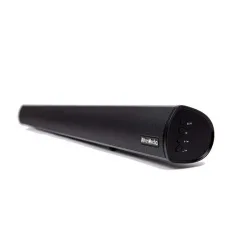
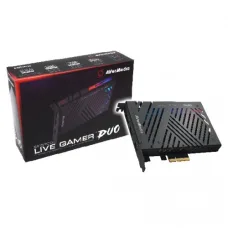
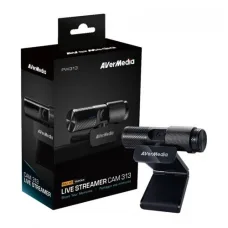
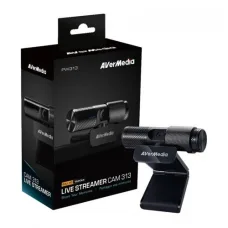
AVerMedia AM133 Live Streamer 3.5mm Microphone Black
৳5,200 ৳5,300
AVerMedia is a recognised technology brand specialising in video capture, streaming, gaming, live broadcasting, webcams, microphones, audio equipment and related content-creation solutions. Its products are designed for gamers, streamers, YouTubers, educators, business users, online presenters, esports creators and anyone who needs to capture or broadcast high-quality video and audio.
AVerMedia product prices in Bangladesh vary according to the product category, model, recording resolution, frame rate, connectivity, capture technology, audio features and intended use. A basic webcam and a professional capture card can have very different prices because they are designed for completely different workflows.
Customers should therefore choose an AVerMedia product according to what they actually want to accomplish. Someone who wants to record console gameplay may need a capture card, while someone who wants to attend online classes or create talking-head videos may need a webcam. A streamer may require a combination of a capture device, microphone, webcam and suitable computer.
| AVerMedia Product Category | Common Use | Suitable Users |
|---|---|---|
| Capture Card | Game and video capture | Gamers, streamers and content creators |
| External Capture Device | Capturing HDMI video from another device | Console gamers and creators |
| Internal Capture Card | High-quality video capture inside a desktop PC | Professional streamers and creators |
| Webcam | Video calls, streaming and recording | Students, professionals, streamers and YouTubers |
| Microphone | Voice recording and live streaming | Streamers, podcasters and creators |
| Audio Equipment | Voice and broadcast workflows | Content creators and broadcasters |
| Streaming Accessories | Improving live production setups | Gamers and professional creators |
AVerMedia is best known among consumers for its video capture and streaming products. The brand has developed solutions that allow users to capture video from gaming consoles, cameras and computers and then record or broadcast that content using a PC.
For content creators, the advantage of a dedicated capture solution is the ability to separate the source device from the computer responsible for recording or streaming. This can make it easier to build a professional gaming or production setup.
AVerMedia products are also relevant beyond gaming. Video capture devices can be useful for demonstrations, presentations, tutorials, educational content and other situations where video from an external HDMI source needs to be recorded or streamed.
An AVerMedia capture card receives video from a source device and makes that video available to a computer for recording, streaming or other production purposes. The source can vary depending on the capture device, but gaming consoles and cameras are common applications.
A capture card is particularly useful when the computer performing the recording or streaming is separate from the device generating the gameplay or video signal. For example, a gamer can play on a console while a computer captures and broadcasts the console's video output.
Customers should check the input and output connections, supported resolutions, frame rates, passthrough capabilities and software compatibility before purchasing a capture device.
An external capture card connects outside the computer, typically using an available high-speed connection. This type of capture device is convenient for users who want portability or who do not want to install an expansion card inside a desktop PC.
External capture devices can be especially useful for laptop users, console gamers and creators who move between different computers. They can also make troubleshooting and setup easier because the capture hardware is physically separate from the computer.
Before buying an external capture card, customers should confirm that their computer has the required USB connection and that the connection provides enough bandwidth for the desired capture mode.
An internal capture card is installed inside a compatible desktop computer. This can be an attractive option for users who have a dedicated streaming or recording PC and want a permanent capture setup.
Internal capture hardware can help create a clean desktop streaming configuration because the device remains installed inside the PC. However, customers need to check motherboard expansion compatibility, available slots, system configuration and the physical size of the card before purchasing.
Gaming is one of the most common reasons customers purchase capture hardware. A capture card can allow gameplay from a compatible console or another computer to be recorded or streamed through software on a separate PC.
For serious gaming creators, capture quality is only one part of the decision. Passthrough performance, latency, supported resolution, refresh rate, HDR support where applicable, audio handling and connection bandwidth can all affect the overall experience.
Customers should identify the exact gaming platform before purchasing. A capture setup for a console can differ from one designed to capture a gaming PC.
PlayStation users who want to stream or record gameplay can use compatible AVerMedia capture hardware as part of a broader streaming setup. The appropriate model depends on the console generation, output resolution, desired frame rate and the user's recording or streaming requirements.
Console gamers should check the console's available video output and the capture card's supported input formats before purchase. Customers should also consider whether they want passthrough to a monitor or television while the computer records the gameplay.
Xbox gamers can also use compatible capture devices to bring console gameplay into a computer-based recording or streaming workflow. The capture card receives the console's video signal while compatible software handles recording or broadcasting.
When selecting a model, check the required resolution, refresh rate, HDR requirements, audio configuration and connection type. Choosing hardware based only on the maximum resolution number can result in an unsuitable setup if other components cannot support the same signal.
Nintendo Switch users often use capture cards to record gameplay for YouTube, livestreaming or personal video creation. A compatible HDMI-based capture device can form the bridge between the console dock and the streaming computer.
Customers should make sure the complete setup includes compatible cables, a suitable computer and recording or streaming software. The capture card is only one part of the production chain.
Capturing PC gameplay can be more complex than capturing console gameplay because the source computer itself may already be running the game and streaming software. A two-PC setup can separate gaming performance from recording and encoding workloads.
This type of configuration can be useful for professional streamers who want to dedicate one computer to gaming and another to broadcasting. However, a second PC adds cost, complexity and maintenance, so it is not necessary for every creator.
A capture card can be an important component of a professional streaming setup. It allows external video sources to be brought into streaming software, where the creator can combine gameplay, webcam video, microphone audio, overlays and other elements.
Streaming quality depends on the entire system. Internet upload speed, encoder performance, game settings, microphone quality, lighting and platform settings can all influence the final broadcast.
YouTube creators can use AVerMedia capture products to record gameplay, tutorials, demonstrations and other HDMI video sources. A capture device can be particularly useful when the source video needs to be recorded on a separate computer.
Creators should determine whether they need live streaming, local recording or both. A model suitable for basic recording may not provide all the features required for a high-end live production setup.
AVerMedia webcams are designed for video communication, streaming, recording and content creation. A webcam can be useful for online meetings, classes, presentations, livestreams and YouTube videos.
Image quality depends on more than resolution. Sensor quality, lens design, lighting, exposure control, autofocus, frame rate and software processing all influence the appearance of the final video.
For professional-looking webcam video, good lighting can often make a larger practical difference than moving from one resolution level to another.
Streamers often use webcams to add a face-camera view to gaming broadcasts. A suitable webcam can provide a convenient way to show the creator while gameplay is captured separately.
Customers should consider the room lighting and background when choosing a webcam. A high-resolution camera cannot compensate completely for poor lighting, excessive background noise or an unsuitable camera position.
Students and teachers can use webcams for online classes, presentations and remote learning. For this type of use, reliable autofocus, reasonable image quality and clear audio can be more important than advanced gaming features.
A webcam should be positioned at an appropriate height so that the user's face is clearly visible. Good lighting from in front of the user can also improve image quality significantly.
Business users can use webcams for online meetings, presentations, interviews and remote collaboration. The best choice depends on whether the webcam is intended for one person at a desk or a larger conference-room environment.
For individual users, a USB webcam can provide a simple upgrade over a basic built-in laptop camera. Businesses should also consider microphone placement, room acoustics and conferencing software compatibility.
Clear voice quality is essential for livestreaming, podcasting, online teaching and video creation. AVerMedia audio products can be part of a creator's microphone setup, depending on the user's recording requirements.
Microphone quality should be evaluated together with room acoustics. Even a good microphone can produce poor results when placed in a noisy room with strong echoes.
Streamers need voice audio that remains understandable while gameplay, alerts and other sounds are playing. A dedicated microphone can provide a major improvement over a basic laptop or webcam microphone.
Microphone placement is important. Keeping the microphone at an appropriate distance and using suitable gain settings can reduce background noise and improve speech clarity.
Content creators can combine AVerMedia capture hardware, webcams and microphones to build a complete video-production setup. The appropriate configuration depends on whether the creator focuses on gaming, tutorials, live presentations, reviews, podcasts or educational content.
A beginner does not need to purchase every available accessory. It is often better to start with the equipment that directly improves the creator's main content type and upgrade later as production requirements increase.
Gamers who simply play games do not necessarily need a capture card. Capture hardware becomes relevant when the gamer wants to record or livestream gameplay from a console or another computer.
Before purchasing, gamers should determine whether they are using a single-PC setup, two-PC setup or console-based setup. This information makes it much easier to select the correct capture device.
Professional streamers often need a combination of video capture, camera, microphone, lighting and streaming software. AVerMedia products can occupy several parts of this setup.
The quality of a stream depends on how these components work together. A high-end capture card cannot fix an unstable internet connection, and an expensive webcam cannot compensate for extremely poor lighting.
YouTubers can use AVerMedia products for recording gaming content, tutorials, demonstrations, reviews and live broadcasts. A capture card can bring external video into a computer, while a webcam can provide presenter footage and a microphone can improve voice quality.
Creators should choose equipment according to their content style. A gaming channel may prioritise capture performance, while a tutorial channel may benefit more from a high-quality camera and microphone.
Although AVerMedia is strongly associated with video capture and gaming, compatible audio products can also be useful for creators producing spoken content. Podcasting requires consistent voice recording and good acoustic conditions.
For a podcast with multiple participants, customers should pay particular attention to microphone count, connection method, monitoring and the recording software being used.
Teachers, trainers and educators can use webcams and capture devices to create lessons, demonstrations and live classes. A capture card can be particularly useful when an external camera, presentation device or another HDMI source needs to be incorporated into a computer-based teaching workflow.
For educational use, reliability and ease of operation are often more important than buying the most advanced equipment available.
Businesses can use video capture technology to record demonstrations, product presentations and training sessions. A compatible capture device can make it possible to bring video from an external source into a computer for recording or broadcasting.
Corporate buyers should consider security, software compatibility, connection reliability and support requirements before deploying capture equipment across multiple workstations.
Resolution is one of the first specifications customers notice when comparing capture cards, but it should not be the only consideration. A capture device may support a particular input resolution while offering different recording or passthrough capabilities.
Customers should determine the complete signal chain. The source device, HDMI cable, capture card, display, computer and recording software all need to support the intended workflow.
1080p remains a practical resolution for many streaming and recording workflows. It can provide a good balance between image quality, file size, processing requirements and streaming bandwidth.
For creators who mainly stream online, a stable 1080p workflow can often be more useful than pursuing a higher resolution that increases system and bandwidth requirements.
4K capture is relevant to creators who want to record or work with higher-resolution video. However, 4K workflows require more storage, processing power and bandwidth than lower-resolution recording.
Customers considering a 4K capture device should ensure that the entire system is capable of handling the desired resolution and frame rate. There is little benefit in purchasing high-end capture hardware if the computer, display or recording workflow cannot take advantage of it.
Passthrough allows the video signal to continue from the capture device to a display while the capture card sends a capture feed to the computer. This can be important for gamers who want to play on a monitor or television while recording or streaming through another computer.
Customers should distinguish passthrough capabilities from capture capabilities. A device may support a high-resolution passthrough signal while recording at a different resolution.
Latency is an important consideration when capturing gameplay. Gamers generally want their display experience to remain responsive while the capture computer receives the video signal.
The complete setup matters because latency can be influenced by the capture device, display, connection method and software configuration. Customers should evaluate the intended gaming workflow rather than relying only on a single advertised specification.
Capture hardware normally works together with compatible recording or streaming software. The software receives the video signal and allows the user to combine it with other sources such as a webcam, microphone, graphics and overlays.
Customers should check compatibility with the streaming or recording software they already use. A good capture device should fit naturally into the creator's existing workflow.
OBS Studio is widely used for live streaming and recording, and compatible capture devices can be added as video sources within the software. Users can create scenes containing gameplay, camera feeds, microphones, graphics and other elements.
New streamers should start with a simple scene layout before adding numerous overlays and effects. A stable and understandable setup is easier to troubleshoot during a live broadcast.
A two-PC streaming setup separates gaming from broadcasting. One computer runs the game while another computer handles capture, encoding and streaming.
This arrangement can be attractive to professional streamers because it can reduce the broadcasting workload placed on the gaming computer. However, it also requires additional hardware, cabling and configuration.
| Setup | Advantages | Considerations |
|---|---|---|
| Single PC | Lower cost and simpler setup | Gaming and streaming share system resources |
| Console + PC | Good for console streaming | Requires compatible capture hardware |
| Two PC | Separates gaming and streaming workloads | Higher cost and more complex configuration |
The capture card itself does not determine the complete performance of a streaming system. The computer must also be capable of handling the incoming video, recording or encoding workload, streaming software and other applications.
A modern processor, sufficient RAM, fast SSD storage and appropriate graphics hardware can help provide a smoother workflow. The ideal configuration depends on the capture resolution, recording format, encoder and whether the computer is also running games.
Streaming applications, browsers, games, recording software and background applications can all consume system memory. Customers who plan to stream and perform other demanding tasks simultaneously should consider adequate RAM rather than choosing the minimum available capacity.
More RAM is particularly useful when creators use complex scenes, multiple browser sources, editing applications or large production assets.
Video files can become very large, especially when recording at high resolution or using high-quality recording settings. A fast SSD can improve file-writing performance and overall system responsiveness.
Creators who record frequently should consider storage capacity as well as speed. An external or secondary drive can be useful for archiving completed projects and maintaining the primary drive with enough free space.
The appropriate graphics hardware depends on the game, recording software, encoder and production workflow. Modern GPU-based encoding can reduce the CPU workload in supported applications.
Customers should avoid choosing a graphics card solely because it is marketed as a gaming product. The best choice for a creator depends on the games being played, resolution, streaming workload, editing requirements and overall computer configuration.
A capture card does not provide internet bandwidth. Live streaming depends on the user's internet connection and the selected streaming bitrate.
Upload stability is particularly important. A connection that occasionally reaches a high speed but frequently fluctuates may provide a worse streaming experience than a consistently stable connection with a suitable upload rate.
For customers in Bangladesh, the quality of the local internet connection can be an important part of planning a streaming setup. Creators should test upload stability and choose streaming settings that match their connection instead of selecting settings purely based on the maximum capability of the capture card.
Creators should also consider power stability and backup arrangements if they livestream regularly. An unexpected power interruption can end a broadcast or interrupt a recording session.
Bangladeshi gamers creating content for YouTube, Facebook or other platforms can use capture hardware to build console or PC recording setups. The appropriate equipment depends on the platform, content type and desired video quality.
New creators can start with a straightforward setup and gradually upgrade their camera, microphone, lighting, capture hardware and computer as their audience and production requirements grow.
Professional creators should consider workflow reliability rather than focusing only on headline specifications. A dependable capture device, good microphone, suitable lighting, stable storage and a properly configured computer can produce a better result than a collection of expensive but poorly matched components.
Creators should also maintain backups of important recordings. Capture hardware cannot recover footage that is lost because of storage failure or accidental deletion.
A webcam and a capture card solve different problems. A webcam captures the user or another compatible camera view, while a capture card is generally used to bring an external video signal into a computer.
A streamer may use both at the same time: the capture card handles gameplay while the webcam displays the creator's face. The microphone can then provide dedicated voice audio.
| Feature | Capture Card | Software Screen Recording |
|---|---|---|
| External HDMI source | Suitable | Generally not the primary purpose |
| Console gameplay | Highly suitable | Usually requires another method |
| PC screen capture | Possible with appropriate setup | Very convenient |
| Two-PC streaming | Common solution | May require network-based alternatives |
| Additional hardware | Required | Usually not required |
Creators can use capture devices for local recording as well as livestreaming. Local recording can be useful when the creator wants to edit footage before publishing it.
Recorded files can consume significant storage space, so customers should establish a practical workflow for transferring, editing, archiving and deleting completed footage. Keeping every raw recording indefinitely may quickly fill even a large drive.
Game streaming combines several technical components. The capture device provides the video source, the microphone provides voice, the webcam can provide the creator's image, the computer processes the stream and the internet connection sends it to the platform.
Because the system has several interconnected components, troubleshooting should be systematic. Customers should test each part separately before attempting a full live broadcast.
Esports creators and gaming communities may use capture technology for gameplay recording, event coverage, commentary and live broadcasts. For competitive environments, low-latency display behaviour and stable video capture can be especially important.
Organisations producing esports content should also consider redundant storage, reliable networking and backup equipment when the recording or broadcast cannot easily be repeated.
Capture hardware can be useful for technical educators who need to record an external computer, camera or other HDMI source. Tutorials can combine screen content with voice narration and webcam footage.
For educational content, clarity is generally more important than extreme visual quality. Viewers should be able to read the demonstrated material and hear the explanation clearly.
Businesses can use capture technology to record demonstrations of compatible devices and software. A dedicated capture device can simplify the process of bringing an external video signal into a recording computer.
Companies producing regular demonstrations should establish standard recording settings so that videos have consistent quality and file sizes.
A complete streaming setup may require more than a capture card. Depending on the workflow, customers may need suitable HDMI cables, USB connections, microphones, webcams, lighting, headphones, storage and a capable computer.
Customers should check compatibility between every component before purchasing. A high-end capture device cannot perform according to expectations if the cable, computer connection or source device creates a bottleneck.
The cable connecting the source device and capture hardware needs to support the required video signal. Customers working with higher resolutions and refresh rates should pay particular attention to cable compatibility.
Using poor-quality or unsuitable cables can result in signal problems, intermittent connections or unexpected limitations. For a professional setup, reliable cabling is a small but important part of system stability.
Beginners should avoid buying a complicated professional setup before understanding their actual content requirements. A simple capture device, webcam or microphone may be enough to start creating content.
Once the creator understands the workflow, upgrades can be based on real limitations. For example, if the microphone becomes the weakest part of the production, upgrading audio may provide a larger improvement than purchasing another capture device.
Professional streamers may require more advanced hardware because they often broadcast for longer periods and depend on consistent quality. Reliability, supported formats, connection stability, thermal behaviour and software compatibility become increasingly important.
Professional users should also maintain a backup plan for important broadcasts. A secondary recording device, backup internet connection or spare cable can sometimes prevent a small hardware problem from ending an important production.
Customers purchasing capture hardware should confirm the warranty period and support conditions for the exact product. This is especially important for professional users who depend on their equipment for regular content production.
Customers should retain their purchase invoice and product documentation. Before buying, it is also sensible to confirm what is included in the box and whether any required cables or accessories need to be purchased separately.
Customers searching for AVerMedia products in Jessore or Jashore can compare capture cards, webcams, microphones and other creator equipment according to their specific requirements. Unix Network has a showroom in Jessore where customers can discuss computer, gaming and content-creation hardware requirements.
The search terms “AVerMedia price in Jessore” and “AVerMedia price in Jashore” may both be useful when looking for local purchasing information. Customers should confirm the latest stock and price before visiting or ordering because technology availability can change.
AVerMedia pricing in Bangladesh can change based on model availability, import costs, exchange rates, promotional offers and market conditions. Customers should compare the exact model number rather than comparing only the AVerMedia brand name.
When requesting a quotation, mention the intended use, such as console streaming, two-PC streaming, webcam recording, online teaching or professional video production. This makes it easier to identify a product that provides the required functionality without unnecessary spending.
Unix Network serves customers looking for gaming, computer and content-creation technology in Bangladesh. Customers from Jessore can visit the showroom to discuss suitable products, while customers from other areas of Bangladesh can enquire about available products and delivery options.
When asking for an AVerMedia recommendation, provide the source device, computer model or specifications, desired resolution, streaming platform and approximate budget. These details can make the recommendation much more accurate.
What is AVerMedia? AVerMedia is a technology brand known for video capture, streaming, webcams, microphones and content-creation products.
What is an AVerMedia capture card? An AVerMedia capture card is a device that can receive video from a compatible external source and make that video available to a computer for recording or streaming.
Do I need a capture card for PC gaming? Not necessarily. A capture card is particularly useful when you want to capture an external video source or build a two-PC streaming setup.
Do I need a capture card for console streaming? A compatible capture card is commonly used when streaming console gameplay through a computer.
Can AVerMedia capture cards work with laptops? Compatible external capture devices can be used with suitable laptops, provided the laptop has the required connection and system compatibility.
Can AVerMedia capture cards record 4K? Selected AVerMedia models support 4K-related capture or passthrough capabilities. Customers should check the exact model because capture, recording and passthrough specifications can differ.
Is AVerMedia good for streaming? AVerMedia offers products designed specifically for gaming and streaming workflows. The appropriate product depends on the source device and required video and audio quality.
Can AVerMedia capture cards work with OBS? Compatible capture devices can generally be used with supported streaming software such as OBS Studio, subject to the specific device and operating-system requirements.
What is passthrough on a capture card? Passthrough allows a video signal to continue to a display while the capture device also provides a capture feed to the computer.
What is better for streaming, 1080p or 4K? It depends on the creator's content, computer, storage, internet connection and target platform. 1080p can provide a strong balance for many streaming workflows, while 4K can be useful for higher-resolution recording and production.
Is a webcam enough for streaming? A webcam can be enough for simple face-camera streaming, but gamers who want to capture console or another PC's gameplay may also need a capture card.
What computer is suitable for AVerMedia streaming? The appropriate computer depends on the capture resolution, game, encoding method, streaming software and whether the same computer is also running the game.
How much storage do I need for AVerMedia recording? Storage requirements depend on resolution, bitrate, recording format and recording duration. Higher-quality video can consume storage very quickly, so frequent creators should plan for additional capacity.
Does a capture card increase internet speed? No. A capture card handles video input and capture; internet performance depends on the user's network connection.
AVerMedia is a useful brand to consider when building a gaming, streaming, recording or online-content setup. The most important decision is not simply choosing the most expensive capture card or the highest advertised resolution. Customers should start with the source device, intended content, required resolution, computer configuration and streaming or recording workflow.
Console gamers may need a suitable external capture device, professional streamers may benefit from an internal or advanced capture solution, while students and office users may need only a webcam. Content creators may benefit from combining a capture card with a webcam and dedicated microphone.
For customers in Bangladesh, Unix Network can help with AVerMedia-related gaming, streaming and computer hardware requirements. Before purchasing, confirm the exact model, current price, stock availability, supported resolution, connection requirements, software compatibility, warranty and included accessories. Choosing a properly matched AVerMedia product will provide better long-term value than selecting equipment based only on a high specification or low price.
Showing 1 to 15 of 17 (2 Pages)
৳5,200 ৳5,300
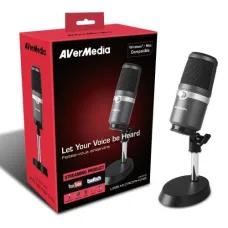
৳8,000 ৳8,500

৳6,100 ৳6,200

৳7,900