
Avision
Showing 1 to 16 of 16 (1 Pages)



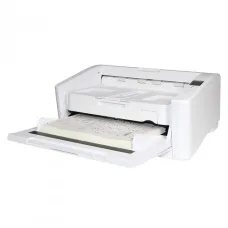
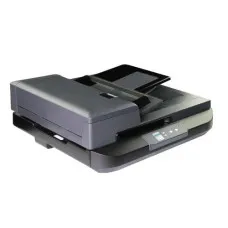
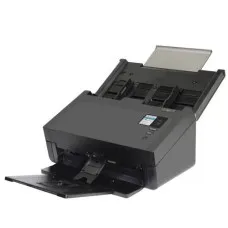
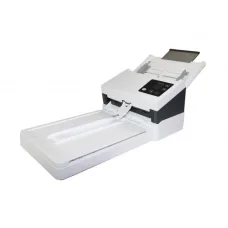

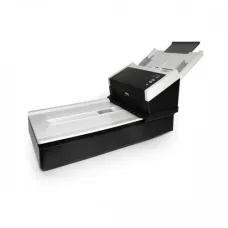

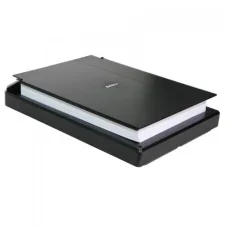
AVISION AD130 Document Scanner
৳60,000

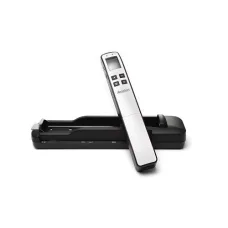
AVISION AD120S Document Scanner
৳30,500
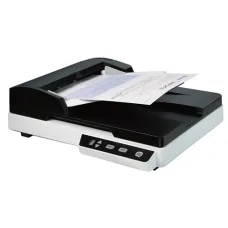
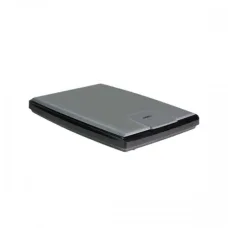
AVISION AD120 Document Scanner
৳30,500
Avision is a well-known brand in the document scanning and digital imaging market, offering scanners and related solutions for home users, offices, businesses, educational institutions, banks, healthcare organisations, government offices and professional document-management environments. Avision products are particularly relevant for customers who need to convert paper documents into digital files quickly, organise records electronically and improve everyday document workflows.
Avision Scanner Price in Bangladesh
Avision scanner prices in Bangladesh vary according to scanner type, scanning speed, document size, duplex capability, automatic document feeder capacity, connectivity, image quality, software features and intended workload. Entry-level scanners are generally aimed at individuals and small offices, while high-speed document scanners are designed for organisations that process large numbers of pages every day.
Customers should not choose an Avision scanner based only on the lowest price. A scanner that looks inexpensive initially may become inconvenient if it lacks duplex scanning, has a small document feeder or is not designed for the volume of documents your office processes. The correct scanner should match the number and type of documents you scan regularly.
| Avision Scanner Type | Typical Use | Suitable Customer |
|---|---|---|
| Flatbed Scanner | Books, photographs, certificates and individual documents | Home users, students, offices and creative users |
| Sheet-fed Document Scanner | Fast scanning of loose documents | Offices, businesses and professional users |
| Duplex Document Scanner | Scanning both sides of a document automatically | Busy offices and document-processing teams |
| ADF Scanner | Batch scanning of multiple pages | Businesses, banks, schools and institutions |
| Network Scanner | Shared scanning across an organisation | Offices and departments with multiple users |
| Professional Production Scanner | High-volume document processing | Large businesses and document-management operations |
Why Choose Avision Scanners?
Avision scanners are designed around practical document digitisation requirements. Depending on the model, users can find features intended to improve productivity, reduce repetitive manual work and make paper-to-digital conversion more convenient.
For an office that scans invoices, forms, contracts, applications or customer documents every day, scanning speed and automatic document handling can be much more important than simply having a high optical resolution. A well-selected document scanner can allow employees to process paperwork more efficiently and reduce the amount of time spent manually scanning individual pages.
Avision's product range also makes it possible to choose a scanner according to workload. A student scanning occasional notes has different requirements from a bank branch processing hundreds or thousands of pages.
Who Should Buy an Avision Scanner?
- Small and medium-sized offices that regularly digitise paperwork.
- Corporate offices handling invoices, contracts and business documents.
- Accounting firms processing financial records and supporting documents.
- Schools, colleges and universities digitising educational documents.
- Banks and financial organisations handling customer paperwork.
- Government offices moving paper records into digital systems.
- Hospitals and clinics managing administrative documentation.
- Law offices scanning contracts, case documents and legal records.
- Insurance companies processing forms and claims documents.
- Libraries and archives digitising selected records.
- Home users who need reliable document scanning.
- Students who need to digitise study materials.
- Businesses implementing paperless or document-management workflows.
- Professional document-processing companies with high scanning volumes.
Avision Flatbed Scanner
A flatbed scanner is useful when the user needs flexibility rather than simply high-speed document processing. The document is placed directly on the scanner glass, making this design suitable for individual sheets, photographs, books and documents that may not be appropriate for a sheet-fed scanner.
Flatbed scanners can be particularly useful for offices that occasionally scan certificates, photographs, identification-related paperwork, bound documents or fragile originals. Because the document does not need to pass through a traditional automatic paper path, users can often scan materials that would be inconvenient to process using a standard document feeder.
Customers should choose a flatbed model when versatility is more important than processing a large stack of loose documents automatically.
Avision Document Scanner
A dedicated document scanner is designed primarily for processing loose sheets of paper. These scanners are often a better choice for offices where employees regularly scan invoices, receipts, forms, applications and other standard documents.
The major advantage is workflow efficiency. Instead of placing every page individually on a glass surface, users can load multiple pages into an automatic document feeder and allow the scanner to process the stack.
For businesses, this can save significant employee time when hundreds of documents need to be digitised regularly.
Avision Duplex Scanner
Duplex scanning means that the scanner can capture both sides of a document in a single pass or automated scanning process, depending on the model. This can be extremely useful for businesses that frequently handle double-sided paperwork.
Without duplex capability, users may need to manually turn pages or perform additional scanning steps. For occasional scanning, that may not be a serious problem. For high-volume office work, however, the additional handling can quickly become inefficient.
If most of your documents contain information on both sides, choosing an Avision duplex scanner can be a practical productivity investment.
Avision Scanner with Automatic Document Feeder
An Automatic Document Feeder, commonly called an ADF, allows users to load a group of documents instead of scanning every page individually. ADF capacity and document-handling performance vary between models.
ADF scanners are especially useful for accountants, administrative departments, schools, banks and businesses that process large amounts of paperwork. The larger the typical batch, the more valuable automated document feeding can become.
Customers should remember that ADF capacity is not the same thing as daily duty cycle. A scanner may accept a particular number of pages in its feeder while still being designed for a specific recommended workload. Both factors should be considered when purchasing for business use.
Avision Scanner for Accounting Offices
Accounting professionals often handle invoices, receipts, bank documents, tax-related paperwork, vouchers, statements and supporting documents. Digitising these records can make them easier to store, search and share.
An Avision document scanner with ADF and duplex scanning can be particularly useful for accounting offices where employees process batches of paperwork. OCR functionality can also be valuable when the goal is to turn scanned text into searchable or editable digital information.
For accounting environments, reliability and document handling may be more important than extremely high image resolution. A scanner should be selected according to the actual types and quantities of documents processed.
Avision Scanner for Office Use
Offices frequently need to scan correspondence, purchase documents, invoices, employee paperwork, contracts and customer forms. A document scanner can help reduce paper storage and make information easier to distribute electronically.
For a general office, a balanced Avision model with automatic feeding, duplex scanning and practical connectivity can often be more useful than a specialist scanner designed for an extremely high-volume environment.
Small businesses should also consider the number of employees who will use the scanner. A USB-connected scanner may be perfectly suitable for one dedicated workstation, while a larger organisation may require a shared or network-oriented workflow.
Avision Scanner for Banks
Banks and financial institutions process many forms, applications and supporting documents. Scanning speed, reliable paper handling and consistent image quality can therefore be important considerations.
Branches and back-office departments should evaluate their daily scanning volume before selecting a scanner. A low-volume scanner may not be appropriate for a department processing documents continuously throughout the working day.
Security and document-handling procedures should also be considered when digitising confidential financial paperwork.
Avision Scanner for Schools and Universities
Educational institutions may use scanners for administrative documents, examination records, forms, certificates, student files and teaching materials. Different departments can have very different requirements.
A general-purpose document scanner may be suitable for administrative offices, while a flatbed scanner may be more useful where photographs, books or delicate materials need to be digitised.
Avision Scanner for Legal Offices
Law firms can process large quantities of contracts, case documents, correspondence and supporting evidence. Converting paper documents into organised digital files can simplify document storage and access.
For legal offices, accurate scanning and dependable paper handling are particularly important. OCR can also be useful when lawyers and staff need to search the text contained within scanned documents.
Avision Scanner for Government Offices
Government departments can have significant paper archives and administrative workloads. Document scanners can support digitisation projects and help departments transition from physical filing systems to electronic document management.
For large-scale government use, buyers should evaluate scanner duty cycle, consumable availability, maintenance requirements, driver compatibility, network integration and long-term service support rather than considering only the purchase price.
Avision Scanner for Healthcare Offices
Clinics, hospitals and healthcare-related administrative offices may need to scan forms, reports, invoices, referral documents and other paperwork. The scanner should be selected according to the organisation's document workflow and information-security procedures.
Where sensitive documents are involved, the organisation should also consider access control, secure storage, appropriate document-management practices and compliance requirements independently of the scanner hardware.
Avision Scanner for Home Users
Home users may need a scanner for occasional paperwork, school documents, photographs, applications, receipts and personal records. A compact scanner can be more practical than a high-volume office model when scanning requirements are limited.
If the user occasionally scans books or photographs, a flatbed design may offer greater flexibility. If the main requirement is scanning stacks of ordinary documents, an ADF document scanner may be more convenient.
Avision Scanner for Students
Students can use scanners to digitise notes, assignments, diagrams, certificates and study materials. A student who scans only a few pages at a time does not necessarily need a high-speed production scanner.
Students should consider portability, desk space, connection method and expected usage. If scanning is occasional, a multifunction printer with scanning capability may also be worth comparing against a dedicated scanner.
ADF vs Flatbed Scanner
| Consideration | ADF Document Scanner | Flatbed Scanner |
|---|---|---|
| Multiple Pages | Excellent | Manual page-by-page scanning |
| Books | Generally less convenient | More suitable |
| Photographs | Depends on model | Very suitable |
| Office Documents | Excellent | Suitable for smaller quantities |
| Batch Scanning | Excellent | Not designed primarily for batch work |
| High-volume Workflow | More suitable | Less suitable |
What Is Optical Resolution?
Optical resolution describes the scanner's ability to capture detail from an original document. It is commonly expressed in dots per inch, or DPI.
Higher resolution can be useful for photographs, detailed artwork and specialised scanning tasks. However, maximum advertised resolution does not automatically mean that the scanner will produce better results for ordinary office documents.
For business document scanning, appropriate resolution, text clarity, colour accuracy, paper handling and software processing can be more important than selecting the highest possible DPI number.
What DPI Should You Use for Document Scanning?
For ordinary office documents, moderate scanning resolutions are often sufficient. Higher resolutions may be useful when fine details need to be preserved, but they also increase file size and can require more storage.
Customers should therefore choose scanning settings according to the purpose of the digital file. A document intended for routine archiving does not necessarily need the same resolution as a photograph intended for high-quality reproduction.
Avision OCR Features
OCR, or Optical Character Recognition, converts text contained in a scanned image into machine-readable text. This can make digital documents easier to search, copy or process.
OCR can be particularly useful for businesses that want to search large collections of scanned invoices, forms, contracts or reports. The quality of OCR results depends on the original document, language, font, print quality, scanning settings and software.
Customers should distinguish between the scanner's physical scanning capabilities and the software workflow used to process the resulting files.
Avision Scanner Connectivity
Connectivity determines how a scanner communicates with the computer or network. USB is common for direct workstation connections, while some professional environments may require network-based scanning or shared access.
Before purchasing, customers should consider where the scanner will be installed and how many people need to use it. A scanner located beside one employee's computer may only need a straightforward USB connection, while a department with several users may benefit from a different workflow.
USB Scanner for Avision
USB connectivity is practical for individual workstations and small offices. It usually provides a simple connection between the scanner and a computer without requiring complex network configuration.
For a single-user environment, a USB Avision scanner can be an efficient and straightforward solution. Customers should nevertheless confirm operating-system compatibility and supported drivers before purchase.
Network Scanning
Network scanning can be useful in offices where multiple users or departments need access to a scanner. It can reduce the need for separate scanners at every desk, depending on the organisation's workflow.
Businesses considering a network-oriented scanning environment should examine authentication, storage destinations, permissions and IT administration requirements. Network functionality is valuable only when it fits the organisation's actual workflow.
Avision Scanner for Paperless Office
A paperless or reduced-paper office requires more than a scanner. The scanner is the first stage of a broader document workflow that can include OCR, file naming, indexing, cloud or server storage, backups and document-management software.
Avision scanners can form part of this workflow by converting physical documents into digital files efficiently. Businesses should establish clear procedures for scanning, naming, storing and backing up documents so that digitisation actually improves productivity.
Choosing Avision Scanner for Business
- Estimate the average number of pages scanned each day.
- Identify whether most documents are single-sided or double-sided.
- Decide whether an automatic document feeder is required.
- Consider whether duplex scanning will save employee time.
- Check the typical paper size and document types.
- Consider whether colour scanning is required.
- Check compatibility with existing operating systems and software.
- Evaluate whether USB or network connectivity is more appropriate.
- Consider scanner duty cycle for regular business workloads.
- Check availability of replacement rollers and other consumables.
- Consider warranty and after-sales service.
- Plan for document storage and backup.
Scanner Duty Cycle Explained
Duty cycle is an important consideration for professional document scanners. It relates to the workload a scanner is designed to handle over a specified period according to the manufacturer's guidelines.
A customer who scans only a few pages each day does not need the same duty-cycle rating as a company that processes documents continuously. Buying an underspecified scanner for a high-volume environment can result in unnecessary wear and reduced productivity.
For commercial customers, estimating actual daily and monthly scanning volume is one of the most useful steps before purchasing.
Avision Scanner Maintenance
Like any document-handling equipment, scanners benefit from regular maintenance. Dust, paper particles, ink residue and worn rollers can affect paper feeding and image quality over time.
- Keep the scanner glass clean.
- Remove dust and paper debris from accessible areas.
- Follow the manufacturer's cleaning recommendations.
- Replace worn rollers or consumables when required.
- Avoid feeding heavily damaged documents unless the scanner is designed for them.
- Keep documents free from loose staples and clips before scanning.
- Use suitable paper for automatic feeding.
- Keep the scanner in a clean and stable environment.
- Install appropriate drivers and software updates when necessary.
- Follow the recommended maintenance schedule for high-volume models.
How to Improve Avision Scanning Quality
Good scanning results depend on both hardware and document preparation. Dust or marks on the scanner glass can appear on every scanned page, while folded or damaged documents can cause feeding problems.
Users should keep the scanning surface clean, arrange documents correctly and select an appropriate resolution and colour mode. For ordinary text documents, unnecessary high-resolution colour scanning can produce large files without providing meaningful additional value.
Colour vs Black and White Scanning
Black-and-white or grayscale scanning can be suitable for many ordinary text documents and may help reduce file sizes. Colour scanning is more appropriate when colour contains important information, such as photographs, coloured diagrams, highlighted documents or identification-related visual elements.
Businesses should choose the scanning mode based on the purpose of the digital record rather than automatically scanning everything in full colour.
Avision Scanner for Invoices
Invoices are among the most common documents processed by businesses. A scanner with an ADF can make it easier to digitise batches of invoices, while duplex capability can help when information appears on both sides.
When combined with OCR and appropriate accounting or document-management software, scanning can become part of a more efficient accounts-payable workflow. The exact automation available depends on the software environment used by the business.
Avision Scanner for Receipts
Receipts can be more challenging than standard office documents because they are often small, thin or printed using thermal technology. Customers who frequently scan receipts should choose a scanner and document workflow designed to handle the relevant media types.
For occasional receipt scanning, a versatile flatbed or appropriate document scanner may be sufficient. For large-volume receipt processing, specialised document-handling features become more important.
Avision Scanner for Photos
Customers who primarily want to digitise photographs should pay attention to flatbed scanning capability and image quality rather than selecting a high-speed document scanner simply because it has a higher page-per-minute figure.
Photographs may require careful handling, colour reproduction and appropriate resolution. A flatbed scanner is often more convenient for individual photographs and delicate originals.
Avision Scanner for Books
Books and bound documents are generally better suited to flatbed scanning than conventional automatic document feeders. A flatbed allows the user to place a page or portion of a book directly against the glass.
Customers planning a large-scale book-digitisation project should consider specialist equipment and workflow requirements rather than assuming a standard office scanner will provide the best experience.
Avision Scanner for Documents and Archives
Digitising archives can help organisations reduce physical storage requirements and make records easier to locate. However, archive projects should be planned carefully.
Before scanning thousands of documents, organisations should establish file formats, naming conventions, folder structures, indexing methods, backup procedures and quality standards. The scanner is only one component of a successful digitisation project.
Avision Scanner Software
Scanner software can influence the overall user experience just as much as hardware features. Useful software functions can include scanning profiles, automatic image adjustments, file format selection, OCR integration, page separation and document organisation, depending on the scanner and software package.
Customers should check which software is included with the specific model and whether it is compatible with their operating environment before purchasing.
ADF Capacity vs Scanning Speed
ADF capacity and scanning speed are two different considerations. A large feeder can hold more pages, but the scanner's processing speed determines how quickly those pages can be digitised.
For offices that scan large batches, both characteristics matter. A scanner with high speed but limited feeder capacity may require frequent reloading, while a large feeder with low processing speed may not provide the desired productivity.
What Scanner Speed Means
Scanner speed is often expressed in pages per minute, although the exact measurement method can vary. Duplex-capable scanners may also advertise images per minute because a double-sided page can produce two scanned images.
Customers should compare speed figures carefully and consider whether the quoted performance corresponds to their intended scanning mode. Real-world productivity can also be influenced by paper preparation, software processing, OCR and file-saving time.
Avision Scanner for High-Volume Scanning
High-volume scanning environments should prioritise reliable document feeding, appropriate duty cycle, duplex capability, serviceability and efficient software workflows. A scanner designed for occasional home use may not be suitable for continuous commercial scanning.
Businesses should calculate their average daily volume and allow some additional capacity for peak periods. Choosing a scanner with appropriate headroom can be more practical than selecting a model that operates at its limits every day.
Avision Scanner for Small Business
Small businesses should focus on the features that directly improve their workflow. A compact ADF scanner with duplex functionality can be highly useful for offices that regularly process invoices, forms and contracts.
However, if scanning requirements are only occasional, a multifunction printer may provide sufficient scanning functionality while also meeting printing requirements. Customers should compare the total cost and expected usage before purchasing a dedicated scanner.
Avision Scanner for Corporate Offices
Corporate offices may benefit from faster scanners and more advanced document workflows. Different departments can have different scanning requirements, so IT teams should consider standardising models where practical while allowing specialist departments to use appropriate equipment.
Large organisations should also consider consumable availability, warranty, service support and long-term operating costs.
Why Scanner Resolution Is Not Everything
Many customers assume that the scanner with the highest DPI is automatically the best choice. For everyday document processing, this is often not the case.
Office scanning performance depends on paper handling, speed, duplex capability, ADF reliability, image processing, software integration and workload capacity. High resolution becomes more important for specialised applications such as photographs, artwork and detailed archival work.
How to Choose an Avision Scanner in Bangladesh
- Decide what documents you will scan most frequently.
- Estimate the number of pages scanned per day.
- Choose flatbed, sheet-fed or a combination according to your workflow.
- Choose ADF if you regularly scan multiple pages.
- Choose duplex if double-sided documents are common.
- Check supported paper sizes.
- Consider colour requirements.
- Check OCR and software compatibility if searchable documents are required.
- Check USB or network connectivity.
- Consider available desk space.
- Check warranty and service arrangements.
- Confirm current Bangladesh price and stock before ordering.
Common Avision Scanner Buying Mistakes
- Buying a scanner based only on advertised DPI.
- Ignoring daily document volume.
- Choosing a flatbed when large document batches are processed daily.
- Choosing an ADF scanner when books and photographs are the primary materials.
- Ignoring duplex capability for double-sided paperwork.
- Not checking operating-system compatibility.
- Ignoring replacement roller and maintenance requirements.
- Choosing a low-cost scanner for a demanding professional workload.
- Not checking the included software.
- Failing to consider after-sales service.
- Buying without checking the actual document sizes that need to be scanned.
Avision Scanner vs Multifunction Printer Scanner
| Requirement | Dedicated Avision Scanner | Multifunction Printer Scanner |
|---|---|---|
| High-volume scanning | Usually more appropriate | Depends on model |
| Fast document processing | Often a major advantage | Varies |
| Printing | Not included | Included |
| ADF | Available on many document models | Available on selected models |
| Dedicated scanning workflow | Strong | General-purpose |
| Small occasional use | May be more than required | Can be convenient |
Is Avision Good for Office Scanning?
Avision is a strong option for customers specifically looking for document-scanning equipment. The brand offers products across different levels of scanning requirements, allowing customers to choose between general-purpose, professional and higher-volume document workflows.
The important point is to choose the appropriate Avision model rather than assuming every scanner in the range is designed for the same workload.
Avision Scanner Warranty and Support
Warranty and after-sales support are important when purchasing office equipment that will be used regularly. Customers should confirm the warranty period, service terms, covered components and support process for the exact Avision scanner being purchased.
Business customers should also consider the availability of maintenance and consumables. A scanner that processes thousands of pages can eventually require replacement rollers or other maintenance components.
Avision Scanner Price in Jessore and Jashore
Customers searching for an Avision scanner in Jessore or Jashore can compare models according to their document-processing requirements and budget. Unix Network's showroom in Jessore can be useful for customers who want to discuss scanner selection and related office technology before purchasing.
The terms “Avision scanner price in Jessore” and “Avision scanner price in Jashore” may both be used when searching for local purchasing information. Customers should confirm current availability and pricing because technology prices and stock can change.
Avision Scanner Price in Bangladesh for Business
Business customers should evaluate total ownership cost rather than focusing only on the purchase price. A scanner that costs slightly more but processes documents faster and requires less manual handling can potentially save employee time over its working life.
When comparing Avision models, consider scanner speed, ADF capacity, duplex capability, duty cycle, software, connectivity, maintenance and warranty alongside the initial price.
Buying Avision from Unix Network
Unix Network serves customers looking for computer and office technology in Bangladesh, with a showroom in Jessore and support for customers outside the local area. Customers interested in Avision scanners should provide their expected scanning volume and document type when requesting a recommendation.
For example, an accountant scanning invoices every day may require a different Avision scanner from a student scanning occasional documents. A business processing hundreds of pages daily should also mention its approximate workload so that the recommended scanner is appropriate for sustained use.
What to Search for When Buying Avision
- Avision scanner price in Bangladesh
- Avision scanner price in Jessore
- Avision scanner price in Jashore
- Avision document scanner Bangladesh
- Avision duplex scanner Bangladesh
- Avision ADF scanner Bangladesh
- Avision flatbed scanner Bangladesh
- Avision high speed scanner Bangladesh
- Avision office scanner price
- Avision professional scanner Bangladesh
- Avision scanner for business
- Avision scanner for accounting office
- Avision scanner for bank
- Avision scanner for document management
- Avision scanner with OCR
- Avision USB scanner
- Avision network scanner
- Avision scanner for high volume scanning
- best document scanner in Bangladesh
- document scanner price in Bangladesh
Frequently Asked Questions About Avision Scanners
What is Avision? Avision is a brand known for document scanners and digital imaging solutions used in homes, offices, businesses and professional document-processing environments.
Is Avision good for office use? Avision offers document scanners suitable for different office workloads. The appropriate model depends on scanning volume, document type, speed, duplex requirements and connectivity.
Which Avision scanner is best for high-volume scanning? A high-volume user should select a model designed for professional workloads with an appropriate duty cycle, automatic document feeding, reliable paper handling and suitable scanning speed.
Do Avision scanners support duplex scanning? Many Avision document scanners offer duplex functionality, but the exact feature depends on the individual model.
What is an ADF scanner? ADF stands for Automatic Document Feeder. It allows multiple sheets to be loaded so that the scanner can process them automatically instead of requiring the user to place each page manually.
Is an ADF important for office work? If an office regularly scans multiple-page documents or batches of paperwork, an ADF can significantly improve convenience and productivity.
Is higher DPI always better? No. Higher DPI can be useful for detailed images, photographs and specialised work, but ordinary business documents often do not require the highest available resolution.
Should I buy a flatbed or document scanner? Choose a flatbed when books, photographs and individual or delicate originals are important. Choose a document scanner with ADF when processing stacks of loose documents is the main requirement.
Can Avision scanners scan photographs? Selected Avision scanners can be suitable for photographs, particularly flatbed models. Customers should check the specifications and intended use of the exact model.
Can Avision scanners scan double-sided documents? Models with duplex scanning can automatically capture both sides of suitable documents. Customers should verify duplex support on the specific model.
Is OCR available with Avision scanners? OCR functionality can be available through compatible software and workflows. Customers should check the software supplied with the specific scanner and their required language support.
Can an Avision scanner be used with a laptop? Many Avision scanners can be connected to compatible computers through supported interfaces such as USB. Customers should confirm operating-system and driver compatibility for the exact model.
What should a business check before buying an Avision scanner? The most important considerations include daily scanning volume, document size, ADF capacity, duplex scanning, speed, duty cycle, connectivity, software, maintenance, warranty and after-sales support.
Final Buying Advice for Avision
Avision can be a practical choice for customers who need dedicated document-scanning equipment, but the right model depends heavily on how the scanner will be used. A home user scanning occasional documents should not necessarily purchase the same class of scanner as an accounting office processing hundreds of pages every day.
For regular business scanning, prioritise reliable paper handling, appropriate speed, ADF capacity, duplex scanning, duty cycle and software compatibility. For photographs and books, consider a suitable flatbed design. For high-volume document processing, look for a professional scanner designed for sustained workloads.
Before purchasing an Avision scanner from Unix Network, confirm the exact model, current price, stock availability, warranty, connectivity, operating-system compatibility and intended workload. This approach helps ensure that the scanner you choose is not only affordable but also genuinely suitable for your daily document-processing needs in Bangladesh.