
৳362 Cashback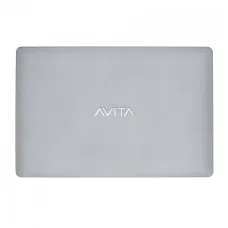
Showing 1 to 24 of 41 (2 Pages)


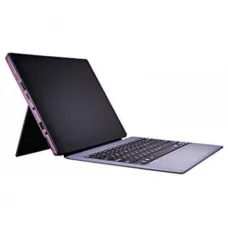


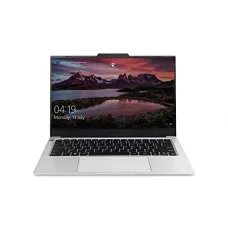
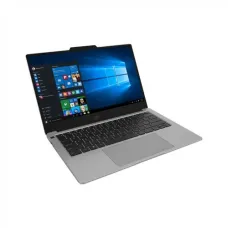


Avita laptops are a practical option for customers who want a modern, portable computer without automatically moving into the higher price ranges associated with premium laptop brands. Depending on the model and configuration, an Avita laptop can be suitable for university study, office work, home computing, internet browsing, online learning, freelancing, document preparation, entertainment and other everyday tasks. The most important point when choosing an Avita laptop is to match the particular model with the work you actually intend to do. A laptop that is excellent for documents and browsing may not be the right choice for professional video editing, advanced 3D work or demanding gaming.
At Unix Network, our aim is to help customers make that decision with practical information rather than simply listing specifications. Avita has produced laptops in different sizes and configurations, so the exact processor, memory, storage, display, battery, ports and operating-system experience can vary considerably from one model to another. For that reason, customers should always check the specifications of the exact Avita model they are considering before placing an order. This page is designed to help you understand where an Avita laptop may fit into your daily computing needs, what to check before buying, who should consider one, and when another type of laptop may be a better investment.
The price of an Avita laptop in Bangladesh depends on the exact model, hardware configuration, condition, stock availability and current market conditions. Processor generation, RAM capacity, SSD or other storage, screen size, display resolution, battery condition and whether the laptop is new or used can all affect the final price. Import costs, currency movement and changing distributor availability can also influence laptop prices in the local market.
Because laptop pricing can change frequently, customers should not rely on an old price found in a search result or an outdated social-media post. The most useful approach is to check the current Unix Network product listing and confirm availability before making a purchase. If several Avita models are available, comparing them according to your actual workload is generally more useful than choosing the cheapest model simply because it has a lower price.
| Avita Laptop Buying Consideration | Why It Matters |
|---|---|
| Processor | Determines how comfortably the laptop handles applications and multitasking. |
| RAM | Affects multitasking and how comfortably multiple applications and browser tabs can remain open. |
| Storage | Determines available space and, when an SSD is used, can greatly influence everyday responsiveness. |
| Display | Important for reading, office work, study, media consumption and general viewing comfort. |
| Battery | Important for students, mobile workers and anyone who frequently works away from a power socket. |
| Keyboard and touchpad | Directly affect comfort when writing documents, browsing or working for long periods. |
| Ports | Determine how easily you can connect displays, storage devices, networking equipment and accessories. |
| Condition | Especially important when purchasing an older or used laptop. |
Avita is a laptop brand that has focused on consumer-oriented notebook computers, including portable and visually distinctive models. The range has included machines aimed at everyday computing rather than a single specialised market. This makes the name relevant to customers looking for an affordable laptop for study, office productivity, browsing and general personal use.
However, it is important not to judge every Avita laptop as though all models have identical performance. Laptop brands normally release products with different processors, memory configurations, storage options, screen sizes and chassis designs. Two laptops carrying the same brand name can therefore provide very different user experiences. A customer looking for an Avita laptop should identify the exact model and then evaluate its hardware against the intended workload.
This is particularly important for customers shopping in Bangladesh because laptop availability can vary. A model that was widely available several years ago may no longer be supplied as a current unit. Another model may appear through limited stock or the used market. Unix Network therefore recommends checking the exact product information, condition and warranty details attached to the available unit rather than assuming that all Avita laptops have the same specifications or support options.
One reason customers consider Avita is the combination of portability, design and affordability found across parts of the range. Many laptop buyers do not need a workstation-class machine. They need a computer that can open documents, browse websites, attend online classes, communicate through email, play media and handle routine applications without taking up much space.
For this type of customer, paying extra for hardware designed for professional rendering or high-end gaming may not provide meaningful value. A sensibly configured Avita laptop can instead concentrate the budget on the features that matter most to everyday users.
An Avita laptop can make sense for customers whose computing requirements are primarily everyday and productivity focused. Students who need a computer for research, assignments, presentations and online learning may find a suitable model practical. Office users who work with documents, spreadsheets, web applications and communication tools can also consider an appropriately configured model.
Home users may appreciate the convenience of having a portable computer for browsing, streaming, email, document management and personal tasks. Freelancers who work primarily through web-based platforms may also find value in a suitable configuration, particularly when portability is more important than maximum processing power.
That does not mean every Avita laptop is appropriate for every customer. A buyer working professionally with demanding video production, large-scale 3D rendering, advanced engineering applications or modern high-performance games should investigate more powerful hardware. The correct purchasing decision depends on the workload, not simply the brand name or advertised discount.
Students often need a laptop that can handle a mixture of activities rather than one highly specialised task. A typical study day might involve reading PDF files, searching the web, writing an assignment, creating presentation slides, joining an online class, checking email and using cloud storage. A suitable Avita laptop can be considered for these tasks when its processor, RAM and storage are appropriate.
Portability is another important factor for students. Carrying a laptop between a home, classroom, library or campus can become tiring if the machine is unnecessarily heavy. A compact notebook can be easier to transport and store. Students should nevertheless balance portability with keyboard comfort and screen size because a very small computer may not be ideal for writing long assignments every day.
Students should also think beyond their first semester. A laptop purchased for a multi-year degree should have enough performance for the applications they expect to use later. If a course involves programming, statistical software, accounting applications, design tools or other specialised software, the required hardware may be higher than that needed for simple browsing and document editing.
University students commonly use laptops for research, reports, presentations, spreadsheets, online learning platforms and communication. The right Avita model can support these activities without requiring a high-end workstation. However, course requirements should be checked before purchasing.
For example, an accounting student may spend much of the day working with spreadsheets, documents, browsers and accounting applications. A computer-science student may need development environments, databases, compilers and virtual machines. A design student may need substantially more graphics performance. These differences demonstrate why the phrase “student laptop” alone is not enough to select a machine.
When choosing an Avita laptop for university, consider how often you will carry it, how many hours you normally work without charging, whether you need external displays, how much storage you need for coursework and whether the keyboard is comfortable for extended typing. These practical factors can have more impact on your satisfaction than a small difference in processor speed.
An Avita laptop with suitable hardware can be useful for routine office productivity. Common tasks include word processing, spreadsheets, presentations, email, browser-based business systems, video meetings, PDF documents and file management. Customers should select a configuration that provides enough memory for their typical multitasking habits.
Office workers who keep many browser tabs open while simultaneously running spreadsheets and communication software should pay particular attention to RAM. Someone whose work consists mainly of writing documents and checking email may have considerably lower requirements.
Screen comfort should also be considered. Office workers often spend several hours looking at a display, so a comfortable screen size and suitable resolution can be more valuable than a specification that looks impressive on a product comparison sheet. If the laptop will normally remain on a desk, customers can also consider connecting an external monitor, keyboard and mouse where supported.
Freelancers have very different requirements depending on their profession. A person managing an e-commerce store, writing content, communicating with clients or using browser-based tools may not require a powerful dedicated graphics processor. A freelancer editing high-resolution video or working with complex graphics has a very different requirement.
For web-based freelancing, an Avita laptop with a suitable processor, sufficient RAM and fast storage can provide a practical working environment. A comfortable keyboard and dependable network connectivity are particularly useful because freelancers may spend many hours writing, researching and communicating.
Freelancers should also think about reliability. If the laptop is the primary tool used to earn an income, the cheapest available machine is not necessarily the best value. Battery health, charger condition, storage health and general physical condition become especially important when purchasing an older or used laptop.
For customers who mainly want a laptop for internet browsing, social-media websites, online shopping, email, video streaming, document reading and general household use, a well-matched Avita model can be sufficient. Everyday computing does not automatically require a high-end processor.
However, modern websites can be surprisingly demanding when many tabs, advertisements, video players and web applications are open simultaneously. Customers who regularly use dozens of browser tabs should therefore avoid selecting a configuration with very limited memory simply because the price is attractive.
Storage also matters. A laptop with limited storage can become inconvenient if the user saves many photos, videos, applications and documents locally. Customers who primarily use cloud storage may require less local capacity, while users who keep large media collections should choose accordingly.
Online learning usually requires a combination of web browsing, video conferencing, document viewing and note-taking. A suitable Avita laptop can support these activities when the system has adequate processing performance, memory and a working camera and microphone where required.
Students should test the webcam and microphone when purchasing a used unit. They should also inspect the charging connector and battery because an unreliable power connection can become particularly frustrating during an online examination or live class.
Internet quality is another consideration. A good laptop cannot compensate for an unreliable internet connection. If online classes are important, check that the laptop supports the required wireless connectivity and consider having an appropriate external networking solution available when necessary.
Microsoft Word, Excel and PowerPoint are common applications for students, businesses and home users. An Avita laptop designed for general productivity can be appropriate for these applications when the configuration provides adequate memory and processor performance.
Word documents are generally less demanding than complex spreadsheets. Basic Excel work may run comfortably on modest hardware, while very large workbooks containing extensive formulas, data processing or multiple external connections can require considerably more resources. Customers who depend heavily on Excel should therefore assess their actual files rather than assuming that every office laptop will perform identically.
PowerPoint presentations can also vary. Simple text-based presentations have modest requirements, while presentations containing large images, embedded video and complex transitions may place greater demands on the computer.
Accounting users typically require dependable productivity rather than gaming-oriented performance. An Avita laptop can be considered for tasks such as spreadsheets, accounting software, invoices, financial documents, email and web-based business systems when the exact configuration supports the required applications.
Businesses should check software compatibility before purchasing. Some accounting applications have specific operating-system, memory or processor requirements. If a company relies on older software, compatibility should be confirmed rather than assumed.
For professional accounting work, backup is also important. Financial files should not exist only on the laptop. Regular backups to an appropriate external or cloud destination can reduce the risk of data loss caused by storage failure, accidental deletion or other problems.
Programming requirements range from extremely light to highly demanding. A beginner learning HTML, CSS, C, basic Python or introductory programming can often work with much less hardware than a developer running several virtual machines, containers, emulators and large development environments simultaneously.
An Avita laptop can be useful for learning programming if the exact model supports the development tools required by the learner. Beginners should prioritise a comfortable keyboard, reliable storage and enough memory for their chosen development environment. A larger external monitor can also improve productivity if the laptop will mainly be used at a desk.
Customers studying computer science should check their university's software requirements before purchasing. Courses involving Android development, virtual machines, machine learning or advanced simulation can require more resources than introductory programming.
Graphic design workloads vary significantly. Simple image editing and web graphics can be manageable on modest hardware, whereas professional work involving large layered documents, advanced effects or high-resolution assets may benefit from more powerful processors, greater memory and stronger graphics hardware.
Customers considering an Avita laptop for design should pay attention to display quality as well as raw performance. Colour accuracy, viewing comfort and resolution can influence the quality of design work. If professional colour-critical work is required, the buyer should investigate the display characteristics of the exact model rather than relying on the brand name alone.
Video editing is generally more demanding than basic office work. The workload depends on video resolution, codec, timeline complexity, effects, colour correction and export settings. Customers editing occasional short clips may have modest requirements, while professional editors working with high-resolution footage can need significantly more processing and graphics capability.
An Avita laptop should therefore only be selected for video editing after checking the exact hardware against the intended editing software. Storage capacity is also important because video files can consume space quickly. External storage may be useful for projects, source footage and backups.
Customers should be careful when buying an Avita laptop specifically for gaming. General-purpose laptops and gaming laptops are designed around different priorities. Modern games can require substantial graphics performance, cooling capacity and sustained processor performance.
If gaming is a major reason for buying the laptop, compare the exact graphics hardware, processor, cooling design, display refresh rate, memory and upgrade possibilities. A laptop that is excellent for browsing may not provide a satisfactory experience with demanding modern games.
For lightweight games or older titles, requirements can be considerably lower. The appropriate choice depends on the specific games rather than the general label of “gaming”.
Home users often need one computer to perform many simple tasks. An Avita laptop can be suitable for family browsing, schoolwork, video calls, online services, document preparation, entertainment and basic photo management when the selected model has appropriate hardware.
A family laptop should ideally be easy to use and maintain. Sufficient storage is useful when multiple people save files to the same machine. External backups can help protect important family photos and documents.
Parents buying a laptop for a student should also consider the child's educational needs over the expected ownership period. A machine that is adequate for simple schoolwork today may become restrictive as software requirements increase.
The processor is one of the most important components to evaluate when comparing Avita laptops. Customers should not simply choose a laptop because the processor name contains a familiar brand or because the model number looks impressive. Processor generation, architecture, core configuration and power characteristics can all affect practical performance.
For basic web browsing and document work, a modest processor may be perfectly adequate. For multitasking, programming, content creation or heavier applications, a more capable processor can make the computer feel more responsive and reduce waiting time.
When comparing two Avita laptops, look at the complete processor model rather than comparing only marketing labels. A newer efficient processor and an older higher-tier processor can have very different real-world characteristics. The rest of the laptop, including cooling and memory, also influences how well the processor performs.
RAM affects how many active applications and browser tabs a computer can handle comfortably. Customers who use a laptop for simple documents and a few browser tabs may have modest memory requirements. Heavy multitaskers should consider a higher-memory configuration.
Another important point is upgradeability. Some compact laptops have memory permanently integrated into the motherboard, while other designs may offer upgrade options. Before purchasing, check whether the specific Avita model allows a RAM upgrade and what type of memory it supports.
Storage affects both capacity and everyday responsiveness. SSD-based laptops generally provide fast booting and application loading compared with older mechanical hard drives. If an Avita laptop includes an SSD, customers should check its capacity and condition rather than looking only at the word “SSD”.
Storage capacity should be chosen according to how the laptop will be used. Office documents consume relatively little space, while videos, high-resolution photographs, games and creative projects can consume hundreds of gigabytes surprisingly quickly.
Used-laptop buyers should pay particular attention to storage health. A laptop can appear perfectly normal while an ageing storage device is approaching failure. If possible, storage health should be checked before completing a used-laptop purchase.
The display is the part of the laptop you will interact with for hours, so it deserves more attention than a specification table sometimes suggests. Screen size, resolution, panel quality, brightness, viewing angles and surface finish can all affect everyday comfort.
A smaller screen can improve portability, while a larger screen can provide more comfortable working space. Students who frequently carry their laptops may prefer a lighter design. Office workers who mostly use the laptop at a desk may prioritise a larger display or external monitor support.
Customers purchasing a used Avita laptop should inspect the display carefully. Look for dead pixels, unusual lines, flickering, uneven brightness, pressure marks and damage around the bezel. A screen that looks acceptable in a photograph may show problems when viewed in person.
Keyboard quality is particularly important for students, writers, programmers, accountants and office workers. If you type for several hours every day, key layout and typing comfort can have a greater practical effect than a small difference in processor performance.
When inspecting a used Avita laptop, test every major key. Check for keys that do not register, keys that repeat unexpectedly, unusual stiffness and missing keycaps. Also test the touchpad across its full surface and check clicking and gestures where supported.
Customers who prefer using an external mouse and keyboard should check whether the laptop provides the necessary ports or wireless connectivity. This is particularly useful for people who plan to use the machine as a desktop replacement.
Battery performance depends on the model, battery capacity, age, operating system, screen brightness, workload and background applications. Manufacturer or original battery figures should not be treated as a guarantee of real-world runtime because actual usage conditions vary.
Battery condition becomes particularly important with used Avita laptops. Lithium-ion batteries naturally lose capacity over time. A used laptop that originally offered strong battery life may provide substantially less runtime after years of use.
Customers who frequently work away from a power socket should check battery health before purchasing a used model. Those who mainly use the laptop at a desk may place less importance on battery capacity, although a healthy battery can still be useful as protection against brief power interruptions.
The correct charger is essential for safe and reliable laptop operation. Customers buying a used Avita laptop should check that the supplied adapter is compatible with the exact model. The connector, voltage, current rating and charging behaviour should be appropriate for the machine.
If the charger becomes unusually hot, makes abnormal noises, has damaged insulation or intermittently disconnects, it should not simply be ignored. A suitable replacement should be sourced according to the laptop's requirements.
Ports can have a major effect on how convenient a laptop is in everyday use. Depending on the model, customers may need connections for USB devices, external displays, headphones, storage devices or other accessories.
Before purchasing, think about everything you normally connect to a computer. A photographer may need external storage or memory-card support. An office user may connect a monitor and presentation equipment. A student may regularly use USB drives. Choosing a laptop without the required connections can lead to extra adapters and inconvenience.
An external monitor can make a compact laptop much more productive when working at a desk. Students can keep reference material on one screen while writing on another. Office workers can spread spreadsheets and documents across a larger workspace.
Before buying an Avita laptop for this purpose, confirm which display outputs the exact model provides and whether the desired monitor resolution and refresh rate are supported. If an adapter is necessary, check compatibility before purchasing additional equipment.
Portability is one of the strongest reasons many people choose a laptop rather than a desktop computer. An Avita model with a compact design can be convenient for customers who travel regularly or move between rooms during the day.
Students should consider the weight of the laptop together with the charger and accessories because the total carrying load matters more than the laptop alone. Travellers should also consider the durability of the chassis, hinge condition and protection provided by a suitable laptop bag.
The decision between a new and used laptop depends on budget, expected lifespan, performance requirements and tolerance for cosmetic wear. A used Avita laptop can provide access to hardware at a lower purchase price, but condition must be evaluated carefully.
Customers considering a used laptop should inspect the screen, keyboard, touchpad, ports, hinges, battery, charger, storage, cooling system and physical chassis. It is also sensible to verify that the operating system starts normally and that the laptop does not have an account lock or other restriction.
A new laptop generally provides greater confidence regarding component condition, but the best value depends on the actual price difference and specifications. An older premium machine can sometimes outperform a very basic new laptop, while a new budget machine can offer a longer expected service life.
Every laptop produces heat during operation, and the amount depends on the processor, workload, cooling design, room temperature and ventilation. A laptop that becomes slightly warm during normal use is not automatically defective. However, unusually high temperatures, persistent fan noise, sudden performance drops or unexpected shutdowns deserve investigation.
Dust can accumulate inside a laptop over time, particularly in environments where the machine is used frequently. Blocking ventilation openings by placing the laptop on soft bedding can also restrict airflow. For long-term reliability, use the laptop on a firm surface and keep ventilation areas clear.
Bangladesh's warm and humid environment makes sensible laptop care important. Heat can affect battery performance and can make cooling systems work harder. Dust accumulation can also reduce airflow over time.
Customers should avoid leaving a laptop in direct sunlight or inside a very hot vehicle. Keep ventilation openings clear and avoid using the machine on soft surfaces that can block airflow. If the laptop is used for long periods, occasional professional cleaning may help maintain cooling performance.
There is no single guaranteed lifespan for an Avita laptop. Service life depends on the original hardware, usage intensity, environmental conditions, maintenance, battery ageing, storage health and software requirements over time.
A laptop used mainly for light browsing and documents may remain useful for longer than a machine subjected to demanding workloads every day. At the same time, software requirements evolve. A computer can remain physically functional while becoming less suitable for modern applications.
For customers purchasing used equipment, age is only one factor. Actual condition can be more informative than the manufacturing date alone. A carefully maintained laptop with a healthy storage device and battery can be more attractive than another unit of similar age that has been heavily used.
Warranty terms depend on the specific product, seller, manufacturer support arrangements and whether the laptop is new or used. Customers should check the warranty information attached to the exact Unix Network listing before purchase.
For a business or student who depends heavily on a laptop, after-sales support can be an important part of the buying decision. A small price difference may be worthwhile if it provides greater confidence in service and troubleshooting. Customers should keep purchase documentation and warranty information safely after buying.
Unix Network aims to make computer purchasing easier by providing practical product information alongside current product availability. When choosing an Avita laptop, customers should first identify the type of work they need to perform and then compare the available models according to that requirement.
Our approach is to help customers avoid paying for specifications they do not need while also avoiding a configuration that is too limited for the intended workload. If you are unsure which model is appropriate, consider the applications you use most often, the number of browser tabs you normally keep open, whether you need portability, how much storage you require and whether you plan to keep the laptop for several years.
Customers searching for an Avita laptop in Jessore may compare available Unix Network products according to price, condition, specifications and intended use. Because stock can change, customers should confirm the current price and availability before travelling to the showroom.
Searching for “Avita laptop price in Jessore”, “Avita laptop shop in Jessore”, “Avita laptop price in Jashore” or “Avita laptop Bangladesh” can lead to different models and price points. The spelling difference between Jessore and Jashore refers to the same city, but the exact product and current availability should always be confirmed before purchasing.
Unix Network also serves customers who are searching for computer products from other parts of Bangladesh. Customers outside Jessore can check the available product information and confirm delivery arrangements before ordering.
When purchasing a laptop remotely, ask for the exact model and configuration rather than relying on a general product name. This is especially important for Avita because different configurations can exist under similar product naming. Confirm the processor, RAM, storage, screen details, condition, included accessories and warranty information applicable to the exact unit.
Budget should be treated as a starting point rather than the only buying criterion. A low-priced laptop may appear attractive, but if it lacks the memory or storage needed for your work, the saving can become expensive in the long term.
Customers with a limited budget should identify the features that cannot be compromised. For a student, these might be portability and comfortable typing. For an office worker, memory and storage may be more important. For a freelancer, reliability and multitasking may matter most. Once those priorities are established, the available Avita models can be compared more sensibly.
It is often better to buy a balanced configuration than to spend most of the budget on one component while leaving another component severely limited. For example, a powerful processor paired with insufficient memory may not provide the smooth multitasking experience the buyer expects.
Before purchasing an Avita laptop, use a simple checklist to make the decision more objective. Start with the applications you actually use. Then check whether the processor, RAM and storage are suitable. After that, consider portability, screen quality, battery performance and connectivity.
Small-business owners often need reliable computing for invoices, inventory, communication, accounting, web administration and document management. An Avita laptop can be considered for these workloads when the exact hardware and software requirements are appropriate.
Business customers should give additional attention to data protection. A laptop containing customer records, financial documents or business information should be protected with appropriate account security and regular backups. Hardware selection is only one part of maintaining a reliable business computer.
If the laptop will be shared by multiple employees, consider whether a desktop computer or business-focused laptop may provide better long-term value. A general consumer laptop can be suitable for some businesses, but the decision should reflect how important the computer is to daily operations.
Teachers may use laptops for lesson planning, presentations, online resources, email, video conferencing, document preparation and classroom administration. A suitable Avita laptop can support these activities without requiring specialised graphics hardware.
Teachers who regularly connect projectors or external displays should check the available video-output options. Those who travel between classrooms or educational institutions may also benefit from a portable model with dependable battery performance.
Content writing is generally more dependent on keyboard comfort, display quality, browser performance and storage reliability than on high-end graphics performance. A suitable Avita laptop can be a practical choice for writers who work with documents, research websites, content-management systems, email and online collaboration tools.
Writers should consider whether the keyboard layout is comfortable for long sessions. Screen brightness and viewing comfort can also matter when reading and editing text for several hours. If the laptop is used professionally, a reliable backup system should be part of the overall setup.
Web development can range from simple HTML editing to full-stack development involving local servers, databases, package managers and multiple development tools. A suitable Avita laptop can handle lighter development workflows, while more demanding development environments may require additional memory and processing power.
Developers should check whether the laptop can comfortably run their preferred editor, browser, local database and development services simultaneously. If virtual machines or containerised environments are part of the workflow, hardware requirements can increase significantly.
Digital marketers commonly use browser-based dashboards, spreadsheets, content-management systems, analytics platforms, image tools, email services and communication applications. A balanced Avita configuration can be suitable for these activities when enough memory is available for multitasking.
Marketers who manage many browser tabs should pay particular attention to RAM. If the work includes regular image or video creation, the requirements may be higher than those of a marketer who mainly manages campaigns and analytics through web applications.
Online sellers and small e-commerce operators may use laptops for product management, order processing, customer communication, image preparation, spreadsheets and web administration. An Avita laptop can be suitable for these tasks when the chosen configuration provides enough memory and storage.
Because business information can be valuable, regular backups are recommended. Important product information, financial records and customer-related files should not depend on a single storage device.
An everyday Avita laptop can also be used for entertainment such as web video, music, streaming services and personal media. Screen quality and speakers may matter more for this type of use than advanced processor performance.
Customers who primarily consume media should consider screen size and viewing comfort. Those who want to connect the laptop to a television should check the appropriate display-output support of the exact model.
The operating system is an important part of the overall laptop experience. Customers should verify which operating system is installed on the exact Avita laptop and whether it meets the requirements of the software they intend to use.
Used laptops may require additional attention because the operating system can have previous user accounts, outdated software or configuration issues. A legitimate and properly activated operating-system environment is preferable to an uncertain installation.
Laptop security should not be overlooked, especially when the computer is used for business, education or financial activities. Customers should use strong account credentials and keep important software updated. Sensitive files should be backed up rather than stored exclusively on the laptop.
When purchasing a used laptop, make sure the previous owner's accounts and personal information have been removed appropriately. The buyer should start with a clean and properly configured environment wherever possible.
Even a healthy laptop can be lost, damaged or stolen. Storage failure is another possibility. For this reason, important files should have a separate backup.
Students can back up assignments and project files to a reliable cloud service or external storage. Businesses should consider a more structured backup strategy according to the importance of their data. Photographs, documents and financial records should not exist only on the internal drive.
The right accessories can improve the usefulness of an Avita laptop. A suitable laptop bag protects the computer during transport. An external mouse can be more comfortable for long desk sessions. A keyboard and monitor can transform a compact laptop into a more comfortable workstation.
Customers should choose accessories based on actual requirements rather than purchasing unnecessary items. If the laptop has limited ports, a compatible hub may be useful, but compatibility should be checked before purchase.
A laptop bag should provide appropriate protection without making the computer unnecessarily difficult to carry. A padded compartment can reduce the risk of damage during normal transportation. Customers who commute frequently should consider a bag that also protects against everyday bumps and accidental contact.
A laptop should not be placed loosely in a bag alongside keys, tools or other hard objects. Even a durable chassis can suffer scratches or pressure damage from unsuitable storage.
Regular external cleaning can help maintain the appearance of a laptop. Use appropriate cleaning materials and avoid applying liquid directly to the computer. The keyboard, display and chassis require different cleaning approaches.
Internal cleaning is more complicated. If dust buildup is significant or the laptop is showing unusual thermal behaviour, professional servicing can be safer than opening the machine without the required experience.
Upgradeability varies by model. Some laptops permit storage or memory upgrades, while others have important components integrated into the motherboard. Customers who expect to upgrade the laptop later should check the exact model before buying.
An upgradeable laptop can provide additional flexibility because the user may be able to increase storage or memory when requirements grow. However, not every laptop is designed around this approach, particularly thin and compact models.
An Avita laptop can be worth considering when the exact model provides the right balance of performance, portability, condition and price for your workload. It can be particularly relevant to customers seeking a practical computer for study, office work, browsing, online learning, freelancing and general household use.
The strongest reason to buy should be the suitability of the specific laptop rather than the brand name alone. If the processor, RAM, storage, display and battery meet your requirements and the current price represents good value, an Avita laptop can be a sensible choice.
On the other hand, customers who need advanced gaming performance, professional 3D graphics, demanding video production or specialised workstation applications should compare other laptop categories as well. Unix Network can help customers evaluate the available options according to their intended workload and budget.
No laptop brand is ideal for every customer. An Avita model may not be the right choice if the available configuration is too limited for the software you need. It may also be unsuitable if you require specialised graphics performance, extensive upgradeability or a particular enterprise feature that the model does not provide.
Customers should be especially careful when choosing a low-cost machine for professional work. If the computer generates income, saving a small amount at purchase may not be worthwhile if the laptop cannot keep up with the workload.
Unix Network focuses on helping customers find computer products that fit real-world requirements. Instead of assuming that the most expensive laptop is always the best option, customers can compare products according to what they actually need to do.
For Avita laptops, this means paying attention to the exact model and configuration. Customers can consider whether the machine is intended for education, office work, browsing, programming, freelancing, accounting, content creation or home use. The more clearly the intended workload is defined, the easier it becomes to choose an appropriate configuration.
First-time laptop buyers sometimes become overwhelmed by processor names, RAM numbers, storage terminology and display specifications. The simplest approach is to start with your daily tasks. Write down the applications you use, how many hours you use the laptop, whether you travel with it and how much local storage you require.
Then compare available models against those requirements. If your primary activities are browsing, documents and online classes, you probably do not need to prioritise gaming-level graphics. If you edit videos professionally, a basic everyday laptop may not be enough.
Also consider ownership beyond the day of purchase. A laptop should ideally remain useful as software and workload requirements change. Spending a little more for a balanced configuration can sometimes provide better long-term value than buying the absolute cheapest machine.
| User Type | What to Prioritise |
|---|---|
| School student | Portability, comfortable keyboard, sufficient memory and dependable battery. |
| University student | Balanced performance, storage, portability and compatibility with course software. |
| Office worker | Multitasking performance, comfortable display, keyboard and connectivity. |
| Freelancer | Reliability, multitasking, keyboard comfort and suitable application performance. |
| Accountant | Spreadsheet performance, storage reliability and compatibility with accounting software. |
| Programmer | Processor performance, RAM, storage and development-software compatibility. |
| Content writer | Keyboard, display comfort, browser performance and storage reliability. |
| Digital marketer | RAM, browser multitasking, storage and web-application performance. |
| Home user | Balanced performance, display, storage and ease of everyday use. |
| Professional video editor | Strong processor and graphics performance, substantial RAM and fast storage. |
| Gamer | Dedicated graphics performance, cooling, display and sustained performance. |
Value for money is not the same as the lowest price. A laptop represents good value when its capabilities, condition and expected service life are appropriate for what the customer pays. This is especially relevant when comparing used laptops, where two machines with similar specifications can have very different battery and physical conditions.
When comparing Avita products, consider the complete package. Processor performance, memory, storage, display, battery condition, charger, physical condition and warranty all contribute to value. A slightly more expensive machine may be the better purchase if it provides substantially better condition or a configuration that will remain useful for longer.
Availability of specific Avita models can change over time. Older models may appear intermittently, while other configurations may be available only in limited quantities. For that reason, customers should check the current Unix Network listing before making travel or purchasing arrangements.
When stock is limited, the best approach is not necessarily to purchase the first available laptop. Compare the available specification with your requirements and consider alternative brands or models if the Avita configuration does not provide the necessary performance.
One of the most important pieces of advice for laptop buyers is to avoid making a decision from a brand name alone. Avita is a product family rather than a single specification. Processor generations, memory, storage, screen size and other characteristics can differ from one model to another.
This is why Unix Network recommends checking the exact product listing. If you are comparing two Avita laptops, compare their complete configurations rather than assuming that the newer-looking design automatically means better performance.
Customers ordering from outside Jessore should confirm delivery options, product availability, packaging and warranty arrangements before completing the purchase. Laptops should be packaged carefully during transportation because displays and hinges can be damaged by significant impact.
When receiving a laptop, inspect the external packaging and computer as soon as reasonably possible. Check the screen, chassis, charger and major functions according to the seller's applicable checking and return policy.
After-sales support can be particularly valuable for customers who are unfamiliar with laptop troubleshooting. If a laptop develops an issue, clear information about the problem, the exact model and the purchase details can help the service process.
Customers should keep their invoice and any warranty documentation. If a technical issue appears, avoid making unnecessary hardware modifications before checking whether those modifications could affect applicable support terms.
Avita laptops can potentially serve many everyday purposes, including education, office productivity, home computing, web browsing, online classes, freelancing, accounting, programming, content writing and digital marketing. The suitability of a particular machine depends on its hardware and the software used.
The important distinction is between general-purpose work and demanding professional workloads. General-purpose work normally places moderate demands on a computer. Professional video production, 3D rendering, advanced simulation and modern gaming can require considerably more resources.
Daily productivity is where a balanced laptop often provides the most useful value. Opening documents quickly, switching between browser tabs, joining meetings, checking email and managing files are tasks that benefit from a responsive system rather than an extreme specification.
For these users, it is sensible to prioritise adequate RAM and fast storage while choosing a processor appropriate to the workload. A comfortable keyboard and display can also contribute significantly to productivity.
Remote workers need more than basic processing power. A reliable internet connection, camera, microphone, comfortable keyboard and dependable battery can all affect the working experience.
An Avita laptop may be suitable for remote work when the exact model provides the necessary hardware and software support. Customers who spend much of their day in video meetings should test the camera, microphone, speakers and network connection rather than assuming they will perform equally on every model.
Budget-conscious students should focus on the tasks they need to complete rather than chasing premium features. If the laptop is mainly used for documents, browsing, presentations and online classes, a balanced configuration can provide better value than paying for graphics performance that will rarely be used.
At the same time, students should avoid buying a machine that is already too limited. If the laptop will be used throughout a multi-year course, sufficient memory and storage can make a meaningful difference to long-term usability.
Customers who occasionally crop photographs, prepare social-media graphics or make simple promotional materials may not need a professional workstation. A suitable Avita configuration can be considered for lighter creative work if the software requirements are met.
For more serious creative work, compare processor performance, RAM, graphics capability, display quality and storage carefully. Creative software can vary greatly in its hardware requirements.
Modern users increasingly rely on cloud storage and browser-based applications. This can reduce the need for extremely large internal storage in some situations. However, cloud services do not eliminate the need for sensible local storage because applications, temporary files and offline documents still require space.
Customers who depend heavily on cloud applications should ensure the laptop has reliable network connectivity and sufficient memory for their browser workload. A stable internet connection is particularly important for cloud-based productivity.
Customers should think about data protection from the first day of laptop ownership. Important files should be backed up, user accounts should be protected and unnecessary access should be restricted.
For business users, additional controls may be appropriate depending on the sensitivity of the information stored on the computer. A laptop used for customer information or financial data deserves greater security attention than a machine used only for casual browsing.
Performance should always be evaluated in relation to the workload. A laptop can feel extremely fast when used for simple documents and browsing while being unsuitable for demanding rendering tasks. Conversely, a powerful laptop may be unnecessary for a user who only needs email and web applications.
This is why Unix Network encourages custom