
Belkin
Showing 1 to 24 of 62 (3 Pages)









Belkin is a well-known technology accessories brand offering practical connectivity, charging, networking, power, and mobile device accessories for home, office, business, and everyday use. Belkin products are widely recognised for clean design, broad device compatibility, and solutions that make smartphones, laptops, tablets, gaming devices, and other electronics easier to connect, charge, protect, and use.
For customers in Bangladesh, choosing the right Belkin product depends on the device you already own, the connection standard you need, charging requirements, cable length, power capacity, portability, and your intended use. Whether you need a USB-C hub for a laptop, a fast charger for a smartphone, a wireless charging solution, an HDMI adapter, a network accessory, or a reliable cable, checking compatibility before purchasing can prevent many common problems.
Belkin Price in Bangladesh
The price of Belkin products in Bangladesh varies considerably depending on the product type, model, specifications, generation, connectivity standard, power rating, and availability. Entry-level cables and small adapters are generally more affordable, while advanced USB-C hubs, docking solutions, high-power chargers, wireless charging stations, and premium connectivity products can cost significantly more.
Belkin prices can also change because of import costs, currency fluctuations, distributor availability, stock levels, and product revisions. Therefore, customers should check the latest price and availability before placing an order.
| Belkin Product Type | Typical Customer Requirement | What to Check Before Buying |
|---|---|---|
| USB-C Cable | Charging and data transfer | Power rating, data speed, connector type and length |
| USB-C Hub | Adding ports to laptops and tablets | HDMI, USB ports, SD card, Ethernet and power delivery |
| Wall Charger | Fast charging phones, tablets and other devices | Wattage, charging protocol and device compatibility |
| Wireless Charger | Cable-free smartphone charging | Supported charging standard and phone compatibility |
| Power Bank | Portable charging | Capacity, output power, ports and size |
| HDMI Adapter | Connecting laptops to displays | HDMI version, resolution and device port |
| Docking Station | Desktop-style laptop connectivity | Display outputs, USB ports, Ethernet and power delivery |
| Network Accessories | Wired or wireless connectivity | Port type, speed, compatibility and intended network use |
Popular Belkin Products and Categories
Belkin produces a broad range of accessories rather than focusing on a single type of computer hardware. This makes the brand useful for customers who want to build a complete connectivity and charging setup around their existing devices.
- Belkin USB-C cables
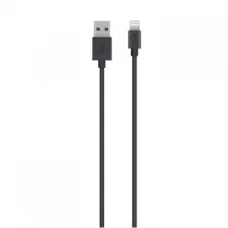
- Belkin Lightning cables
- Belkin charging cables
- Belkin wall chargers
- Belkin USB-C fast chargers
- Belkin wireless chargers
- Belkin MagSafe-compatible charging accessories
- Belkin power banks
- Belkin USB-C hubs
- Belkin docking stations
- Belkin HDMI adapters
- Belkin USB adapters
- Belkin Ethernet adapters
- Belkin display adapters
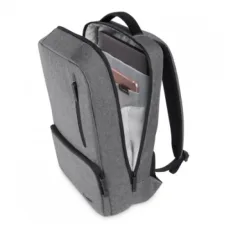
- Belkin laptop connectivity accessories
- Belkin mobile accessories
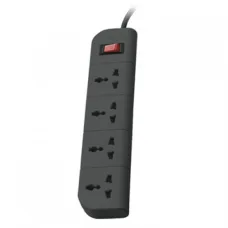
- Belkin power and surge protection products
- Belkin networking accessories
Belkin USB-C Cables
USB-C has become one of the most important connectivity standards for modern laptops, smartphones, tablets, monitors, power banks, and accessories. Belkin USB-C cables are useful for customers who want a dependable cable for charging, data transfer, or connecting compatible devices.
However, not every USB-C cable provides the same performance. Two cables may use the same USB-C connector while supporting very different charging power and data-transfer speeds. Before purchasing, customers should check the cable's supported power rating and data standard rather than choosing solely based on connector appearance.
Belkin Fast Chargers
A Belkin fast charger can be a convenient choice for smartphones, tablets, laptops, earbuds, and other rechargeable devices. The correct charger should be selected according to the power requirement and charging technology supported by the device.
A higher wattage charger does not automatically mean that every connected device will charge at that maximum wattage. The device, charger, cable, and charging protocol all influence the actual charging performance.
Belkin USB-C Charger
USB-C chargers are increasingly useful because a single charger can potentially serve multiple types of modern devices. Depending on the model, a Belkin USB-C charger may be suitable for smartphones, tablets, portable gaming devices, headphones, and compatible laptops.
When selecting a USB-C charger, pay attention to total wattage and the power available from each port. A multi-port charger may divide available power between connected devices, so customers who regularly charge several devices at once should check the power distribution carefully.
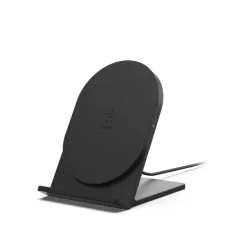
Belkin Wireless Charger
Wireless charging can reduce cable clutter and make everyday smartphone charging more convenient. Belkin offers charging solutions designed for compatible smartphones and other supported devices.
Wireless charging performance depends on the phone, charging standard, charger, alignment, case thickness, temperature, and power adapter. Customers using a protective case should confirm that the case and phone combination is suitable for the chosen wireless charger.
Belkin MagSafe Accessories
Magnetic charging and mounting accessories can be particularly useful for compatible Apple devices. Belkin offers products designed around magnetic attachment and wireless charging use cases, including desktop, bedside, and travel-oriented solutions.
Customers should check the exact phone model before purchasing because magnetic compatibility, charging capabilities, and accessory support can differ between generations.
Belkin USB-C Hub
A USB-C hub is one of the most useful accessories for modern laptops that have a limited number of physical ports. A Belkin USB-C hub can expand connectivity by providing additional USB ports and, depending on the model, display output, memory-card connectivity, Ethernet, and USB-C power input.
USB-C hubs are especially useful for thin laptops where manufacturers have reduced the number of traditional ports. A single hub can allow a user to connect a mouse, keyboard, external storage, monitor, memory card, and charging cable without repeatedly switching accessories.
Who Should Buy a Belkin USB-C Hub?
- Laptop users with limited USB ports
- Students connecting multiple classroom or project accessories
- Office workers using external monitors
- Content creators transferring files from SD cards
- Business users connecting wired Ethernet
- MacBook and compatible Windows laptop users
- Travellers who want one compact connectivity accessory
- Home-office users creating a simple desk setup
Belkin Docking Station
A docking station is more suitable than a basic hub when a laptop needs to operate as a complete desktop workstation. Depending on the model, a Belkin docking station may provide multiple USB connections, external display support, Ethernet networking, audio connectivity, memory-card access, and laptop charging through USB-C Power Delivery.
Before purchasing a docking station, check the laptop's USB-C or Thunderbolt capabilities. A connector that physically looks like USB-C does not necessarily support every display, charging, or high-speed feature offered by a dock.
Belkin HDMI Adapter
Belkin HDMI adapters are useful when a laptop, tablet, or other source device does not have the required display connector. They can help connect compatible computers to monitors, projectors, televisions, and other HDMI-equipped displays.
For high-resolution displays, customers should check the supported resolution, refresh rate, connection standard, and source-device capability. An adapter alone cannot increase the maximum display capability of a laptop or graphics system.
Belkin Ethernet Adapter
Modern slim laptops increasingly omit built-in Ethernet ports. A USB-to-Ethernet or USB-C-to-Ethernet adapter can provide wired network connectivity when Wi-Fi is unavailable or when a more stable wired connection is preferred.
Wired Ethernet can be useful for office work, large file transfers, online meetings, network troubleshooting, gaming, and situations where wireless connectivity is unreliable.
Belkin Accessories for Laptop Users
Laptop users can benefit from Belkin accessories when their computer needs additional connectivity, charging flexibility, or display support. A suitable combination might include a USB-C hub, high-quality charging cable, external display adapter, Ethernet adapter, or docking station.
The correct choice depends on how the laptop is used. A student who occasionally connects a USB drive needs much less than a professional who connects two displays, Ethernet, external storage, keyboard, mouse, and power every day.
Belkin Accessories for Students
Students often need practical accessories rather than complicated setups. A reliable charging cable, compact charger, USB-C hub, and display adapter can be useful for study, presentations, assignments, and everyday laptop use.
For students carrying accessories between university, home, and workspaces, compact designs can be more convenient because they reduce the number of separate adapters required.
Belkin Accessories for Office Users
Office users can benefit from Belkin connectivity accessories when building a cleaner workstation around a laptop. A docking station or USB-C hub can make it easier to connect a monitor, keyboard, mouse, Ethernet cable, external storage, and other peripherals.
For employees who regularly take their laptop between meetings and a desk, a docking station can also reduce the time required to reconnect multiple cables.
Belkin Accessories for MacBook Users
MacBook users often rely on USB-C or Thunderbolt connectivity for external displays, storage, charging, and accessories. Belkin hubs and docks can provide additional connection options where the laptop's built-in ports are insufficient.
Compatibility should always be checked against the exact MacBook generation and the intended peripherals. Display support is particularly important when planning to connect one or more external monitors.
Belkin Accessories for Windows Laptop Users
Windows laptop users can also use Belkin hubs, docks, chargers, cables, and adapters to expand their computers. Compatibility varies between laptop manufacturers and models, so customers should check the exact USB-C features supported by their laptop.
This is particularly important for video output because some USB-C ports support display output while others are intended primarily for data and charging.
Belkin Accessories for iPhone Users
Belkin offers a variety of accessories suitable for iPhone users, including charging products, wireless charging solutions, cables, power accessories, and magnetic mounting or charging products for compatible models.
When purchasing an iPhone accessory, check the exact iPhone generation and connector type. Older and newer iPhone models may use different physical connectors and charging capabilities.
Belkin Accessories for Android Users
Android users can find Belkin charging and connectivity accessories useful for USB-C smartphones, tablets, earbuds, power banks, and other compatible devices. Since Android devices vary considerably between manufacturers, customers should check the charging protocol and power requirements of their particular model.
Belkin for Home Use
Belkin accessories can help organise everyday home technology. A single charging area can be built around a suitable charger, charging cables, wireless charging products, and power accessories. For home-office users, a USB-C hub or docking station can simplify connections to monitors and peripherals.
Belkin for Business Use
Businesses can use Belkin accessories for laptop-based workstations, meeting rooms, presentations, charging areas, and employee desk setups. Standardising suitable hubs, docks, chargers, and adapters can make equipment deployment easier when employees use compatible laptop models.
For business purchasing, customers should consider not only the initial product cost but also compatibility, reliability, warranty support, replacement availability, and the number of devices that need to be supported.
How to Choose the Right Belkin Product
The best Belkin product is not necessarily the most expensive model. The right choice is the one that matches your device and intended use without paying for features you will never use.
- Identify the exact device model.
- Check the ports available on the device.
- Determine whether you need charging, data, video, networking, or several functions.
- Check required charging wattage.
- Check USB data-transfer requirements.
- Check display resolution and refresh-rate requirements.
- Check whether Ethernet connectivity is required.
- Consider cable length and portability.
- Check compatibility with your operating system and device generation.
- Confirm current price and stock before purchasing.
Belkin USB-C Hub vs Docking Station
| Feature | USB-C Hub | Docking Station |
|---|---|---|
| Portability | Usually compact and easy to carry | Generally designed for desk use |
| Number of Connections | Usually moderate | Usually higher |
| External Displays | Available on selected models | More workstation-oriented options |
| Ethernet | Available on selected models | Common on business-oriented models |
| Laptop Charging | Available on selected models | Common on suitable models |
| Best For | Travel and everyday expansion | Permanent or semi-permanent workstation |
Belkin Cable Buying Guide
Do not select a cable simply because the connector fits your device. Charging power and data-transfer performance are important factors.
For example, a USB-C cable may physically connect two devices while still being unsuitable for high-power laptop charging or high-speed file transfers. Customers should check the advertised capabilities of the exact cable before purchasing.
Belkin Charger Buying Guide
When choosing a charger, start with the device rather than the charger. Find out how much power the device can accept and which charging protocol it supports. Then select a compatible Belkin charger with sufficient capacity.
For customers charging several devices simultaneously, a multi-port charger may be more convenient. However, check whether its total power is shared across ports.
Common Mistakes When Buying Belkin Accessories
- Buying based only on the Belkin brand name without checking compatibility.
- Assuming every USB-C port supports video output.
- Assuming every USB-C cable supports the same speed.
- Ignoring charger wattage requirements.
- Choosing a hub without checking the required display resolution.
- Buying an adapter for the wrong connector.
- Ignoring the number of devices that need to be connected simultaneously.
- Forgetting to check whether a laptop supports the required docking features.
- Choosing a product based only on the number of ports.
- Not checking current availability before ordering.
Belkin Compatibility Guide
| Device | Potentially Useful Belkin Accessories | Important Check |
|---|---|---|
| Laptop | USB-C hub, dock, charger, cable, Ethernet adapter | USB-C capabilities and charging support |
| MacBook | Hub, dock, display adapter, charger | Exact model and display requirements |
| iPhone | Charger, wireless charger, cable, power bank | Exact generation and connector |
| Android Phone | USB-C charger, cable, wireless charger | Charging protocol and power requirement |
| Tablet | Charger, cable, hub, wireless accessories | Port and charging specifications |
| Gaming Device | Charger, hub, Ethernet adapter, cable | Power and connectivity requirements |
| Monitor | Display adapter, dock, cable | Input type and required resolution |
Belkin Build Quality and Durability
Belkin products are generally positioned as quality-oriented consumer technology accessories. However, product lifespan depends on the individual product, construction, usage pattern, environment, cable handling, heat exposure, and physical stress.
Charging cables normally experience more physical wear than stationary accessories because they are repeatedly bent, plugged in, unplugged, packed, and transported. Proper cable handling can significantly improve practical service life.
How to Make Your Belkin Accessories Last Longer
- Avoid sharply bending charging and data cables.
- Do not pull a cable from the cord when disconnecting it.
- Keep chargers away from excessive heat and moisture.
- Use suitable power sources.
- Keep USB and charging connectors clean.
- Do not force connectors into incompatible ports.
- Store portable hubs and adapters safely during travel.
- Avoid placing heavy objects on cables.
- Disconnect accessories carefully rather than twisting the connector.
Belkin Price in Jessore
Customers looking for Belkin products in Jessore can compare the available models according to their device requirements and budget. Availability may vary between product categories, so it is useful to confirm the exact model and current stock before visiting a showroom or placing an order.
For customers searching for Belkin products in Jashore, the same local purchasing intent may appear under both “Jessore” and “Jashore” searches. Customers can look for suitable Belkin chargers, cables, hubs, adapters, and other accessories based on their specific device requirements.
Belkin Products for Customers Across Bangladesh
Belkin accessories are suitable for customers throughout Bangladesh because many of the products are compact and easy to transport. Customers outside Jessore can choose the required model based on their device, connectivity needs, and budget and confirm delivery availability before ordering.
Before purchasing online, customers should verify the exact model, connector type, power rating, supported standards, warranty information, current price, and stock status.
Why Buy the Correct Belkin Model?
Accessories that appear similar can have significantly different capabilities. For example, two USB-C hubs may both contain USB ports while one additionally supports Ethernet and external displays. Similarly, two chargers may have different power outputs even though both use USB-C.
Choosing the correct model therefore matters more than simply choosing the Belkin brand. Customers should match the accessory to the actual task they need to perform.
Belkin for Work From Home
A laptop-based home office can become much easier to manage with the right connectivity accessories. A Belkin USB-C hub or docking station can potentially connect an external monitor, keyboard, mouse, Ethernet connection, storage device, and charging cable through a more organised workstation setup.
For users who frequently switch between portable laptop use and desk-based work, a dock can reduce the number of individual connections that need to be plugged and unplugged each day.
Belkin for Content Creators
Content creators may need fast access to external storage, memory cards, displays, cameras, and other peripherals. A suitable Belkin hub or dock can help provide the required ports, but creators should pay particular attention to data-transfer speeds when working with large video, photography, or project files.
Belkin for Gamers
Gamers can use suitable Belkin accessories for charging, wired networking, display connectivity, and connecting peripherals. For gaming-related purchases, customers should prioritise low-latency wired networking where appropriate, suitable display standards, reliable connections, and sufficient power delivery.
Belkin Search Terms Customers Commonly Use
- Belkin price in Bangladesh
- Belkin price in Jessore
- Belkin price in Jashore
- Belkin Bangladesh
- Belkin charger price in Bangladesh
- Belkin USB-C charger price
- Belkin USB-C cable price in Bangladesh
- Belkin USB-C hub price in Bangladesh
- Belkin docking station price in Bangladesh
- Belkin wireless charger price in Bangladesh
- Belkin power bank price in Bangladesh
- Belkin HDMI adapter price
- Belkin Ethernet adapter price
- Belkin laptop accessories
- Belkin mobile accessories
- Belkin accessories in Jessore
- Belkin accessories in Jashore
- Belkin shop in Jessore
- Belkin shop in Bangladesh
- Belkin products online Bangladesh
Frequently Asked Questions About Belkin
What is Belkin best known for?
Belkin is best known for technology accessories covering charging, cables, connectivity, USB-C hubs, docking solutions, wireless charging, power accessories, and other consumer electronics accessories.
Are Belkin USB-C cables all the same?
No. USB-C describes the connector shape, not the complete performance level. Different cables can support different charging capacities and data-transfer speeds.
Is Belkin suitable for laptop users?
Yes. Belkin offers accessories that can be useful for laptop charging, connectivity, external displays, Ethernet networking, USB peripherals, memory cards, and workstation setups.
Can I use a Belkin charger with an Android phone?
Many Belkin chargers are suitable for compatible Android devices, but the exact charging protocol, power requirement, cable, and phone model should be checked before purchasing.
Can I use Belkin accessories with a MacBook?
Many Belkin hubs, docks, chargers, cables, and display accessories are designed for compatible MacBook systems. The exact MacBook model and required features should be checked before purchase.
Which is better, a Belkin USB-C hub or docking station?
A USB-C hub is usually better for portability and basic connectivity expansion, while a docking station is more suitable for a permanent workstation with multiple peripherals and displays.
How do I choose a Belkin charger?
Check the device's required charging power and supported charging protocol first. Then select a Belkin charger that provides sufficient compatible power for your device.
How do I choose a Belkin USB-C hub?
List the ports you actually need, such as HDMI, USB, Ethernet, SD card, and USB-C Power Delivery. Then check whether your laptop supports the required functions through its USB-C port.
Are Belkin products good for everyday use?
Belkin products are designed for everyday consumer and professional accessory use, but actual durability depends on the particular product and how it is handled.
Where can I buy Belkin products in Bangladesh?
Belkin products can be purchased through technology retailers and online computer stores in Bangladesh. Customers should compare the exact model, current price, availability, and warranty or support terms before buying.
Belkin Buying Advice for Unix Network Customers
If you are buying a Belkin product from Unix Network, start by identifying the exact device you want to connect, charge, or expand. This makes it easier to select the correct Belkin model instead of purchasing an accessory that only partially meets your requirements.
For laptop users, check the laptop model and available ports before choosing a hub or docking station. For smartphone users, check the phone generation, connector, charging capability, and wireless charging compatibility. For chargers and cables, check power requirements and supported standards. For display accessories, check the required resolution and refresh rate.
Unix Network serves customers in Jessore and Jashore while also catering to customers across Bangladesh. Before ordering, customers should confirm the latest Belkin price, product availability, exact model, compatibility, and applicable warranty or service information.
Final Guide to Buying Belkin in Bangladesh
Belkin is a practical choice for customers looking for dependable technology accessories covering charging, cables, USB-C connectivity, wireless charging, laptop expansion, display connections, networking, and workstation accessories. The wide range of products means there is no single “best Belkin product” for everyone.
The best purchase is the model that matches your device and actual requirements. Check connector type, charging power, data speed, display support, port selection, compatibility, portability, and current availability before buying. A small amount of research before purchase can help you avoid compatibility problems and ensure that the accessory provides the functionality you actually need.