
Bitfenix
Showing 1 to 9 of 9 (1 Pages)


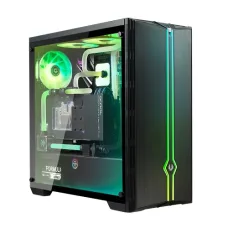
Bitfenix Saber Gaming Case
৳6,800


BitFenix is a PC hardware and gaming accessories brand best known for computer cases, PC cooling solutions, power supplies, fans, and accessories designed for desktop computer builders. The brand is particularly relevant for customers who want to build a clean-looking gaming PC, upgrade an existing desktop, improve airflow, or organise internal components more effectively.
For customers buying BitFenix products in Bangladesh, the most important consideration is not simply the brand name. The right BitFenix product should match the rest of the computer, including motherboard size, graphics card dimensions, CPU cooler height, power supply format, radiator requirements, storage devices, airflow requirements, and available space.
BitFenix Price in Bangladesh
BitFenix product prices in Bangladesh depend on the exact model, product category, specifications, availability, warranty, and current market conditions. PC cases, cooling products, power supplies, and accessories can have significantly different prices, so customers should check the exact model before comparing prices.
| BitFenix Product Category | Typical Use | Best For | Price Information |
|---|---|---|---|
| BitFenix PC Case | Housing desktop components | Gaming and custom PC builds | Depends on model and size |
| BitFenix Gaming Case | Performance PC building | Gamers and enthusiasts | Depends on model |
| BitFenix PC Fan | Case ventilation | Improving airflow and cooling | Depends on size and model |
| BitFenix CPU Cooler | Processor cooling | Performance desktop systems | Depends on cooler type |
| BitFenix Power Supply | PC power delivery | Desktop and gaming PCs | Depends on wattage and model |
| BitFenix PC Accessories | PC installation and customisation | PC builders and enthusiasts | Depends on product |
Why Choose BitFenix?
BitFenix is a practical option for customers who care about the physical design, airflow, component compatibility, and overall appearance of a desktop computer. Its products can be useful when creating a gaming setup where internal hardware needs enough room for cooling and future upgrades.
- PC cases for different desktop configurations.
- Gaming-oriented case designs.
- Cooling and airflow products.
- Power supply options for compatible PC builds.
- Accessories for custom PC builders.
- Products suitable for upgrading and maintaining desktop computers.
BitFenix PC Case in Bangladesh
A BitFenix PC case can be a good starting point for a custom desktop build. The case affects component compatibility, airflow, cable management, cooling options, storage installation, and the final appearance of the computer.
Before buying a case, customers should check the motherboard form factor, graphics card length, CPU cooler clearance, power supply size, radiator support, storage requirements, front and rear I/O, and available fan mounting positions.
Who Is a BitFenix PC Case Best For?
BitFenix cases can be suitable for gamers, PC enthusiasts, students building performance computers, content creators, office users who want a custom desktop, and customers upgrading an existing PC. The best model depends on the hardware being installed.
A customer building a basic office computer may not need a large gaming case. On the other hand, a gaming PC with a large graphics card, tower CPU cooler, multiple storage drives, and several fans may benefit from a larger case with better internal clearance.
BitFenix Gaming PC Case
A gaming PC case should provide sufficient room for the graphics card, CPU cooler, motherboard, power supply, storage devices, and cooling fans. It should also provide practical cable-management space so that cables do not unnecessarily obstruct airflow.
Customers should avoid choosing a gaming case based only on RGB lighting or exterior design. A visually attractive case is useful, but internal compatibility and cooling are much more important for a reliable gaming computer.
How to Choose the Right BitFenix Case
- Check your motherboard form factor.
- Measure the graphics card before purchasing the case.
- Check CPU cooler height clearance.
- Confirm power supply compatibility.
- Check radiator support if using liquid cooling.
- Check how many fans can be installed.
- Consider front, top and rear airflow.
- Check the number of required storage bays.
- Consider cable-management space.
- Check front-panel USB and audio connectivity.
- Consider future component upgrades.
- Measure the available desk or floor space.
BitFenix Case for Gaming
Gaming systems often generate more heat than basic office computers because the processor and graphics card can operate at high loads for extended periods. A case with appropriate ventilation and fan support can therefore be an important part of the overall system design.
When selecting a BitFenix gaming case, consider where cool air enters the case and where warm air exits. A balanced airflow arrangement is generally more useful than simply installing the maximum possible number of fans.
BitFenix Case for Office PC
An office computer usually has lower cooling requirements than a high-performance gaming PC. Customers can therefore prioritise compact dimensions, easy maintenance, quiet operation, front-panel connectivity, and convenient access to components.
If the computer will be used for accounting software, web browsing, Microsoft Office, business applications, programming, or general productivity, there may be little benefit in spending extra money on features designed primarily for enthusiast gaming builds.
BitFenix Case for Content Creation
Content creation systems can require powerful processors, dedicated graphics cards, large amounts of RAM, and multiple storage drives. A suitable case should provide enough physical space and cooling support for these components.
Video editors and other creators should pay particular attention to storage expansion. A case with convenient drive installation and sufficient cooling can be more useful than one selected purely for its external appearance.
BitFenix PC Fan
BitFenix cooling fans can be used to improve airflow through a desktop case. Case fans help move air through the system, allowing cool air to enter while helping heated air leave the enclosure.
Before purchasing additional fans, customers should check the supported fan size and mounting positions of their case. Installing several fans without considering airflow direction can produce less effective cooling than a properly planned setup.
How Many Case Fans Do You Need?
The required number of fans depends on the PC components, case design, processor and graphics card, ambient temperature, and workload. A simple office computer may need only modest airflow, while a powerful gaming or workstation PC may benefit from a more comprehensive cooling arrangement.
Instead of automatically purchasing the maximum number of fans, customers should first identify the existing case fan positions and determine whether additional airflow is actually necessary.
BitFenix Airflow Guide
Good airflow normally requires a sensible relationship between intake and exhaust positions. Cool air should be able to enter the case, travel through the component area, and leave after absorbing heat.
- Keep front and bottom intake areas unobstructed where applicable.
- Use rear or top positions for exhaust where supported.
- Keep dust filters reasonably clean.
- Avoid blocking fan blades with unnecessary cables.
- Do not place the PC directly against a wall if it restricts ventilation.
- Check temperatures after changing the fan configuration.
BitFenix CPU Cooling
CPU cooling is important when building a performance desktop. The correct cooler depends on processor power consumption, socket compatibility, case clearance, workload, ambient temperature, and desired noise level.
Customers should verify CPU socket compatibility before purchasing a cooler. They should also check whether the cooler physically fits inside the selected BitFenix case.
BitFenix Power Supply
The power supply is one of the most important components in a desktop computer because it provides electrical power to the motherboard, processor, graphics card, drives, fans, and other components.
When selecting a BitFenix power supply, customers should consider total system power consumption, graphics card requirements, required power connectors, efficiency, PSU dimensions, warranty, and future upgrade plans.
How Much PSU Wattage Do You Need?
There is no single wattage that is suitable for every computer. A basic integrated-graphics office PC may require considerably less power than a gaming system with a high-performance dedicated graphics card.
Customers should calculate or estimate the power requirements of the complete system and allow reasonable headroom. The graphics card manufacturer's recommended PSU capacity can also be a useful reference, but the complete system configuration should be considered.
BitFenix and Gaming Graphics Cards
Large graphics cards can create compatibility problems if the PC case does not provide enough clearance. Before buying a BitFenix case, customers should compare the maximum supported graphics card length with the exact graphics card model they intend to install.
Customers using a graphics card with a large heatsink or multiple fans should also consider how the card interacts with front-mounted radiators, fans, storage cages, and other internal components.
BitFenix and Liquid Cooling
Customers considering an all-in-one liquid CPU cooler should check radiator compatibility before selecting a case. Radiator size, mounting position, radiator thickness, fan thickness, motherboard clearance, and RAM clearance can all affect installation.
A larger radiator is not automatically the best solution for every PC. The cooler should match the processor and case while maintaining a practical balance between performance, noise, cost, and installation complexity.
BitFenix Cable Management
Good cable management can make a computer easier to maintain and can help keep airflow paths clear. A case with adequate space behind the motherboard tray can make power and data cables easier to organise.
Customers building a PC should route cables according to the case's available channels instead of forcing thick cables through narrow spaces. This can also make future upgrades easier.
BitFenix PC Case Size Guide
| Case Type | Typical Use | Important Consideration |
|---|---|---|
| Compact Case | Small desktop systems | Limited component clearance |
| Mid-Tower Case | General and gaming PCs | Good balance of space and size |
| Large Tower Case | High-performance systems | More expansion and cooling space |
| Specialised Case | Specific PC configurations | Requires careful compatibility checking |
BitFenix for Students
Students building a desktop for programming, study, browsing, online classes, graphic design, or gaming can consider a BitFenix case or cooling solution as part of a balanced PC configuration.
For a student PC, the budget should generally be distributed according to actual performance needs. Spending too much on the case while using an underpowered processor or insufficient RAM does not produce a balanced computer.
BitFenix for PC Enthusiasts
PC enthusiasts often care about internal component visibility, cable management, cooling, customisation, expansion, and appearance. BitFenix products can be considered when these factors are important to the build.
Enthusiasts should still prioritise compatibility. A case with attractive design is not a good purchase if it cannot comfortably accommodate the planned graphics card, cooling system, motherboard, or power supply.
BitFenix for Custom Gaming Builds
A custom gaming build should be planned before buying individual components. Start by identifying the processor and graphics card, then select the motherboard, RAM, storage, power supply, cooling system, and case around those requirements.
This approach helps prevent common problems such as a graphics card being too long, a CPU cooler being too tall, insufficient power connectors, or a radiator conflicting with memory or motherboard components.
Common BitFenix Buying Mistakes
- Choosing a case without checking motherboard compatibility.
- Ignoring graphics card length.
- Forgetting CPU cooler height clearance.
- Buying a PSU without checking required connectors.
- Installing fans without planning airflow direction.
- Ignoring radiator compatibility when using liquid cooling.
- Choosing a case that is too small for future upgrades.
- Focusing only on RGB lighting and exterior appearance.
- Ignoring cable-management space.
- Buying more cooling hardware than the PC actually requires.
How Long Can a BitFenix PC Case Last?
A PC case can remain usable for many years because its usefulness is not directly tied to processor or graphics performance. A well-maintained case can often be reused across several generations of computer hardware if the dimensions and connectivity remain suitable.
Fans and other moving components may eventually require replacement, while dust filters and ventilation areas need regular cleaning. The case itself can continue to be useful even after the original computer components have been upgraded.
BitFenix PC Case Maintenance
Regular maintenance helps keep a desktop computer operating properly. Customers should periodically remove accumulated dust from ventilation areas, clean filters where applicable, inspect fans, and make sure that airflow openings remain unobstructed.
When cleaning a PC, turn the system off and disconnect power before working inside the case. Avoid damaging fans or internal components during cleaning.
BitFenix for Bangladesh Climate
Bangladesh's warm and humid environment makes sensible PC airflow particularly important for high-load computers. Room temperature, dust, ventilation, and PC placement can all affect component temperatures.
Customers using a gaming PC for several hours at a time should pay attention to processor and graphics temperatures rather than assuming that a large number of fans automatically guarantees good cooling.
BitFenix Price in Jessore
Customers searching for BitFenix products in Jessore may find different prices depending on the model, availability, warranty, and current supplier stock. PC hardware pricing can change, so the current model and price should be confirmed before purchasing.
Unix Network customers in Jessore can compare suitable cases, cooling products, power supplies, and other PC components according to their complete system requirements. Customers from other parts of Bangladesh can also check current availability and delivery options.
Buying BitFenix Products in Bangladesh
When buying BitFenix hardware in Bangladesh, customers should compare the exact model number rather than relying only on the product family name. Two cases from the same brand can have very different internal dimensions, cooling support, and component compatibility.
Warranty and after-sales support should also be considered. For expensive PC components, a small difference in purchase price may be less important than reliable warranty support and correct compatibility.
BitFenix vs Other PC Case Brands
When comparing BitFenix with another PC case brand, compare the specific models rather than judging only by brand reputation. Important factors include build quality, internal space, airflow design, fan support, radiator compatibility, cable management, dust filtration, front-panel connectivity, appearance, price, and warranty.
A simple case can be the better option for an office PC, while a larger airflow-focused case may be more appropriate for a gaming workstation with a powerful graphics card and multiple cooling components.
What Should You Search for Before Buying BitFenix?
- BitFenix price in Bangladesh
- BitFenix PC case price in Bangladesh
- BitFenix gaming case price
- BitFenix case price in Jessore
- BitFenix case price in Jashore
- BitFenix gaming PC case
- BitFenix computer case Bangladesh
- BitFenix PC fan price
- BitFenix power supply Bangladesh
- BitFenix CPU cooler
- BitFenix PC accessories
- BitFenix case for gaming PC
Frequently Asked Questions About BitFenix
Customers often ask whether BitFenix cases are suitable for gaming. The answer depends on the exact model and the hardware being installed. A suitable BitFenix case can be used for a gaming PC when it provides sufficient graphics card clearance, CPU cooler clearance, airflow, power supply compatibility, and cooling support.
Another common question is whether any motherboard can be installed in a BitFenix case. Compatibility depends on the case's supported motherboard form factors. Customers should check the exact case specification before purchasing.
Customers also ask whether additional fans are necessary. Additional fans are useful when the existing cooling configuration does not provide sufficient airflow. The required number depends on the case and PC components, so buying fans without checking the case first is not recommended.
Is BitFenix Good for Gaming?
BitFenix can be considered for gaming PC builds when the selected case, cooling, and power products meet the requirements of the complete system. Gaming performance itself comes primarily from the processor, graphics card, RAM, and storage, while the case and cooling system help provide an appropriate environment for those components.
Is BitFenix Good for Office PCs?
Yes, a suitable BitFenix case can be used for an office computer. Office users should generally focus on practical size, ventilation, ease of maintenance, front-panel connectivity, noise, and price rather than paying for unnecessary enthusiast features.
Is a BitFenix Case Worth Buying?
A BitFenix case can be a worthwhile purchase when its dimensions, airflow, component compatibility, cooling support, and features match the customer's requirements. The best case is not necessarily the most expensive or visually impressive model; it is the one that properly accommodates the components and provides a practical environment for the computer.
Final Buying Advice for BitFenix
Before purchasing a BitFenix product, identify the exact PC components you already have or plan to buy. For a case, check the motherboard size, graphics card length, CPU cooler height, power supply size, storage requirements, fan positions, radiator support, and available desk space.
For cooling products, check socket compatibility, fan or radiator size, mounting support, airflow requirements, and noise expectations. For power supplies, check total system power consumption, connectors, efficiency, and future upgrade requirements.
For customers in Jessore and throughout Bangladesh, Unix Network can help compare BitFenix and related PC components according to actual usage, compatibility, budget, warranty, and current availability. A properly matched collection of components will usually provide better long-term value than selecting individual products based only on price or appearance.