
-3%৳52 Cashback
Havit HV-ND97 720P HD Webcam
৳2,619৳2,700
Ends in --:--:--
Showing 1 to 12 of 12 (1 Pages)
৳2,619৳2,700
Ends in --:--:--

৳3,104৳3,200
Ends in --:--:--

৳2,716৳2,800
Ends in --:--:--
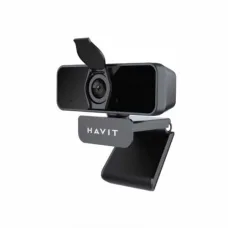
৳1,940৳2,000
Ends in --:--:--

Ends in --:--:--
Ends in --:--:--

Ends in --:--:--
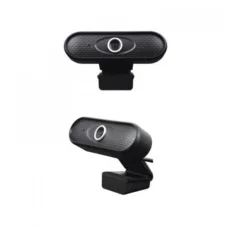
৳1,940৳2,000
Ends in --:--:--
৳1,358৳1,400
Ends in --:--:--

৳3,007৳3,100
Ends in --:--:--
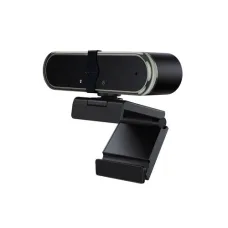
৳2,134৳2,200
Ends in --:--:--
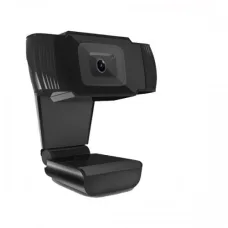
৳2,328৳2,400
Ends in --:--:--
These are the latest in-stock Havit Webcam at Unix Network, with the current price in Bangladesh. Open a model for specifications.
Looking for the latest Havit Webcam price in Bangladesh? Unix Network offers webcam solutions for video calls, online classes, remote work, live streaming, content creation, gaming, meetings, interviews, and everyday computer use.
A webcam is an important computer accessory for anyone who regularly uses video conferencing applications, attends online classes, works remotely, communicates with customers or colleagues, or creates video content. Havit webcams are designed to provide an easy way to add or improve camera functionality on a desktop computer or laptop.
When choosing a webcam, don't consider resolution alone. Image quality also depends on the sensor, lens, autofocus capability, frame rate, exposure handling, microphone quality, field of view, lighting conditions, mounting system, USB connectivity, and software compatibility.
| Havit Webcam Type | Best For | Important Features to Consider |
|---|---|---|
| Basic Havit Webcam | Video Calls & Online Classes | HD Video, USB Connection, Built-in Microphone |
| Havit Full HD Webcam | Meetings & Remote Work | 1080p Video, Microphone, Flexible Mount |
| Havit Streaming Webcam | Live Streaming & Content Creation | High Resolution, Frame Rate, Image Quality |
| HavitGaming Webcam | Gaming & Streaming | Clear Video, USB Connectivity, Mounting Options |
| Havit Autofocus Webcam | Professional Video Calls | Autofocus, Image Clarity, Wide View |
Price note: Webcam prices can change depending on the exact model, resolution, features, warranty, stock availability, and market conditions. Confirm the exact model and current price before purchasing.
A Havit webcam is a USB camera designed to capture video and, depending on the model, audio through a built-in microphone.
It can be connected to a laptop, desktop computer, monitor, or another compatible device for applications such as video conferencing, online education, streaming, recording, and communication.
A Havit webcam can be a convenient camera solution for desktop PC users who do not have a built-in webcam.
Connect the webcam to a compatible USB port and position it on top of your monitor or another stable location.
Before purchasing, check your computer's operating system and available USB connectivity.
Laptops normally include an integrated webcam, but an external Havit webcam can provide a different camera position or potentially better image quality depending on the model.
An external webcam can also be useful when the built-in camera is damaged, produces poor-quality video, or is positioned inconveniently for your workspace.
Students attending online classes need a webcam that provides clear and stable video without requiring complicated setup.
A suitable Havit webcam can be used with common video-conferencing and classroom applications.
For online classes, prioritize:
An external webcam can be useful for professional and personal video meetings.
When using a webcam for meetings, image resolution is only one part of the experience. Camera placement, lighting, microphone quality, background, and internet connection also affect the quality of a video call.
A Havit USB webcam can be used for compatible Google Meet setups when the operating system and browser recognize the camera correctly.
After connecting the webcam, select it as the camera source in the application's video settings if it is not automatically selected.
A compatible Havit webcam can be used for Microsoft Teams meetings and calls.
For business meetings, consider a webcam with clear video, a suitable field of view, stable mounting, and a microphone that works well in your environment.
External webcams can be useful for desktop-based live streaming and video content.
Streaming quality depends on the webcam, computer hardware, lighting, internet connection, streaming software, and platform settings.
Content creators can use a webcam for tutorials, presentations, reaction videos, live broadcasts, educational content, and other camera-based videos.
For YouTube creators, consider image quality, frame rate, autofocus, field of view, lighting, microphone quality, and the ability to position the camera correctly.
A webcam can be an important part of a gaming streaming setup.
Gamers often use webcams to show their face while streaming gameplay on platforms such as YouTube and other streaming services.
For gaming and streaming, look for:
A streaming webcam should provide consistent video quality during long sessions.
However, even a high-quality webcam cannot compensate for poor lighting. A simple front-facing light can often improve the appearance of webcam video significantly.
Remote workers can use an external webcam for daily meetings, interviews, presentations, customer communication, and collaboration.
A webcam positioned at approximately eye level can provide a more natural-looking video angle than a laptop placed on a low desk.
For business use, reliability and clear communication are often more important than unnecessary features.
Consider image clarity, microphone quality, field of view, mounting stability, and compatibility with your preferred meeting software.
A webcam can be useful for online job interviews and professional meetings.
For interviews, position the webcam at eye level, use adequate front lighting, keep the camera lens clean, and test both video and microphone before the interview begins.
Webcams are commonly advertised using video resolutions such as HD and Full HD.
| Resolution | Typical Use |
|---|---|
| HD | Online Classes, Basic Calls & Meetings |
| Full HD 1080p | Professional Meetings, Streaming & Content Creation |
| Higher Resolution | Specialized Content Creation & Detailed Video |
Higher resolution can provide more detail, but image quality also depends on the sensor, lens, lighting, compression, frame rate, and software.
A 1080p webcam can be a strong choice for users who want sharper video than basic HD webcams.
It can be suitable for:
An HD webcam can be a practical option for customers who primarily need a camera for online classes, video calls, basic meetings, and communication.
If you don't need high-detail video, an HD webcam can provide a simple and economical solution.
Frame rate determines how many individual frames are captured or displayed per second.
A higher frame rate can make motion appear smoother, which can be useful for streaming and moving subjects.
However, frame rate should be considered together with resolution and lighting rather than evaluated separately.
Autofocus allows the camera to adjust focus automatically as the subject or distance changes.
This can be useful for content creators, presenters, teachers, and users who move around during video calls.
For a person who remains seated at a fixed distance, autofocus may be less important.
Fixed-focus webcams can be suitable for users who normally remain at a consistent distance from the camera.
They can provide a simple solution for video calls, online classes, and basic desktop communication.
The field of view (FOV) determines how much of the scene the camera can capture.
A very wide field of view may show more of the background than you want, so choose according to your environment.
Many webcams include built-in microphones for video calls.
A built-in webcam microphone can be convenient for meetings and online classes, but dedicated microphones or headsets can provide better audio quality in many situations.
If audio quality is important for streaming, podcasting, teaching, or professional content creation, consider using a dedicated microphone.
A webcam with a built-in microphone provides an all-in-one solution for video communication.
This can be especially convenient for users who do not want to purchase a separate microphone for basic meetings and online classes.
Webcam image quality can decrease significantly in poorly lit environments.
For better results:
Good lighting can make a major difference even when using the same webcam.
USB connectivity makes external webcams convenient for desktop and laptop users.
Depending on the model, a webcam may use a particular USB connector and may require a suitable USB port or adapter.
Check the connector type and cable length before purchasing.
Many modern USB webcams are designed to work with standard operating-system camera drivers.
After connecting the webcam, the computer may automatically detect it. Some applications may still require you to manually select the webcam from their camera settings.
A good mounting system helps keep the camera stable during video calls and recording.
Common placement options include:
Always check the specific webcam's mounting design before purchasing.
Webcam privacy is important for home and office users.
When you are not using the camera, you can disable camera access through your operating system or application settings. A physical privacy cover can also be useful if supported or added separately.
Never rely solely on software indicators for privacy if your work environment requires stronger physical privacy measures.
For basic video calls, HD may be sufficient. For sharper meetings, streaming, and content creation, Full HD can be a better choice.
If you stream gaming or capture moving subjects, consider the supported frame rate.
Autofocus is useful when you move toward or away from the camera.
If you don't have a headset or separate microphone, a webcam with a built-in microphone can be convenient.
Select a suitable FOV based on whether you want to show only yourself or a wider area.
Even an excellent webcam performs poorly in unsuitable lighting. Plan your lighting setup as part of your purchase.
Make sure the webcam is compatible with your computer, operating system, USB ports, and intended applications.
Choose a mounting system that works with your monitor, laptop, or desk.
A longer USB cable can be useful for desktop setups where the computer is positioned away from the monitor.
Confirm the warranty and support options before purchasing.
| User Type | Recommended Characteristics |
|---|---|
| Student | HD/Full HD, Built-in Mic, Easy USB Setup |
| Office User | Full HD, Clear Video, Good Microphone |
| Remote Worker | Full HD, Good Image Quality, Stable Mount |
| Gamer | Full HD, Suitable Frame Rate, Good Mount |
| Streamer | Good Resolution, Frame Rate, Autofocus |
| YouTuber | Good Image Quality, Autofocus, Suitable FOV |
| Online Teacher | Clear Video, Microphone, Wide Enough View |
| Business User | Reliable Video, Good Audio, Stable Mount |
| Interview | Clear Video, Good Lighting Performance, Autofocus |
| Feature | External Webcam | Built-in Laptop Camera |
|---|---|---|
| Portability | Good | Excellent |
| Position Adjustment | Flexible | Limited |
| Desktop PC Use | Yes | No |
| Upgrade Flexibility | High | Low |
| Installation | USB Connection | Already Installed |
If your desktop computer does not have a built-in camera, an external USB webcam is one of the simplest ways to add video functionality.
This makes it useful for Zoom, Google Meet, Microsoft Teams, online classes, interviews, streaming, and other camera-based applications.
Content creators can use a webcam for tutorials, live streaming, educational videos, product demonstrations, presentations, and social-media content.
For serious video production, a dedicated camera may provide greater control over image quality, but a webcam is often simpler and more convenient for desk-based content.
Online businesses can use webcams for customer meetings, remote interviews, product demonstrations, training, consultations, and team communication.
A clean background, good lighting, clear audio, and stable camera position can make a greater difference to professionalism than resolution alone.
Check the USB connection and try another compatible USB port. Restart the computer if necessary and verify whether the operating system recognizes the camera.
Open Zoom's video settings and select the correct webcam. Also make sure another application is not exclusively using the camera.
Check browser camera permissions and make sure the correct webcam is selected in the meeting settings.
Clean the lens, check the focus, improve lighting, and make sure the subject is within the webcam's appropriate focus range.
Improve the lighting in front of the subject and avoid placing a bright light source directly behind you.
Check the application's microphone settings, operating-system privacy permissions, and selected input device.
Video lag can be caused by the computer, USB connection, application, network connection, or system workload. Close unnecessary applications and check your network if the problem occurs during online meetings.
Check whether another application is using the camera. Also verify camera permissions and try reconnecting the USB device.
Try another USB port, inspect the cable connection, and check whether USB power-management settings are affecting the device.
If you are searching for Havit Webcam price in Jessore, Unix Network can help you choose a suitable webcam for online classes, office meetings, remote work, gaming, streaming, interviews, and content creation.
Before visiting the showroom, confirm the exact model, current price, warranty, and stock availability.
When buying a Havit webcam online, compare the complete feature set rather than choosing solely based on resolution.
Check:
Unix Network helps customers choose computer accessories according to their requirements, computer setup, workload, and budget.
The price depends on the exact Havit webcam model, resolution, features, warranty, stock, and current market conditions.
Havit offers computer accessories in different configurations. Whether a particular webcam is suitable depends on its image quality, microphone, resolution, frame rate, compatibility, and your intended use.
The best webcam depends on your purpose. For basic calls and classes, an HD model may be sufficient. For professional meetings, streaming, and content creation, a suitable Full HD model can be preferable.
Yes. A 1080p webcam can provide detailed video for meetings, although the actual quality also depends on lighting, internet bandwidth, application settings, and the video platform.
Yes, a compatible USB Havit webcam can be used with a laptop that has a suitable USB connection.
Yes. An external USB webcam is particularly useful for desktop computers without a built-in camera.
Microphone availability depends on the exact model. Check the individual product listing before purchasing.
Yes. A compatible webcam can be used for gaming streams, video calls, and face-cam content.
Yes. Webcams can be used for live streams, tutorials, presentations, reactions, and other desk-based content.
Yes. A suitable Havit webcam can provide video for online classes and virtual learning platforms.
Many USB webcams are designed for simple installation, but your operating system or application may require you to select the webcam manually.
Clean the lens, improve lighting, check focus, and make sure you are within the webcam's appropriate focus range.
Insufficient lighting is a common cause. Place a light source in front of your face rather than directly behind you.
The webcam can normally be mounted on a compatible monitor while connecting its USB cable to the computer. Whether a monitor's own USB ports can operate the webcam depends on the monitor's USB connectivity and setup.
Yes. If the webcam's microphone is unavailable or unsuitable, you can use a separate headset or microphone for audio.
Check current availability from computer accessory retailers and confirm the exact model, price, warranty, and stock before ordering.
Customers searching for Havit Webcams in Jessore can check Unix Network's current stock and confirm availability before visiting the showroom.
Choosing the right Havit Webcam depends on how you plan to use it. Students may prioritize affordability and easy USB installation, office users may want clear video and reliable audio, while streamers and content creators may need better resolution, frame rate, autofocus, and field of view.
Remember that webcam quality is not determined by resolution alone. Good lighting, correct camera placement, clean lenses, stable mounting, a suitable microphone, and a reliable internet connection can significantly improve your video-call experience.
If you are searching for Havit Webcam price in Bangladesh, Havit Webcam price in Jessore, Havit Webcam for PC, Havit Webcam for Laptop, Havit HD Webcam, Havit 1080p Webcam, Havit Full HD Webcam, Havit USB Webcam, Havit Webcam with Microphone, HavitGaming Webcam, Havit Streaming Webcam, Havit Webcam for Zoom, Havit Webcam for Google Meet, Havit Webcam for Online Classes, Havit Webcam for YouTube, Havit Webcam for Live Streaming, Havit Webcam for Remote Work, or Havit Webcam for Video Calls, Unix Network can help you find a suitable webcam for your computer setup and budget.