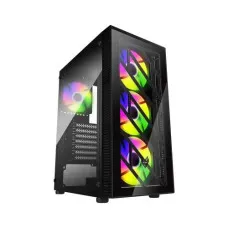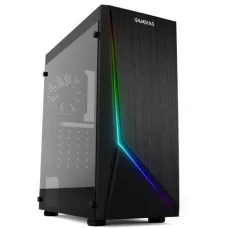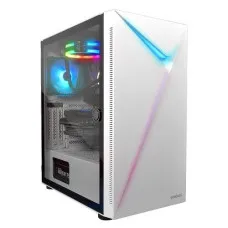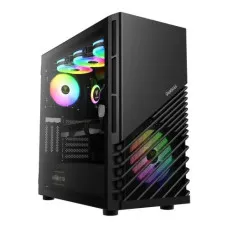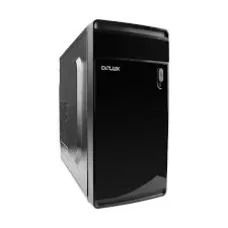
DELUX ATX THERMAL CASING
৳2,500
Showing 166 to 180 of 471 (32 Pages)
৳2,500
৳1,200
A computer casing, also known as a PC case or computer case, is the enclosure that houses the motherboard, processor, graphics card, power supply, storage drives, cooling components, and other internal hardware. The computer casing price in Bangladesh varies depending on size, build quality, material, airflow design, included fans, RGB lighting, front-panel connectivity, and compatibility with different PC components.
For customers building a new desktop PC, upgrading an existing computer, or assembling a gaming PC, choosing the right casing is important for both component compatibility and cooling performance. A good computer casing should provide enough internal space, suitable airflow, convenient cable management, and compatibility with the motherboard and other components.
If you are planning to buy a computer casing in Bangladesh, do not choose a case based only on appearance. Before purchasing, check motherboard compatibility, graphics card length, CPU cooler height, power supply size, radiator support, storage bays, fan support, and front-panel ports.
For a budget office PC, a simple airflow-focused casing may be sufficient. Gaming and performance-oriented computers generally benefit from a larger case with better ventilation and multiple fan mounting positions.
A computer casing is the physical enclosure that protects and organizes the internal components of a desktop computer. It provides mounting locations for the motherboard, power supply, storage devices, cooling fans, and other hardware.
The casing also plays an important role in airflow. Cool air enters through intake areas, passes over heat-producing components, and is expelled through exhaust fans or ventilation openings.
Full tower cases are large computer cases designed for high-end systems and builds requiring substantial internal space. They can accommodate larger motherboards, multiple graphics cards in compatible configurations, numerous storage drives, and larger cooling systems depending on the model.
Full tower casing is generally suitable for workstation PCs, enthusiast gaming PCs, high-performance builds, and systems that require extensive expansion.
Mid tower casing is one of the most popular choices for desktop computers. It provides a practical balance between internal space, component compatibility, airflow, and physical size.
A mid tower case is suitable for many office PCs, home computers, gaming PCs, and workstation builds.
Mini tower cases are smaller than standard mid tower cases and are designed for compact desktop systems. They are useful when desk or floor space is limited, although component compatibility should be checked carefully before purchasing.
Mini ITX cases are designed for compact systems using Mini-ITX motherboards. These cases can create small and attractive PCs but often require careful selection of the graphics card, CPU cooler, power supply, and storage devices.
Micro ATX cases are designed for Micro ATX and, depending on the model, smaller motherboard formats. They can be a good choice for budget desktops, home computers, and compact gaming systems.
Gaming cases are designed with gaming hardware and cooling requirements in mind. They commonly include tempered glass panels, multiple fan mounting locations, RGB lighting support, mesh front panels, and improved cable-management space.
Office-oriented computer cases generally focus on practicality, easy maintenance, compact dimensions, and sufficient ventilation rather than decorative features. They are suitable for business computers, accounting systems, educational PCs, and general productivity machines.
RGB computer cases include integrated or supported RGB lighting that can be synchronized with compatible components. RGB lighting is primarily an aesthetic feature and does not directly increase computer performance.
Tempered glass computer cases allow users to view internal PC components. They are particularly popular for gaming PCs and showcase builds where RGB lighting and component appearance are important.
Mesh cases use ventilated panels to improve airflow. They are a popular choice for gaming and high-performance PCs because better airflow can help remove heat from the internal components.
ATX cases are designed to accommodate standard ATX motherboards and are widely used for desktop and gaming computers. Always check the specific case specifications because additional motherboard formats may also be supported.
Micro ATX cases are designed for smaller motherboards and can provide a more compact alternative to standard ATX cases.
Mini ITX cases are designed for compact Mini ITX systems. Their smaller internal volume makes component compatibility particularly important.
Airflow is one of the most important characteristics of a computer casing. Good airflow helps move heat away from the CPU, GPU, motherboard, storage devices, and power supply.
Front intake fans draw cooler air into the case. A ventilated front panel can help improve airflow, particularly in systems with powerful processors and graphics cards.
A rear exhaust fan helps remove warm air from inside the case. It is commonly used together with front or bottom intake fans.
Because warm air naturally rises, top-mounted exhaust fans can help remove heated air from the upper section of the case.
Some cases support bottom-mounted intake fans. These can provide additional airflow to the graphics card and other components, depending on the case design.
Before installing a large CPU air cooler, check the maximum CPU cooler height supported by the case. High-performance tower coolers may require wider cases.
Many modern gaming cases support all-in-one liquid cooling radiators. Radiator support can vary by location and size, so check whether the case supports the desired radiator configuration.
The number and size of supported case fans vary between models. A case with multiple fan positions provides greater flexibility when designing the airflow system.
The motherboard must match one of the supported form factors of the case. Common motherboard sizes include ATX, Micro ATX, and Mini ITX.
Modern graphics cards can be large and thick. Check the maximum supported GPU length and thickness before buying the casing.
Large CPU coolers can interfere with the side panel or other internal components. Check the case's maximum CPU cooler height.
Many desktop cases support standard ATX power supplies, but compact cases may require smaller PSU formats. Verify compatibility before purchasing.
If you plan to use liquid cooling, check the supported radiator sizes and mounting positions. A case may support different radiator sizes at the front, top, or rear.
Good cable-management space makes PC assembly easier and can improve the overall appearance of the system. It also helps keep cables away from fans and airflow paths.
Dust filters can reduce the amount of dust entering the computer through intake areas. Removable filters are especially convenient because they can be cleaned periodically.
Modern computer cases commonly provide USB ports and audio connectors on the front or top panel. Some newer cases may also include USB Type-C depending on the model.
Some cases include tool-free mounting systems for storage drives or expansion components. These features can make installation and upgrades more convenient.
A tempered glass side panel provides a clear view of the internal components and is particularly useful for RGB gaming builds.
Integrated RGB fans or lighting can provide customizable visual effects. Compatibility with motherboard RGB software depends on the connectors and controller used by the case.
A gaming PC requires careful attention to airflow because modern processors and graphics cards can generate considerable heat. A suitable gaming casing should provide adequate GPU clearance, CPU cooler support, multiple fan positions, good ventilation, and enough room for cable management.
For high-performance gaming systems, a mesh-front casing with multiple intake and exhaust fan options can be a practical choice.
Office computers generally do not require the same level of cooling as high-end gaming systems. A compact and affordable computer casing with adequate ventilation, easy maintenance, and suitable motherboard compatibility can be sufficient for typical office workloads.
Workstation computers may contain powerful processors, large graphics cards, multiple storage drives, and additional expansion cards. A larger casing can make installation easier and provide more flexibility for cooling and component expansion.
For a home computer, the best casing depends on the system's components and available space. A compact Micro ATX or Mini ITX case may be suitable for a small desktop, while a mid tower is more flexible for future upgrades.
Start by identifying the motherboard form factor. Make sure the casing supports the motherboard before purchasing it.
Measure or check the graphics card length and thickness. Some high-end GPUs require significant internal clearance.
If you are using an air cooler, check its height against the maximum CPU cooler height supported by the case.
Choose a case with sufficient fan and radiator support for your processor and graphics card. High-performance components generally benefit from better airflow.
If you plan to install multiple SSDs or hard drives, verify the number and type of available drive mounts.
Ensure that the case supports the power supply format and dimensions required by your PC build.
A slightly larger case can provide additional room for future upgrades. Consider your possible GPU, cooling, storage, and expansion requirements before selecting a case.
The computer casing price in BD varies from affordable basic cases to premium gaming and enthusiast models. Price differences are influenced by materials, airflow design, included fans, RGB lighting, tempered glass, build quality, size, and cooling support.
When comparing computer casing prices, consider the total features and compatibility rather than choosing the cheapest available model.
If you are searching for computer casing price in Jessore, first determine what type of PC you are building. A basic office computer may require a different case from a gaming PC, workstation, or compact Mini ITX system.
Unix Network customers can compare available computer casing options according to motherboard size, graphics card clearance, cooling requirements, design preferences, and budget.
Budget cases are designed for affordable desktop builds and generally provide essential mounting space, ventilation, and connectivity without premium features.
Gaming-focused cases typically emphasize airflow, component clearance, RGB lighting, tempered glass, and multiple cooling options.
Premium cases generally offer higher-quality materials, improved cable management, sophisticated airflow systems, better component compatibility, and additional convenience features.
A computer casing is the enclosure that houses and protects the internal components of a desktop computer, including the motherboard, CPU cooling system, graphics card, storage drives, and power supply.
A good gaming casing should provide strong airflow, adequate GPU clearance, CPU cooler support, multiple fan mounting positions, and enough space for cable management and future upgrades.
Not necessarily. A larger case provides more internal space and expansion flexibility, but the best size depends on your components, cooling requirements, available space, and intended use.
No. Computer cases support specific motherboard form factors. Check whether the case supports your ATX, Micro ATX, Mini ITX, or other motherboard format.
The casing itself does not directly increase processing performance, but a well-designed case can improve airflow and cooling. Better cooling can help compatible components maintain appropriate operating temperatures.
The ideal number depends on the components and case design. A basic PC may require only a few fans, while a high-performance gaming PC can benefit from additional intake and exhaust fans.
Mesh panels generally prioritize airflow, while glass panels prioritize appearance and visibility. Many modern cases combine a ventilated front panel with a tempered glass side panel to provide both airflow and aesthetics.
No. The case must support the radiator size and mounting position of the liquid cooler. Check the case specifications before purchasing an AIO cooler.
Check motherboard compatibility, GPU clearance, CPU cooler height, PSU compatibility, radiator support, fan support, storage mounts, front I/O ports, cable-management space, and overall dimensions.
The right computer casing should match your PC components, cooling requirements, available space, and future upgrade plans. For everyday office computers, a simple and practical case may be sufficient. For gaming PCs and workstations, prioritize airflow, component clearance, cooling support, and cable management.
If you are searching for computer casing price in Bangladesh, computer casing price in BD, gaming PC casing, RGB computer casing, tempered glass casing, mesh computer casing, ATX casing, Micro ATX casing, Mini ITX casing, or computer casing price in Jessore, compare cases according to compatibility and cooling requirements before making your purchase.
Explore a wide range of high-quality casings for your computer at Unix Network in Bangladesh. Whether you're looking for a sleek design, enhanced performance, or durability, we have it all. With a focus on genuine products, competitive prices, expert advice, and fast delivery, Unix Network is your go-to destination for all your computer product needs.
When considering casing prices in Bangladesh, several factors come into play, including brand reputation, build quality, and features. At Unix Network, we offer competitive prices to ensure you get the best value for your money.
At Unix Network, we offer a variety of casings to suit different preferences and requirements:
When choosing a casing, consider the following factors:
Yes, at Unix Network, we only offer genuine products from reputable brands.
You can purchase casings online through our website or visit our Jessore showroom.
We provide warranty support for all our casing products for your peace of mind.
Yes, we offer fast and reliable nationwide delivery for all our products.
When it comes to buying casings in Bangladesh, Unix Network offers a wide selection of genuine products, competitive prices, expert advice, and fast delivery across the country. Trust us for all your computer product needs and experience exceptional service every time.