
MSI Casing Selection: Top Picks for PC Gamers
Showing 1 to 21 of 21 (1 Pages)
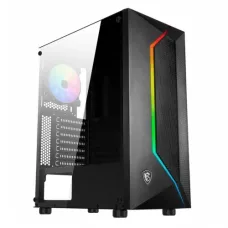
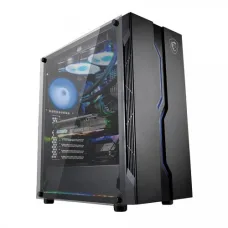
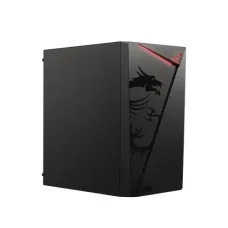

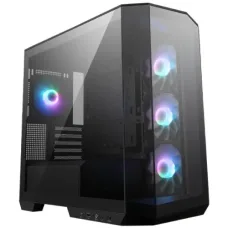
MSI MAG PANO M100R PZ Micro- ATX Tower Gaming Case
৳12,500 ৳12,700
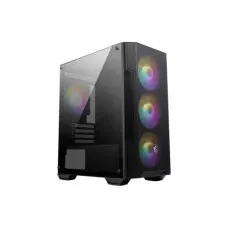
MSI MAG FORGE M100A Micro ATX Tower Gaming Case
৳3,900 ৳4,200
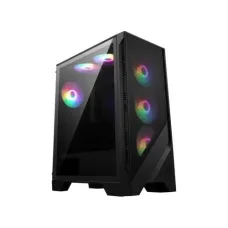
MSI MAG FORGE 120A AIRFLOW Mid-Tower Gaming Case
৳6,000 ৳6,200
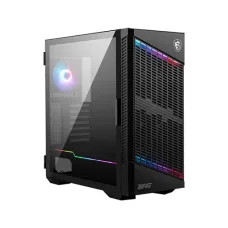
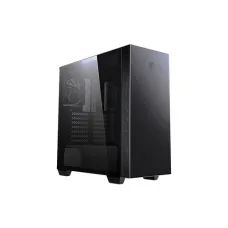
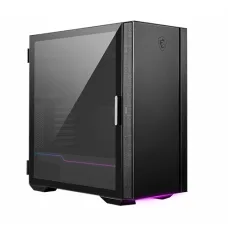

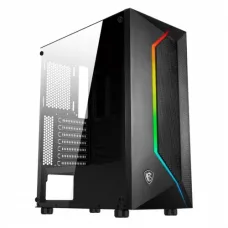
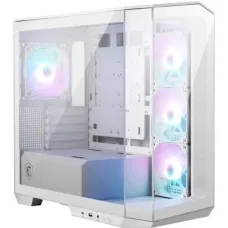
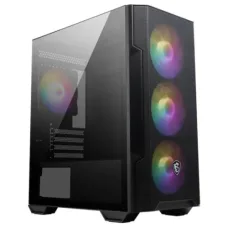
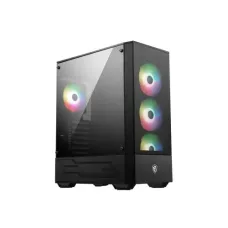

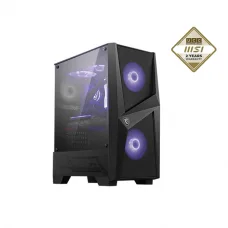
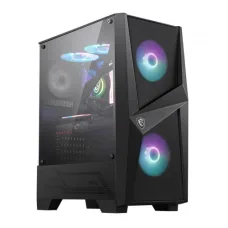

MSI Casing is designed for users who want a reliable, stylish, and functional enclosure for building a desktop PC. MSI PC cases are available for gaming computers, productivity systems, workstations, and custom PC builds, with different sizes, motherboard compatibility, cooling options, graphics card clearance, storage support, and front-panel connectivity.
Unix Network offers MSI casing products in Bangladesh for customers building or upgrading desktop computers. When choosing an MSI PC case, it is important to consider motherboard size, graphics card length, CPU cooler height, power supply compatibility, radiator support, airflow, fan capacity, storage mounting, cable management, and future upgrade requirements.
MSI Casing
An MSI casing, also called an MSI PC case or computer chassis, houses and protects the major components of a desktop computer. It provides mounting locations for the motherboard, power supply, storage drives, cooling fans, graphics card, CPU cooler, and other components.
A good PC case should provide sufficient internal space, efficient airflow, practical cable management, convenient component installation, and compatibility with the hardware selected for the computer.
MSI PC Case Categories
- MSI Casing
- MSI PC Case
- MSI Gaming Casing
- MSI Gaming PC Case
- MSI Computer Case
- MSI ATX Case
- MSI Micro ATX Case
- MSI Mini ITX Case
- MSI Mid Tower Case
- MSI Full Tower Case
- MSI Compact PC Case
- MSI Airflow Case
- MSI Tempered Glass Case
- MSI RGB Gaming Case
- MSI PC Case with Fans
- MSI PC Case for Gaming
- MSI PC Case for Workstation
MSI Gaming Casing
MSI gaming cases are designed for custom gaming PC builds and can provide space for dedicated graphics cards, CPU cooling solutions, multiple case fans, radiators, storage devices, and cable management.
Gaming case selection should be based on the actual dimensions and requirements of the components rather than appearance alone.
MSI ATX Casing
ATX is one of the most common desktop motherboard form factors. MSI ATX-compatible cases can accommodate standard ATX motherboards along with smaller compatible motherboard formats, depending on the specific case.
Before purchasing, users should check the case manufacturer's supported motherboard sizes and internal layout.
MSI Micro ATX Casing
Micro ATX cases are generally smaller than conventional ATX mid-tower cases. An MSI case supporting Micro ATX can be suitable for users who want a compact desktop while retaining a good selection of expansion and cooling options.
MSI Mini ITX Casing
Mini ITX cases are designed for very compact PC builds. Users choosing an MSI case for a Mini ITX system should carefully check graphics card dimensions, CPU cooler clearance, power supply format, radiator support, and cable space.
MSI Mid Tower Casing
Mid-tower cases are among the most popular choices for gaming and general-purpose desktop PCs. They typically provide a balance between internal space, cooling capability, component compatibility, and physical size.
MSI Full Tower Casing
Full-tower cases provide more internal space for large motherboards, graphics cards, cooling systems, multiple storage devices, expansion cards, and custom water-cooling configurations. They are suitable for high-end gaming PCs and workstations where substantial component space is required.
MSI Compact PC Case
A compact MSI PC case can help users save desk space while maintaining the functionality of a custom desktop computer. Compact cases require more careful component compatibility planning than larger cases.
MSI Airflow Casing
Airflow is important because desktop components generate heat during operation. An MSI case with a well-designed airflow layout can help move cool air into the chassis and expel warm air.
Airflow depends on the front panel design, fan placement, radiator configuration, internal layout, dust filters, and the specific hardware installed.
MSI Tempered Glass Casing
Tempered glass panels allow users to display internal PC components, lighting, cooling systems, and cable management. MSI gaming cases with tempered glass can be attractive for RGB-focused custom builds.
MSI RGB Casing
RGB lighting can add a customized visual appearance to a gaming PC. Depending on the case model, RGB lighting may be integrated into case fans, front panels, light strips, or other components.
RGB functionality and synchronization depend on the specific MSI case and compatible hardware or software.
MSI Casing with Fans
Some MSI cases include pre-installed case fans. The number, size, location, and specifications of the included fans vary by model.
Cases with included fans can reduce the additional cost and installation work involved in building a new PC.
MSI Casing Cooling Support
Cooling support is an important consideration when selecting a PC case. MSI cases can support different combinations of front, rear, top, bottom, or side fans depending on the model.
Users should check the manufacturer's fan compatibility specifications before purchasing additional cooling hardware.
MSI Casing Radiator Support
Liquid CPU coolers require sufficient radiator mounting space. MSI cases can provide support for different radiator sizes depending on the chassis design.
Users should verify radiator length, thickness, fan configuration, and clearance around the motherboard and graphics card before installing a liquid cooling system.
MSI Casing CPU Cooler Clearance
Air CPU coolers have different heights. The maximum CPU cooler height supported by an MSI case should be checked before purchasing a large tower-style CPU cooler.
MSI Casing GPU Clearance
Modern graphics cards can be large and may require substantial internal space. MSI cases specify maximum graphics card length or clearance depending on the model.
Users should also consider graphics card thickness, radiator placement, front fans, and power connector clearance.
MSI Casing Power Supply Support
The power supply form factor and installation position vary between PC cases. Many desktop cases support standard ATX power supplies, while compact cases may require smaller PSU formats.
Users should verify PSU compatibility and available cable space before purchasing an MSI case.
MSI Casing Motherboard Compatibility
Motherboard compatibility is one of the first specifications to check when selecting a PC case. Depending on the model, MSI cases may support ATX, Micro ATX, Mini ITX, or other motherboard sizes.
MSI Casing Storage Support
PC cases can include mounting locations for 2.5-inch SSDs, 3.5-inch hard drives, and other storage devices. The number and position of storage mounts vary by model.
MSI Casing M.2 SSD Support
M.2 SSDs are normally installed directly on the motherboard rather than mounted inside the case. However, case layout can affect accessibility around motherboard M.2 slots and heatsinks.
MSI Casing Cable Management
Cable management is important for both appearance and airflow. MSI cases can provide routing channels, cable cutouts, tie points, and space behind the motherboard tray depending on the model.
A case with sufficient cable-management space can make installation easier and create a cleaner-looking finished PC.
MSI Casing Front Panel
The front panel of a PC case may include USB ports, audio connectors, power controls, reset controls, and other interfaces. Some MSI cases also include modern USB Type-C connectivity.
Front-panel features vary by model, so customers should check the exact specifications before purchasing.
MSI Casing USB Type-C
USB Type-C on the front or top panel can provide convenient access to compatible modern peripherals. The actual USB standard and transfer capability depend on the specific case and motherboard connection.
MSI Casing Dust Filter
Dust filters can help reduce the amount of dust entering a PC through intake areas. MSI cases may provide removable or integrated dust filters depending on the model.
Regular cleaning of filters can help maintain airflow over time.
MSI Casing Build Quality
Case build quality depends on materials, panel construction, chassis rigidity, mounting design, airflow layout, and manufacturing quality. A sturdy chassis can make component installation easier and reduce unwanted vibration.
MSI Casing Material
MSI PC cases can use combinations of steel, tempered glass, plastic, and other materials. The exact construction varies by model and product series.
MSI Casing Design
MSI cases are available in different visual styles, from understated professional designs to aggressive gaming-oriented chassis. Customers can select a case according to their workspace, PC components, cooling requirements, and preferred appearance.
MSI Casing for Gaming PC
An MSI gaming case can provide space for powerful graphics cards, high-performance processors, multiple fans, liquid coolers, RGB components, and additional storage.
For gaming builds, airflow and component clearance should be prioritized alongside aesthetics.
MSI Casing for Workstation
Workstations may require large graphics cards, multiple storage drives, expansion cards, high-capacity cooling systems, and powerful PSUs. A larger MSI case can be appropriate when the selected components require additional internal space.
MSI Casing for Office PC
For office computers, users may prefer a compact MSI case with straightforward cooling and easy access to essential ports. The appropriate case depends on the motherboard, power supply, storage, and cooling components.
MSI Casing for Content Creation
Content creation systems can include powerful CPUs, dedicated GPUs, multiple SSDs, large amounts of RAM, and high-performance cooling. An MSI case with adequate airflow and internal clearance can help accommodate these components.
MSI Casing for Water Cooling
Users planning a liquid-cooled PC should check radiator support, pump and reservoir clearance, tubing space, graphics card clearance, and fan mounting positions before selecting a case.
MSI Casing for Air Cooling
Air-cooled PCs require adequate front-to-back or bottom-to-top airflow and sufficient CPU cooler clearance. A case with multiple fan mounting locations can provide greater flexibility when configuring airflow.
MSI Casing Airflow Configuration
A common airflow arrangement uses front or bottom fans as intake and rear or top fans as exhaust. The best configuration depends on the case design, radiator placement, component temperatures, and ambient environment.
MSI Casing Fan Size
PC cases can support different fan sizes, such as 120mm and 140mm, depending on the mounting locations. Larger fans can potentially move substantial air at lower rotational speeds, but actual cooling and noise performance depend on the complete fan design.
MSI Casing Fan Controller
Some MSI cases may include fan hubs or controllers for managing multiple case fans. Compatibility with motherboard fan headers and RGB connectors should be checked before connecting additional components.
MSI Casing RGB Controller
RGB controllers can allow compatible lighting components to be connected and controlled. Depending on the case, RGB control may involve a dedicated button, hub, motherboard synchronization, or compatible software.
MSI Casing Vertical GPU Support
Some PC cases support vertical graphics card installation. If an MSI case provides this feature, users should check whether the required vertical GPU bracket or PCIe riser cable is included and whether the installation affects airflow.
MSI Casing Horizontal GPU Support
Traditional horizontal graphics card installation remains the most common configuration. Users should verify GPU length, thickness, slot clearance, and power connector clearance.
MSI Casing Expansion Slots
Expansion slots allow users to install graphics cards, sound cards, network adapters, capture cards, and other PCIe devices. The number and configuration of expansion slots vary by case.
MSI Casing Front Airflow
Cases with open or ventilated front panels can provide an effective path for intake air. The overall cooling performance also depends on fan quality, internal obstruction, filters, and component heat output.
MSI Casing Side Panel
Side panels can be made from steel, tempered glass, or other materials. A transparent side panel can showcase components and RGB lighting, while a solid panel can provide a more understated appearance.
MSI Casing Noise Reduction
PC noise depends on fans, graphics card cooling, CPU cooler, PSU fan behavior, storage devices, and case acoustics. A well-designed airflow system can help reduce the need for high fan speeds during normal workloads.
MSI Casing Maintenance
Regular maintenance can help keep a PC case clean and maintain airflow. Dust filters, intake areas, exhaust areas, fans, and heatsinks should be cleaned periodically using appropriate methods.
MSI Casing Compatibility Checklist
| Component | What to Check |
|---|---|
| Motherboard | ATX, Micro ATX, Mini ITX, or supported format |
| Graphics Card | Length, height, thickness, and power connector clearance |
| CPU Cooler | Maximum cooler height or radiator support |
| Power Supply | PSU form factor and maximum supported length |
| Fans | Supported fan sizes and mounting locations |
| Radiator | Supported radiator size and thickness |
| Storage | 2.5-inch and 3.5-inch drive mounting options |
| Expansion Cards | Number of available expansion slots |
| Front I/O | USB, USB Type-C, audio, and other ports |
| Cable Management | Rear clearance and routing options |
MSI Casing Size Comparison
| Case Type | Typical Advantage | Suitable For |
|---|---|---|
| Mini ITX | Very compact design | Small form factor PCs |
| Micro ATX | Compact with reasonable expansion | Office and compact gaming PCs |
| Mid Tower | Balanced space and compatibility | Most gaming and desktop builds |
| Full Tower | Large internal capacity | High-end gaming and workstations |
How to Choose an MSI Casing
- Choose a case that supports your motherboard form factor.
- Check maximum graphics card length and thickness.
- Check CPU air cooler height clearance.
- Verify liquid-cooling radiator compatibility if required.
- Check power supply form factor and clearance.
- Review the number and size of supported fans.
- Consider front-panel airflow.
- Check dust-filter availability.
- Consider cable-management space.
- Check USB and front I/O requirements.
- Consider storage mounting options.
- Check expansion slot availability.
- Consider tempered glass and RGB features if desired.
- Check VESA or other mounting requirements if relevant.
- Compare dimensions with the available desk space.
- Check price, warranty, and current stock availability.
MSI Casing for Gaming Setup
For a gaming setup, an MSI case can provide a combination of airflow, component clearance, RGB lighting, tempered glass, fan support, and cable management. The best choice depends on the graphics card, processor, cooling system, motherboard, and PSU.
MSI Casing for High-End Gaming
High-end gaming PCs often use large graphics cards and high-performance CPUs. A suitable MSI case should provide enough space for the graphics card, CPU cooler, PSU, multiple fans, and any required radiator.
MSI Casing for Budget PC
A budget PC case should provide the required motherboard, PSU, graphics card, and cooling compatibility without unnecessary features. A simple airflow-focused MSI case can be a practical choice for a mainstream desktop build.
MSI Casing for Custom PC Build
Custom PC builders should select the case after considering all major components. Checking dimensions before purchasing can prevent compatibility problems during assembly.
MSI Casing Price in Bangladesh
MSI casing prices in Bangladesh vary according to size, materials, airflow design, included fans, RGB lighting, tempered glass, radiator support, front-panel connectivity, and overall construction.
When comparing MSI case prices, customers should consider component compatibility and cooling requirements rather than choosing only by appearance.
Buy MSI Casing in Bangladesh
Customers looking to buy an MSI casing in Bangladesh can choose from different PC case designs for gaming computers, office PCs, workstations, and custom desktop builds.
Unix Network provides PC cases, power supplies, motherboards, graphics cards, processors, CPU coolers, SSDs, RAM, gaming accessories, and other computer components for complete PC builds and upgrades.
MSI Casing in Jashore
Unix Network provides MSI casing and computer components for customers in Jashore and across Bangladesh. Customers can select an MSI PC case according to motherboard compatibility, GPU clearance, CPU cooling, PSU size, airflow, storage requirements, design, and budget.
Frequently Asked Questions About MSI Casing
What is an MSI casing?
An MSI casing is a computer chassis designed to house and protect desktop PC components such as the motherboard, graphics card, power supply, storage drives, and cooling hardware.
Is MSI casing good for gaming?
MSI offers PC cases designed for gaming and custom desktop builds. Suitability depends on the specific model and its airflow, component clearance, cooling support, and motherboard compatibility.
Does MSI make ATX casing?
MSI offers PC cases that support ATX motherboards as well as other motherboard formats depending on the model.
Does MSI casing support liquid cooling?
Selected MSI cases support liquid cooling radiators. The supported radiator size and mounting position vary by model.
Does MSI casing come with fans?
Some MSI cases include pre-installed fans, while the number and type of included fans vary by model. Customers should check the product specification before purchase.
Does MSI casing support RGB?
Selected MSI gaming cases include RGB lighting or support RGB components. RGB functionality varies by model and may require compatible motherboard headers or a dedicated controller.
Does MSI casing have tempered glass?
Selected MSI cases feature tempered glass side panels. This allows users to showcase internal components and RGB lighting.
How do I choose the right MSI case?
Start by checking motherboard compatibility, graphics card clearance, CPU cooler height, PSU compatibility, fan and radiator support, storage mounting, front I/O, cable-management space, and available desk space.
Why Buy MSI Casing from Unix Network?
Unix Network provides MSI PC cases and computer components for gaming PCs, office computers, workstations, and custom desktop builds. Customers can compare MSI cases according to size, motherboard support, GPU clearance, cooling options, fan support, radiator compatibility, storage support, RGB features, connectivity, price, warranty, and availability.
Before purchasing an MSI casing, verify the exact model, supported motherboard sizes, maximum graphics card dimensions, CPU cooler clearance, PSU compatibility, fan and radiator support, storage mounts, expansion slots, front-panel ports, cable-management space, dimensions, warranty, price, and stock availability. Product specifications and market availability may vary by model and region and can change without prior notice.