

SSD Price in Bangladesh
Showing 1 to 24 of 871 (37 Pages)
Refine Search
- Acer
- Adata
- Addlink
- AFOX
- AITC
- Anacomda
- Apacer
- BIOSTAR
- Biwintech SSD
- Colorful
- Corsair
- Crucial
- Dahua SSD
- GeIL
- Gigabyte
- Hikvision SSD
- HP
- Intel
- Kimtigo SSD
- KingFast SSD
- Kingston
- Lexar
- MSI SSD
- Neo Forza SSD
- Netac
- OCPC SSD
- Orico SSD
- Patriot
- Perfect SSD
- PNY
- Ramsta
- Robot
- Samsung
- SanDisk
- Seagate
- Silicon Power
- Team
- Teutons
- Thunderobot SSD
- Transcend
- TRM
- Twinmos
- VERBATIM
- Walton
- Western Digital
- XOC SSD
- ZADAK


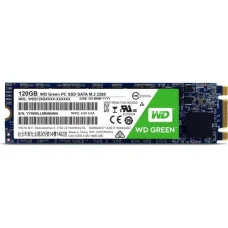
৳100 Cashback
WD 120GB M.2 SSD
৳2,600

TwinMOS TW300 128GB M.2 SSD
৳2,500

৳100 Cashback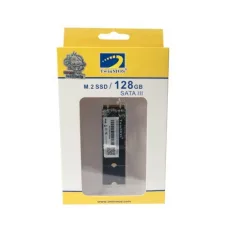
Twinmos 128GB M.2 SSD
৳2,000
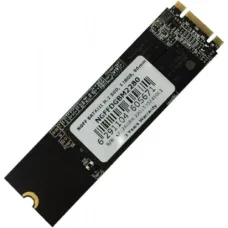


৳100 Cashback


Find the Right SSD Component for Your Budget and Needs
These are the latest in-stock SSD Component at Unix Network, with the current price in Bangladesh. Open a model for specifications.
Latest SSD Component Price List in BD 2026

SSD Price in Bangladesh
SSD, or Solid State Drive, is one of the most effective storage upgrades for a desktop PC or laptop. Unlike a traditional HDD, an SSD uses flash memory and has no moving mechanical parts, which allows faster boot times, quicker application loading, faster file access, and better overall system responsiveness. :contentReference[oaicite:0]{index=0}
The SSD price in Bangladesh varies depending on storage capacity, brand, interface, form factor, PCIe generation, NAND technology, read/write performance, and warranty. Current Bangladesh listings include SATA, M.2 SATA, NVMe PCIe Gen3, Gen4, and newer Gen5 SSDs. :contentReference[oaicite:1]{index=1}
Buy SSD in Bangladesh
When buying an SSD in Bangladesh, do not choose a drive based only on advertised read speed. The first step is to check whether your laptop or motherboard supports 2.5-inch SATA, M.2 SATA, or M.2 NVMe storage. An M.2 SSD describes a physical form factor and does not automatically mean that the drive is NVMe. :contentReference[oaicite:2]{index=2}
For a new desktop or laptop that supports PCIe NVMe, an M.2 NVMe SSD can provide substantially higher sequential performance than a SATA SSD. For an older computer that only supports SATA, a 2.5-inch SATA SSD can still provide a major improvement over an HDD. :contentReference[oaicite:3]{index=3}
What is an SSD?
An SSD is a digital storage device that uses NAND flash memory to store operating systems, applications, games, documents, photos, videos, and other data. Because there are no spinning platters or mechanical read/write heads, SSDs operate silently and generally provide much faster access to stored data than traditional hard drives. :contentReference[oaicite:4]{index=4}
Types of SSD
2.5-Inch SATA SSD
A 2.5-inch SATA SSD is one of the easiest ways to upgrade an older desktop or laptop that currently uses a hard drive. SATA SSDs commonly deliver sequential speeds around the 500–600 MB/s range and are a practical choice for Windows, office applications, browsing, and everyday computing. :contentReference[oaicite:5]{index=5}
M.2 SATA SSD
M.2 SATA SSDs use the compact M.2 physical format but communicate through the SATA interface. They are useful in compatible laptops and desktops where a compact drive is preferred. However, an M.2 SATA SSD should not be confused with an M.2 NVMe SSD because they use different storage interfaces.
M.2 NVMe SSD
M.2 NVMe SSDs use the PCIe interface and the NVMe protocol to provide much higher performance than SATA-based SSDs. Depending on the PCIe generation and specific model, modern NVMe drives can deliver several thousand MB/s of sequential read and write performance. :contentReference[oaicite:6]{index=6}
PCIe Gen3 SSD
PCIe Gen3 NVMe SSDs remain useful for many laptops and desktop PCs. They provide significantly higher bandwidth than SATA and can be an excellent value option for everyday computing, gaming, programming, and general productivity.
PCIe Gen4 SSD
PCIe Gen4 NVMe SSDs provide substantially higher bandwidth than Gen3 drives when installed in compatible systems. They are particularly attractive for modern gaming PCs, workstations, content creation, and large-file workloads.
PCIe Gen5 SSD
PCIe Gen5 SSDs are designed for high-end systems that support the newer PCIe standard. They can provide extremely high sequential speeds, but they may generate more heat and cost more than mainstream Gen3 and Gen4 models. :contentReference[oaicite:7]{index=7}
External SSD
An external SSD is a portable storage device that connects through USB or another supported high-speed interface. It is useful for backups, transferring large files, carrying projects between computers, and expanding storage without opening a laptop or desktop.
SSD Capacity
128GB SSD
A 128GB SSD can be suitable for basic operating-system installations and lightweight systems, but the available usable space becomes limited quickly after installing Windows, applications, and updates.
256GB SSD
A 256GB SSD can be a budget-friendly choice for basic office work, browsing, study, and a small number of applications. It is also useful when upgrading an older computer from an HDD.
512GB SSD
A 512GB SSD provides a more comfortable amount of storage for everyday users, students, office workers, and casual gamers. It offers a useful balance between capacity, performance, and price.
1TB SSD
A 1TB SSD is a practical choice for gaming, programming, content creation, professional applications, and users who store larger amounts of data locally. It provides considerably more usable space for applications and games than a 256GB or 512GB drive.
2TB SSD
A 2TB SSD is suitable for users who maintain large game libraries, video projects, photo collections, software installations, or professional project files. It can also reduce the need for multiple internal storage drives.
4TB SSD and Above
High-capacity SSDs are designed for users who need substantial local storage. They can be useful for professional video editing, large datasets, extensive game libraries, content production, and workstation applications.
SSD for Laptop
Upgrading a laptop with an SSD can significantly improve boot times, application loading, file access, and general responsiveness when replacing an HDD. Before buying, check the exact laptop model to determine whether it supports a 2.5-inch SATA drive, M.2 SATA, M.2 NVMe, or another storage configuration.
Some modern laptops support only specific M.2 sizes or PCIe generations, while certain models may have soldered storage that cannot be upgraded. Compatibility should therefore be confirmed before purchasing an SSD.
SSD for Desktop PC
Desktop computers generally provide more flexibility for storage upgrades. Depending on the motherboard and casing, you may be able to install 2.5-inch SATA SSDs, M.2 NVMe SSDs, or multiple storage drives.
For a new PC build, an NVMe SSD can provide excellent performance without requiring SATA data and power cables. For older PCs, a 2.5-inch SATA SSD can be an economical upgrade.
SSD for Gaming
An SSD can significantly improve game loading and system responsiveness compared with an HDD. For modern gaming PCs, an NVMe SSD is a popular choice, while a SATA SSD can still provide a noticeable improvement for systems that do not support NVMe.
Gamers should consider both capacity and performance because modern games can require substantial storage space. A 1TB or larger SSD can be more practical for users with several large games.
SSD for Video Editing
Video editing involves reading and writing large files, making fast storage particularly useful. An NVMe SSD can provide high sequential performance for working with large video files, project assets, cache files, and applications.
Professional users should also consider sustained write performance, SSD endurance, cooling, capacity, and the workload rather than choosing a drive based only on its peak sequential speed.
SSD for 3D Rendering
3D applications can generate large project files, textures, caches, and rendered output. A fast NVMe SSD can improve project loading and file-management workflows, although the SSD itself does not replace the need for a powerful CPU and GPU for rendering.
SSD for Office and Student Use
For browsing, Microsoft Office, online classes, programming, accounting software, and general productivity, a SATA SSD or entry-level NVMe SSD can provide excellent everyday performance.
If the computer is currently using an HDD, even an affordable SATA SSD can make the system feel considerably more responsive.
SATA SSD vs NVMe SSD
SATA SSD
SATA SSDs are affordable, widely compatible, and suitable for general computing. Their interface limits performance compared with modern PCIe NVMe drives, but they remain useful for older laptops and desktops.
NVMe SSD
NVMe SSDs use PCIe and are designed for much higher data-transfer performance. They are particularly useful for modern PCs, gaming, content creation, large-file transfers, and demanding professional workloads.
For a new compatible system, NVMe is generally the preferred choice when the price difference is reasonable. However, the real-world improvement from upgrading from a good SATA SSD to a high-end NVMe SSD can be much smaller for basic tasks than the specification numbers suggest.
SSD Gen3 vs Gen4 vs Gen5
Gen3 SSD
Gen3 NVMe drives offer strong performance for everyday use, gaming, programming, and many professional applications. They can be a cost-effective option for compatible systems.
Gen4 SSD
Gen4 SSDs provide substantially more bandwidth and are a strong choice for modern gaming PCs, workstations, and users who frequently handle large files.
Gen5 SSD
Gen5 SSDs target high-end platforms and can deliver extremely high sequential speeds. They are most useful when the system and workload can take advantage of that additional bandwidth. They may also require better thermal management than lower-generation drives.
SSD With DRAM vs DRAM-Less SSD
SSD With DRAM
Some SSDs include dedicated DRAM to help manage the flash translation layer and storage operations. DRAM-equipped models can be attractive for heavier workloads and users who prioritize sustained performance.
DRAM-Less SSD
DRAM-less SSDs can reduce cost and power consumption and may use technologies such as Host Memory Buffer on supported systems. They can be perfectly suitable for general-purpose computers, although sustained workloads may behave differently from higher-end DRAM-equipped drives.
TLC vs QLC SSD
TLC SSD
TLC NAND stores three bits per memory cell and is widely used in mainstream and performance-oriented SSDs. TLC models can be a strong choice for gaming, productivity, and demanding workloads.
QLC SSD
QLC NAND stores four bits per cell and can offer higher capacities at lower costs. QLC drives can be suitable for read-heavy storage and general use, while users with frequent large sustained writes may prefer a suitable TLC model.
SSD Read and Write Speed
Read Speed
Sequential read speed indicates how quickly an SSD can read large blocks of data under suitable test conditions. It can be useful when comparing drives, particularly for large-file workloads.
Write Speed
Sequential write speed indicates how quickly large amounts of data can be written to the drive. It is particularly relevant for video editing, backups, large file transfers, and other write-intensive workloads.
Do not assume that a drive with the highest advertised sequential speed will always make Windows or everyday applications feel proportionally faster. Random access performance, latency, firmware, NAND type, workload, and system configuration also matter.
How to Choose an SSD
Check Compatibility
Before buying, confirm the laptop or motherboard supports the selected SSD type. Check the interface, form factor, M.2 key, supported PCIe generation, and physical dimensions.
Choose the Right Capacity
Choose capacity according to your applications, games, files, and future storage requirements. For many users, 512GB or 1TB provides a practical balance.
Consider Your Workload
Office users, gamers, video editors, programmers, and professional workstation users do not necessarily need the same SSD. Choose according to how you use the computer.
Check Endurance
For heavy write workloads, check the SSD's endurance specification, commonly expressed as TBW. Higher endurance can be useful for systems that continuously write large amounts of data.
Check Warranty
Warranty coverage is an important consideration when purchasing an SSD. Check the manufacturer's warranty terms and the seller's warranty policy before buying.
Consider Cooling
High-performance NVMe SSDs can generate significant heat during sustained workloads. Some systems may benefit from an appropriate motherboard heatsink or SSD heatsink to help manage temperatures.
SSD Price in BD
The SSD price in BD changes according to capacity, brand, interface, NAND type, PCIe generation, performance, and market conditions. Bangladesh retailers currently list SSDs from entry-level SATA drives through high-performance PCIe Gen4 and Gen5 NVMe models. :contentReference[oaicite:8]{index=8}
When comparing SSD price in Bangladesh, it is better to compare the complete specification, warranty, capacity, interface, and intended use instead of choosing the cheapest drive available.
SSD Price in Jessore
Customers searching for SSD price in Jessore should first identify their laptop or motherboard model and required storage capacity. This makes it easier to select a compatible SSD without spending extra money on performance that the system cannot use.
Best SSD for Different Users
Best SSD for Students
A 256GB or 512GB SATA or NVMe SSD can be sufficient for study, browsing, programming, office applications, and everyday work. A 512GB model offers more comfortable storage for long-term use.
Best SSD for Office PC
A reliable 256GB or 512GB SSD can be sufficient for Windows, office applications, accounting software, browsing, and business applications. NVMe is preferable when the system supports it, but SATA remains a good option for older hardware.
Best SSD for Gaming PC
A 1TB NVMe SSD is a practical choice for many gaming systems. Users with large game libraries should consider 2TB or more.
Best SSD for Content Creators
Content creators should consider a fast NVMe SSD with sufficient capacity, good sustained performance, suitable endurance, and effective thermal management.
Best SSD for Professional Workstation
Professional users should prioritize capacity, sustained performance, endurance, reliability, warranty, and workload compatibility. A high-end Gen4 or Gen5 NVMe SSD may be appropriate when the workstation platform supports it and the workload benefits from the additional performance.
SSD Maintenance Tips
Keep Free Storage Space
A drive that is nearly full can make storage management more difficult and may affect performance in certain workloads. Keeping reasonable free space is a good practice.
Maintain Good Cooling
Ensure that high-performance NVMe SSDs have adequate airflow or heatsinking when required, particularly in demanding workloads.
Keep Firmware Updated
SSD manufacturers may release firmware updates that address compatibility, reliability, or performance issues. Follow the manufacturer's recommended update process.
Keep Important Data Backed Up
An SSD should not be considered a backup by itself. Important documents, photographs, business files, and other valuable data should be backed up to another storage device or appropriate backup system.
Frequently Asked Questions About SSD
Is SSD better than HDD?
For operating-system storage and general performance, SSDs are generally much faster and quieter than traditional HDDs. HDDs can still be useful when large amounts of inexpensive storage are required.
Is NVMe better than SATA SSD?
NVMe SSDs can provide substantially higher performance than SATA SSDs when the system supports PCIe NVMe. However, SATA SSDs remain a good choice for older systems and general-purpose use.
Is M.2 the same as NVMe?
No. M.2 refers to the physical form factor, while NVMe is a storage protocol. An M.2 SSD can use either SATA or NVMe depending on the model and system compatibility. :contentReference[oaicite:9]{index=9}
How much SSD storage do I need?
256GB can work for basic use, 512GB is suitable for many everyday users, and 1TB or more is preferable for gaming, professional software, and large file collections.
Can I replace my laptop HDD with an SSD?
If your laptop uses a replaceable 2.5-inch SATA drive, it can often be replaced with a 2.5-inch SATA SSD. Some laptops instead use M.2 storage or have other hardware limitations, so the exact model should be checked first.
Can I install an NVMe SSD in any M.2 slot?
No. Not every M.2 slot supports NVMe. The motherboard or laptop documentation should be checked to confirm the supported interface and PCIe generation.
Which SSD capacity is best for gaming?
For many gamers, 1TB is a practical starting point, while 2TB provides more room for large modern game libraries and additional applications.
Is a Gen5 SSD worth buying?
A Gen5 SSD can be worthwhile for high-end systems and workloads that can use its additional bandwidth. For ordinary office work and many gaming workloads, a good Gen4 SSD may provide better value.
Final SSD Buying Guide
Choosing the right SSD starts with compatibility and workload rather than advertised speed alone. For older laptops and desktops, a 2.5-inch SATA SSD can provide an excellent and affordable upgrade. For modern systems, M.2 NVMe SSDs offer substantially higher performance and are available across PCIe Gen3, Gen4, and Gen5 generations. :contentReference[oaicite:10]{index=10}
If you are searching for SSD price in Bangladesh, SSD price in BD, SSD price in Jessore, best SSD in Bangladesh, SATA SSD, M.2 SSD, NVMe SSD, 256GB SSD, 512GB SSD, 1TB SSD, 2TB SSD, PCIe Gen4 SSD, PCIe Gen5 SSD, laptop SSD, desktop SSD, gaming SSD, or SSD upgrade, always check compatibility, capacity, performance, endurance, cooling, and warranty before purchasing.
SSD Category Description
Looking for the best SSD prices in Bangladesh? Welcome to Unix Network, your trusted source for high-quality computer products in Jessore. As a member of the Bangladesh Computer Samity (BCS), we pride ourselves on offering genuine products, competitive prices, expert advice, fast delivery, and excellent warranty support. Visit our Jessore showroom or enjoy nationwide delivery for all your computer needs.
Pricing Factors in Bangladesh
When shopping for SSDs in Bangladesh, several factors can affect the pricing, including brand reputation, build quality, and storage capacity. At Unix Network, we ensure competitive prices for all our products, making it easier for you to find the right SSD at the right price.
Types of SSDs
Performance
SSDs offer faster read/write speeds compared to traditional HDDs, resulting in quicker boot times and data transfer rates.
Compatibility
Ensure the SSD is compatible with your system, whether it's a desktop or laptop, to maximize its performance.
Build Quality
Choose SSDs from reputable brands known for their durability and reliability to ensure long-term performance.
Connectivity
Consider the interface of the SSD (e.g., SATA, NVMe) and compatibility with your motherboard for seamless connectivity.
Warranty
Look for SSDs with a solid warranty to protect your investment and receive prompt support in case of any issues.
Power Efficiency
SSDs consume less power compared to HDDs, resulting in improved energy efficiency and longer battery life for laptops.
Brand Reputation
Opt for SSDs from trusted brands with a proven track record of quality and performance in the industry.
Why Choose Unix Network
- Genuine Products
- Competitive Prices
- Expert Advice
- Fast Delivery
- Warranty Support
- BCS Member
- Jessore Showroom
- Nationwide Delivery
Frequently Asked Questions
1. What factors should I consider when buying an SSD?
Consider factors like performance, compatibility, warranty, and brand reputation when choosing an SSD.
2. Are SSDs faster than HDDs?
Yes, SSDs offer faster read/write speeds, resulting in improved performance and faster data transfer rates.
3. Do SSDs consume less power?
SSDs are more power-efficient compared to HDDs, resulting in energy savings and improved battery life.
4. How can I ensure the compatibility of an SSD with my system?
Check the interface and specifications of the SSD to ensure compatibility with your desktop or laptop.
5. Do SSDs come with a warranty?
Most SSDs come with a warranty to protect your investment and provide peace of mind.
6. What are the benefits of buying from Unix Network?
At Unix Network, you can expect genuine products, competitive prices, expert advice, fast delivery, and excellent warranty support.
7. Can I visit the Jessore showroom to see the products in person?
Yes, you can visit our Jessore showroom to explore our wide range of computer products and receive expert guidance.
8. Do you offer nationwide delivery for SSDs?
Yes, we offer nationwide delivery for all our products, ensuring that you can shop conveniently from anywhere in Bangladesh.
Ready to buy the best SSD in Bangladesh? Choose Unix Network for genuine products, competitive prices, expert support, and fast delivery. Shop now and experience the difference!