
MSI SSD Price in Bangladesh
Showing 1 to 19 of 19 (1 Pages)



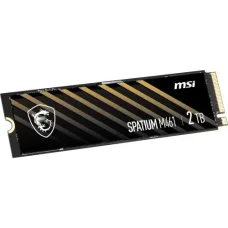


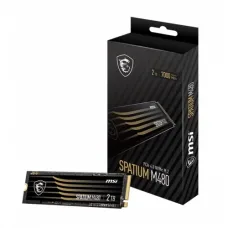

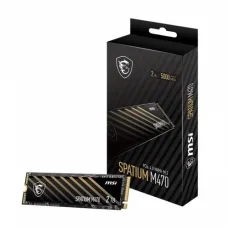

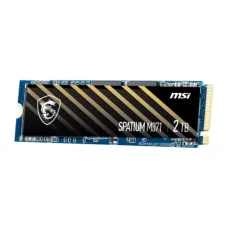

Find the Right MSI SSD for Your Budget and Needs
These are the latest in-stock MSI SSD at Unix Network, with the current price in Bangladesh. Open a model for specifications.
Latest MSI SSD Price List in BD 2026
MSI SSDs are storage solutions designed for desktops, gaming PCs, laptops, workstations, and other compatible computers. An MSI solid-state drive can provide fast system boot times, quick application loading, responsive file access, and improved overall storage performance compared with traditional hard disk drives.
Unix Network offers MSI SSD products in Bangladesh for users looking to upgrade their computer storage, improve system responsiveness, expand capacity, or build a new gaming and productivity PC. MSI SSD models can differ in interface, form factor, capacity, NAND technology, controller, sequential performance, endurance, and warranty.
MSI SSD
An MSI SSD, or solid-state drive, stores data using flash memory rather than mechanical spinning disks. The absence of moving mechanical parts allows SSDs to provide fast access to stored data and makes them well suited to modern computers.
MSI offers SSD solutions for different types of users, including gamers, content creators, professionals, office users, and general computer users. The correct MSI SSD depends on the motherboard or laptop compatibility, storage capacity, performance requirements, and budget.
MSI SSD Categories
- MSI SSD
- MSI NVMe SSD
- MSI PCIe SSD
- MSI M.2 SSD
- MSI M.2 NVMe SSD
- MSI PCIe Gen4 SSD
- MSI PCIe Gen5 SSD
- MSI GamingSSD
- MSI Internal SSD
- MSI SSD for PC
- MSI SSD for Laptop
- MSI SSD for Gaming PC
- MSI SSD for Workstation
- MSI High-Speed SSD
- MSI SSD 1TB
- MSI SSD 2TB
- MSI SSD 4TB
MSI NVMe SSD
MSI NVMe SSDs use the NVMe protocol to communicate with compatible systems through PCI Express. NVMe SSDs can provide significantly higher bandwidth and lower latency than traditional SATA-based storage.
NVMe SSDs are particularly useful for gaming PCs, workstations, content creation systems, and other computers where fast storage performance is important.
MSI M.2 SSD
M.2 describes a physical form factor rather than a storage protocol. MSI M.2 SSDs may use PCIe NVMe technology, while M.2 SATA drives also exist in the broader SSD market.
Before buying an MSI M.2 SSD, users should verify the M.2 slot type and supported interface on their motherboard or laptop.
MSI PCIe SSD
PCIe SSDs use PCI Express lanes to transfer data between the SSD and computer. Different PCIe generations offer different bandwidth levels. The actual performance of an SSD depends on the drive, controller, NAND, PCIe generation, system configuration, and workload.
MSI PCIe Gen4 SSD
PCIe Gen4 SSDs provide substantially higher bandwidth than PCIe Gen3 storage when installed in a compatible PCIe Gen4 platform. They are suitable for gaming PCs, professional workstations, and users who need fast file transfers and application loading.
MSI PCIe Gen5 SSD
PCIe Gen5 SSDs provide another significant increase in theoretical interface bandwidth compared with previous PCIe generations. They can be useful for high-performance gaming systems, professional workloads, and demanding storage applications.
Gen5 SSDs generally require compatible motherboard and CPU support to achieve their intended interface performance.
MSI GamingSSD
MSI gaming SSDs are designed to provide fast game installation, loading, file access, and system responsiveness. Faster storage can reduce loading times in supported workloads, although gaming performance also depends on the CPU, GPU, RAM, game engine, and other system components.
MSI SSD for Gaming PC
An MSI SSD can be used as the primary storage drive in a gaming PC or as additional storage for games and applications. A high-capacity NVMe SSD can be useful for users who maintain large game libraries.
MSI SSD for Laptop
Compatible MSI SSDs can upgrade storage in laptops that provide supported M.2 or other compatible storage interfaces. Laptop upgrade compatibility must be checked carefully because slot type, physical dimensions, PCIe generation, and maximum supported capacity can vary.
MSI SSD for Desktop PC
Desktop users can install compatible MSI SSDs as primary or secondary storage. M.2 NVMe SSDs can be installed directly into compatible motherboard slots, while other SSD formats may require appropriate mounting and connections.
MSI SSD for Workstation
Workstations used for video editing, graphic design, software development, 3D applications, large datasets, and professional workloads can benefit from fast SSD storage. Capacity, sustained write performance, endurance, and thermal management should be considered for demanding workloads.
MSI SSD for Content Creation
Content creators often work with large image, video, audio, and project files. An MSI high-speed SSD can improve file transfer and project loading performance, while a larger capacity can reduce the need for constant external storage management.
MSI SSD for Video Editing
Video editing workloads can generate large amounts of temporary and project data. A fast SSD can improve media transfer, project loading, cache operations, and file handling. Professional editors should consider sustained write performance and endurance in addition to advertised sequential speed.
MSI SSD for Programming
Developers can benefit from SSD storage for operating systems, IDEs, source code, build files, databases, containers, and virtual machines. Users running multiple development environments should consider both capacity and random performance.
MSI SSD for Office
For office computers, an SSD can provide faster Windows startup, quicker application launching, responsive document handling, and improved general system performance. Even a mainstream SSD can provide a substantial experience improvement over an older mechanical hard drive.
MSI SSD Capacity
MSI SSDs are available in different storage capacities. The appropriate capacity depends on the operating system, applications, games, media files, work projects, and expected future storage requirements.
MSI SSD 500GB
A 500GB-class SSD can be suitable for general computing, office applications, programming, and smaller gaming libraries. Actual usable capacity is lower than the advertised storage capacity because of formatting and system requirements.
MSI SSD 1TB
A 1TB SSD offers a practical balance of capacity and performance for many gaming PCs, laptops, and productivity systems. It can provide enough space for an operating system, applications, documents, and a selection of games.
MSI SSD 2TB
A 2TB SSD is suitable for users with larger game libraries, professional applications, multimedia files, and extensive project data. It can reduce the need for frequent storage cleanup.
MSI SSD 4TB
A 4TB SSD provides substantial capacity for professional workloads, large game libraries, video projects, photo collections, and other data-intensive applications. Compatibility and budget should be checked before selecting a high-capacity SSD.
MSI SSD Speed
SSD performance is commonly described using sequential read and write speeds. These figures indicate how quickly large blocks of data can be transferred under specified test conditions.
Real-world performance can differ from manufacturer specifications because of workload, file size, drive capacity, thermal conditions, operating system, motherboard interface, and available free space.
MSI SSD Read Speed
Sequential read speed describes how quickly an SSD can read large blocks of data. High read performance can be useful for large file access, application loading, game loading, and media workflows.
MSI SSD Write Speed
Sequential write speed describes how quickly data can be written to the drive under specified conditions. It can be particularly important for video editing, large file transfers, software development, and other write-intensive workloads.
MSI SSD Random Performance
Random read and write performance measures how effectively an SSD handles many smaller data operations. This can influence operating-system responsiveness, application loading, multitasking, and database workloads.
MSI SSD IOPS
IOPS, or input/output operations per second, is a common measurement for random storage performance. Higher IOPS can be beneficial for workloads involving many small read and write operations.
MSI SSD NAND Flash
NAND flash is the non-volatile memory used to store data in an SSD. Different NAND technologies can affect capacity, performance, endurance, and cost.
MSI SSD Controller
The controller manages communication between the computer and NAND flash memory. Controller design can influence performance, power consumption, thermal behavior, and other aspects of SSD operation.
MSI SSD DRAM Cache
Some SSDs include dedicated DRAM, while other designs use different caching architectures. DRAM configuration can influence performance characteristics, particularly under certain workloads.
MSI SSD Cache
SSDs can use caching technologies to improve short-term write performance. Users who regularly perform large sustained transfers should examine sustained performance rather than relying only on peak advertised speeds.
MSI SSD Endurance
SSD endurance indicates how much data a drive is designed to handle over its useful life. TBW, or terabytes written, is one common endurance specification.
Users with heavy workloads such as video production, large data processing, or frequent file generation should pay particular attention to endurance ratings.
MSI SSD TBW
TBW provides an estimate of the amount of data that can be written to an SSD during its rated endurance period. It is useful when comparing drives intended for demanding workloads.
MSI SSDWarranty
Warranty coverage varies according to the specific MSI SSD model and market. Customers should verify the warranty period, conditions, and service policy before purchase.
MSI SSD Heatsink
High-performance NVMe SSDs can generate heat during intensive workloads. Selected MSI SSDs may include a heatsink or thermal solution designed to help manage operating temperatures.
MSI SSD Thermal Throttling
When an SSD becomes too hot, its controller can reduce performance to manage temperature. Adequate cooling can therefore be important for high-speed SSDs, particularly during sustained workloads.
MSI SSD Motherboard Compatibility
Before installing an MSI SSD, check whether the motherboard supports the required form factor and interface. For an M.2 NVMe SSD, users should verify the motherboard's M.2 slot supports PCIe NVMe storage and the relevant PCIe generation.
MSI SSD Laptop Compatibility
Laptop storage upgrades require additional compatibility checks. Users should verify the M.2 key type, physical dimensions, supported protocol, PCIe generation, BIOS support, and maximum storage capacity where applicable.
MSI SSD Installation
Installing an M.2 SSD typically involves inserting the drive into a compatible motherboard slot and securing it with the appropriate mounting mechanism. Users should follow the motherboard or laptop manufacturer's installation instructions.
MSI SSD as Boot Drive
An MSI SSD can be used as the primary boot drive for Windows or another compatible operating system. Installing the operating system on an SSD can provide much faster startup and application loading compared with a traditional hard drive.
MSI SSD as Secondary Storage
An additional MSI SSD can be installed as secondary storage for games, applications, projects, media files, and backups, provided the computer has a compatible storage interface and available slot.
MSI SSD for Windows
Using an MSI SSD as Windows system storage can significantly improve startup, application loading, file search, and general system responsiveness compared with an HDD.
MSI SSD for Gaming
Installing games on an MSI SSD can reduce game loading times compared with mechanical hard drives. The exact improvement depends on the game and overall system configuration.
MSI SSD for Steam Games
Steam games can be installed on an MSI SSD when the drive is properly initialized and configured by the operating system. A high-capacity SSD can be useful for users with large game libraries.
MSI SSD for PlayStation and Console Use
Console compatibility depends on the specific SSD, console model, interface, physical requirements, and manufacturer's requirements. Users should verify compatibility before purchasing an MSI SSD for a gaming console.
MSI SSD Form Factor
Form factor refers to the physical design and dimensions of an SSD. M.2 is common in modern desktops and laptops, while 2.5-inch SATA SSDs remain compatible with many older systems.
MSI SSD NVMe vs SATA
| Feature | MSI NVMe SSD | SATA SSD |
|---|---|---|
| Interface | PCI Express | SATA |
| Protocol | NVMe | AHCI/SATA |
| Typical Form Factor | M.2 | 2.5-inch or M.2 depending on drive |
| Bandwidth | Higher on supported PCIe generations | Limited by SATA interface |
| Best For | High-performance computing and gaming | General upgrades and older compatible systems |
| Compatibility | Requires compatible PCIe NVMe support | Requires SATA support |
MSI PCIe Gen3 vs Gen4 vs Gen5 SSD
| Feature | PCIe Gen3 | PCIe Gen4 | PCIe Gen5 |
|---|---|---|---|
| Interface Generation | Third generation | Fourth generation | Fifth generation |
| Bandwidth | Lower | Higher than Gen3 | Higher than Gen4 |
| Typical Use | General computing and gaming | High-performance gaming and productivity | High-end gaming and demanding professional workloads |
| System Requirement | Compatible PCIe NVMe platform | Compatible Gen4 platform for full performance | Compatible Gen5 platform for full performance |
How to Choose an MSI SSD
- Check whether your computer supports NVMe or SATA storage.
- Verify the M.2 slot and physical dimensions.
- Choose the appropriate PCIe generation.
- Select sufficient storage capacity.
- Compare sequential read and write performance.
- Consider random performance and IOPS.
- Check NAND and controller specifications.
- Consider endurance and TBW.
- Check whether a heatsink is included or required.
- Consider workload and sustained performance.
- Verify operating-system compatibility.
- Check warranty coverage.
- Compare price and value.
- Check current stock availability.
MSI SSD for Office Computer
For office computers, a mainstream MSI SSD can provide a significant improvement over HDD storage. A suitable capacity can accommodate Windows, office applications, documents, accounting software, browsers, and business files.
MSI SSD for Business
Businesses can use MSI SSDs in desktop computers and workstations for accounting, ERP systems, databases, document processing, business applications, and general productivity.
MSI SSD for E-Commerce
E-commerce businesses can benefit from fast SSD storage for product management software, web applications, image processing, inventory systems, databases, and everyday business operations.
MSI SSD for Data Storage
SSDs provide fast access to stored files, but important data should always be backed up. An SSD should not be considered a substitute for a proper backup strategy.
MSI SSD for Backup
An SSD can be used as part of a backup solution when installed in a compatible enclosure or system. However, users should maintain multiple copies of important data when possible.
MSI SSD Price in Bangladesh
MSI SSD prices in Bangladesh vary according to capacity, interface, PCIe generation, controller, NAND technology, performance, heatsink design, endurance, and warranty.
When comparing MSI SSD prices, users should consider real workload requirements rather than selecting a drive solely because it has the highest advertised sequential speed.
Buy MSI SSD in Bangladesh
Customers looking to buy an MSI SSD in Bangladesh can choose from different capacities and performance levels for gaming PCs, laptops, desktops, workstations, and other compatible systems.
Unix Network provides SSDs, computer components, storage devices, gaming hardware, laptops, desktops, and other IT products for customers looking to upgrade or build a computer.
MSI SSD in Jashore
Unix Network provides MSI SSD and computer storage solutions for customers in Jashore and across Bangladesh. Customers can select storage according to their motherboard or laptop compatibility, performance requirements, capacity needs, and budget.
Frequently Asked Questions About MSI SSD
What is an MSI SSD?
An MSI SSD is a solid-state storage device designed for compatible desktops, laptops, gaming PCs, and workstations. It uses flash memory rather than mechanical spinning disks.
Is MSI SSD good for gaming?
An MSI SSD can provide fast game loading and system responsiveness. NVMe models can offer high storage performance when installed in a compatible system.
Is MSI SSD NVMe?
MSI offers SSD products using different interfaces and technologies. Many modern high-performance models use PCIe NVMe, but customers should verify the interface of the exact model.
Is MSI M.2 SSD NVMe?
M.2 describes the physical form factor and does not automatically mean NVMe. An M.2 SSD can use either PCIe NVMe or SATA technology, so the exact model specification should be checked.
Is MSI SSD compatible with laptops?
Compatible MSI SSDs can be installed in laptops that support the required storage format and interface. Users should verify the laptop's M.2 slot, dimensions, protocol, and supported PCIe generation before purchasing.
Which MSI SSD capacity is best?
For many users, 1TB provides a useful balance between capacity and price. Users with large game libraries or professional media files may prefer 2TB or higher capacities.
Is PCIe Gen5 SSD better than Gen4?
PCIe Gen5 provides greater theoretical bandwidth than Gen4 on compatible platforms. However, the practical benefit depends on the workload, system hardware, thermal conditions, and software.
Does MSI SSD need a heatsink?
High-performance NVMe SSDs can benefit from adequate cooling during sustained workloads. Whether a dedicated heatsink is required depends on the specific SSD, motherboard, workload, and thermal environment.
Can MSI SSD be used as a boot drive?
Yes. A compatible MSI SSD can be used as a primary boot drive for a supported operating system.
Why Buy MSI SSD from Unix Network?
Unix Network provides SSDs and computer storage products for gaming, office, business, professional, and general computing requirements. Customers can compare MSI SSD models according to capacity, interface, PCIe generation, read and write performance, endurance, cooling, warranty, price, and compatibility.
Before purchasing an MSI SSD, verify the exact model, form factor, interface, PCIe generation, capacity, motherboard or laptop compatibility, performance specifications, endurance rating, thermal requirements, warranty, price, and stock availability. Product specifications and market availability may change without prior notice.