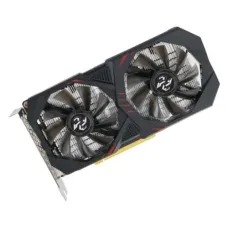
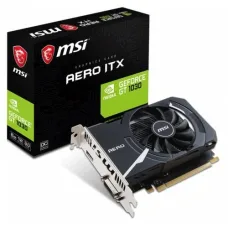
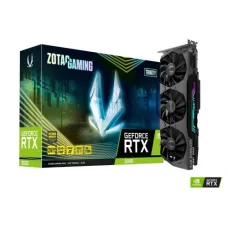
Best Graphics Cards for Superior Gaming Performance
Refine Search
Graphics Card
Graphics Card Price in Bangladesh
A graphics card, also known as a GPU or video card, is one of the most important components for gaming, 3D rendering, video editing, graphic design, AI workloads, and other graphics-intensive applications. The graphics card price in Bangladesh varies depending on the GPU model, VRAM capacity, memory type, cooling system, performance level, brand, warranty, and market availability.
Choosing a graphics card should not be based on price alone. The right GPU depends on your monitor resolution, refresh rate, games or software you use, processor, power supply, computer casing, and budget.
Buy Graphics Card in Bangladesh
If you are planning to buy a graphics card in Bangladesh, first determine what you need it for. A budget graphics card can be suitable for everyday computing and entry-level gaming, while a mid-range or high-end GPU may be more appropriate for high-resolution gaming, professional editing, 3D work, or AI applications.
Before purchasing, check GPU performance, VRAM, power requirements, physical dimensions, required power connectors, display outputs, cooling design, and compatibility with your existing PC.
What is a Graphics Card?
A graphics card is a hardware component responsible for processing and rendering images, video, animations, and other visual information. A dedicated graphics card contains its own graphics processor and video memory, allowing it to handle graphics workloads separately from the CPU.
Modern GPUs are also used for tasks beyond traditional graphics, including video encoding, 3D rendering, machine learning, artificial intelligence, scientific computing, and content creation.
Dedicated Graphics Card vs Integrated Graphics
Dedicated Graphics Card
A dedicated graphics card is a separate expansion component installed in a desktop PC. It has its own GPU, VRAM, cooling system, and power requirements. Dedicated GPUs generally provide significantly higher graphics performance than basic integrated graphics.
Integrated Graphics
Integrated graphics are built into a processor or motherboard platform and generally use system memory rather than dedicated VRAM. They are suitable for everyday computing, office applications, multimedia, and some lighter gaming workloads.
Types of Graphics Card
Budget Graphics Card
Budget GPUs are designed for users who need more graphics performance than basic integrated graphics without spending heavily. They can be suitable for entry-level gaming, multimedia, and general graphics workloads.
Mid-Range Graphics Card
Mid-range graphics cards provide a balance between price and performance. They are popular for gaming PCs because they can deliver strong performance at common resolutions without the cost of flagship hardware.
High-End Graphics Card
High-end GPUs are designed for demanding gaming, high-resolution displays, professional applications, 3D rendering, and other intensive workloads. They generally require a powerful power supply and adequate cooling.
Professional Graphics Card
Professional GPUs are designed for specialized workloads such as CAD, engineering, architecture, scientific visualization, content creation, and professional 3D applications. Their drivers and software support can differ from consumer gaming graphics cards.
External Graphics Card
An external GPU, or eGPU, places a dedicated graphics card inside an external enclosure and connects it to a compatible laptop or computer through a high-bandwidth interface. Compatibility depends on the computer, enclosure, connection standard, drivers, and operating system.
Popular Graphics Card Brands
NVIDIA Graphics Card
NVIDIA produces GeForce graphics cards for gaming and consumer applications as well as professional GPU solutions for specialized workloads. GeForce GPUs are widely used in gaming PCs and content-creation systems.
AMD Graphics Card
AMD produces Radeon graphics cards for gaming and other consumer graphics applications. Radeon GPUs are available across different performance categories, from entry-level solutions to high-performance models.
Intel Graphics Card
Intel also offers dedicated Arc graphics products in addition to integrated graphics. Intel's dedicated GPU lineup provides another option for gaming and graphics workloads.
Graphics Card VRAM
What is VRAM?
VRAM, or video memory, is dedicated memory used by a graphics processor to store textures, frame buffers, shaders, and other graphics-related data. More VRAM can be useful for higher-resolution gaming, detailed textures, professional graphics applications, and certain compute workloads.
4GB Graphics Card
A 4GB graphics card can be suitable for entry-level gaming and everyday graphics workloads, depending on the GPU architecture and software requirements.
6GB Graphics Card
6GB VRAM provides additional memory capacity for modern games and graphics applications compared with lower-capacity GPUs. Actual performance still depends heavily on the GPU itself.
8GB Graphics Card
8GB graphics cards are common in mainstream gaming systems and can provide a practical balance for many gaming and creative workloads.
12GB Graphics Card
12GB VRAM can be useful for higher-resolution gaming, demanding textures, video editing, 3D applications, and other workloads that require more graphics memory.
16GB Graphics Card
16GB graphics cards provide substantial VRAM capacity for demanding games, professional applications, 3D rendering, and selected AI workloads.
24GB Graphics Card
24GB GPUs are generally targeted at high-end gaming, professional content creation, large 3D projects, AI, machine learning, and other workloads that can benefit from substantial video memory.
Graphics Card Memory Type
GDDR6 Graphics Card
GDDR6 is widely used in modern graphics cards and provides high-speed memory designed specifically for graphics workloads.
GDDR6X Graphics Card
GDDR6X is a higher-bandwidth graphics memory technology used in selected GPUs. It can provide increased memory bandwidth for demanding graphics workloads.
GDDR7 Graphics Card
GDDR7 is a newer generation of graphics memory designed to provide higher memory bandwidth and efficiency for newer GPU architectures. Support depends on the specific graphics card generation.
Graphics Card for Gaming
A gaming graphics card is responsible for rendering game visuals and has a major impact on frame rates. The appropriate GPU depends on the resolution and refresh rate of the monitor as well as the games being played.
Graphics Card for 1080p Gaming
For 1080p gaming, entry-level and mid-range graphics cards can provide strong results depending on the game and desired settings. Competitive gamers targeting very high frame rates may require a more powerful GPU.
Graphics Card for 1440p Gaming
1440p gaming requires more graphics processing power than 1080p. A capable mid-range or high-end GPU can be appropriate depending on game settings, ray tracing requirements, and target frame rate.
Graphics Card for 4K Gaming
4K gaming places a significantly higher workload on the GPU. High-end graphics cards are generally better suited to maintaining high frame rates at 4K, particularly when advanced lighting and ray-tracing features are enabled.
Graphics Card for Video Editing
Modern video-editing applications can use GPU acceleration for effects, rendering, playback, color processing, and video encoding. A suitable graphics card can significantly improve workflow performance in compatible applications.
When selecting a GPU for video editing, consider VRAM capacity, GPU compute performance, supported hardware encoding technologies, software compatibility, and the resolution and complexity of your projects.
Graphics Card for 3D Rendering
3D rendering applications can benefit from powerful GPUs, especially when using GPU-based rendering engines. More VRAM can also be valuable for complex scenes, high-resolution textures, and large projects.
Graphics Card for Graphic Design
Graphic design applications generally do not require the same level of GPU performance as high-end gaming or 3D rendering. A suitable mainstream graphics card can be sufficient for many Photoshop, Illustrator, layout, and creative-design workflows.
Graphics Card for AI and Machine Learning
GPUs can accelerate many AI and machine-learning workloads through parallel processing. However, software framework support, GPU architecture, VRAM capacity, drivers, and supported acceleration technologies are important when selecting a GPU for AI workloads.
Graphics Card for Streaming
A modern graphics card can assist with game streaming through hardware video encoding. This can reduce CPU workload while maintaining suitable video quality, depending on the GPU's encoder capabilities and the streaming software being used.
Graphics Card Compatibility
Motherboard Compatibility
Most modern desktop graphics cards use a PCI Express expansion interface. The motherboard should have an appropriate PCIe slot and sufficient physical clearance for the graphics card.
Power Supply Compatibility
A powerful graphics card can require substantial electrical power. Check the recommended power supply capacity and required power connectors before purchasing.
Computer Casing Compatibility
Modern GPUs can be long, wide, and heavy. Check the maximum graphics card length, thickness, and supported slot configuration of your computer casing.
Processor Compatibility
The CPU and GPU should be reasonably balanced for the intended workload. A very powerful GPU paired with an insufficient CPU can create a performance bottleneck in some games and applications.
Monitor Compatibility
Check the graphics card's supported display outputs and ensure they match your monitor. Common interfaces include HDMI and DisplayPort.
Graphics Card Power Requirements
Recommended PSU Wattage
Graphics card manufacturers commonly specify a recommended power supply capacity. This recommendation considers the GPU and the rest of the computer system. Always check the specific GPU manufacturer's requirements.
GPU Power Connectors
Different graphics cards use different power connectors. Depending on the model, additional PCIe power connections may be required from the power supply.
Power Efficiency
GPU power consumption affects electricity usage, cooling requirements, and power supply selection. Newer architectures may offer different performance-per-watt characteristics.
Graphics Card Cooling
Single-Fan Graphics Card
Single-fan graphics cards are often compact and can be suitable for smaller PC builds. Cooling performance depends on the GPU power level and heatsink design.
Dual-Fan Graphics Card
Dual-fan designs are common in mainstream and gaming graphics cards. They provide additional cooling capacity while remaining relatively compact.
Triple-Fan Graphics Card
Triple-fan graphics cards are commonly used on higher-performance GPUs that generate more heat. They can provide substantial cooling but generally require more case space.
Open-Air GPU Cooler
Open-air coolers use fans to move air through the heatsink and into the computer case. They work best in cases with good overall airflow.
Blower-Style GPU Cooler
Blower-style designs push hot air toward the rear of the case. They can be useful in certain compact or multi-GPU environments, although their acoustic and thermal characteristics differ from open-air designs.
Graphics Card Performance Factors
GPU Architecture
The underlying GPU architecture affects performance, efficiency, supported technologies, and software features.
Core Count
Different GPU manufacturers use different terminology for their processing units. Core count should not be compared directly across different GPU architectures as an indicator of performance.
Clock Speed
GPU clock speed affects processing frequency, but it should be considered together with the GPU architecture, number of processing units, memory bandwidth, and power limits.
Memory Bandwidth
Memory bandwidth determines how quickly data can move between the GPU and VRAM. Higher bandwidth can be beneficial for demanding graphics workloads.
Ray Tracing
Ray tracing simulates the behavior of light to create more realistic reflections, shadows, and lighting effects. Performance depends on the GPU's dedicated ray-tracing capabilities and the game or application.
AI Upscaling
Modern GPUs can support technologies that use artificial intelligence or advanced reconstruction techniques to render games at a lower internal resolution and produce a higher-resolution output. Support and quality vary by GPU generation and software.
Graphics Card for Different Users
Graphics Card for Regular Users
Users who mainly browse the internet, watch videos, use office applications, and perform basic tasks may not need a dedicated graphics card if their processor includes suitable integrated graphics.
Graphics Card for Students
Students working with office applications, programming, browsing, and general productivity may not require a powerful dedicated GPU. A dedicated graphics card becomes more useful for engineering, architecture, multimedia, 3D, or gaming-related workloads.
Graphics Card for Gamers
Gamers should select a GPU based on their target resolution, refresh rate, preferred graphics settings, and game requirements.
Graphics Card for Content Creators
Content creators should consider GPU acceleration, VRAM capacity, hardware encoding, application support, and the requirements of their editing or rendering software.
Graphics Card for Professionals
Professionals working with CAD, 3D design, simulation, AI, engineering, and visualization should consider application-specific compatibility and certification in addition to raw GPU performance.
How to Choose a Graphics Card
Set Your Budget
Determine how much you can spend before comparing models. GPU prices can vary substantially between performance categories.
Choose Your Target Resolution
Decide whether you primarily want to use 1080p, 1440p, or 4K resolution. This is one of the most useful starting points for choosing a GPU.
Consider Your Games or Applications
Check the recommended GPU requirements of the games and applications you actually use rather than buying based only on specifications.
Check VRAM
Consider the VRAM requirement of your target games and applications. Higher VRAM can be beneficial for high-resolution textures and demanding workloads, but VRAM capacity alone does not determine overall GPU performance.
Check Power Requirements
Make sure your existing power supply can safely support the graphics card and that it has the necessary power connectors.
Check GPU Dimensions
Measure the available space inside your computer casing and compare it with the graphics card's length, height, and thickness.
Check Cooling
Make sure your PC case has sufficient airflow for the selected graphics card, particularly for high-performance models.
Graphics Card Upgrade
Upgrading the graphics card can provide a significant performance improvement in games and graphics-intensive applications. However, the upgrade should be evaluated alongside the CPU, power supply, motherboard, monitor, and case.
If your existing GPU is outdated but the CPU and power supply are adequate, a graphics card upgrade can be one of the most noticeable upgrades for a gaming PC.
Used Graphics Card
Used graphics cards can provide a lower-cost way to upgrade a PC, but buyers should carefully check condition, warranty status, operating temperature, fan noise, physical damage, and performance before purchasing.
For used GPUs, testing the card under load can help identify problems such as overheating, unstable performance, graphical artifacts, or fan issues.
Graphics Card Maintenance
Clean Dust
Dust buildup can restrict airflow and increase temperatures. Keep the graphics card and surrounding case ventilation reasonably clean.
Monitor Temperature
Monitoring GPU temperature during heavy workloads can help identify cooling problems. Excessive temperature should be investigated rather than ignored.
Check GPU Fans
Unusual fan noise, vibration, or fans that fail to operate when cooling is required may indicate a problem.
Maintain Case Airflow
Even an excellent graphics card cooler cannot perform optimally if the computer case has severely restricted airflow.
Graphics Card Price in BD
The graphics card price in BD depends on GPU generation, model, VRAM, brand, cooling design, factory specifications, warranty, and market availability.
Entry-level graphics cards generally cost less than mainstream gaming GPUs, while high-end and professional graphics cards can be significantly more expensive.
Graphics Card Price in Jessore
If you are searching for graphics card price in Jessore, first determine your target gaming resolution or application requirements. This helps narrow down the appropriate GPU category before comparing available models and prices.
Unix Network customers can compare graphics cards according to performance requirements, VRAM, power consumption, physical dimensions, warranty, and budget.
Frequently Asked Questions About Graphics Card
What is a graphics card used for?
A graphics card processes and renders visual information for games, applications, videos, 3D content, and other graphics workloads. Modern GPUs can also accelerate AI, rendering, encoding, and other computational tasks.
Do I need a dedicated graphics card?
Not necessarily. Basic office, browsing, multimedia, and everyday workloads can often run using integrated graphics. A dedicated GPU becomes more useful for gaming, 3D work, video editing, AI, and other demanding applications.
How much VRAM do I need?
The required VRAM depends on the games, resolution, textures, and applications you use. Higher-resolution gaming and professional workloads can require more VRAM.
Which graphics card is best for gaming?
The best graphics card depends on your budget, monitor resolution, target frame rate, games, and desired graphics settings. There is no single GPU that is ideal for every gamer.
Can I install a graphics card on any PC?
No. You need a compatible PCIe expansion slot, sufficient physical space, adequate power supply capacity, appropriate power connectors, and a compatible system configuration.
Can a graphics card improve FPS?
Yes. In games where the GPU is the performance limitation, upgrading to a more powerful graphics card can substantially increase frame rates.
Does more VRAM mean a faster graphics card?
No. VRAM capacity is only one specification. GPU architecture, processing performance, memory bandwidth, clock speeds, power limits, and software optimization also affect performance.
How long does a graphics card last?
A graphics card can remain usable for many years, but its practical lifespan depends on workload, thermal conditions, maintenance, component quality, and changing software requirements.
Should I upgrade my GPU or CPU first?
If gaming performance is primarily limited by the graphics card, a GPU upgrade may provide a larger improvement. If the CPU is the bottleneck, upgrading the GPU alone may not produce the expected performance increase.
Can I use a gaming graphics card for video editing?
Yes. Many video-editing applications can use consumer graphics cards for GPU acceleration and hardware encoding. Check the requirements of your specific editing software.
Final Graphics Card Buying Guide
A graphics card is a key component for gaming, content creation, 3D rendering, AI, and other graphics-intensive workloads. The best GPU depends on your actual requirements rather than simply choosing the model with the highest specifications.
Before buying, consider GPU performance, VRAM, target resolution, monitor refresh rate, power supply, GPU dimensions, cooling, processor compatibility, display outputs, warranty, and budget.
If you are searching for graphics card price in Bangladesh, graphics card price in BD, GPU price in Bangladesh, gaming graphics card, NVIDIA graphics card, AMD graphics card, Intel graphics card, 4GB graphics card, 8GB graphics card, 12GB graphics card, 16GB graphics card, graphics card for gaming, graphics card for video editing, or graphics card price in Jessore, compare available models according to your PC configuration and intended workload before making your purchase.
Buy The best Graphics Card Price in Bangladesh
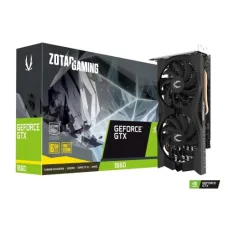
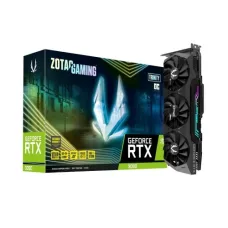
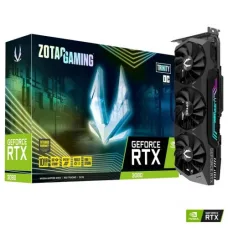
Graphics Card is a very important component of a desktop PC that can turn an ordinary machine in to an extraordinary one. If you are a gamer whether professional or early level you would find next generation technologies of video cards available at Unix Network. In the stock of gaming graphics card we have all spectacular brands. We can assure you the best Asus, Gigabyte, MSI, Zotac, XFX & Sapphire graphics card price in Bangladesh to experience the faster, smoother and most advanced desktop PC gaming. Among these cards our entire collection enriched with the latest NVIDIA graphics cards and now AMD graphics cards added a new dimension to it. In the process of upgrading your rig NVIDIA GeForce GTX provides the best budget & eSports graphics. If you want to experience elegant video games at extremely high frame rates and resolutions from our collection will serve you the best AMD graphics cards.
In case of purchasing a graphics card you can search & analyze the market and get the best price at Unix Network in Bangladesh. We offer the best deals for best GPU price in of any brand from where you can choose your desired one.
When it comes to optimizing your computer's performance for graphic-intensive tasks such as gaming, video editing, or graphic design, a high-quality graphics card is essential. At Unix Network in Jashore, Bangladesh, we understand the importance of having a powerful graphics card to enhance your computing experience.
A graphics card, also known as a video card or GPU (Graphics Processing Unit), is responsible for rendering images, animations, and videos on your computer screen. It offloads the processing power from the CPU to provide faster and smoother performance, especially when dealing with complex graphics and visuals.
At Unix Network, we offer a wide selection of graphics cards from leading brands such as NVIDIA and AMD. Whether you're a hardcore gamer looking for maximum frame rates and immersive graphics, or a professional video editor seeking fast rendering speeds and high-resolution output, we have the perfect graphics card for your needs.
Our experienced staff can help you choose the right graphics card based on your budget and requirements. We offer various options, including entry-level graphics cards for casual users, mid-range cards for mainstream gamers, and high-end cards for enthusiasts and professionals.
Upgrade your computer's graphics capabilities today with a top-of-the-line graphics card from Unix Network in Jashore, Bangladesh. Visit our store or shop online to explore our range of products and take your computing experience to the next level.