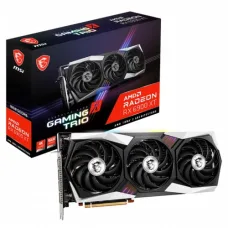
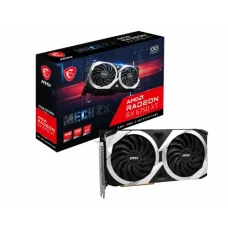
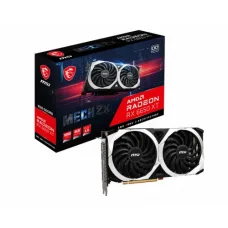
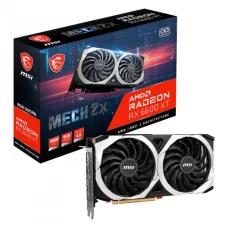
-6%.png)
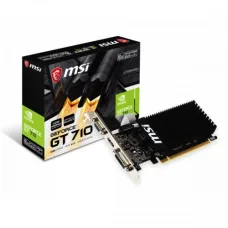
MSI GT 710 2GD3H LP 2GB DDR3 Gaming Graphic Card
৳8,700৳9,300
Showing 1 to 24 of 214 (9 Pages)
৳8,700৳9,300
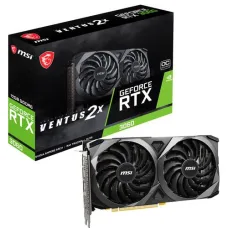
৳65,000৳75,500
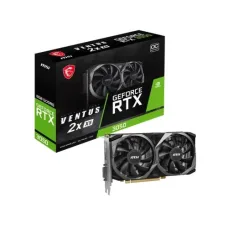
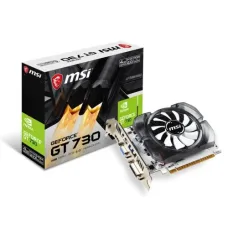
৳12,400৳12,900
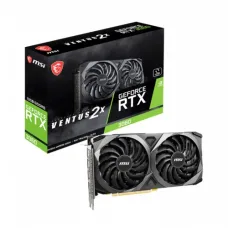
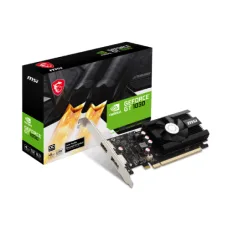
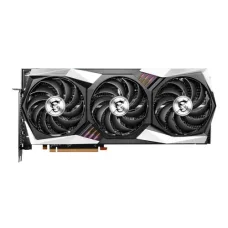
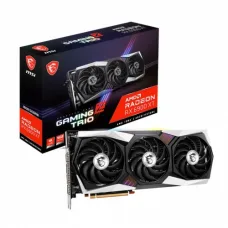
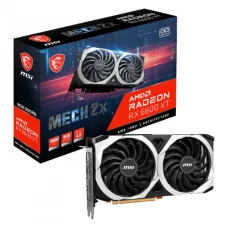
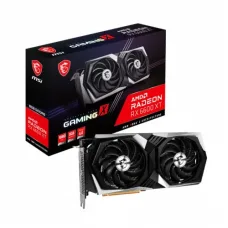
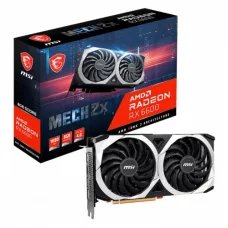
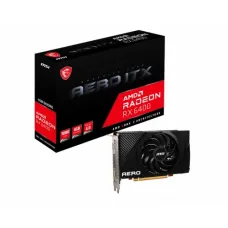
These are the latest in-stock MSI Graphics Card at Unix Network, with the current price in Bangladesh. Open a model for specifications.
MSI Graphics Card products are designed for gaming PCs, content creation systems, professional workstations, and other desktop computers that require dedicated graphics processing performance. MSI graphics cards are available across different NVIDIA and AMD GPU platforms, performance classes, cooling designs, memory configurations, and form factors.
Unix Network offers MSI graphics cards in Bangladesh for customers looking to build a gaming PC, upgrade an existing desktop, improve graphics performance, or create a workstation for demanding applications. Choosing the right MSI graphics card depends on the GPU model, VRAM capacity, resolution, refresh rate, power requirements, cooling system, physical dimensions, and overall PC configuration.
A graphics card, also called a GPU or video card, is a computer component responsible for rendering images, video, 3D graphics, games, and other GPU-accelerated workloads. An MSI graphics card combines a graphics processor with video memory, cooling hardware, a PCB, power circuitry, and display outputs.
MSI produces graphics cards in different product families and performance levels. Depending on the model, an MSI GPU can be suitable for entry-level gaming, mainstream gaming, high-refresh-rate gaming, 4K gaming, content creation, 3D rendering, AI workloads, and professional applications.
MSI gaming graphics cards are designed for users who want dedicated GPU performance for modern PC games. Gaming performance depends on the graphics processor, VRAM, game settings, resolution, CPU, memory, storage, drivers, and other system components.
MSI gaming GPUs are available in different performance tiers so users can select a model appropriate for 1080p, 1440p, or 4K gaming.
MSI produces graphics cards based on NVIDIA GeForce GPUs. Depending on the generation and model, NVIDIA-powered MSI graphics cards can provide features such as hardware-accelerated ray tracing, AI-based technologies, DLSS support, and GPU acceleration for compatible applications.
MSI GeForce RTX graphics cards are designed for gaming, ray tracing, content creation, AI-assisted applications, and other GPU-accelerated workloads. RTX models include dedicated hardware designed for ray tracing and AI-related processing.
MSI has also produced GeForce GTX graphics cards across multiple generations. GTX models can remain useful for compatible gaming and general graphics workloads, although performance and feature support depend on the specific GPU generation.
MSI has produced graphics cards based on AMD Radeon GPU platforms. Radeon-based MSI graphics cards are designed for gaming and other GPU-accelerated workloads, with features varying according to the specific GPU generation.
MSI RTX graphics cards are available in multiple performance classes. The appropriate RTX model depends on the desired gaming resolution, graphics settings, refresh rate, applications, VRAM requirements, and budget.
VRAM, or video memory, stores graphical data such as textures, frame buffers, shaders, and other information required by the GPU. Higher VRAM capacity can be beneficial for higher resolutions, demanding games, large textures, professional applications, and some AI workloads.
VRAM capacity alone does not determine graphics performance. The GPU architecture, processing resources, memory bandwidth, clock speeds, software, and workload are also important.
An MSI graphics card with 8GB of VRAM can be suitable for many 1080p and selected 1440p gaming configurations, depending on the GPU model and game requirements.
A 12GB MSI graphics card can provide additional graphics memory for higher-resolution gaming and demanding applications. The suitability of a 12GB GPU depends on the underlying graphics processor and intended workload.
MSI graphics cards with 16GB of VRAM can be useful for high-resolution gaming, large texture workloads, content creation, 3D applications, and other workloads that benefit from additional video memory.
24GB graphics cards are designed for demanding workloads that require substantial video memory. They can be useful for professional content creation, 3D rendering, AI workloads, and high-end gaming, depending on the GPU architecture and application requirements.
For 1080p gaming, users can select from mainstream and mid-range MSI graphics cards depending on the desired frame rate and graphics settings. Competitive gamers targeting high refresh rates may require more GPU performance than users playing at standard refresh rates.
1440p gaming places greater demands on the GPU than 1080p. A suitable MSI graphics card for 1440p should provide enough GPU performance and VRAM for the games and graphics settings the user intends to run.
4K gaming requires substantially more graphics processing performance than lower resolutions. High-end MSI graphics cards can be considered for 4K gaming, particularly when users want high graphics settings, ray tracing, or high frame rates.
Ray tracing simulates the behavior of light to create more realistic reflections, shadows, lighting, and other visual effects. Compatible MSI RTX graphics cards include dedicated hardware for accelerated ray-tracing workloads.
Compatible NVIDIA GeForce RTX graphics cards can support NVIDIA DLSS technologies in supported games and applications. DLSS can use AI-based techniques to improve performance or image quality depending on the available mode and software implementation.
Modern GPUs can accelerate selected artificial intelligence and machine-learning workloads. MSI graphics cards based on suitable NVIDIA or AMD GPU platforms can be used for compatible AI applications, although software support and VRAM requirements vary significantly.
Content creators can use MSI graphics cards for video editing, photo editing, 3D modeling, animation, rendering, streaming, and other GPU-accelerated applications. The best GPU depends on the specific software and workload.
A dedicated MSI GPU can accelerate supported video editing tasks such as effects processing, timeline playback, encoding, decoding, and rendering. Software support varies between applications and GPU platforms.
3D rendering applications can benefit from GPU acceleration. High-performance MSI graphics cards can provide substantial compute resources for compatible render engines and 3D workflows.
Blender can use GPU acceleration for supported rendering workflows. An MSI graphics card with sufficient VRAM and compatible GPU compute support can improve rendering performance compared with CPU-only rendering in supported workloads.
Selected Adobe applications can use GPU acceleration for supported functions. The appropriate MSI graphics card depends on the application, project complexity, display resolution, effects, and other system specifications.
A dedicated graphics card can assist with game rendering and video encoding during live streaming. Modern GPU hardware can provide dedicated encoding capabilities for compatible streaming software, helping reduce CPU workload in supported configurations.
GPU cooling is important because graphics processors generate significant heat during demanding workloads. MSI graphics cards can use different cooling systems depending on the model, including multiple fans, large heatsinks, heat pipes, and specialized thermal designs.
Dual-fan graphics cards can provide a balance between cooling capacity, physical size, and noise characteristics. They can be suitable for many mainstream and mid-range gaming systems.
Triple-fan graphics cards generally provide greater cooling surface area and airflow capacity. They are commonly used on higher-performance GPUs that generate more heat.
The heatsink absorbs and distributes heat generated by the GPU and other components. Larger heatsinks can support greater thermal capacity, although case airflow and fan design also affect overall cooling.
Heat pipes transfer heat from the GPU and other hot components into the heatsink assembly. MSI uses different thermal designs depending on the graphics card series and model.
A backplate can provide structural support and protect the rear side of the graphics card PCB. Some MSI graphics cards include a metal or other backplate depending on the model.
Graphics card cooling performance is affected by the airflow inside the computer case. A case with sufficient intake and exhaust airflow can help the GPU cooling system operate more effectively.
Selected MSI graphics cards use fan-stop technologies designed to keep fans off or at very low speed under light workloads when temperatures are within an appropriate range. Feature availability varies by model.
MSI has multiple graphics card product families aimed at different users and performance levels. Product branding, features, cooling systems, and specifications vary by GPU generation and model.
Modern graphics cards can vary considerably in length, height, and thickness. A high-performance MSI GPU may occupy multiple expansion slots and require substantial case clearance.
Graphics card length is important when selecting a PC case. Users should compare the GPU's actual dimensions with the maximum graphics card clearance specified by the case manufacturer.
GPU thickness determines how many expansion slots the card occupies and can affect compatibility with adjacent PCIe devices. Users should check the exact slot width of the MSI graphics card before building a PC.
Graphics card power consumption varies significantly by GPU model and workload. High-performance GPUs generally require more power than entry-level models.
Users should check the manufacturer's recommended PSU wattage and required power connectors before installing an MSI graphics card.
Depending on the model, an MSI graphics card may use one or more PCIe power connectors or a newer high-power graphics connector. The exact connector requirement must be checked for the specific GPU.
The required PSU depends on the graphics card and the complete computer configuration. CPU power, motherboard, storage, cooling, USB devices, and other components should be considered when selecting a power supply.
Graphics cards commonly provide outputs such as DisplayPort and HDMI. The number, version, and capabilities of the outputs vary by model.
| Display Output | Typical Use |
|---|---|
| DisplayPort | High-resolution and high-refresh-rate monitors |
| HDMI | Monitors, TVs, and compatible displays |
Many MSI graphics cards support multiple displays through their available display outputs. The maximum number of supported displays and supported resolutions depend on the GPU model and output configuration.
Users with 144Hz, 165Hz, 240Hz, or higher-refresh-rate monitors need a graphics card capable of producing the required frame rates in their chosen games and applications. The display connection and monitor specifications must also support the desired resolution and refresh rate.
The graphics card should be selected according to the monitor's resolution and refresh rate. A high-end MSI GPU may be unnecessary for a basic 1080p monitor, while a powerful GPU can be appropriate for 1440p or 4K high-refresh-rate displays.
Graphics card compatibility involves more than the motherboard's PCIe slot. Users should check the motherboard, case dimensions, PSU capacity, power connectors, CPU performance, monitor connections, and available expansion space.
MSI graphics cards use PCI Express interfaces to communicate with compatible motherboards. PCIe generations differ in bandwidth, but modern graphics cards are generally designed to work with compatible PCIe slots across multiple generations, subject to platform limitations.
A desktop motherboard with a suitable PCIe x16 slot can support a compatible dedicated graphics card. Users should also check physical clearance and BIOS or platform compatibility where relevant.
A CPU bottleneck can occur when the processor cannot supply data to the GPU quickly enough to achieve the desired frame rate. The likelihood depends on the CPU, GPU, game, resolution, graphics settings, and target frame rate.
System RAM requirements vary by game and application. A powerful GPU should be paired with an appropriately configured system to avoid performance limitations caused by insufficient system memory.
An SSD can improve game and application loading times, but storage type does not directly determine the graphics processing performance of a GPU.
When building a gaming PC, the MSI graphics card should be selected alongside the CPU, motherboard, RAM, SSD, PSU, and case. Balanced component selection can help avoid unnecessary bottlenecks and compatibility issues.
Budget gaming systems can use mainstream MSI graphics cards selected according to the target resolution and desired graphics settings. Users should prioritize the GPU that provides the required performance without creating an unnecessarily expensive or unbalanced build.
High-end gaming PCs can use powerful MSI graphics cards for demanding resolutions, high refresh rates, ray tracing, and advanced graphics settings. These GPUs may require higher-wattage power supplies and larger PC cases.
Workstation users should select a GPU according to the professional software and workload. Video editing, 3D rendering, CAD, simulation, AI, and other professional applications can have different GPU requirements.
Graphics drivers allow the operating system and applications to communicate with the GPU. Users should install appropriate drivers for their specific MSI graphics card and GPU platform.
Keeping graphics drivers reasonably up to date can provide compatibility improvements, bug fixes, security updates, and performance optimizations for supported games and applications.
Some MSI graphics cards can receive firmware updates or provide different BIOS modes depending on the model. Users should only use firmware intended for the exact graphics card model and follow the manufacturer's instructions.
Overclocking increases GPU operating parameters beyond standard settings to potentially achieve additional performance. It can also increase power consumption and heat output, so adequate cooling and a suitable power supply are important.
Selected MSI graphics cards are factory-overclocked and may operate at higher boost or clock specifications than reference configurations. Actual boost behavior can vary according to temperature, workload, power limits, and system conditions.
MSI provides software tools for selected graphics cards that can help users monitor temperatures, adjust settings, manage fan behavior, and configure supported performance features.
GPU temperature depends on ambient temperature, workload, case airflow, fan speed, heatsink design, and GPU power consumption. Users should evaluate temperatures according to the specifications and behavior of the particular GPU model.
Graphics card fan noise varies according to GPU load, temperature, fan curve, heatsink design, and ambient conditions. A larger cooling system can sometimes maintain lower fan speeds under the same workload, but actual acoustics vary by model.
Warranty coverage depends on the specific MSI graphics card model, region, distributor, and purchase channel. Customers should verify the applicable warranty terms before purchase.
MSI graphics card prices in Bangladesh vary according to GPU generation, GPU model, VRAM capacity, cooling design, factory overclocking, product series, warranty, and market availability.
When comparing MSI GPU prices, users should consider performance at their intended resolution, VRAM requirements, cooling, power consumption, warranty, and overall system compatibility.
Customers looking to buy an MSI graphics card in Bangladesh can choose from different GPU performance levels for gaming PCs, workstations, content creation systems, and general graphics-intensive applications.
Unix Network provides graphics cards, processors, motherboards, SSDs, RAM, power supplies, PC cases, CPU coolers, gaming peripherals, and other computer components for desktop PC builds and upgrades.
Unix Network provides MSI graphics cards and PC components for customers in Jashore and across Bangladesh. Customers can select an MSI GPU according to their gaming resolution, monitor refresh rate, VRAM requirements, CPU, PSU, PC case, cooling, budget, and intended applications.
An MSI graphics card is a dedicated GPU product manufactured by MSI for rendering graphics and accelerating compatible gaming, creative, professional, and compute workloads.
MSI offers graphics cards across multiple gaming performance levels. The best MSI GPU depends on the games, resolution, graphics settings, desired frame rate, CPU, and budget.
Yes. MSI produces graphics cards based on NVIDIA GeForce RTX GPU platforms across different generations and performance classes.
VRAM requirements depend on the game, resolution, texture quality, application, and workload. Higher resolutions and demanding professional workloads can benefit from additional VRAM.
The appropriate MSI GPU for 1080p depends on the desired frame rate and graphics settings. Mainstream and mid-range GPUs can be suitable for many 1080p gaming configurations.
1440p gaming generally benefits from a stronger GPU than 1080p. The ideal MSI graphics card depends on the games, target frame rate, ray-tracing requirements, and graphics settings.
4K gaming generally requires a high-performance GPU. High-end MSI graphics cards can be considered for users targeting high settings, ray tracing, and high frame rates at 4K.
Some MSI graphics cards require additional power from the PSU, while lower-power models may draw sufficient power through the PCIe motherboard slot. The exact requirement depends on the graphics card model.
PSU requirements depend on the specific GPU and complete PC configuration. Users should follow the graphics card manufacturer's recommended PSU wattage and connector requirements.
Compatibility depends on the motherboard's PCIe slot, case clearance, PSU, power connectors, BIOS or platform considerations, and other system specifications. Most modern desktop motherboards with compatible PCIe x16 slots can support suitable dedicated graphics cards.
Many MSI graphics cards support multiple monitors. The maximum number, resolution, and refresh rate depend on the specific GPU and its display outputs.
Compatible MSI graphics cards can accelerate supported video editing functions. The ideal GPU depends on the editing software, project resolution, effects, codecs, and other workload requirements.
Compatible MSI GPUs can accelerate supported Blender rendering workflows. The best choice depends on the rendering engine, scene complexity, VRAM requirements, and desired performance.
Unix Network provides MSI graphics cards and PC components for gaming, content creation, professional workstations, and custom desktop builds. Customers can compare MSI GPUs according to GPU performance, VRAM, cooling, dimensions, display outputs, power requirements, features, warranty, price, and availability.
Before purchasing an MSI graphics card, verify the exact GPU model, VRAM capacity, card dimensions, slot thickness, PSU wattage, power connectors, motherboard compatibility, monitor requirements, cooling needs, warranty, price, and stock availability. Graphics card specifications, pricing, warranty conditions, and market availability may vary by model and region and can change without prior notice.