.png)
Showing 1 to 10 of 10 (1 Pages)
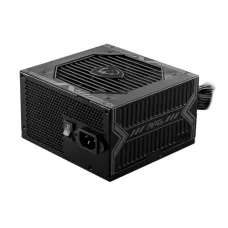
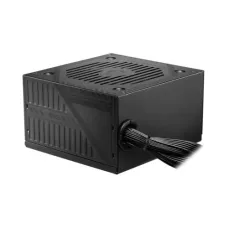
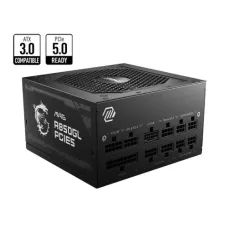
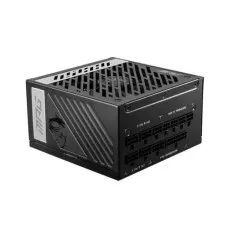
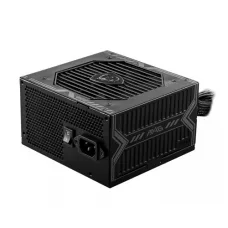
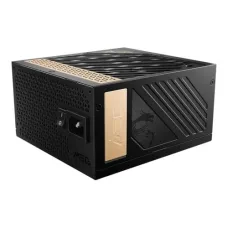
These are the latest in-stock MSI Power Supply at Unix Network, with the current price in Bangladesh. Open a model for specifications.
MSI Power Supply units, commonly known as MSI PSUs, are designed to provide stable and reliable power to desktop computers, gaming PCs, workstations, and high-performance systems. MSI power supplies are available in different wattages, efficiency ratings, form factors, cable configurations, and modular designs to meet the requirements of different PC builds.
Unix Network offers MSI Power Supply products in Bangladesh for users building new computers, upgrading existing systems, or assembling gaming and professional workstations. Choosing the right MSI PSU requires considering total system power consumption, graphics card requirements, CPU power, efficiency, connectors, form factor, cooling, modularity, and future upgrade plans.
An MSI Power Supply Unit converts AC electricity from a wall outlet into the regulated DC power required by computer components such as the motherboard, processor, graphics card, storage devices, cooling fans, and other peripherals.
A reliable PSU is an essential part of a computer because unstable or insufficient power can affect system stability and component performance. MSI power supplies are designed for different categories of desktop systems, from mainstream computers to high-performance gaming PCs.
MSI gaming power supplies are designed for desktop gaming systems using modern CPUs and dedicated graphics cards. Depending on the model, MSI PSUs can include high-efficiency designs, modular cables, Japanese capacitors, DC-to-DC conversion, multiple protection mechanisms, and support for modern graphics card power connectors.
Gamers should select PSU wattage according to the complete system configuration rather than choosing a power supply based only on the graphics card.
ATX is one of the most common power supply form factors for desktop computers. MSI offers ATX-compatible power supplies in different wattages and configurations.
Before purchasing an MSI ATX PSU, users should check the computer case's PSU clearance and mounting requirements.
Modular power supplies allow users to connect only the cables required for their system. This can reduce cable clutter and make PC building and cable management easier.
A fully modular MSI PSU has detachable power cables, including cables used for motherboard, CPU, graphics card, storage, and peripheral connections. Users can install only the cables needed for their particular PC build.
A semi-modular PSU has some permanently attached cables and some detachable cables. It can provide a balance between convenience and cost, although availability depends on the MSI product series and model.
A non-modular power supply has all of its cables permanently attached. This can be suitable for simpler builds, although cable management may require more space inside the computer case.
Power supply wattage represents the amount of power the PSU is designed to provide. MSI PSUs are available in different power levels to support various desktop configurations.
The appropriate wattage depends on the CPU, GPU, motherboard, storage devices, cooling system, USB peripherals, and other components. Future upgrades should also be considered when selecting PSU capacity.
A 550W-class MSI power supply can be suitable for mainstream desktop and gaming configurations when the total system power requirement falls within the PSU's capabilities.
A 650W MSI PSU can be suitable for many mid-range gaming and productivity systems. Actual suitability depends on the processor, graphics card, and other components.
A 750W MSI power supply provides additional capacity for higher-performance gaming systems. It can be an appropriate choice for systems using moderately powerful dedicated graphics cards, depending on the manufacturer's recommended PSU requirement.
An 850W MSI PSU is suitable for many high-performance gaming PCs and workstation configurations. It can provide additional power headroom for demanding CPUs and graphics cards.
A 1000W MSI power supply is designed for high-end desktop systems, powerful gaming PCs, professional workstations, and configurations with high power requirements.
A 1200W-class MSI PSU can be suitable for very high-performance systems using demanding processors, graphics cards, multiple storage devices, and other high-power components.
Power supply efficiency describes how effectively the PSU converts AC input power into DC output power. Higher efficiency can reduce wasted energy and heat under appropriate operating conditions.
80 PLUS is an efficiency certification program used for power supplies. MSI offers PSU models with different efficiency certifications depending on the product series.
Customers should check the exact efficiency certification of the MSI PSU model they are considering rather than assuming that all MSI power supplies have the same rating.
An 80 PLUS Bronze MSI PSU can be a practical choice for mainstream and gaming PCs where a balance between efficiency, performance, and cost is important.
80 PLUS Gold MSI power supplies are designed for higher efficiency than Bronze-rated models. They can be suitable for gaming PCs, workstations, and systems that operate for extended periods.
Higher-efficiency MSI PSUs can be useful for demanding systems and users who prioritize energy efficiency. The exact efficiency performance depends on the model and operating load.
ATX 3.0 power supplies are designed around newer power delivery requirements for modern PC hardware. Compatible MSI PSUs can provide improved support for transient power demands from modern graphics cards.
ATX 3.1 represents a newer revision of the ATX power supply specification. MSI offers compatible PSU models designed for modern PC components and graphics cards.
Modern MSI PSUs can include support for PCIe 5-class graphics power connectivity. Depending on the model, a PSU may include a native 12V-2x6 or related high-power graphics connector.
Users should always check the exact connector type supplied with the PSU and the requirements of their graphics card.
Users building a gaming PC with a modern NVIDIA GeForce RTX graphics card should check the GPU manufacturer's recommended PSU wattage and required power connector. MSI PSUs with modern GPU power connectors can simplify cable management in compatible builds.
AMD Radeon graphics cards can have different power requirements depending on the GPU model. Users should check the graphics card manufacturer's recommended PSU wattage and connector requirements before selecting an MSI PSU.
A desktop power supply can provide several types of connectors for different PC components. The exact connector configuration depends on the MSI PSU model.
| Connector | Typical Use |
|---|---|
| 24-Pin ATX | Motherboard main power |
| 4+4-Pin EPS | CPU power |
| PCIe Power | Dedicated graphics cards and compatible expansion hardware |
| 12V-2x6 | Modern high-power graphics cards on compatible PSUs |
| SATA Power | SATA SSDs, hard drives, and other SATA-powered devices |
| Molex | Selected legacy peripherals and accessories |
The 24-pin ATX connector supplies the primary power connection to a standard desktop motherboard. MSI ATX PSUs designed for conventional desktop systems include the appropriate motherboard power connection.
CPU power is typically supplied through 4+4-pin EPS connectors. High-performance motherboards may require additional CPU power connections, so users should check both the motherboard and PSU specifications.
Dedicated graphics cards can require one or more auxiliary power connections. Modern high-end GPUs may use newer high-power connectors, while other graphics cards use conventional PCIe power connectors.
12V-2x6 is a newer high-power graphics card power connector used with compatible modern hardware. A PSU with a native compatible cable can provide a cleaner installation than relying on multiple adapter cables.
SATA power connectors are used for compatible SATA SSDs, hard disk drives, optical drives, fan hubs, RGB controllers, and other peripherals that use SATA power.
Quality power supplies include protection features designed to help protect the PSU and connected components against abnormal electrical conditions. Depending on the model, MSI PSUs may provide protections such as over-voltage protection, over-current protection, over-power protection, short-circuit protection, and over-temperature protection.
Over-voltage protection helps respond to excessive voltage conditions. The implementation and protection thresholds vary by PSU design.
Over-current protection is designed to help prevent excessive current from damaging the power supply or connected circuits.
Over-power protection helps prevent the PSU from operating beyond its specified power limits under abnormal load conditions.
Short-circuit protection is designed to shut down or limit power delivery when a short circuit is detected.
Over-temperature protection can help protect the power supply when internal temperatures exceed safe operating limits.
Power supplies generate heat during operation and use cooling systems to maintain appropriate operating temperatures. MSI PSUs can use different fan sizes and cooling designs depending on the model.
Noise levels depend on fan size, fan curve, internal temperature, power load, and PSU design. Some MSI PSU models use fan control technologies designed to reduce fan noise under lighter workloads.
Selected power supplies may include a semi-passive fan mode where the cooling fan remains off under certain loads or temperatures. The availability of this feature depends on the exact model.
Selected MSI power supply models use high-quality capacitors, including Japanese capacitors, as part of their internal electrical design. Users should check the specifications of the specific PSU model for capacitor details.
PSU build quality depends on internal components, circuit design, cooling, manufacturing quality, protection features, efficiency, and testing. A suitable power supply should be selected according to the requirements of the complete system.
A gaming PC should use a PSU with sufficient capacity for the CPU and graphics card while leaving reasonable headroom for transient loads and future upgrades. Users should also ensure that the PSU has the required GPU power connectors.
Professional workstations can have higher power requirements due to powerful processors, graphics cards, storage systems, and expansion cards. MSI PSUs with higher wattage and appropriate connectors can be considered for compatible workstation configurations.
Mainstream office PCs generally require less power than gaming and workstation systems. A properly sized MSI PSU can provide reliable power without unnecessary excess capacity.
Content creation systems using powerful GPUs, multiple storage devices, and high-performance processors can benefit from a higher-capacity PSU. Video editing and 3D production systems should be evaluated based on the complete hardware configuration.
AI and compute-intensive PCs can require substantial power depending on the number and model of GPUs installed. Users building such systems should calculate total power requirements carefully and verify the recommended PSU specifications for each major component.
Systems designed for sustained high-load computing can place significant continuous demand on a PSU. Users should consider sustained load capability, efficiency, cooling, connector requirements, and manufacturer specifications when selecting a power supply for any continuous high-load application.
Before purchasing an MSI PSU, users should check the PC case form factor, motherboard power requirements, CPU power connectors, graphics card connectors, storage connections, total wattage requirements, and cable length.
To estimate PSU requirements, users can add the typical power consumption of the CPU, GPU, motherboard, storage devices, cooling components, memory, and peripherals. A reasonable amount of additional capacity should then be considered for transient loads and future upgrades.
Manufacturer recommendations for the graphics card and CPU are useful references when choosing PSU capacity.
PSU wattage and efficiency are different specifications. Wattage describes how much power the PSU can provide, while efficiency describes how effectively it converts input electricity into usable output power.
| Feature | Modular MSI PSU | Non-Modular PSU |
|---|---|---|
| Cables | Detachable on modular designs | Permanently attached |
| Cable Management | Easier | More cables to manage |
| Installation | Flexible | Simple but less flexible |
| Unused Cables | Can remain disconnected | Remain attached |
| Typical Use | Gaming and custom PC builds | Simple desktop builds |
Mid-range computers generally do not require extremely high-wattage PSUs. A suitable MSI PSU should provide enough capacity for the selected CPU and GPU while allowing appropriate headroom.
High-end gaming and workstation systems can require substantially more power. Users should select a high-capacity MSI PSU with appropriate efficiency, connectors, thermal design, and modern power delivery support.
Users planning to upgrade their graphics card or processor may choose a PSU with additional capacity and modern connectors. This can reduce the need to replace the power supply during a future hardware upgrade.
Modular MSI PSUs can simplify cable management because unused cables can remain disconnected. Good cable management can improve airflow and create a cleaner-looking PC build.
PSU installation involves mounting the power supply in the correct orientation, connecting the motherboard, CPU, graphics card, storage, and other required power cables, and ensuring that cables are properly seated.
Users should use only the cables supplied for the specific PSU model. Modular PSU cables are not universally interchangeable, even when connectors appear physically similar.
If a PC does not power on after installing an MSI PSU, users should check the AC power connection, PSU switch, motherboard 24-pin cable, CPU EPS cable, graphics card power cable, and other required connections.
If the system repeatedly shuts down, restarts, or exhibits unusual behavior, the issue may involve PSU capacity, component faults, overheating, cabling, or other hardware. Professional diagnosis may be appropriate.
MSI Power Supply prices in Bangladesh vary according to wattage, efficiency certification, modularity, ATX specification, connector configuration, cooling design, internal components, warranty, and product series.
When comparing MSI PSU prices, customers should consider the complete specification and intended PC configuration rather than choosing the cheapest or highest-wattage option.
Customers looking to buy an MSI Power Supply in Bangladesh can choose from different wattage and efficiency levels for gaming PCs, office computers, workstations, and high-performance systems.
Unix Network provides power supplies, computer components, gaming hardware, storage devices, graphics cards, motherboards, processors, and other PC products for customers building or upgrading computers.
Unix Network provides MSI Power Supply products and PC components for customers in Jashore and across Bangladesh. Customers can select an MSI PSU according to their system power requirements, graphics card, CPU, case, connectors, efficiency needs, and budget.
An MSI Power Supply Unit is a computer PSU that converts AC electricity into regulated DC power for desktop PC components.
An appropriately selected MSI PSU can be suitable for gaming PCs. The correct model should provide sufficient wattage, suitable connectors, appropriate efficiency, and compatibility with the CPU and graphics card.
The required wattage depends on the CPU, GPU, motherboard, storage, cooling, peripherals, and future upgrade plans. The graphics card manufacturer's recommended PSU specification is a useful starting point.
A 650W MSI PSU can be sufficient for many mid-range gaming systems, but whether it is adequate depends on the exact CPU, graphics card, and other components.
A 750W PSU can support many gaming PCs, but the exact suitability depends on the graphics card, processor, and overall system power requirements.
An 850W MSI PSU can be suitable for many high-performance gaming PCs. Users should still check the specific GPU and CPU power requirements.
MSI offers power supplies with different cable configurations. Depending on the model, an MSI PSU may be fully modular, semi-modular, or use another cable configuration.
Selected MSI PSUs support modern high-power graphics card connectors and newer ATX specifications. Customers should verify the exact connector and PSU specification required by their graphics card.
ATX 3.0 is a power supply specification designed to address the power delivery characteristics and transient requirements of modern PC hardware. Compatible MSI PSUs can provide improved support for newer graphics cards and components.
PCIe 5-class PSU support generally refers to compatibility with newer PCI Express graphics power requirements and related high-power GPU connectors. Exact connector implementation depends on the PSU model.
Yes, when the MSI PSU provides sufficient wattage and the appropriate power connectors required by the specific RTX graphics card. Always follow the GPU manufacturer's PSU recommendations.
Unix Network provides power supplies and computer components for gaming PCs, office computers, workstations, and custom PC builds. Customers can compare MSI PSU models based on wattage, efficiency, modularity, ATX generation, connectors, protection features, cooling, warranty, price, and compatibility.
Before purchasing an MSI Power Supply, verify the exact model, wattage, efficiency certification, form factor, ATX specification, motherboard connectors, CPU connectors, graphics card connectors, cable configuration, warranty, price, and stock availability. MSI specifications, product configurations, warranty terms, and market availability may vary by model and region and can change without prior notice.