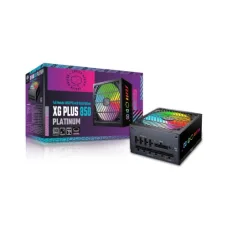
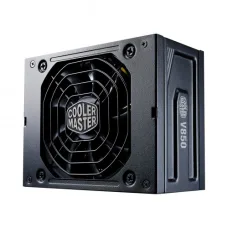
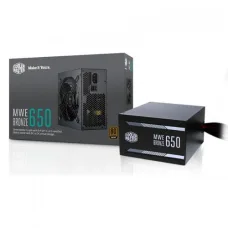
DeepCool PM750D 750 Watt 80 Plus Gold Power Supply
Call for Price
Showing 166 to 180 of 339 (23 Pages)
Call for Price
৳9,300 ৳10,000
Call for Price
Call for Price
৳10,800 ৳11,500
Call for Price
Call for Price
Call for Price
Call for Price
Call for Price
Looking for the latest Power Supply price in Bangladesh? A power supply unit (PSU) is one of the most important components of a desktop computer. It supplies stable electrical power to the motherboard, processor, graphics card, storage drives, cooling fans, and other components. Choosing the right PSU helps ensure reliable system operation and provides suitable power capacity for your PC.
The Power Supply price in Bangladesh depends on wattage, efficiency rating, modular design, protection features, connector options, fan size, build quality, warranty, and brand. Whether you are building an office PC, gaming computer, workstation, or high-performance system, selecting the correct PSU is essential.
| Power Supply Type | Typical Wattage | Best For | Approx. Price in Bangladesh |
|---|---|---|---|
| Basic PC Power Supply | 200W–300W | Office & Basic PC | ৳1,200–৳2,000 |
| Standard ATX Power Supply | 400W–500W | Home & Office PC | ৳2,500–৳4,000 |
| 550W Power Supply | 550W | Entry-Level Gaming PC | ৳4,000–৳6,500 |
| 650W Power Supply | 650W | Gaming PC | ৳5,000–৳8,000 |
| 750W Power Supply | 750W | Mid-Range Gaming PC | ৳7,000–৳11,000 |
| 850W Power Supply | 850W | High-End Gaming PC | ৳9,000–৳15,000 |
| 1000W Power Supply | 1000W | High-End Workstation & Gaming | ৳14,000–৳22,000 |
| Modular Power Supply | 550W–1000W+ | Custom & Gaming PC | ৳7,000–৳25,000+ |
Note: Power supply prices in Bangladesh can change depending on brand, model, wattage, efficiency certification, stock availability, warranty, and retailer. Check the exact model and current price before purchasing.
A PC power supply unit converts AC electricity from the wall outlet into the DC voltages required by computer components. A suitable PSU should provide enough power for the complete system while offering appropriate protection and efficiency.
PSU stands for Power Supply Unit. It supplies power to the motherboard, CPU, GPU, SSD, HDD, cooling fans, and other components inside a desktop computer.
SMPS stands for Switched-Mode Power Supply. The term is commonly used in Bangladesh when referring to desktop PC power supplies. PC SMPS units are available in different wattages and configurations for basic computers, gaming PCs, workstations, and professional systems.
A gaming power supply should provide sufficient continuous power for the processor and graphics card while offering suitable protection features and reliable connectors. Gaming PCs with powerful GPUs generally require higher-capacity PSUs.
A 550W PSU can be suitable for entry-level and selected mid-range gaming PCs. Before choosing a 550W model, calculate the total system power requirement and check the graphics card manufacturer's recommended PSU capacity.
A 650W power supply is a popular choice for many gaming and performance-oriented desktop computers. It can provide a useful balance between capacity and price for compatible CPU and GPU combinations.
A 750W PSU can be suitable for mid-range to higher-performance gaming PCs and workstations. It provides additional power headroom for compatible processors, graphics cards, storage devices, and cooling systems.
An 850W power supply is commonly considered for high-performance gaming PCs and workstations. It can be appropriate for systems using more demanding graphics cards, depending on the GPU and CPU power requirements.
A 1000W PSU is designed for high-power desktop systems, enthusiast gaming PCs, professional workstations, and systems using demanding components. It is important to choose a quality PSU rather than selecting a model based only on wattage.
A modular power supply allows users to connect only the cables required for their computer. This can help reduce cable clutter and make PC building and cable management easier.
With a fully modular PSU, the motherboard, CPU, GPU, storage, and peripheral power cables are detachable. This design is particularly useful for custom PC builds where clean cable management is important.
A semi-modular PSU includes some permanently attached cables and allows additional cables to be connected when required. It offers a balance between convenience and price.
Non-modular power supplies have permanently attached cables. They can be a practical and affordable option for basic and budget PC builds.
80 PLUS is an efficiency certification system used for compatible power supplies. Different certification levels indicate different efficiency requirements under specified testing conditions. Higher efficiency can reduce wasted electrical energy and heat.
80 PLUS Bronze PSUs are commonly used in gaming PCs and performance desktop builds. They can provide a good balance between efficiency, features, and cost when paired with a reputable PSU model.
80 PLUS Gold power supplies offer higher efficiency requirements than Bronze-certified models. They can be a good choice for gaming PCs, workstations, and systems that operate for extended periods.
80 PLUS Platinum PSUs are designed for users who prioritize higher efficiency. They can be suitable for high-performance workstations, enthusiast PCs, and systems with significant operating hours.
ATX is a common desktop power supply form factor. Standard ATX PSUs are used in many desktop cases and are available in a wide range of wattages and efficiency levels.
SFX power supplies are smaller than standard ATX units and are designed for compatible compact and small-form-factor PC cases. Always verify the required PSU form factor before purchasing.
Modern graphics cards can require dedicated PCIe power connectors. When choosing a PSU for a gaming PC, check the GPU's required connector type and ensure the power supply provides the correct connectors.
Some modern high-performance graphics cards use newer high-power GPU connectors. When building a PC with a compatible graphics card, check whether the PSU includes the appropriate native connector or requires a manufacturer-approved cable.
ATX 3.0 power supplies are designed according to newer power-supply specifications and can offer improved support for modern graphics cards and transient power demands.
ATX 3.1 is a newer specification for compatible desktop power supplies. Users building modern gaming PCs should check the PSU specification and connector support against the requirements of their CPU and graphics card.
When selecting a gaming PSU, consider the graphics card's recommended power supply, processor power consumption, total system load, efficiency, connector requirements, protection features, and future upgrade plans.
Users installing an NVIDIA RTX graphics card should check the exact GPU model's recommended PSU wattage and power connector requirements. Different RTX models can have significantly different power requirements.
AMD graphics cards also have different power requirements depending on the model. Check the GPU manufacturer's recommended PSU capacity and connector configuration before purchasing.
Basic office computers generally do not require the same PSU capacity as gaming systems. A suitable lower-wattage PSU from a reliable manufacturer can be sufficient for systems without a high-power dedicated graphics card.
Workstations with powerful CPUs, multiple graphics cards, large storage configurations, or other demanding hardware may require a higher-capacity PSU with suitable connectors and efficiency.
Choose the PSU after identifying the major components of your PC build. CPU, GPU, motherboard, storage, cooling fans, USB devices, and future upgrades should all be considered when estimating total power requirements.
The required PSU wattage depends mainly on the CPU, graphics card, motherboard, storage, cooling system, and other components. Instead of choosing a PSU only by wattage, calculate the expected system load and select a reliable unit with reasonable additional headroom.
A PSU calculator can help estimate the power requirements of a computer system. For the most accurate selection, compare the calculated system requirement with the CPU and GPU manufacturer's recommended PSU specifications.
PSU efficiency describes how effectively the power supply converts electricity from the wall outlet into usable power for the PC. A more efficient PSU generally wastes less energy as heat under comparable operating conditions.
Quality power supplies can include protection features such as over-voltage protection, under-voltage protection, over-current protection, over-power protection, short-circuit protection, and over-temperature protection. Available protection features depend on the specific model.
Most desktop PSUs use an internal fan for cooling. Fan size, operating mode, fan curve, and noise level vary between models. Some higher-end PSUs offer semi-passive or zero-RPM fan modes under low loads.
Users who want a quieter PC should consider PSU fan noise along with CPU cooler, graphics card, and case-fan noise. A quiet PSU alone does not guarantee a silent computer.
Modular and semi-modular PSUs can make cable management easier by reducing unused cables inside the PC case. Good cable management can improve airflow and make future upgrades more convenient.
If you are searching for Power Supply price in Jessore, compare the exact PSU model, wattage, efficiency certification, modular design, connectors, protection features, warranty, availability, and current selling price.
Anyone building a new desktop computer needs a PSU that can safely provide enough power for all installed components.
Gaming PC users should select a PSU based on the exact CPU and GPU combination, recommended wattage, connector requirements, and desired upgrade headroom.
Office PCs without dedicated high-power graphics cards can often use lower-wattage PSUs from reliable manufacturers.
Video editors, 3D designers, developers, and other creators using powerful CPUs or GPUs should carefully calculate their system's power requirements.
Professional workstations may require higher-capacity PSUs with additional connectors and stronger power-delivery capabilities.
Choose enough wattage for your complete system while leaving reasonable room for normal power spikes and future upgrades.
Check the PSU's efficiency certification and technical specifications. Efficiency should be considered alongside overall build quality and reliability.
Make sure the power supply physically fits your PC case. ATX and SFX are two common desktop PSU form factors.
Check the required motherboard, CPU, GPU, SATA, peripheral, and modern graphics-card power connectors before purchasing.
Choose non-modular, semi-modular, or fully modular according to your budget and cable-management requirements.
Look for appropriate electrical protection features such as OVP, UVP, OCP, OPP, SCP, and OTP where supported by the model.
Do not select a PSU based only on the advertised wattage. Internal component quality, platform design, efficiency, protection circuitry, testing, and warranty are also important.
A longer manufacturer warranty can provide additional confidence when purchasing a quality PSU. Check the local warranty and service terms before buying.
A power supply unit converts AC electricity into the DC power required by desktop computer components such as the CPU, GPU, motherboard, storage drives, and cooling fans.
PSU means Power Supply Unit. It is the component responsible for supplying electrical power to the different parts of a desktop computer.
SMPS means Switched-Mode Power Supply. In Bangladesh, the term is commonly used to refer to desktop PC power supplies.
A 550W PSU can be enough for some gaming PCs, but the answer depends on the CPU, graphics card, and other components. Always check the GPU manufacturer's recommended PSU capacity.
A 650W PSU can be suitable for many gaming systems, but compatibility depends on the exact CPU and GPU combination.
A 750W PSU can provide sufficient power for many mid-range and some high-performance gaming PCs. Check the exact graphics card requirements before purchasing.
An 850W PSU can be suitable for many high-performance gaming systems, depending on the CPU, GPU, and other hardware.
Not necessarily. A 1000W-rated PSU does not automatically consume 1000W. Actual electricity consumption depends on the power demanded by the computer and the PSU's efficiency.
80 PLUS Gold can be a useful efficiency target, but efficiency certification should not be the only factor when choosing a PSU. Build quality, protections, platform design, connectors, testing, and warranty are also important.
A modular PSU can make cable management easier because unused cables can be removed. However, modular design alone does not determine overall PSU quality.
Yes. A higher-rated PSU can be used when it is compatible with the PC and physically fits the case. The computer draws the power it requires rather than automatically consuming the PSU's full rated wattage.
You can purchase PC power supplies from established computer hardware retailers. Before buying, verify the exact model, wattage, efficiency, connectors, warranty, stock, and current price.
A good power supply is an essential part of a reliable desktop computer. Instead of choosing a PSU based only on wattage, consider total system power requirements, GPU recommendations, efficiency, connectors, protection features, form factor, modular design, build quality, and warranty.
If you are searching for Power Supply price in Bangladesh, Power Supply price in Jessore, PC Power Supply, PSU, SMPS, Gaming Power Supply, 550W PSU, 650W PSU, 750W PSU, 850W PSU, 1000W PSU, Modular Power Supply, Fully Modular PSU, ATX Power Supply, SFX Power Supply, 80 Plus Power Supply, 80 Plus Bronze PSU, 80 Plus Gold PSU, ATX 3.0 PSU, ATX 3.1 PSU, or Power Supply for Gaming PC, compare the exact model, wattage, efficiency, connectors, protection features, warranty, availability, and current price before purchasing.