
Crucial
Showing 1 to 24 of 32 (2 Pages)
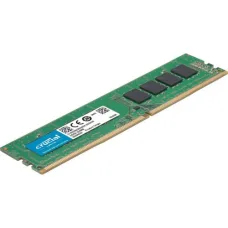

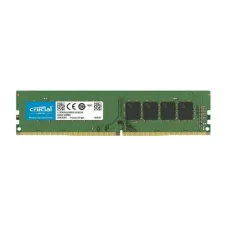
Crucial 8GB DDR4-2666 SODIMM
৳3,100

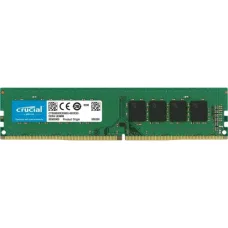
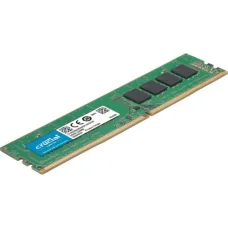
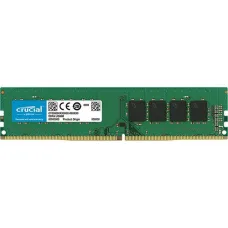
Crucial 4GB DDR4-2666 UDIMM
৳3,100

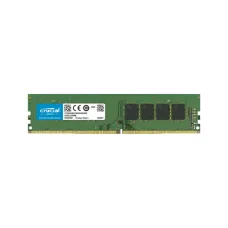
Crucial 4GB DDR4-2400 UDIMM
৳2,000


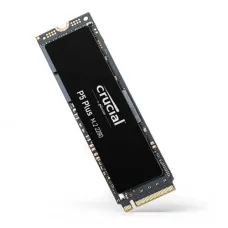
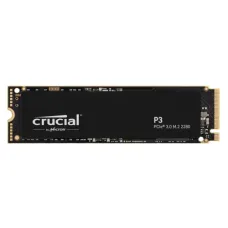
Crucial P5 Plus SSD
৳36,000


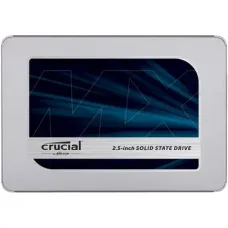
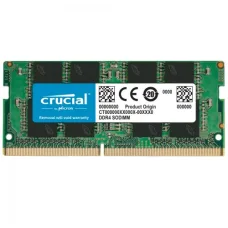


Crucial is a well-known computer memory and storage brand from Micron, offering RAM, SSDs and related memory and storage solutions for desktops, laptops, workstations and other computing systems. Crucial products are widely considered when users want to upgrade an existing computer rather than replace the entire system. Popular product families include Crucial DDR4 and DDR5 RAM, SATA SSDs and NVMe PCIe SSDs.
For customers in Bangladesh, Crucial is especially relevant when upgrading laptop RAM, desktop memory, replacing an older hard drive with an SSD, increasing storage capacity or improving overall system responsiveness. The right Crucial product depends on the computer model, supported memory generation, available slots, storage interface and the user's workload.
Crucial Products Price in Bangladesh
The price of Crucial products in Bangladesh varies according to capacity, generation, speed, form factor, interface and model. Laptop RAM, desktop RAM, SATA SSDs and NVMe SSDs are available at different price levels, so customers should compare the exact model rather than choosing only by capacity.
| Crucial Product Category | Price Level | Common Use |
|---|---|---|
| Crucial Laptop RAM | Budget to mid-range | Laptop memory upgrades |
| Crucial Desktop RAM | Budget to mid-range | Desktop PC upgrades |
| Crucial DDR4 RAM | Budget to mid-range | Existing DDR4 computers |
| Crucial DDR5 RAM | Mid-range and above | New-generation PCs and laptops |
| Crucial SATA SSD | Budget to mid-range | Older laptops and desktops |
| Crucial NVMe SSD | Mid-range to high-performance | Modern PCs and laptops |
| Crucial 500GB SSD | Budget to mid-range | Windows, applications and everyday storage |
| Crucial 1TB SSD | Mid-range | Gaming, work and general storage |
| Crucial 2TB SSD | Mid-range to high | Large applications, games and professional workloads |
Computer hardware prices in Bangladesh can change frequently because of exchange rates, distributor pricing and stock availability. Customers should confirm the current Crucial price, exact model, warranty and availability before purchasing.
Crucial RAM
Crucial RAM is one of the brand's most popular upgrade options. Adding or replacing memory can make a computer more comfortable to use when the existing RAM capacity is limiting multitasking.
A RAM upgrade can be particularly useful when a laptop or desktop frequently slows down while several browser tabs, office applications, development tools, creative applications or other programs are open.
Crucial Laptop RAM
Crucial laptop memory is designed for compatible notebook and laptop systems. Laptop RAM commonly uses a smaller SO-DIMM form factor instead of the full-size DIMM modules used in most desktop computers.
Before buying Crucial laptop RAM, check the laptop's supported memory generation and maximum capacity. DDR4 and DDR5 modules are not interchangeable, and physical compatibility alone does not guarantee that a memory module will work in a particular laptop.
Crucial Desktop RAM
Crucial desktop RAM is designed for desktop PCs that use standard DIMM memory modules. Depending on the generation and motherboard, customers may find DDR4 or DDR5 options.
When upgrading a desktop, check the motherboard specification, supported RAM generation, maximum supported capacity and number of available memory slots. For a new PC build, memory selection should also match the processor and motherboard platform.
Crucial DDR4 RAM
Crucial DDR4 memory remains highly relevant for the large number of laptops and desktops that use DDR4 platforms. It can be a practical upgrade for older or mid-generation systems where replacing the entire computer is unnecessary.
Common upgrade capacities include 8GB, 16GB and 32GB modules, although the correct capacity depends on the computer's memory architecture and maximum supported RAM.
Crucial DDR5 RAM
Crucial DDR5 memory is designed for newer compatible platforms. DDR5 offers a newer memory architecture and higher memory-speed possibilities than DDR4, but it requires a compatible motherboard or laptop platform.
Do not purchase DDR5 simply because it is newer. If your computer is designed for DDR4, a DDR5 module will not be a suitable replacement.
How Much Crucial RAM Do You Need?
The right amount of RAM depends on how you use your computer. Buying more memory than the system can use efficiently is not necessarily a good investment.
- 8GB can be suitable for basic everyday computing on compatible systems.
- 16GB is a practical target for many modern users and multitasking workloads.
- 32GB can be useful for demanding applications, development, gaming and heavier multitasking.
- 64GB or more can be appropriate for professional workloads when the system supports it.
For everyday users, browser-heavy multitasking, office work and general productivity, moving from a low-memory configuration to 16GB can often provide a more meaningful improvement than simply buying a higher memory speed.
Crucial SSD
Crucial SSDs are designed to provide faster storage than traditional mechanical hard drives. Replacing an old HDD with a suitable Crucial SSD can significantly improve boot times, application loading and general system responsiveness.
Crucial has offered SSDs in both SATA and NVMe formats, allowing customers to choose a storage solution based on the interface supported by their computer.
Crucial SATA SSD
A Crucial SATA SSD can be an excellent upgrade for an older laptop or desktop that has a 2.5-inch SATA drive bay. It can also be useful when a system does not support an NVMe SSD.
For many older computers, replacing a mechanical hard drive with a SATA SSD can provide a noticeable improvement in everyday responsiveness without requiring a complete platform upgrade.
Crucial NVMe SSD
Crucial NVMe SSDs are designed for compatible computers that provide an M.2 PCIe storage interface. NVMe storage can offer considerably higher performance potential than SATA-based SSDs, depending on the generation and model.
However, an M.2 slot does not automatically mean that every M.2 SSD is compatible. Customers should check whether the slot supports NVMe PCIe storage and which PCIe generation the motherboard or laptop supports.
Crucial M.2 SSD
M.2 describes the physical form factor rather than a single storage technology. This is an important point when buying a Crucial SSD.
An M.2 drive may use different interfaces, so customers should verify the motherboard or laptop specification before ordering. For an NVMe Crucial SSD, confirm that the system supports PCIe/NVMe storage.
Crucial 500GB SSD
A Crucial 500GB-class SSD can be a practical choice for customers who need enough space for Windows, applications, documents and everyday files without paying for a much larger drive.
It is particularly useful as an operating-system drive when large media libraries and games are stored elsewhere.
Crucial 1TB SSD
A 1TB Crucial SSD provides considerably more working space for users who install many applications, keep large files locally or use the computer for gaming.
For many users, 1TB provides a useful balance between capacity, performance and cost. It can also reduce the need to constantly manage free disk space.
Crucial 2TB SSD
A 2TB Crucial SSD is better suited to users who need substantial local storage. It can be useful for large game libraries, video projects, software development environments, photography, virtual machines and professional applications.
Before purchasing a high-capacity SSD, make sure the laptop or desktop supports the required interface and that there is sufficient physical space for the drive.
Crucial SSD for Laptop Upgrade
Replacing a laptop's old hard drive with a Crucial SSD can be one of the most useful upgrades for an older machine. The improvement is especially noticeable during Windows startup, application launching, file access and general system operation.
However, laptop design varies significantly. Some laptops have a replaceable 2.5-inch drive, some provide an M.2 slot, and some newer systems may have storage that is difficult or impossible for the average user to replace.
Crucial SSD for Desktop PC
Desktop users have more flexibility because many motherboards provide multiple storage interfaces. A Crucial NVMe SSD can be used as a fast operating-system and application drive on a compatible motherboard, while additional SATA drives can provide larger secondary storage.
For a new desktop build, it is worth checking the motherboard's M.2 slot specifications before purchasing the SSD.
Crucial SSD for Gaming
Installing games on an SSD can reduce loading times compared with a traditional mechanical hard drive. A suitable Crucial NVMe SSD can therefore be a useful component in a gaming PC.
However, an SSD does not directly replace the performance provided by a graphics card or processor. If a game has low frame rates, upgrading storage alone will not necessarily solve the problem.
Crucial SSD for Office Work
Office users can benefit from an SSD even when they do not need extremely high sequential speeds. Windows, browsers, office applications and common productivity software generally feel much more responsive on solid-state storage than on an old mechanical hard drive.
Crucial SSD for Students
Students using laptops for assignments, web research, programming, presentations and everyday applications can benefit from a suitable Crucial SSD and sufficient RAM.
If the laptop is slow because it has an old HDD, replacing the storage may provide a larger practical improvement than upgrading other components.
Crucial RAM for Programming
Programming workloads vary considerably. Simple C, C++, Python or web-development work can run comfortably with a moderate amount of memory, while Android development, virtual machines, containers and large development environments can benefit from additional RAM.
For developers, it is often sensible to prioritise adequate memory capacity first and then consider storage performance.
Crucial RAM for Photoshop and Creative Work
Image editing, graphic design and creative applications can consume substantial memory, especially when working with large files or multiple applications simultaneously.
A Crucial RAM upgrade can be useful when the computer frequently uses the storage drive as virtual memory because physical RAM is insufficient.
Crucial RAM for Gaming
Gaming performance depends on the complete system, including the processor, graphics card, RAM, storage and game settings. Crucial RAM can be a suitable component for a gaming upgrade when the existing memory capacity is inadequate.
For many gaming systems, balanced memory capacity and proper dual-channel configuration can be more important than buying the highest advertised memory speed.
Crucial RAM Compatibility
RAM compatibility should always be checked before purchasing. Important factors include memory generation, form factor, capacity, supported speed, voltage and motherboard or laptop limitations.
- Check whether the computer uses DDR4 or DDR5.
- Check whether the device requires SO-DIMM or DIMM.
- Check the maximum supported memory.
- Check how many memory slots are available.
- Check whether the system supports the desired module capacity.
- Check the supported memory speed.
- Check whether existing modules should be replaced or matched.
Can DDR4 and DDR5 RAM Be Mixed?
No. DDR4 and DDR5 are different memory technologies and are not interchangeable. A motherboard designed for DDR4 requires compatible DDR4 memory, while a DDR5 motherboard requires DDR5 memory.
If you are unsure which type your computer uses, check the exact laptop or motherboard model before purchasing.
Can Different RAM Brands Be Mixed?
Different memory brands can sometimes operate together when the modules have compatible specifications. However, mixing modules can introduce differences in speed, timings and memory characteristics.
For the most predictable upgrade, matching the memory specifications and using a compatible kit can be preferable.
Crucial RAM Dual-Channel Upgrade
Many modern systems can benefit from dual-channel memory configurations when the platform supports them. Using two compatible modules can provide greater memory bandwidth than a single module in supported configurations.
Before buying a second Crucial RAM module, check the existing module's specifications and the motherboard or laptop's memory configuration.
Crucial SSD Compatibility Guide
Before buying a Crucial SSD, identify the storage interface in your computer. This is more important than simply looking at the SSD's capacity.
- Check whether the computer uses SATA or NVMe.
- Check the physical form factor.
- For M.2 drives, check the supported key and interface.
- Check PCIe generation where relevant.
- Check the maximum supported storage capacity.
- Check whether the M.2 slot is available.
- Check whether installing the drive disables another SATA or PCIe slot.
NVMe Gen3 vs Gen4 vs Newer SSDs
PCIe generation affects the performance potential of an NVMe SSD. A newer-generation SSD can offer higher bandwidth, but the actual benefit depends on the host system and workload.
If a laptop only supports an older PCIe generation, buying an extremely high-end newer-generation SSD may not provide the full advertised performance. Compatibility and real-world workload should therefore guide the purchase.
Crucial SSD Durability
SSD durability is influenced by the NAND technology, controller, workload, operating temperature and amount of data written over the drive's lifetime. SSD specifications commonly provide endurance information such as TBW, or terabytes written.
For normal home, office and educational use, a properly installed SSD can provide years of useful service. Professional workloads involving continuous large-volume writes should pay closer attention to endurance specifications.
Crucial RAM Lifetime
RAM does not have a fixed expiry date under normal operating conditions. A quality memory module can remain usable for many years if the computer operates within appropriate temperature and electrical conditions.
Memory problems are more often related to defective modules, compatibility problems, motherboard issues or unstable configurations than normal ageing in everyday use.
Do You Need a Crucial SSD or More RAM?
This depends on the reason your computer feels slow.
- If Windows takes a long time to start because the system uses an old HDD, an SSD upgrade can make a major difference.
- If the system becomes slow when many applications and browser tabs are open, additional RAM may help more.
- If applications load slowly but memory usage is not excessive, an SSD may be the better upgrade.
- If gaming frame rates are low, investigate the CPU and GPU before buying RAM or SSD purely for FPS improvement.
Crucial vs Other RAM Brands
Crucial competes with several established memory brands. The best choice should not be based only on the logo printed on the module. Capacity, generation, compatibility, speed, timings, warranty and price should all be considered.
For a laptop upgrade, compatibility is usually more important than chasing the highest possible specification. For a new gaming or workstation build, performance specifications may deserve more attention.
Crucial vs Generic RAM
Generic memory may sometimes appear cheaper, but memory stability is important because an unreliable module can cause crashes, application errors and difficult-to-diagnose system problems.
Customers should compare genuine product availability, specifications, warranty and seller reputation instead of selecting RAM purely by the lowest price.
Crucial SSD vs Hard Drive
A Crucial SSD is generally much more responsive than a traditional mechanical hard drive for operating-system and application workloads. SSDs have no mechanical spinning platters, which also makes them less vulnerable to mechanical shock than HDDs.
Hard drives can still be useful for high-capacity storage where cost per gigabyte is more important than access speed.
Crucial SATA SSD vs NVMe SSD
SATA SSDs are often an excellent choice for older computers because the SATA interface is widely supported. NVMe SSDs can provide substantially greater performance potential on compatible PCIe systems.
The right choice is therefore determined by the computer. There is little benefit in buying an NVMe SSD if the system only supports SATA storage.
Who Should Buy Crucial Products?
- Laptop users looking for a RAM upgrade.
- Desktop PC owners upgrading system memory.
- Users replacing an old HDD with an SSD.
- Students needing better everyday laptop responsiveness.
- Office users running multiple applications.
- Gamers upgrading compatible systems.
- Programmers using development tools and virtual machines.
- Graphic designers working with large files.
- Photographers and video editors needing faster storage.
- PC builders looking for established memory and storage components.
- Businesses upgrading existing computers instead of replacing them.
When a Crucial Upgrade Is Better Than Buying a New PC
Sometimes a computer is still perfectly capable but has insufficient RAM or slow storage. In such cases, a targeted Crucial upgrade can extend the useful life of the machine at a much lower cost than purchasing a completely new computer.
For example, an older laptop with a capable processor, 8GB RAM and a mechanical hard drive may benefit substantially from an SSD and additional compatible memory. However, if the processor, motherboard or display is already unsuitable for the user's requirements, upgrading storage alone may not be enough.
How to Check Your Laptop Before Buying Crucial RAM
- Find the exact laptop model number.
- Check the installed RAM type.
- Check whether the RAM is replaceable.
- Check the number of RAM slots.
- Check the maximum supported capacity.
- Check whether existing memory is soldered.
- Check the required SO-DIMM specification.
How to Check Your PC Before Buying a Crucial SSD
- Identify the motherboard model.
- Check available M.2 slots.
- Check whether the M.2 slot supports NVMe.
- Check the supported PCIe generation.
- Check available SATA ports if choosing a SATA SSD.
- Check physical clearance around the M.2 slot.
- Check whether other motherboard ports are disabled when a specific M.2 slot is used.
Common Mistakes When Buying Crucial RAM
- Buying DDR5 for a DDR4 motherboard.
- Buying desktop DIMM memory for a laptop.
- Ignoring the computer's maximum RAM capacity.
- Assuming every laptop has upgradeable RAM.
- Choosing capacity without checking available slots.
- Buying a module with unsupported specifications.
- Mixing incompatible memory configurations.
- Focusing only on memory speed instead of capacity and compatibility.
Common Mistakes When Buying Crucial SSDs
- Assuming every M.2 SSD works in every M.2 slot.
- Buying NVMe for a SATA-only M.2 interface.
- Ignoring the laptop's physical drive limitations.
- Choosing capacity without considering the workload.
- Buying a high-end PCIe SSD for a system that cannot use its full performance.
- Ignoring SSD endurance for heavy professional workloads.
- Forgetting to back up data before replacing the existing drive.
- Failing to check whether a desktop motherboard has an available M.2 slot.
Crucial SSD Installation Advice
Before replacing an existing storage drive, back up important files. If the old drive contains Windows and personal data, decide whether you want to perform a fresh installation or clone the existing system.
After installation, verify that the SSD is correctly detected in the BIOS or operating system. A newly installed SSD should also have appropriate free space maintained for normal system operation.
Crucial RAM Installation Advice
When installing laptop or desktop RAM, shut down the computer completely and follow the manufacturer's hardware instructions. Memory modules should be installed carefully and fully seated in their slots.
After installation, verify that the operating system detects the expected memory capacity. If the computer fails to boot, recheck module seating, compatibility and the motherboard's supported configuration.
Crucial Products for Bangladesh Customers
Bangladesh customers commonly search for Crucial RAM and SSD products when upgrading laptops, desktops and custom PCs. Because the local market includes products from different generations and capacities, checking the exact model is important.
A customer looking for a "Crucial 8GB RAM" or "Crucial 1TB SSD" should ideally provide the computer model or motherboard model as well. This makes it easier to determine which Crucial product is actually compatible.
Crucial Price in Jessore and Jashore
Customers searching for Crucial RAM and SSD prices in Jessore or Jashore can compare available models according to their computer requirements. Unix Network serves customers looking for computer hardware and upgrade components and can help identify suitable options based on compatibility and intended use.
Customers outside Jessore can also check availability and delivery options for Crucial products across Bangladesh. Since stock and pricing can change, confirming the current product before ordering is recommended.
Why Buy Crucial from Unix Network?
Unix Network provides computer hardware and technology products for customers in Jessore as well as buyers across Bangladesh. For Crucial upgrades, choosing the correct model is often more important than simply selecting the cheapest available RAM or SSD.
- Suitable options for laptop and desktop upgrades.
- RAM and SSD solutions for different generations of computers.
- Useful for home, office, gaming and professional systems.
- Customers can compare capacity and compatibility before purchasing.
- Current price and availability can be confirmed before ordering.
- Support for customers upgrading existing computers.
What to Search for Crucial Products
- Crucial RAM price in Bangladesh
- Crucial RAM price in Jessore
- Crucial RAM price in Jashore
- Crucial 8GB RAM
- Crucial 16GB RAM
- Crucial 32GB RAM
- Crucial DDR4 RAM
- Crucial DDR5 RAM
- Crucial laptop RAM
- Crucial desktop RAM
- Crucial SSD price in Bangladesh
- Crucial SSD price in Jessore
- Crucial SATA SSD
- Crucial NVMe SSD
- Crucial M.2 SSD
- Crucial 500GB SSD
- Crucial 1TB SSD
- Crucial 2TB SSD
- Crucial SSD for laptop
- Crucial SSD for desktop PC
Frequently Asked Questions About Crucial
What is Crucial? Crucial is a computer memory and storage brand from Micron, best known for RAM and SSD products for consumer and professional computing systems.
Is Crucial RAM good? Crucial is an established memory brand, but the most important consideration for an upgrade is whether the exact module is compatible with your computer.
Is Crucial RAM good for laptops? Yes, compatible Crucial SO-DIMM memory can be used to upgrade many laptops. The exact laptop model should be checked before purchasing.
Is Crucial RAM compatible with all laptops? No. Laptop memory varies by DDR generation, form factor, capacity and system limitations. Always check the exact laptop model.
Is Crucial DDR4 RAM compatible with DDR5? No. DDR4 and DDR5 are different memory generations and cannot be used interchangeably.
Is Crucial SSD good for laptops? A compatible Crucial SSD can be an excellent laptop upgrade, especially when replacing an older mechanical hard drive.
Which is better, Crucial SATA SSD or NVMe SSD? NVMe generally offers higher performance potential, but SATA is often the correct choice for older systems. The computer's supported interface should determine the purchase.
Can I use a Crucial M.2 SSD in any laptop? No. M.2 is a form factor, and M.2 slots can support different interfaces and drive types. Check the laptop specification before buying.
Is 1TB Crucial SSD enough? For many users, 1TB provides a good balance of capacity and cost. Users with large game libraries, video projects or extensive local files may benefit from 2TB or more.
Does adding Crucial RAM make a computer faster? Additional RAM can improve responsiveness when the existing memory is insufficient. It will not necessarily increase performance when the computer already has enough RAM.
Does a Crucial SSD increase FPS? An SSD can reduce game loading times and improve general system responsiveness, but it normally does not produce a major increase in graphics frame rates. FPS is primarily affected by components such as the GPU and CPU.
How long does a Crucial SSD last? SSD lifespan depends on the specific model, workload, operating temperature and amount of data written. Normal everyday use can allow an SSD to remain useful for many years.
Where can I buy Crucial RAM and SSD in Bangladesh? Crucial products can be purchased through Bangladesh's computer hardware market. Unix Network customers can check current model availability, pricing and suitable upgrade options before ordering.
Final Advice for Buying Crucial in Bangladesh
Crucial is a strong option to consider when you need reliable computer memory or storage for a laptop, desktop, gaming PC, workstation or everyday computer. The biggest mistake is choosing a RAM or SSD based only on capacity or advertised speed without checking compatibility.
For RAM, identify the DDR generation, SO-DIMM or DIMM form factor, maximum capacity and supported speed. For an SSD, determine whether your system requires SATA or NVMe, check the M.2 interface where applicable and choose a capacity that matches your workload.
If your laptop or desktop has become slow, first identify the bottleneck. An old HDD may make an SSD upgrade the best choice, while insufficient RAM may make a memory upgrade more useful. For customers in Jessore, Jashore and across Bangladesh, Unix Network can help you select the appropriate Crucial RAM or SSD according to your existing computer rather than buying an incompatible component.