
1% Cashback
Showing 1 to 16 of 16 (1 Pages)


৳18,000
৳18,000

৳18,000
৳18,000

৳18,000
৳18,000
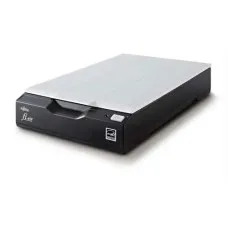
৳18,000
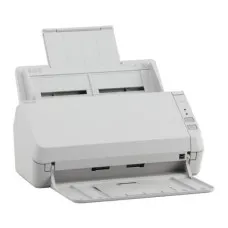
৳18,000
FUJITSU is a well-established technology manufacturer associated with business computing, professional laptops, enterprise infrastructure, workplace IT and dependable digital solutions. For customers looking for computers, notebooks, business-class devices or related technology in Bangladesh, the brand can be relevant when reliability, practical usability and long-term ownership matter more than purely promotional specifications. Unix Network provides access to technology products for customers seeking a dependable computer shop in Jessore, with support for buyers from Jashore and surrounding districts as well as customers across Bangladesh.
Choosing a manufacturer is often more important than selecting a product based only on processor generation, memory capacity or screen size. FUJITSU products are commonly considered within professional and productivity-focused environments where comfortable daily operation, business usability, portability, durability and serviceability can influence purchasing decisions. The right model depends on the exact product, condition, configuration, intended workload and available warranty rather than the manufacturer name alone.
FUJITSU occupies a distinctive position within the technology market because its product portfolio has historically covered professional computing, notebooks, desktop systems, workplace equipment and enterprise-oriented technology. For Bangladeshi customers, this makes the manufacturer worth considering when purchasing decisions involve office productivity, education, administration, remote work, business applications or dependable everyday computing.
A buyer comparing a FUJITSU laptop should consider the complete configuration instead of assuming that every model offers the same experience. Processor generation, installed memory, storage technology, display characteristics, battery condition, keyboard layout, connectivity, operating-system support and physical condition can vary considerably between individual models. This is particularly important when purchasing an older, refurbished or used business notebook.
For customers searching for a Laptop Shop in Jessore, Unix Network can help compare available FUJITSU options according to practical requirements. Someone needing a machine for Microsoft Office, accounting, browsing and online meetings may have different priorities from a student working with programming tools or a professional handling demanding applications.
The manufacturer can also appeal to buyers who appreciate business-oriented engineering. Professional computers are generally designed around workplace requirements such as convenient connectivity, dependable construction, manageable operation and comfortable everyday use. However, customers should still inspect the precise model before purchasing because construction materials, ports, display quality and internal hardware differ between product families.
FUJITSU is particularly relevant within professional computing rather than being viewed only through the gaming hardware market. Its reputation has been associated with workplace technology, enterprise computing and practical notebook design. That positioning can make certain models attractive for office employees, students, consultants, entrepreneurs, accountants, educators and organisations requiring straightforward computing equipment.
Value should be judged through the complete ownership experience. A lower purchase price is not automatically better if the machine has a worn battery, poor display, damaged hinges, limited storage or inadequate performance for the intended workload. Likewise, a higher-priced configuration may not represent good value when the buyer only needs basic productivity.
Customers in Jessore and Jashore can therefore benefit from checking the actual configuration available from the retailer. Online listings may use similar product names while representing substantially different hardware combinations. Confirming the model identifier, condition, included accessories and applicable warranty before payment helps reduce purchasing uncertainty.
FUJITSU has produced technology for several professional and consumer-oriented categories over the years. Depending on availability, customers may encounter business laptops, notebooks, desktop computers, workstations, enterprise equipment and other computing-related products. Each category serves a different purpose and should be evaluated according to workload rather than appearance alone.
Availability in Bangladesh can vary according to model generation, importer stock, retailer inventory and product condition. Consequently, customers should evaluate the specific unit rather than relying solely on a broad manufacturer category.
Different FUJITSU products provide different feature sets, so no single specification should be assumed across the entire range. Instead, buyers should examine practical characteristics that influence everyday ownership.
Many business-focused computing products place greater emphasis on practical design than decorative styling. This can benefit customers who use a machine for long working sessions, office tasks, documentation, communication and professional applications. A sensible design can also make a computer easier to integrate into an existing workplace.
Notebook users normally value a balance between mobility, screen usability, keyboard comfort, battery endurance and performance. A portable FUJITSU system can be considered by employees, students or business owners who need computing access away from a fixed desk.
Business computers often need to connect with external displays, networking equipment, storage devices, printers, projectors and other peripherals. Buyers should inspect the actual port selection of their chosen model instead of assuming that every notebook provides identical connectivity.
People who type documents, emails, spreadsheets or reports for several hours each day should pay attention to keyboard layout, key condition and typing comfort. This becomes particularly important when considering second-hand business laptops, where physical wear can differ significantly between individual units.
Professional computing equipment may be attractive when maintenance and component replacement are practical. Nevertheless, upgradeability varies by model. Buyers should verify whether memory, storage, battery and other components can be serviced or replaced before making a long-term purchase decision.
A specification has value only when it supports the customer's actual workload. Additional processing capability may be unnecessary for someone who primarily prepares documents, manages spreadsheets and browses websites. Conversely, a developer, designer or technical professional may require substantially greater resources.
Storage capacity influences how many applications, documents, media files and projects can remain available locally. Memory affects multitasking and application responsiveness. Display characteristics influence visual comfort. Battery condition matters for mobile users. Connectivity determines whether existing accessories can be connected conveniently.
Considering these factors together provides a more useful purchasing method than selecting a computer solely because one number appears larger than another.
Business users commonly require computers for email, document preparation, spreadsheets, accounting software, browser-based platforms, video meetings, presentations and internal communication. A suitably configured FUJITSU computer can serve these workloads when its hardware and software environment match the requirements.
Small businesses may also appreciate practical considerations such as external monitor support, wired networking, peripheral compatibility and straightforward maintenance. Accounting professionals can prioritise keyboard usability, reliable storage and comfortable spreadsheet work, while administrative employees may place greater emphasis on communication tools and document handling.
Businesses purchasing multiple computers should consider standardising configurations where possible. Consistent hardware can simplify maintenance, accessories, user training and troubleshooting. However, organisations should verify availability and warranty terms before adopting a particular model across a large deployment.
Students generally need versatile computers capable of handling browsers, office applications, educational platforms, presentations, research, programming tools or other course-related software. A suitable FUJITSU notebook can be useful when portability and productivity are more important than high-end gaming performance.
Students purchasing used equipment should pay particular attention to battery health, display condition, keyboard functionality, charging behaviour and storage health. These factors can have a greater effect on daily satisfaction than cosmetic appearance.
For programming learners, software compatibility should be checked before purchase. The selected operating system, processor architecture, available memory, storage capacity and development-tool requirements should all match the student's learning path.
Remote workers often need a dependable combination of communication, productivity and portability. A business notebook may be used for video conferencing, browser applications, document editing, cloud services and collaboration platforms throughout the working day.
Camera quality, microphone operation, wireless connectivity, keyboard comfort and battery condition deserve attention when the machine will frequently be used for online meetings. External webcams, headsets, monitors or docking accessories can provide additional flexibility when required.
Technical buyers should approach manufacturer selection differently from general office users. Developers, engineers, analysts and other specialist professionals should begin with software requirements before choosing hardware. Application compatibility, memory requirements, processor capabilities, storage performance and graphics needs can determine whether a particular configuration is appropriate.
For development work, buyers should consider the tools they expect to use, including compilers, virtual machines, containers, integrated development environments and databases. Heavy workloads can benefit from stronger configurations, whereas lightweight coding and web development may work comfortably on more modest hardware.
Professional users should also investigate driver availability and operating-system compatibility for older models. A computer that performs well mechanically may still require additional consideration if the intended software environment has changed significantly.
FUJITSU is not automatically the first choice for buyers whose primary objective is modern gaming. Gaming performance depends heavily on the graphics hardware, processor capability, cooling system, memory configuration, display characteristics and power delivery of the exact machine.
A customer searching for a Gaming PC Shop in Jessore should therefore compare a dedicated gaming system against a professional notebook rather than assuming that manufacturer reputation determines gaming suitability. For demanding games, a purpose-built gaming computer may provide a better balance of graphics performance, cooling and upgrade potential.
However, casual games and lightweight entertainment may run adequately on certain configurations. The actual game requirements should always be compared against the computer's hardware before purchase.
Build quality should be evaluated through the actual unit being purchased. Hinge movement, chassis condition, keyboard wear, display marks, touchpad response, charging behaviour and port functionality can reveal more about a used computer's current condition than its original product positioning.
For new equipment, customers should inspect the supplied packaging, accessories, warranty documentation and physical condition. For pre-owned machines, a careful inspection is even more important because previous usage can affect batteries, keyboards, cooling systems and mechanical components.
Reliability is also influenced by operating environment. Excessive heat, blocked ventilation, unstable power, dust accumulation and inappropriate handling can reduce the useful life of any computer regardless of manufacturer.
Compatibility should be checked at several levels. Hardware compatibility covers peripherals, displays, networking devices, storage accessories and other equipment. Software compatibility concerns operating systems, applications, drivers and security requirements. Physical compatibility includes chargers, docking solutions, mounting arrangements and replacement components.
Customers should keep the exact model identifier when requesting accessories or replacement parts. Similar-looking notebooks may use different chargers, batteries, keyboards or display assemblies. Matching the precise model helps reduce the risk of purchasing an unsuitable component.
FUJITSU can be a sensible option for customers seeking practical computing equipment for professional or everyday productivity. Office employees, students, entrepreneurs, accountants, educators, consultants and home users may find suitable configurations depending on current availability.
The manufacturer can particularly appeal to buyers who prefer business-oriented computing rather than gaming-focused styling. A professional notebook may provide a more appropriate experience for documentation, meetings, research, administration and general workplace applications.
Customers with specialised workloads should evaluate the exact configuration carefully. Graphic design, video production, engineering software, advanced data processing and demanding gaming can require hardware that may not be present in every FUJITSU model.
When visiting a computer store in Jessore, start by explaining how the computer will actually be used. Rather than asking only for the newest model, describe the applications, expected working hours, portability requirements and approximate workload.
For office productivity, focus on comfortable daily operation, sufficient memory, appropriate storage, connectivity and dependable physical condition. For education, portability, battery health and software compatibility can become more important. For technical work, determine application requirements before deciding which configuration represents good value.
Customers from Jashore can also compare available alternatives based on budget and intended use. Unix Network can assist with product selection, hardware comparisons and practical purchasing considerations so customers can make a more informed decision.
Used business laptops can offer attractive value, but condition matters enormously. Two computers carrying the same model name can have very different histories and remaining useful life. Buyers should therefore evaluate the physical unit instead of treating the model number as a guarantee of condition.
Check whether the display has visible defects, whether the hinges move smoothly, whether all keyboard keys respond correctly and whether the touchpad behaves normally. Inspect the charging connector and test the charger. Confirm that wireless networking, USB ports, audio output and other commonly used connections operate correctly.
Battery capacity naturally changes through repeated charging cycles. A used notebook may therefore provide significantly different unplugged runtime from a new unit. Buyers who mostly work near a power source may consider this less important, while mobile professionals should treat battery condition as a major purchasing factor.
Warranty availability depends on the specific product, seller, stock source and purchase terms. Customers should confirm applicable warranty coverage before completing an order. Warranty conditions may differ between new products, imported units, used devices and refurbished equipment.
Keep invoices, warranty documents and purchase records where provided. If a problem develops, contacting the retailer promptly can make diagnosis and service coordination easier.
Unix Network aims to provide clear purchasing information and professional customer support. Customers should confirm the exact warranty terms attached to the FUJITSU product they intend to purchase because coverage can vary by model and stock category.
Unix Network serves customers looking for a trusted local retailer in Jessore, with technology products covering computers, laptops, gaming systems, printers, networking equipment and IT accessories. Local availability can make product comparison, physical inspection and direct communication more convenient for customers in Jashore.
Customers can seek expert advice based on workload rather than selecting equipment purely from a specification list. This approach is particularly useful when comparing different generations, configurations or product conditions.
Competitive pricing, authentic manufacturer products where applicable, warranty guidance and professional customer support are important parts of a responsible technology purchase. Buyers should always confirm current stock, configuration and warranty status before ordering.
Customers who prefer face-to-face purchasing can visit the Unix Network showroom in Jessore. Physical shopping provides an opportunity to discuss requirements, compare available options and inspect suitable equipment where stock permits.
Local customers from nearby areas such as Jhenaidah, Magura, Narail, Satkhira, Khulna, Kushtia and Chuadanga may also consider Unix Network when looking for computer and technology products. Availability can change, so confirming inventory before travelling is advisable.
Customers outside Jessore can purchase technology products through nationwide delivery arrangements, subject to the retailer's current delivery coverage and terms. Buyers should provide accurate delivery information and confirm product availability before placing an order.
For laptops and other sensitive electronic equipment, customers should inspect the parcel promptly after receiving it and follow the applicable retailer instructions regarding delivery condition, warranty and service requirements.
Technology ownership does not end when the purchase is completed. Software configuration, peripheral setup, troubleshooting and hardware questions can arise during normal use. Professional after-sales support can therefore make the ownership experience easier, especially for customers who are less familiar with computer hardware.
Unix Network provides customer-focused technical assistance for technology purchases, helping customers understand product suitability and practical usage. Support availability depends on the product, issue and applicable service terms, so customers should discuss specific requirements with the retailer.
A suitably configured FUJITSU computer can be appropriate for office tasks such as documentation, spreadsheets, email, browsing, accounting and communication. The exact model and hardware configuration should be matched with the user's workload.
Yes, selected FUJITSU notebooks can suit students who need computers for research, online learning, document preparation, presentations and programming. Portability, battery condition, software compatibility and physical condition should be checked before purchase.
A used model can provide good value when its condition, hardware configuration and price are appropriate. Check battery health, display, keyboard, hinges, ports, charger, storage condition and warranty terms before purchasing.
Many configurations can support programming, but suitability depends on the development tools and workload. Lightweight coding may require modest resources, while virtual machines, containers, large projects or specialised development environments can require substantially more hardware.
Gaming suitability depends on the exact graphics hardware, processor, cooling capability and display configuration. Buyers seeking demanding gaming performance should compare the specific machine against the requirements of their preferred games.
Customers can check current FUJITSU availability through Unix Network, a local computer and technology retailer serving Jessore and the wider Bangladesh market. Current stock, configuration and warranty details should be confirmed before purchase.
Customers throughout Bangladesh can enquire about nationwide delivery, subject to current service coverage and product availability. Delivery arrangements should be confirmed before placing an order.
Check the exact model, processor, memory, storage, display, battery condition, keyboard, ports, charger, operating-system compatibility, physical condition and applicable warranty. These factors provide a more reliable basis for purchasing than the brand name alone.
The best technology purchase is not necessarily the newest or most powerful option. It is the computer that provides an appropriate balance between performance, reliability, usability, compatibility, condition and cost for the intended purpose. FUJITSU products can be valuable within professional and productivity-focused environments when the selected configuration matches those requirements.
Customers should compare real-world needs before making a decision. A student may prioritise portability and battery performance, an accountant may value keyboard comfort and reliable multitasking, while a business owner may focus on long-term practicality, connectivity and service support. Different priorities naturally lead to different purchasing choices.
Unix Network combines local showroom access in Jessore with technology retail services for customers across Bangladesh. Whether you are comparing a business notebook, evaluating a professional computer or searching for a practical system for everyday productivity, the focus should remain on suitability, authenticity, condition, warranty and long-term value.
For customers searching for a Tech Store Bangladesh option with local assistance, Unix Network provides access to computer products, laptops, networking equipment, printers, gaming hardware and IT accessories. Buyers can request guidance based on their intended workload and budget instead of selecting a product without understanding its practical limitations.
FUJITSU should ultimately be considered as part of a broader comparison rather than as an automatic answer for every customer. The precise product configuration determines actual performance, compatibility and usability. Reviewing those details with an experienced retailer can help reduce purchasing mistakes and improve long-term satisfaction.
FUJITSU remains a relevant manufacturer for customers interested in professional computing, practical notebooks and workplace-oriented technology. Its products can serve office users, students, professionals, organisations and home users when the chosen configuration fits the intended workload.
For buyers in Jessore, Jashore and surrounding districts, Unix Network offers local access to computer technology alongside nationwide delivery options. Customers can compare available FUJITSU products according to performance requirements, physical condition, compatibility, warranty and budget while receiving practical purchasing guidance.
Before ordering, confirm the exact model, current configuration, stock status, warranty conditions and included accessories. This simple approach helps ensure that the selected FUJITSU product is suitable for its intended purpose and provides genuine value throughout its useful working life.