
G-Printer
Showing 1 to 5 of 5 (1 Pages)

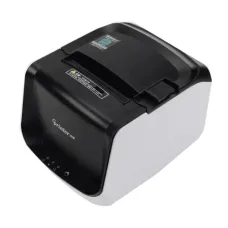

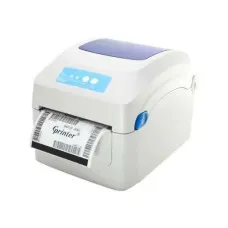
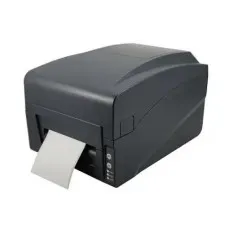
G-Printer is a recognised printing technology brand associated with practical POS printing, receipt printing, barcode printing and other business-oriented printing solutions. Its products are commonly considered by retail shops, restaurants, pharmacies, supermarkets, offices, warehouses and service businesses that need dependable document or transaction printing. For customers in Bangladesh, selecting the right G-Printer model should be based on the intended application, printing workload, connectivity, media type, software compatibility and after-sales support rather than the brand name alone.
Unix Network serves customers looking for computer, printer, networking and IT equipment in Jessore (Jashore), while also supporting buyers throughout Bangladesh through nationwide delivery. G-Printer products can be a practical choice for businesses that need efficient printing for receipts, labels, transaction records and other operational documents. The exact suitability depends on the individual model and configuration available at the time of purchase.
G-Printer in Bangladesh for POS, Receipt and Business Printing
G-Printer is particularly relevant to businesses that require fast, convenient and consistent printing as part of their daily operations. Point-of-sale environments depend on printers to produce customer receipts, transaction records and order information, while warehouses and retail operations may require labels or barcode-related documents. A suitable G-Printer can help integrate printing into these everyday workflows.
For customers searching for a printer shop in Jessore, it is important to identify the printing application before selecting a model. A restaurant may need a compact thermal receipt printer, whereas a retail store could require a printer that works with POS software, cash drawers and barcode systems. A warehouse may have completely different requirements involving labels, media dimensions and continuous operation.
G-Printer should therefore be viewed as a range of business printing solutions rather than one standard product category. Features, interfaces, supported media, printing methods and operating characteristics can vary between models. Buyers should verify the exact product details before purchasing.
G-Printer Manufacturer Overview
The G-Printer name is commonly associated with commercial printing equipment designed for transactional and operational environments. Its product range can be relevant to small retailers as well as businesses that require printing equipment for regular daily use.
Business printers are different from conventional home printers because their purpose is often connected directly with business processes. A receipt printer, for example, must communicate reliably with POS software and produce readable transaction information quickly. The best choice therefore depends on how the printer will be incorporated into the customer's workflow.
For a local retailer such as Unix Network, practical compatibility is an important consideration when recommending printing equipment. Customers should identify their POS software, computer operating system, connection method and paper or label requirements before finalising an order.
G-Printer Product Categories
Depending on current availability, customers may encounter G-Printer equipment designed for different commercial printing purposes. Each category has a specific role and should be selected according to the business application.
- Thermal receipt printers are designed for POS transactions, sales receipts, restaurant orders and similar documents.
- POS printers can support retail counters, restaurants, pharmacies and other transaction-based environments.
- Barcode and label printers are useful for product identification, inventory management, logistics and retail labelling.
- Desktop business printers can be suitable for organisations requiring compact printing equipment for regular operational tasks.
- Network-capable printing solutions can be useful where multiple computers or POS terminals need access to a shared printer.
The exact product category should always be confirmed from the individual model because not every G-Printer device supports the same printing media, connection options or software environment.
Key G-Printer Features
G-Printer models can provide different combinations of functionality, but several characteristics are especially important when evaluating commercial printing equipment.
Thermal Printing Technology
Thermal receipt printing is widely used in retail and POS environments because it can produce transaction documents without conventional ink cartridges. This can simplify routine operation and reduce the need to manage liquid ink supplies.
Thermal printers are particularly convenient for receipts because transaction information can be printed quickly and the printer mechanism is generally compact. However, thermal media itself must be suitable for the intended environment, and printed receipts can be affected by prolonged exposure to heat, sunlight or unsuitable storage conditions.
Fast Transaction Printing
Speed matters at a busy checkout counter. Customers generally expect a receipt to be produced without unnecessary delay after completing a transaction. A suitable G-Printer can support a smoother checkout workflow when its printing capability matches the volume and requirements of the business.
Actual performance depends on the model, print content, connection method, software and operating environment. Businesses with heavy transaction volumes should evaluate the exact model instead of assuming identical performance across the entire range.
Compact Design
Counter space is valuable in retail shops and restaurants. A compact printer can make it easier to organise a POS workstation around a cash drawer, monitor, barcode scanner and other equipment.
Before purchasing, measure the available space and consider where the paper roll, cables and connected peripherals will be positioned. A printer that technically fits a counter may still be inconvenient if there is insufficient clearance for paper replacement or cable management.
USB and Other Connectivity
Connectivity determines how the printer communicates with a POS terminal, computer or network. Depending on the specific G-Printer model, customers may encounter USB or other interfaces designed for different installation environments.
A USB printer may be appropriate for a single POS computer, while a network-oriented setup can be more suitable when several systems need access to shared printing resources. Buyers should verify the exact interface before ordering.
POS Software Compatibility
A receipt printer is only useful when it works correctly with the software running the business. Customers should check whether their POS application supports the chosen printer and whether the required driver or configuration method is available for their operating system.
This is especially important for businesses replacing an existing printer. The new device may use a different driver, command language, paper width or configuration method even when it performs a similar function.
Benefits of G-Printer for Retail Businesses
Retail stores require printing equipment that fits naturally into the checkout process. A suitable receipt printer can produce customer transaction records while helping staff complete sales efficiently.
For supermarkets, convenience shops, electronics retailers, clothing stores and smaller outlets, a POS printer can become an important part of the daily sales system. The printer should be selected according to transaction frequency, receipt format, POS software and available counter space.
Businesses should also consider how frequently paper rolls need to be replaced. The appropriate media size and paper-loading arrangement can influence staff convenience during busy periods.
G-Printer for Restaurants and Food Businesses
Restaurants, cafés, takeaway counters and food-service businesses often require printing for customer receipts, order records or kitchen workflows. A suitable printer can help staff communicate transaction information clearly within the operational process.
Restaurant environments can be demanding because equipment may operate continuously during busy periods. Positioning is therefore important. The printer should be installed away from unnecessary moisture, excessive heat, food debris and accidental spills.
Where orders are sent to multiple locations, businesses should carefully consider connectivity and software integration. A model that works well at a single counter may not provide the same convenience for a multi-terminal restaurant.
G-Printer for Pharmacies
Pharmacies can use receipt printers as part of their billing systems. Clear transaction documents can help customers retain purchase records while supporting the shop's internal sales workflow.
When selecting a printer for a pharmacy, the business should consider operating hours, transaction volume, POS compatibility, paper availability and service support. If the printer is part of a larger billing system, compatibility should be verified before purchase.
G-Printer for Small Businesses
Small businesses often need to control equipment costs while maintaining efficient daily operations. A properly selected G-Printer can provide a practical printing solution without requiring an unnecessarily complicated installation.
The best choice depends on the business process. A small shop with one checkout computer may only need a direct connection, while a growing operation could benefit from equipment designed for a more connected environment.
Business owners should also consider future requirements. Purchasing equipment that meets today's needs but cannot accommodate foreseeable workflow changes may result in another replacement sooner than expected.
G-Printer for Barcode and Label Applications
Barcode printing has different requirements from receipt printing. Labels may need to remain readable after handling, storage or transportation, while barcode dimensions and media characteristics must match the scanning system.
Customers looking for barcode or label printing equipment should therefore confirm the intended label material, size, software and scanning requirements. A receipt printer should not be substituted for a dedicated label printer simply because both devices use thermal technology.
Why Printing Method Matters
The printing method affects operating costs, maintenance requirements and suitable applications. Direct thermal printing is convenient for many receipts because it does not require conventional ink cartridges. Thermal transfer printing, where applicable, uses a different process and can be more suitable for certain durable labelling requirements.
Choosing the right technology begins with understanding what will be printed and how long the printed material needs to remain readable. Businesses should consider storage conditions, exposure to heat or sunlight and the expected lifespan of documents.
Paper and Media Considerations
Using the correct printing media is essential for reliable operation. Receipt printers are designed around particular paper dimensions and media characteristics, while label printers may require specific label rolls or other materials.
Customers should confirm the compatible paper size before purchasing supplies. Incorrect media can lead to poor alignment, paper jams, inconsistent printing or unnecessary wear.
For businesses operating at high volume, paper availability should also be considered. A printer that depends on uncommon media may become inconvenient if replacement rolls are difficult to obtain locally.
Performance in Real-World Business Use
Printer performance should be measured by more than maximum printing speed. A business environment also depends on stable communication with the POS system, predictable paper handling, readable output, convenient media replacement and consistent operation throughout the working day.
A printer that performs well during occasional use may not provide the same experience under continuous transaction activity. Businesses with heavy workloads should therefore select equipment appropriate to their operational volume.
Software configuration can also affect the experience. Correct drivers, appropriate print settings and compatible POS software are necessary for reliable operation.
Build Quality and Durability
Commercial printing equipment is often used repeatedly throughout the day. Physical construction, button quality, paper mechanism, cable connections and installation environment can all influence long-term usability.
Durability does not mean that a printer can operate indefinitely without maintenance. Dust, paper debris, unsuitable media, unstable electrical conditions and poor ventilation can affect any electronic device. Regular cleaning and proper installation can help maintain reliable operation.
G-Printer Compatibility
Before buying a G-Printer product, customers should check compatibility with the computer or POS terminal, operating system, business software and required connection method. If the printer will be shared between multiple systems, network configuration should also be considered.
Businesses replacing an existing receipt printer should compare the new device's supported commands and software integration requirements. A POS application may need configuration changes before it can communicate correctly with a different printer.
For specialised installations, it is sensible to provide the retailer with details of the existing POS software and operating environment. This allows the purchasing decision to focus on actual compatibility rather than assumptions.
Things to Consider Before Buying G-Printer
- Determine whether you need receipt, POS, barcode or label printing.
- Check the exact G-Printer model and supported printing technology.
- Confirm compatible paper or label dimensions.
- Verify the available connectivity interface.
- Check compatibility with your POS software.
- Confirm operating-system support and required drivers.
- Consider your average daily printing workload.
- Assess available counter or workstation space.
- Check paper-loading convenience for staff.
- Consider future business expansion and additional terminals.
- Confirm warranty coverage before purchasing.
- Ask about after-sales technical assistance and service availability.
Who Should Buy G-Printer?
G-Printer can be suitable for businesses that need practical printing equipment for daily commercial activities. Retail shops, restaurants, cafés, pharmacies, supermarkets, small offices, warehouses and service counters may all have applications for suitable models.
The manufacturer can be particularly relevant when the customer needs a dedicated POS or thermal printing solution rather than a general-purpose home printer. However, the exact model should always be selected according to the required media, software, connectivity and workload.
Who May Need a Different Printer?
Customers requiring high-quality colour photographs, large-format graphics, specialised office documents or other non-POS applications should compare alternative printer technologies. A receipt-focused thermal printer is not designed to replace every type of office printer.
Likewise, businesses requiring extremely durable labels should investigate the appropriate label-printing technology and consumables instead of selecting equipment based solely on purchase price.
G-Printer Buying Guide in Jessore
Customers searching for a computer store in Jessore or a printer shop in Jashore can begin the buying process by identifying the exact business requirement. Tell the retailer what software you use, what you print, how frequently printing occurs and how the printer will connect to your system.
For a retail checkout, receipt width, POS compatibility and connection method may be the main considerations. For a restaurant, installation location and operational workflow can become more important. For warehouse labelling, media compatibility and barcode requirements should take priority.
Unix Network can help customers compare available printer options according to their practical requirements. Local showroom availability in Jessore can also make it easier to discuss installation and product suitability before purchasing where the relevant product is in stock.
Why Buy G-Printer from Unix Network
Unix Network is a local technology retailer serving customers in Jessore and the wider Bangladesh market. The product range covers printers, computers, laptops, networking equipment, gaming hardware and IT accessories, allowing customers to source different components of a business technology setup from one place.
For G-Printer buyers, practical advice can be particularly valuable because printer compatibility depends on the software and workflow surrounding the device. Unix Network can assist customers in understanding the differences between available models and identifying a suitable solution based on the intended application.
Customers should confirm current stock, model configuration, pricing and warranty conditions before ordering. Authentic manufacturer products and official warranty availability should also be verified according to the specific item and supply channel.
Competitive Pricing and Genuine Product Considerations
Price is an important part of any business equipment purchase, but the cheapest printer is not always the most economical option. Businesses should consider consumables, maintenance, workload suitability, software compatibility and expected usage when comparing total value.
Customers should also verify whether the product is new, refurbished or previously used when that distinction applies. Warranty conditions can differ between product categories, making it important to understand exactly what is included with the purchase.
Warranty Information
Warranty terms depend on the specific G-Printer model, product condition, supply channel and retailer policy. Customers should confirm the applicable coverage before purchasing rather than assuming that every model has identical warranty protection.
Keep the purchase invoice and warranty documentation where supplied. If a technical problem occurs, contacting Unix Network with the relevant product and purchase information can help the support process move more efficiently.
Delivery Across Bangladesh
Customers outside Jessore can enquire about nationwide delivery for available G-Printer products. Delivery availability, charges and procedures can vary according to location, product type and current courier arrangements.
Because printers contain mechanical and electronic components, customers should inspect packaging and the delivered unit after receiving the shipment. Any delivery-related concern should be reported according to the applicable retailer policy.
After-Sales Service and Technical Support
POS printers form part of a larger business system, so technical support can be valuable when installation or configuration problems occur. Drivers, paper settings, POS configuration, connectivity and operating-system compatibility can all affect printer operation.
Unix Network provides customer-oriented technical support for technology products, helping customers understand setup and usage requirements where applicable. Service availability depends on the product and specific issue, so customers should discuss technical requirements before or after purchase as appropriate.
G-Printer Maintenance Tips
Regular maintenance can help commercial printers operate more consistently. Keep the device in a clean, dry location and avoid placing it where liquids or excessive dust can enter the mechanism.
Use compatible paper or labels and remove media carefully when replacing rolls. If paper becomes jammed, avoid excessive force because mechanical components can be damaged. Follow the manufacturer's recommended maintenance procedure where documentation is available.
Businesses with high printing volumes should monitor print quality and unusual mechanical sounds. Early attention to problems can help prevent a minor operational issue from becoming a larger interruption.
Frequently Asked Questions About G-Printer
What is G-Printer used for?
G-Printer products can be used for commercial printing applications such as POS receipts, transaction documents, barcode labels and other business-related printing tasks, depending on the specific model.
Is G-Printer suitable for POS systems?
Selected G-Printer models are designed for POS environments. Buyers should verify compatibility with their particular POS software, operating system, connection interface and receipt format before purchasing.
Can G-Printer be used in restaurants?
Suitable models can be useful in restaurants for receipt or order-related printing. The correct choice depends on the restaurant's POS software, printing workflow, media requirements and installation environment.
Does every G-Printer use thermal printing?
No assumption should be made across the entire manufacturer range. Printing technology varies according to product category and model. Check the exact model information before purchasing.
What paper should I use with a G-Printer receipt printer?
Use the compatible thermal receipt media specified for the particular printer model. Paper dimensions and media characteristics should be confirmed before buying replacement rolls.
Can G-Printer work with a computer?
Compatible models can connect with computers through supported interfaces and appropriate software or drivers. The exact connection method depends on the individual product.
Is G-Printer suitable for a small shop?
Yes, an appropriately selected model can be practical for a small retail business. The owner should match the printer with transaction volume, POS software, paper requirements, counter space and available budget.
Where can I buy G-Printer products in Jessore?
Customers can enquire about current G-Printer availability at Unix Network in Jessore. Stock, model selection, pricing and warranty conditions should be confirmed before visiting or ordering.
Does Unix Network deliver G-Printer products across Bangladesh?
Customers outside Jessore can enquire about nationwide delivery for available products. Delivery terms and coverage should be confirmed at the time of purchase.
G-Printer for Growing Businesses
As a business grows, printing requirements can change. A single-counter retailer may eventually operate multiple POS terminals, while a restaurant may introduce additional ordering points or kitchen printing. Choosing equipment with the future workflow in mind can reduce unnecessary replacement costs.
Businesses should consider whether additional terminals, network access, different receipt formats or higher transaction volumes could become necessary. This does not mean buying the most advanced model available; instead, the objective is to choose equipment that provides sensible room for expected operational needs.
Choosing G-Printer Based on Total Ownership Value
Total ownership value includes more than the initial purchase price. Consider compatible media costs, maintenance requirements, ease of installation, software compatibility, expected workload and service availability.
A printer that integrates smoothly with existing POS software may save staff time and reduce configuration difficulties. Similarly, easy paper replacement can be valuable in a busy retail environment where employees cannot spend unnecessary time maintaining equipment.
Customers should compare these practical factors before selecting between different models. The correct product is the one that fits the business process without introducing unnecessary complexity.
G-Printer Technology from Unix Network
Unix Network supports customers searching for reliable business technology in Jessore, Jashore and across Bangladesh. G-Printer products can be considered alongside other printer solutions according to the customer's intended application, budget, software environment and operational requirements.
Whether you operate a retail counter, restaurant, pharmacy, office, warehouse or small business, choosing the correct printer begins with understanding the task it must perform. Unix Network can provide expert guidance, competitive pricing, applicable warranty information and professional customer support while helping customers select equipment appropriate to their workflow.
Conclusion
G-Printer provides practical printing solutions for commercial environments where efficient transaction or operational printing is important. Suitable models can support retail stores, restaurants, pharmacies, offices, warehouses and other businesses that require dependable printing as part of their daily workflow.
The most important buying factors are not simply the manufacturer's name or advertised speed. Customers should consider printing technology, media compatibility, software support, connectivity, workload, installation space, maintenance requirements, warranty and after-sales service.
For customers in Jessore and Jashore, Unix Network offers local access to computer and printer solutions, while nationwide delivery can help customers elsewhere in Bangladesh source available products. Confirming the exact model, current configuration, pricing, warranty and compatibility before purchase is the best way to achieve a practical and cost-effective G-Printer setup.