৳100 Cashback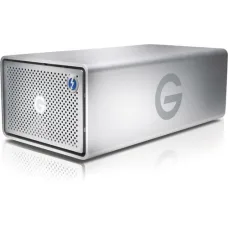
Showing 1 to 15 of 15 (1 Pages)
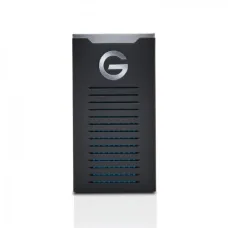


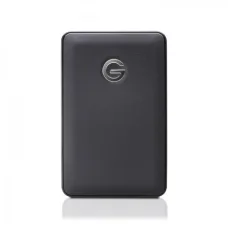


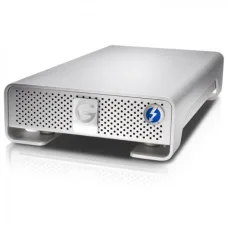


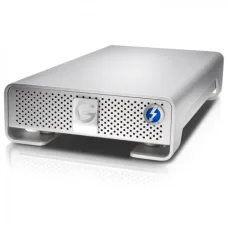
G-Technology is a storage-focused technology brand associated with external hard drives, portable storage, desktop storage solutions and professional data-storage products. The brand has been particularly recognised for products designed to provide convenient access to large amounts of digital data, making it relevant for photographers, videographers, content creators, professionals, businesses and everyday computer users.
For customers in Bangladesh, choosing a G-Technology storage product should begin with understanding how the drive will be used. Backup requirements, file size, portability, transfer frequency, computer compatibility, connection interface and available capacity all influence which storage solution makes practical sense. A drive intended for occasional document backup has very different requirements from one used for high-volume photography, 4K video projects or professional media workflows.
Unix Network serves customers searching for computers, laptops, storage devices, networking equipment, printers and IT accessories in Jessore (Jashore), while also supporting buyers throughout Bangladesh through nationwide delivery. G-Technology products can be considered when customers need dedicated external storage for backup, file transfer, media libraries, project archives or professional workflows.
G-Technology has been associated with external storage solutions designed around practical data-management requirements. External storage remains useful even when computers provide increasingly large internal drives because important files often need a separate backup location, portable working copy or dedicated project archive.
For customers searching for storage products from a computer shop in Jessore, the key question should not simply be how much storage a drive provides. A better approach is to consider what type of files will be stored, how frequently those files will be accessed, whether the drive will travel between locations and how important transfer performance is to the workflow.
Photographers may need space for large collections of RAW images, while video editors can quickly consume storage through high-resolution footage. Businesses may require external drives for document archives, system backups or transferring large datasets. Home users may simply need additional space for photos, videos, documents and personal files.
G-Technology developed a strong association with professional and creative storage applications, particularly where large files and external workflows are involved. Its products have been used in environments where storage capacity, portability, connectivity and dependable data access are important.
The brand's relevance is especially noticeable among users handling media-intensive workloads. Photography and video projects can produce files far larger than conventional office documents, making external storage an important part of the workflow. A suitable drive can provide additional workspace while also helping users organise project files separately from the computer's primary storage.
Customers should remember that product generations and ownership arrangements can change over time. Therefore, the exact model should always be checked for current compatibility, specifications, support status and warranty before purchase.
G-Technology has offered several types of external storage designed for different usage scenarios. Availability can vary in the Bangladesh market, so customers should confirm the specific model currently offered.
Modern laptops and desktop computers often include fast internal storage, but relying on one internal drive for every important file creates unnecessary risk. Hardware can fail, files can be accidentally deleted and operating-system problems can make data temporarily inaccessible.
An external G-Technology drive can provide another physical storage location. This can be useful for backups, project copies or long-term archives. However, an external drive should not be considered a complete backup strategy by itself when the data is particularly valuable. Important information should ideally exist in more than one location.
For businesses, photographers and content creators, separating working files from backup copies can provide a more organised approach to data management.
The exact features differ between product families and generations. Buyers should therefore verify the specific model instead of assuming that every G-Technology drive provides identical functionality.
External storage is particularly useful when internal computer capacity becomes insufficient. High-resolution photographs, video footage, application project files, game libraries and business archives can consume storage quickly.
A larger drive can reduce the need to constantly delete older files, but capacity should be selected according to realistic requirements. Buying significantly more storage than necessary can increase the purchase cost without providing an immediate benefit.
Portable external drives are useful for photographers, students, consultants, freelancers and professionals who move between home, office, studio or client locations. A compact storage device can provide access to project files without requiring the entire desktop setup to be transported.
Portability also introduces a responsibility: physical handling matters. External drives should be protected from impacts, moisture, excessive heat and abrupt disconnection during data transfers.
Transfer performance becomes increasingly important when working with large files. Moving a small collection of documents does not place the same demand on storage as transferring hundreds of RAW photographs or large video projects.
The actual transfer experience depends on the drive technology, interface, computer port, file size, filesystem and workload. A fast storage device cannot reach its full potential when connected through a slower interface or unsuitable hardware.
Creative professionals often work with files that are too large or numerous for convenient internal storage. External drives can help separate active projects, completed work and backup copies.
Photographers may organise drives around client projects or shooting sessions, while video editors can separate source footage, project files, exports and archives. The right structure depends on the workflow rather than the storage brand.
Photography is one of the clearest use cases for high-capacity external storage. Modern cameras can produce large RAW files, while continuous shooting can generate hundreds or thousands of images during a single assignment.
A G-Technology external drive can be used to store imported photographs, maintain working libraries or archive completed projects. Photographers who travel frequently may prefer portable storage, whereas studio users can consider larger desktop-oriented solutions.
When purchasing storage for photography, consider the size of the current image library, expected annual growth, editing workflow and backup strategy. It is usually better to plan storage around several years of realistic usage rather than only the current collection.
Video workflows can require substantially more storage than ordinary office computing. High-resolution footage, multiple camera angles, proxies, project files, rendered outputs and backups can quickly consume available capacity.
An external storage solution can provide additional working space while keeping large media libraries separate from the operating system drive. This arrangement can also make project organisation easier.
Video editors should pay close attention to sustained transfer behaviour, connection standards and workstation compatibility. Large video files can expose performance limitations that may not be noticeable during ordinary document work.
Content creators often manage photographs, video clips, audio files, project assets, design files and exported content simultaneously. An external drive can help keep these resources organised without filling the computer's internal storage.
Creators working across multiple computers may also benefit from portable storage when transferring projects between systems. However, project files should be copied safely and verified after important transfers to minimise the risk of incomplete or corrupted data.
Businesses generate invoices, spreadsheets, accounting records, documents, databases, customer files and operational data. Losing this information can create significant disruption, making backup planning an essential part of responsible IT management.
An external storage device can serve as one component of a business backup system. Smaller organisations may use external drives for scheduled backups, while larger operations may require network storage, cloud backup or more advanced redundancy.
Businesses should avoid keeping the only copy of important data on a single external drive. If that device is lost, damaged or fails, the information may become unavailable. Multiple backup locations provide stronger protection.
Home users can also benefit from external storage. Family photographs, personal videos, documents and downloaded files can accumulate over many years, eventually exceeding the computer's available capacity.
An external drive provides a straightforward way to keep additional files available without replacing the internal drive. It can also be used as a destination for personal backups.
Users should establish a simple routine rather than buying storage and leaving it disconnected indefinitely. A backup device provides value only when important data is actually copied to it and the backup remains usable.
Storage performance depends on the underlying technology and connection interface. Traditional hard disk drives generally provide large capacity at an economical cost, while solid-state storage can offer faster access and improved resistance to mechanical shock because it contains no conventional spinning platters.
For large sequential files such as video footage, sustained transfer behaviour can be particularly relevant. For applications involving many smaller files, random access performance may matter more.
Customers should therefore match storage technology with their workload. Paying for maximum performance is unnecessary when the drive will mainly store infrequently accessed archives, while creative professionals may benefit from faster storage during active editing.
External storage is often transported, connected and disconnected repeatedly. Physical construction therefore matters, especially for portable users.
Desktop drives are generally better suited to stationary workstations because they are designed around a fixed setup. Portable drives can be more convenient for travel but should still be handled carefully.
Regardless of the model, avoid placing a storage device where it can be knocked from a desk or exposed to excessive heat. Safe cable management can also reduce the likelihood of accidental disconnection.
Most external storage users expect straightforward compatibility with modern Windows systems, but the exact experience depends on the drive, filesystem, interface and operating-system environment.
Before purchase, customers should confirm the supported connection type and make sure their computer provides a compatible port. If the computer uses a different connector, an appropriate adapter or cable may be necessary.
Users transferring storage between different operating systems should also understand filesystem compatibility. A drive formatted for one environment may not provide full read-and-write functionality on another without additional configuration.
Mac users should verify filesystem and interface compatibility before purchasing an external drive. The physical connector alone does not determine whether a storage device will work conveniently for a particular workflow.
Creative professionals using Mac workstations should also consider the applications involved and whether the drive will be used for active projects, archives or backups. Proper formatting and configuration can be important when a drive is shared between different computers.
Backup is one of the most important reasons to purchase external storage. A reliable backup process should protect against accidental deletion, hardware failure and other common causes of data loss.
A practical approach is to maintain multiple copies of important information. One copy can remain on the primary computer, another can be stored on an external drive and a further copy can be kept in a different physical location or suitable cloud service when the data warrants that level of protection.
External storage should not be confused with redundancy or guaranteed data preservation. Every storage device can eventually fail. Good backup practice therefore depends on maintaining multiple copies and periodically checking whether backups can actually be restored.
G-Technology can be worth considering for users who need dedicated external storage for professional or personal data. Photographers, videographers, designers, content creators, businesses and general computer users may all benefit from suitable products.
The brand can be particularly relevant when a customer needs more storage than the internal computer drive provides or wants a separate location for project files and backups.
Users who require extremely high performance for demanding applications should compare the exact drive technology and interface rather than selecting a model based only on capacity.
Customers requiring always-available shared storage for several computers may find network-attached storage more suitable than a single external drive. Businesses requiring advanced redundancy may also need a more comprehensive storage architecture.
Similarly, customers whose primary concern is maximum portable performance may want to compare external solid-state storage against conventional external hard drives. The correct technology depends on workload, budget and mobility requirements.
Customers looking for a computer shop in Jessore can discuss their storage requirements with Unix Network before selecting a G-Technology product. Explaining the computer model, operating system, intended workload and approximate data volume makes it easier to identify a suitable option.
For ordinary document backup, a high-capacity external drive may be sufficient. Photographers and video professionals should discuss their file sizes and working methods because transfer performance and capacity can become more important.
Customers from Jashore and nearby districts can also compare available storage solutions according to price, capacity, portability and performance. Confirming current stock before visiting is recommended because specialised storage models may have changing availability.
Professionals working with large datasets often use external storage as part of a wider workstation environment. A dedicated project drive can separate active work from the operating system and general documents, making file organisation easier.
For creative workstations, storage should be planned around the complete workflow. Source files, temporary assets, project databases, previews, exports and backups can all require space. A drive that appears sufficiently large at the beginning of a project may become restrictive later if the workflow generates substantial intermediate files.
Good storage management is not only about purchasing a larger drive. Logical organisation can make files easier to locate and reduce unnecessary duplication.
Users can organise folders by client, project, year, event or content type depending on their workflow. Consistent naming can make searching easier, particularly when a drive contains thousands of files.
Completed projects should be separated from active work when practical. This can help users understand how much free space remains and identify files that need archiving or deletion.
External storage should be disconnected safely when the operating system provides an eject function. Removing a drive while data is being written can increase the possibility of file-system problems or incomplete transfers.
Large transfers should be allowed to finish before disconnecting the device. Users handling valuable project data should also verify that important files open correctly after copying.
Using a suitable cable and compatible interface can prevent unnecessary connection problems. Damaged or unreliable cables can cause intermittent disconnections that may be mistaken for a storage-device fault.
Warranty coverage depends on the specific G-Technology product, model, stock source, product condition and applicable retailer terms. Customers should confirm the warranty period and conditions before purchasing.
Keep the purchase invoice and warranty documentation where supplied. If a problem occurs, providing the exact product information and purchase details can help with service assessment.
Warranty protection does not replace the need for backups. Data stored on a drive should always have another copy when the information is important.
Unix Network is a local technology retailer serving customers in Jessore and the wider Bangladesh market. The store provides access to computers, laptops, storage devices, printers, networking products, gaming equipment and IT accessories, allowing customers to build complete technology setups according to their needs.
Storage purchases benefit from practical guidance because the most suitable product depends on the user's workload. Unix Network can help customers compare available storage options according to capacity, performance, portability, connectivity and budget.
Customers can also enquire about authentic manufacturer products, applicable official warranty, competitive pricing, local showroom availability and nationwide delivery. Exact stock and warranty conditions should be confirmed for the selected item before purchase.
Customers who prefer direct consultation can visit the Unix Network showroom in Jessore. A local purchasing experience can make it easier to discuss computer compatibility, storage requirements and accessory needs before buying.
Customers travelling from nearby districts such as Jhenaidah, Magura, Narail, Satkhira, Khulna, Kushtia and Chuadanga can enquire about availability before making the journey. Product stock can change, particularly for specific or older storage models.
Customers outside Jessore can enquire about nationwide delivery for available G-Technology products. Delivery terms depend on current service coverage and product availability.
External storage should be checked after delivery for physical damage and correct operation. Customers should retain the packaging and purchase documentation where appropriate until the product has been tested successfully.
Storage products sometimes require assistance with formatting, connectivity, operating-system recognition, data-transfer configuration or general troubleshooting. Professional technical guidance can make these tasks easier for users who are unfamiliar with storage management.
Unix Network offers customer-focused technical assistance for technology purchases, with support depending on the product and nature of the issue. Customers can discuss compatibility requirements before purchasing when they are unsure which storage solution fits their computer.
G-Technology is associated with external storage products designed for personal, professional and creative workflows. Its products have been particularly relevant to users managing large files, media libraries, backups and project archives.
Suitable G-Technology storage products can be useful for photographers managing RAW images, project libraries and archives. The ideal model depends on required capacity, portability, transfer performance and computer compatibility.
Suitable models can support video workflows, but editors should check storage technology, interface performance and capacity against their project requirements. High-resolution footage can require substantial storage and sustained transfer performance.
Yes, compatible external drives can be used as backup destinations. Important information should ideally be stored in multiple locations because any single storage device can fail.
Compatibility depends on the exact model, interface and filesystem configuration. Customers should verify the selected product's connection and operating-system requirements before purchase.
Suitable products can be used with Mac computers, but users should check the exact interface and filesystem requirements. Proper formatting may be necessary depending on how the drive will be used.
Portable storage is convenient for people who frequently move between locations, while desktop-oriented storage can be appropriate for fixed workstations where larger capacity or a permanent setup is preferred.
The correct capacity depends on the type and volume of files you create. Estimate current usage, consider future growth and allow additional room for backups or new projects instead of choosing capacity based only on today's free space.
Customers can enquire about current G-Technology availability from Unix Network in Jessore. Model selection, pricing, stock status and warranty should be confirmed before purchase.
Customers outside Jessore can enquire about nationwide delivery for available products. Delivery coverage and terms should be confirmed when placing an order.
The most suitable external storage solution depends on the relationship between capacity, speed, portability, connectivity, workload and budget. A photographer travelling between assignments may prioritise compact storage, while a studio editor may prefer a larger desktop solution for a fixed workstation.
Businesses should think about backup frequency and the importance of stored information. Home users may need straightforward additional capacity, while professional users should consider a structured storage and backup strategy.
Rather than selecting the largest or fastest drive automatically, buyers should choose a product that fits their actual workflow and provides enough capacity for expected growth.
Unix Network supports customers searching for storage and computer technology in Jessore, Jashore and across Bangladesh. G-Technology products can be evaluated alongside other storage options according to the customer's computer, workload, capacity requirement and budget.
Whether you need additional space for photographs, video projects, business documents, personal files or backup copies, selecting storage should involve more than comparing capacity figures. Interface compatibility, transfer performance, physical handling, warranty and long-term data-management practices all contribute to the overall value of the purchase.
G-Technology is a storage-oriented manufacturer relevant to users who need external capacity for professional media, business files, personal data, backups and large project libraries. Its products can be particularly useful when internal computer storage is insufficient or when users need a separate location for important information.
Before purchasing, customers should identify their workload, estimate future capacity needs, check the computer interface, consider portability, verify operating-system compatibility and understand the applicable warranty. Maintaining multiple copies of important data remains essential regardless of the storage manufacturer.
For customers in Jessore and Jashore, Unix Network provides local access to computer and storage solutions with expert purchasing guidance, competitive pricing, applicable warranty support and professional after-sales assistance. Nationwide delivery can also make available G-Technology products accessible to customers throughout Bangladesh.