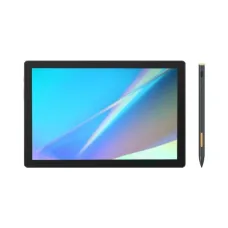
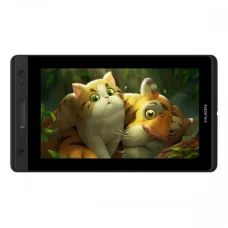
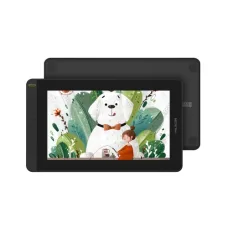
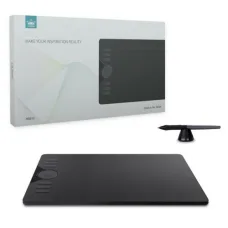
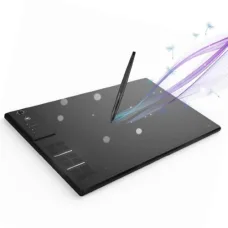
Huion H640P Graphics Tablet
৳4,000
Showing 1 to 19 of 19 (1 Pages)
৳4,000

৳2,800

৳34,000

৳7,700
Huion is a digital creative technology brand focused on tools that help artists, designers, illustrators, photographers, educators, students, and content creators work more naturally with digital media. Huion is best known for pen tablets, pen displays, drawing monitors, and related digital-art accessories that provide pressure-sensitive pen input for creative workflows.
For customers moving from traditional drawing to digital creation, or professionals looking for a dedicated pen-input device, Huion can offer a practical alternative to relying solely on a mouse or standard touchscreen. At Unix Network, customers in Jessore and across Bangladesh can explore Huion products according to their creative workflow, computer compatibility, workspace, screen requirements, and budget.
Huion products are designed around digital pen input, making them useful for tasks where precision, natural hand movement, and control are important. Depending on the product category, a Huion device may work as a drawing surface connected to a computer or as a pen display that allows users to draw directly on the screen.
The distinction between a graphics tablet and a pen display is important when choosing the right device. A traditional pen tablet generally has a separate drawing surface while the artwork appears on the computer monitor. A pen display combines the drawing surface with a screen, allowing the creator to work directly over the visual content.
Both approaches can be effective. The better choice depends on personal preference, available workspace, computer setup, portability requirements, and budget.
Huion operates within the digital drawing and creative hardware market, developing products intended to make computer-based creative work more intuitive. Its product range is associated with digital artists and creators who need a dedicated pen-input experience rather than depending entirely on a mouse.
The brand's product categories cover different levels of creative equipment. Entry-level drawing tablets can provide an accessible starting point for students and beginners, while larger or screen-based devices can offer a more immersive workflow for experienced users.
When evaluating Huion equipment, buyers should look beyond the brand name. Drawing area, display size, pen technology, pressure sensitivity, shortcut controls, connection method, compatibility, stand requirements, and workspace should all be considered together.
A graphics tablet is a useful tool for users who want accurate pen control while continuing to view their artwork on a separate monitor. The tablet acts as an input surface, translating pen movement into cursor or brush movement within supported software.
This setup can be particularly useful for users who already have a good monitor and want to add precise pen input without purchasing another display. It can also be a practical choice when desk space, portability, or budget is important.
Artists may use a graphics tablet for sketching, line work, colouring, digital painting, retouching, photo manipulation, and other creative tasks. Students can also use the same technology for handwriting and digital note-taking where supported.
A pen display provides a different working experience because the creator draws directly on the visible screen. This can feel intuitive for people who prefer a workflow closer to traditional paper drawing.
Pen displays can be particularly attractive to illustrators, concept artists, graphic designers, educators, and other users who spend substantial time creating visual content. The larger the display, however, the more important desk space, viewing distance, stand arrangement, and overall workspace become.
Customers should therefore consider their existing desk before selecting a large drawing display. A technically capable device may not be convenient if the workspace cannot accommodate it comfortably.
Digital artists often require precise control over strokes, curves, shading, and small details. A pressure-sensitive pen can make these tasks more natural than using a conventional mouse.
Artists working on digital illustrations can use a Huion device for sketch development, clean line work, colouring, shading, character design, concept development, and other creative workflows. The ideal device depends on drawing habits and the software environment used by the artist.
Beginners may prefer a straightforward tablet that allows them to learn digital drawing without a large initial investment. Experienced artists may benefit from a larger working area or pen display if those features match their workflow.
Graphic designers can use pen tablets for tasks where direct cursor control is useful. Creating illustrations, editing images, tracing shapes, retouching photographs, manipulating masks, and working with detailed visual elements can all benefit from accurate pen input.
A tablet does not replace the need for a keyboard and mouse in every design task. Instead, it can complement the existing workstation by providing another input method for activities that are more comfortable with a pen.
Photo editors frequently perform detailed work such as retouching, masking, dodging, burning, and localized adjustments. A pen tablet can provide more controlled movement than a mouse for these precision-oriented operations.
Users should confirm compatibility with their preferred editing software and operating system before purchasing. Application support can depend on the particular device, driver version, operating system, and software configuration.
Illustrators and vector designers may use pen input for drawing paths, creating illustrations, handwriting-style artwork, and manipulating visual elements. Pressure-sensitive input can be particularly useful when supported by the application and selected tool.
Designers should consider whether they prefer drawing on a separate tablet while looking at a monitor or working directly on a pen display. Both approaches can produce professional results when the user becomes comfortable with the workflow.
Students studying graphic design, fine arts, multimedia, animation, architecture, photography, or related subjects may benefit from having dedicated digital drawing equipment. A suitable Huion tablet can provide an accessible way to practise digital illustration and develop skills using creative applications.
For students, affordability, portability, durability, computer compatibility, and available desk space are often more important than selecting the largest or most advanced model.
Digital pen input can also be useful for teachers who create diagrams, annotate documents, explain mathematical concepts, mark assignments, or demonstrate software during online lessons. A tablet can function as a digital writing surface while the teacher views the result on a computer display.
This makes pen tablets useful beyond traditional art. The same technology can support handwriting, annotation, presentations, educational demonstrations, and remote teaching.
Content creators often combine photography, illustration, video, thumbnails, social-media graphics, and other visual material. A dedicated drawing tablet can speed up detailed image editing and provide more natural control during creative production.
For creators who regularly work with images, choosing a device with a comfortable working area and convenient controls can improve the overall workflow. Those who frequently move between locations should also consider portability and connection requirements.
Animation involves repeated drawing, editing, refinement, and timing. A reliable pen-input device can make the drawing portion of this process more comfortable, particularly when creating frame-based artwork or detailed illustrations.
Animation students and professionals should consider software compatibility, drawing area, display preference, shortcut controls, pen comfort, and long-session ergonomics before choosing a model.
The pen is one of the most important components of a drawing tablet or pen display. Pressure sensitivity allows supported software to respond to variations in pen pressure, which can influence brush size, opacity, stroke intensity, or other application-controlled parameters.
The practical value of pressure sensitivity depends on the software and settings being used. Buyers should therefore focus on the complete pen experience rather than evaluating a single specification in isolation.
Working area has a direct effect on how much physical movement is available for drawing. A compact tablet can be convenient for travel and smaller desks, while a larger active area may provide greater room for broad strokes and detailed work.
Large does not always mean better. Some users prefer compact devices because they require less hand movement and occupy less desk space. Others prefer a larger surface because it provides a more natural drawing motion.
| Workspace | Potentially Suitable Choice |
|---|---|
| Small desk | Compact graphics tablet |
| Student workstation | Portable tablet with practical working area |
| Home creative setup | Medium or large tablet depending on available space |
| Professional studio | Larger tablet or pen display based on workflow |
| Frequent travel | Compact, easy-to-carry graphics tablet |
Customers choosing a pen display should consider more than screen size. Display resolution, viewing comfort, surface feel, brightness, colour characteristics, connection requirements, stand arrangement, and available workspace can all influence the experience.
For colour-sensitive work, users should also consider their overall monitor calibration workflow. A drawing display should be evaluated as part of the complete creative workstation rather than as an isolated device.
Before purchasing a Huion product, customers should confirm compatibility with their computer. Operating system support, available USB or display connections, required drivers, supported applications, and system configuration can vary by product.
Compatibility should always be checked for the exact model because product generations can have different connection and driver requirements.
Creative equipment is often used for several hours at a time, making physical comfort and construction important considerations. Users should pay attention to the tablet surface, pen feel, buttons, cable arrangement, stand configuration, and overall ergonomics.
Proper positioning can also reduce unnecessary wrist and shoulder movement. A comfortable desk height, suitable monitor position, and appropriate drawing angle can make a significant difference during longer creative sessions.
Selected Huion devices include shortcut controls designed to reduce dependence on keyboard commands. These controls can be useful for frequently repeated actions such as undo, brush adjustments, zooming, panning, or switching tools where supported.
Shortcut functionality is most valuable when the user configures it around frequently performed tasks. However, not every artist needs a large number of physical buttons, so buyers should choose based on actual workflow rather than feature count alone.
Professional users should evaluate equipment according to the demands of their daily workflow. An illustrator who spends most of the day drawing may prioritize active area, pen comfort, display experience, and ergonomics. A photographer may place greater emphasis on precise retouching and software integration.
Creative professionals should also consider reliability, driver stability, replacement accessories, warranty support, and long-term serviceability when making an investment in equipment that forms part of their working setup.
The right Huion device should match your workflow rather than simply offering the highest specification. Consider what you draw, how frequently you work, where the device will be placed, and which computer and software you already use.
Huion can be suitable for digital artists, graphic designers, illustrators, photographers, animation students, educators, content creators, hobbyists, and professionals who want precise pen-based computer input.
It can also be useful for people learning digital art for the first time. A basic tablet can provide a practical introduction without requiring a large investment in a complete creative workstation.
Users who strongly prefer drawing directly on the artwork may want to consider a pen display, while those who already have a suitable monitor and want a more economical setup may prefer a conventional graphics tablet.
Huion prices in Bangladesh vary according to product category, model, display size, features, availability, accessories, and market conditions. A compact drawing tablet and a larger pen display are designed for different purposes, so direct price comparison alone may not provide a useful buying decision.
Customers can contact Unix Network for current Huion pricing and availability. If you are uncertain about the appropriate model, providing information about your computer, software, drawing requirements, desk space, and budget can help narrow down suitable choices.
Unix Network is a technology retailer serving customers who need computers, laptops, gaming equipment, printers, networking products, accessories, and creative technology. Customers searching for Huion products can receive practical guidance based on their actual creative requirements.
For buyers in Jessore, the local showroom provides a convenient place to discuss technology purchases. Customers elsewhere in Bangladesh can contact Unix Network to check available models, current pricing, warranty information, and delivery options.
The goal is to help customers choose equipment that fits their workflow instead of recommending a product solely because it has more features. This approach is particularly important for graphics tablets because drawing habits and personal preferences vary considerably.
Customers searching for a graphics tablet, pen display, laptop, monitor, gaming PC, or other creative technology can consider Unix Network as a local technology shopping destination in Jessore. The store serves customers interested in a broad range of computer and digital equipment.
Whether you search for a Computer Shop in Jessore, a Laptop Shop in Jessore, or a creative technology supplier, product selection should begin with your actual requirements. Local customers can visit the showroom, while buyers from other parts of Bangladesh can enquire remotely about suitable Huion options.
Start by deciding whether you want a tablet with a separate monitor or a pen display with an integrated screen. This single decision can significantly narrow the available choices.
Next, determine the type of creative work you perform. Occasional photo editing may require a different device from professional illustration or animation. Consider your typical drawing scale and workspace before choosing the active area.
Then verify computer compatibility. Check operating-system support, ports, drivers, application compatibility, and any adapter requirements. Finally, compare suitable models according to comfort, features, price, warranty, and long-term usability.
A Huion tablet can complement a laptop-based creative workstation by providing a dedicated pen-input surface. This can be especially useful for students, freelancers, photographers, and designers who work from different locations.
Before connecting the device, laptop users should check available ports and supported operating systems. Users who frequently travel should also consider cable management, carrying requirements, desk space, and whether the selected model is convenient to transport.
Compatibility depends on the exact Huion model and current software environment. Customers should always review the supported operating systems and driver requirements for their chosen product before purchase.
Creative software support can also vary. Applications such as digital painting, image editing, illustration, animation, and note-taking programs may interact with pen input differently. Checking compatibility in advance helps ensure the device fits the intended workflow.
Warranty terms can vary according to the specific Huion product, sales channel, distributor, and applicable local conditions. Customers should confirm the warranty coverage for the exact model before purchase.
Keep the invoice and relevant purchase documentation after buying the product. If a technical issue occurs, providing the exact model and purchase information can make support communication easier.
Unix Network serves customers beyond Jessore through online purchasing and delivery arrangements across Bangladesh. Customers should confirm current stock, delivery availability, payment requirements, warranty conditions, and expected delivery details before placing an order.
Customers near Jessore can also discuss their requirements locally, while buyers from Dhaka, Khulna, Rajshahi, Chattogram, Sylhet, Barishal, Rangpur, Mymensingh, and other areas can contact Unix Network regarding available Huion products.
Technical support can be important for drawing tablets because installation may involve drivers, application settings, display connections, pen configuration, and operating-system permissions. Customers should follow the appropriate setup instructions for their exact product.
If a problem develops, provide the model name, computer operating system, connection method, application being used, and description of the issue. Clear technical information can make troubleshooting more efficient.
What is Huion used for?
Huion products are primarily used for digital drawing, illustration, graphic design, photo editing, animation, handwriting, annotation, teaching, and other pen-based computer activities.
Is Huion good for beginners?
Yes. Huion offers drawing devices suitable for users who are beginning their digital-art journey. Beginners should choose according to their budget, computer compatibility, workspace, and intended applications.
What is the difference between a Huion tablet and pen display?
A graphics tablet normally has a separate drawing surface while the artwork appears on a computer monitor. A pen display has an integrated screen, allowing users to draw directly on the visible artwork.
Is Huion suitable for Photoshop?
Compatible Huion devices can be useful with Photoshop and other creative applications that support pen input. Users should verify compatibility for the exact model, driver, operating system, and application version.
Is Huion good for graphic design?
Huion can be useful for graphic designers who work with illustration, image editing, retouching, handwriting, masking, and other precision-oriented tasks where pen input provides greater control.
Can students use Huion?
Yes. Students studying art, design, multimedia, animation, photography, or related subjects can use compatible Huion tablets as part of their digital creative workflow.
Should I buy a Huion graphics tablet or pen display?
Choose a graphics tablet if you are comfortable drawing on a separate surface while viewing your monitor. Consider a pen display if you prefer drawing directly on the screen and your workspace and budget support that type of device.
Does Huion work with laptops?
Compatible Huion products can be used with supported laptops. Check the exact model's operating-system, driver, connection, and software requirements before purchase.
Is Huion suitable for photo editing?
Yes. A pen tablet can provide precise control for retouching, masking, brush-based adjustments, and other detailed photo-editing tasks in compatible software.
Where can I buy Huion in Jessore?
Customers can contact Unix Network in Jessore to check current Huion availability, pricing, warranty information, and suitable options for their creative requirements.
Digital creativity is no longer limited to large professional studios. Students, freelancers, photographers, designers, teachers, gamers who create content, and home users can all benefit from suitable pen-input technology. Huion provides products that can fit different levels of creative activity and workspace requirements.
For customers in Jessore and Jashore, Unix Network provides local access to computer and technology products. For customers throughout Bangladesh, online enquiries can help determine product availability, pricing, warranty information, and delivery arrangements before an order is placed.
Huion is a practical choice for people who want dedicated digital pen input for creative and productivity-oriented work. Graphics tablets can provide precise control while using an existing monitor, whereas pen displays offer a more direct drawing experience by placing the artwork beneath the pen.
The ideal Huion product depends on your creative discipline, software, computer, workspace, drawing habits, portability requirements, and budget. Instead of selecting a model based only on specifications, consider how you actually work and which features will improve your everyday workflow.
For customers searching for Huion products in Jessore or anywhere in Bangladesh, Unix Network can help with product selection, current availability, pricing information, warranty guidance, and delivery arrangements so you can make a more informed technology purchase.