
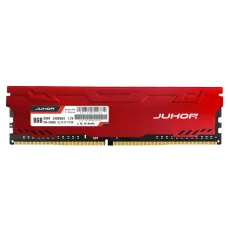
JUHOR DDR4 8GB RAM
৳7,800
Showing 1 to 1 of 1 (1 Pages)
৳7,800
JUHOR is a computer memory and storage manufacturer focused on RAM and SSD solutions for desktops, laptops, workstations, servers and other compatible computing platforms. The brand is particularly relevant to customers looking to upgrade system memory, improve multitasking capability, replace older memory modules or move from traditional storage to faster solid-state storage.
For customers in Bangladesh, JUHOR can be considered when building or upgrading a desktop computer, gaming PC, office workstation or compatible laptop. Its product range includes desktop memory, laptop memory and SSD products across different generations and interfaces. The correct model should always be selected according to the motherboard or laptop specification rather than capacity alone.
JUHOR focuses on two important areas of modern computing: system memory and solid-state storage. RAM provides temporary working space for active applications and data, while an SSD provides persistent storage for the operating system, applications, documents, games and other files.
These two components solve different performance problems. Increasing RAM can help a computer handle more applications simultaneously, while replacing a slower storage device with an SSD can make operating-system startup, application loading and general file access feel considerably more responsive.
JUHOR's product portfolio includes desktop memory, laptop memory and SSD solutions, making the brand relevant to both new PC builders and customers upgrading existing systems.
Desktop RAM is one of the main JUHOR product categories. Memory modules for desktop computers are available across different generations, including DDR4 and DDR5, with older platforms also requiring specific legacy memory types.
The correct desktop RAM must match the motherboard's supported memory generation. DDR4 and DDR5 are not interchangeable, so customers should never choose memory based only on capacity or advertised frequency.
For a desktop upgrade, it is also useful to check the motherboard's maximum supported capacity, available memory slots, supported speeds and existing module configuration. These details help ensure that the new JUHOR memory works correctly with the rest of the system.
DDR4 remains widely used in existing desktop computers and many laptops. For customers who already own a DDR4-compatible system, upgrading to higher-capacity JUHOR DDR4 memory can be a practical way to extend the useful life of the computer without replacing the entire platform.
DDR4 upgrades can be useful for office applications, browsing, programming, content creation, gaming and multitasking. The ideal capacity depends on the software being used and the customer's workload.
Customers upgrading an existing PC should also check whether the current memory can be combined with the new module. Differences in capacity, speed, timings and module configuration can influence compatibility and operating behaviour.
DDR5 is the newer mainstream memory generation for many modern desktop platforms. JUHOR DDR5 memory can be considered for new PC builds and compatible systems where higher memory bandwidth and current-generation platform support are required.
DDR5 should only be purchased for a motherboard designed to support DDR5. A DDR5 module cannot simply be inserted into a DDR4 motherboard because the physical and electrical specifications differ.
For a new gaming PC or productivity workstation, DDR5 selection should be considered alongside the processor, motherboard, number of memory modules and intended workload.
Laptop memory has different physical characteristics from standard desktop DIMMs. Compatible laptops commonly use smaller memory modules, so customers must verify the exact laptop specification before purchasing an upgrade.
JUHOR offers laptop memory across different generations. Before upgrading, customers should check whether the laptop supports replaceable RAM, the maximum supported capacity, the existing memory configuration and the required memory generation.
For some notebooks, memory may be partially or completely soldered to the motherboard. In such cases, a conventional laptop RAM upgrade may not be possible.
Gaming PCs depend on adequate memory capacity and suitable memory configuration for smooth operation. JUHOR RAM can be considered for gaming builds where the motherboard and processor support the selected memory generation.
Gaming performance does not depend on RAM alone. The graphics card, processor, game engine, storage, cooling and software configuration all contribute to the final experience. Additional memory can be particularly useful when games are run alongside browsers, voice chat, recording software or other background applications.
Customers building a gaming PC should therefore treat RAM as one part of the complete system rather than expecting memory alone to transform graphics performance.
Office computers often run web browsers, document applications, spreadsheets, accounting software, communication tools and background utilities at the same time. Insufficient RAM can make multitasking uncomfortable when several applications remain open simultaneously.
A suitable JUHOR memory upgrade can help create a more comfortable working environment when the existing system is limited by memory capacity. The appropriate upgrade depends on the computer's platform and the software workload.
Content creation applications can consume substantial memory, particularly when working with large images, video projects, layered graphics, 3D scenes or multiple applications simultaneously.
For photographers, graphic designers, video editors and other creative professionals, memory capacity should be considered according to project size and application requirements. A system with sufficient RAM can reduce reliance on slower storage when managing large workloads.
However, content-creation performance also depends heavily on the processor, graphics hardware, storage performance and application optimisation.
Developers can benefit from additional system memory when working with integrated development environments, browsers, local databases, virtual machines, containers and other development tools at the same time.
For software development workloads, memory capacity is often more important than gaming-oriented visual features. Customers should choose a JUHOR RAM configuration that matches their motherboard and the scale of their development environment.
JUHOR also offers solid-state storage solutions. SSDs provide persistent storage for operating systems, applications and files and are commonly used as replacements for older mechanical hard drives or as additional storage in compatible systems.
Compared with traditional mechanical storage, an SSD has no conventional spinning disk mechanism. This allows faster access to stored data and can significantly improve the responsiveness of a computer when the original system is using a slower hard drive.
JUHOR's SSD portfolio includes different interface categories, so compatibility should be checked carefully before purchase.
NVMe SSDs communicate with compatible systems through the NVMe protocol and are commonly installed through an M.2 slot. They can offer substantially faster storage performance than traditional SATA-based solid-state storage when the platform supports the required interface.
Customers should not assume that every M.2 slot supports NVMe. Some M.2 slots support SATA storage, some support NVMe, and some support both. Checking the motherboard or laptop manual is therefore an important part of the buying process.
NVMe 3.0 storage can be a practical choice for customers upgrading compatible systems that support PCIe-based M.2 storage. It can provide faster system responsiveness and file-transfer performance compared with traditional hard-drive storage.
For general office computers, everyday productivity and many gaming systems, a suitable NVMe SSD can provide a noticeable improvement in boot times and application loading compared with an older mechanical drive.
PCIe 4.0 NVMe storage is designed for compatible modern platforms and can provide higher bandwidth than earlier PCIe generations. It is particularly relevant to newer desktop systems, gaming computers and professional workloads that can benefit from faster storage throughput.
Customers should confirm that both the motherboard and processor platform support the required PCIe generation. Installing a PCIe 4.0 SSD in an older compatible slot may result in the drive operating at the lower supported interface speed.
SATA SSDs remain useful for computers that do not provide an appropriate NVMe slot or for customers looking for a straightforward storage upgrade. They can also be useful when additional storage capacity is required in systems with available SATA connectivity.
A SATA SSD can be a major improvement over a traditional hard disk for everyday computing. Windows startup, application launching and general file access can become much more responsive after moving the operating system to solid-state storage.
M.2 describes a physical form factor rather than one specific storage technology. An M.2 drive may use SATA or NVMe depending on the product and system interface.
Customers should therefore verify the exact M.2 support of the motherboard or laptop before purchasing a JUHOR M.2 SSD. Physical compatibility alone does not guarantee that the drive will function in a particular slot.
Gaming PCs can benefit from SSD storage because games contain large amounts of data and frequently load substantial files during startup and gameplay. An SSD can reduce loading times compared with older mechanical drives.
For a gaming PC, customers should consider both capacity and interface. Modern game installations can occupy considerable storage space, so choosing a capacity that accommodates the intended game library is important.
Storage speed can also matter when installing large games, transferring files and managing game libraries, although overall gaming frame rates are generally more dependent on the processor and graphics card.
Business users can benefit from SSD upgrades because faster storage can improve everyday system responsiveness. Office applications, accounting software, browsers and document management tools can feel more responsive when the operating system and applications are stored on solid-state storage.
For business computers, reliability and correct capacity selection are especially important. Customers should consider how much operating-system space, application data and business documents need to be stored locally.
An SSD upgrade can be an effective way to improve an older compatible laptop. If a notebook still relies on a mechanical hard drive, moving to an SSD can make everyday operation substantially more responsive.
Before purchasing a JUHOR SSD for a laptop, verify the physical size, interface, supported storage type and maximum capacity. Some laptops use 2.5-inch SATA drives, while others use M.2 storage.
Memory compatibility is more complex than matching capacity. A RAM module must be compatible with the motherboard or laptop in terms of memory generation, physical form factor and supported operating characteristics.
SSD compatibility also depends on the interface and physical format. Before ordering, customers should identify whether their system supports SATA, M.2 SATA, NVMe or a particular PCIe generation.
For M.2 drives, customers should verify the supported keying, physical dimensions and protocol. A drive that fits physically may still be incompatible if the motherboard does not support the required storage technology.
RAM and SSD performance should be evaluated according to the complete computer configuration. Faster RAM cannot compensate for an unsuitable processor or graphics card, while a very fast SSD may provide limited practical benefit if the rest of the system is unable to take advantage of its throughput.
For most customers, balanced system configuration is more useful than selecting one component based purely on its headline specification. Capacity, compatibility and reliability should remain important considerations alongside performance.
Using compatible memory modules in the correct slots can allow supported systems to operate in dual-channel configurations. This can increase available memory bandwidth compared with a single-module arrangement.
The exact benefit varies according to the processor, motherboard and workload. Customers upgrading a desktop should consult the motherboard documentation for the recommended slot configuration.
RAM upgrades are often among the simplest ways to extend the useful life of an existing computer when the current system is limited by insufficient memory.
For example, users who regularly keep many browser tabs open while running office software, communication applications and other tools may notice that additional memory provides a smoother multitasking experience.
However, customers should diagnose the actual performance limitation before buying. If a computer is slow because of a failing drive, overheating processor or other hardware problem, adding RAM alone may not solve the issue.
Replacing an older mechanical hard drive with a suitable JUHOR SSD can be one of the most noticeable upgrades for an older computer. The improvement is particularly apparent during system startup, application loading and file access.
An SSD can also reduce mechanical noise because it does not rely on a conventional spinning disk mechanism. This can be useful in office computers, home systems and laptops where quieter operation is desirable.
Custom PC builders can consider JUHOR memory and storage when selecting components for gaming, office work, content creation or general computing.
For a new build, RAM should be selected together with the motherboard and processor. Storage should be selected according to the motherboard's available interfaces and the intended operating system, applications and file library.
A balanced configuration may be more practical than spending a disproportionate amount of the budget on one high-performance component.
Gaming PC builders need to consider processor, graphics card, RAM, storage, power supply and cooling as a complete system. JUHOR RAM can form part of a compatible gaming configuration, while a JUHOR NVMe SSD can provide fast storage for the operating system and game library.
For gaming, customers should prioritise sufficient memory capacity, correct motherboard compatibility and suitable storage capacity. Once these requirements are satisfied, additional performance features can be evaluated according to budget.
Workstations used for design, development, video editing, data processing and other demanding workloads can benefit from higher memory capacity and fast storage.
JUHOR memory and SSD products can be considered where the platform supports the relevant specifications. Workstation buyers should pay particular attention to workload requirements, storage capacity and platform compatibility.
Some JUHOR memory and storage solutions are intended for applications beyond conventional home desktops, including servers, workstations and network-attached storage environments. These systems require particularly careful component selection because memory and storage compatibility can differ from consumer PCs.
Before purchasing for a server or NAS, customers should check the platform manufacturer's requirements, supported memory type, storage interface, capacity limitations and any applicable hardware qualification requirements.
Memory and storage components are critical because system stability depends on reliable operation. Customers should consider the exact product model, compatibility, warranty conditions and intended workload rather than making a purchasing decision based only on price.
Proper installation is equally important. RAM should be installed in the correct slot configuration, while M.2 SSDs should be installed securely and with appropriate thermal considerations where applicable.
JUHOR price in Bangladesh varies according to memory generation, capacity, frequency, SSD interface, storage capacity and specific product model. DDR4 and DDR5 modules occupy different product segments, while SATA and NVMe SSDs can also differ substantially in performance and pricing.
Customers should compare exact models rather than using the JUHOR brand name alone to estimate cost. The appropriate product depends on the computer platform and the intended workload.
Customers searching for JUHOR RAM price in Jessore or JUHOR SSD price in Jashore can contact Unix Network for current availability and pricing. Product stock can change, particularly for specific memory capacities and newer storage models.
Unix Network serves customers from Jessore while also supporting technology buyers across Bangladesh. Customers can provide their motherboard, laptop or existing RAM and storage information to receive more useful purchasing guidance.
JUHOR can be suitable for customers who need memory or storage upgrades for compatible computing systems. Typical users include:
Unix Network is a computer and technology retailer in Jessore serving customers looking for laptops, desktop components, gaming PC hardware, networking equipment, printers and accessories. JUHOR RAM and SSD products can be useful additions to customers building or upgrading these systems.
Memory and SSD purchases require careful compatibility checking, so customers can benefit from sharing their existing motherboard, laptop model or computer configuration before selecting a product. This approach helps reduce the risk of purchasing hardware that does not match the system.
Warranty conditions can vary according to the exact JUHOR product, supplier and applicable sales terms. Customers should confirm warranty coverage for the specific RAM or SSD model before purchasing.
For storage and memory products, keeping the invoice and relevant purchase documentation is recommended. Customers should also install components correctly and use them within their supported operating conditions.
Unix Network supports customers in Jessore as well as customers in other parts of Bangladesh. JUHOR RAM and SSD products are compact computer components that can be supplied to customers outside Jashore subject to delivery availability.
Before placing an order, customers should confirm the exact model, capacity, interface, compatibility, current price and warranty terms. This is particularly important for memory and SSD products because similar-looking components can use different standards.
What is JUHOR best known for?
JUHOR is primarily associated with computer memory and storage products, including desktop RAM, laptop RAM and SSD solutions.
Does JUHOR make DDR4 RAM?
Yes. JUHOR offers DDR4 memory products for compatible desktop and laptop platforms. The exact module should be selected according to the computer's supported memory type.
Does JUHOR make DDR5 RAM?
Yes. JUHOR offers DDR5 memory for compatible modern platforms. Customers should confirm that the motherboard supports DDR5 before purchasing.
Can I upgrade my laptop with JUHOR RAM?
If the laptop has an accessible and upgradeable memory slot and supports the required JUHOR module, an upgrade may be possible. Check the exact laptop model, memory generation and maximum supported capacity first.
Is JUHOR RAM suitable for gaming?
Compatible JUHOR RAM can be used in gaming computers. Gaming performance depends on the complete system, including the processor, graphics card, memory configuration and storage.
Does JUHOR make SSDs?
Yes. JUHOR offers SSD products including SATA and NVMe-oriented storage solutions. The correct model depends on the computer's supported interface.
Can I install a JUHOR NVMe SSD in any M.2 slot?
No. M.2 is a physical form factor, and different M.2 slots can support different storage protocols. Verify whether the particular slot supports NVMe before purchasing.
Can a JUHOR SSD improve an old computer?
If the computer currently uses a mechanical hard drive and supports the selected SSD interface, replacing the hard drive with an SSD can substantially improve system responsiveness.
Is JUHOR RAM available in Jessore?
Customers in Jessore and Jashore can contact Unix Network to check current JUHOR RAM availability, models and pricing.
Can I buy JUHOR SSD from Unix Network outside Jessore?
Unix Network serves customers across Bangladesh, subject to product availability and delivery conditions.
How do I know which JUHOR RAM is compatible with my PC?
Check the motherboard model, supported DDR generation, maximum capacity, available slots and supported memory specifications. Providing these details when ordering makes compatibility checking much easier.
If you are planning a JUHOR RAM or SSD purchase, start by identifying your exact computer model or motherboard. For a RAM upgrade, check the existing memory configuration and supported DDR generation. For an SSD upgrade, determine whether the system supports SATA, M.2 SATA or NVMe storage.
Customers in Jessore can contact Unix Network for product selection assistance. Customers from other areas of Bangladesh can also provide their system specifications when asking about JUHOR products, allowing the appropriate memory or storage solution to be identified before ordering.
JUHOR is a computer component manufacturer focused on memory and storage, making the brand relevant to customers who want to upgrade or build compatible desktops, laptops, gaming PCs and workstations. Its product portfolio covers desktop memory, laptop memory and SSD solutions across different generations and interfaces.
The most important consideration when purchasing JUHOR hardware is compatibility. RAM generation, module type, capacity and motherboard support should be checked before ordering, while SSD buyers should verify the interface, form factor and supported PCIe or SATA technology.
For customers searching for JUHOR RAM or JUHOR SSD in Jessore, Jashore and throughout Bangladesh, Unix Network can help with product selection, compatibility guidance, current pricing and delivery arrangements. Choosing the right component based on the complete system can provide a more practical and cost-effective upgrade than selecting hardware based only on headline specifications.