
Jumper
Showing 1 to 3 of 3 (1 Pages)

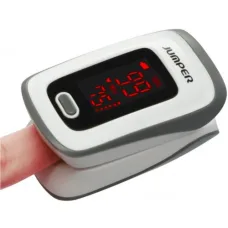

Jumper is a technology brand focused on affordable portable computing, with products covering laptops, tablets and compact mini PCs. Its product portfolio is built around everyday computing requirements such as study, office productivity, web browsing, entertainment, remote work and lightweight personal computing. Jumper's official product range includes EZbook laptops, EZpad tablet PCs and EZbox mini PCs, giving customers several form factors for different computing needs. :contentReference[oaicite:0]{index=0}
For customers in Bangladesh, Jumper can be an appealing option when portability, practical functionality and budget-conscious computing are important. Rather than targeting only high-end professional workloads, Jumper products can be considered for users who need a computer for everyday productivity, online learning, browsing, document work, media consumption and other routine tasks.
Jumper Laptop in Bangladesh
Jumper laptops are designed for customers who want portable Windows-based computing in a relatively compact form. The brand's EZbook family includes several laptop models, while its wider product portfolio also includes tablets and mini PCs. :contentReference[oaicite:1]{index=1}
A Jumper laptop can be suitable for students, home users, office workers and customers who primarily need a portable machine for web browsing, documents, online communication and general productivity. The appropriate model should be selected according to processor capability, memory, storage, display requirements, battery expectations and the software the customer intends to use.
Customers should not judge a laptop only by its storage capacity or screen size. Processor performance, RAM, storage technology, operating-system compatibility, connectivity and upgrade possibilities all contribute to the overall ownership experience.
Jumper EZbook Series
The EZbook series represents Jumper's laptop-focused product family. Different EZbook models are designed around different combinations of portability, display size, processing capability and everyday usability. The manufacturer's current product listings include models such as EZbook S7, EZbook S7 Hi, EZbook X8 and EZbook S5 Pro, while its broader catalogue also includes earlier EZbook models. :contentReference[oaicite:2]{index=2}
Because configurations can vary substantially between individual models, customers should check the exact model number before purchasing. A laptop with a similar product-family name may have a different processor, memory arrangement, storage configuration or display specification.
Jumper Laptop for Students
Students often need a laptop for web research, Microsoft Office applications, online classes, presentations, assignments, PDF documents and communication. A suitably configured Jumper laptop can be considered for these everyday educational requirements.
Portability is particularly useful for students who carry their laptop between home, university, library and study locations. When selecting a model, students should consider weight, screen size, keyboard comfort, battery expectations and the amount of storage required for coursework.
Students studying subjects such as business, accounting, humanities, management and general education may not need the same hardware configuration as users working with advanced 3D applications or professional video production.
Jumper Laptop for Office Work
Office users can consider Jumper laptops for document preparation, spreadsheets, web-based applications, email, video meetings and routine business administration, depending on the model's hardware configuration.
For office use, keyboard comfort and display quality can be just as important as processor specifications. Customers who spend several hours typing documents or working with spreadsheets should consider screen size, keyboard layout and overall ergonomics before purchasing.
Businesses should also consider software compatibility. If an organisation depends on specialised accounting, engineering, design or enterprise applications, the exact software requirements should be checked against the selected Jumper laptop.
Jumper Laptop for Online Classes
Online learning requires a combination of reliable connectivity, a suitable display, microphone support, speakers or headphones and enough performance to run the required browser and educational applications.
A Jumper laptop can be considered for students who attend online classes, watch educational videos, prepare assignments and communicate through web-based platforms. The exact model should be selected according to the number of applications that need to remain open simultaneously.
Jumper Laptop for Home Use
For home users, a Jumper laptop can serve as a general-purpose computer for browsing, social media, streaming, document preparation, online shopping, communication and personal organisation.
Home users should focus on choosing a balanced configuration rather than paying for specifications they will never use. Adequate RAM, suitable storage and a comfortable display can be more valuable for everyday computing than selecting a model solely because of a high specification in one area.
Jumper Laptop for Remote Work
Remote workers often require a portable computer for browser-based applications, email, video meetings, document editing and cloud services. A suitable Jumper laptop can provide a practical mobile workstation for these activities when its configuration matches the workload.
Users who depend on multiple monitors, large spreadsheets, demanding development environments or professional creative applications should check connectivity and performance requirements carefully before purchasing.
Jumper 2-in-1 Laptop
Some Jumper laptop products are available in convertible designs that allow the device to be used in different physical positions. A 360-degree hinge can provide laptop, tent, stand and tablet-style modes on compatible models.
This type of design can be useful for presentations, reading, media consumption, casual browsing and touchscreen interaction. Customers who value flexibility should check the exact hinge mechanism, touchscreen functionality and included input features of the specific model.
Jumper Touchscreen Laptop
Touchscreen functionality can make certain laptop tasks more convenient, particularly when a device can be folded into a tablet-style configuration. It can be useful for browsing, viewing documents, presentations and touch-oriented applications.
However, touchscreen capability should not automatically be treated as a performance feature. Customers should still evaluate processor performance, RAM, storage and battery requirements based on their primary workload.
Jumper Tablet PC
Jumper also produces tablet PCs under its EZpad family. The manufacturer's product catalogue includes models such as EZpad M10s, EZpad M10, EZpad 6s Pro and EZpad 6 Pro. :contentReference[oaicite:3]{index=3}
Tablets can be useful for customers who prioritise portability, touchscreen interaction and convenient media consumption. Students can use them for reading and online learning, while home users may prefer a tablet for browsing, video streaming and lightweight applications.
Before choosing a Jumper tablet, check the operating system, application compatibility, keyboard support, storage capacity, connectivity and battery requirements.
Jumper Mini PC
Mini PCs provide desktop-style computing in a compact form factor. Jumper's product portfolio includes EZbox mini PCs, with the official catalogue listing models such as EZbox Z8 and EZbox I3. :contentReference[oaicite:4]{index=4}
A mini PC can be useful for customers who want a small computer for office work, home entertainment, digital signage, light productivity or other fixed-location applications. The compact design can also help users create a cleaner desk setup.
Customers should remember that a mini PC normally requires an external display, keyboard and mouse. Connectivity should therefore be checked according to the intended setup.
Jumper Mini PC for Office
Small businesses can consider a Jumper mini PC when desk space is limited and the required workload is relatively light. A compact computer can be placed behind or beside a monitor, helping reduce the footprint of a traditional desktop tower.
For business applications, customers should check compatibility with accounting software, browser-based systems, printers, scanners, network equipment and other peripherals used by the organisation.
Jumper Mini PC for Home Entertainment
A compact PC can also be useful as a home media or general-purpose computer. Depending on the exact hardware, a Jumper mini PC can support web browsing, streaming, office applications and other everyday activities.
Customers should check the available display outputs and supported resolutions before connecting a mini PC to a television or monitor.
Jumper for Everyday Computing
Everyday computing workloads generally include web browsing, email, word processing, spreadsheets, video playback, online meetings and cloud applications. These tasks do not necessarily require workstation-class hardware.
Jumper's laptop, tablet and mini PC categories provide different form factors for customers with these types of requirements. The best choice depends on whether portability, touchscreen interaction or compact desktop operation is the primary priority.
Jumper Processor and Performance Considerations
Processor performance should be evaluated according to the applications that will be used. Basic productivity, browsing and media tasks require considerably less processing power than professional video editing, 3D rendering or advanced engineering software.
Customers should check the exact processor fitted to a particular Jumper model rather than assuming that all products in the same series provide similar performance. Processor generation, core configuration and power characteristics can significantly affect real-world usability.
For customers purchasing a Jumper laptop for demanding workloads, it is important to compare the complete hardware configuration rather than focusing on the processor name alone.
Jumper RAM and Multitasking
RAM affects how comfortably a computer can handle multiple applications and browser tabs at the same time. A system with sufficient memory can provide a smoother multitasking experience, particularly when users regularly switch between several applications.
Students and office users should consider the applications they normally run simultaneously. Developers, designers and professional users may require more memory than someone who primarily browses the internet and watches videos.
Jumper Storage Options
Storage capacity determines how much software, documents, photographs, videos and other files can be kept locally. Storage technology can also influence startup and application-loading responsiveness.
Customers should consider both capacity and technology. A smaller modern solid-state drive may provide a faster experience than a larger but slower storage device, while users with extensive media collections may prioritise capacity.
Jumper SSD Storage
Models equipped with solid-state storage can provide fast access to operating-system files and applications. SSD-based systems are particularly useful for customers who value quick startup and responsive everyday operation.
Before purchasing, customers should check the exact storage configuration and whether the selected model provides any upgrade capability. Some thin laptops have limited internal upgrade options, making the original configuration more important.
Jumper Display Quality
The display is one of the most frequently used parts of a laptop or tablet. Screen size, resolution, panel technology, brightness, viewing angles and touch functionality can all influence the user experience.
For office work and study, a comfortable display can reduce visual strain during long sessions. For entertainment, higher-quality viewing characteristics can improve video and media consumption.
Creative professionals should pay particular attention to colour reproduction and panel characteristics because general-purpose laptop displays are not automatically designed for colour-critical work.
Jumper Keyboard and Everyday Comfort
A laptop's keyboard is particularly important for students, writers, office workers and programmers. Key layout, travel, spacing and overall typing comfort can affect productivity during long sessions.
Customers who frequently type documents should evaluate the keyboard carefully rather than focusing exclusively on processor and storage specifications.
Jumper Connectivity
Connectivity is important because modern laptops often connect to external displays, storage devices, printers, headphones, mice and other peripherals.
Depending on the model, customers may need USB ports, video output, audio connectivity, wireless networking and Bluetooth. The exact port selection should be checked before purchase, particularly for users who plan to connect several external devices.
Jumper Laptop for Business Travel
Portable computing can be useful for sales professionals, students, consultants and business travellers who need access to documents and online services while away from the office.
When choosing a travel laptop, weight, dimensions, battery expectations, charger size and connectivity should all be considered. A slightly smaller device may be more convenient for frequent travel, while a larger screen may be better for stationary office use.
Jumper Laptop for Programming
Programming workloads can range from simple web development to demanding software engineering environments involving virtual machines, containers, databases and large development projects.
A Jumper laptop can be considered for lighter development work when its processor, memory and storage configuration meet the requirements of the development environment. Customers working with resource-intensive tools should carefully compare the exact hardware before choosing a model.
Jumper Laptop for Graphic Design
Graphic design applications can place greater demands on memory, processor performance, display quality and sometimes graphics hardware. A Jumper laptop may be appropriate for basic design work depending on its configuration, but customers should carefully evaluate application requirements before purchasing.
For professional Photoshop, Illustrator, video production or 3D workloads, the exact processor, RAM, graphics capability and display characteristics should be checked rather than relying on the brand name.
Jumper Laptop for Gaming
Jumper laptops are primarily oriented towards portable general-purpose computing rather than high-end gaming. Customers interested in modern demanding games should verify graphics hardware and cooling capability before considering a particular model.
Casual games, browser-based games and lightweight titles may be suitable for a compatible system, but customers should not assume that an everyday Jumper laptop will perform like a dedicated gaming laptop.
Jumper Build Quality and Portability
Portable devices must balance weight, durability, cooling, battery size and structural design. Jumper's product range includes thin and compact computing devices intended for customers who value portability.
Customers who frequently carry a laptop should consider how the device will be transported and used. A protective bag or sleeve can help reduce exposure to accidental impacts during everyday travel.
Jumper Battery and Mobile Use
Battery life depends on the specific model, battery condition, workload, display brightness, wireless connectivity and software configuration. Therefore, customers should treat advertised battery figures as usage-dependent rather than assuming a fixed number of hours in every situation.
For students and mobile workers, battery performance can be particularly important because access to electrical outlets may not always be convenient.
Jumper Compatibility with Windows Applications
Jumper's laptops and mini PCs are designed around conventional PC computing environments, but application compatibility still depends on the operating system, processor architecture and hardware requirements of the software.
Customers who depend on specialised business, engineering, accounting, design or educational software should verify system requirements before purchasing a particular Jumper model.
Jumper Price in Bangladesh
Jumper laptop price in Bangladesh varies according to the model, processor, memory, storage, display, form factor and overall configuration. Tablets and mini PCs naturally occupy different price segments from laptops.
Customers should compare the exact model rather than comparing the Jumper brand as a whole. Two products can have very different performance characteristics despite belonging to the same manufacturer.
Jumper Laptop Price in Jessore
Customers searching for Jumper laptop price in Jessore or Jashore can contact Unix Network for current availability and pricing. Stock can vary by model, especially for less common laptop configurations.
Unix Network serves customers in Jessore while also supporting customers throughout Bangladesh. Customers can provide their preferred budget and intended usage to receive more relevant product guidance.
Who Should Buy Jumper?
Jumper can be considered by customers who want practical computing for everyday tasks and who are evaluating laptops, tablets or compact PCs within a budget-conscious segment.
- Students and university users
- Home computer users
- Office professionals
- Remote workers
- Online learners
- Frequent travellers
- Users of web-based applications
- Customers seeking compact computing devices
- Small-office users
- Customers looking for a secondary laptop
Who May Need a Different Laptop?
Customers with demanding professional requirements should evaluate whether a particular Jumper configuration provides sufficient performance before purchasing. Users working with advanced 3D modelling, professional video production, high-end gaming, engineering simulation or other intensive applications may need a more powerful specialised system.
This does not make Jumper unsuitable; it simply highlights the importance of matching the laptop to the workload. A device designed for everyday productivity should not be judged by the requirements of a workstation-class computer.
Advantages of Jumper
- Portable laptop-focused product range
- EZbook notebook family
- EZpad tablet PC options
- EZbox mini PC products
- Compact computing form factors
- Suitable options for everyday productivity
- Useful for students and home users
- Practical choices for web-based computing
- Convertible options available within the product range
- Multiple device types for different computing requirements
Things to Consider Before Buying a Jumper Laptop
- Check the exact model number.
- Compare processor performance with your intended software.
- Check RAM capacity for your multitasking requirements.
- Confirm storage capacity and technology.
- Evaluate screen size and display quality.
- Check available ports and wireless connectivity.
- Consider battery expectations.
- Check keyboard layout and typing comfort.
- Confirm operating-system and application compatibility.
- Ask about warranty and after-sales support.
Things to Consider Before Buying a Jumper Mini PC
- Check processor performance.
- Confirm RAM and storage configuration.
- Check available display outputs.
- Verify Wi-Fi and Bluetooth requirements.
- Confirm compatibility with the intended monitor.
- Check USB connectivity for peripherals.
- Consider whether storage or RAM can be upgraded.
- Plan the required keyboard, mouse and display separately.
Things to Consider Before Buying a Jumper Tablet
- Check screen size and resolution.
- Confirm operating-system compatibility.
- Evaluate application support.
- Check storage capacity.
- Consider keyboard or accessory support.
- Review wireless connectivity.
- Consider battery requirements.
- Check warranty terms.
Why Buy Jumper from Unix Network?
Unix Network is a computer and technology store in Jessore serving customers looking for laptops, desktop computers, gaming PCs, printers, networking equipment and technology accessories. Jumper products can be considered by customers who want an affordable portable or compact computing solution for everyday use.
Choosing a laptop is easier when the intended workload is clearly understood. Unix Network can help customers compare available Jumper models according to processor performance, memory, storage, portability, display requirements and budget.
- Local computer store support in Jessore
- Assistance with laptop and PC selection
- Practical guidance based on intended usage
- Current availability and pricing information
- Support for customers across Bangladesh
- Nationwide delivery options
- After-sales assistance according to applicable warranty conditions
Jumper Warranty and After-Sales Support
Warranty coverage can vary according to the exact Jumper product, seller and applicable distribution terms. Customers should confirm the warranty period and service conditions for the specific model before purchasing.
Keeping the invoice, product packaging and purchase documentation can be useful if service is required. Customers should also use the laptop, tablet or mini PC according to the manufacturer's operating recommendations.
Jumper Delivery Across Bangladesh
Unix Network serves customers in Jessore and supports customers from different areas of Bangladesh. Jumper laptops, tablets and mini PCs can be ordered according to availability and applicable delivery arrangements.
Customers outside Jashore should confirm the exact model, current stock, price, delivery conditions and warranty coverage before placing an order.
Frequently Asked Questions About Jumper
What is Jumper best known for?
Jumper is primarily known for laptops, tablet PCs and compact mini PCs. Its product families include EZbook notebooks, EZpad tablets and EZbox mini PCs. :contentReference[oaicite:5]{index=5}
Is Jumper a laptop brand?
Yes. Jumper produces laptops as part of its broader computing portfolio. Its official catalogue includes multiple EZbook notebook models. :contentReference[oaicite:6]{index=6}
Does Jumper make tablets?
Yes. Jumper offers tablet PCs under the EZpad family, including several models listed in its product catalogue. :contentReference[oaicite:7]{index=7}
Does Jumper make mini PCs?
Yes. The Jumper product range includes EZbox mini PCs designed for compact desktop computing. :contentReference[oaicite:8]{index=8}
Is Jumper suitable for students?
A suitable Jumper configuration can be useful for students who primarily need web browsing, documents, online classes, presentations and other everyday educational tasks. The exact model should be selected according to the required software and workload.
Is Jumper good for office work?
Jumper laptops and mini PCs can be considered for routine office tasks when the selected configuration meets the requirements of the software being used.
Can I use a Jumper laptop for gaming?
It depends on the exact model and graphics capability. Jumper's general-purpose systems should not automatically be treated as dedicated gaming laptops. Customers should check the hardware requirements of the games they intend to play.
Is Jumper suitable for programming?
Some Jumper laptops can be suitable for lightweight programming and web development. Developers using virtual machines, containers or resource-intensive development environments should carefully check processor, RAM and storage requirements.
Where can I buy a Jumper laptop in Jessore?
Customers in Jessore and Jashore can contact Unix Network to check current Jumper laptop availability, pricing and model options.
Can Unix Network deliver Jumper laptops outside Jessore?
Unix Network supports customers across Bangladesh, subject to product availability and delivery conditions.
How do I choose the right Jumper laptop?
Start with your intended workload. Then compare processor performance, RAM, storage, display, connectivity, portability and battery requirements. The exact model should be selected based on the applications you intend to use.
Jumper Buying Guide from Unix Network
When purchasing a Jumper laptop, tablet or mini PC, first identify how you intend to use the device. Students may prioritise portability and battery convenience, office users may focus on keyboard and display comfort, while home users may value storage and entertainment features.
Customers should then compare the exact model specifications and confirm whether the device supports their required software and accessories. If you are unsure which Jumper model is suitable, providing the intended use, preferred screen size and budget can make the selection process much easier.
Final Thoughts on Jumper
Jumper offers a diverse range of compact computing products, including laptops, tablet PCs and mini PCs. The EZbook, EZpad and EZbox families give customers different approaches to portable and space-saving computing. :contentReference[oaicite:9]{index=9}
The brand can be particularly relevant to students, home users, office professionals and customers seeking practical computing for everyday workloads. However, selecting the right model remains more important than choosing the brand alone. Processor capability, RAM, storage, display, connectivity, battery expectations and application compatibility should all be evaluated before purchase.
For customers searching for Jumper laptops, tablets or mini PCs in Jessore, Jashore or throughout Bangladesh, Unix Network can provide product selection guidance based on actual computing requirements. A properly matched Jumper device can offer a practical solution for everyday productivity, education, entertainment and compact computing needs.