৳100 Cashback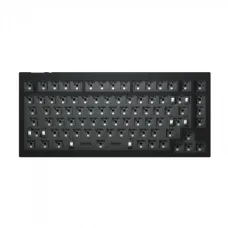
Showing 1 to 24 of 58 (3 Pages)





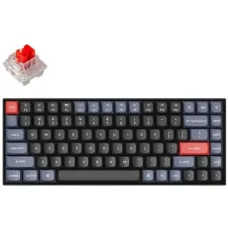
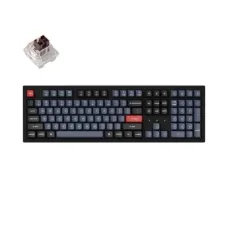
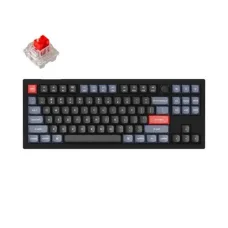


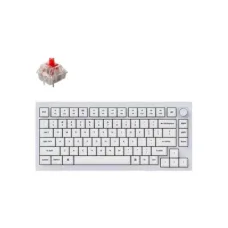
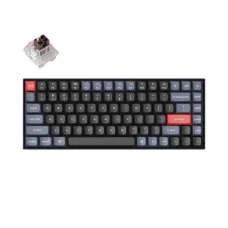
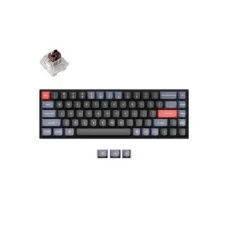
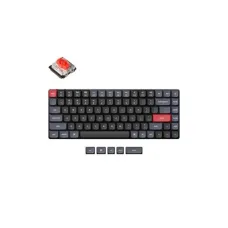

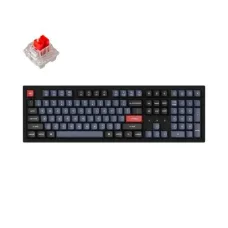
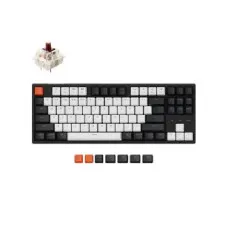


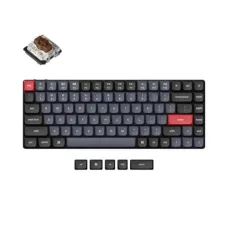
Keychron is a specialist keyboard manufacturer known for mechanical keyboards, custom keyboards, low-profile designs, wireless models and productivity-focused input devices. The brand has become particularly popular among programmers, writers, office professionals, gamers, designers and keyboard enthusiasts who want a more personalised typing experience than a conventional membrane keyboard can provide.
Keychron offers keyboards across a wide range of layouts and configurations, including compact 60%, 65%, 70% and 75% formats, tenkeyless designs, 96% compact layouts and full-size keyboards. Its product families also include custom mechanical keyboards, wireless keyboards, low-profile keyboards, magnetic Hall Effect models and other specialised designs.
For customers searching for a Keychron keyboard in Bangladesh, the most important consideration is not simply the brand or appearance. Keyboard layout, switch technology, connectivity, operating-system compatibility, keycap material, size, programmability and intended use all influence which model is the right choice. Unix Network helps customers compare these factors before purchasing, with local support in Jessore and delivery options for customers across Bangladesh.
Keychron keyboards are designed for users who spend significant time typing, programming, gaming or working at a computer. Unlike basic office keyboards, many Keychron models provide mechanical switches, customisable layouts, wireless connectivity, hot-swappable configurations or programmable controls.
The brand is particularly attractive to people who want a keyboard that can be adapted to their working habits. A programmer may prioritise a compact layout and programmable keys, while an office user may prefer a full-size keyboard with a dedicated number pad. A gamer may focus on response characteristics and connectivity, while a Mac user may prioritise convenient macOS support.
This variety makes Keychron relevant to several different customer groups rather than one specific type of computer user.
Mechanical keyboards are one of Keychron's main product categories. Mechanical switches use individual switching mechanisms beneath the keys, giving users a more distinct typing feel than many conventional membrane keyboards.
The typing experience varies according to switch type, keycap design, keyboard construction and firmware configuration. Some users prefer a smoother and quieter feel, while others enjoy a more tactile or audible response.
For people who write, code or work with documents for several hours each day, the feel of the keyboard can become an important part of everyday productivity. Keychron's broad selection allows users to choose a layout and configuration that suits their preferred typing style.
Keychron's custom keyboard range is aimed at users who want greater control over their typing experience. Custom keyboards can provide options for switch selection, key remapping, layout configuration and other personalisation features depending on the model.
This approach is particularly useful for enthusiasts who do not want to use a keyboard exactly as it comes from the factory. A programmable keyboard can be configured around programming shortcuts, productivity workflows, gaming commands or specialised applications.
For beginners entering the custom keyboard market, it is useful to start with the features that genuinely matter. A highly configurable keyboard can be valuable, but there is little benefit in paying for advanced functionality that will never be used.
The Keychron Q Series is positioned towards users interested in premium custom mechanical keyboards. The series includes different layouts and form factors, allowing users to choose between compact arrangements, full-size designs and specialised ergonomic configurations.
Q Series keyboards are particularly relevant to keyboard enthusiasts, programmers, writers, designers and professionals who want a more substantial custom keyboard experience.
When considering a Q Series model, buyers should pay attention to keyboard size, layout, switch configuration, connectivity and customisation requirements. A larger keyboard may be comfortable for users who need dedicated navigation and number-pad keys, while a compact layout can provide more desk space for a mouse.
The Keychron K Series is widely associated with versatile mechanical keyboards that combine compact designs with wireless and wired connectivity options on selected models. The series covers several keyboard sizes, making it easier to choose a format according to available desk space and usage requirements.
K Series keyboards can be suitable for home users, office workers, students, programmers and gamers who want a mechanical keyboard that can fit into different environments.
For customers who regularly move between devices, wireless functionality can be especially convenient. Before buying, however, it is important to check the exact connectivity options of the chosen model because features can differ between generations and configurations.
The Keychron V Series focuses on accessible custom mechanical keyboard features. It can be a practical option for users who want to explore programmable mechanical keyboards without immediately moving into the most premium segment.
Depending on the model, users can find features such as customisation support, mechanical switches, hot-swappable configurations and wired USB connectivity. These capabilities can make the V Series attractive to programmers, students, office professionals and enthusiasts who want to personalise their keyboard.
A V Series keyboard can also be a sensible starting point for someone entering the mechanical keyboard hobby because it offers more customisation potential than many ordinary office keyboards.
The Keychron C Series provides wired mechanical keyboard options for customers who do not require wireless connectivity. A wired keyboard can be a practical choice for desktop users who prefer a simple connection without managing batteries or wireless pairing.
C Series keyboards can suit office computers, home workstations, programming setups and gaming PCs where a permanent wired connection is convenient.
For customers focused primarily on typing quality and custom keyboard functionality rather than wireless portability, a wired Keychron model can offer a straightforward solution.
Low-profile keyboards are designed with a thinner overall structure and shorter key travel compared with traditional mechanical keyboard designs. Keychron offers several low-profile keyboard options for users who want a slimmer appearance and a more compact physical design.
Low-profile keyboards can be attractive for laptop users moving to a desktop setup, professionals who prefer a flatter typing position and people who frequently transport their keyboard.
However, the feel of a low-profile keyboard is different from a conventional mechanical keyboard. Buyers should choose according to personal typing preference rather than assuming that a thinner keyboard will automatically be more comfortable.
Wireless connectivity can make a keyboard easier to use across different desks and devices. Depending on the model, Keychron keyboards may offer Bluetooth, 2.4GHz wireless connectivity, wired USB connection or combinations of these technologies.
Wireless keyboards are useful for clean desk setups, shared workstations, home offices and users who switch between multiple devices. Wired connectivity remains useful when users want a direct connection for desktop work or charging.
When buying a wireless Keychron keyboard, customers should check the exact connection modes, supported devices, battery requirements and included accessories for the specific model.
Cross-platform compatibility is one of the reasons Keychron keyboards are popular among users who work with different operating systems. Many models are designed to support both macOS and Windows, while some configurations also provide compatibility with Linux and other devices.
Mac users should pay attention to the physical layout and operating-system key functions. Windows users may prefer a layout that provides convenient access to familiar shortcuts and system controls.
If the keyboard will be shared between a Mac and Windows PC, choosing a model with appropriate operating-system support can make the transition between devices more convenient.
Keychron keyboards are particularly appealing to programmers because developers often spend many hours typing code. A comfortable mechanical keyboard can make long development sessions more enjoyable, while programmable functionality can help users create shortcuts for frequently repeated actions.
Compact layouts can also be useful for programmers who want more mouse space while keeping essential navigation keys accessible. Larger layouts may be preferable for developers who frequently use a dedicated number pad or full navigation cluster.
When choosing a Keychron keyboard for programming, consider the keyboard layout, switch feel, key spacing, programmable controls, connectivity and operating-system support rather than focusing only on RGB lighting or appearance.
Office users can benefit from a keyboard that provides comfortable typing, reliable connectivity and a layout suitable for daily documents, spreadsheets, email and web applications.
A full-size Keychron keyboard can be useful for accounting, finance and data-entry tasks where a number pad is frequently required. A compact keyboard can be better for smaller workstations or users who rarely use numeric keys.
Wireless models can help maintain a cleaner desk, while wired models can provide a simple plug-and-use setup for fixed workstations.
Keychron also offers keyboards suitable for gaming, including specialised models designed around fast response and advanced switch technology. Some newer models use magnetic Hall Effect switches and gaming-oriented features.
Competitive gamers should consider response behaviour, actuation control, polling capability, connection type and software support. Casual gamers may place greater emphasis on comfort, layout, RGB lighting and general typing quality.
A gaming keyboard should also match the games being played. A compact layout may provide more mouse movement space for FPS gaming, while a full-size keyboard can be more convenient for users who also perform productivity work.
Hall Effect keyboards use magnetic sensing technology rather than relying on a traditional physical switch contact mechanism. This technology can allow certain keyboards to provide adjustable actuation and gaming-oriented functions such as Rapid Trigger.
These features are particularly relevant to competitive gamers who want greater control over key activation and rapid input changes. However, not every user needs Hall Effect technology.
For ordinary office work, programming or general typing, a conventional mechanical switch can be completely suitable. Hall Effect should therefore be viewed as a specialised feature rather than an automatic requirement for every buyer.
Hot-swappable keyboards allow compatible switches to be changed without requiring traditional soldering work. This feature is valuable for enthusiasts who want to experiment with different switch characteristics.
A user may start with one switch type and later try another to find a preferred combination of sound, resistance and tactile feedback. This flexibility can also make maintenance and customisation easier.
Before purchasing replacement switches, always confirm that the switch format is compatible with the specific Keychron keyboard. Not every mechanical switch is universally interchangeable.
Selected Keychron keyboards support QMK-based customisation and related configuration tools. Programmable firmware can allow users to remap keys, create shortcuts and adjust the keyboard around individual workflows.
This functionality is useful for programmers, designers, editors and power users who rely on repetitive commands. Instead of remembering multiple key combinations, frequently used actions can potentially be assigned to convenient keys depending on the keyboard's capabilities.
Users who are new to programmable keyboards should begin with simple remapping before moving into advanced configurations. The most useful customisation is usually the one that solves a genuine workflow problem.
Keyboard size has a major effect on the overall user experience. Keychron provides a wide selection of layouts, allowing customers to select a design based on desk space, typing habits and required keys.
| Layout Type | Suitable For | Main Consideration |
|---|---|---|
| Compact 60% | Minimalist setups and gaming | Fewer dedicated navigation keys |
| 65% | Compact productivity and gaming | Balances size with essential navigation controls |
| 75% | Programming, office work and gaming | Compact footprint with more functional keys |
| 80% or TKL | Gaming and professional desktop use | No dedicated number pad |
| 96% | Productivity and compact full-size setups | Includes many full-size functions in a smaller footprint |
| Full Size | Office, accounting and data entry | Requires more desk space |
| Alice or Split Layout | Ergonomic keyboard enthusiasts | Requires adjustment to a different key arrangement |
Keycaps influence the feel, sound and appearance of a mechanical keyboard. Different materials and profiles can produce noticeably different results even when the underlying switch remains unchanged.
PBT keycaps are commonly preferred by mechanical keyboard enthusiasts because they can provide a textured feel and are generally valued for durability. Other keycap materials may provide different visual or tactile characteristics.
When evaluating a Keychron keyboard, customers should consider the keycap material alongside the switch type, layout and overall construction.
Build quality varies according to the Keychron series and individual model. Some premium custom keyboards use substantial metal construction, while other models prioritise lighter weight and affordability.
A heavier keyboard can provide a more planted feel on a desk, whereas a lighter model can be easier to transport. Neither approach is universally better; the ideal choice depends on how the keyboard will be used.
Customers should also consider stabiliser behaviour, keycap quality, switch consistency, case construction and overall typing feel when evaluating a mechanical keyboard.
Students who spend long hours writing assignments, programming, studying online or working on projects may appreciate the typing experience of a mechanical keyboard.
A compact Keychron model can be suitable for a small study desk, while a wireless model may provide greater flexibility for laptops and tablets. Students who also play games can consider models that balance productivity and gaming requirements.
Budget should remain an important consideration. A student does not necessarily need a premium custom keyboard if a simpler Keychron model already provides the desired typing experience.
Content creators, graphic designers and video editors often use keyboards for extended periods while working with creative applications. Programmable controls can be useful for shortcuts, while different layouts can be selected according to available desk space.
Creators who use a Mac and Windows workstation may also appreciate cross-platform compatibility. A wireless keyboard can keep the desk visually clean, while a wired model can be preferred for a permanent editing workstation.
Developers and IT professionals often require a keyboard that can handle intensive daily use. Keychron's mechanical and programmable models can be attractive for coding, system administration, software testing and technical documentation.
A keyboard with a familiar layout and comfortable switch can reduce frustration during long working sessions. Users who rely on terminal commands, development environments and keyboard shortcuts may also benefit from custom key mapping.
Compatibility should be checked before purchasing any Keychron keyboard. Although many models support multiple operating systems, individual features can vary by model, firmware and connection method.
Customers should consider the computer or device they intend to use, whether wireless or wired connectivity is preferred, which operating system is installed and whether advanced customisation features are required.
For Bluetooth or 2.4GHz models, buyers should also confirm that the intended device supports the relevant wireless connection method.
Modern users often work across desktop computers, laptops and other devices. A keyboard capable of switching between supported connections can simplify such setups.
This can be particularly useful for professionals who use a work computer during the day and a personal computer later. It can also help users who switch between a laptop and desktop without needing multiple keyboards on the desk.
Always verify the exact device-switching capabilities of the selected Keychron model because connectivity features differ between product families.
Keychron is suitable for a broad range of users, but it is especially attractive to people who care about typing quality, mechanical switches, customisation or flexible layouts.
The price of a Keychron keyboard in Bangladesh depends on the exact series, layout, switch technology, connectivity, construction and availability. A basic wired mechanical keyboard naturally belongs to a different price segment than a premium custom wireless or Hall Effect keyboard.
Customers should compare the complete feature set rather than choosing a keyboard based only on its price. Paying more can make sense when the additional features will actually improve your workflow, while a simpler model can provide better value when advanced functions are unnecessary.
For current Keychron price and availability in Bangladesh, customers can contact Unix Network. Product availability and pricing can change according to stock and market conditions.
Unix Network is a technology retailer serving customers looking for computer, laptop, gaming, networking and peripheral products in Jessore and throughout Bangladesh. Customers searching for a Computer Shop in Jessore can visit the local showroom for product guidance and availability information.
For customers interested in Keychron keyboards, our approach is to match the keyboard with the user's actual requirement. A programmer may need a different layout from an esports gamer, while an accountant may benefit more from a full-size model with a number pad.
This practical approach helps customers avoid spending more on features they do not need while ensuring that important requirements are not overlooked.
Gamers should begin by deciding what type of games they play. Competitive FPS players may prefer compact layouts that leave more room for mouse movement. MMO and strategy players may prefer additional programmable keys or a larger layout.
Players interested in advanced response control can investigate magnetic Hall Effect models. For casual gaming, a conventional mechanical Keychron keyboard may provide everything required.
RGB lighting can improve the visual appearance of a gaming setup, but it should not be the primary reason for choosing a keyboard. Switch characteristics, response, comfort, layout and connectivity generally have greater practical importance.
Programmers should consider the keys they use most frequently. Compact layouts can provide a clean workstation and greater mouse space, while 75%, TKL and larger designs may offer a more familiar arrangement for users who rely on navigation keys.
Programmability can also be valuable for developers who use repetitive commands. A QMK-compatible keyboard can provide opportunities for custom layouts and shortcuts, depending on the specific model.
The best switch is largely a matter of personal preference. Developers who type for many hours should consider the feel and sound of the switch rather than selecting a switch solely because it is popular.
Office users should prioritise comfort, reliability and practical layout. If spreadsheets and numerical data are part of the daily workload, a full-size keyboard can be useful. For general documents, email and web work, a smaller keyboard may be more convenient.
Wireless connectivity can help maintain a tidy desk, while wired keyboards are often ideal for fixed desktop workstations. If the keyboard will be used in a shared office, noise level should also be considered when selecting switches.
A gaming keyboard is an important part of a complete gaming PC setup. Keychron keyboards can complement gaming desktops by combining mechanical typing with layouts designed for gaming and productivity.
Customers building a gaming PC should consider the keyboard together with the monitor, mouse, graphics card, processor and other components. The keyboard should fit the overall gaming style and desk arrangement rather than being selected independently.
Laptop users who prefer mechanical keyboards can use Keychron models as an external typing solution. This can be useful when connecting a laptop to a larger monitor and creating a desktop-style workstation.
Low-profile models may be particularly appealing to users who want a thinner keyboard, while compact wireless models can help keep a portable workstation organised.
Warranty terms can vary according to the exact Keychron product, seller and distribution arrangement. Customers should confirm the applicable warranty conditions before purchasing and retain their invoice and purchase documentation.
If a technical issue occurs, providing the exact keyboard model, purchase information and details of the problem can make troubleshooting easier. Firmware, connectivity and configuration issues may sometimes require different solutions from physical hardware faults.
Customers outside Jessore can purchase eligible Keychron products through nationwide delivery options from Unix Network. Delivery availability, charges and estimated arrival times can vary according to destination, product availability and courier conditions.
Mechanical keyboards should be packaged carefully during transportation to minimise the risk of physical damage. Customers should inspect the packaging and product after delivery and contact the seller promptly if any issue is identified.
Mechanical keyboards can involve more configuration than conventional office keyboards. Customers may need assistance with operating-system settings, wireless pairing, keyboard layouts, firmware configuration or switch-related questions.
Unix Network provides practical support for applicable products and can help customers identify the right troubleshooting direction. When contacting support, providing the exact model and describing the issue clearly can speed up the process.
What is Keychron known for?
Keychron is best known for mechanical, custom, wireless and low-profile keyboards designed for productivity, programming, gaming and enthusiast use. The brand offers many layouts and configurations for different types of users.
Is Keychron good for programming?
Keychron can be an excellent choice for programming because its keyboard range includes comfortable mechanical designs, compact layouts and programmable models. The best option depends on preferred switch feel, keyboard size and customisation requirements.
Are Keychron keyboards compatible with Mac?
Many Keychron keyboards are designed for macOS as well as Windows. However, buyers should check the exact model and configuration before purchasing, especially when specific operating-system functions are important.
Are Keychron keyboards suitable for gaming?
Yes. Keychron offers keyboards suitable for gaming, including models with gaming-focused technologies. Users who play competitive games should pay particular attention to response characteristics, connectivity and switch technology.
What is the difference between Keychron Q, K, V and C keyboards?
The series differ in their intended features, construction, connectivity and customisation approach. Q models generally target premium custom keyboard users, K models offer versatile configurations including wireless options, V models focus on accessible customisation, while C models provide straightforward wired mechanical keyboard choices.
Are Keychron keyboards wireless?
Some Keychron models provide wireless connectivity, while others are designed primarily for wired use. The available connection methods depend on the individual model.
What is a hot-swappable Keychron keyboard?
A hot-swappable keyboard allows compatible mechanical switches to be replaced without conventional soldering. This is useful for users who want to experiment with different switch characteristics.
Are Keychron keyboards good for office work?
Yes. Keychron keyboards can be suitable for office work, documentation, programming, spreadsheets and general productivity. The most suitable layout depends on whether the user needs a number pad, compact desk space or additional programmable functions.
Which Keychron keyboard is best for gaming?
There is no single best model for every gamer. Competitive players may benefit from a gaming-focused or Hall Effect model, while casual gamers may prefer a conventional mechanical keyboard with the desired layout and switch feel.
Which Keychron keyboard is best for accounting or Excel work?
A full-size or 96% layout can be particularly practical for accounting and spreadsheet work because it provides convenient access to numerical keys. Users who rarely enter numbers may prefer a smaller layout.
Can Keychron keyboards be used with laptops?
Yes. Compatible Keychron keyboards can be used as external keyboards with supported laptops. Wireless models can be convenient for laptop workstations, while wired models provide a direct connection.
Where can I buy Keychron keyboards in Jessore?
Customers looking for Keychron keyboards in Jessore can contact Unix Network for current availability, pricing and purchasing guidance. The showroom provides local support for customers who prefer buying technology products in person.
Does Unix Network deliver Keychron keyboards across Bangladesh?
Eligible Keychron products can be delivered to customers in different parts of Bangladesh, subject to product availability, destination and applicable delivery conditions.
A keyboard is one of the most frequently used components of a computer workstation. Choosing the right model can improve the overall interaction between the user and the computer, particularly when typing occupies a large part of the working day.
Keychron provides options ranging from straightforward wired mechanical keyboards to premium custom designs and specialised gaming models. This range makes it possible to build a keyboard setup around different budgets, work habits and preferences.
For users who value customisation, mechanical switches, multiple layouts and modern connectivity, Keychron can be a strong option to consider when upgrading a workstation.
Keychron has built a strong position in the mechanical keyboard market by offering products for users who want more than a basic typing device. Its range covers compact keyboards, full-size layouts, custom mechanical models, wireless keyboards, low-profile designs and gaming-oriented technologies.
The right Keychron keyboard depends on how you work and what you expect from your keyboard. Programmers may prioritise programmable layouts, office professionals may need a practical full-size design, gamers may prefer fast-response technology, while travellers and laptop users may value compact wireless or low-profile options.
Before buying, check the exact layout, switch technology, connectivity, operating-system compatibility and customisation features. These details have a greater impact on everyday satisfaction than choosing a keyboard based solely on appearance.
For customers searching for Keychron in Bangladesh, Unix Network provides local technology support from Jessore, along with purchasing guidance and nationwide delivery options. Whether you are looking for a mechanical keyboard for programming, a gaming setup, an office workstation or a customised enthusiast build, selecting the model according to your actual requirements can provide better long-term value.