
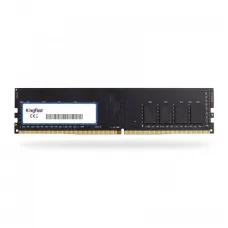
KingFast
Showing 1 to 11 of 11 (1 Pages)

KINGFAST 512GB SATA SSD
৳4,600
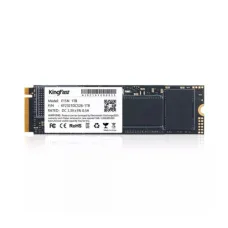
KINGFAST 512GB Nvme SSD
৳9,500

KINGFAST 256GB SATA SSD
৳2,900
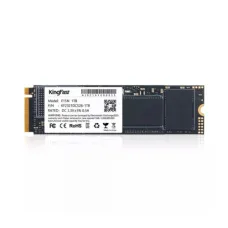
KINGFAST 256GB Nvme SSD
৳7,000

KINGFAST 2 TB SATA SSD
৳19,000

KINGFAST 128GB SATA SSD
৳3,000
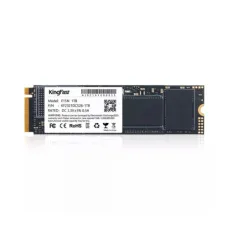
KINGFAST 128GB Nvme SSD
৳2,600

KINGFAST 1 TB SATA SSD
৳9,000
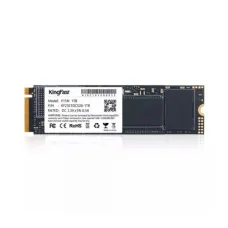
KINGFAST 1 TB Nvme SSD
৳13,000
KingFast is a storage and memory technology manufacturer best known for solid-state drives designed for desktop computers, laptops, compact systems and specialised applications. The brand's portfolio includes SATA SSDs, M.2 NVMe SSDs, mSATA storage and selected DRAM memory products. KingFast has been active in SSD development and manufacturing since 2008, with products positioned across mainstream computing and industrial applications.
For customers in Bangladesh, KingFast can be a practical option when upgrading an older hard drive to solid-state storage, replacing an existing SSD, adding storage to a compatible laptop or building a budget-conscious desktop PC. The most important factor is selecting the correct interface and form factor for the computer. Unix Network serves customers in Jessore (Jashore) and across Bangladesh with computer components, storage products and technical buying assistance.
KingFast SSD in Bangladesh
KingFast SSDs are designed to provide solid-state storage for computers that require faster and more responsive storage than conventional mechanical hard drives. Depending on the model, customers can choose from 2.5-inch SATA SSDs, M.2 storage, NVMe PCIe drives and mSATA solutions.
The brand's storage range makes it relevant to several types of users. An office worker may want an affordable SSD upgrade for an older computer, while a gaming PC builder may prefer an M.2 NVMe model when the motherboard supports PCIe storage. Laptop users can also select a compatible SATA, M.2 or mSATA drive depending on their machine.
KingFast's product portfolio includes families such as F10 SATA SSDs, F6 mSATA models, F6M M.2 storage and F8N NVMe SSDs. Product availability, capacities and specifications can vary by market and model generation, so customers should verify the exact product before purchase.
KingFast SATA SSD
KingFast SATA SSDs are particularly useful for computers that use a conventional SATA storage connection. A 2.5-inch SATA SSD can be an effective upgrade for many older desktop PCs and compatible laptops that still use a mechanical hard disk.
Replacing an HDD with a SATA SSD can make Windows start more quickly, applications open more responsively and everyday file access feel smoother. The improvement is especially noticeable when the original computer has been using a mechanical drive for several years.
KingFast SATA models can therefore be considered for general-purpose computing, office work, education, home use, browsing, accounting software and other workloads where SATA connectivity is available.
- Suitable for compatible desktop and laptop computers.
- Useful as an HDD replacement.
- Available in multiple storage capacities depending on model.
- Uses the widely supported SATA storage interface.
- Suitable for everyday computing and office workloads.
- Can provide a practical upgrade without replacing the complete computer.
KingFast F10 SATA SSD
The KingFast F10 is one of the brand's SATA SSD families and is available in different capacities. It is designed around the SATA storage interface and is commonly associated with 2.5-inch internal SSD applications.
An F10 drive can be considered when upgrading a desktop or laptop that supports a standard 2.5-inch SATA SSD. It is particularly relevant for users who want to replace a slow HDD while keeping the existing computer platform.
Before purchasing an F10 model, customers should confirm the exact capacity, physical dimensions, interface and installation requirements. Laptop compatibility should be checked carefully because some notebooks have limited internal storage options.
KingFast NVMe SSD
KingFast NVMe SSDs are designed for compatible computers using PCIe-based NVMe storage. Compared with traditional SATA storage, NVMe provides a different communication architecture that can support substantially higher storage throughput on suitable hardware.
The KingFast F8N series is one example of the brand's M.2 NVMe product family. Such drives are aimed at systems equipped with compatible M.2 PCIe storage slots.
NVMe storage can be especially useful for gaming PCs, modern desktops, workstations and laptops where fast application loading and large-file transfers are important. However, the actual result depends on the complete system, including the motherboard, processor, cooling, operating system and workload.
KingFast M.2 SSD
M.2 is a physical storage format rather than a guarantee that every M.2 SSD uses the same technology. This is an important point when purchasing KingFast storage.
Some M.2 drives use SATA communication, while others use PCIe NVMe. They can have similar physical dimensions but are not necessarily interchangeable. Customers should therefore check the exact M.2 support provided by the motherboard or laptop.
KingFast offers M.2 storage solutions including NVMe models. Some product families use the M.2 2280 format, which is common in desktop and laptop computers. Nevertheless, the exact supported size and interface should always be confirmed before ordering.
KingFast mSATA SSD
mSATA is a compact version of SATA storage that was designed for smaller computing platforms. KingFast's F6 family includes mSATA SSD options intended for compatible systems.
mSATA storage can be relevant to older laptops, compact computers, industrial equipment, point-of-sale systems, digital signage and other devices that specifically provide an mSATA slot.
Customers should not purchase an mSATA SSD simply because a computer has an M.2 slot. mSATA and M.2 are different interfaces and physical formats. The original device specification should be checked carefully before selecting a KingFast mSATA product.
KingFast SSD for Laptop
A KingFast SSD can be considered for a compatible laptop when the user wants to improve storage responsiveness, replace a failing drive or increase available capacity. The correct model depends entirely on the laptop's internal storage architecture.
Older notebooks may use 2.5-inch SATA drives, while newer systems may rely on M.2 SATA or M.2 NVMe storage. Some compact laptops have soldered storage or restricted upgrade options, meaning an internal SSD replacement may not be possible.
Before purchasing, customers should identify the exact laptop model and determine the supported interface. If the laptop contains an existing M.2 drive, its protocol and physical dimensions should be checked rather than assuming every M.2 SSD will work.
KingFast SSD for Desktop PC
Desktop computers generally provide greater storage flexibility than laptops. A compatible KingFast SSD can be installed as a primary Windows drive, application drive, gaming drive or secondary storage device.
For an older desktop with an HDD, a 2.5-inch SATA SSD can provide a straightforward upgrade. A newer gaming or workstation motherboard with an NVMe-compatible M.2 slot can take advantage of an M.2 PCIe SSD.
When building a new desktop, users should consider both the motherboard's available M.2 slots and the number of SATA ports required for additional storage. This helps prevent compatibility problems during installation.
KingFast SSD for Gaming PC
Gaming computers can benefit from SSD storage because games frequently contain large files and can require considerable loading activity. A compatible KingFast SSD can be used to store Windows, games, applications and other frequently accessed data.
An NVMe KingFast SSD may be appropriate for a modern gaming PC with a compatible PCIe M.2 slot. A SATA SSD can remain a useful choice for secondary game storage or systems that do not support NVMe.
Storage speed is only one component of gaming performance. Frame rates are primarily influenced by the processor, graphics card, memory and game settings. An SSD can improve loading and responsiveness without automatically increasing GPU-limited frame rates.
KingFast SSD for Office Computer
Office computers often benefit from responsive storage because users continuously open documents, web browsers, accounting applications, spreadsheets, email clients and communication tools.
A KingFast SATA SSD can be a sensible upgrade for an older office computer that still relies on an HDD. For compatible modern systems, an NVMe model can provide a higher-performance storage option.
For businesses upgrading several computers, it is useful to check the exact hardware configuration of each system before purchasing. A single SSD model may not be appropriate for every machine in an office because storage interfaces can differ between generations.
KingFast SSD for Students
Students commonly use computers for web research, documents, presentations, programming, online classes and multimedia. A suitable SSD can improve general system responsiveness while providing reliable local storage for study materials.
For an older laptop that feels slow during startup and application loading, replacing an HDD with a compatible SATA SSD can be a practical upgrade. Students using newer computers with M.2 PCIe support can consider an NVMe option when additional performance is required.
Capacity should be selected according to the user's actual requirements. A student working primarily with documents may need considerably less storage than someone working with video editing projects or large engineering files.
KingFast SSD for Content Creation
Photographers, designers, video editors and other content creators frequently work with large files. SSD storage can improve the responsiveness of applications and provide faster access to active projects compared with traditional mechanical storage.
A KingFast NVMe SSD can be considered for compatible editing workstations where fast storage is useful for active projects and application workloads. SATA models can also serve as practical storage for less demanding systems.
Creators should evaluate sustained workload behaviour, available capacity and backup requirements rather than relying only on advertised sequential speeds. Large video projects can quickly consume storage, so capacity planning is particularly important.
KingFast RAM
Although KingFast is strongly associated with SSD storage, its product portfolio has also included memory products such as DDR4 RAM. This gives compatible desktop systems another upgrade option when additional memory is required.
RAM and SSDs solve different performance limitations. An SSD improves storage access, while additional RAM can help when the computer runs out of available memory during multitasking.
Customers should therefore identify the actual bottleneck before purchasing. If Windows takes a long time to start because of an old HDD, an SSD upgrade may provide the most noticeable improvement. If applications regularly consume nearly all available memory, a RAM upgrade may be more appropriate.
KingFast DDR4 RAM
KingFast DDR4 memory is intended for systems that specifically support the DDR4 standard. Desktop and laptop memory use different physical module formats, so customers should verify whether the computer requires DIMM or SO-DIMM memory.
Before purchasing KingFast DDR4 RAM, check the motherboard or laptop specification for supported capacity, module configuration and memory speed. Installing memory that is physically incompatible or outside the platform's supported configuration can lead to installation or stability problems.
KingFast Storage Capacities
KingFast storage products have been available in a range of capacities, allowing users to choose according to their storage requirements and budget. Common market listings include capacities such as 128GB, 256GB, 512GB and 1TB, while some product families have offered larger capacities.
The right capacity depends on how the drive will be used. A 128GB SSD can be suitable for a basic operating-system upgrade in a lightly used computer, while 256GB or 512GB can provide more comfortable space for applications, documents and selected games.
Users with extensive game libraries, video projects or large datasets may benefit from 1TB or higher capacity where the computer supports it.
KingFast Storage Performance
Storage performance depends on more than the advertised sequential read and write number. Interface technology, NAND type, controller design, firmware, workload, available free space and the host computer can all affect real-world behaviour.
For everyday computing, fast boot times and application responsiveness may be more important than achieving maximum benchmark scores. For large-file workflows, sequential transfer performance can become more significant.
KingFast's SATA and NVMe product families target different performance levels and system requirements. Buyers should therefore choose according to the computer and workload rather than assuming that every SSD will deliver the same result.
KingFast SSD Compatibility
Checking compatibility before ordering is essential. The following points can help customers select the correct KingFast storage product:
- Identify whether the computer uses SATA, M.2 SATA, M.2 PCIe NVMe or mSATA.
- Check the physical form factor required by the device.
- Confirm whether an M.2 slot supports SATA, NVMe or both.
- Check the M.2 key and supported drive dimensions.
- Verify the motherboard's supported PCIe generation for NVMe storage.
- For laptops, check the manufacturer's storage upgrade limitations.
- Confirm the available SATA connectors when installing a 2.5-inch SSD.
- For RAM, identify the correct DDR generation and module type.
- Check the maximum supported storage capacity where relevant.
- Consider the intended workload before selecting capacity and performance level.
KingFast SSD vs HDD
For most operating-system upgrades, an SSD is a more responsive choice than a mechanical HDD. SSDs have no spinning platters and use flash memory, allowing much faster access to stored data.
An HDD can still be useful for large-capacity archival storage where cost per gigabyte is a major consideration. However, for Windows, applications and frequently accessed files, an SSD is generally the more practical modern choice.
For older computers, replacing the primary HDD with a KingFast SATA SSD can provide a noticeable improvement without replacing the entire PC.
KingFast SATA or NVMe SSD: Which Should You Buy?
Choose a KingFast SATA SSD when the computer uses SATA storage or when you need a practical upgrade for an older system. SATA is widely supported and can be a cost-effective solution for replacing an HDD.
Choose a KingFast NVMe SSD when the computer has a compatible PCIe M.2 slot and your workload benefits from higher storage throughput. NVMe is particularly relevant to modern gaming PCs, workstations and demanding applications.
Do not select NVMe solely because it is newer. If the computer does not support NVMe, the drive will not provide the expected benefit and may not work at all.
KingFast Build Quality and Reliability
Storage reliability is important because SSDs often contain operating systems, documents, photographs, business information and other valuable files. KingFast states that its manufacturing process incorporates quality-control and testing practices for its SSD products.
Customers should nevertheless remember that reliability depends on the specific model, workload, operating environment and usage conditions. No storage device should be treated as a substitute for regular backups.
For important business or personal data, maintain at least one independent backup. For critical workloads, a broader backup strategy using multiple storage locations is advisable.
KingFast for Business and Industrial Systems
KingFast SSD products are positioned not only for mainstream PCs but also for industrial applications. Compact SSD formats such as mSATA can be relevant to specialised equipment where conventional desktop storage is not practical.
Industrial computers, point-of-sale systems, digital signage and embedded equipment may have different requirements from consumer PCs. Factors such as operating temperature, endurance, physical dimensions, interface compatibility and long-term availability can become important.
Businesses purchasing storage for specialised equipment should therefore select a model according to the equipment manufacturer's requirements instead of choosing solely by capacity or advertised speed.
KingFast Price in Bangladesh
KingFast SSD prices in Bangladesh vary according to capacity, interface, form factor, model and market availability. A basic SATA SSD and an NVMe SSD should not be compared solely on storage capacity because their interfaces and intended applications can differ.
Pricing can also change over time because NAND flash memory costs, import conditions, stock availability and market demand affect local retail prices.
Customers looking for KingFast SSD price in Bangladesh should compare the exact model and capacity rather than relying on a general brand-level price. Unix Network can help customers check available KingFast storage options according to their computer requirements.
KingFast in Jessore
Customers searching for KingFast SSD in Jessore can visit Unix Network for computer storage and component purchasing support. The showroom serves users looking for SSD upgrades, computer components and related technology products.
Whether you need a KingFast SATA SSD for an older office PC or an M.2 NVMe SSD for a modern gaming computer, the correct product should be selected after checking the system's storage interface.
Unix Network also serves customers outside Jessore, making KingFast storage products accessible to buyers across Bangladesh subject to current stock and delivery availability.
Why Buy KingFast from Unix Network?
- Computer-focused product selection for desktop and laptop users.
- Practical assistance with SSD interface and form-factor selection.
- Support for SATA, M.2 NVMe and compatible storage upgrades.
- Guidance for customers upgrading older computers.
- Local showroom availability in Jessore.
- Service for customers across Bangladesh.
- Competitive pricing based on current product availability.
- Technical assistance for selecting suitable storage capacity.
- After-sales support according to the applicable product warranty and service policy.
KingFast Buying Guide
Start by identifying the computer model or motherboard. If the machine currently has an SSD, determine its interface and physical dimensions. If it has an HDD, check whether the replacement requires a 2.5-inch SATA drive or another storage format.
Next, decide how much storage you actually need. Basic office systems can work comfortably with a smaller SSD, while gaming, editing and professional applications generally benefit from greater capacity.
Finally, consider the workload. A SATA SSD may be sufficient for office productivity, while an NVMe SSD can be a better fit for modern systems that require higher storage throughput.
KingFast SSD Warranty
Warranty terms depend on the specific KingFast product and the applicable sales channel. KingFast's manufacturer information states that its SSD products are supplied with warranty coverage, while local warranty conditions can vary by seller and model.
Customers should confirm the exact warranty period and service procedure before purchase and keep the invoice or purchase documentation for future claims.
Warranty coverage should not be confused with data protection. Important information should always be backed up separately because warranty service cannot replace lost personal or business data.
KingFast Delivery Across Bangladesh
Unix Network serves customers in Jessore as well as buyers across Bangladesh. Customers outside Jashore can order available KingFast products for delivery according to the applicable delivery arrangements.
Before placing an order, customers should provide the computer model or existing storage details when compatibility is uncertain. This makes it easier to select the correct KingFast SSD instead of purchasing a drive that does not match the available interface.
Frequently Asked Questions About KingFast
What is KingFast?
KingFast is a technology manufacturer known primarily for SSD storage products, with a portfolio that includes SATA SSDs, NVMe SSDs, mSATA storage, M.2 products and selected memory solutions.
Does KingFast make SATA SSDs?
Yes. KingFast offers SATA SSD products, including 2.5-inch internal SSD models designed for compatible desktops and laptops.
Does KingFast make NVMe SSDs?
Yes. KingFast offers M.2 PCIe NVMe SSDs, including models from its F8N family.
Is KingFast SSD good for an old laptop?
A compatible KingFast SATA SSD can be a practical upgrade for an older laptop that uses a 2.5-inch SATA drive. The exact laptop specification should be checked before purchasing.
Can KingFast SSD be used in a gaming PC?
Yes. Compatible KingFast SATA and NVMe SSDs can be used in gaming PCs. NVMe models are suitable for systems with compatible PCIe M.2 support.
Does KingFast make M.2 SSDs?
Yes. KingFast offers M.2 storage products, including M.2 NVMe models and other M.2-form-factor products depending on the product family.
Is every M.2 SSD compatible with every M.2 slot?
No. M.2 is a physical form factor, while the actual storage interface can be SATA or PCIe NVMe. The motherboard or laptop specification must be checked before purchase.
Does KingFast make mSATA SSDs?
Yes. KingFast's F6 family includes mSATA SSD products for compatible systems.
Does KingFast make RAM?
KingFast has also offered DRAM products, including DDR4 memory. Customers should verify the exact model and availability when looking for KingFast RAM.
What KingFast SSD should I buy for an office PC?
For an office PC with a SATA interface, a suitable KingFast SATA SSD can provide a practical upgrade. If the motherboard supports M.2 NVMe, an NVMe model can also be considered.
Where can I buy KingFast SSD in Jessore?
Customers can check available KingFast SSD products at Unix Network in Jessore. The store also serves customers across Bangladesh with computer components and technology products.
KingFast Storage at Unix Network
KingFast provides storage options for users who need practical SSD upgrades across different computer generations. Its SATA, NVMe and mSATA product families cover a range of desktops, laptops and specialised systems, while selected memory products extend the brand's relevance beyond storage.
The best KingFast product is not necessarily the one with the highest capacity or fastest advertised specification. The right choice is the model that matches the computer's interface, physical format, workload, capacity requirement and budget.
For customers in Jessore and throughout Bangladesh, Unix Network can assist with KingFast SSD selection, computer upgrades and compatible storage solutions. Whether the goal is replacing an old HDD, upgrading a laptop, improving a gaming PC or adding storage to a workstation, choosing the correct interface first is the key to a successful upgrade.