Skip to content
Build Wish

Hp Laptop Keyboard - Find the Perfect Keyboard for Your Hp Laptop

Showing 1 to 14 of 14 (1 Pages)

Showing 1 to 14 of 14 (1 Pages)

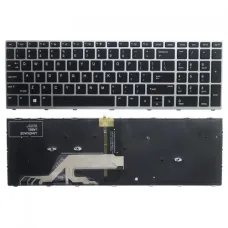
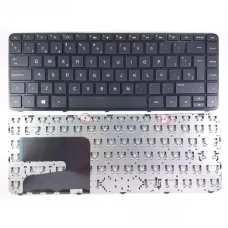
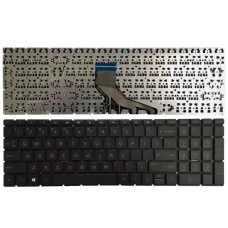
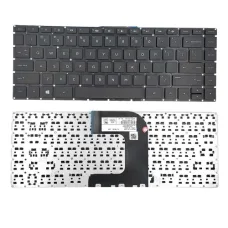
HP Laptop Keyboard is a replacement keyboard designed for compatible HP notebook computers that require a new or replacement keyboard assembly. It is intended for users whose original laptop keyboard has developed faulty keys, damaged key mechanisms, unresponsive buttons, liquid-related damage, worn keycaps or other physical problems that make normal typing difficult.

Because HP produces a large range of laptops with different keyboard layouts, sizes, connector arrangements and mounting designs, the most important consideration when buying an HP laptop keyboard is compatibility with the exact laptop model. A keyboard that physically resembles the original may still have a different connector, layout or mounting structure. For this reason, customers should confirm the exact HP laptop model and, where possible, compare the existing keyboard before ordering a replacement.

A correctly matched replacement keyboard can restore normal typing functionality without requiring the replacement of the entire laptop. It can be a practical solution for students, office users, professionals and home users who otherwise have a fully functional HP laptop but need to replace its damaged or worn keyboard.

HP Laptop Keyboard Price in Bangladesh

The price of an HP laptop keyboard in Bangladesh depends heavily on the exact laptop model, keyboard layout, language configuration, backlight support, frame or palm-rest assembly and whether the replacement is an original, compatible or aftermarket part. Since the product name alone does not identify a specific HP keyboard part number, the exact price should be confirmed against the laptop model before purchase.

Unix Network provides computer accessories and laptop replacement parts through its showroom in Jessore, also known as Jashore, Bangladesh. Customers can contact the store with their HP laptop model information to check availability and identify a suitable replacement keyboard.

Customers outside Jessore can also enquire about nationwide delivery. Before ordering online, it is recommended to provide the complete laptop model or part information so that the replacement can be checked for compatibility rather than selecting a keyboard based only on appearance.

HP Laptop Keyboard Replacement Overview

A laptop keyboard is more than a collection of individual keys. It is an integrated input component designed around the physical dimensions of a particular laptop chassis. The keyboard has to match the laptop's mounting points, key arrangement, electrical connector and internal design in order to function correctly.

When an HP laptop keyboard becomes faulty, replacing the keyboard can often be more practical than replacing an otherwise working laptop. Common symptoms include individual keys failing to register, keys repeatedly registering input, broken keycaps, damaged scissor mechanisms, liquid damage and sections of the keyboard becoming completely unresponsive.

A replacement keyboard can restore access to everyday typing functions such as letters, numbers, punctuation, shortcut keys and system controls. Depending on the specific HP laptop, additional functions may be integrated into the keyboard through dedicated function keys or secondary key combinations.

Not every HP laptop uses the same keyboard. Pavilion, ProBook, EliteBook, ENVY, 15-series, 14-series and other HP families can use different keyboard assemblies. Even within one product family, different generations and regional configurations may use different parts.

Why Correct HP Keyboard Compatibility Matters

Compatibility is the first thing to check when purchasing an HP laptop keyboard. The laptop model should be identified as precisely as possible before selecting a replacement.

For example, a laptop may be marketed under a broad family name while having a more specific model designation on its underside, service label, original documentation or system information. That complete designation can help distinguish between visually similar laptops that use different keyboard parts.

The keyboard connector is another important consideration. Replacement keyboards may use different ribbon cable configurations, and the location and design of the connector can vary between laptop generations.

Physical dimensions also matter. A replacement may have a similar key arrangement but still fail to fit correctly because of differences in mounting tabs, screw locations, frame dimensions or integration with the laptop's top cover.

For this reason, customers should avoid choosing an HP laptop keyboard solely from a photograph. The safest approach is to provide the exact laptop model and, if available, the part number printed on the original keyboard.

Common Reasons to Replace an HP Laptop Keyboard

  • Individual keys no longer register correctly.
  • Several keys have stopped working.
  • Keys register multiple times from a single press.
  • Keycaps have become broken or detached.
  • The internal scissor mechanism has been damaged.
  • Liquid has been spilled over the keyboard.
  • The keyboard has suffered physical impact.
  • Typing has become unreliable because of worn or damaged keys.
  • The original keyboard has developed intermittent connection problems.
  • The keyboard has become excessively worn after extended use.
  • A replacement is required during laptop repair or refurbishment.

Practical Benefits of Replacing a Faulty Laptop Keyboard

A defective keyboard can make an otherwise usable laptop frustrating to operate. Replacing it can restore normal interaction with documents, websites, applications and operating-system controls.

For students, a functional keyboard is particularly important because assignments, reports, programming exercises and online forms require regular typing. Using an external keyboard with a laptop can provide a temporary workaround, but it is less convenient when portability is important.

Office users may also benefit from a proper internal replacement. People who regularly work with documents, spreadsheets, email and business applications often rely heavily on keyboard input, making a reliable keyboard an important part of daily productivity.

For mobile users, an internal replacement is generally more convenient than permanently carrying an external keyboard. Once the laptop has been properly repaired, the user can continue using the notebook in the same portable manner as before.

Keyboard Layout and Language Considerations

Keyboard layout should be checked before purchasing a replacement. HP laptops can be sold in different regions with different keyboard layouts, and the arrangement or labelling of certain keys may vary.

Customers who are replacing an imported laptop keyboard should pay particular attention to the layout of the Enter, Shift, Backslash, punctuation and other keys. A keyboard from another regional configuration may physically fit a laptop while providing a different typing layout.

The printed legends on the replacement keyboard are also important for users who rely on visible key markings. If a specific language or regional layout is required, this should be confirmed before ordering.

Customers should also distinguish between a keyboard's physical layout and the operating system's configured input language. Changing Windows or another operating system's language settings does not change the physical key arrangement of the keyboard itself.

Backlit and Non-Backlit HP Laptop Keyboards

Some HP laptops use keyboards with integrated backlighting, while others use conventional non-backlit keyboards. These versions should not automatically be treated as interchangeable.

A backlit keyboard may require additional hardware support within the laptop, depending on the specific design. The keyboard connector, ribbon cable and laptop motherboard configuration can differ between backlit and non-backlit versions.

If the original HP laptop has a backlit keyboard and the replacement is intended to retain that feature, customers should specifically confirm that the replacement keyboard supports backlighting for the exact model.

Similarly, if the original laptop was supplied with a non-backlit keyboard, installing a visually similar backlit keyboard does not necessarily mean the lighting will function. Compatibility should be verified before purchase and installation.

Key Feel and Everyday Typing

The keyboard is one of the laptop components users interact with most frequently. A suitable replacement should therefore provide a familiar key arrangement and consistent key response.

Typing comfort depends on several factors, including key travel, spacing, key shape and the mechanical condition of the keyboard. Since these characteristics vary across HP laptop families, customers should compare the replacement with the original keyboard where possible.

A replacement keyboard is especially useful when the original has developed worn or inconsistent keys. Restoring consistent input can make everyday tasks such as writing emails, entering passwords, searching the web and working with documents much easier.

Function Keys and HP Laptop Controls

HP laptop keyboards commonly include function keys that may provide secondary controls in addition to standard F-key functionality. Depending on the laptop model, these controls can be associated with functions such as display brightness, volume, wireless connectivity or other system features.

The exact arrangement of these functions varies between HP laptop models. Therefore, customers should make sure the replacement keyboard matches the original configuration if retaining the same shortcut behaviour is important.

Some HP laptops also include dedicated keys or special key combinations. These should be checked against the original keyboard before purchasing a replacement.

Build Quality and Replacement Considerations

Keyboard construction varies depending on the exact HP model and replacement source. A good replacement should be properly aligned with the laptop chassis and provide stable key movement when installed correctly.

Customers should also consider whether the replacement is supplied as a keyboard-only component or as part of a larger assembly. Some laptop designs integrate the keyboard with a top cover or palm-rest assembly, while others allow the keyboard to be replaced separately.

This distinction can affect both the purchase price and installation process. A keyboard-only replacement may be appropriate when the surrounding chassis is in good condition, whereas a larger assembly may be necessary if the keyboard frame or palm-rest structure is also damaged.

HP Laptop Keyboard Compatibility Guide

Before purchasing an HP laptop keyboard, identify the laptop's exact model. Look for the model information on the bottom of the laptop, the original packaging, the purchase documentation or the operating system's system information.

Next, inspect the original keyboard. Look for its layout, backlight capability, keyboard frame and any visible part number. If the keyboard has already been removed by a technician, the identification information may be available on the rear label.

Compare the physical arrangement of the replacement with the existing keyboard. Pay attention to the Enter key, Shift keys, arrow-key arrangement, function row, power button and any special keys.

For an online order, provide the complete laptop model rather than simply saying that the laptop is an HP 15-inch model. Multiple HP laptops can have similar screen sizes while using completely different keyboard assemblies.

If there is uncertainty, a clear photograph of the existing keyboard and the laptop's model label can help a technician identify the appropriate replacement.

HP Laptop Keyboard Installation

Replacing a laptop keyboard is not always as simple as replacing a desktop keyboard. The internal design varies considerably between HP models, and access to the keyboard may require removing the bottom cover, battery connection or other components.

The keyboard's ribbon cable must also be disconnected and reconnected correctly. The connector typically uses a delicate locking mechanism, so excessive force can damage the connector or cable.

For this reason, customers without experience repairing laptops should consider professional installation. A trained technician can identify the correct replacement, inspect the connector and mounting points, install the keyboard and test the keys after assembly.

The appropriate installation procedure depends entirely on the HP laptop model. There is no single installation method that applies to every HP notebook.

Testing a Replacement HP Laptop Keyboard

After installation, the keyboard should be tested systematically rather than checking only a few letters. Each major key group should be verified to ensure that the replacement is functioning correctly.

  • Alphabetic keys.
  • Number-row keys.
  • Modifier keys such as Shift, Ctrl, Alt and Windows keys.
  • Function keys.
  • Arrow keys.
  • Enter and Backspace keys.
  • Spacebar.
  • Tab and Caps Lock.
  • Delete and navigation keys where present.
  • Special HP function controls where applicable.
  • Keyboard backlight functionality where supported.

Testing before completely reassembling the laptop can be useful during professional repair because it allows a technician to confirm the keyboard and ribbon connection before the chassis is fully closed.

HP Laptop Keyboard for Students

Students often use laptops for long periods of typing, research and online learning. A faulty keyboard can therefore have a direct impact on academic productivity.

A replacement keyboard can restore the laptop's normal typing capability without requiring students to purchase a new computer simply because of a keyboard problem.

For students in Jessore and nearby areas, obtaining the correct replacement locally can also simplify the repair process. Unix Network can help customers enquire about availability and compatibility based on the specific HP laptop model.

HP Laptop Keyboard for Office Work

Office users depend on keyboards for email, document creation, spreadsheets, accounting applications, customer records and other business tasks. Even a small number of defective keys can become a significant inconvenience when typing throughout the day.

Replacing the internal keyboard can be preferable to using an external keyboard when the laptop needs to remain portable. It also keeps the laptop's original form factor and allows users to continue working without carrying additional input hardware.

Businesses repairing multiple HP laptops should maintain accurate model and part information to avoid ordering incompatible replacement keyboards. Checking the model before purchasing can reduce installation delays and unnecessary returns.

HP Laptop Keyboard for Home Users

Home users may encounter keyboard problems after years of use, accidental spills or physical damage. If the display, motherboard, storage and other major components remain functional, replacing the keyboard can extend the useful life of the laptop.

A working keyboard is sufficient for many common activities, including browsing, online shopping, communication, document editing, entertainment and general household computing.

Advantages of Choosing a Proper Replacement Keyboard

  • Restores normal laptop typing functionality.
  • Can extend the useful life of an otherwise working HP laptop.
  • Provides a more convenient solution than carrying an external keyboard.
  • Can resolve problems caused by damaged or worn keys.
  • Allows the existing laptop screen, storage and other components to remain in use.
  • Provides a familiar built-in keyboard experience after installation.
  • Can be a practical repair option compared with replacing the entire laptop.
  • Allows damaged keyboard assemblies to be replaced according to the laptop's actual requirements.

Things to Consider Before Buying an HP Laptop Keyboard

The exact laptop model is the most important information. Avoid ordering based only on the HP brand or laptop screen size.

Check whether the keyboard is backlit or non-backlit. If your original keyboard includes backlighting, confirm that the replacement supports the same feature.

Check the keyboard language and regional layout. A different layout may work electronically but provide an inconvenient arrangement of keys.

Confirm whether the product includes only the keyboard or a larger top-case or palm-rest assembly. This can make a significant difference to installation and cost.

Check the physical condition and compatibility of the ribbon cable and connector. A compatible keyboard should be designed for the laptop's internal connection.

If the laptop suffered liquid damage, do not assume that replacing the keyboard alone will resolve every problem. Liquid can potentially affect the keyboard connector, motherboard or other internal components, so professional inspection may be advisable.

When a Keyboard Replacement May Not Solve the Problem

A keyboard that does not work is not always caused by a defective keyboard itself. Software settings, driver issues, connection problems and motherboard faults can sometimes produce similar symptoms.

If an external USB keyboard works normally while the internal keyboard does not, the internal keyboard or its connection may be a likely area for investigation, but this does not by itself prove that the keyboard needs replacement.

If only one or two keys are affected, physical damage to individual key mechanisms may be responsible. In some cases, an individual keycap or mechanism may be replaceable, while in others a complete keyboard replacement is more practical.

When many keys fail simultaneously or the problem appears after liquid exposure, professional diagnosis is recommended before purchasing a replacement part.

How to Identify Your HP Laptop Model

Customers can usually find the HP laptop model information on a label located on the underside of the laptop. Depending on the model, additional identification information may be printed inside the battery compartment or on other labels.

The model may also be displayed within Windows system information or HP's installed system utilities. The exact information required for keyboard identification depends on the laptop family.

When contacting a retailer or repair technician, providing the complete model information is much more useful than providing only the brand name. A photograph of the existing keyboard can also help with visual matching, especially when multiple layouts exist.

Why Buy an HP Laptop Keyboard from Unix Network?

Unix Network is a local technology retailer serving customers in Jessore, also known as Jashore, Bangladesh. The business provides computer hardware, laptops, gaming PCs, networking equipment and IT accessories while also assisting customers with practical technology purchasing decisions.

For laptop replacement parts, compatibility is particularly important. Customers can provide their HP laptop model and relevant keyboard details so that the available replacement can be checked before purchase.

Customers visiting the local showroom can discuss their requirement directly. This can be useful when the laptop model is unclear or when the customer wants to compare the replacement with the original component.

Unix Network also serves customers outside Jessore. Buyers from Jhenaidah, Magura, Narail, Satkhira, Khulna, Kushtia, Chuadanga and surrounding areas can enquire about product availability and delivery options.

Online buyers throughout Bangladesh can also enquire about nationwide delivery. Product availability, price and warranty terms should be confirmed before placing an order because replacement-part specifications and stock can change.

Competitive Pricing and Product Guidance

The most suitable laptop keyboard is not necessarily the cheapest keyboard available. Compatibility, construction, layout and warranty or return arrangements should all be considered alongside price.

Unix Network can help customers compare suitable replacement options based on their HP laptop model and actual requirement. This helps customers avoid purchasing a keyboard that looks similar but cannot be installed or does not support the required features.

Customers should also confirm whether the replacement is an original manufacturer part, an OEM-equivalent component or a compatible third-party replacement. The terminology used by sellers can differ, so asking for the exact part details is sensible before purchase.

Warranty Information

Warranty availability for an HP laptop keyboard depends on the exact replacement part and applicable supplier or seller terms. Customers should confirm the warranty period and conditions before purchasing.

Warranty coverage may address manufacturing or functional defects according to the applicable terms, while physical damage, incorrect installation, liquid damage or other excluded conditions may be treated differently.

Customers should retain their invoice and relevant purchase information in case service or warranty assistance is required.

After-Sales Support

Unix Network provides professional customer support for technology products and can assist customers with product selection and compatibility questions. For an HP laptop keyboard, providing the complete laptop model is particularly useful when seeking assistance.

Where installation support is required, customers should discuss the service requirements before purchasing. The appropriate repair process depends on the laptop's construction and the condition of the existing keyboard and connector.

If a replacement keyboard does not behave as expected after installation, customers should avoid repeatedly forcing connectors or modifying the component. Professional inspection can determine whether the issue is related to the keyboard, connector, installation or another laptop component.

Delivery Across Bangladesh

Customers outside Jessore can enquire about nationwide delivery of compatible HP laptop keyboards. Delivery availability depends on the specific replacement part and current stock.

Because laptop keyboards are model-specific, customers should confirm compatibility before dispatch. Providing the laptop model, keyboard photograph or original part number can help reduce the risk of receiving an unsuitable replacement.

Customers in Jessore and nearby areas can enquire about local showroom availability and service options where applicable.

Technical Information

Specification Information
Product Type Replacement laptop keyboard
Brand Compatibility HP laptops
Compatibility Depends on the exact HP laptop model and keyboard part
Keyboard Layout Varies by model and regional configuration
Backlight Depends on the compatible laptop configuration
Connection Internal laptop keyboard connection; connector varies by model
Physical Design Model-specific keyboard assembly
Installation Internal laptop replacement; installation procedure varies by HP model
Part Number Must be confirmed against the exact keyboard or laptop model
Warranty Depends on the specific replacement unit and applicable seller or supplier terms

Who Should Buy an HP Laptop Keyboard?

An HP laptop owner with a damaged or unreliable keyboard is the primary customer for this replacement component. It is particularly useful when the laptop remains operational and replacing the keyboard is more practical than replacing the entire computer.

Students can use a replacement keyboard to restore their laptop for assignments and everyday study. Office workers can regain reliable access to productivity applications. Home users can continue using their existing computer without relying on a separate external keyboard.

Computer repair technicians and laptop servicing businesses may also require compatible HP keyboard replacements when servicing customer machines.

Buying Guide for HP Laptop Keyboard Replacement

Start by identifying the exact HP laptop model. Do not rely solely on the laptop's screen size or general product family.

Next, compare the existing keyboard's layout and appearance. Check the number arrangement, Enter key, function row, arrow keys and any special buttons.

Determine whether your original keyboard has backlighting. If it does, confirm that the replacement is designed to support the feature on your specific laptop.

If available, locate the part number printed on the original keyboard. Matching the replacement using a genuine part number can provide a more precise compatibility check.

Ask whether the replacement is supplied as a keyboard-only part or as a larger assembly. Confirming this before purchase helps avoid misunderstandings about what is included.

Finally, confirm warranty and return conditions, particularly when ordering online. A model-specific replacement should be checked carefully before installation.

Frequently Asked Questions

Is every HP laptop keyboard compatible with every HP laptop?

No. HP produces many laptop models with different keyboard dimensions, layouts, connectors, mounting systems and features. A keyboard designed for one HP laptop may not fit or function correctly in another model.

How do I know which HP laptop keyboard I need?

Identify the complete HP laptop model and, if possible, the part number from the existing keyboard. Comparing the keyboard layout and connector information can provide additional confirmation. If you are unsure, provide the laptop model and a clear photograph of the keyboard to the seller or technician.

Can I replace a damaged HP laptop keyboard?

Yes, many HP laptops have replaceable keyboard assemblies. The exact replacement procedure depends on the laptop model, and some models require considerably more disassembly than others.

Can a backlit HP keyboard replace a non-backlit keyboard?

Not necessarily. Backlit and non-backlit keyboards can have different connectors, internal configurations or motherboard requirements. Compatibility must be confirmed for the specific HP laptop before purchasing.

Is an external keyboard a better option than replacing the laptop keyboard?

An external keyboard can be a useful temporary solution, especially when the laptop is mainly used at a desk. However, replacing the internal keyboard is more convenient for users who regularly carry the laptop and want to retain its original portable form factor.

What should I do if my HP laptop keyboard stopped working after liquid was spilled?

Liquid exposure can affect more than the keyboard itself. The keyboard connector and motherboard may also be affected, so replacing the keyboard without checking the laptop may not resolve the problem. Professional inspection is recommended.

Can I install an HP laptop keyboard myself?

Installation difficulty depends on the exact laptop model. Some replacements require substantial disassembly and careful handling of ribbon cables and internal connectors. If you are not experienced with laptop repair, professional installation is the safer option.

Does an HP laptop keyboard include the laptop's touchpad?

Not necessarily. Some HP laptops use separate keyboard and touchpad components, while others may use a larger top-case or palm-rest assembly that incorporates multiple components. The exact package contents should be confirmed for the specific replacement.

Where can I buy an HP laptop keyboard in Jessore?

Customers can contact Unix Network in Jessore, also known as Jashore, to enquire about HP laptop keyboard availability and compatibility. Providing the exact laptop model helps identify the appropriate replacement.

Can Unix Network deliver an HP laptop keyboard outside Jessore?

Yes, customers from other parts of Bangladesh can enquire about nationwide delivery. Availability and delivery arrangements depend on the specific keyboard model and current stock.

Conclusion

An HP Laptop Keyboard is a practical replacement component for restoring typing functionality to a compatible HP notebook. Whether the original keyboard has suffered physical damage, worn keys, liquid exposure or repeated input problems, a correctly matched replacement can extend the useful life of an otherwise functional laptop.

The most important factor is compatibility. HP laptop keyboards are not universal, and customers should verify the exact laptop model, keyboard layout, backlight requirement, part number and physical configuration before purchasing. When there is uncertainty, checking the original keyboard or consulting a technician can prevent compatibility problems.

For customers in Jessore and Jashore, Unix Network provides local access to computer products and laptop-related accessories with expert technical guidance. Customers throughout Bangladesh can also enquire about nationwide delivery, competitive pricing, authentic product options where applicable, warranty information and professional customer support.

If you need an HP laptop keyboard replacement, contact Unix Network with your exact HP laptop model or the part number from the existing keyboard. This allows the available replacement to be checked against your laptop before purchase and helps you choose a suitable solution for your repair requirement.