৳20 Cashback
Showing 1 to 24 of 676 (29 Pages)
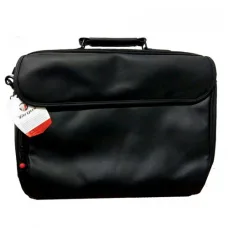
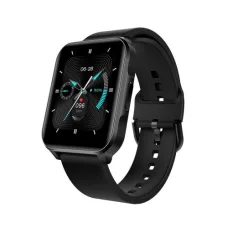
৳3,800
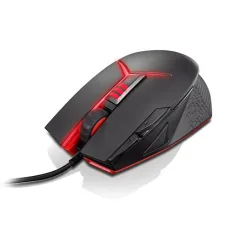
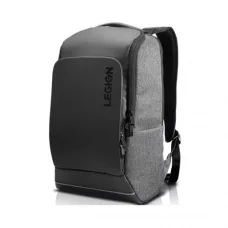


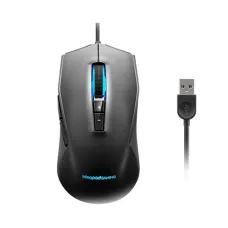
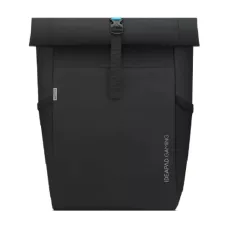



Lenovo is one of the world's best-known computer technology manufacturers, with a broad portfolio covering laptops, desktops, workstations, tablets, monitors, accessories and business computing solutions. The brand serves a wide range of users, from students and home users to professionals, businesses, creators, engineers and gamers. Lenovo's current PC portfolio includes well-known families such as ThinkPad, IdeaPad, Yoga, ThinkBook, Legion and LOQ, while its desktop range includes ThinkCentre, IdeaCentre, Legion and ThinkStation systems.
For customers in Bangladesh, Lenovo is particularly popular for laptops and business computers because the product range covers different budgets and workloads. A Lenovo laptop can be selected for university study, office productivity, programming, accounting, graphic design, content creation, professional workloads or gaming depending on the model. Unix Network in Jessore provides Lenovo computer products for customers looking for laptops, desktops, gaming systems, monitors and related accessories.
Lenovo laptop prices in Bangladesh vary considerably because the brand covers entry-level, mainstream, premium, business and gaming segments. Processor generation, memory, SSD capacity, display quality, graphics hardware, chassis design and warranty can all affect the final price.
Instead of choosing a Lenovo laptop only according to price, buyers should first identify the workload. A student who primarily uses Microsoft Office, browsing, online classes and accounting software does not necessarily need the same hardware as a video editor, software developer or gaming enthusiast.
| Lenovo Series | Best Suited For | Key Buying Considerations |
|---|---|---|
| ThinkPad | Business, professional work, office and productivity | Keyboard, durability, security, portability, performance and serviceability |
| IdeaPad | Students, home users, office work and everyday computing | Processor, display, battery, portability, memory and storage |
| Yoga | Premium productivity, creativity and flexible computing | 2-in-1 design, touchscreen, display, portability and battery life |
| ThinkBook | Small businesses, professionals and modern office users | Performance, design, connectivity, security and portability |
| Legion | Gaming and demanding graphics workloads | GPU, processor, cooling, display, memory and upgrade potential |
| LOQ | Budget-conscious and mainstream gamers | Graphics performance, cooling, display and overall configuration |
| ThinkCentre | Business, office and professional desktop computing | Form factor, manageability, expansion and workplace requirements |
| ThinkStation | Engineering, design, workstation and professional workloads | CPU, GPU, memory, storage and application requirements |
ThinkPad is one of Lenovo's most recognisable business computing families. ThinkPad laptops are designed around professional productivity, mobility, reliability and practical workplace features. They are commonly considered by corporate users, programmers, accountants, consultants, educators and professionals who spend significant time working from a laptop.
The keyboard is an important part of the ThinkPad experience. Customers who type for several hours a day should pay close attention to keyboard layout, key travel, palm-rest design and touchpad usability. A good business laptop should support comfortable productivity rather than focusing only on processor specifications.
ThinkPad models are available across different performance levels and form factors. Depending on the exact configuration, buyers can find compact systems for mobility, larger-screen models for productivity and performance-oriented ThinkPad P-series workstations for professional workloads.
Business users often require more than raw processing performance. Security, reliability, portability, connectivity, docking support, keyboard comfort and serviceability can be equally important.
A ThinkPad can be suitable for office applications, accounting software, ERP systems, browser-based business platforms, programming, communication tools and professional productivity. Larger organisations may also benefit from standardising hardware across employees to simplify deployment and maintenance.
When selecting a Lenovo business laptop, consider how employees actually work. A field worker may benefit from a lightweight model, while an office-based employee may prefer a larger display and expanded connectivity.
IdeaPad is Lenovo's versatile consumer laptop family, designed for everyday work, study, entertainment and general computing. Current IdeaPad models include Slim, Pro and 2-in-1 configurations, allowing customers to choose between portability, higher performance and flexible form factors.
IdeaPad laptops can be particularly attractive to students because they provide a balance between price, portability and everyday performance. Depending on configuration, an IdeaPad can handle browsing, office applications, online learning, accounting, programming, multimedia and moderate creative work.
The IdeaPad range also includes 2-in-1 systems that can switch between laptop and other usage modes. These models can be useful for customers who value touchscreen interaction and flexible positioning.
Students generally need a laptop that can handle several different activities rather than a machine designed for one specialised workload. Online classes, presentations, documents, spreadsheets, research, programming, entertainment and communication may all take place on the same device.
For students, a practical configuration should provide enough memory and SSD storage for applications and files while maintaining comfortable portability. Display quality also matters when a laptop is used for reading and studying for extended periods.
Students studying accounting, business, computer science, engineering or other technical subjects should consider their software requirements before choosing a model. Some academic applications can require more processor power, memory or dedicated graphics than ordinary office software.
Lenovo Yoga is positioned around flexible and premium computing experiences. Yoga laptops include models with 2-in-1 designs, touchscreen interaction and convertible form factors. These characteristics make Yoga relevant to users who want a device that can adapt between productivity and entertainment.
A Yoga 2-in-1 can be useful for students taking handwritten notes, professionals presenting information, creators using touch interaction and home users who want a more flexible laptop experience.
When buying a Yoga laptop, customers should consider whether the convertible design will actually be useful for their daily work. If the laptop will remain on a desk throughout the day, a conventional model may sometimes provide better value.
ThinkBook laptops are aimed at modern business users who want professional functionality combined with contemporary design. They can be suitable for small businesses, entrepreneurs, office employees and professionals who need a dependable everyday work computer.
ThinkBook models can serve office productivity, business communication, spreadsheets, presentations, accounting, web applications and general professional work. The appropriate configuration depends on the number of applications used simultaneously and whether specialised software is involved.
Lenovo Legion is the company's performance-oriented gaming family. Legion laptops and desktops are designed for gamers who need stronger graphics hardware, capable processors, high-performance cooling and displays suitable for gaming.
Gaming performance depends heavily on the dedicated graphics processor. When comparing Legion laptops, customers should therefore examine the GPU before focusing on secondary features. Processor performance, memory capacity, SSD speed, cooling and display refresh characteristics should then be considered as part of the complete system.
Legion systems can also be useful beyond gaming. Their higher-performance hardware can support video editing, 3D work, rendering, software development, simulation and other demanding workloads where appropriate.
Lenovo LOQ is designed to provide a more accessible entry into Lenovo's gaming laptop ecosystem. It can be a suitable choice for customers who want dedicated graphics performance without necessarily moving to the higher-priced Legion range.
LOQ buyers should compare the exact processor, graphics card, memory, storage, display and cooling configuration. Two laptops carrying the same family name can provide significantly different performance depending on their hardware configuration.
For students who also want to game, a suitable LOQ model can combine academic productivity with entertainment. However, gaming laptops are generally heavier and can have different battery behaviour from thin-and-light productivity systems.
Lenovo gaming desktops provide an alternative to gaming laptops for users who prioritise performance, upgradeability and a larger desktop environment. A desktop system can offer more flexibility for larger graphics cards, additional storage and improved cooling depending on the model.
Gaming desktops should be selected according to the games being played and the target resolution. A user playing esports titles at a high refresh rate may have different requirements from someone playing visually demanding AAA games.
ThinkCentre is Lenovo's business desktop family. ThinkCentre systems are designed for workplaces that need reliable desktop computing, manageable configurations and different form factors.
Depending on the model, customers can choose compact, small-form-factor, tower or all-in-one configurations. Small systems are useful when desk space is limited, while tower systems can provide more expansion possibilities.
ThinkCentre computers can be suitable for accounting offices, schools, retail businesses, corporate departments, reception desks and administrative environments. Their suitability depends on the applications and peripheral requirements of the organisation.
ThinkStation systems are designed for professional workloads that can demand substantially more computing resources than normal office applications. Engineers, architects, designers, developers, researchers and content professionals may require workstation-class hardware for specialised applications.
Workstation selection should begin with the software rather than the brand name. CAD, 3D modelling, simulation, rendering, scientific applications and professional video workflows can have very different hardware requirements.
Processor cores, professional or high-performance graphics, memory capacity, storage performance and application certification may all matter. A workstation should be configured around the actual workload instead of simply selecting the highest specification available.
Lenovo desktops are available for office productivity, education, home computing, gaming and professional applications. Desktop computers can be preferable when portability is not required and users want a permanent workstation.
A desktop can also be easier to upgrade than many compact laptops. Depending on the model, users may be able to expand memory, add storage or replace selected components in the future.
Lenovo also produces monitors for office productivity, professional work, gaming and general computing. Monitor selection should be based on screen size, resolution, refresh rate, panel characteristics, connectivity and ergonomic requirements.
Office users may prioritise comfortable viewing and connectivity, while gamers may focus more heavily on refresh rate and response characteristics. Creators can place greater emphasis on colour-related capabilities and resolution.
A monitor should also be matched to the computer's graphics output. Checking available ports such as HDMI, DisplayPort or USB-C can prevent compatibility problems after purchase.
Lenovo offers a broad accessory ecosystem including keyboards, mice, docking solutions, adapters, bags, monitors, power accessories and other computer peripherals. Accessories can be useful when creating a more complete workstation around a Lenovo laptop or desktop.
Docking solutions are particularly valuable for laptop users who regularly move between mobile and desk-based work. A compatible dock can simplify the connection of external displays, USB devices, networking equipment and other peripherals.
Customers should verify compatibility before purchasing Lenovo accessories because not every dock, adapter or power accessory is compatible with every Lenovo computer.
Lenovo offers laptops across a broad range of performance levels. The processor is one of the most visible performance factors, but it should not be considered independently.
Memory affects multitasking, while SSD storage influences application loading and general system responsiveness. Dedicated graphics become important for gaming, 3D work, professional video editing and other GPU-intensive workloads.
A balanced laptop is usually preferable to one with a very powerful processor paired with insufficient memory or storage. Buyers should consider the complete configuration rather than a single specification used as a marketing headline.
The display is one of the most important parts of a laptop because it is used continuously. Screen size affects portability and workspace, while resolution influences text sharpness and available visual space.
Customers should also consider brightness, colour reproduction, viewing angles, refresh rate and aspect ratio according to their workload. A student may value comfortable text viewing, while a gamer may prioritise a faster refresh rate. A creative professional may need more careful attention to colour characteristics.
Touchscreen capability can be useful for 2-in-1 models, but it may not be necessary for a conventional productivity laptop. Buyers should pay for features that support their actual workflow.
Battery life depends on the specific model, processor, display, workload, brightness, software and power settings. Manufacturers' battery figures should therefore be treated as reference information rather than a guarantee of identical real-world usage.
Students and mobile professionals should consider battery capacity and charging capability alongside weight and portability. Gaming laptops typically have different power requirements from thin-and-light productivity systems.
Lenovo offers products across several construction and price categories, so build quality can vary between families. ThinkPad models are especially associated with business-oriented construction and long-term professional use, while consumer IdeaPad systems focus on balancing design, features and affordability.
When buying a Lenovo laptop, inspect the hinge, keyboard, palm rest, display frame, ports and chassis. A good laptop should feel appropriate for its intended use without unnecessary flex or poorly fitting components.
Customers who travel frequently should also consider weight, charger size, chassis construction and protective carrying solutions.
Lenovo laptops can be suitable for programming, software development and computer science studies. Programming workloads range from simple web development to large software projects, virtual machines, containers and resource-intensive development environments.
For general programming, a modern processor, adequate memory and SSD storage can provide a comfortable experience. Developers working with virtual machines, local databases or large projects may benefit from additional memory and stronger processing capability.
Keyboard quality is particularly important for programmers because source code involves frequent typing, symbols and navigation. ThinkPad models can be attractive to users who place high importance on keyboard-focused productivity.
Lenovo laptops and desktops are well suited to accounting and business environments where applications such as spreadsheets, accounting software, ERP systems, browsers, email and document tools are used throughout the day.
For accounting professionals, screen size can be important because spreadsheets benefit from additional workspace. A laptop with an external monitor or docking solution can create a more productive desktop environment.
For businesses purchasing multiple computers, factors such as warranty, serviceability, security, standardisation and long-term availability should be considered alongside purchase price.
Graphic designers, photographers and content creators should pay particular attention to display quality, processor performance, memory, SSD capacity and graphics hardware.
Creative applications can consume substantial memory and storage, particularly when working with large images, video projects or complex design files. Customers should therefore choose a configuration based on the applications they use rather than simply selecting a laptop because it has a premium appearance.
For professional creative workflows, an external monitor may also be worthwhile because a larger display can provide more workspace and improve the editing experience.
Lenovo's Legion and LOQ families provide gaming-focused options, while certain mainstream Lenovo laptops can handle lighter gaming depending on their graphics hardware.
For serious gaming, the graphics processor should be one of the first specifications checked. Display refresh rate, cooling, memory, SSD capacity and processor performance should then be considered.
Customers should also remember that gaming laptops can generate more heat and fan noise under heavy loads. Good ventilation and appropriate power management are important for maintaining consistent performance.
Lenovo's portfolio extends beyond traditional computers into tablets and mobile computing devices. Tablets can be useful for reading, education, entertainment, browsing, video consumption and lightweight productivity.
A tablet should not automatically be considered a replacement for a laptop. Customers who need extensive typing, desktop software, advanced spreadsheets or professional development tools may still benefit from a conventional computer.
Compatibility is important when selecting Lenovo accessories, docks, power adapters, memory, storage and other components. Lenovo provides compatibility resources for many accessories and systems, but customers should still verify the exact machine model or configuration before purchasing.
For replacement chargers and batteries, voltage, connector design, wattage and model compatibility must be checked carefully. Using an unsuitable power accessory can create reliability and safety concerns.
For RAM and SSD upgrades, customers should confirm supported memory type, capacity, slot availability, interface and physical format before buying.
Upgrade options vary significantly between Lenovo models. Some laptops provide accessible memory or storage upgrades, while other thin systems may have more limited expansion.
Customers who expect their needs to grow should investigate upgrade options before purchasing. For example, a user who expects to store large video projects may benefit from a model with expandable storage or fast external connectivity.
Desktop systems generally provide more opportunities for component upgrades, although compact systems can have proprietary or space-limited designs.
Home users can choose from Lenovo laptops, desktops and tablets according to their daily activities. Browsing, streaming, online meetings, document work, education and casual gaming can all be handled by suitable Lenovo configurations.
The best home computer is not necessarily the most powerful one. A balanced system with comfortable ergonomics, sufficient storage, reliable connectivity and appropriate performance can provide better value for everyday use.
Students in Bangladesh can consider Lenovo laptops for university assignments, online classes, presentations, research, programming, accounting, graphic design and entertainment. The ideal model depends on the student's subject and budget.
Students who carry their laptop between home, university and other locations should consider weight and battery life carefully. Students studying engineering, computer science, design or media may require stronger configurations than those whose work is mainly documents and web applications.
Customers searching for Lenovo laptop price in Jessore or Jashore can compare available models through Unix Network. Pricing can change according to processor generation, configuration, import availability, warranty, stock and market conditions.
When comparing two Lenovo laptops, always compare the complete configuration. Processor name alone does not tell the whole story. Memory, SSD, display, graphics, battery, construction and warranty can make a significant difference to overall value.
Unix Network serves customers looking for Lenovo laptops, desktops, gaming PCs, monitors and computer accessories in Jessore. Customers can select products according to study, office, business, gaming, programming or professional requirements.
A local computer shop can be particularly useful when customers need advice about configuration, accessories, upgrades or compatibility. Instead of selecting a computer only from a specification list, customers can match the hardware to the way they actually intend to use it.
For customers searching for a Lenovo laptop shop in Jessore, Unix Network provides access to a range of computer products and accessories. Availability depends on the current product lineup and stock position.
Customers should provide their preferred budget and intended workload when asking for recommendations. A student, accountant, programmer, designer and gamer can have completely different requirements even when they have the same budget.
Unix Network is a computer store, laptop shop, gaming PC shop and technology retailer serving Jessore, Jashore and customers across Bangladesh. Lenovo products fit naturally into the store's range because the brand covers laptops, desktops, gaming systems, monitors and accessories.
Customers can seek practical advice based on their intended workload instead of choosing a product solely according to specifications. This can be especially helpful when comparing Lenovo ThinkPad, IdeaPad, Yoga, ThinkBook, Legion and LOQ models.
For local customers, the Jessore showroom provides a convenient option for discussing laptop and computer requirements. Customers outside Jashore can also enquire about nationwide delivery, subject to product availability and delivery conditions.
Warranty coverage varies according to the product, market, seller and applicable warranty terms. Customers should confirm the exact warranty provided with the specific Lenovo product before purchasing.
Keep the invoice, serial number and warranty information safely after purchase. If a technical issue occurs, accurate model and serial information can make troubleshooting and service processes easier.
Customers purchasing Lenovo laptops should also ask about warranty coverage for the battery, charger and other included components because coverage terms can differ from the main device.
Unix Network can serve customers beyond Jessore through nationwide delivery arrangements where available. Customers from Dhaka, Khulna, Rajshahi, Chattogram, Sylhet, Rangpur, Barishal, Mymensingh and other parts of Bangladesh can enquire about available Lenovo products.
When ordering a laptop or desktop remotely, customers should verify the exact model, processor, RAM, storage, display and warranty before confirming the purchase. This reduces the possibility of receiving a configuration different from the one expected.
Start with the workload rather than the product series. For office work and accounting, focus on a comfortable display, keyboard, reliable performance and sufficient memory. For university study, balance portability with battery life and performance. For programming, prioritise processor performance, RAM, SSD storage and keyboard comfort.
For creative work, pay greater attention to display quality, memory, processor performance and graphics. For gaming, the graphics processor, cooling, display refresh characteristics and overall power configuration become more important.
After identifying the requirements, compare Lenovo models within the appropriate family. This makes it easier to avoid paying for features that are not useful while ensuring that the selected laptop has enough performance for future needs.
What is Lenovo known for?
Lenovo is known for laptops, desktops, workstations, tablets, monitors and computer accessories. Its major PC families include ThinkPad, IdeaPad, Yoga, ThinkBook, Legion, LOQ, ThinkCentre and ThinkStation.
Which Lenovo laptop is best for students?
There is no single best model for every student. IdeaPad models can be suitable for general study and everyday computing, while ThinkPad, Yoga or gaming-oriented systems may be more appropriate for specialised academic requirements.
Which Lenovo series is best for business?
ThinkPad is Lenovo's major business-oriented laptop family. ThinkBook can also be suitable for modern business users, while ThinkCentre desktops can serve office environments that prefer desktop computers.
Which Lenovo laptop is best for gaming?
Legion is Lenovo's performance-focused gaming family, while LOQ provides gaming-oriented options aimed at customers seeking a more accessible price level. The exact graphics processor and configuration should be compared before buying.
Is Lenovo good for programming?
Yes. Lenovo offers laptops suitable for programming, from everyday development systems to higher-performance mobile workstations. The ideal configuration depends on programming tools, virtual machines, containers and other development workloads.
Is Lenovo good for accounting work?
Yes. Suitable Lenovo laptops and desktops can comfortably handle spreadsheets, accounting applications, ERP systems, web applications and office productivity. A larger display or external monitor can be useful for extensive spreadsheet work.
What is the difference between ThinkPad and IdeaPad?
ThinkPad is primarily designed around professional and business computing, while IdeaPad focuses more broadly on everyday consumer use, study, home productivity and general computing. The exact features vary by model.
What is the difference between Lenovo Legion and LOQ?
Both are gaming-oriented families, but they target different segments. Legion generally focuses on higher-performance gaming systems, while LOQ provides a more accessible entry point into Lenovo gaming hardware.
Are Lenovo laptops upgradeable?
Upgradeability varies by model. Some Lenovo laptops provide accessible storage or memory expansion, while others have more limited options. Check the exact model before buying if future upgrades are important.
Where can I buy Lenovo laptops in Jessore?
Customers looking for Lenovo laptops in Jessore and Jashore can check available models through Unix Network. Availability, configuration and pricing depend on current stock.
Can Lenovo laptops be delivered across Bangladesh?
Yes. Lenovo products can be ordered for delivery outside Jessore where delivery service is available. Delivery time and charges depend on destination, product and courier conditions.
Lenovo's biggest advantage is the breadth of its product ecosystem. Instead of focusing on a single type of customer, Lenovo provides different computer families for students, home users, professionals, businesses, creators and gamers.
A customer looking for an affordable everyday laptop can consider IdeaPad, while a business professional may prefer ThinkPad. A user seeking a flexible touchscreen system can explore Yoga, while gamers can consider LOQ or Legion. Businesses can choose ThinkCentre desktops, and specialised professionals can look towards ThinkStation workstations.
This range makes Lenovo a useful manufacturer for customers who want to select a computer around their actual requirements. The key is choosing the correct series and configuration rather than assuming that the most expensive model will automatically be the best option.
Unix Network is a trusted computer store in Jessore offering laptops, desktops, gaming PCs, monitors, printers, networking equipment and IT accessories for customers in Bangladesh. Customers searching for Lenovo laptop price in Jessore, Lenovo laptop price in Bangladesh, Lenovo ThinkPad, Lenovo IdeaPad, Lenovo Yoga, Lenovo ThinkBook, Lenovo Legion, Lenovo LOQ, Lenovo ThinkCentre or Lenovo ThinkStation can compare available products according to their requirements.
Whether you are a student buying your first laptop, a professional upgrading a work computer, a business equipping an office, a programmer building a development workstation or a gamer looking for a capable gaming system, Lenovo provides multiple product families to match different workloads and budgets. Choosing the right configuration, verifying compatibility and considering warranty and after-sales support can help you get better long-term value from your Lenovo computer.