
loupedeck
Showing 1 to 3 of 3 (1 Pages)
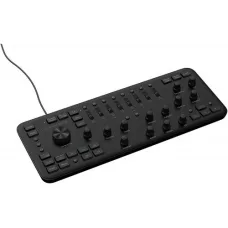
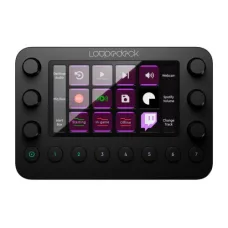

Loupedeck is a specialised creative-control hardware brand focused on custom consoles that make photo editing, video editing, colour grading, streaming and digital content creation more tactile and efficient. Unlike a conventional keyboard and mouse, Loupedeck consoles combine physical dials, buttons, touch-sensitive controls and custom software profiles so users can place frequently used commands directly at their fingertips.
The brand was founded in Finland in 2016 and became known for products such as Loupedeck+, Loupedeck Live and Loupedeck CT. Logitech acquired Loupedeck in 2023, bringing its custom creative-console technology into the wider Logitech ecosystem. Current Loupedeck products continue to target photographers, videographers, editors, streamers, designers, musicians, creators and productivity-focused users. :contentReference[oaicite:0]{index=0}
For customers in Bangladesh, Loupedeck is particularly relevant when a standard keyboard and mouse workflow becomes too slow or repetitive. Adjusting exposure, colour, volume, timeline controls, brush settings, application commands or streaming scenes through dedicated physical controls can make a creative workstation easier to operate.
Loupedeck Products in Bangladesh
Loupedeck products are designed around the idea of creating a dedicated control surface for software-based work. The current product family includes Loupedeck Live S, Loupedeck Live, Loupedeck+ and Loupedeck CT, along with travel cases and accessories. :contentReference[oaicite:1]{index=1}
- Loupedeck Live S
- Loupedeck Live
- Loupedeck+
- Loupedeck CT
- Loupedeck travel cases
- Loupedeck cables and accessories
Each model is designed for a somewhat different workflow. Some products are more suitable for streaming and everyday productivity, while others are better suited to advanced photo and video editing. Customers should therefore select the model based on software, workflow, available desk space and the type of physical controls they want.
Loupedeck Live S
Loupedeck Live S is designed as a compact control console for streaming, content creation and productivity. It provides physical controls that can be mapped to applications, system functions and streaming commands, allowing users to perform frequent actions without constantly moving between menus and keyboard shortcuts.
For streamers, a console like Live S can be used to manage scenes, audio and other live-production functions. Content creators can also configure controls for editing applications and daily computer tasks. This makes the device useful beyond gaming or livestreaming.
Customers considering Loupedeck Live S should first identify which applications they use most often. The value of a custom console increases when a user's workflow contains many repetitive controls that can be assigned to physical buttons or dials.
Loupedeck Live
Loupedeck Live is designed for content creators and streamers who want a compact physical interface for editing, streaming and productivity. The console combines tactile buttons, touch-sensitive controls and analogue dials, allowing users to make adjustments without relying exclusively on a keyboard and mouse. :contentReference[oaicite:2]{index=2}
The device can be used with creative applications, streaming software and productivity tools. Supported workflows include photo editing, video editing, audio control, livestream management and general computer operations.
Its compact design is particularly useful for users who have limited desk space or need to move their creative setup between locations. The physical controls can sit alongside a conventional keyboard and mouse rather than replacing them completely.
Loupedeck CT
Loupedeck CT is positioned as a highly customisable console for professional creative workflows. It is designed for users who require extensive control over editing, colour grading, application navigation and custom actions.
The console supports workspaces and profiles that can group tools, functions, applications and macros according to a particular workflow. This can be valuable for professionals who regularly switch between different applications or stages of a project. :contentReference[oaicite:3]{index=3}
For example, a video editor may create one workspace for timeline operations and another for audio or colour-related controls. A photographer can configure a different set of controls for image adjustments. This approach makes the hardware adaptable rather than locking it to one application.
Loupedeck+
Loupedeck+ is designed primarily around photo and video editing. Its physical controls provide a more direct way to adjust creative parameters, making it particularly relevant to photographers, videographers and editors.
Instead of repeatedly opening software panels and moving sliders with a mouse, users can use dedicated physical controls for supported editing functions. This can provide a more hands-on experience, especially when making many small adjustments.
Loupedeck+ can be useful for both beginners and experienced creators. Beginners can use existing profiles while learning their editing software, while experienced users can customise controls around their established workflow.
Loupedeck for Photo Editing
Photo editing is one of the most natural applications for a Loupedeck console. Creative software often contains numerous sliders, adjustment panels and repetitive commands. Physical dials can make certain adjustments feel more immediate and controlled.
Photographers can use a compatible Loupedeck console alongside applications such as Adobe Lightroom Classic, Photoshop and Capture One. Depending on the software and model, users can access editing functions through native integrations, profiles or custom actions. :contentReference[oaicite:4]{index=4}
A Loupedeck console does not replace a graphics tablet or mouse. Instead, it adds another control layer that can complement existing equipment. This makes it particularly useful for photographers who want more tactile control over repetitive adjustments.
Loupedeck for Lightroom
Adobe Lightroom Classic is one of the important applications in the Loupedeck ecosystem. A dedicated console can make common editing operations easier to access, particularly when photographers repeatedly adjust exposure, contrast, colour and other image parameters.
Photographers working with large batches of images can benefit from reducing repetitive mouse movements. The practical advantage depends on the individual's editing style and the amount of time spent making manual adjustments.
Customers should verify the exact software version and supported features before purchasing because integrations and software capabilities can change over time.
Loupedeck for Photoshop
Photoshop users can configure supported Loupedeck consoles to access frequently used tools, commands and adjustments. This can be useful for retouching, graphic design, digital artwork and image manipulation.
Designers who repeatedly use the same tools can create custom actions or profiles around their preferred workflow. This reduces the need to remember or repeatedly use keyboard shortcuts for every operation.
A Loupedeck console is especially useful when a workflow contains many small adjustments. Users can keep the keyboard and mouse for navigation while using the console for frequently adjusted parameters.
Loupedeck for Premiere Pro
Video editors can use Loupedeck consoles to interact with supported functions in Adobe Premiere Pro. Physical controls can be useful for timeline navigation, editing operations and other frequently repeated tasks.
Video editing involves many repetitive operations, including trimming, navigation, playback and adjustment. A dedicated control surface can make these interactions more tactile and may help editors maintain focus on the timeline.
Professional editors should evaluate the exact console according to project complexity, editing software, desk space and preferred workflow. A larger or more advanced console is not automatically better for every editor.
Loupedeck for Final Cut Pro
Final Cut Pro users can also use supported Loupedeck consoles for creative workflows. The combination of physical controls and software profiles can provide an alternative method of interacting with editing functions.
This can be useful for editors who prefer tactile controls instead of performing every action through menus, keyboard shortcuts and mouse movements. Compatibility should always be checked for the specific Loupedeck model and software environment.
Loupedeck for After Effects
Motion designers and visual-effects artists often work with complex interfaces containing numerous parameters and repeated controls. A custom Loupedeck workspace can place frequently used commands and adjustments within easier reach.
The advantage becomes more noticeable when an artist has developed a consistent workflow. Custom profiles can help organise tools according to project requirements and reduce the need to search through software menus.
Loupedeck for Illustrator
Adobe Illustrator users can use compatible Loupedeck consoles to support graphic-design workflows. Dedicated controls can be assigned to frequently used actions, helping designers maintain a more consistent working rhythm.
For designers who frequently switch between creative applications, the ability to organise separate workspaces can be especially useful. The same physical console can serve different purposes depending on the active software.
Loupedeck for Capture One
Capture One users can benefit from tactile controls when working with photography workflows. Selected Loupedeck products provide integration or shortcut-based control depending on the platform and application.
Photographers should verify whether a particular feature is natively integrated or relies on shortcuts because functionality can differ between operating systems and software versions.
Loupedeck for Streaming
Loupedeck is also highly relevant to livestreaming. A streamer may need to change scenes, control audio, launch applications, manage communication tools and perform other actions without leaving the live-production interface.
A physical console can place those functions directly on the desk. Instead of searching through software windows, the streamer can use dedicated controls for common commands.
Loupedeck products support workflows involving platforms and tools such as OBS Studio, Streamlabs, Twitch, vMix and other supported applications. Exact compatibility depends on the console and software version. :contentReference[oaicite:5]{index=5}
Loupedeck for OBS Studio
OBS Studio users can configure supported Loupedeck consoles to create a more tactile streaming control environment. Scene switching, application actions, audio-related functions and other commands can be assigned to available controls.
This is particularly useful for streamers who operate several elements simultaneously. A dedicated console can help keep frequently used controls organised and accessible.
Before purchasing, customers should confirm the supported Loupedeck software version and OBS compatibility because software integrations can change between versions.
Loupedeck for Content Creators
Content creators often move between recording, editing, publishing and communication tasks. A configurable console can provide a common physical interface across multiple applications.
A YouTube creator, for example, may use a console for video editing during production and then use another workspace for streaming or desktop productivity. This flexibility is one of the major reasons Loupedeck products are different from traditional single-purpose controllers.
Loupedeck for Video Editors
Video editors can benefit from tactile controls because many editing operations involve repeated adjustments. A dedicated console can help reduce dependence on mouse-based sliders and menu navigation.
Editors working on long-form projects, promotional videos, social-media content, tutorials or commercial productions can configure controls according to their preferred workflow. The actual productivity improvement depends on how frequently the assigned functions are used.
Loupedeck for Photographers
Photographers can use Loupedeck products for image selection, editing and adjustment workflows. Physical dials can provide a more direct way to make certain changes, while programmable buttons can provide quick access to commonly used commands.
It can be particularly useful for professionals who process large numbers of images. However, photographers who perform only basic editing may not need an advanced control surface.
Loupedeck for Graphic Designers
Graphic designers often work across several tools and applications. Loupedeck can provide a dedicated interface for commands that are frequently repeated during design work.
Custom profiles can help users organise functions according to their preferred software. This can make the console more useful as the designer's workflow becomes more specialised.
Loupedeck for Colour Grading
Colour grading requires precise adjustments and frequent parameter changes. A physical dial can provide a more tactile experience than dragging a software slider with a mouse.
Loupedeck CT is particularly positioned toward professional creative workflows that include precision editing and colour-related work. Customers should nevertheless evaluate their specific grading software and required controls before choosing a model. :contentReference[oaicite:6]{index=6}
Loupedeck for Audio and Music Production
Loupedeck consoles can also support selected audio-production and music workflows. Compatible applications can provide access to controls that may be useful for creators working with sound, editing or production.
Musicians and producers should determine whether their preferred software has a suitable native plugin, profile or shortcut-based configuration. Compatibility can vary between applications and operating systems.
Loupedeck for Productivity
Loupedeck is not limited to creative software. Supported profiles and plugins can also be used for productivity tasks. Users can create custom actions for applications and operating-system functions, allowing a console to become a personalised shortcut interface.
For example, a user could configure controls for frequently used applications, communication tools or repetitive desktop actions. This can make the device useful even outside photography and video editing.
Loupedeck for Office Work
Office professionals who perform repetitive computer tasks may find value in a custom control surface. Spreadsheet work, document processing, communication, presentation preparation and application switching can involve repeated commands.
However, Loupedeck is a specialised product rather than a replacement for a keyboard and mouse. It is most valuable when the user can identify enough repetitive actions to justify a dedicated control interface.
Loupedeck Custom Profiles
Custom profiles are one of the main strengths of the Loupedeck ecosystem. Users can configure controls according to individual applications and workflows rather than accepting one fixed arrangement.
A photographer can create a photo-editing profile, a video editor can build a timeline-oriented workspace and a streamer can configure a dedicated live-production layout. This flexibility helps one console serve multiple purposes.
Loupedeck Workspaces
Workspaces provide an organised way to group functions and applications. Instead of putting every command on one screen, users can separate controls according to workflow stages.
This approach can be particularly helpful for professionals who use several applications. A creative workstation can become easier to manage when the console layout reflects the way the user actually works.
Loupedeck Macros
Macros can combine multiple actions into a single control where supported. This can be useful for repetitive workflows in editing, streaming and productivity.
Users should create macros carefully and test them before relying on them in important projects or live broadcasts. A complex automation can save time when configured correctly, but an incorrect action sequence can also interrupt a workflow.
Loupedeck Dials
Physical dials are particularly useful when users need gradual adjustments. Creative software often contains parameters that can be increased or decreased continuously, making a tactile control more intuitive than repeated mouse movements.
Photographers may use dials for image adjustments, editors can use them for selected timeline or audio operations, and streamers can use supported controls for real-time adjustments.
Loupedeck Touch Controls
Selected Loupedeck consoles combine physical controls with touch-sensitive interfaces. This provides a balance between tactile interaction and digital flexibility.
Touch controls can display or access different functions depending on the active profile. This means the same physical area can serve different purposes across applications.
Loupedeck Marketplace
The Loupedeck Marketplace provides downloadable plugins, profiles and icon packs for supported consoles. This extends the functionality of the hardware beyond its default configuration. Current Loupedeck information describes the Marketplace as offering more than 200 downloadable items. :contentReference[oaicite:7]{index=7}
The availability of plugins can be particularly useful for users who rely on several applications. Instead of creating every control from scratch, users can begin with an existing profile and customise it to suit their workflow.
Loupedeck Software
Loupedeck hardware relies on dedicated software to configure profiles, actions, plugins and custom controls. The current software is available for supported Windows and macOS environments, with compatibility depending on the product and software version. :contentReference[oaicite:8]{index=8}
Customers should check the software requirement before purchasing, especially when using an older computer or an older operating system. Software compatibility is an important part of buying a Loupedeck console because the hardware's customisation capabilities depend on the software environment.
Loupedeck Windows Compatibility
Current Loupedeck software supports Windows 10 or later for supported consoles. Customers using Windows should verify their exact operating-system version and confirm that the intended console is supported by the software release they plan to use. :contentReference[oaicite:9]{index=9}
This is particularly important for professional users who may have older editing workstations. Compatibility should be checked before purchase rather than after installation.
Loupedeck macOS Compatibility
Loupedeck also supports compatible macOS systems. Current software information lists macOS 10.15 or later for the supported current console range. :contentReference[oaicite:10]{index=10}
Mac users should verify the exact software and console requirements before buying, especially when using an older Mac or a specialised creative application.
Loupedeck USB-C Connection
Current Loupedeck consoles use USB-C connectivity. This provides a modern wired connection between the control surface and computer.
Customers should check the ports available on their computer and whether an adapter is required. Some packages include connection accessories that can provide additional flexibility, but the exact contents depend on the model.
Loupedeck Build Quality
Creative control surfaces are frequently touched, rotated and pressed during long editing sessions, making physical construction an important consideration. Loupedeck products combine tactile controls with a compact desktop form factor.
Professional users should consider the expected workload, desk environment and transport requirements. A travel case can be useful for creators who regularly move equipment between home, studio, office and production locations.
Loupedeck Travel Case
Loupedeck offers dedicated travel cases for selected consoles. These accessories are designed to help protect the hardware during transportation.
A travel case can be particularly useful for photographers, videographers, freelance editors and content creators who work from multiple locations. Customers should verify that the case matches the exact console model.
Loupedeck for Professional Creators
Professional creators often work with demanding applications for several hours each day. A dedicated control surface can reduce repetitive mouse movements and provide a more direct interaction with software.
The value is greatest when the creator has an established workflow. Once frequently used commands are mapped to physical controls, the console can become a natural part of the editing process.
Loupedeck for Beginners
Loupedeck products can also be useful for beginners who want to learn creative software through a more physical interface. Preset profiles can provide a starting point before the user begins creating custom controls.
However, beginners should understand that a console does not replace knowledge of the editing application. Learning the underlying software remains important for developing an efficient long-term workflow.
Loupedeck for Freelancers
Freelancers often move between different projects, clients and locations. A compact creative console can help maintain a consistent workflow across different workspaces.
For freelance photographers, video editors, designers and streamers, portability, application compatibility and custom profiles may be more important than choosing the most advanced model available.
Loupedeck for Home Studios
Home-based creators can use a Loupedeck console as part of a compact editing or streaming workstation. Because the console can work alongside a keyboard and mouse, it can be added without redesigning the entire desk.
A sensible home setup should leave enough room for the console, keyboard, mouse, monitor and other equipment. Cable management is also worth considering when multiple USB devices are connected.
Loupedeck for YouTube Creators
YouTube creators can use Loupedeck hardware throughout the production process. A single console can support video editing, audio adjustments, application launching and selected streaming functions depending on the configuration.
Creators who publish frequently may gain more value because repetitive actions occur more often. Occasional users may prefer a simpler keyboard-and-mouse setup.
Loupedeck for Live Streaming
Live streaming requires quick access to controls because the creator cannot always pause production to search through software menus. A dedicated console can place common commands in a predictable physical location.
Scene changes, audio adjustments, application launches and other supported functions can be assigned to controls. This can help streamers maintain concentration while managing multiple parts of a live production.
Loupedeck for Photography Workstations
A photography workstation can combine a Loupedeck console with a colour-accurate monitor, graphics hardware, storage and backup equipment. The console handles interaction with supported editing software while the rest of the workstation handles image processing and storage.
Photographers should prioritise storage capacity and backup strategy alongside editing hardware. A fast control surface cannot replace a reliable system for protecting original photographs.
Loupedeck for Video Editing Workstations
Video editors often need fast storage, sufficient processing power, a capable graphics system and a suitable monitor. Loupedeck can complement these components by providing a dedicated interface for supported editing operations.
The console should therefore be viewed as part of a complete workflow rather than a standalone performance upgrade. Its main benefit is improved interaction and customisation rather than increasing the rendering speed of the computer.
Loupedeck Performance
Loupedeck performance should be understood as workflow performance rather than computer-processing performance. The console does not increase CPU or GPU speed. Instead, it can help users execute commands and adjustments more efficiently.
The actual productivity improvement depends on the user's habits. Someone who performs the same editing operations hundreds of times may notice a larger benefit than someone who only performs occasional basic edits.
Loupedeck vs Keyboard and Mouse
A keyboard and mouse remain essential for most creative workstations. Loupedeck is designed to complement them by adding dedicated physical controls.
A keyboard is excellent for text entry, shortcuts and general navigation. A mouse provides flexible pointing. A Loupedeck console adds tactile dials, buttons and custom actions for selected workflows.
For this reason, customers should not think of Loupedeck as a direct replacement for conventional peripherals. It is better understood as a specialised control surface that extends the workstation.
Loupedeck Buying Guide
The first step is to identify the primary workflow. Photographers may prioritise editing controls, video editors may need timeline and adjustment functions, while streamers may prioritise scene and audio controls.
The second step is to check software compatibility. A console is only useful when it works properly with the applications used by the customer.
The third step is to consider customisation. Users who want extensive profiles, macros and application-specific workspaces may benefit from a more advanced console.
Finally, consider desk space, portability, operating-system compatibility, connection requirements, warranty and local support.
Things to Consider Before Buying Loupedeck
- Identify the main creative or productivity workflow.
- Check compatibility with your preferred software.
- Verify Windows or macOS requirements.
- Check the required USB connection.
- Consider whether physical dials are useful for your work.
- Evaluate the number and type of controls required.
- Consider how much customisation you actually need.
- Check whether required plugins or profiles are available.
- Consider desk space before selecting the console.
- Choose a travel case if the device will be transported regularly.
- Verify the exact product generation.
- Confirm warranty and after-sales conditions before purchase.
Who Should Buy Loupedeck?
- Professional photographers
- Photo editors
- Video editors
- Colour grading professionals
- Graphic designers
- YouTube creators
- Live streamers
- Content creators
- Freelance creative professionals
- Digital artists
- Music and audio creators
- Productivity-focused power users
Who May Not Need Loupedeck?
Not every computer user needs a dedicated creative console. Someone who mainly browses the internet, writes documents, watches videos or performs simple office tasks may find a conventional keyboard and mouse sufficient.
Loupedeck becomes more attractive when the user performs repetitive creative operations, frequently adjusts parameters, manages live streams or wants a highly customised software interface.
Loupedeck Price in Bangladesh
Loupedeck pricing in Bangladesh depends on the model, availability, import costs and current market conditions. Advanced creative consoles generally command a higher price than ordinary keyboards or mice because they combine specialised hardware with software customisation.
Customers searching for Loupedeck price in Bangladesh should compare the exact model rather than comparing only the brand name. Loupedeck Live, Live S, Loupedeck+ and Loupedeck CT serve different workflows and may provide different levels of customisation.
Loupedeck Price in Jessore
Customers searching for Loupedeck price in Jessore can contact Unix Network for current availability and model-specific pricing. Because specialised creative hardware may not have the same stock level as common keyboards or mice, checking availability before ordering is recommended.
Unix Network can also help customers determine whether a Loupedeck console is appropriate for their editing software, operating system and intended workflow.
Loupedeck for Computer Shops in Jessore
For creative professionals in Jessore and Jashore, specialised editing hardware can be difficult to evaluate without understanding the difference between ordinary peripherals and workflow-specific control equipment. Loupedeck occupies a specialised category between conventional computer accessories and professional creative hardware.
Customers can compare the available models according to their software, editing requirements, desk configuration and budget before choosing a suitable console.
Why Buy Loupedeck from Unix Network?
Unix Network serves customers in Jessore, Jashore and throughout Bangladesh with computer hardware, laptops, gaming products, networking equipment, accessories and specialised technology solutions.
- Specialised creative hardware guidance
- Model comparison based on actual workflow
- Competitive pricing according to current availability
- Local computer store support in Jessore
- Nationwide delivery across Bangladesh
- Compatibility guidance for creative software
- Support for photographers and video editors
- Assistance with streaming workstation planning
- After-sales assistance for applicable products
Loupedeck Warranty and After-Sales Support
Warranty coverage depends on the exact product, seller, market and purchase conditions. Customers should confirm the applicable warranty before purchasing and keep the invoice or purchase documentation for future service requirements.
Creative control hardware should also be handled carefully because its buttons, dials, touch controls and USB connection are regularly used during operation. Keeping the console clean and avoiding liquid exposure can help maintain reliable everyday operation.
Loupedeck Delivery Across Bangladesh
Unix Network serves customers beyond Jessore, making specialised computer and creative equipment accessible to customers throughout Bangladesh. Nationwide delivery can be useful for photographers, video editors, designers, streamers and freelancers who require professional control hardware but cannot visit a physical showroom.
Before ordering, customers should confirm the exact Loupedeck model, availability, software compatibility and operating-system requirements.
Frequently Asked Questions About Loupedeck
What is Loupedeck?
Loupedeck is a brand of custom creative control consoles designed for photo editing, video editing, colour grading, streaming, content creation and productivity workflows.
Is Loupedeck a keyboard?
No. Loupedeck is a dedicated control surface that works alongside a keyboard and mouse. It provides physical dials, buttons and custom controls for compatible applications.
Who owns Loupedeck?
Loupedeck was acquired by Logitech in 2023. The brand continues to offer specialised creative-console products and software. :contentReference[oaicite:11]{index=11}
What is Loupedeck Live used for?
Loupedeck Live is designed for content creation, photo and video editing, livestreaming and productivity. It combines physical controls with software-based customisation.
What is Loupedeck CT?
Loupedeck CT is a highly customisable creative console aimed particularly at professional users who require extensive workflow control and application-specific customisation.
What is Loupedeck+ used for?
Loupedeck+ is primarily designed for photo and video editing workflows, providing physical controls for supported creative applications.
Can Loupedeck be used for Photoshop?
Yes. Supported Loupedeck consoles can be configured for compatible Photoshop workflows, including custom controls and application-specific functions.
Can Loupedeck be used with Lightroom?
Yes. Lightroom Classic is among the creative applications supported by the Loupedeck ecosystem.
Can Loupedeck be used with Premiere Pro?
Yes. Supported Loupedeck products provide workflows for Adobe Premiere Pro and can be configured for video-editing operations.
Can Loupedeck be used for OBS?
Yes. Supported Loupedeck consoles can be used with OBS Studio for streaming-related controls such as scene management and other configurable functions.
Does Loupedeck work with Windows?
Current Loupedeck software supports Windows 10 or later for supported console models. Customers should verify the exact model and software version before purchase.
Does Loupedeck work with Mac?
Yes. Current supported Loupedeck consoles work with compatible macOS versions. Exact requirements should be checked for the chosen model.
Does Loupedeck use USB-C?
Current Loupedeck consoles use USB-C connectivity. Customers should check the available computer port and included cable or adapter requirements for the exact model.
Is Loupedeck good for photographers?
Yes. Photographers can use Loupedeck consoles to access editing controls and create a more tactile workflow for supported photo-editing applications.
Is Loupedeck good for video editors?
Yes. Video editors can use compatible Loupedeck consoles to access editing commands, adjustments and custom workflow controls.
Is Loupedeck useful for streamers?
Yes. Loupedeck consoles can provide dedicated physical controls for supported streaming applications and can help manage repetitive live-production commands.
Can Loupedeck replace a mouse?
No. Loupedeck is primarily designed to complement a keyboard and mouse. It provides specialised controls rather than replacing general computer navigation.
Can I customise Loupedeck controls?
Yes. Supported consoles allow users to customise controls, profiles, actions and macros through Loupedeck software.
Where can I buy Loupedeck in Jessore?
Customers in Jessore can contact Unix Network to check current Loupedeck availability, model options and pricing.
Can I buy Loupedeck outside Jessore?
Yes. Unix Network serves customers across Bangladesh and can provide nationwide delivery for applicable products.
Loupedeck for Professional Creative Work
Loupedeck occupies a distinctive position in the computer-accessory market because it focuses on interaction rather than raw computer performance. A console does not make a processor faster or increase graphics-rendering capability. Instead, it gives the creator a more direct way to interact with software.
This distinction is important when evaluating value. A professional editor who spends many hours adjusting images, cutting video or managing streams may gain substantial workflow benefits. A casual computer user may not use enough advanced functions to justify the additional hardware.
Loupedeck for Bangladesh Creators
Bangladesh has a growing community of photographers, video editors, YouTube creators, freelancers, designers and livestreamers who work with professional creative software. For these users, a dedicated editing console can become a useful part of a modern workstation.
Creators working from Jessore, Dhaka, Chattogram or other parts of Bangladesh can build a Loupedeck-based workflow around their existing computer, monitor, storage and creative software. The console can be especially useful when projects involve repeated editing adjustments or live-production controls.
Loupedeck and Creative Workstation Planning
A professional creative workstation should be planned as a complete system. The computer needs suitable processing power, memory and storage, while the monitor should match the type of creative work being performed. A reliable backup system is important for protecting projects and original files.
Loupedeck can then provide an additional physical interface for controlling supported applications. This makes it a workflow accessory rather than a replacement for the core workstation hardware.
How to Choose the Right Loupedeck
Choose Loupedeck Live S when compact streaming, productivity and general custom control are the main priorities. Consider Loupedeck Live when a creator wants a flexible console for editing and streaming in a compact format.
Loupedeck+ can be appropriate for users focused on photo and video editing, while Loupedeck CT is aimed more strongly at professionals who want extensive customisation and advanced creative workflow control.
The final choice should be based on software compatibility, required controls, desk space, customisation requirements and budget rather than simply selecting the most expensive model.
Loupedeck at Unix Network
Loupedeck is a specialised choice for photographers, video editors, graphic designers, streamers, content creators and productivity-focused professionals who want more direct physical control over software. Its combination of tactile dials, custom buttons, touch controls, profiles, plugins and macros provides an alternative to performing every operation through a keyboard and mouse.
For customers in Jessore and throughout Bangladesh, Unix Network can help compare Loupedeck models according to the intended workflow, creative software, operating system and budget. Whether the requirement is photo editing, video production, colour adjustment, streaming or advanced desktop productivity, choosing the correct Loupedeck console can make the workstation more personalised and efficient.
Customers can contact Unix Network for current Loupedeck availability, Bangladesh pricing, warranty information, delivery options and practical product guidance. With a local showroom presence in Jessore and service for customers across Bangladesh, Unix Network provides a convenient option for purchasing specialised creative technology alongside computers, laptops, gaming hardware, networking equipment and other professional IT accessories.