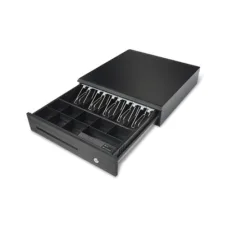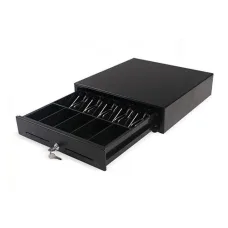
Maken MK410 Cash Drawer
৳7,000
Showing 1 to 3 of 3 (1 Pages)
৳7,000
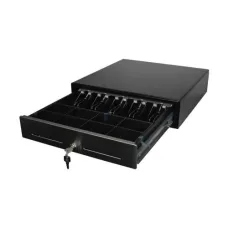
৳7,000
Maken is a commercial technology and POS hardware brand focused on equipment used in retail, hospitality, self-service, payment counters, digital display environments and business automation. The brand's product portfolio includes cash drawers, POS equipment, self-service kiosks, commercial display solutions, POS stands and related hardware designed for businesses that need organised transaction and customer-service infrastructure.
Maken is particularly relevant to retailers, supermarkets, restaurants, cafés, pharmacies, hotels, shopping centres, ticket counters and other businesses that operate point-of-sale systems. Its equipment is designed to work as part of a wider POS environment rather than as a conventional consumer computer accessory.
For customers searching for Maken products in Bangladesh, the most important consideration is choosing equipment that matches the existing POS software, receipt printer, cash register, counter layout and business workflow. Unix Network provides customers in Jessore and across Bangladesh with access to computer, POS, printer and business technology solutions.
Maken is best known in the Bangladesh technology market for POS-oriented hardware. Cash drawers are among the most commonly available Maken products, while the wider portfolio includes self-service kiosks and commercial display equipment.
A POS system normally consists of several components working together. The computer or POS terminal runs the sales software, the barcode scanner identifies products, the receipt printer produces transaction records and the cash drawer provides a secure location for physical currency.
Maken products can therefore be used as part of a complete retail technology environment rather than being treated as isolated devices.
Maken cash drawers are designed to organise banknotes and coins at a retail or transaction counter. They can be connected to compatible POS systems so that the drawer opens as part of a sales transaction.
A dedicated cash drawer can provide a more professional cash-management arrangement than keeping money in an ordinary storage box. Separate compartments allow staff to organise different denominations and maintain a consistent checkout process.
Maken cash drawer models available in Bangladesh include the MK410, MK425, EK350, EK405, SK410S and SK425 families. Exact tray layouts, interfaces, construction and locking mechanisms vary by model.
The Maken MK410 is a classic cash drawer designed for POS environments. Current Bangladesh listings identify the model as a metal cash drawer with automatic and manual operation and a tray configuration designed for notes and coins.
The MK410 can be suitable for shops, restaurants, pharmacies, supermarkets, cafés and other businesses where a POS terminal is used for regular transactions.
Before purchasing, customers should confirm the exact interface available on the model and ensure it is compatible with their receipt printer or POS system.
The Maken MK425 is a larger POS cash drawer option designed for businesses that require more organised cash storage. Current Bangladesh listings describe versions with multiple note and coin compartments and automatic or manual operation.
The model can be useful for busy retail counters where employees handle multiple denominations throughout the working day.
Customers should check the exact version because product specifications can vary between listings and production revisions.
The Maken EK350 is positioned as an economical cash drawer for POS environments. Available configurations include multiple interfaces such as RJ11, RJ12, USB and RS232, although customers should verify the exact interface configuration before ordering.
An economical cash drawer can be useful for smaller businesses that want dedicated transaction hardware without investing in a larger POS drawer.
The Maken EK405 is another cash drawer model available in the Bangladesh market. It is designed around a larger note-and-coin arrangement and can be considered for retail or hospitality counters that need additional cash organisation.
Businesses should compare the drawer dimensions, tray configuration, interface and counter space before choosing the EK405 over another Maken model.
The Maken SK410S is a heavier-duty cash drawer option designed for businesses requiring a more robust POS cash-management solution. The model is available in Bangladesh with a metal construction and separate note and coin compartments.
Heavy-duty cash drawers can be appropriate for busy shops where the drawer is opened frequently throughout the day.
The SK425 belongs to Maken's heavier-duty cash drawer range and provides multiple compartments for organising banknotes and coins. It can be considered for busy retail environments where durability and cash organisation are important.
Customers should compare the exact dimensions and tray layout with their existing POS counter before purchase.
Cash drawer connectivity is one of the most important considerations when purchasing POS hardware. Different Maken models can use different interfaces, including RJ11, RJ12, USB or serial connections.
An RJ-style cash drawer connection is commonly integrated through a compatible receipt printer. In this arrangement, the POS software sends the print command to the printer and the printer triggers the cash drawer.
USB or serial configurations may instead connect directly to compatible POS equipment or controllers. The exact connection method depends on the hardware and software environment.
Before purchasing a Maken cash drawer, customers should verify:
Retail stores can benefit from dedicated cash drawers because they provide a consistent location for transaction money. A properly organised drawer can also make end-of-day cash reconciliation easier.
Small clothing stores, electronics shops, grocery stores, convenience shops and general retailers can use Maken cash drawers as part of their POS setup.
For businesses with several checkout counters, using consistent cash drawer models can simplify staff training and maintenance.
Restaurants and cafés can use Maken cash drawers alongside receipt printers and restaurant POS software. A dedicated drawer helps staff separate transaction cash from other business funds.
Restaurant environments can be particularly demanding because cash drawers may be opened frequently during busy periods. A sturdy drawer and reliable connection can therefore contribute to a smoother checkout workflow.
Supermarkets often require POS systems that can handle a high volume of transactions. Cash drawers form an important part of these checkout stations.
Maken cash drawers can be considered for individual checkout counters, particularly when the required tray configuration and connection method match the supermarket's POS equipment.
For larger supermarket deployments, buyers should consider long-term durability, replacement availability, standardisation across counters and service support.
Pharmacies can use POS cash drawers alongside barcode scanners, receipt printers and pharmacy management software. A dedicated drawer helps keep transaction cash organised and separate from stock or administrative areas.
Compact models can be useful when counter space is limited, while larger drawers may be preferred when several denominations must be kept separately.
Hotels and hospitality businesses can use POS cash drawers at reception counters, restaurants, cafés and other transaction points.
The choice of model should depend on the amount of cash handled, counter space, software integration and the required level of security.
Maken also offers self-service kiosk solutions designed to allow customers to interact with digital systems without requiring continuous assistance from a staff member.
Self-service kiosks can be useful in restaurants, retail stores, shopping centres, hospitality environments, ticketing facilities and other customer-facing locations.
A kiosk can display menus, products, services, ordering interfaces or other interactive content depending on the installed software and hardware configuration.
Maken self-ordering kiosks can be used in environments where customers need to place orders directly. Restaurants and cafés are obvious applications, but the same concept can be adapted to other customer-service environments.
Current Bangladesh listings include Maken Android self-ordering kiosk configurations based on Android hardware, with touchscreen interaction and integrated computing components.
The exact processor, memory, storage, display size and operating system should be verified for the specific model before purchase because kiosk configurations can differ.
The Maken KP-2400 is a 24-inch touchscreen kiosk platform available in countertop and floor-standing configurations. Current Bangladesh listings include versions with Android-based computing hardware.
The countertop configuration can be useful where the kiosk needs to be placed on an existing service desk or counter. The floor-standing configuration is better suited to open customer areas where users interact with the kiosk while standing.
Businesses should choose between these configurations according to available floor space, customer traffic and the intended interaction model.
A countertop kiosk is designed to occupy an existing surface rather than standing independently on the floor. This can make it useful for restaurants, reception counters, service desks and retail environments where floor space is limited.
Before installation, customers should verify the dimensions and weight of the kiosk and make sure the counter provides adequate stability.
A floor-standing kiosk can be positioned independently in a customer area. It can attract attention more effectively than a small counter-mounted device and can be placed where customers naturally queue or move through a store.
Floor-standing kiosks should be installed in a location that provides sufficient space for customers to approach the touchscreen without obstructing walkways.
Touchscreen interaction makes kiosks suitable for self-ordering, information access, registration, product selection and customer-service applications.
The quality of the overall experience depends not only on the touchscreen but also on the software interface. A well-designed application should use clear navigation, readable text and appropriately sized touch controls.
Maken hardware can form part of a larger POS ecosystem. A typical setup can combine a POS computer, display, barcode scanner, receipt printer, cash drawer and software.
For a complete system, every component must communicate correctly. A cash drawer may connect through a receipt printer, while the scanner can connect directly to the POS computer. The software then controls the transaction workflow.
Businesses should therefore avoid purchasing individual POS components without first checking how the complete system will be connected.
Thermal receipt printers are commonly used together with POS cash drawers. When the printer supports a compatible cash-drawer port, it can trigger the drawer when a transaction is completed.
This arrangement keeps the checkout process organised and reduces the need for separate drawer-control hardware.
When purchasing a Maken cash drawer for a thermal printer, check the printer's drawer interface and electrical specifications before connecting the devices.
Retail automation is about connecting different hardware and software components to reduce manual work and improve transaction accuracy. Maken's POS-oriented hardware can contribute to this environment through cash handling and self-service solutions.
A well-designed retail system can improve checkout consistency, simplify transaction records and reduce unnecessary manual processes.
Businesses increasingly use technology to streamline customer interactions. Self-service kiosks are one example because they can allow customers to interact directly with ordering or information systems.
Maken kiosk solutions can be considered when a business wants to introduce self-service functionality without designing an entire hardware platform from the beginning.
POS hardware is exposed to frequent daily use, so physical construction is an important consideration. Cash drawers are repeatedly opened and closed, while kiosks are continuously touched by customers.
Customers should consider the expected transaction volume, installation environment and operating schedule when choosing a model. A low-volume shop and a high-traffic supermarket may have very different hardware requirements.
Cash drawers provide a physical barrier and locking mechanism for transaction money. Depending on the model, users may have options for automatic opening, manual operation and locking.
A cash drawer should not be treated as a complete security system. Businesses handling significant amounts of cash should also use appropriate staff procedures, surveillance, access control and regular cash reconciliation.
Cash capacity is an important buying factor. Different Maken models provide different numbers of note and coin compartments.
A shop that handles only a few denominations may be comfortable with a smaller drawer. A supermarket or busy retail operation may prefer more compartments to keep different denominations separated.
Choosing the correct tray layout can make daily transactions faster and reduce mistakes during cash handling.
Bangladesh has a wide range of retail and hospitality businesses that can benefit from POS hardware. Grocery stores, restaurants, cafés, clothing shops, electronics retailers, pharmacies, departmental stores and service centres can all use transaction equipment.
Maken cash drawers and kiosk solutions can be considered when a business wants to organise its physical transaction infrastructure and provide a more professional customer experience.
Restaurants can combine Maken hardware with ordering software, thermal receipt printers, barcode or QR-based systems and payment solutions. A self-ordering kiosk can also allow customers to browse menu items and place orders directly.
The exact setup depends on whether the business needs table ordering, counter ordering, self-service or a combination of different workflows.
Super shops typically require reliable checkout stations capable of handling frequent transactions. A cash drawer should provide enough capacity for the denominations used by the business and integrate properly with the receipt printer or POS terminal.
For multiple counters, standardising the hardware can simplify maintenance and employee training.
Pharmacies can use Maken cash drawers with compatible POS systems to manage daily transactions. The drawer can be paired with barcode scanners and receipt printers for a complete checkout environment.
Compact configurations may be especially useful for pharmacies where counter space is limited.
Small businesses do not necessarily require the largest or most advanced POS hardware. An economical cash drawer with the correct interface can provide the essential physical cash-management function required at a checkout counter.
Businesses should focus on compatibility, durability and ease of operation rather than buying features that will not be used.
Larger businesses may require several POS counters, multiple cash drawers and self-service equipment. In these environments, consistency becomes more important.
Organisations should consider hardware standardisation, spare units, service procedures, installation and staff training as part of the deployment plan.
When purchasing a Maken kiosk, the first question should be how customers will interact with the machine. A self-ordering restaurant kiosk has different requirements from an information kiosk or registration terminal.
Next, evaluate screen size, touch technology, operating system, processor, RAM, storage, connectivity, mounting arrangement and software compatibility.
Businesses should also consider accessibility and the physical position of the kiosk. Customers need sufficient space to stand comfortably while interacting with the touchscreen.
Hardware alone does not determine the success of a self-service system. The kiosk software must be compatible with the operating system and provide an interface suitable for touchscreen interaction.
Businesses should test the complete application before deploying multiple kiosks. Payment integration, order management, printing, network connectivity and backend synchronisation should all be evaluated.
Self-ordering kiosks can reduce queue pressure during busy restaurant periods by allowing customers to browse menu options and submit orders directly.
A Maken kiosk can serve as the customer-facing hardware while the restaurant's POS software manages orders in the background. The exact integration depends on the software provider and kiosk configuration.
Shopping centres can use digital kiosks for directories, promotional information, customer assistance and other interactive applications. A large touchscreen provides an accessible interface for visitors.
Commercial installations should consider durability, operating hours, network connectivity, content management and physical security.
Hotels can use self-service technology for guest information, registration support, directions, service requests and other applications. A well-positioned touchscreen kiosk can help reduce pressure on reception staff for simple information requests.
The exact application should be designed around the hotel's existing software and operational processes.
The Maken price in Bangladesh depends on the product category and model. Cash drawers are generally much more affordable than complete touchscreen kiosk systems, while commercial POS equipment can vary considerably according to configuration.
For example, current Bangladesh market listings show different Maken cash drawers at different price points depending on construction, tray layout and interface. Larger touchscreen kiosk systems naturally occupy a much higher price category.
Customers should compare the complete specification instead of choosing a Maken product solely by price.
Customers searching for Maken price in Jessore can contact Unix Network to check available products and current pricing. The final price can depend on model, availability, configuration, warranty and delivery requirements.
For business installations, customers should also consider the cost of compatible receipt printers, POS computers, barcode scanners, software and installation when calculating the total investment.
Unix Network is a technology retailer serving Jessore and customers throughout Bangladesh, with product categories covering computers, laptops, printers, networking equipment, POS hardware and IT accessories.
Customers can compare Maken cash drawers and related POS solutions according to their business requirements. This is particularly important because different Maken cash drawers have different tray layouts, interfaces and physical designs.
For businesses planning a complete POS environment, Unix Network can also help customers consider the relationship between the cash drawer, receipt printer, barcode scanner, POS computer and software.
For customers searching for a Computer Shop in Jessore, POS equipment supplier, printer shop or Tech Store Bangladesh, Unix Network provides a local option for business technology requirements.
Customers can enquire about Maken cash drawers, POS accessories and related equipment based on their intended application. Customers outside Jessore can also enquire about nationwide delivery availability.
Warranty terms depend on the specific Maken product, seller and distribution arrangement. Before purchasing, customers should confirm the applicable warranty period, service procedure and conditions.
For businesses using POS hardware every day, after-sales support is especially important because equipment downtime can directly affect sales operations.
Customers should retain invoices, warranty documentation and product information so that service requests can be handled efficiently if required.
Unix Network serves customers in Jessore and across Bangladesh. Maken cash drawers are relatively straightforward to transport, while larger kiosks and commercial display equipment may require additional delivery planning.
Businesses ordering multiple units should confirm stock availability, packaging, delivery arrangements and installation requirements before finalising the order.
Maken may not be necessary for every business. A very small retailer that only needs a basic manual cash-management solution may prefer a simpler cash drawer. Businesses with an existing POS ecosystem should also verify compatibility before changing hardware brands.
Likewise, a customer who needs a complete POS terminal rather than a cash drawer should compare complete POS systems rather than purchasing a cash drawer independently.
What is Maken?
Maken is a commercial technology brand associated with POS hardware, cash drawers, self-service kiosks and commercial display-related solutions.
What is a Maken cash drawer used for?
A Maken cash drawer is used to store and organise banknotes and coins at a retail or transaction counter. Compatible models can be connected to POS systems for automatic drawer opening.
Which Maken cash drawer is best?
The best model depends on the required note and coin compartments, counter space, interface, transaction volume and preferred construction. Models such as MK410, MK425, EK350, EK405, SK410S and SK425 serve different requirements.
Can Maken cash drawers connect to receipt printers?
Compatible Maken cash drawers can connect through supported cash-drawer interfaces, commonly using RJ-style connections or other available interfaces depending on the model. The printer and drawer specifications must be matched before installation.
Is Maken suitable for restaurants?
Yes. Maken cash drawers can be used as part of restaurant POS systems, while self-service kiosk solutions can also support customer ordering where the software and hardware are appropriately integrated.
Does Maken make self-ordering kiosks?
Yes. Maken's commercial product range includes touchscreen kiosk solutions designed for self-service applications, including configurations suitable for ordering environments.
What is the Maken KP-2400?
The KP-2400 is a touchscreen kiosk platform available in countertop and floor-standing configurations. Current Bangladesh listings show 24-inch configurations intended for customer-facing applications.
Can Maken kiosks run Android?
Some current Maken kiosk configurations use Android-based computing platforms. The exact operating system and hardware should be confirmed for the specific model before purchase.
Is Maken suitable for supermarkets?
Yes. Maken cash drawers can be used at supermarket checkout counters when their tray configuration and interface match the POS environment.
Where can I buy Maken products in Jessore?
Customers can enquire about Maken products through Unix Network, a technology retailer serving Jessore and customers across Bangladesh. Current stock, pricing and warranty should be confirmed for the desired model.
Maken is a useful manufacturer to consider for businesses that need dependable POS cash handling, self-service kiosks and commercial transaction equipment. Its product range covers practical components such as cash drawers as well as larger touchscreen kiosk solutions for customer-facing environments.
Choosing the correct Maken product requires attention to the complete business workflow. For a cash drawer, check tray capacity, dimensions, interface and POS compatibility. For a kiosk, consider screen size, computing hardware, operating system, software, network connectivity, installation and customer interaction requirements.
For customers searching for Maken cash drawer price in Bangladesh, Maken POS products in Jessore, Maken kiosk solutions or commercial POS hardware, Unix Network provides a local technology-shopping option in Jessore with support for customers across Bangladesh. A correctly selected Maken solution can help retailers, restaurants, pharmacies, supermarkets and other businesses create a more organised and efficient transaction environment.