.png)

Showing 1 to 5 of 5 (1 Pages)
These are the latest in-stock TOTOLINK LAN Card at Unix Network, with the current price in Bangladesh. Open a model for specifications.
| TOTOLINK LAN Card List | Price in BD |
|---|---|
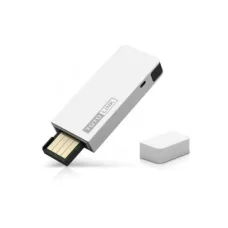
| TOTOLINK N150UA 150Mbps Wireless N USB LAN Card | ৳700 |
| TotoLink A650UA 650Mbps AC Wireless Dual Band USB Lan Card | ৳1,200 |
Looking for a TOTOLINK LAN Card in Bangladesh to upgrade your desktop or laptop internet connection? TOTOLINK offers networking adapters designed to provide wired Ethernet and wireless Wi-Fi connectivity for compatible computers. Depending on the model, the range includes PCI Express Ethernet cards, USB wireless adapters and other networking solutions for different connectivity requirements. Whether your computer has a faulty LAN port, your desktop needs wireless internet access or your laptop requires an Ethernet connection, a suitable TOTOLINK network adapter can provide a practical solution. Explore TOTOLINK LAN Card prices in Bangladesh at Unix Network and compare the available options for your device.
TOTOLINK networking adapters are designed for different computer interfaces and connection requirements. PCIe Ethernet cards provide wired network connectivity for compatible desktop motherboards, while USB Wi-Fi adapters allow computers to connect to wireless routers without an internal wireless card. Depending on product availability, USB Ethernet adapters may also offer a convenient wired connection for laptops with limited network ports. Each adapter type serves a different purpose, so customers should check the connector, supported network speed, operating system compatibility and driver requirements before purchasing.
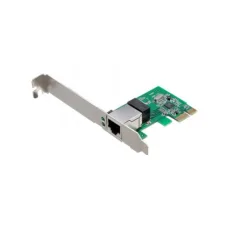
A TOTOLINK PCI Express Gigabit LAN card is a practical option for desktop computers that need an additional Ethernet connection or a replacement for a faulty onboard LAN port. Compatible Gigabit Ethernet models support standard 10/100/1000Mbps network connections and can be installed in a suitable PCIe expansion slot. These adapters are useful for office computers, home desktops and workstations that benefit from wired networking. Before installation, confirm that the motherboard has a compatible PCIe slot and that the card supports the operating system installed on the computer.
Selected TOTOLINK wired network adapters support 10Mbps, 100Mbps and 1000Mbps Ethernet link speeds, allowing them to negotiate a suitable connection with compatible networking equipment. A Gigabit Ethernet connection can provide faster local data transfers than older 100Mbps network interfaces when the router, switch and connected devices also support Gigabit speeds. This is useful for downloading large files, accessing shared network storage and transferring documents across a local network. The advertised 1000Mbps figure represents the nominal Ethernet link rate rather than guaranteed internet download speed.
TOTOLINK USB Wi-Fi adapters provide a convenient way to add wireless networking to compatible desktop computers and laptops. They are particularly useful for PCs without built-in Wi-Fi or computers with a faulty wireless adapter. Depending on the model, USB Wi-Fi adapters may support 2.4GHz connectivity, dual-band Wi-Fi or newer wireless standards. Installation generally involves connecting the adapter to a compatible USB port and configuring the wireless network. Some models require a separate driver, so operating system support should be checked before purchasing.
For everyday internet activities, a TOTOLINK 300Mbps wireless adapter can be a budget-friendly networking option. Selected Wireless N adapters operate on the 2.4GHz band and are suitable for browsing websites, attending online classes, checking email and using social media. They can be useful for older desktop computers that need a basic wireless connection without installing an internal network card. The advertised 300Mbps speed is a theoretical wireless link rate, and actual performance depends on the router, signal strength, interference and adapter specifications.
Selected TOTOLINK AC1200 wireless adapters provide access to both 2.4GHz and 5GHz Wi-Fi networks. Dual-band connectivity allows compatible computers to use the 5GHz frequency for higher wireless capacity while retaining 2.4GHz support for everyday networking and broader indoor coverage. AC1200-class adapters can be useful for HD streaming, online meetings, downloads and other common applications. Actual speeds depend on the specific adapter, USB interface, router capabilities and wireless environment. Buyers should also confirm whether the selected model supports the required operating system.
Wireless network adapters use different Wi-Fi standards depending on their design and hardware. Wi-Fi 5 adapters support IEEE 802.11ac connectivity, while Wi-Fi 6 adapters use IEEE 802.11ax technology for improved wireless efficiency with compatible routers. Features such as MU-MIMO and OFDMA may be available on selected models, but they should not be assumed to be present across the entire TOTOLINK adapter range. When choosing a wireless adapter, consider both the computer's interface and the wireless standard supported by your existing router.
Some TOTOLINK wireless adapters feature external antennas designed to improve signal reception in suitable indoor environments. An external antenna can be useful for desktop computers positioned under desks or away from the wireless router. Depending on the adapter, antenna positioning may also help users find a better reception angle. However, actual coverage depends on distance, walls, interference and the capabilities of the router. External antennas cannot guarantee a strong connection in every room or eliminate wireless congestion.
USB Ethernet adapters provide a practical wired networking solution for compatible laptops and computers without a built-in RJ45 Ethernet port. Depending on the available TOTOLINK product range, adapters may use USB-A or USB Type-C interfaces and support different Ethernet speeds. A Gigabit Ethernet adapter can be useful for online meetings, office work and local file transfers when connected to compatible networking equipment. Before ordering, verify the exact model, USB interface, supported Ethernet speed and operating system compatibility. USB Type-C connectivity alone does not guarantee Gigabit performance.
Many modern network adapters are designed for straightforward installation, but plug-and-play support depends on the chipset, operating system and driver availability. Some TOTOLINK adapters may work with built-in Windows drivers, while others require drivers supplied by the manufacturer. Compatibility with Windows 10, Windows 11, macOS or Linux should be checked individually rather than assumed for every model. This is particularly important for newer operating system versions, older network chipsets and wireless adapters that require additional software.
Customers upgrading a Windows desktop or laptop should confirm that their chosen TOTOLINK LAN card supports the installed version of Windows. A compatible Ethernet card can restore wired networking when an onboard LAN port stops working, while a supported USB Wi-Fi adapter can add wireless connectivity to a desktop computer. Installation requirements may vary between models. Checking the official driver information and hardware specifications before purchasing can help avoid compatibility issues.
Wired Ethernet and wireless Wi-Fi adapters offer different advantages. A wired Gigabit LAN card connects directly to a router or switch using an Ethernet cable and generally provides more predictable latency and consistent throughput. A USB Wi-Fi adapter offers greater flexibility because the computer can connect without a network cable, making it useful in rooms where Ethernet wiring is unavailable. Wireless performance is more sensitive to distance and interference. The better choice depends on the computer's location, networking requirements and available connections.
For online gaming, video streaming and large downloads, a suitable network adapter can help improve connectivity when an existing interface is outdated or unreliable. A Gigabit Ethernet card is often preferable for stationary gaming PCs because wired connections typically provide more consistent latency than wireless links. Dual-band Wi-Fi adapters can be useful when running an Ethernet cable is inconvenient. However, no LAN card can guarantee zero latency or eliminate problems caused by an internet service provider, congested network or remote gaming server.
If a desktop computer's built-in Ethernet port is damaged or no longer functions correctly, installing a compatible PCIe network card may provide a cost-effective alternative to replacing the motherboard. A Gigabit LAN card can restore wired connectivity when the motherboard has an available expansion slot and the operating system supports the adapter. Before purchasing, check whether the original problem is caused by hardware failure, an Ethernet cable, driver settings or the router. Identifying the actual fault helps avoid unnecessary replacement costs.
Office computers often rely on stable network connections for email, cloud applications, shared printers and local file access. TOTOLINK Ethernet cards and wireless adapters can provide connectivity options for compatible desktop and laptop systems. Gigabit Ethernet adapters are useful for computers connected to office switches, while USB Wi-Fi adapters can help devices connect where wired networking is unavailable. For business installations, buyers should consider operating system compatibility, network security, available ports and long-term driver support.
Before purchasing a TOTOLINK LAN card, identify whether you need a wired Ethernet connection or wireless Wi-Fi connectivity. For desktop wired networking, check the available PCIe slot and required Ethernet speed. For wireless access, compare USB Wi-Fi adapters according to their supported frequency bands, wireless standard, antenna configuration and USB interface. Laptop users should confirm whether a USB-A or USB Type-C adapter is appropriate. Operating system compatibility, driver availability and router specifications are equally important when selecting a suitable product.
TOTOLINK LAN Card prices in Bangladesh vary depending on the adapter type, connection interface, supported speed and wireless technology. Basic USB Wi-Fi adapters are generally positioned as affordable solutions for everyday connectivity, while dual-band wireless adapters and Gigabit Ethernet products may have different pricing according to their specifications. Customers should compare the actual features of each model rather than relying only on advertised speed figures. Contact Unix Network to check current TOTOLINK LAN Card prices, product availability and applicable warranty terms.
TOTOLINK networking adapters offer practical options for upgrading or restoring network connectivity on compatible computers. Depending on the model, customers can choose wired Gigabit Ethernet, compact USB Wi-Fi connectivity or dual-band wireless networking. These adapters can be useful for home users, students, office workers and desktop PC owners who want to connect their devices without replacing an otherwise functional computer. Choosing the correct interface, driver support and network standard is essential for reliable performance.
Explore TOTOLINK LAN cards and Wi-Fi adapters at Unix Network in Jashore, Bangladesh. Whether you need a PCIe Gigabit Ethernet card for your desktop, a USB Wi-Fi adapter for wireless connectivity or a compatible network adapter for your laptop, Unix Network can help you enquire about suitable networking products. Customers in Jashore, Khulna, Jhenaidah, Magura, Narail, Satkhira and other parts of Bangladesh can contact Unix Network for ordering and delivery information. Visit our shop or browse unixnetworkbd.com to compare specifications, check current prices, confirm stock availability and review applicable warranty details before purchasing.