

TP-Link Network Cable Connector: Reliable Connections for Seamless Networking
Showing 1 to 5 of 5 (1 Pages)

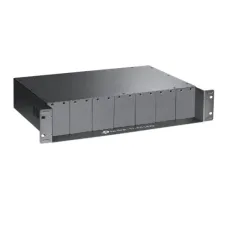

TP-Link TL-FC311A-20 Gigabit WDM Media Converter
Call for Price

TP-Link TL-FC311B-20 Gigabit WDM Media Converter
Call for Price
The TP-Link Network Cable Connector is a practical networking accessory designed for Ethernet cable installation, repair and termination. It is suitable for creating or replacing the connector at the end of a compatible network cable, helping establish a physical connection between Ethernet wiring and networking equipment such as routers, switches, computers and other devices with RJ45 Ethernet ports.
For home networks, office installations, computer shops, CCTV networking, small business infrastructure and structured cabling work, a reliable network cable connector is an essential low-cost component. It can be particularly useful when an existing Ethernet cable has a damaged plug or when custom-length network cables need to be terminated on site.
TP-Link Network Cable Connector in Bangladesh
Customers looking for a TP-Link cable connector in Bangladesh can use this type of networking accessory for Ethernet cable termination and maintenance. TP-Link identifies RJ45 as the connector type commonly used for Ethernet networking, while RJ11 is intended for telephone and DSL connections.
The connector is useful for network technicians, computer service providers, system installers and home users who need a convenient way to terminate compatible twisted-pair Ethernet cable. Choosing the correct connector for the cable category and conductor construction is important for achieving a dependable network connection.
Product Overview
A network cable connector provides the physical termination between individual conductors inside an Ethernet cable and the Ethernet port on a networking device. During installation, the cable's internal wires are arranged according to the required wiring standard before being terminated into the connector.
When correctly installed, the completed cable can be connected to Ethernet ports on routers, switches, PCs, network adapters, access points and other compatible networking hardware.
The TP-Link name is widely associated with networking equipment and accessories, making this connector a suitable consideration for customers purchasing networking components for installation, maintenance or replacement work.
Key Features
- TP-Link branded network cable accessory
- Designed for Ethernet network cable termination
- Suitable for RJ45 Ethernet networking applications
- Useful for making or repairing Ethernet patch cables
- Suitable for home, office and small business networks
- Practical accessory for network installation technicians
- Useful for computer service and maintenance work
- Compact and easy to store as a spare networking component
- Suitable for networking cable preparation and replacement
RJ45 Ethernet Network Connector
Ethernet networks commonly use RJ45 connectors. TP-Link explains that RJ45 has eight positions and up to eight conductors and is mainly used for network wiring. This distinguishes it from RJ11 connectors, which are smaller and generally associated with telephone or DSL applications.
Because RJ45 and RJ11 connectors are physically different, users should confirm the required connector type before installation. Using an unsuitable connector can result in an improper connection and may create problems when connecting networking equipment.
Suitable for Ethernet Cable Termination
One of the primary uses of a network cable connector is terminating Ethernet cable after cutting it to the required length. This is useful for custom network installations where pre-made patch cables are not available in the required size.
A technician can route the Ethernet cable through walls, ceilings, cable trays or workspaces and terminate the cable after determining the required length. This approach can reduce excess cable and provide a cleaner installation when performed correctly.
Useful for Network Cable Repair
Ethernet cables can develop damaged plugs after repeated bending, pulling, plugging and unplugging. In many cases, the cable itself may remain usable while only the connector has become damaged.
A replacement network cable connector can allow a technician to cut away the damaged termination and install a new connector. This can be a practical alternative to replacing an otherwise serviceable cable, provided the cable remains in good condition and the connector is compatible.
For Home Networking
The connector can be useful for home network projects involving routers, computers, network switches, access points and wired internet connections. Users who create their own Ethernet cables can keep spare connectors available for future installation or repair work.
For a typical home network, correctly terminated Ethernet cables can provide a direct wired connection between compatible devices. The final network performance depends on the cable category, connected equipment, termination quality and other network conditions.
For Office Networking
Offices often require multiple Ethernet connections between computers, network switches, routers, printers, access points and other equipment. Network cable connectors are useful during installation and maintenance because cables may need to be cut, routed and terminated according to the layout of the workplace.
Keeping spare connectors available can also help technicians complete minor network repairs without waiting for an entire replacement cable.
For Computer Shops and Technicians
Computer retailers and service technicians frequently work with Ethernet cables while installing routers, switches, desktop computers and network accessories. A supply of suitable connectors can be useful for custom cable preparation and quick repair jobs.
The small size of a network connector also makes it easy to keep several pieces in a technician's toolbox or networking accessory inventory.
For CCTV and Networking Installations
Ethernet cabling is widely used in IP-based networking installations, including many network-connected surveillance systems. Where compatible Ethernet cable is used, RJ45 termination can form part of the installation process.
For CCTV projects, the connector should be selected according to the actual cable type and installation requirements. Outdoor-rated cable, shielded cable or specialised conductors may require connectors designed specifically for those applications.
Network Cable Compatibility
Compatibility is one of the most important considerations when purchasing a network cable connector. Ethernet cables are available in different categories and constructions, and the connector should match the cable being terminated.
Before installation, check the cable category, conductor type, conductor size and whether the cable is solid-core or stranded. The appropriate connector design helps ensure that the conductors can be correctly positioned and terminated.
Proper Ethernet Cable Termination
Correct termination is essential for reliable Ethernet communication. The individual conductors inside the cable need to be arranged according to the selected wiring standard before the connector is crimped into position.
Common Ethernet wiring standards include T568A and T568B. A technician should follow the appropriate wiring scheme consistently across the installation. Poor wire ordering, incomplete insertion or inadequate crimping can cause intermittent connectivity, reduced performance or complete link failure.
Importance of a Secure Connection
A network cable connector needs to maintain reliable contact with the cable conductors and Ethernet port. A properly terminated connector helps reduce the possibility of loose connections during normal use.
This is particularly important for desktop computers, switches and routers where cables may occasionally be moved, disconnected or reconnected. A secure termination can contribute to stable physical connectivity.
Networking Applications
- Router-to-computer Ethernet connections
- Router-to-switch networking
- Switch-to-PC connections
- Ethernet patch cable preparation
- Network cable replacement
- Custom-length Ethernet cable installation
- Office network wiring
- Home network installation
- Computer shop service work
- Compatible IP networking installations
Benefits of Using a Network Cable Connector
A dedicated network cable connector provides flexibility during cable installation. Instead of relying exclusively on pre-made cables, installers can prepare cables according to the required route and length.
This can be especially helpful in environments where cable lengths vary significantly. It also makes cable repair more practical when an existing termination becomes damaged.
Compact Networking Accessory
Network cable connectors are small accessories, making them easy to transport and store. Technicians can keep spare pieces with crimping tools, cable testers and other installation equipment.
For businesses maintaining multiple computers or network devices, having spare connectors available can reduce delays when a cable termination needs to be replaced.
Use with TP-Link Networking Equipment
TP-Link produces a broad range of networking equipment, including routers, switches, wireless products and Ethernet accessories. Its networking product range also includes Ethernet cables designed for stable wired connectivity.
A compatible RJ45 network cable connector can therefore be used as part of Ethernet cabling connected to suitable TP-Link networking hardware. However, the connector itself does not increase the network speed beyond the capabilities of the cable, connector, network ports and connected devices.
Network Performance Considerations
The connector is only one part of an Ethernet connection. Actual network performance depends on several components, including the Ethernet cable category, cable construction, connector quality, termination accuracy, network interface and networking equipment.
For example, TP-Link notes that actual transmission speed for its Ethernet cables depends on the settings and capabilities of the connected devices.
Therefore, replacing a connector alone should not be expected to upgrade an existing network from one Ethernet speed standard to another unless every part of the connection supports the desired performance.
Installation Tips
- Use a connector compatible with the Ethernet cable.
- Remove only the necessary amount of outer cable jacket.
- Keep the twisted pairs as intact as practical before termination.
- Follow the selected T568A or T568B wiring arrangement consistently.
- Make sure every conductor reaches the appropriate position before crimping.
- Use a suitable RJ45 crimping tool.
- Test the finished cable with an Ethernet cable tester.
- Check both connector ends before connecting the cable to networking equipment.
Why Cable Testing Matters
After installing a new connector, testing the completed Ethernet cable is recommended. A cable tester can help identify incorrectly arranged conductors, open connections, shorts and other common termination problems.
This simple step is especially valuable when preparing multiple cables for an office, shop, home network or structured cabling project. Testing before installation can save time by identifying faults before the cable is routed or connected to equipment.
Things to Consider Before Buying
Before purchasing a TP-Link network cable connector, confirm the connector type required for your cable. RJ45 Ethernet connectors are intended for network wiring, while RJ11 connectors are associated with telephone and DSL applications.
You should also verify the cable construction and category. If you are working with specialised Ethernet cable, such as shielded cable or a particular conductor size, make sure the connector is designed for that cable type.
If the purpose is simply replacing a damaged connector on an existing cable, inspect the cable itself first. A cable with internal damage may require complete replacement rather than only a new connector.
Who Should Buy TP-Link Network Cable Connector?
- Home network users
- Computer technicians
- Network installation professionals
- IT support teams
- Computer shops
- Office network installers
- CCTV installation technicians using compatible Ethernet cabling
- Students learning network cable termination
- Businesses maintaining wired network infrastructure
- Users who need spare RJ45 networking accessories
TP-Link Network Cable Connector for Jessore Customers
For customers in Jessore and Jashore looking for networking accessories, a network cable connector is a useful item to keep available for Ethernet installation and maintenance. It can be helpful for homes, offices, computer shops and small businesses that use wired network connections.
Unix Network provides computer hardware, networking equipment and technology accessories for customers in Jessore and surrounding areas. Customers can also seek guidance when selecting networking accessories for a particular cable installation.
Why Buy from Unix Network?
Unix Network is a computer and technology retailer in Jessore, Bangladesh, serving customers looking for networking products, computer components, laptops, accessories and related IT equipment.
When purchasing a small networking component, selecting the correct product for the intended cable and installation is important. Unix Network can help customers identify suitable networking accessories based on their existing equipment and requirements.
Delivery Across Bangladesh
Customers outside Jessore can order networking accessories for delivery across Bangladesh, subject to the available delivery service and destination. A network cable connector is small and lightweight, making it convenient to include with other networking or computer accessory orders.
Frequently Asked Questions
What is a TP-Link Network Cable Connector?
It is a networking accessory used for terminating compatible Ethernet cable so it can be connected to RJ45 Ethernet ports on networking devices.
Is this connector an RJ45 connector?
The product is intended as a network cable connector, and RJ45 is the standard connector type used for Ethernet networking. Confirm the exact connector specification with the product packaging before installation.
Can I use it to repair an Ethernet cable?
Yes, a compatible connector can be used to replace a damaged Ethernet plug when the cable itself is still serviceable.
Can I use it for a router?
Yes, a properly terminated compatible Ethernet cable can be connected to the RJ45 Ethernet ports found on routers and other networking devices.
Can I use it for a network switch?
Yes. RJ45 Ethernet connections are commonly used to connect computers, routers, access points and other networking equipment to switches.
Can I make my own Ethernet cable with this connector?
Yes, provided the connector is compatible with the Ethernet cable being used. You will also need an appropriate RJ45 crimping tool and should test the completed cable before use.
Do I need a cable tester?
A cable tester is not required to physically install the connector, but it is strongly recommended because it can identify common wiring and termination faults before the cable is put into service.
Does a network connector increase internet speed?
No. A connector does not independently increase internet speed. Performance depends on the cable, connector, Ethernet ports, networking devices, network configuration and internet service.
Is RJ45 the same as RJ11?
No. RJ45 is commonly used for Ethernet networking, while RJ11 is primarily associated with telephone and DSL connections. They have different physical dimensions and conductor configurations.
Final Verdict
The TP-Link Network Cable Connector is a useful networking accessory for Ethernet cable termination, maintenance and repair. It can be valuable for home users, office installations, computer technicians and network professionals who need to create custom cable connections or replace damaged Ethernet plugs.
For customers in Jessore, Jashore and across Bangladesh, this type of compact networking accessory is an inexpensive but important part of a practical network installation toolkit. When paired with the correct Ethernet cable, proper wiring technique and appropriate testing equipment, it can help create dependable wired network connections for computers, routers, switches and other compatible networking devices.