

Netgear Router Price in Bangladesh
Showing 1 to 24 of 34 (2 Pages)
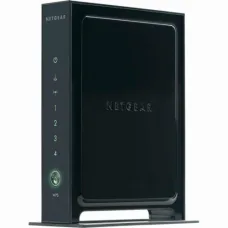

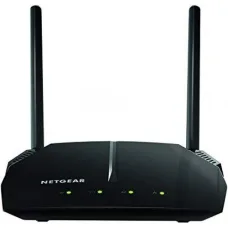

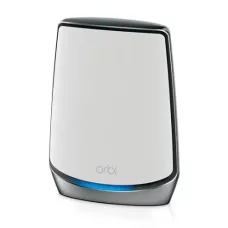


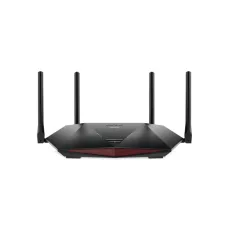
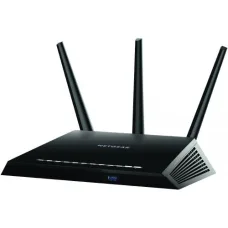
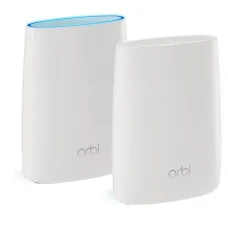
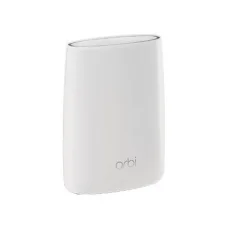

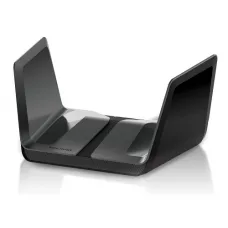
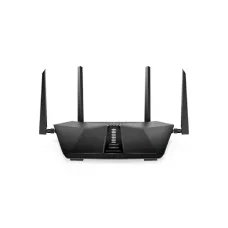

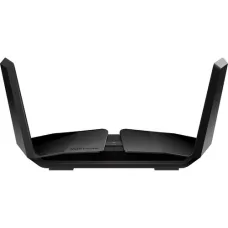
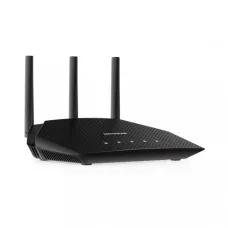
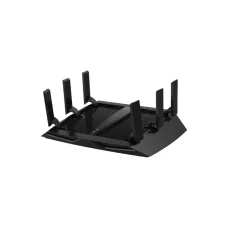

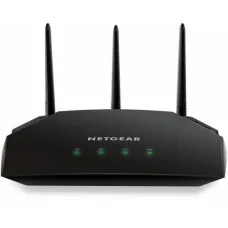
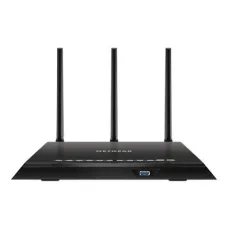
Find the Right Netgear Router for Your Budget and Needs
These are the latest in-stock Netgear Router at Unix Network, with the current price in Bangladesh. Open a model for specifications.
Latest Netgear Router Price List in BD 2026
Netgear Router Price in Bangladesh
Looking for the latest Netgear Router price in Bangladesh? Unix Network offers Netgear networking solutions for home users, offices, businesses, gamers, content creators, and users who need reliable Wi-Fi connectivity. Netgear has a wide range of routers designed for different internet speeds, coverage requirements, device counts, and networking environments.
A Netgear router can be used to share an internet connection with smartphones, laptops, desktop computers, smart TVs, gaming consoles, printers, IP cameras, and other connected devices. Depending on the model, Netgear routers may support technologies such as Wi-Fi 5, Wi-Fi 6, Wi-Fi 6E, Wi-Fi 7, dual-band, tri-band, multi-gigabit Ethernet, mesh networking, VPN features, parental controls, and advanced security features.
The price of a Netgear router in Bangladesh depends on the model, Wi-Fi generation, wireless speed, number of bands, Ethernet ports, coverage, processor, security features, and other specifications. Before purchasing, customers should choose a router according to their internet package, home or office size, number of connected devices, and expected usage.
Netgear Router Price List in Bangladesh
| Netgear Router Type | Best For | Typical Price Segment |
|---|---|---|
| Netgear Basic WiFi Router | Small Home & Basic Internet | Budget |
| Netgear Dual-Band Router | Home & Office | Budget to Mid-Range |
| Netgear WiFi 5 Router | Everyday Home & Office | Mid-Range |
| Netgear WiFi 6 Router | Modern Home & Multiple Devices | Mid-Range to Premium |
| Netgear WiFi 6E Router | High-Speed Wireless Networking | Premium |
| Netgear WiFi 7 Router | High-Performance Networking | Premium to High-End |
| Netgear Gaming Router | Gaming & Low-Latency Applications | Mid-Range to High-End |
| Netgear Nighthawk Router | Performance Users & Gaming | Mid-Range to Premium |
| Netgear Mesh WiFi System | Large Homes & Whole-Home Coverage | Mid-Range to Premium |
Important: Router prices change according to the exact model, specifications, stock availability, import costs, warranty, and current market conditions. Always check the current Unix Network price and availability before purchasing.
What Is a Netgear Router?
A Netgear router is a networking device that connects your local devices to an internet connection and provides wired or wireless network access. Depending on the model, it can provide Wi-Fi connectivity, Ethernet networking, network management, security controls, parental controls, guest networking, and other advanced features.
Netgear produces routers for different types of users, from basic home internet users to customers who need high-performance wireless networking for gaming, streaming, large households, and demanding workloads.
Netgear WiFi Router
Netgear WiFi routers are designed to provide wireless internet connectivity throughout homes, offices, and other environments. The appropriate router depends on the size of the coverage area, wall construction, number of connected devices, internet speed, and required performance.
Netgear Dual-Band Router
A dual-band router typically operates on the 2.4GHz and 5GHz Wi-Fi bands. The 2.4GHz band generally offers better range and wall penetration, while 5GHz can provide higher performance over shorter distances with compatible devices.
A dual-band Netgear router can be a practical choice for many homes and small offices where users connect smartphones, laptops, smart TVs, PCs, and other devices.
Netgear Tri-Band Router
Tri-band routers provide an additional wireless band, which can help distribute network traffic among multiple devices. They can be useful in busy homes, high-device environments, and certain gaming or streaming setups.
Netgear WiFi 5 Router
Wi-Fi 5, also known as 802.11ac, remains suitable for many everyday internet applications. A Netgear Wi-Fi 5 router can be used for web browsing, online classes, video streaming, social media, office applications, and general home networking.
Netgear WiFi 6 Router
Wi-Fi 6 is designed to improve wireless efficiency, especially when many devices are connected to the network. Technologies associated with Wi-Fi 6 can help manage crowded wireless environments more efficiently than older Wi-Fi generations.
A Netgear Wi-Fi 6 router can be a good upgrade for households with many smartphones, laptops, smart TVs, IoT devices, gaming systems, and other wireless clients.
Netgear WiFi 6E Router
Wi-Fi 6E extends Wi-Fi 6 capabilities into the 6GHz band where supported. Compatible devices can benefit from additional spectrum and potentially less congestion. However, both the router and client device must support the relevant 6GHz functionality.
Netgear WiFi 7 Router
Wi-Fi 7 is a newer wireless generation designed for higher throughput, improved efficiency, and advanced multi-band operation. It can be particularly attractive to customers building a high-performance network with newer compatible smartphones, laptops, PCs, and other devices.
Because Wi-Fi 7 hardware can be significantly more expensive, customers should consider whether their current devices and internet connection can actually benefit from the additional capabilities.
Netgear Nighthawk Router
Netgear Nighthawk is a product family associated with higher-performance networking. Nighthawk routers are available in different configurations for users who want advanced wireless performance, gaming features, higher throughput, additional Ethernet connectivity, or extensive network-management options.
Netgear Gaming Router
A Netgear gaming router can be useful for gamers who want to optimize their home network for online gaming. Features vary by model and may include traffic prioritization, gaming-oriented network management, high-speed Ethernet, powerful wireless performance, and advanced monitoring.
However, buying a gaming router does not automatically eliminate lag. Gaming latency can also be affected by the ISP, server distance, internet routing, Wi-Fi interference, network congestion, and the quality of the gaming device's connection.
Netgear Router for Fiber Internet
Customers using fiber internet should check how their internet service is delivered before purchasing a router. Some fiber connections use an ONT that provides Ethernet output, while other installations may use ISP-provided equipment with additional requirements.
If the fiber ONT provides Ethernet, a compatible Netgear router can generally be connected to it through the router's WAN/Internet port. Customers should confirm ISP requirements such as PPPoE credentials, VLAN configuration, static IP settings, or other authentication requirements before replacing ISP equipment.
Netgear Router for Broadband Internet
Netgear routers can be used with compatible broadband connections where the ISP provides Ethernet connectivity or another supported WAN configuration. Before buying, confirm the connection type and authentication method used by your ISP.
Netgear Router for Home
For a home network, router selection should be based on the home's size, number of floors, number of users, internet speed, number of connected devices, and wall construction.
A small apartment may work well with a single router, while a larger multi-floor home may benefit from a mesh Wi-Fi system or additional access points.
Netgear Router for Office
Office networks often require more than basic internet access. Businesses may need reliable Wi-Fi, wired Ethernet connectivity, guest access, network security, multiple access points, VPN functionality, or support for many simultaneous users.
When choosing a Netgear router for an office, consider the number of employees, wired devices, wireless clients, internet bandwidth, network applications, and future expansion.
Netgear Router for Small Business
Small businesses can benefit from a router that provides reliable connectivity and appropriate security and management features. Depending on the business, useful features may include guest networking, VPN support, VLAN capabilities, multiple Ethernet ports, and centralized network management.
Netgear Router for Gaming PC
A gaming PC can connect to a Netgear router using Ethernet or Wi-Fi. Whenever possible, a wired Ethernet connection can provide a more consistent connection than Wi-Fi, particularly when the PC is located close to the router.
For Wi-Fi gaming, select a router with a wireless standard and capacity appropriate for the gaming PC and other devices sharing the network.
Netgear Router for PS5 and Xbox
Netgear routers can be used with modern gaming consoles such as PlayStation and Xbox through Ethernet or compatible Wi-Fi. For the best consistency, Ethernet is often preferred when practical.
Customers should also consider NAT behavior, UPnP, port requirements, Wi-Fi interference, and ISP routing when troubleshooting online gaming connectivity.
Netgear Router for Smart TV
A Netgear router can connect smart TVs to the internet for streaming services, software updates, online applications, and other connected features.
If the TV is located near the router, Ethernet can provide a stable connection. Wi-Fi is convenient when running an Ethernet cable is impractical.
Netgear Router for CCTV and IP Cameras
Netgear routers can be used as part of IP camera and CCTV networks. The router provides network connectivity between compatible cameras, NVRs, computers, and other devices.
For larger CCTV installations, customers should consider wired Ethernet, PoE requirements, network bandwidth, switch capacity, camera resolution, and recording requirements rather than relying solely on the router's Wi-Fi specifications.
Netgear Router for Many Devices
If your home contains smartphones, tablets, laptops, smart TVs, cameras, smart speakers, gaming consoles, IoT devices, and computers, router capacity becomes more important.
Do not judge a router only by its advertised maximum Wi-Fi speed. The number of simultaneous devices, wireless interference, client capabilities, channel conditions, and network traffic all influence real-world performance.
Netgear Router Coverage
Wi-Fi coverage depends on much more than the router's advertised range. Walls, floors, furniture, building materials, neighboring networks, router placement, antenna design, and device location can all affect signal strength.
For better coverage:
- Place the router in a relatively central location.
- Keep the router elevated when practical.
- Avoid placing it inside cabinets or enclosed spaces.
- Keep it away from major sources of wireless interference.
- Use wired Ethernet where possible for fixed devices.
- Consider mesh Wi-Fi for large or multi-floor properties.
Netgear Mesh WiFi
A Netgear mesh Wi-Fi system uses multiple network nodes to provide broader wireless coverage. This can be particularly useful for large houses, multi-floor buildings, offices, and locations where a single router cannot provide reliable coverage.
Mesh systems can provide a more convenient whole-home networking experience, but the placement and backhaul connection between nodes are important for achieving good performance.
Netgear Router Ethernet Ports
Ethernet ports are important for connecting desktop PCs, gaming consoles, smart TVs, network switches, NAS devices, access points, and other wired equipment.
Before buying a Netgear router, check whether it provides the Ethernet speed and number of ports you need. Some modern routers include Gigabit Ethernet or multi-gigabit Ethernet connectivity.
Netgear Gigabit Router
A Gigabit Ethernet router supports wired networking at up to 1Gbps under appropriate conditions. This can be useful for desktop computers, NAS devices, gaming PCs, and high-speed internet connections.
Netgear Multi-Gigabit Router
Multi-gigabit Ethernet can be useful when your internet service, NAS, PC, switch, or other network hardware supports speeds above 1Gbps. Customers should check the speed of every component in the network path to determine whether multi-gigabit connectivity will provide a real benefit.
Netgear Router Security
Network security should be considered when purchasing any router. Customers should use a strong Wi-Fi password, keep router firmware updated, disable unnecessary features, and use appropriate security settings.
Depending on the model, Netgear routers may provide features such as guest networking, firewall functionality, parental controls, security services, VPN capabilities, and other network-management tools.
Netgear Router Parental Control
Parents may use supported router features to manage children's internet access, depending on the exact model and service. Available controls can vary between products, so check the current model's supported features before purchasing.
Netgear Guest WiFi
Guest Wi-Fi allows visitors to access the internet without giving them access to your primary network devices. This can be useful for homes, offices, shops, and businesses that regularly provide internet access to guests.
Netgear Router Firmware Update
Router firmware updates can provide security improvements, bug fixes, performance improvements, and new features. Customers should periodically check for firmware updates using the appropriate Netgear management interface or application.
Netgear Router Setup
Basic Netgear router installation generally involves connecting the router's WAN/Internet port to the ISP modem or ONT, powering the router, connecting a computer or smartphone, configuring the internet connection, setting the Wi-Fi name and password, and checking that connected devices can access the internet.
The exact setup process varies by model and ISP.
How to Set Up a Netgear Router
- Connect the ISP modem or ONT to the router's Internet/WAN port.
- Connect the router to power.
- Connect your computer or smartphone to the router.
- Open the router's setup interface or supported mobile application.
- Select the required internet connection type.
- Enter ISP authentication details if required.
- Create a secure Wi-Fi name and password.
- Update firmware if an update is available.
- Connect your devices and test the internet connection.
Netgear Router Troubleshooting
If your Netgear router is not providing internet access, check the ISP modem or ONT first. Then check the Ethernet cable, router status, WAN configuration, ISP credentials, Wi-Fi connection, and device settings.
Wi-Fi Is Slow
Check signal strength, wireless interference, router placement, connected devices, channel congestion, and the capabilities of the client device.
Wi-Fi Keeps Disconnecting
Restart the router, check firmware, test another Wi-Fi band, move closer to the router, and check whether the problem affects one device or all devices.
Internet Works but Wi-Fi Does Not
Check whether the router's wireless network is enabled and whether devices can detect the correct SSID. Also verify the Wi-Fi password and security configuration.
One Device Cannot Connect
If other devices work correctly, the issue may be specific to the client device. Forget and reconnect to the Wi-Fi network, update its network driver or software, and test another network if necessary.
Netgear Router vs ISP Router
ISP-provided routers can be convenient because they are supplied and configured by the internet provider. A separate Netgear router may provide additional features, stronger wireless performance, more advanced management, better coverage options, or greater flexibility depending on the model.
Before replacing an ISP router, confirm whether your ISP allows third-party routers and whether you need PPPoE, VLAN, static IP, bridge mode, or other configuration settings.
How to Choose the Best Netgear Router
1. Check Your Internet Speed
Know your current internet package before buying. A very expensive router may provide little practical benefit if your internet connection is relatively slow and your local network does not require high throughput.
2. Count Your Devices
Consider smartphones, computers, TVs, cameras, gaming consoles, smart home devices, and other equipment that will connect simultaneously.
3. Consider Your Home Size
A small apartment may need only one router, while a larger house may benefit from mesh networking or additional access points.
4. Choose the Appropriate Wi-Fi Generation
Newer Wi-Fi standards can provide improved capabilities, but the client devices must also support them to take advantage of their benefits.
5. Check Ethernet Ports
If you have a gaming PC, NAS, smart TV, desktop computers, or other wired devices, make sure the router provides enough suitable Ethernet ports.
6. Consider Future Upgrades
If you expect to upgrade your internet package or purchase newer devices soon, choosing a router with additional capacity may be worthwhile.
7. Check Security Features
Review the router's security, firmware-update support, guest network, parental-control options, and other network-management features.
Is a More Expensive Netgear Router Always Better?
No. A more expensive router may offer higher wireless speeds, more bands, additional Ethernet capacity, stronger hardware, or advanced features, but those features may not be useful for every customer.
For example, a small household with a modest internet connection may not need a premium Wi-Fi 7 gaming router. Conversely, a large home with many high-performance devices may benefit from a more capable router or mesh system.
What Internet Speed Can a Netgear Router Handle?
The answer depends on the exact model and connection type. Wireless performance is also affected by the connected device, distance, interference, channel conditions, and network traffic.
When choosing a router, compare its WAN and LAN capabilities with your internet package and local-network requirements.
Does Netgear Router Increase Internet Speed?
A router cannot increase the speed provided by your ISP beyond the limitations of your internet service. However, replacing an outdated router can improve Wi-Fi performance, coverage, stability, and local-network throughput when the old router is a bottleneck.
Netgear Router for 100 Mbps Internet
A suitable Netgear router can easily be used for a 100 Mbps internet connection. You do not necessarily need a high-end router for this speed. Focus on reliability, coverage, device capacity, and features that match your requirements.
Netgear Router for 500 Mbps Internet
For a 500 Mbps connection, consider a router with appropriate Gigabit WAN/LAN capability and sufficient wireless performance. If many devices share the connection, additional wireless capacity can also be beneficial.
Netgear Router for 1 Gbps Internet
For gigabit internet, verify that the router has a suitable Gigabit or faster WAN connection and appropriate LAN connectivity. Real-world Wi-Fi speeds will depend on the client device and wireless environment.
Netgear Router for 2.5 Gbps or Faster Internet
If you subscribe to a multi-gigabit internet package, check for multi-gigabit WAN and LAN ports. The modem or ONT, router, Ethernet switch, PC, and network adapter may all need to support the desired speed.
Netgear Router for Bangladesh Internet Users
Bangladesh customers should choose a Netgear router based on their ISP connection, internet speed, home size, number of connected devices, and budget. Different ISPs may use different connection and authentication methods, so confirm the required configuration before buying.
Netgear Router Price in Jessore
If you are searching for Netgear Router price in Jessore, Unix Network provides networking products for customers looking for routers and other computer networking equipment. Customers can check the latest model availability and price before visiting the showroom or placing an order.
Who Should Buy a Netgear Router?
- Home users: For reliable Wi-Fi connectivity and multiple connected devices.
- Students: For online classes, browsing, research, and streaming.
- Office users: For computers, smartphones, printers, and business connectivity.
- Gamers: For high-performance wired or wireless gaming networks.
- Streamers: For high-bandwidth streaming and content workloads.
- Large families: For networks with many simultaneous devices.
- Small businesses: For office networking and guest access.
- PC enthusiasts: For high-performance local networking and advanced configurations.
Customer Checklist Before Buying a Netgear Router
- Know your current internet speed.
- Check your ISP connection type.
- Count the number of connected devices.
- Measure your approximate coverage area.
- Decide whether you need single-router or mesh coverage.
- Check Wi-Fi generation.
- Check 2.4GHz, 5GHz, and 6GHz support where applicable.
- Check the number and speed of Ethernet ports.
- Check WAN speed.
- Check security features.
- Check parental-control requirements.
- Check guest Wi-Fi support.
- Check firmware-update support.
- Check warranty.
- Confirm current price and stock availability.
Why Buy a Netgear Router from Unix Network?
Unix Network helps customers choose networking products according to their internet connection, coverage requirements, budget, and usage. Instead of selecting a router simply because it has a high advertised speed, customers can compare the features that matter for their particular setup.
- Netgear networking products
- Router options for home and office use
- Gaming and high-performance networking options
- Wi-Fi 5, Wi-Fi 6 and newer-generation options depending on availability
- Networking products for different budgets
- Local showroom support in Jessore
- Delivery options for customers across Bangladesh
- Assistance with selecting compatible networking equipment
Frequently Asked Questions About Netgear Router
What is the Netgear Router price in Bangladesh?
Netgear router prices vary significantly depending on the model, Wi-Fi generation, wireless speed, number of bands, Ethernet capabilities, coverage, and features. Check the exact model's current price rather than relying on a general price range.
Which Netgear router is best for home use?
The best model depends on your internet speed, home size, number of connected devices, and budget. A basic dual-band model may be sufficient for a small home, while a larger household may benefit from Wi-Fi 6, Wi-Fi 7, or mesh networking.
Which Netgear router is best for gaming?
A suitable Nighthawk or gaming-oriented Netgear model can be considered for gaming. Look at Ethernet speed, Wi-Fi performance, traffic-management features, device capacity, and your internet connection rather than choosing solely by the product's gaming label.
Is Netgear Wi-Fi 6 better than Wi-Fi 5?
Wi-Fi 6 provides improvements in wireless efficiency and is particularly useful in environments with many connected devices. The actual benefit depends on whether your smartphones, laptops, PCs, and other devices support Wi-Fi 6.
Do I need Wi-Fi 7?
Not necessarily. Wi-Fi 7 is most useful for customers with compatible newer devices and demanding networking requirements. For many homes, Wi-Fi 6 can provide an excellent balance of performance and cost.
Can I use a Netgear router with fiber internet?
Yes, in many installations a Netgear router can connect to the Ethernet output of a fiber ONT. However, ISP-specific settings may be required. Confirm your ISP's requirements before replacing existing equipment.
Can I use a Netgear router with broadband internet?
Yes, provided the router supports the connection method used by your ISP.
Can I connect a Netgear router to an existing router?
Yes. Depending on your objective, you can use access-point mode, bridge-related configurations, or another appropriate networking setup. The correct configuration depends on how you want the two devices to work together.
Can I use a Netgear router for CCTV?
Yes. Netgear routers can provide network connectivity for compatible IP cameras, NVRs, computers, and other CCTV equipment. Larger installations may also require suitable Ethernet switches and PoE equipment.
Can I use a Netgear router for office networking?
Yes. Netgear offers routers and networking products suitable for home offices, small businesses, and larger networking environments. Select the model based on the number of users, devices, bandwidth, security requirements, and network design.
Does a Netgear router work with smartphones?
Yes. Compatible smartphones can connect to a Netgear router through supported Wi-Fi standards.
Does a Netgear router work with laptops?
Yes. Laptops with compatible Wi-Fi or Ethernet connectivity can connect to Netgear routers.
Does Netgear provide mesh Wi-Fi?
Yes. Netgear offers mesh networking products designed for whole-home wireless coverage. The appropriate system depends on the size and layout of the property.
Where can I buy Netgear Router in Bangladesh?
Netgear routers are available through computer and networking retailers in Bangladesh. Customers should compare the exact model, specifications, warranty, current price, and stock availability before purchasing.
Where can I buy Netgear Router in Jessore?
Customers looking for Netgear routers in Jessore can check Unix Network's current availability and pricing and contact the showroom before visiting.
Final Guide to Netgear Router in Bangladesh
Choosing the right Netgear Router depends on much more than the advertised wireless speed. Your internet package, home or office size, number of connected devices, Wi-Fi generation, Ethernet requirements, security needs, gaming requirements, and future upgrades should all be considered.
For a basic home connection, an affordable dual-band router may be enough. For a busy household, Wi-Fi 6 can provide improved efficiency with multiple devices. Gamers and power users may prefer a high-performance Nighthawk model, while large homes may benefit from a Netgear mesh Wi-Fi system.
At Unix Network, customers can compare Netgear networking products based on their actual requirements and budget. Before purchasing, confirm the exact model, current price, availability, warranty, ISP compatibility, Wi-Fi capabilities, Ethernet ports, and required features.
If you are searching for Netgear Router price in Bangladesh, Netgear Router price in Jessore, Netgear WiFi Router, Netgear Dual-Band Router, Netgear Tri-Band Router, Netgear WiFi 6 Router, Netgear WiFi 6E Router, Netgear WiFi 7 Router, Netgear Nighthawk Router, Netgear Gaming Router, Netgear Mesh WiFi, Netgear Gigabit Router, Netgear Multi-Gigabit Router, Netgear Router for Fiber Internet, Netgear Router for Gaming, Netgear Router for Office, Netgear Router for Home, or Netgear Router for CCTV, Unix Network can help you find a suitable networking solution based on your requirements and budget.