

Xiaomi Mi Router Price in Bangladesh
Showing 1 to 15 of 15 (1 Pages)

/Xiaomi-Router-MI-R4CM-300-Mbps-4-Antenna-Router-Global-Version-228x228.webp)
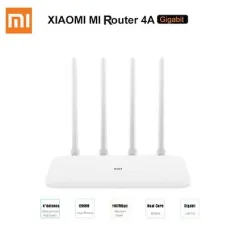
Xiaomi Mi WiFi Router Mini
৳2,100
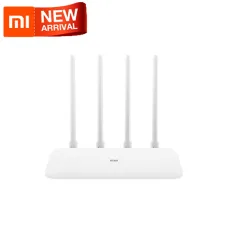
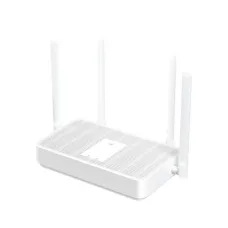
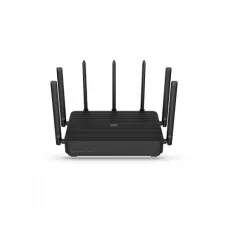

Xiaomi MI AX3600 WiFi 6 Router
৳12,800


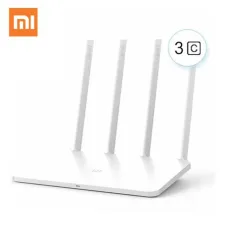
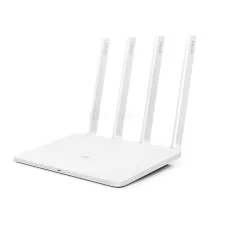
MI Router 3 (Global Version)
৳1,800

Mi AIoT Router AC2350
৳4,400
Find the Right Xiaomi Router for Your Budget and Needs
These are the latest in-stock Xiaomi Router at Unix Network, with the current price in Bangladesh. Open a model for specifications.
Latest Xiaomi Router Price List in BD 2026
| Xiaomi Router List | Price in BD |
|---|---|
| Xiaomi MI 4C R4CM 300 Mbps 4 Antenna Router (Global Version) | ৳1,100 |
| Xiaomi Mi 4A (Regular Edition) 1200Mbps Dual Band Global Version Router | ৳1,600 |
Xiaomi (Mi) Router Price in Bangladesh - Which Model Should You Buy?
Xiaomi routers - sold earlier under the Mi Router name and now simply as Xiaomi - are a popular choice in Bangladesh for home and small-office WiFi because they offer dual-band and WiFi 6 models at budget-friendly prices. At Unix Network, Jashore you can compare the Xiaomi models we list, from basic 300 Mbps routers to the AX3600 WiFi 6 router. The current price and stock status of every model is shown on the product cards above, so always check the product page for today's Mi router price in BD.
Xiaomi Router Models at a Glance
| Model | WiFi type | Rated wireless speed | Good for |
|---|---|---|---|
| Xiaomi Mi 4C (R4CM) | 2.4 GHz single band | 300 Mbps | Small flat, browsing, a few phones |
| Mi Router 3C | 2.4 GHz single band | 300 Mbps | Lowest-cost option for light use |
| Xiaomi Mi 4A (Regular Edition) | Dual band WiFi 5 (2.4 + 5 GHz) | AC1200 | Homes with several devices on a typical broadband package |
| Xiaomi Mi 4A Gigabit Edition | Dual band WiFi 5, Gigabit ports | AC1200 | Faster fibre packages, wired PC or TV |
| Xiaomi RA67 AX1800 | Dual band WiFi 6 | AX1800 | Newer phones and laptops with WiFi 6 |
| Xiaomi R2350 AIoT AC2350 | Dual band WiFi 5, 7 antennas | AC2350 | Larger homes that need wider coverage |
| Xiaomi AIoT AX3600 | Dual band WiFi 6, 7 antennas | AX3600 | Gaming, 4K streaming, many connected devices |
Rated speeds are theoretical wireless figures. Your real internet speed depends on your ISP package, distance, walls and your devices.
How to Choose a Mi Router
- Match your internet package: a dual-band AC1200 router such as the Mi 4A suits most home packages; if your fibre package is faster than 100 Mbps, choose a model with Gigabit ports (Mi 4A Gigabit Edition, R2350, AX1800 or AX3600).
- Count your devices: phones, laptops, smart TVs and IP cameras all share the router. Single-band 300 Mbps models are best for a few devices; dual-band or WiFi 6 handles more.
- Home size and walls: concrete walls weaken WiFi. For bigger flats or two floors, place the router centrally and consider a 7-antenna model.
- WiFi 6 or WiFi 5: WiFi 6 (AX) routers give the most benefit when your phones and laptops also support WiFi 6.
How to Set Up Your Xiaomi Router
- Connect the router's WAN/internet port to your ISP's ONU, modem or internet cable and power it on.
- Join the router's default WiFi network - its name is printed on the label under the router.
- Open the Mi WiFi / Xiaomi WiFi app, or the setup address printed on the label (usually miwifi.com or 192.168.31.1), in your browser.
- Select the connection type your ISP uses (for example PPPoE with the username and password from your ISP), then set your WiFi name, WiFi password and an admin password.
Frequently Asked Questions
Are "Mi router" and "Xiaomi router" the same?
Yes. Xiaomi sold its routers under the Mi brand earlier, and newer models carry the Xiaomi name. Check each product page to see whether the unit is a Global Version.
What is the Xiaomi router price in BD?
It depends on the model: 300 Mbps single-band models are the most affordable, dual-band AC1200 models are mid-range, and WiFi 6 models such as the AX3600 cost the most. See the product cards above for the current price, as prices can change with stock and import costs.
Which Xiaomi router is best for home use?
For most homes, the Mi 4A Gigabit Edition is a balanced choice. If your devices support WiFi 6, the RA67 AX1800 is a good upgrade, and the AX3600 suits heavy gaming and streaming.
Can I order a Mi router from outside Jashore?
Yes. You can order online for courier delivery anywhere in Bangladesh, or visit our Jashore shop. See our delivery information for charges and cash-on-delivery terms.
More Xiaomi Routers at Unix Network
- Xiaomi Mi Router 3 (Global Version)
- Xiaomi Mi R4CM Router
- Xiaomi Mi WiFi Router Mini
- Xiaomi Mi Router 4A (Global)
- Xiaomi RA67 AX1800 Router
- Xiaomi R2350 AIoT AC2350 Router
- Xiaomi AX3600 WiFi 6 Router
- Xiaomi 4C Router
- Xiaomi Mi 4A AC1200 Router
- Xiaomi 4A Router
- Xiaomi Mi 4A Edition (Global Version)
- Xiaomi Mi Router 3C (Global Version)
- Xiaomi AIoT Router AC2350
- Xiaomi AIoT AX3600 Router
Looking for other brands? Browse all WiFi routers at Unix Network.