
Projector Accessories: Enhance Your Viewing Experience
Showing 1 to 1 of 1 (1 Pages)
Projector Accessories
Projector Accessories in Bangladesh
Projector accessories are essential for improving the installation, connectivity, audio, protection, and overall performance of a projector. Whether you use a projector for home entertainment, gaming, office presentations, classrooms, training centers, business meetings, or outdoor events, the right accessories can make the setup easier and more reliable.
The required projector accessories depend on the projector model, installation method, projection distance, screen size, connected devices, and intended usage. Some accessories are necessary for installation, while others improve convenience, sound quality, connectivity, or protection.
Buy Projector Accessories in Bangladesh
If you are planning to buy projector accessories in Bangladesh, first identify the exact projector model and the accessories required for your setup. Check connector types, mounting compatibility, supported resolutions, cable length, screen dimensions, and power requirements before purchasing.
Choosing compatible accessories can help prevent connection problems and ensure that your projector works properly with laptops, desktop computers, gaming consoles, streaming devices, speakers, and other equipment.
Types of Projector Accessories
Projector Screen
A projector screen provides a dedicated surface for displaying projected images. Compared with an ordinary wall, a suitable screen can provide a more consistent viewing surface and improve the overall presentation.
Projector screens are available in different sizes, aspect ratios, materials, and installation types. Choose the screen according to the projector's resolution, throw distance, room size, and intended use.
Projector Ceiling Mount
A ceiling mount allows a compatible projector to be installed securely above the viewing area. Ceiling mounting can save desk space and provide a permanent projection position.
Before buying a projector ceiling mount, check the projector's mounting hole pattern, weight, dimensions, adjustment range, and ventilation requirements.
Projector Wall Mount
A wall mount can be useful for short throw and ultra short throw projectors that need to be positioned close to the projection surface. It can provide a clean installation while keeping the projector securely positioned.
Projector Stand
A projector stand provides a convenient temporary mounting solution. It is useful for classrooms, offices, meetings, presentations, and users who frequently move their projector between locations.
Projector Tripod
A tripod can provide a portable platform for compatible projectors. Adjustable height and easy transportation make tripod-based setups useful for presentations, events, and temporary installations.
Projector Carrying Case
A projector carrying case helps protect portable projectors during transportation and storage. A suitable case can protect against dust, scratches, and minor impacts.
Projector Bag
A projector bag is designed to make it easier to transport a projector along with accessories such as power cables, remote controls, HDMI cables, and adapters.
Projector HDMI Cable
HDMI cables are commonly used to connect projectors to laptops, desktops, gaming consoles, Blu-ray players, media players, and streaming devices.
When choosing an HDMI cable, consider the required resolution and refresh rate. High-resolution and high-refresh-rate setups may require a cable capable of supporting the required HDMI standard.
Projector VGA Cable
VGA cables can be used with older projectors and computers that support analog video output. They are still useful for certain legacy office and classroom equipment.
Projector DisplayPort Cable
DisplayPort cables can connect compatible computers or graphics cards to projectors that provide DisplayPort input. They can support high-resolution digital video depending on the supported standard.
Projector USB-C Cable
USB-C can provide video and data connectivity with compatible laptops, smartphones, tablets, and other devices. However, not every USB-C port supports video output, so device compatibility should be checked before purchasing.
Projector Adapter
Projector adapters allow devices with different connection interfaces to communicate with compatible projectors. Common examples include USB-C to HDMI, DisplayPort to HDMI, Mini DisplayPort to HDMI, and other video adapters.
Always check whether the adapter supports the required resolution, refresh rate, audio transmission, and operating mode.
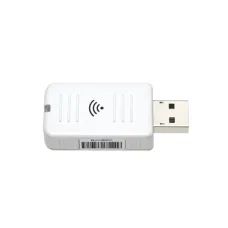
Wireless Projector Adapter
A wireless display adapter can allow compatible smartphones, laptops, tablets, and computers to send content to a projector without a traditional video cable.
Wireless performance depends on network quality, device compatibility, operating system support, and the technology used by the adapter.
Projector Remote Control
A projector remote control allows users to operate functions such as power, input selection, volume, menu settings, focus, and other supported features from a distance.
If replacing a lost or damaged remote, make sure the replacement is compatible with the exact projector model.
Projector Lamp
Traditional lamp-based projectors use replaceable projection lamps. A replacement lamp can restore brightness when the original lamp reaches the end of its operating life.
Always choose a compatible lamp designed for the specific projector model. Using an incorrect lamp can cause compatibility or safety problems.
Projector Lamp Housing
Some projector lamps are supplied as complete lamp modules or housings. A lamp housing can make replacement easier depending on the projector design.
Projector Filter
Some projectors use air filters to reduce dust entering the internal cooling system. Depending on the model, filters may require periodic cleaning or replacement.
Projector Cleaning Kit
Projector cleaning accessories can help maintain the lens and exterior of the device. Use cleaning products and methods appropriate for the projector manufacturer's recommendations.
Avoid applying liquids directly to the projector lens or internal components.
Projector Lens
Some professional projectors support interchangeable lenses. Different lenses can provide different throw distances, image sizes, and installation flexibility.
Projector Lens Cap
A lens cap can protect the projector lens from dust and scratches when the projector is not in use. This is particularly useful for portable projectors.
Projector Audio Cable
Audio cables can connect a projector or source device to external speakers, amplifiers, soundbars, or other audio equipment. The appropriate cable depends on the available audio ports.
Projector Speaker
External speakers can significantly improve sound quality compared with the built-in speakers found on many projectors. They are useful for home theater, gaming, classrooms, presentations, and larger rooms.
Projector Soundbar
A soundbar can provide a cleaner and more powerful audio solution for home entertainment setups. It can be particularly useful when the projector is used for movies, sports, and gaming.
Projector HDMI Splitter
An HDMI splitter can distribute a single HDMI source to multiple compatible displays. It can be useful when the same content needs to be displayed on more than one screen.
HDMI Switch for Projector
An HDMI switch allows multiple HDMI source devices to connect to a single projector input. It can be useful when connecting a laptop, gaming console, media player, and other devices without repeatedly changing cables.
Projector Extension Cable
Extension cables can provide additional distance between the projector and connected devices. When using long HDMI or other digital cables, make sure the cable can reliably support the required resolution and refresh rate.
Projector Power Cable
A compatible power cable is required to supply electrical power to the projector. The correct cable should match the projector's power connector and electrical requirements.
Projector UPS
A suitable UPS can provide backup power and help protect equipment from certain power interruptions. This can be useful for office, classroom, and business projector installations where uninterrupted operation is important.
Projector Accessories for Home Theater
A home theater projector setup may require a projector screen, ceiling mount or stand, HDMI cable, external speakers or soundbar, media player, streaming device, and appropriate power protection.
The accessories should be selected according to the projector's resolution, HDMI capabilities, room size, screen dimensions, and audio requirements.
Projector Accessories for Gaming
Gaming projector setups can benefit from high-quality HDMI cables, HDMI switches, suitable audio equipment, projector mounts, and large projection screens.
Gamers should ensure that the selected cables and accessories support the resolution and refresh rate required by the gaming console or PC.
Projector Accessories for Office
Office projector setups commonly require HDMI or USB-C cables, presentation adapters, projector mounts, remote controls, projector screens, and external audio equipment where necessary.
Wireless presentation accessories can also make it easier for multiple users to share content during meetings.
Projector Accessories for Classroom
Classrooms may benefit from ceiling mounts, wall mounts, projector screens, HDMI cables, wireless display adapters, speakers, and replacement lamps or filters where applicable.
For classrooms with limited space, short throw or ultra short throw projector mounting accessories can provide a practical installation solution.
Projector Accessories for Business
Business environments may require professional mounting systems, presentation adapters, wireless display solutions, HDMI switches, external audio equipment, and reliable power protection.
For conference rooms, accessories should be selected to provide easy connectivity for different laptops and presentation devices.
Projector Accessories for Outdoor Use
Outdoor projector setups may require a stable projector stand, suitable screen, long-distance cables, external speakers, and appropriate power solutions.
Protect the projector from rain, moisture, excessive dust, and direct environmental exposure unless the equipment is specifically designed for outdoor conditions.
How to Choose Projector Accessories
Check Projector Model
Start with the exact projector brand and model. Mounting systems, replacement lamps, filters, remotes, and other accessories may differ between models.
Check Connection Ports
Check whether the projector uses HDMI, VGA, DisplayPort, USB-C, USB, audio, or other interfaces before purchasing cables or adapters.
Check Resolution Support
Choose cables and adapters that can support the projector's required resolution and refresh rate. This is especially important for Full HD, QHD, 4K, and high-refresh-rate applications.
Check Mount Compatibility
For ceiling and wall mounting, check the projector's mounting pattern, weight, dimensions, and required adjustment range.
Choose the Correct Screen Size
The projector screen should match the projector's throw distance, aspect ratio, image size, and room layout.
Consider Audio Requirements
Built-in projector speakers may be sufficient for basic presentations, but external speakers or a soundbar can provide better audio for movies, gaming, and large rooms.
Consider Portability
If you frequently move the projector, a carrying case, compact stand, portable screen, and suitable cable organizer can make transportation easier.
Check Replacement Part Compatibility
For lamps, filters, remotes, and other replacement parts, verify the exact model compatibility before purchasing.
Projector Accessories Price in Bangladesh
The projector accessories price in Bangladesh varies depending on the accessory type, brand, compatibility, quality, specifications, and installation requirements.
Basic HDMI cables and adapters are generally more affordable, while projector screens, ceiling mounts, professional lenses, replacement lamps, wireless presentation systems, and specialized accessories can require a larger budget.
Projector Accessories Price in Jessore
If you are searching for projector accessories price in Jessore, compare accessories according to compatibility and quality rather than selecting only the lowest-priced option.
For example, an HDMI cable for a 4K projector should support the required video specification, while a ceiling mount should safely support the projector's weight and mounting pattern.
Buy Projector Accessories from Unix Network
Unix Network offers projector-related accessories for home users, gamers, students, offices, classrooms, businesses, and professional installations in Bangladesh.
Before purchasing projector accessories, check your projector model, connection requirements, installation method, resolution, screen size, and intended usage. Choosing compatible accessories can help you build a more reliable and convenient projector setup.
Frequently Asked Questions About Projector Accessories
What accessories do I need for a projector?
The basic accessories may include a projector screen, HDMI cable, suitable power cable, mounting solution, and remote control. Depending on the setup, you may also need speakers, adapters, wireless display devices, HDMI switches, or a carrying case.
Do I need a projector screen?
A projector can work on a suitable wall, but a dedicated projector screen can provide a more consistent surface and improve the viewing experience.
Which HDMI cable is best for a 4K projector?
Choose an HDMI cable that supports the specific 4K resolution and refresh rate required by your projector and source device. Check the supported HDMI specification rather than choosing only by cable length.
Can I mount my projector on the ceiling?
Yes, if the projector and mount support ceiling installation. Check the projector's mounting holes, weight, dimensions, ventilation, and the mount's load capacity before installation.
Can I use a USB-C adapter with a projector?
Yes, when the source device's USB-C port supports video output and the adapter supports the required display standard. USB-C ports do not all provide the same functionality.
Do projectors need external speakers?
Not always. Many projectors have built-in speakers, but external speakers or a soundbar can provide significantly better audio for movies, gaming, events, and large rooms.
How often should a projector lamp be replaced?
Lamp lifespan varies by projector model and operating mode. Replace the lamp according to the manufacturer's recommended lifespan or when brightness and performance have significantly decreased.
Can I use any projector remote?
No. Remote compatibility varies by projector model. Use a remote designed for the exact projector model or a confirmed compatible replacement.
Final Guide to Projector Accessories
The right projector accessories can improve image quality, installation, connectivity, audio, portability, and long-term usability. The most important step is to select accessories that are compatible with your specific projector and source devices.
For a basic setup, an appropriate screen and HDMI cable may be enough. Home theater users may need a screen, mount, external audio system, and media connectivity accessories. Offices and classrooms can benefit from presentation adapters, wireless display solutions, and reliable mounting systems.
If you are searching for projector accessories in Bangladesh or projector accessories in Jessore, compare compatibility, specifications, quality, warranty, and price before making your purchase from Unix Network.