
৳100 Cashback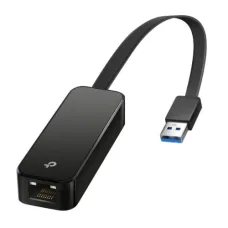
Showing 1 to 13 of 13 (1 Pages)




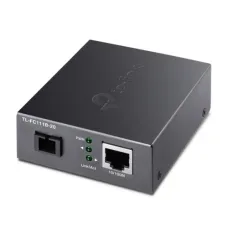


These are the latest in-stock TP-Link Converter & Cable at Unix Network, with the current price in Bangladesh. Open a model for specifications.
| TP-Link Converter & Cable List | Price in BD |
|---|---|
| TP-Link UE306 USB 3.0 to Gigabit Ethernet Network Adapter | ৳1,400 |
| TP-Link UE300 USB 3.0 Gigabit Ethernet Network Adapter | ৳1,300 |
| TP-Link TL-POE150S PoE Injector | ৳1,500 |
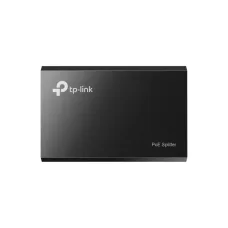
| TP-Link TL-POE10R PoE Splitter | ৳900 |
TP-Link media converters and network cables provide practical connectivity solutions for fibre-optic networks, office LAN installations, CCTV surveillance systems and business networking infrastructure. TP-Link fibre media converters connect compatible copper Ethernet equipment to optical fibre links, while Ethernet cables provide wired connections between computers, routers, switches, access points and other network devices. These products are useful for building, extending and maintaining reliable network connections in homes, offices and commercial environments.
At Unix Network, customers can explore TP-Link media converter and network cable prices in Bangladesh and compare available models according to Ethernet speed, optical interface, transmission distance, connector type and cable specifications. Whether you need a Fast Ethernet fibre converter, a Gigabit media converter with an SFP slot or a Cat6 Ethernet patch cable, choosing compatible equipment is essential for dependable network performance.
A TP-Link fibre media converter connects compatible Ethernet equipment to an optical fibre network. It converts signals between a copper RJ45 Ethernet connection and a supported fibre interface, allowing devices to communicate across an optical link.
Media converters are commonly used to extend network connections between buildings, offices, warehouses and remote equipment locations where standard copper Ethernet cabling may not be suitable.
Before purchasing, check the converter's Ethernet speed, optical interface, fibre type, supported wavelength and transmission distance.
Selected TP-Link media converters support 10/100Mbps Fast Ethernet connectivity for basic fibre network extensions. These models can be suitable for connecting compatible networking equipment, surveillance devices and other applications that do not require Gigabit throughput.
Fast Ethernet converters provide a practical way to extend an Ethernet network through suitable optical fibre infrastructure.
Actual performance depends on the model, connected devices and network conditions. A Fast Ethernet converter cannot provide Gigabit Ethernet throughput.
TP-Link Gigabit media converters support high-speed Ethernet connectivity for compatible fibre network installations. Selected models provide 10/100/1000Mbps RJ45 interfaces, allowing Gigabit-capable routers, switches and other network devices to communicate through suitable optical links.
Gigabit media converters can be useful for office networking, building-to-building connectivity and high-speed local data transfers.
To achieve Gigabit performance, the Ethernet devices, optical modules and network infrastructure must support the required speeds.
The TP-Link MC220L is a Gigabit Ethernet media converter designed to connect a 10/100/1000Mbps RJ45 Ethernet interface to a compatible 1000BASE-X SFP transceiver.
Its SFP-based design allows users to select a suitable optical module according to the fibre type, connector and transmission distance required for the installation.
The optical SFP module may be sold separately. Before purchasing, confirm the supported transceiver specifications and compatibility with the equipment at the opposite end of the fibre link.
The TP-Link MC210CS is a Gigabit media converter designed for compatible single-mode fibre connections. It provides a way to extend Gigabit Ethernet connectivity through suitable optical fibre infrastructure.
This type of converter can be useful for longer-distance network links between offices, buildings and other locations.
Buyers should verify the model's optical specifications, supported distance, connector type and compatibility with the device at the opposite end of the link.
The TP-Link MC200CM is a Gigabit media converter designed for compatible multimode fibre installations. It can be used to connect Ethernet equipment through suitable short- to medium-distance optical fibre infrastructure.
Multimode fibre solutions are commonly used within buildings, campuses and other installations where the required link distance falls within the supported optical range.
Before installation, confirm the fibre specification, connector compatibility and supported transmission distance.
The TP-Link MC111CS and MC112CS are complementary single-mode WDM media converters designed for compatible single-fibre Ethernet connections.
Wavelength Division Multiplexing allows data to be transmitted and received through one optical fibre strand using different wavelengths. The complementary converter models are intended to operate together as a matched pair.
These models are useful where available fibre strands are limited. Check their Ethernet speed, optical wavelengths and supported distance before purchasing.
TP-Link single-mode media converters are suitable for compatible optical fibre installations requiring longer transmission distances. Single-mode fibre is commonly used for building-to-building network connections and other extended links.
Depending on the converter and optical module, supported transmission distances may range from several kilometres to longer distances.
Actual reach depends on the optical power budget, fibre attenuation, connectors, splices and installation conditions. Distance ratings should always be verified for the specific model.
Selected TP-Link media converters support multimode optical fibre for compatible network installations. Multimode fibre is often used for shorter optical links within offices, buildings and campus networks.
The supported transmission distance depends on the optical standard, fibre grade and converter model.
Single-mode and multimode optical interfaces are not generally interchangeable. Confirm the installed fibre type before selecting a converter.
Selected TP-Link WDM media converters support bidirectional communication over a single optical fibre strand. These systems use complementary transmit and receive wavelengths at opposite ends of the connection.
Single-fibre media converters can be useful where fibre availability is limited or where an existing optical route contains only one usable strand.
For reliable operation, ensure the converters or optical modules at both ends are correctly matched.
Selected TP-Link single-mode media converters support optical transmission distances of up to approximately 20 kilometres under specified conditions. These models can be useful for connecting network equipment between distant buildings or commercial locations.
Long-distance fibre links require suitable optical modules, compatible fibre cabling and proper installation practices.
A 20KM specification represents the supported optical design range for a particular model, not a guarantee of loss-free communication in every installation.
A TP-Link fibre-to-RJ45 media converter allows compatible Ethernet equipment to communicate through an optical fibre connection. It provides a copper Ethernet interface for devices such as routers, switches and network equipment that do not have a suitable built-in fibre port.
These converters are useful for extending Ethernet connections through existing optical fibre infrastructure.
A standard Ethernet media converter does not replace a GPON or EPON ONU or ONT used for compatible fibre broadband services. ISP equipment requirements should be confirmed separately.
Selected TP-Link media converters include an SFP slot for compatible optical transceiver modules. This design provides flexibility when choosing the required fibre type, optical wavelength and supported distance.
SFP-based media converters can be useful when network requirements change or when a specific optical interface is needed.
Before purchasing, check the supported SFP standards and whether the transceiver is included with the converter.
Selected TP-Link media converters support Link Fault Passthrough or related link fault reporting features. These functions can help indicate certain connection failures between the copper Ethernet and optical fibre interfaces.
Link fault information may assist administrators in identifying failed network links and troubleshooting connectivity problems.
Link Fault Passthrough does not automatically establish a backup network connection. Network redundancy requires suitable equipment and configuration.
Many TP-Link Ethernet media converters support Auto MDI/MDIX, which helps simplify RJ45 connections by automatically detecting compatible cable pair arrangements.
Selected models also support Ethernet auto-negotiation for establishing an appropriate link speed and duplex mode.
These functions make installation more convenient, although the optical interfaces and network equipment must still be compatible.
TP-Link media converters commonly feature LED indicators for monitoring device and connection status. Depending on the model, these may display power, Ethernet link, optical link and network activity information.
Status indicators can help identify basic connection problems during installation or troubleshooting.
The number and meaning of LEDs vary by model, so refer to the relevant product documentation when diagnosing faults.
Many TP-Link media converters are designed for straightforward installation without complex software configuration. Users can connect compatible Ethernet equipment, optical fibre and power to establish a supported network link.
Plug-and-play operation makes these converters convenient for simple point-to-point network extensions.
However, successful operation still depends on matching optical standards, correct fibre connections and suitable network configuration.
TP-Link network cables provide wired connections between compatible computers, routers, switches, access points and other Ethernet-enabled devices.
Ethernet cabling is an important part of home and business network infrastructure because cable quality, category rating and termination can influence network performance.
When comparing TP-Link network cables, consider the supported category, cable length, connector design and intended installation environment.
Category 5e Ethernet cables are widely used for standard wired networking applications. Properly manufactured and installed Cat5e cabling can support Gigabit Ethernet over standard channel distances of up to 100 metres.
Cat5e cables are suitable for many home and office applications, including connections between computers, routers, switches and network printers.
Actual performance depends on cable quality, connector termination and installation conditions.
TP-Link Cat6 Ethernet cables, where available, are suitable for compatible high-speed wired network installations. Category 6 cabling is commonly used for Gigabit Ethernet networks in offices, homes and commercial buildings.
Properly installed standards-compliant Cat6 cabling can support Gigabit Ethernet over standard 100-metre channels and may support 10 Gigabit Ethernet over shorter distances under suitable conditions.
For dependable results, verify the cable's category rating, conductor material and intended application.
Ethernet patch cables provide convenient ready-made connections between compatible networking devices. They are useful for connecting desktop computers, routers, switches, access points and network storage equipment.
Suitable Cat5e or Cat6 patch cables can support Gigabit Ethernet when used with compatible devices.
When selecting a patch cable, consider the required length, connector quality and cable category.
Conductor material is an important consideration when selecting Ethernet cabling. Standards-compliant solid copper cables are generally preferred for structured cabling and Power over Ethernet installations.
Copper-clad aluminium cables have higher electrical resistance and may not meet applicable category cabling standards. They are not recommended for PoE installations.
Conductor specifications vary by product. Buyers should verify the actual material rather than assuming every cable sold under a brand uses solid copper.
Ethernet cables may be available in shielded or unshielded constructions depending on the product range. Unshielded twisted-pair cables are suitable for many ordinary home and office installations.
Shielded cables can provide additional protection against certain types of electromagnetic interference when installed with compatible connectors and appropriate grounding practices.
Shielding does not automatically eliminate interference or packet loss. Cable selection should reflect the installation environment and relevant networking standards.
Ethernet cables are manufactured with different outer jacket materials for specific installation conditions. Indoor-rated cables are intended for protected environments, while outdoor-rated cables may provide additional resistance to moisture, ultraviolet exposure and temperature changes.
Not every TP-Link Ethernet cable is suitable for outdoor use or direct exposure to sunlight and rain.
Before installation, check the cable's jacket specification, environmental rating and applicable electrical and building requirements.
Suitable Ethernet cables are commonly used to connect PoE IP cameras to compatible switches, injectors and network video recorders.
Power over Ethernet allows electrical power and network data to travel through the same cable, simplifying installation where separate power outlets are inconvenient.
For PoE CCTV systems, use appropriately rated solid copper cabling and verify the cable length, power requirements and connected equipment.
TP-Link fibre media converters can be useful for IP CCTV installations where surveillance equipment is located beyond the normal reach of copper Ethernet cabling.
A compatible pair of media converters can carry Ethernet traffic through suitable optical fibre between network locations.
Most basic media converters do not provide power to IP cameras. Remote surveillance equipment may still require a suitable PoE switch, injector or separate power supply.
Offices and commercial buildings may use TP-Link media converters to connect Ethernet equipment between floors, buildings or remote network locations.
Optical fibre can provide useful advantages for longer-distance connections and is resistant to electromagnetic interference affecting copper data cabling.
For business installations, choose media converters according to required throughput, fibre compatibility and network infrastructure.
Compatible TP-Link media converters can be used for point-to-point Ethernet extensions in private networks and selected service-provider environments.
They are useful when standard Ethernet equipment must communicate through an existing optical fibre link.
However, Ethernet media converters are not interchangeable with GPON or EPON equipment. For fibre broadband installations, confirm the service provider's technical requirements before purchasing.
A TP-Link media converter translates compatible Ethernet signals between copper and optical fibre interfaces. A fibre ONU or ONT communicates with a compatible passive optical network system, such as GPON or EPON.
Although both devices may include optical and RJ45 connections, they perform different functions and are generally not interchangeable.
For a private Ethernet fibre extension, a compatible media converter may be appropriate. For an ISP fibre broadband service, the required ONU or ONT must match the provider's network technology.
When comparing TP-Link media converters in Bangladesh, first determine whether you need Fast Ethernet or Gigabit Ethernet connectivity. Gigabit models are generally preferable for higher-speed office networks and large file transfers.
Next, confirm whether the installed fibre is single-mode or multimode and whether the link uses one or two fibre strands. For WDM single-fibre connections, ensure that the optical interfaces at opposite ends use compatible wavelengths.
Also consider transmission distance, connector type, SFP compatibility, power requirements and any required link fault reporting features.
When selecting a TP-Link Ethernet cable, consider the required connection speed, cable length and installation environment. Cat5e is suitable for many Gigabit Ethernet connections, while Cat6 can provide additional performance headroom in compatible installations.
For structured office cabling and PoE equipment, appropriately rated solid copper cables are generally recommended.
Check the conductor material, connector type and whether the cable is designed for indoor or outdoor use before purchasing.
The TP-Link media converter price in Bangladesh varies according to Ethernet speed, optical interface, supported distance and model features. Fast Ethernet converters are generally positioned for basic network extensions, while Gigabit and SFP-based models provide additional capabilities.
TP-Link network cable prices depend on cable category, length, construction and connector specifications.
To find the latest TP-Link media converter and Ethernet cable prices in BD, visit Unix Network or browse unixnetworkbd.com to compare available products, specifications and current prices.
Looking for a TP-Link media converter or network cable in Jashore? Unix Network helps customers explore fibre-optic connectivity and wired networking products for offices, commercial buildings, CCTV surveillance systems and compatible network extensions. Whether you need a Fast Ethernet media converter, a Gigabit fibre converter, an SFP-based model or an Ethernet patch cable, you can compare available products according to your requirements.
Visit Unix Network in Jashore or browse unixnetworkbd.com to check TP-Link media converters, network cables, current prices, availability and applicable warranty information. Customers in Khulna, Jhenaidah, Magura, Narail, Satkhira and other parts of Bangladesh can also enquire about delivery, routers, network switches, SFP modules and other networking accessories.