
Hubs & Docks Price in Bangladesh
Showing 1 to 6 of 6 (1 Pages)
Refine Search

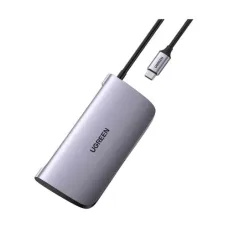

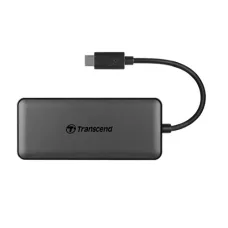

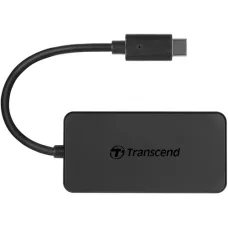
Hubs & Docks
Hubs & Docks Price in Bangladesh
The price of Hubs & Docks in Bangladesh depends on the number of ports, connection type, data transfer speed, display support, charging capability, build quality, and brand. A USB hub can expand the number of available ports on a laptop or desktop, while a docking station can provide a more complete workstation setup with multiple displays, USB devices, Ethernet, audio, storage, and power delivery.
Hubs & Docks are particularly useful for modern laptops that have a limited number of USB, USB-C, HDMI, or other connectivity ports. The right device can help connect multiple peripherals without repeatedly plugging and unplugging individual accessories.
Buy Hubs & Docks in Bangladesh
If you want to buy Hubs & Docks in Bangladesh, choose a model according to the ports and functions you actually need. A basic USB hub may be enough for connecting a keyboard, mouse, flash drive, or card reader, while a docking station can be more suitable for office, professional, or multi-monitor setups.
Before purchasing, consider the laptop or computer ports, required USB standard, display resolution, number of monitors, Ethernet requirement, charging support, and total number of connected devices.
What Is a USB Hub?
A USB hub expands one USB port into multiple ports, allowing several compatible USB devices to connect to a computer at the same time. It is a convenient solution for laptops and desktops where the available USB ports are insufficient.
A USB hub can be useful for connecting keyboards, mice, USB flash drives, external storage devices, printers, card readers, webcams, and other peripherals.
What Is a Docking Station?
A docking station is a more advanced connectivity device designed to turn a laptop into a desktop-style workstation. Depending on the model, a docking station can provide USB ports, HDMI or DisplayPort outputs, Ethernet, audio connectivity, memory card readers, and USB-C Power Delivery.
Docking stations are particularly useful for users who regularly connect their laptop to multiple peripherals or external displays.
USB Hub vs Docking Station
USB Hub
A USB hub primarily expands the number of USB ports available on a computer. It is generally suitable for simple peripheral connectivity and portable use.
Docking Station
A docking station provides a wider range of connectivity options and is designed for a more complete workstation setup. It can support multiple peripheral types and, depending on the model, one or more external monitors.
If you only need additional USB ports, a hub may be sufficient. If you need Ethernet, multiple displays, charging, storage, and several other connections, a docking station may be a better choice.
USB-C Hub
A USB-C hub connects to a compatible USB-C port and provides additional connectivity options. Depending on the model, it may include USB-A, USB-C, HDMI, Ethernet, SD card, microSD card, and audio ports.
USB-C hubs are popular with modern laptops because many thin and lightweight computers provide fewer traditional ports.
USB-C Docking Station
A USB-C docking station provides expanded connectivity through a compatible USB-C connection. Depending on the laptop and docking station, it can connect external displays, USB peripherals, wired networks, storage devices, and other accessories.
Not every USB-C port supports the same features. Before buying a USB-C dock, check whether your laptop's USB-C port supports DisplayPort Alt Mode, USB4, Thunderbolt, or the required Power Delivery functionality.
Thunderbolt Docking Station
A Thunderbolt docking station is designed for computers that support compatible Thunderbolt technology. It can provide high-speed connectivity for external storage, displays, networking, and other peripherals through a single connection.
Thunderbolt docks can be particularly useful for professional users who need high-performance connectivity and multiple external devices.
Multi-Port Hub
A multi-port hub combines several connection types into one compact device. Depending on the model, common ports may include USB-A, USB-C, HDMI, Ethernet, SD, microSD, and audio.
This type of hub can be convenient for laptop users who frequently connect different accessories while working from home, the office, or while traveling.
Powered USB Hub
A powered USB hub uses an external power adapter to provide additional power to connected devices. It can be useful when multiple peripherals or power-demanding USB devices are connected simultaneously.
A bus-powered hub receives power directly from the computer and is generally more portable, while a powered hub can be more suitable for stationary setups with several connected devices.
Hubs & Docks for Laptop
Hubs and docks can significantly improve laptop connectivity. A single compatible connection can provide access to several peripherals, making it easier to use a laptop as a desktop workstation.
They are useful for laptops with limited ports, especially thin and lightweight models that may provide only a few USB-C connections.
Hubs & Docks for MacBook
MacBook users can use compatible USB-C hubs and docking stations to connect external monitors, USB devices, Ethernet networks, memory cards, storage devices, and other peripherals.
Before purchasing, check the specific MacBook model and its supported display and connectivity standards because capabilities can vary between models.
Hubs & Docks for Windows Laptop
Compatible Hubs & Docks can provide Windows laptop users with additional USB ports, external display connectivity, wired networking, storage connectivity, and other useful interfaces.
Always check the laptop's USB-C, Thunderbolt, or other supported interface before selecting a docking station.
Hubs & Docks for Dual Monitor Setup
A suitable docking station can simplify a dual-monitor workstation by connecting multiple displays through a single laptop connection. However, the maximum number of supported displays and resolutions depends on the laptop, dock, graphics hardware, and connection technology.
Before purchasing a dock for a dual-monitor setup, check the supported display outputs, resolution, refresh rate, and laptop compatibility.
Hubs & Docks for Office Work
Hubs and docking stations are useful in offices where employees frequently connect laptops to keyboards, mice, monitors, Ethernet networks, printers, webcams, storage devices, and other peripherals.
A docking station can reduce cable clutter and make it easier to connect and disconnect a laptop from a workstation.
Hubs & Docks for Home Office
A home-office setup can benefit from a docking station when a laptop is regularly connected to an external monitor, keyboard, mouse, webcam, speakers, Ethernet, and other accessories.
Instead of connecting every device individually, users can connect many peripherals to the dock and use a single compatible connection to the laptop.
Hubs & Docks for Travel
A compact USB-C hub can be a useful travel accessory for laptop users. A small multi-port hub can provide access to USB devices, HDMI displays, memory cards, and other interfaces without requiring multiple separate adapters.
For travelers, portability, weight, cable design, and the number of essential ports can be more important than having every possible connection.
Important Ports in Hubs & Docks
USB-A
USB-A remains common for keyboards, mice, flash drives, external storage, printers, and other traditional USB peripherals.
USB-C
USB-C is widely used for modern laptops, smartphones, storage devices, displays, and charging. However, USB-C ports can support different standards and capabilities, so the physical connector alone does not guarantee a specific speed or feature.
HDMI
HDMI allows compatible hubs and docks to connect laptops to external monitors, TVs, and projectors. Check the dock's supported resolution and refresh rate before purchasing.
DisplayPort
DisplayPort is commonly used with computer monitors and can provide high-resolution and high-refresh-rate display connectivity when supported by the laptop and dock.
Ethernet
An Ethernet port allows a compatible laptop to connect to a wired network through the hub or docking station. Wired networking can be useful in offices, gaming setups, and locations where a stable network connection is preferred.
SD and microSD Card Reader
SD and microSD card readers are useful for photographers, content creators, students, and users who frequently transfer files from cameras, smartphones, and other devices.
Audio Port
Some hubs and docking stations include a 3.5mm audio connection for compatible headphones, speakers, or microphones.
USB Power Delivery
Some USB-C hubs and docking stations support Power Delivery, allowing a compatible laptop to receive charging power through the dock. The maximum charging capability depends on the dock, charger, cable, and laptop.
How to Choose Hubs & Docks
Check Your Laptop Port
First identify the port available on your laptop. A USB-C port may support USB data only, while another USB-C port may also support video output and charging.
Check Required Ports
Make a list of the devices you want to connect. This helps you avoid paying for unnecessary ports while ensuring that the hub or dock has all required connections.
Check Data Transfer Speed
If you frequently use external SSDs or other high-speed storage devices, check the supported USB or Thunderbolt speed of the hub or dock.
Check Display Support
If you plan to connect a monitor or TV, verify the supported display interface, resolution, refresh rate, and number of displays.
Check Power Delivery
If you want to charge your laptop through the dock, check whether it supports USB Power Delivery and whether its power capacity is appropriate for your laptop.
Check Ethernet Speed
For wired networking, check whether the hub or dock provides the Ethernet speed you need, such as Gigabit Ethernet or a higher-speed interface.
Check Compatibility
Always verify compatibility with your laptop's operating system and hardware interface before purchasing.
Benefits of Using Hubs & Docks
More Connectivity
A hub or dock can expand a laptop's limited connectivity options and allow multiple peripherals to be connected simultaneously.
Cleaner Workstation
A docking station can help organize multiple cables and peripherals around a laptop workstation.
Easy Laptop Connection
A dock can make it easier to connect a laptop to an established workstation using a single compatible connection.
Better Workstation Flexibility
Users can move between mobile and desktop-style working environments without disconnecting every peripheral individually.
Things to Consider Before Buying Hubs & Docks
Number of Ports
Choose a hub or dock with enough ports for your current devices and consider whether you may need additional ports in the future.
Port Standards
Do not judge a hub only by the connector type. Check the actual USB, display, networking, and charging standards supported by each port.
Power Requirements
Check whether the device is bus-powered or requires an external power adapter, especially if you plan to connect several peripherals.
Display Requirements
For external monitors, check resolution, refresh rate, number of displays, and compatibility with your laptop.
Build Quality
A hub or docking station used every day should have a durable enclosure, reliable connectors, and a suitable cable design for your setup.
Warranty
Check the available warranty and after-sales support before purchasing a hub or docking station.
Hubs & Docks Price in BD
The Hubs & Docks price in BD varies according to the number of ports, USB standard, display support, Ethernet speed, Power Delivery capability, brand, and overall features.
Basic USB hubs are generally designed for simple connectivity, while advanced docking stations with multiple display outputs, high-speed networking, and charging support can fall into a higher price range.
Hubs & Docks Price in Jessore
If you are searching for Hubs & Docks price in Jessore, compare models based on the ports you need, laptop compatibility, display requirements, data transfer speed, charging support, and budget.
For customers in Jessore, checking compatibility before purchase is especially important because different laptops can have different USB-C and display capabilities.
Buy Hubs & Docks from Unix Network
If you are planning to buy Hubs & Docks in Bangladesh, Unix Network offers computer accessories and connectivity solutions for laptop, desktop, office, home, and professional setups.
Before purchasing, compare the available models according to port selection, connectivity standard, data speed, display support, Ethernet, Power Delivery, compatibility, warranty, and price.
Final Buying Guide
The best Hubs & Docks depend on how you use your laptop or computer. A simple USB hub is suitable when you only need additional USB ports, while a docking station is a better choice for users who need multiple peripherals, external displays, wired networking, storage connectivity, and laptop charging through a single workstation connection.
Before buying, check your laptop's available ports, supported USB or Thunderbolt standard, required display outputs, monitor resolution and refresh rate, Ethernet requirements, Power Delivery support, number of connected devices, and budget.
If you are searching for Hubs & Docks price in Bangladesh, Hubs & Docks price in BD, or Hubs & Docks price in Jessore, compare the available models at Unix Network and choose the connectivity solution that best matches your laptop, workstation, and daily requirements.
Hourly Deals