
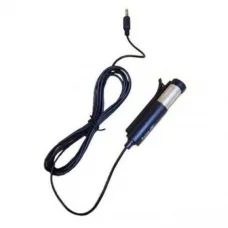
৳80 Cashback Havit M60 Mini Verticle Microphone
Showing 1 to 2 of 2 (1 Pages)

Looking for the latest Havit Microphone price in Bangladesh? Unix Network offers Havit microphones and audio accessories for customers who need clear voice recording, online meetings, gaming communication, streaming, podcasting, online classes, voice-over work, and everyday computer audio.
Havit microphones are available in different designs for different types of users. Depending on the model, you may find desktop microphones, USB microphones, gaming microphones, streaming microphones, and microphones designed for online communication.
When choosing a microphone, don't look only at the price. Microphone pickup pattern, connection type, sound quality, sensitivity, noise handling, mounting method, compatibility, monitoring options, and intended use can make a significant difference in your recording experience.
| Havit Microphone Type | Best For | Important Features |
|---|---|---|
| Havit USB Microphone | PC & Laptop | USB Connectivity, Easy Setup |
| Havit Gaming Microphone | Gaming & Voice Chat | Clear Voice Pickup, Desktop Design |
| Havit Streaming Microphone | YouTube & Live Streaming | Voice Recording, USB Connectivity |
| Havit Desktop Microphone | Online Classes & Meetings | Compact Design, Easy Positioning |
| Havit Computer Microphone | Everyday PC Use | PC Compatibility, Voice Communication |
| Havit Recording Microphone | Voice Recording & Content Creation | Clear Audio Capture |
Price note: Havit microphone prices can vary depending on the exact model, features, connection type, warranty, stock availability, offers, and market conditions. Confirm the current price and model before purchasing.
A Havit Microphone is an audio input device designed to capture your voice or other sounds and send them to a compatible computer or audio device.
Depending on the model, a Havit microphone can be used for gaming, voice chat, online classes, meetings, streaming, recording, voice-over work, and content creation.
A USB microphone connects directly to a compatible computer through USB.
USB microphones are popular among beginners because they can be simpler to set up than microphones that require a separate audio interface.
For customers who want a microphone for gaming, online classes, meetings, streaming, or basic recording, a USB microphone can be a convenient choice.
A gaming microphone is designed to provide clearer voice communication while playing multiplayer games.
Clear voice communication is important when using applications such as Discord or in-game voice chat.
For gaming, look for:
A dedicated microphone can provide a better voice-chat experience than relying on a low-quality built-in laptop microphone.
For gaming, microphone placement is also important. Keeping the microphone at an appropriate distance and speaking toward the correct pickup area can improve voice clarity.
Streamers need clear and consistent voice audio because viewers must be able to understand the commentary.
A Havit USB microphone can be suitable for beginners and casual streamers who want a simple microphone setup without purchasing a separate audio interface.
For streaming, consider:
A dedicated microphone can improve voice quality for YouTube videos, tutorials, gaming videos, product reviews, commentary, and educational content.
For YouTube recording, room acoustics and microphone placement can be just as important as the microphone itself.
A suitable desktop microphone can be used for basic podcast recording and spoken-word content.
For podcasting, prioritize natural voice reproduction, low background noise, comfortable positioning, and reliable recording performance.
If you plan professional multi-person podcast production, consider whether you need multiple microphones, an audio interface, or more advanced recording equipment.
A dedicated microphone can make your voice easier to hear during online classes.
Students can use a compatible Havit microphone for video lessons, presentations, group discussions, and educational meetings.
For online classes, ease of use and clear voice pickup are generally more important than advanced studio features.
A USB Havit microphone can be used as the audio input device for compatible Zoom meetings.
Before joining an important meeting, test the microphone in the application's audio settings and make sure the correct microphone is selected.
A compatible Havit microphone can be selected as the microphone input device in Google Meet or your operating system's sound settings.
If participants cannot hear you, check microphone permissions, input-device selection, and the microphone's physical connection.
Havit USB microphones can be useful for Microsoft Teams meetings and voice communication on compatible computers.
Always test microphone input before an important meeting or presentation.
A dedicated microphone can significantly improve voice communication on Discord when compared with a poor-quality built-in microphone.
After connecting the microphone, open Discord's Voice & Video settings and select the correct input device.
Havit microphones can be used with compatible desktop computers for gaming, streaming, meetings, recording, and communication.
USB microphones are particularly convenient because they can connect directly to a compatible USB port.
A USB microphone can provide an external audio input for laptops.
This can be useful if the laptop's built-in microphone does not provide the voice quality you need or if you want a more controlled desktop recording setup.
Before purchasing, check the exact Havit microphone's operating-system compatibility.
Many USB audio devices can be recognized automatically by modern operating systems, but compatibility can vary by model and system configuration.
Microphone sound quality depends on the microphone capsule, pickup pattern, sensitivity, frequency response, room acoustics, distance from the microphone, gain level, and background noise.
A more expensive microphone does not automatically guarantee better recordings. Correct placement and room conditions are also extremely important.
The pickup pattern describes the directions from which a microphone captures sound most effectively.
Common patterns include:
For gaming, streaming, and solo voice recording, a front-focused pickup pattern can often be convenient because it can reduce some unwanted sounds from behind the microphone.
A cardioid microphone is designed to focus more strongly on sound coming from the front.
This can be useful for:
Some microphone models or software configurations may provide features intended to reduce unwanted background noise.
However, noise reduction cannot completely eliminate a noisy environment.
For better results, place the microphone close enough to your mouth, reduce unnecessary background noise, and avoid placing the microphone directly beside loud fans or other noise sources.
A physical or touch mute button can be useful during gaming, meetings, and streaming.
It allows you to quickly disable microphone input without opening software settings.
If you frequently attend online meetings or stream, a convenient mute control can be an important feature.
A stable microphone stand helps keep the microphone in a consistent position.
Consistent positioning can improve recording quality because the distance between your mouth and the microphone remains more stable.
A desktop microphone is convenient for users who keep their computer on a desk.
It can be positioned beside a keyboard, monitor, or gaming setup and can be ready whenever voice communication or recording is required.
Content creators can use a suitable Havit microphone for tutorials, gaming videos, commentary, voice-over, product demonstrations, live streams, and other spoken-content projects.
Beginners should focus on clean voice capture and ease of use before investing in complicated studio equipment.
Voice-over recording requires clear speech and controlled background noise.
For better voice-over results:
A suitable microphone can be used for casual vocal recording, practice, and content creation.
However, professional singing applications may require a microphone and audio interface specifically designed for studio or live vocal work.
For voice recording, microphone quality is only one part of the final result.
Room acoustics, background noise, microphone placement, recording software, input gain, and post-processing all influence the final audio.
| Feature | USB Microphone | 3.5mm Microphone |
|---|---|---|
| Connection | USB | 3.5mm Audio Jack |
| Setup | Usually Simple | Usually Simple |
| PC Use | Very Convenient | Depends on Audio Input |
| Audio Interface | Usually Not Required | May Depend on Setup |
| Portability | Good | Good |
Decide whether you need the microphone for gaming, meetings, classes, streaming, YouTube, podcasting, recording, or general communication.
USB microphones are convenient for direct connection to compatible computers.
Choose a pickup pattern appropriate for your recording environment and intended use.
Check whether the microphone includes a suitable desktop stand or mounting system for your setup.
Make sure the microphone is compatible with your PC, laptop, operating system, and intended applications.
If you use the microphone in a noisy environment, consider noise-reduction features and microphone placement.
A mute button, gain control, or monitoring feature can make the microphone more convenient to use.
Room echo and background noise can have a major effect on voice recordings.
A stable stand helps maintain consistent microphone positioning.
Confirm the warranty and after-sales support before purchasing.
| User Type | Recommended Features |
|---|---|
| Gamer | Clear Voice Pickup, Mute Button, USB |
| Streamer | USB, Clear Voice, Stable Stand, Easy Controls |
| Student | Simple USB Setup, Clear Voice |
| Office User | Clear Speech, Easy Setup, Mute Control |
| YouTuber | Clear Recording, Stable Stand, USB |
| Podcaster | Clear Voice, Suitable Pickup Pattern, Stable Mount |
| Voice-Over User | Clear Recording, Controlled Pickup, Good Placement |
| Casual User | Affordable, Simple Connection, Good Compatibility |
Gain controls how strongly the microphone input signal is amplified before being processed or recorded.
Too little gain can produce a quiet recording, while excessive gain can increase unwanted noise or cause clipping.
Adjust the gain so your voice is clear without consistently reaching the maximum input level.
A pop filter helps reduce strong bursts of air produced by certain speech sounds, particularly sounds such as "P" and "B".
It can be useful for voice recording, streaming, podcasting, and voice-over work.
Check the USB or audio connection, confirm that the microphone is detected by the operating system, and select it as the default input device.
Try another USB port, restart the computer, check sound settings, and verify whether the operating system recognizes the device.
Increase the microphone input level or gain carefully. Also check microphone placement and application-specific input settings.
Reduce the input gain or microphone volume and check whether the microphone is positioned too close to your mouth.
Move the microphone away from fans and other noise sources, reduce input gain if necessary, and use suitable noise-reduction settings in your recording application.
Echo can occur when speakers are playing audio that is picked up by the microphone or when the room has strong reflections.
Using headphones, reducing speaker volume, and improving room acoustics can help.
Open Discord's Voice & Video settings and make sure the Havit microphone is selected as the input device. Check microphone permissions and input sensitivity settings as well.
Check Zoom's audio settings and confirm that the Havit microphone is selected. Also verify that the microphone is not muted at the device or application level.
Check browser microphone permissions and confirm that the Havit microphone is selected as the input device.
Check Windows sound settings, microphone permissions, input-device selection, USB connectivity, and whether the microphone appears in the available input devices.
| Feature | Dedicated Havit Microphone | Headset Microphone |
|---|---|---|
| Voice Quality | Can Be Better Depending on Model | Convenient for Gaming |
| Positioning | Flexible | Fixed to Headset |
| Portability | Moderate | Excellent |
| Desk Setup | Excellent | Not Required |
| Gaming Communication | Excellent | Excellent |
If you are searching for Havit Microphone price in Jessore, Unix Network can help you choose a microphone according to your PC or laptop, recording requirements, gaming setup, streaming needs, and budget.
Before visiting the showroom, confirm the exact Havit microphone model, current price, warranty, and stock availability.
When buying a Havit microphone online, compare the complete feature set rather than choosing only the lowest price.
Check:
Unix Network helps customers choose computer and audio accessories according to their actual requirements, device compatibility, budget, and intended usage.
The price depends on the exact model, microphone type, connection, features, warranty, stock availability, and current market conditions.
Havit offers microphones for different applications and budgets. Whether a specific model is suitable depends on your requirements for gaming, streaming, meetings, recording, or everyday communication.
The best model depends on your use. Gamers may prioritize clear voice communication and mute controls, while streamers and content creators may prioritize recording quality and microphone positioning.
Havit offers microphone models with different connection types. Check the exact product specification to confirm whether a particular model uses USB.
Compatible Havit gaming and desktop microphones can be suitable for gaming voice chat, Discord, streaming, and multiplayer communication.
A suitable Havit USB microphone can be a convenient option for beginner and casual streamers who need clear voice capture.
Yes, compatible Havit microphones can be used with laptops. USB models require a compatible USB connection.
Yes. Compatible Havit microphones can be used with desktop computers for gaming, streaming, recording, meetings, and communication.
Yes, a compatible Havit microphone can be selected as the microphone input device in Zoom.
Yes. Select the Havit microphone as your input device in Discord's voice settings.
Yes. A suitable Havit microphone can be used for YouTube voiceovers, tutorials, gaming content, reviews, commentary, and streaming.
Driver requirements depend on the exact model and operating system. Some USB audio devices may be recognized automatically.
Check the connection, operating-system input settings, application microphone permissions, mute status, and selected input device.
Background noise can come from fans, air conditioners, computers, room noise, electrical interference, or excessive microphone gain. Improve microphone placement and reduce unnecessary noise sources.
Check the microphone input level, gain, application settings, and distance between your mouth and the microphone.
Customers can check Havit microphone availability from computer and gaming accessory retailers and compare the exact model, features, price, and warranty before purchasing.
Customers searching for Havit microphones in Jessore can check Unix Network's current stock and confirm the exact model and price before visiting the showroom.
A Havit Microphone can be a useful audio accessory for gamers, students, office users, streamers, YouTubers, content creators, and anyone who needs clearer voice communication or recording.
For gaming and Discord, prioritize clear voice pickup and convenient controls. For streaming and YouTube, focus on voice quality, positioning, and background-noise handling. For online meetings and classes, ease of use and clear speech are usually the most important factors.
Before purchasing, always check the exact Havit microphone model, connection type, pickup pattern, compatibility, controls, stand, warranty, current price, and stock availability.
If you are searching for Havit Microphone price in Bangladesh, Havit Microphone price in Jessore, Havit Microphone BD, Havit Microphone Bangladesh, Havit USB Microphone, Havit Gaming Microphone, Havit Streaming Microphone, Havit Computer Microphone, Havit Desktop Microphone, Havit Microphone for PC, Havit Microphone for Laptop, Havit Microphone for Gaming, Havit Microphone for Discord, Havit Microphone for Zoom, Havit Microphone for Google Meet, Havit Microphone for Online Classes, Havit Microphone for YouTube, Havit Microphone for Streaming, Havit Microphone for Podcasting, Havit Microphone for Voice Recording, Havit Microphone for Voice Over, Havit Microphone Online in Bangladesh, or Havit Microphone Shop in Jessore, Unix Network can help you choose a suitable microphone according to your requirements and budget.
Hourly Deals