
-3%৳100 Cashback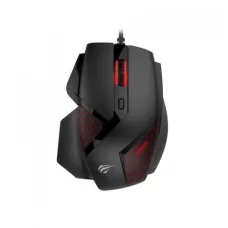
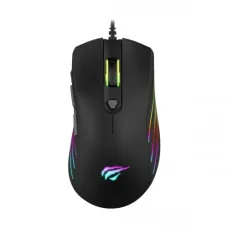
HAVIT MS809 Optical gaming mouse
৳679৳700
Ends in --:--:--
Showing 1 to 24 of 69 (3 Pages)
৳679৳700
Ends in --:--:--

Ends in --:--:--
Ends in --:--:--
Ends in --:--:--
৳1,164৳1,200
Ends in --:--:--
Ends in --:--:--
Ends in --:--:--
৳437৳450
Ends in --:--:--
Ends in --:--:--
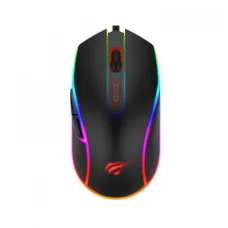
Ends in --:--:--
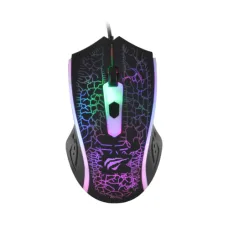
Ends in --:--:--
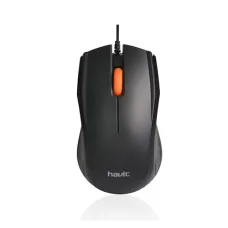
৳291৳300
Ends in --:--:--
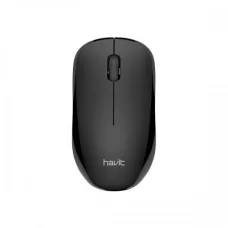
Ends in --:--:--

৳485৳500
Ends in --:--:--

৳437৳450
Ends in --:--:--
৳582৳600
Ends in --:--:--

Ends in --:--:--
৳1,067৳1,100
Ends in --:--:--
Ends in --:--:--

৳873৳900
Ends in --:--:--

Ends in --:--:--
Ends in --:--:--
Ends in --:--:--

৳1,455৳1,500
Ends in --:--:--
These are the latest in-stock Havit Mouse at Unix Network, with the current price in Bangladesh. Open a model for specifications.
Looking for the latest Havit Mouse price in Bangladesh? Unix Network offers Havit mice for gaming, office work, programming, graphic design, browsing, education, and everyday computer use. Havit provides different types of computer mice, including gaming mice, wireless mice, wired USB mice, ergonomic mice, RGB gaming mice, and rechargeable wireless models.
A computer mouse is one of the most frequently used PC accessories, so choosing the right model can improve comfort, control, productivity, and gaming performance. The ideal Havit mouse depends on your usage, hand size, grip style, preferred sensitivity, connectivity, weight, button requirements, and budget.
Havit mouse models are available at different price points, with features varying between entry-level office mice and gaming-focused models. Customers should compare the exact model and specifications before purchasing.
| Havit Mouse Type | Best For | Important Features |
|---|---|---|
| HavitGaming Mouse | Gaming & Entertainment | DPI, Sensor, Polling Rate, Programmable Buttons |
| HavitWireless Mouse | Office & Home | Wireless Connection, Battery Life |
| Havit Wired Mouse | Office & Gaming | USB Connection, Reliable Connectivity |
| Havit RGB Mouse | Gaming Setup | RGB Lighting, Gaming Design |
| Havit Ergonomic Mouse | Long Working Sessions | Shape, Grip Comfort, Button Placement |
| Havit Rechargeable Mouse | Wireless Workspaces | Built-in Battery, Charging |
| Havit Silent Mouse | Office & Quiet Environments | Reduced Click Noise |
| Havit Budget Mouse | Basic Computer Use | Simple Design, Affordable Price |
Note:Havit mouse prices and availability can change depending on the exact model, sensor, DPI range, connectivity, RGB features, warranty, stock, and market conditions. Confirm the current price and availability before purchasing.
A Havit Mouse is a computer pointing device used to control the cursor and interact with applications, websites, games, documents, and operating systems.
Depending on the model, a Havit mouse can include features such as adjustable DPI, optical sensors, additional programmable buttons, RGB lighting, wireless connectivity, rechargeable batteries, ergonomic designs, and gaming-focused controls.
A Havit gaming mouse is designed for users who want more precise and responsive cursor control during gaming.
Gaming mice can provide features such as adjustable DPI, higher polling rates, additional buttons, gaming-oriented sensors, RGB lighting, and ergonomic shapes.
However, gaming performance is not determined by DPI alone. Sensor quality, tracking consistency, mouse shape, weight, grip style, polling rate, surface quality, and software can all affect the overall experience.
A Havit wireless mouse can provide a cleaner and more flexible desk setup by removing the traditional mouse cable.
Wireless mice are particularly useful for laptops, home offices, presentations, media PCs, and users who prefer fewer cables.
Before buying a wireless mouse, check the connection type, receiver requirements, battery life, charging method, operating range, and compatibility.
A Havit wired mouse connects directly to a computer through USB. Wired mice are popular for gaming and desktop computers because they do not require battery charging and provide a direct physical connection.
For users who keep a mouse connected to the same computer for long periods, a wired model can be a simple and convenient choice.
RGB lighting is a popular feature among gaming-PC users. A Havit RGB mouse can complement a gaming keyboard, headset, mouse pad, and PC lighting setup.
RGB lighting is mainly an aesthetic feature and does not automatically improve tracking or gaming performance. Customers who want customizable lighting should check whether the exact model supports software-based RGB customization.
DPI refers to how far the cursor can move relative to physical mouse movement. A higher DPI setting generally makes the cursor move farther with the same physical movement.
A higher DPI is not automatically better. Many gamers and professional users prefer lower or medium DPI combined with appropriate operating-system sensitivity because it provides greater physical control.
When selecting a Havit mouse, look at the available DPI range and whether DPI can be adjusted easily.
| Usage | Common Preference |
|---|---|
| General Office Work | Moderate Sensitivity |
| Web Browsing | Moderate to High Sensitivity |
| Graphic Design | Often Lower or Moderate Sensitivity |
| FPS Gaming | Often Lower Sensitivity |
| Fast Cursor Navigation | Higher Sensitivity |
There is no universally correct DPI. The best setting depends on your monitor resolution, mouse pad size, game sensitivity, application, and personal preference.
The sensor is one of the most important components of a mouse. It determines how the mouse translates physical movement into cursor movement.
Modern optical sensors can provide accurate tracking for gaming and everyday use. Customers should consider sensor quality rather than choosing a mouse solely because it has a high advertised DPI.
| Feature | Optical Mouse | Laser Mouse |
|---|---|---|
| Tracking Technology | Optical Sensor | Laser Sensor |
| Common Usage | Gaming & General Use | General & Specialized Use |
| Surface Compatibility | Depends on Sensor | Depends on Sensor |
| Gaming Availability | Very Common | Less Common in Modern Gaming Mice |
The quality of the specific sensor matters more than simply choosing optical or laser technology.
Polling rate describes how frequently a mouse reports its position to the computer. It is commonly expressed in Hz.
A higher polling rate can reduce the time between mouse reports, but it also depends on system support, game engine, monitor refresh rate, CPU usage, and the actual mouse implementation.
For most users, a reliable sensor and comfortable mouse shape are more important than choosing a mouse solely because it advertises a very high polling rate.
When buying a Havit gaming mouse, consider:
First-person shooter gamers often prefer a lightweight mouse with a reliable sensor and comfortable shape. Lower sensitivity can also be useful for precise aiming because it allows larger physical mouse movements.
A large mouse pad can be particularly useful for low-sensitivity FPS gaming.
MOBA players may benefit from additional buttons depending on their game and control preferences.
Extra programmable buttons can allow frequently used commands to be placed closer to the thumb, although not every player prefers this arrangement.
MMO players often use many keyboard shortcuts and may appreciate mice with additional programmable buttons.
When selecting an MMO-style mouse, consider button placement, software support, macro functionality where supported, and comfort during long sessions.
A Havit office mouse should prioritize comfort, reliable tracking, smooth movement, and appropriate button placement.
For office environments, an ergonomic or silent-click mouse may be more useful than a high-DPI RGB gaming mouse.
Programmers often spend many hours at a computer. A comfortable mouse can reduce the inconvenience associated with long working sessions.
Useful features can include a comfortable ergonomic shape, responsive buttons, accurate tracking, a suitable DPI range, and additional buttons for frequently used actions.
Graphic designers may prefer a mouse that provides precise and predictable movement.
DPI adjustment, sensor accuracy, comfortable grip, smooth tracking, and appropriate button placement can be more important than RGB lighting.
For detailed design work, many professionals also use a graphics tablet alongside or instead of a conventional mouse.
A Havit wireless mouse can be convenient for laptop users who want a larger and more comfortable pointing device than a laptop touchpad.
For frequent travel, a compact wireless mouse can be easier to carry than a large gaming mouse.
Students can use Havit mice for online classes, assignments, browsing, programming, presentations, and entertainment.
A simple wired or wireless mouse is usually sufficient for general academic work, while gaming students may prefer a gaming model with adjustable DPI.
Accounting work often involves spreadsheets, financial software, data entry, and frequent cursor movement.
A comfortable mouse with smooth tracking and easily accessible buttons can improve everyday usability. Users who work for many hours should prioritize ergonomic comfort over unnecessary gaming features.
An ergonomic mouse is designed to provide a hand shape and button arrangement intended to make extended use more comfortable.
However, ergonomics are highly personal. A mouse that feels comfortable to one person may not suit another person's hand size or grip.
Mouse grip is an important factor when choosing a gaming or productivity mouse.
| Grip Style | General Characteristics |
|---|---|
| Palm Grip | Most of the Hand Rests on the Mouse |
| Claw Grip | Palm Partially Raised with Arched Fingers |
| Fingertip Grip | Mouse Controlled Mainly by Fingers |
Choose a mouse shape and size that naturally suits your preferred grip and hand size.
Lightweight gaming mice are popular among FPS players because they can be moved quickly with less physical effort.
However, mouse weight is a personal preference. Some users prefer a heavier mouse because it can feel more stable during everyday work or gaming.
Basic mice usually include left-click, right-click, and a scroll wheel. Gaming mice may include additional side buttons and DPI controls.
Additional buttons can be useful for shortcuts, gaming commands, browser navigation, productivity applications, and other frequently used functions.
Some gaming mice allow users to customize buttons through dedicated software.
Programmable buttons can be useful for:
Software and customization options vary between models.
A silent or low-noise mouse can be useful in offices, libraries, bedrooms, shared workspaces, and other quiet environments.
Customers who prioritize quiet operation should check whether the exact Havit model specifically uses reduced-noise switches.
Rechargeable wireless mice use a built-in battery that can be charged when the battery level becomes low.
This can reduce the need to regularly purchase disposable batteries, although the user needs to remember to recharge the mouse.
Some wireless mice use replaceable batteries. These can be convenient because the mouse can be returned to operation quickly by replacing the battery.
When purchasing a battery-powered mouse, check the expected battery life and battery type.
Havit mice may use different connection methods depending on the model.
| Connection | Advantages | Considerations |
|---|---|---|
| USB Wired | Simple & Reliable | Requires Cable |
| 2.4GHz Wireless | Convenient & Low Cable Clutter | Requires Receiver/Battery |
| Bluetooth | No Dedicated USB Receiver on Compatible Devices | Device Must Support Bluetooth |
Havit mice can be used with desktop PCs for gaming, office work, browsing, programming, graphic design, and general computing.
For desktop gaming, a wired gaming mouse can be a straightforward option, while wireless models can provide greater freedom of movement.
Compatible Havit mice can be used with Mac computers, but users should check the connection method and software compatibility if advanced button customization is required.
USB and compatible Bluetooth mice can work with supported Chromebook devices. For wireless models, check whether your Chromebook supports the required connection technology.
Some USB or Bluetooth mice may work with compatible smart TVs and Android-based devices.
Smart TV compatibility varies, so check the TV manufacturer's supported input devices before purchasing.
A dedicated gaming mouse can provide more precise control and additional buttons compared with a laptop touchpad.
For gaming laptops, consider mouse sensor quality, weight, cable flexibility, wireless latency, grip, and DPI adjustment.
A Havit keyboard and mouse combo can be convenient for customers building a new desktop setup or replacing both input devices at once.
Combos can be suitable for:
| Feature | Gaming Mouse | Normal Mouse |
|---|---|---|
| Sensor | Often Gaming-Focused | General-Purpose |
| DPI Adjustment | Common | Model Dependent |
| Extra Buttons | Common | Less Common |
| RGB | Common on Gaming Models | Less Common |
| Ergonomic Options | Many Options | Many Options |
| Office Use | Yes | Yes |
| Feature | Wired Mouse | Wireless Mouse |
|---|---|---|
| Connection | USB Cable | Wireless |
| Battery | Not Required | Usually Required |
| Cable | Yes | No |
| Portability | Good | Excellent |
| Gaming | Very Popular | Model Dependent |
| Office Use | Excellent | Excellent |
Decide whether the mouse will mainly be used for gaming, office work, programming, graphic design, browsing, education, or general computing.
Choose wired if you prefer a direct connection without battery management. Choose wireless if you want a cleaner desk or greater movement flexibility.
For gaming and precision work, pay attention to the sensor quality and tracking performance rather than choosing based only on the maximum DPI number.
Make sure the mouse provides a sensitivity range suitable for your preferred gaming or work style.
Compare the mouse dimensions with your hand size and preferred grip.
Lightweight mice can be useful for fast movements, while heavier mice may feel more stable to some users.
If you use shortcuts or gaming commands, consider a mouse with additional programmable buttons.
Gamers can consider polling rate alongside sensor quality and overall responsiveness.
If appearance matters to you, choose an RGB model. If performance and value are the priority, RGB may not be necessary.
If you need button remapping, DPI profiles, macros, or RGB customization, confirm that the exact model supports the required software.
Confirm that the connection method works with your PC, laptop, Mac, Chromebook, or other intended device.
Always confirm warranty coverage and after-sales service before purchasing.
A good mouse pad provides a consistent surface for tracking and can improve mouse movement. It can also protect the desk surface and reduce wear on the mouse feet.
Gaming users may prefer larger mouse pads, especially when using lower sensitivity settings.
For a wired mouse, check the USB cable and try another USB port. For a wireless mouse, check the battery, receiver, wireless connection, and power switch.
Clean the sensor and test the mouse on a suitable mouse pad or surface. Dirty sensors, reflective surfaces, poor tracking surfaces, or hardware problems can cause cursor movement issues.
Check the operating-system pointer speed and mouse DPI setting. Also check whether the mouse sensor is clean.
Check battery level, receiver placement, wireless interference, distance from the computer, and USB connection.
If a single click is repeatedly registered as multiple clicks, test the mouse on another computer. If the problem continues, the mouse switch or hardware may require service or replacement.
Clean around the scroll wheel and test it in another application. If the problem remains, the wheel mechanism may have a hardware issue.
Check the mouse's lighting controls, USB connection, software settings, and whether the model supports customizable RGB lighting.
If you are searching for Havit Mouse price in Jessore, Unix Network provides computer peripherals and accessories for customers in Jessore and across Bangladesh.
Mouse models and stock can change frequently, so customers should confirm the exact model, current price, warranty, and availability before visiting the showroom.
Unix Network provides computer accessories and peripherals for home users, gamers, students, professionals, offices, and businesses. Customers can compare Havit mouse models based on their actual requirements instead of selecting a product based only on DPI or appearance.
The price depends on the exact Havit model, sensor, DPI range, connectivity, buttons, RGB features, wireless technology, warranty, stock, and current market conditions.
Havit offers computer mice for different budgets and use cases. The suitability of a particular mouse depends on its exact sensor, construction, features, comfort, and your intended use.
A Havit gaming mouse with a reliable sensor, suitable DPI range, responsive buttons, comfortable shape, and appropriate polling rate can be a good gaming choice.
A comfortable wired or wireless Havit mouse with reliable tracking is generally sufficient for office work. Users in quiet environments may prefer a silent-click model.
A lightweight Havit gaming mouse with a reliable sensor and comfortable shape can be suitable for FPS gaming. The ideal DPI and sensitivity depend on personal preference.
No. Higher DPI only means the cursor moves farther for the same physical movement. The best DPI depends on the user, application, monitor, and sensitivity settings.
Neither is universally better. Wired mice avoid battery management, while wireless mice provide greater freedom and reduce cable clutter.
Depending on the model, a wireless Havit mouse may use replaceable batteries or a rechargeable built-in battery.
Yes. Compatible Havit USB and wireless mice can be used with laptops.
Compatible Havit mice can generally be used for basic pointing and clicking on Mac computers. Advanced customization depends on model and software compatibility.
Compatible USB and Bluetooth models can work with supported Chromebook devices.
Yes. A mouse with accurate tracking and comfortable control can be suitable for graphic design. Designers may also use a graphics tablet for specialized work.
Yes. A comfortable mouse with reliable tracking and useful additional buttons can be suitable for programming and long working sessions.
No. RGB lighting is available only on selected models.
No. Software support depends on the exact model.
Mouse lifespan depends on usage, switch durability, construction quality, environment, and maintenance. Heavy daily use can result in greater wear over time.
Repeated clicks can be caused by switch wear, dirt, software issues, or other hardware problems. Test the mouse on another computer to help identify the cause.
Customers can check computer accessory retailers in Bangladesh for current Havit mouse models, prices, warranty, and availability.
Customers searching for Havit mice in Jessore can check Unix Network's current stock and contact the showroom before visiting.
Choosing the right mouse is about more than maximum DPI. A good Havit mouse should match your hand size, grip style, usage, preferred sensitivity, connectivity requirements, and budget.
Gamers may prioritize sensor quality, polling rate, weight, responsive switches, programmable buttons, and comfortable shape. Office users may prioritize ergonomics, quiet clicking, wireless convenience, and reliable tracking. Programmers and designers may prefer comfortable shapes and precise cursor control for long working sessions.
Before purchasing a Havit Mouse, compare the sensor, DPI range, polling rate, weight, size, grip style, button count, connectivity, battery, software support, compatibility, warranty, current price, and availability.
If you are searching for Havit Mouse price in Bangladesh, Havit Mouse price in Jessore, HavitGaming Mouse, HavitWireless Mouse, Havit Wired Mouse, Havit RGB Mouse, Havit Ergonomic Mouse, Havit Rechargeable Mouse, Havit Silent Mouse, Havit Optical Mouse, Havit Mouse for Gaming, Havit Mouse for FPS Gaming, Havit Mouse for Office, Havit Mouse for Programming, Havit Mouse for Graphic Design, Havit Mouse for Laptop, Havit Mouse for PC, or Havit Mouse for Students, Unix Network can help you choose a suitable mouse for your computer setup.